Uniform - 3D Editor

Uniform - 3D Editor

ダウンロード: App Store
ロゴ: Uniform - 3D Editor

Uniform - 3D Editor: プロフェッショナルのための統合3Dクリエイティブワークスペース

モードや複雑なワークフローから解放されよう。MシリーズチップとApple Pencilに最適化された、高性能iPadアプリで、デスクトップクラスのスカルプト、PBRペイント、リトポロジーを体験してください。

開発元

Sparseal SL

カテゴリ

Graphics & Design

ダウンロード

25K+

ユーザー評価

3.6/5

評価数

0

対応言語

1

境界線のないデザイン

このインターフェースを利用する 25K+ 人のユーザー.

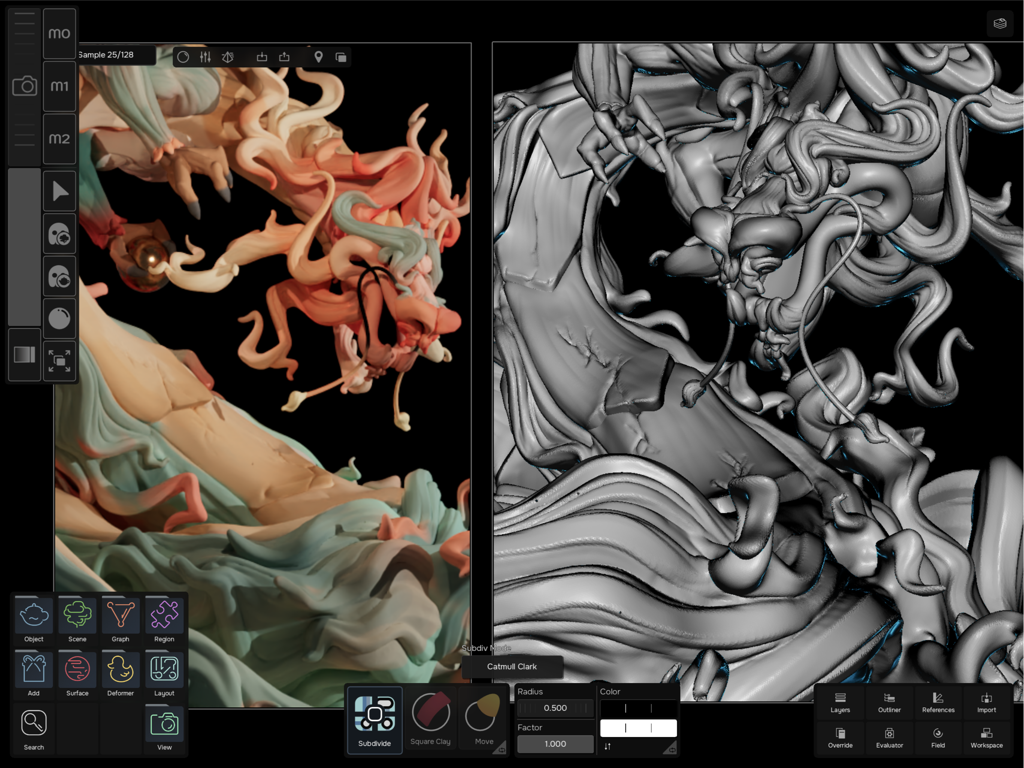
Uniform 3D Editorのインターフェイス。詳細なキャラクターのスカルプトとそのレンダリングバージョンの分割ビューを表示。
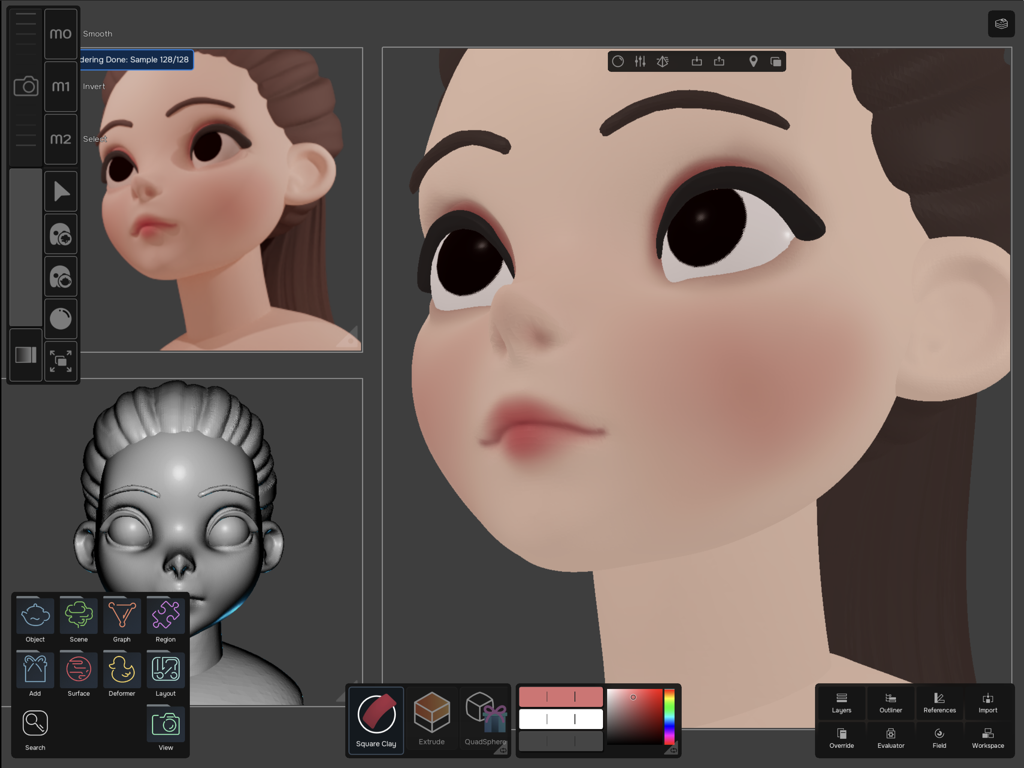
Uniform 3D Editorのインターフェイス。詳細なキャラクターのスカルプトとそのレンダリングバージョンの分割ビューを表示。

iPad上のUniform 3D Editorインターフェイス。様式化された3Dキャラクターの頭部がスカルプトおよびペイントされている複数のビューポートを表示。
iPad上のUniform 3D Editorインターフェイス。様式化された3Dキャラクターの頭部がスカルプトおよびペイントされている複数のビューポートを表示。

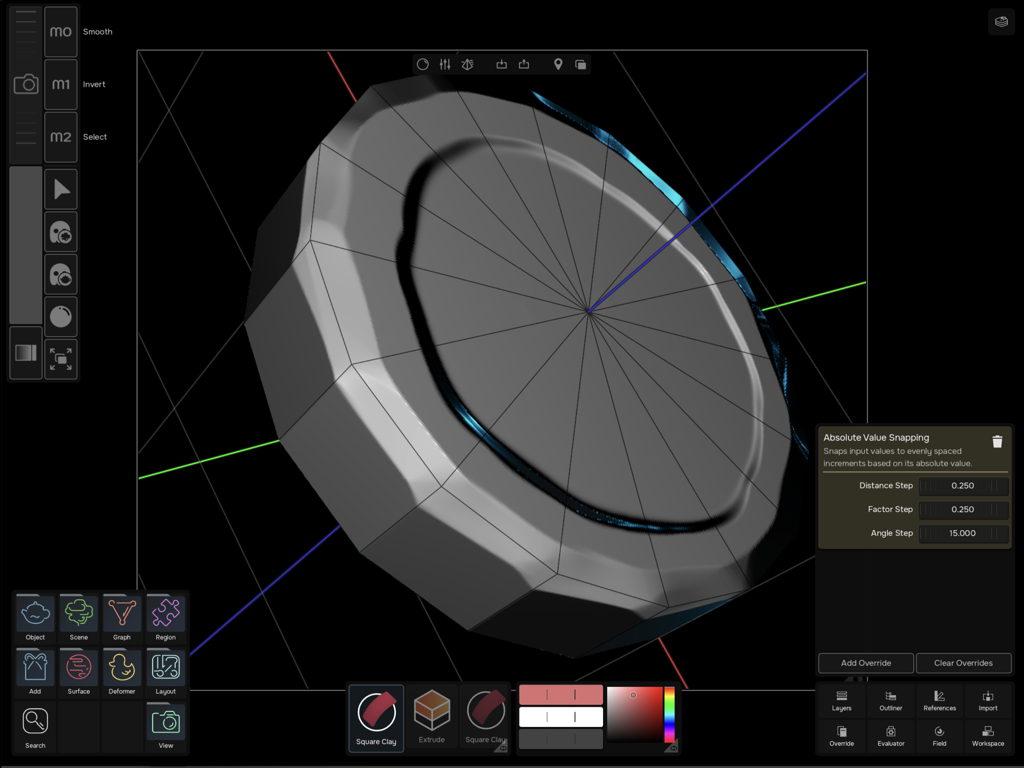
Uniform 3D Editorインターフェイス。スナップ設定が表示された円筒形モデルを表示。
Uniform 3D Editorインターフェイス。スナップ設定が表示された円筒形モデルを表示。

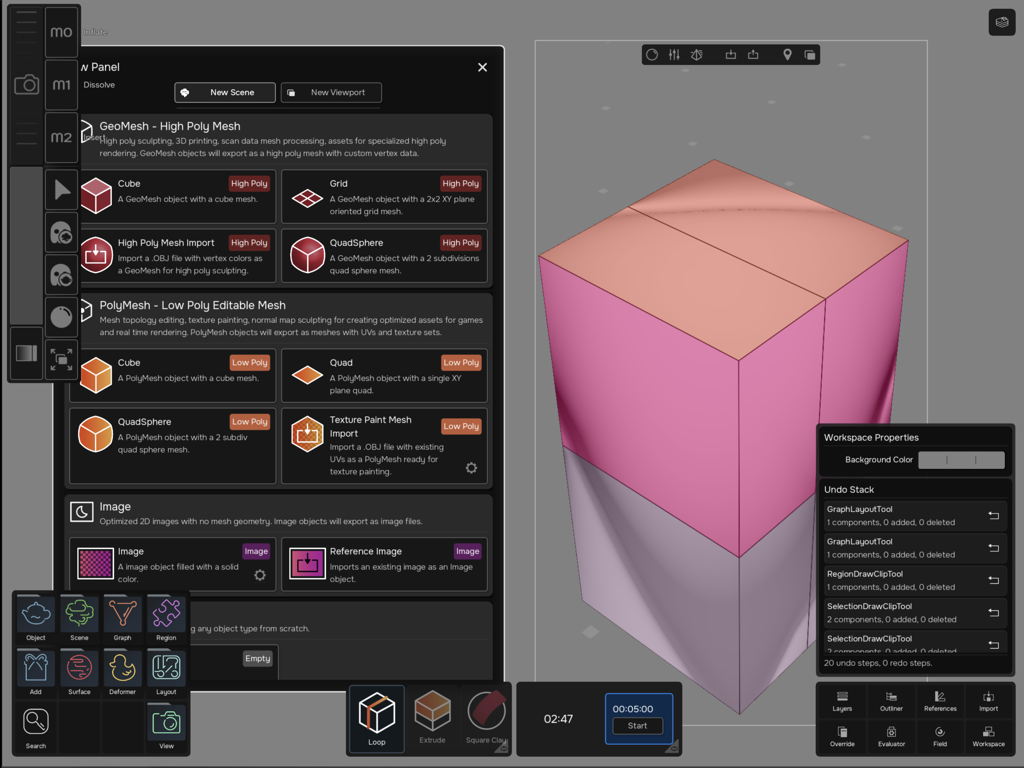
Uniform 3D Editorアプリインターフェイス。iPad上のメッシュ選択のための新しいオブジェクトパネルを表示。

Uniform 3D Editorアプリインターフェイス。iPad上のメッシュ選択のための新しいオブジェクトパネルを表示。

iPadのために再構築されたプロフェッショナル3D。

このアプリを際立たせるツール、 25K+ 人のユーザーが選択.

🛠️

統合クリエイティブワークスペース

モード切り替えはもう不要。モジュラーツールキットにより、流れるような一つの環境で、直感的なブラシを使ってハイポリメッシュをスカルプトし、PBRテクスチャをペイントできます。

🚀

デスクトップクラスのパフォーマンス

Metal 3とMシリーズチップのために設計。数百万ポリゴンのメッシュや複雑なレイヤースタックを、遅延やカクつきなく、楽に操作できます。

📐

プロフェッショナルなリトポロジーとUV

外出先で、コンセプトからゲーム対応アセットまで。高度なリトポロジーツールとシームベースのUV展開で、ジオメトリをマスターしましょう。

アプリについて

について知っておくべきこと Uniform - 3D Editor.

説明

* Uniform is optimized for the latest iPad devices. A device with support for Metal 3 (A14 or later, M1 or later) is recommended. Some features and critical optimizations are not available in older devices. * Uniform works best with Apple Pencil. Some features may not be accessible when using touch only input. A general purpose 3D editor focused on performance and customization. With Uniform you can use the exact same toolkit for creating high poly sculpts, low poly models with textures, normal maps, PBR painting and layering, 2D images and final renders. No modes, no different tools and settings for different object types. Uniform allows you to use the exact same paint brush to paint on a high poly mesh or on a pixel art image. Main features: * Modular, highly customizable tool system that covers a wide range of operations, such as: High poly sculpting and color/PBR painting, including deformers, filters, alpha stamps and VDMs. Texture painting and normal map sculpting. Create high resolution details in low poly objects without baking a high poly mesh. Per pixel/vertex painting for precision pixel art painting and low poly models with visible pixel grids and nearest texture filtering. Direct mesh topology manipulation for poly to poly modeling and retopology, including CozyBlanket pencil tool. Seam based UV unwrapping, voxel remesh and subdivision based sculpting. Region segmentation for partial visibility management and controlling areas of influence. Object creation, mesh primitives and volume-based sketching. Procedural objects and non-destructive operations like OpenSubdiv or Shell. * Layer stack compositor: Uniform supports layers for both displacement and color in all object types (meshes, textures and images). Uniform layer compositor supports procedural layers such as color fills, color corrections and PBR material fills. Layers can have its influence controlled by user editable masks. * Great performance thanks to GPU accelerated tools and layer stack compositor. Uniform takes full advantage of the iPad unified memory architecture and GPU compute capabilities. Use surface filters or brushes that fully cover a model with several millions of polygons without any lag or stuttering. * Multi-scene workspace. Uniform supports working on multiple scenes at the same time within the same file. These scenes can be rendered in multiple views using various viewports or instanced inside other scenes for compositing more complex models. * Multi object editing: Uniform supports editing multiple objects at the same time, even when they are from different types. You can paint across a model composed of high meshes, meshes with textures and images with a single stroke. * Real time renderer with supports for PBR materials and NPR blending, point lights, HDRs and automatic tool overlays. * Dynamic surface views to visualize models the best way possible depending on the task. Surface views can be customized with a built-in editor.

最新バージョン

1.4.6

サイズ

191.1 MB

リリース日

2024年5月15日

3Dクリエイティブワークフローを統合しよう

MシリーズiPadで、デスクトップクラスのスカルプト、PBRペイント、モデリングを体験してください。Metal 3のパワーを活用して、インスピレーションが湧いた場所で、モードや制限なく制作しましょう。

ダウンロード: App Store

App information, icons, screenshots, and descriptions displayed on this page are sourced from the Apple App Store and are the property of their respective developers. Download estimates and rankings are based on MWM's proprietary models and may not reflect actual figures. This page is provided for informational and analytical purposes only.

Believe this page infringes your intellectual property? File a dispute