
このページはアプリまたはその開発者の公式ページではなく、情報提供および論評を目的として作成された独立した編集出版物です。明示的に別段の記載がない限り、アプリおよびその開発者は、MWM、Apple、Google Play、アプリのパブリッシャー、またはアプリの開発者と提携、承認、後援、認可、またはその他の公式的な関係はなく、このページのいかなる内容も、アプリがMWMのサービスを使用して開発されたことを意味するものではありません。すべての商標、ロゴ、スクリーンショット、その他のコンテンツはそれぞれの所有者の財産です。


Foxit PDF Editor
何百万人ものユーザーに信頼されるAI搭載エディターで、よりスマートに仕事を進めましょう。iOSデバイス上で、どこにいても、ドキュメントの編集、署名、要約を瞬時に行えます。
ダウンロード
5M+ユーザー評価
評価数
4K+開発元
カテゴリ
Productivity対応言語
12最新バージョン
2025.12.1サイズ
309.6 MBリリース日
2012年3月19日外出先でのワークフローをマスターする
AI搭載編集、シームレスなクラウド統合、エンタープライズグレードのセキュリティで、モバイルデバイスを高パフォーマンスなワークステーションに変えましょう。
スマートAIアシスタント
統合されたAIコンパニオンで、長文レポートの要約、テキストの即時翻訳、文法修正を行い、効率を向上させましょう。
完全なデスクトップレベル編集
テキスト、画像、オーディオを直接編集。ラップトップなしで、スキャンやOfficeファイルをプロフェッショナルなPDFに変換できます。
よくある質問
について知っておくべきこと Foxit PDF Editor
Foxit PDF Editorとは何ですか?
Foxit PDF Editorは、iOSデバイス向けの使いやすいモバイルアプリで、外出先でPDFファイルを閲覧、編集、注釈付けできます。AIアシスタントのような高度なサブスクリプションベースの機能も提供しています。
Foxit PDF EditorでPDFのテキストや画像を編集できますか?
はい、Foxit PDF Editorを使用すると、PDFファイル内のテキストオブジェクトや画像オブジェクトを追加または編集できます。オーディオ、ビデオ、ハイパーリンクを挿入するオプションも提供していますが、これらは高度な機能です。
Foxit PDF EditorはAIアシスタント機能を提供していますか?
はい、Foxit PDF Editorには、サブスクリプションベースの高度な機能としてAIアシスタントが含まれています。ドキュメントの要約、翻訳、文章の改善、定義、明確化、文法修正、チャットなどを支援します。
Foxit PDF Editorを使用してPDFファイルを共同編集するにはどうすればよいですか?
Foxit PDF Editorは、注釈やスタンプを追加することで共同作業を容易にします。PDFファイルやスクリーンショットの共有をサポートし、Google DriveやOneDriveなどのクラウドサービスと同期します。
Foxit PDF Editorは紙のドキュメントをPDFに変換できますか?
はい、Foxit PDF Editorは、iPad 3、iPhone 5以降のデバイスで紙のドキュメントをスキャンしてPDFに変換できます。この機能はサブスクリプションが必要な高度な機能です。
Foxit PDF Editorはデジタル署名をサポートしていますか?
はい、Foxit PDF Editorを使用すると、PDFに手書き署名を追加できます。既存のデジタル証明書でドキュメントに署名することもサポートしていますが、これはサブスクリプションベースの高度な機能です。
Foxit PDF Editorで高度な機能を有効にするにはどうすればよいですか?
Foxit PDF EditorでOCRやAIアシスタントなどの高度な機能を有効にするには、ユーザーはFoxitアカウントを作成し、アプリ内購入を通じてサブスクライブする必要があります。アカウントでログインすると、これらの機能が有効になります。
Foxit PDF Editorで他の形式から新しいPDFファイルを作成できますか?
はい、Foxit PDF Editorは、Microsoft Office、画像、テキスト、HTMLファイルからPDFを作成します。空白のPDFを作成する機能とともに、この機能はサブスクリプションで利用できる高度な機能です。
Foxit PDF Editorはどのクラウドストレージサービスをサポートしていますか?
Foxit PDF Editorは、Google DriveやOneDriveなどの一般的なクラウドサービスをサポートしています。ユーザーはアプリ内でこれらのプラットフォームから直接PDFファイルを保存、同期、アクセスできます。
Foxit PDF Editorアプリは多言語で利用できますか?
はい、Foxit PDF Editorは12言語をサポートしており、グローバルなユーザーが利用できます。この多言語サポートにより、さまざまなユーザーのアクセス性が向上します。
以下のスクリーンショットと説明は、アプリの公式ストアリスティングから直接取得されたものであり、アプリ開発者の所有物です。
アプリストア
スクリーンショット
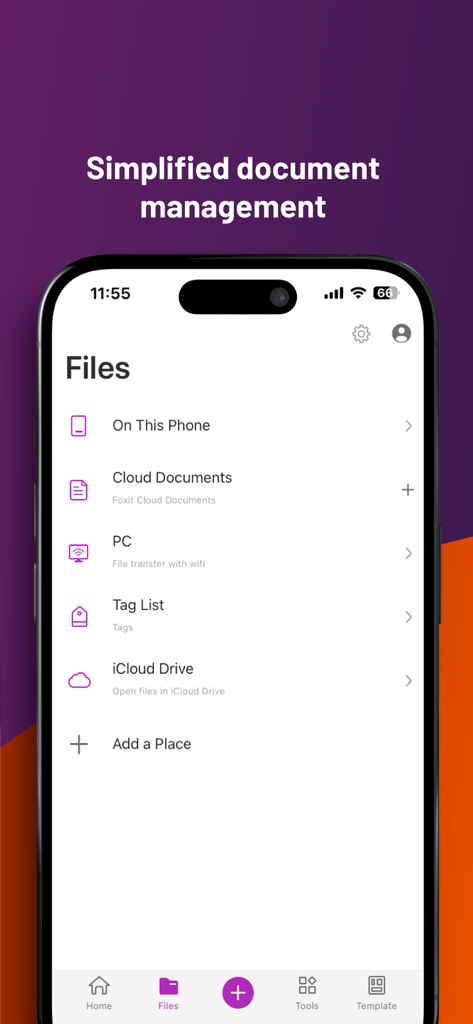
Foxit PDF Editorアプリのインターフェース。ローカルストレージ、クラウドサービス、Wi-Fiファイル転送を含むさまざまなドキュメント管理オプションが表示されています。
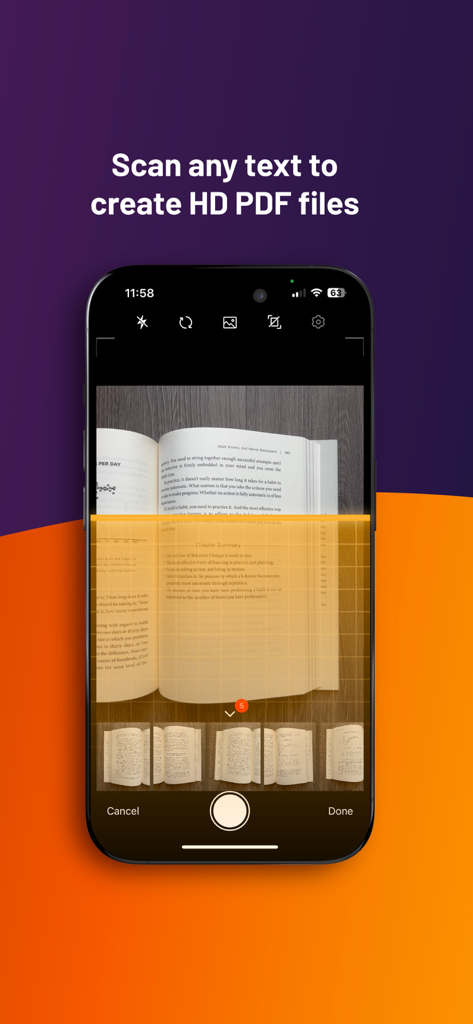
Foxit PDF Editorを使用して書籍のページを高画質PDFドキュメントにスキャンするスマートフォン。
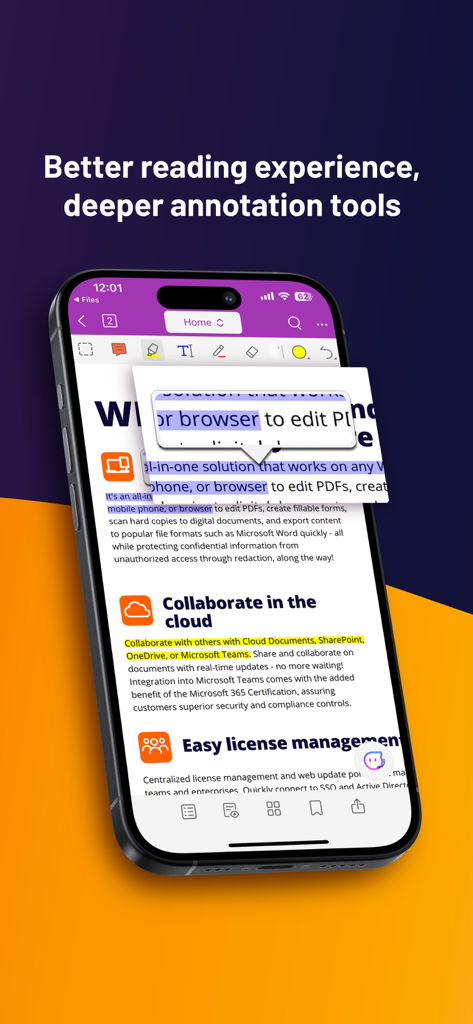
スマートフォン上のFoxit PDF Editorアプリ。注釈ツールとクラウドコラボレーションツールが表示されています。
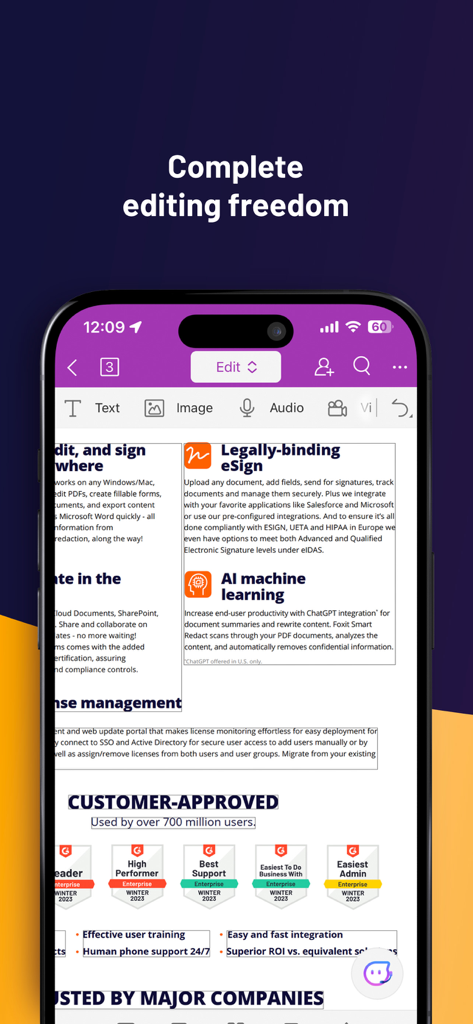
スマートフォン上のFoxit PDF Editorアプリ。ドキュメント編集機能と法的拘束力のあるeSign機能が表示されています。
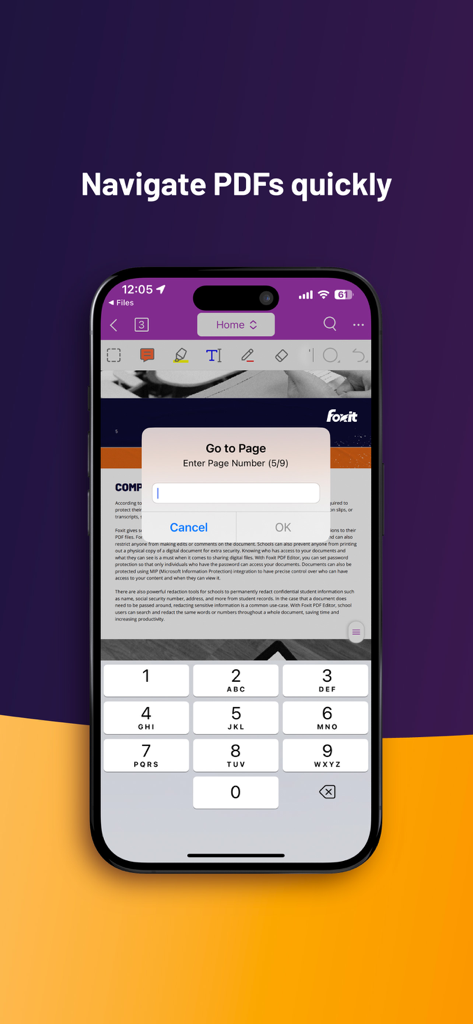
Foxit PDF Editorモバイルアプリのインターフェース。テンキー付きのページ移動機能が表示されています。
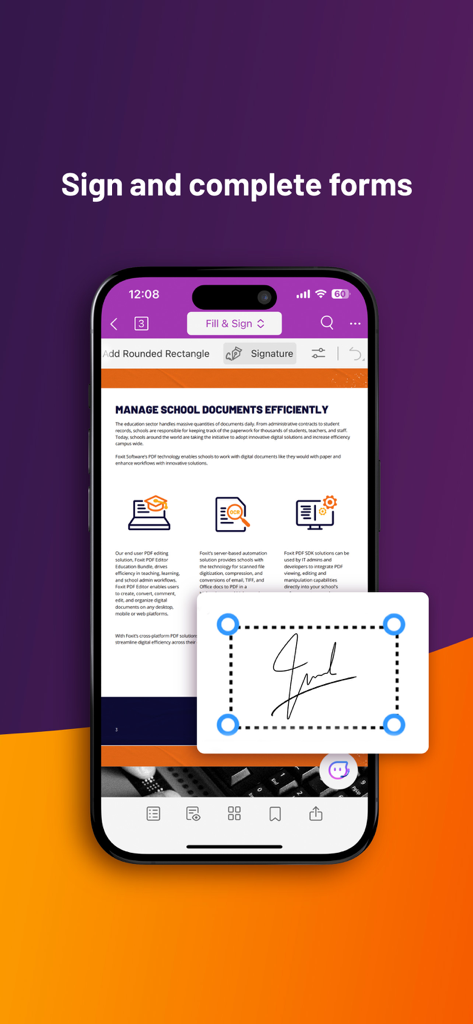
Foxit PDF Editorアプリでデジタルフォームに署名および記入する機能を示すスマートフォンの画面。
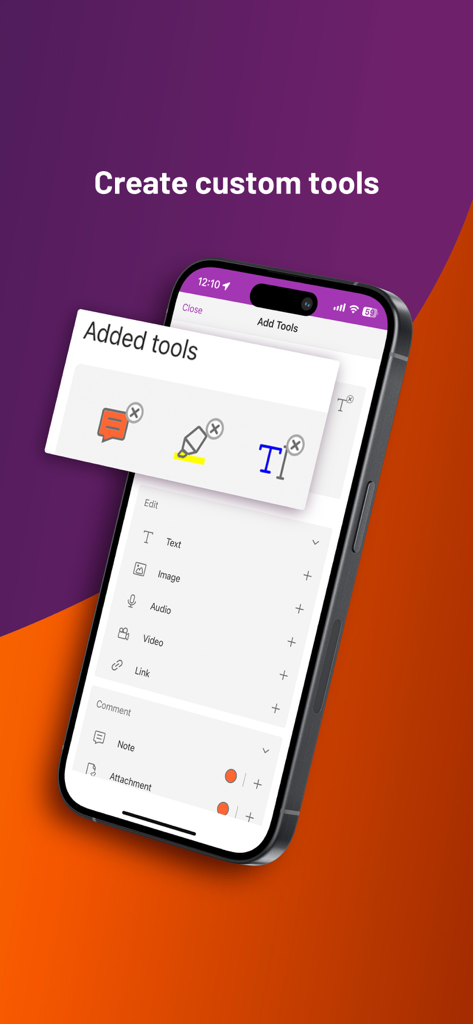
iPhone画面。Foxit PDF Editorアプリのカスタムツールメニューが表示されています。
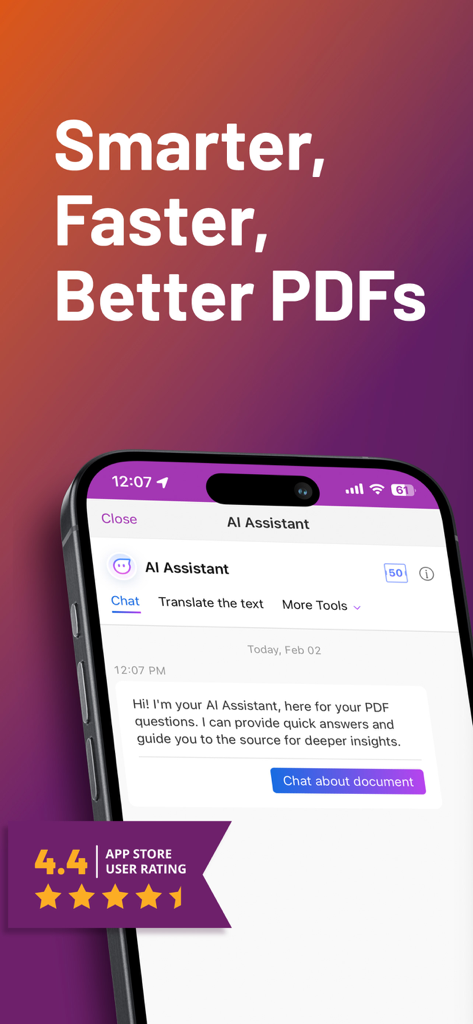
Foxit PDF Editorアプリのスクリーンショット。AIアシスタントのチャットインターフェースと4.4つ星のユーザー評価が表示されています。
説明
Download
類似アプリ
似た機能とユーザー体験を持つアプリ

PDF PRO Scan Image & Documents
Balzo srl

The PDF Scanner, PDF editor HQ
NEXT K.U.M. LTD

CamScanner - PDF Scanner App
INTSIG Information Co., Ltd

Adobe Scan: PDF & OCR Scanner
Adobe Inc.

WPS Office: PDF, Docs, Sheets
KINGSOFT OFFICE SOFTWARE CORPORATION LIMITED

iLovePDF - PDF Editor & Scan
ILOVEPDF S.L.

Scanner App: Genius Scan
The Grizzly Labs

Microsoft Lens: PDF Scanner
Microsoft Corporation

Clear Scan: Doc Scanner App
INDY MOBILE APP COMPANY LIMITED
このページはアプリまたはその開発者の公式ページではなく、情報提供および論評を目的として作成された独立した編集出版物です。明示的に別段の記載がない限り、アプリおよびその開発者は、MWM、Apple、Google Play、アプリのパブリッシャー、またはアプリの開発者と提携、承認、後援、認可、またはその他の公式的な関係はなく、このページのいかなる内容も、アプリがMWMのサービスを使用して開発されたことを意味するものではありません。すべての商標、ロゴ、スクリーンショット、その他のコンテンツはそれぞれの所有者の財産です。