
このページはアプリまたはその開発者の公式ページではなく、情報提供および論評を目的として作成された独立した編集出版物です。明示的に別段の記載がない限り、アプリおよびその開発者は、MWM、Apple、Google Play、アプリのパブリッシャー、またはアプリの開発者と提携、承認、後援、認可、またはその他の公式的な関係はなく、このページのいかなる内容も、アプリがMWMのサービスを使用して開発されたことを意味するものではありません。すべての商標、ロゴ、スクリーンショット、その他のコンテンツはそれぞれの所有者の財産です。


ダウンロード
5M+ユーザー評価
評価数
8.3K開発元
カテゴリ
Utilities対応言語
5最新バージョン
8.03.26サイズ
313.8 MBリリース日
2021年11月1日クリエイティブな表現と効率的な記録を支えるポータブル印刷ソリューション
「Fun Print」主要機能分析
思い出や作品の高品質写真印刷
本アプリは、ユーザーが大切な思い出やクリエイティブな作品の写真を印刷し、パーソナライズされたアイテムや記録を作成することを可能にします。
学習資料の高速印刷
ユーザーは試験問題や学習資料を迅速に印刷し、学習効率を向上させることが可能です。
ライフログとしての印刷活用
ユーザーは日々の出来事や重要な瞬間を写真として印刷・記録することで、個人的なジャーナルやスクラップブックを作成できます。
直感的で簡単な操作性
本ツールは、シンプルな操作性により、あらゆるスキルレベルのユーザーが迷うことなく印刷作業を行えるよう設計されています。
よくある質問
について知っておくべきこと Fun Print
What are the main functions of the Fun Print app?
The Fun Print app allows users to print pictures, test questions, and labels. It features tools for text scanning, notes, to-do lists, and offers AI-powered drawing and translation capabilities.
Can I print test questions using the Fun Print app?
Yes, the Fun Print app enables users to print questions on test papers directly. This functionality supports educational activities and convenient test preparation.
How does the Fun Print app support label printing?
Fun Print offers a dedicated 'Label' feature for organizing items. Users can access a 'Template Hub' with various label categories such as gift boxes, cosmetics, and food, alongside customization options.
What AI capabilities are available in the Fun Print app?
The Fun Print app incorporates several AI features including AI Drawing, AI Robot, Animated Picture, Picture Filter, Line Drawing, AI Graffiti Drawing, and AI Translate, enhancing creative and functional tasks.
Does Fun Print offer printing templates?
Yes, the Fun Print app provides rich templates under its 'Material' section. Categories include Puzzles, Simple Drawings, Holidays (e.g., Thanksgiving Day, Christmas), and Basics, catering to diverse printing needs.
How do I change the language setting in Fun Print?
To change the language in the Fun Print app, navigate to the 'Me' section. From there, select the 'Switch Language' option to modify the app's display language.
Where can I find user manuals or operating instructions for Fun Print?
Operating instructions for the Fun Print app are located in the 'Me' section. Users can find detailed guidance by selecting 'Operating Instructions' or the 'A4 PC User Manual' from this menu.
以下のスクリーンショットと説明は、アプリの公式ストアリスティングから直接取得されたものであり、アプリ開発者の所有物です。
アプリストア
スクリーンショット
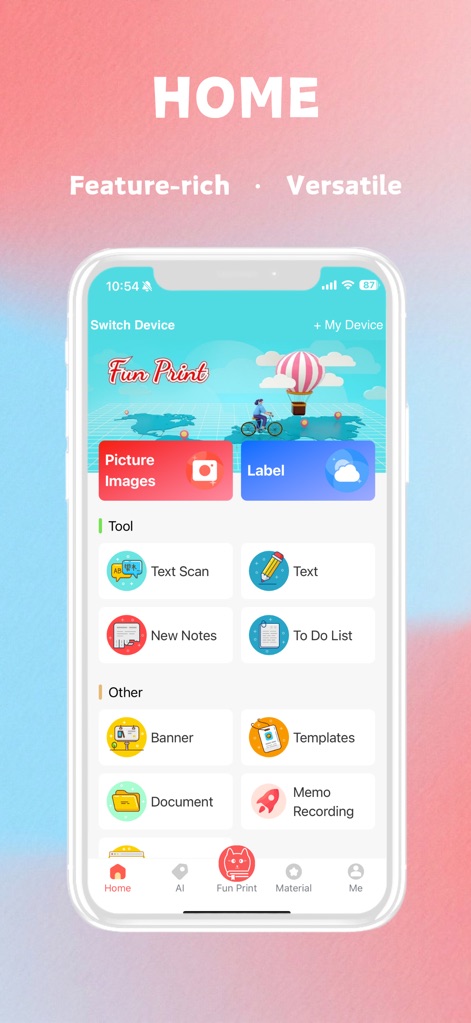
このホーム画面では、ユーザーは「画像印刷」機能で大切な思い出を形にし、「ラベル作成」ツールで整理整頓を効率化できます。
多彩な機能集約
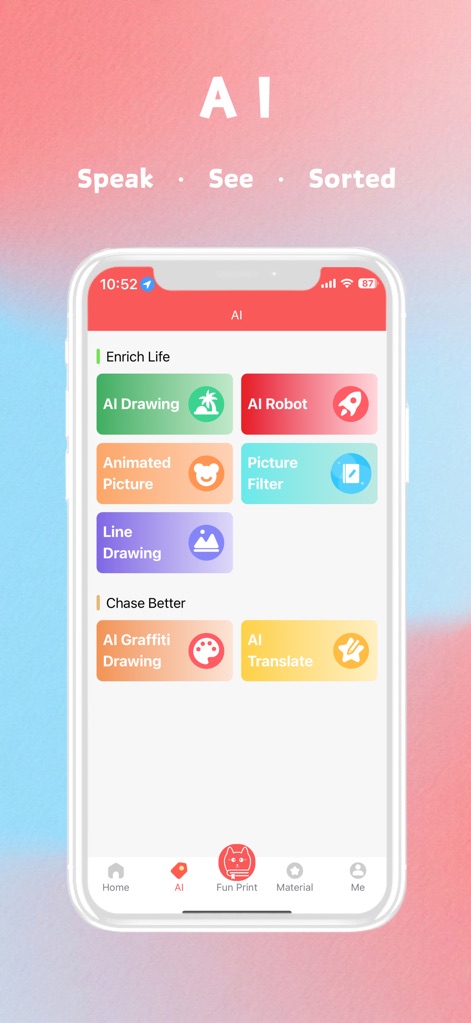
AI機能を活用することで、ユーザーは「AI描画」で芸術的な作品を生成し、「画像フィルター」で写真を魅力的に加工することが可能です。
クリエイティブAI機能
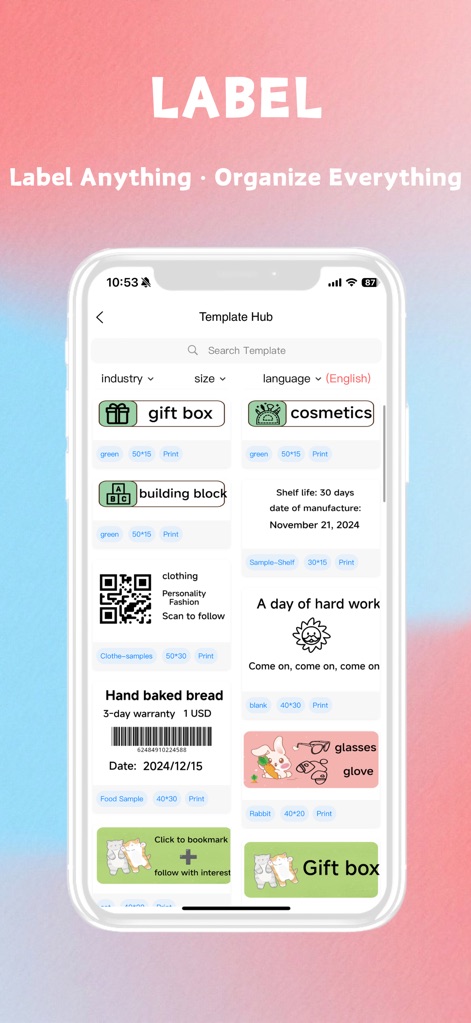
テンプレートハブでは、「ギフトボックス」のような多様なテンプレートを利用し、「業界フィルター」で目的に合ったデザインを簡単に見つけることができます。
カスタムラベル作成

「ホリデー」カテゴリでは、季節ごとのデザインが豊富に用意されており、ユーザーは「感謝祭」のテーマ画像を使ってパーソナルな印刷物を作成できます。
豊富なデザイン素材
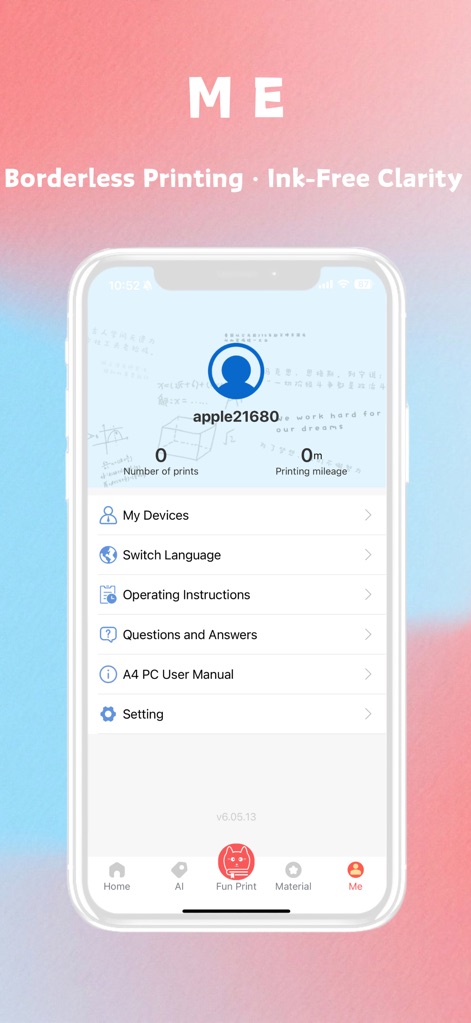
個人の「印刷枚数」を追跡し、多言語対応の「言語切り替え」オプションにより、ユーザーはアプリ体験を自分好みに最適化できます。
個人設定と管理
説明
Download
類似アプリ
似た機能とユーザー体験を持つアプリ

Docuslice - Poster Printing
Jeremiah Lachica

Printer Pro: Smart Printer App
Ivan Spyrydonov

HP
HP Inc.

Canon PRINT
Canon Inc.

Epson Smart Panel
Seiko Epson Corporation

Brother Mobile Connect
Brother Industries, LTD.

Epson iPrint
Seiko Epson Corporation

Printer App: Smart Print
Netpeak EOOD

Smart Printer App: iPrint
AppFusion OU
このページはアプリまたはその開発者の公式ページではなく、情報提供および論評を目的として作成された独立した編集出版物です。明示的に別段の記載がない限り、アプリおよびその開発者は、MWM、Apple、Google Play、アプリのパブリッシャー、またはアプリの開発者と提携、承認、後援、認可、またはその他の公式的な関係はなく、このページのいかなる内容も、アプリがMWMのサービスを使用して開発されたことを意味するものではありません。すべての商標、ロゴ、スクリーンショット、その他のコンテンツはそれぞれの所有者の財産です。