Genius PDF & Document Scanner

Genius PDF & Document Scanner

ダウンロード: App Store
ロゴ: Genius PDF & Document Scanner

Genius PDF & Document Scanner: あらゆる書類をスキャン、署名、保護

iPhoneを、強力で広告なしのポケットオフィスに変えましょう。Face IDでプライバシーを保護し、紙を瞬時にプロフェッショナルなPDFに変換します。

ダウンロード: App Store

開発元

Abdulla Yasin

カテゴリ

Business

ダウンロード

6K+

ユーザー評価

1.0/5

評価数

0

対応言語

11

ポケットの中の精度

このインターフェースを利用する 6K+ 人のユーザー.

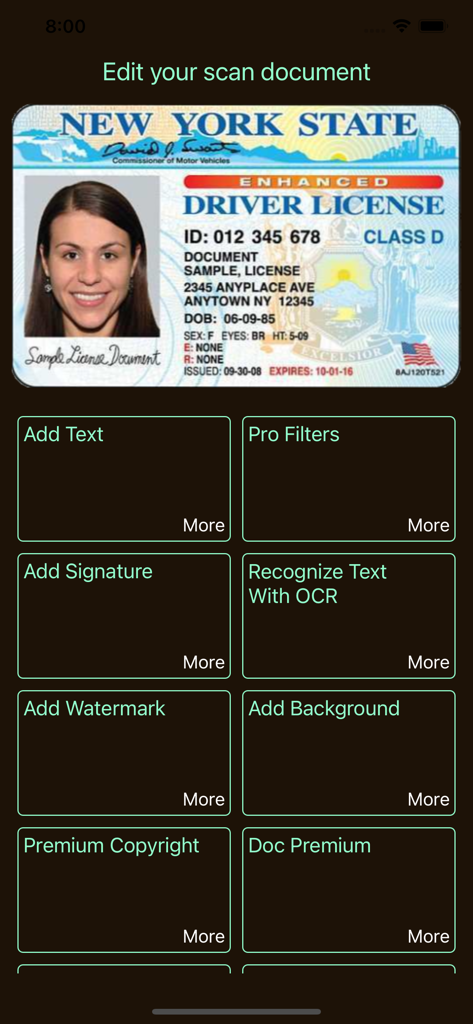
Genius PDF Scannerアプリのインターフェース。スキャンされた運転免許証のドキュメント編集ツールを表示しています
Genius PDF Scannerアプリのインターフェース。スキャンされた運転免許証のドキュメント編集ツールを表示しています

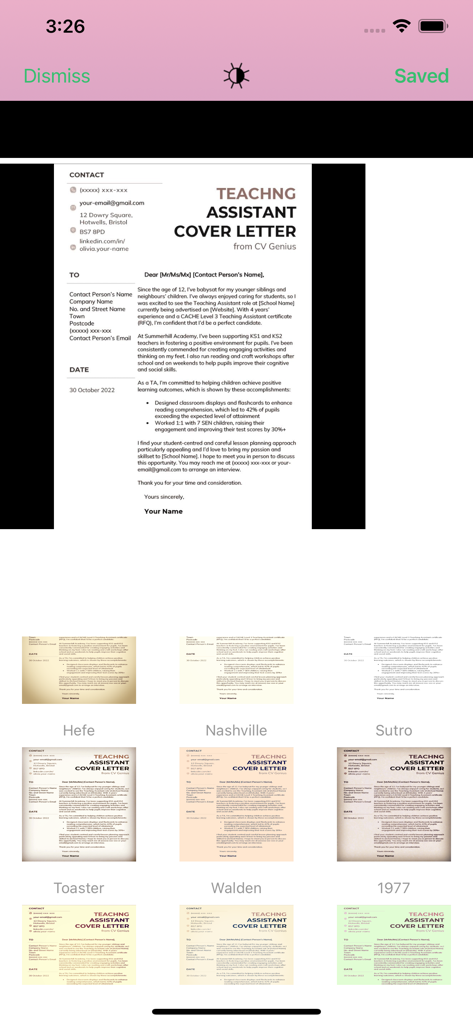
Genius PDF Scannerアプリのインターフェース。スキャンされたカバーレターを強化するためのさまざまな画像フィルターを表示しています。
Genius PDF Scannerアプリのインターフェース。スキャンされたカバーレターを強化するためのさまざまな画像フィルターを表示しています。

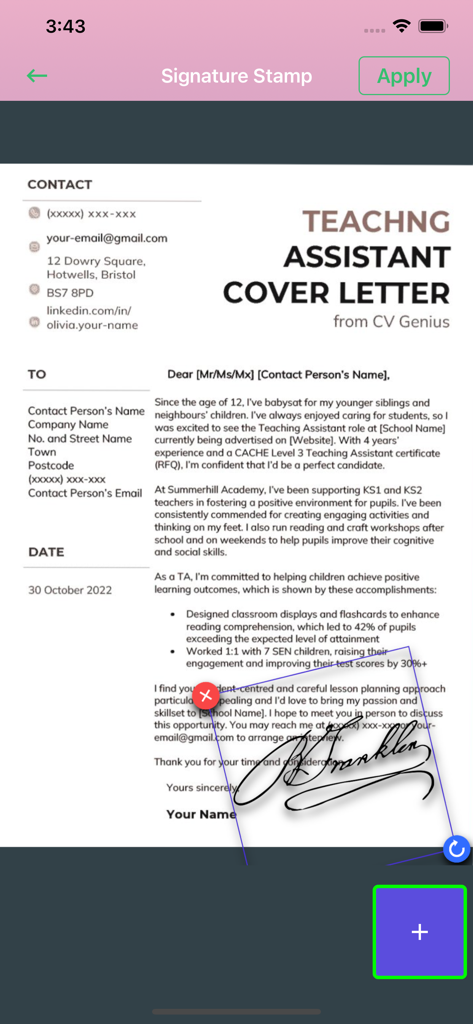
モバイルインターフェース。Genius PDFスキャナーツールの署名スタンプ機能を使用して、カバーレタードキュメントに手書きの署名が適用されています。
モバイルインターフェース。Genius PDFスキャナーツールの署名スタンプ機能を使用して、カバーレタードキュメントに手書きの署名が適用されています。

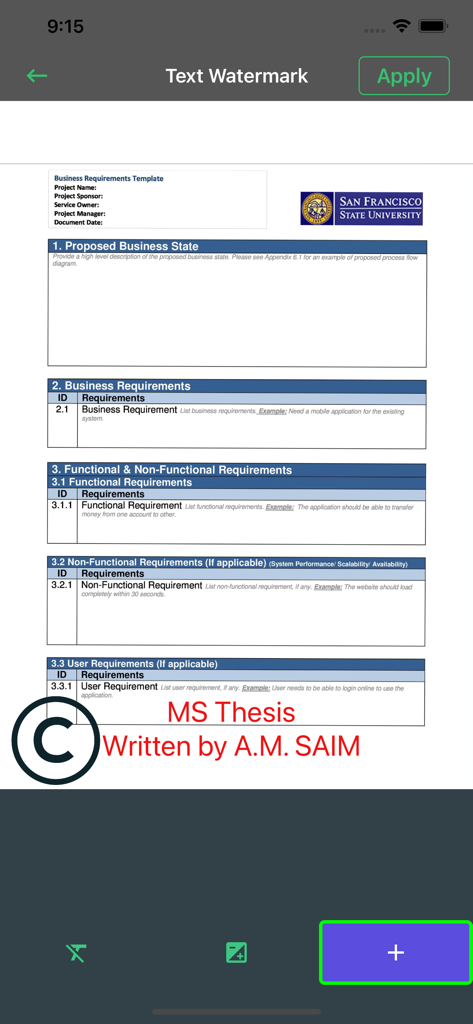
Genius PDFアプリのインターフェース。ドキュメントにカスタムテキストウォーターマークを追加する方法を表示しています
Genius PDFアプリのインターフェース。ドキュメントにカスタムテキストウォーターマークを追加する方法を表示しています

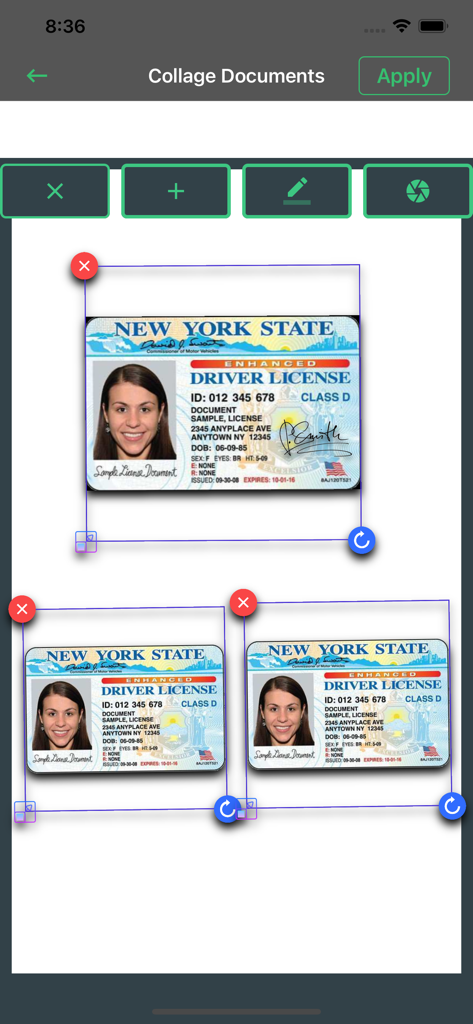
ドキュメントコラージュ機能のインターフェース。1ページに複数のスキャンされたIDカードを配置しています。
ドキュメントコラージュ機能のインターフェース。1ページに複数のスキャンされたIDカードを配置しています。

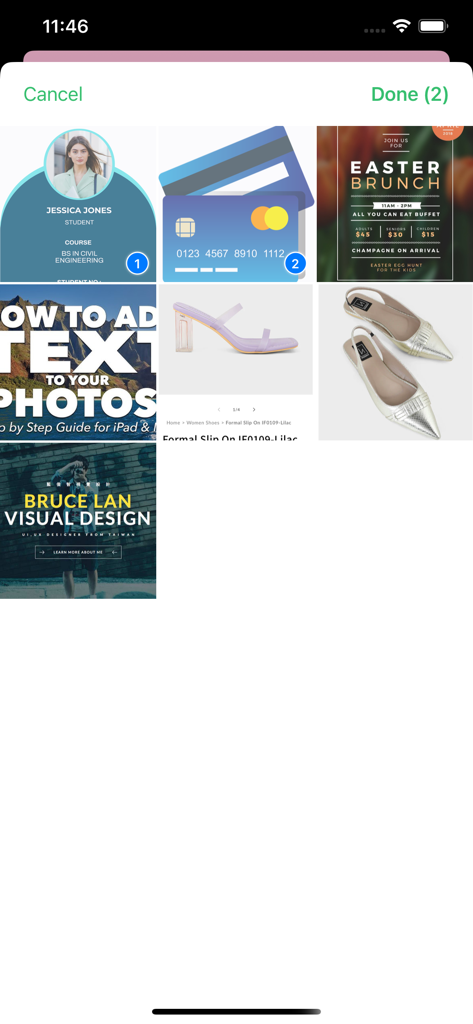
Genius PDF Scannerアプリのインターフェース。処理のために2つのアイテムが選択されたドキュメントと写真のグリッドを表示しています
Genius PDF Scannerアプリのインターフェース。処理のために2つのアイテムが選択されたドキュメントと写真のグリッドを表示しています

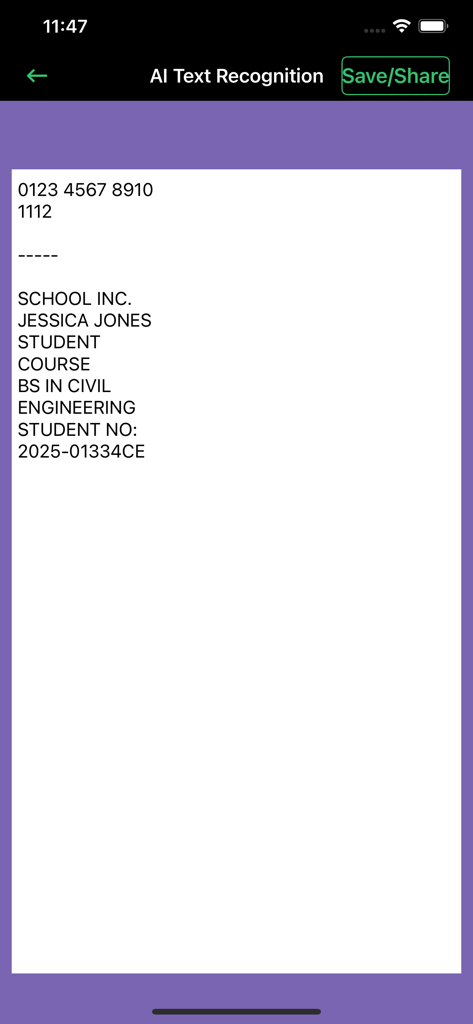
Genius PDF Scannerアプリのインターフェース。学生ドキュメントのAIテキスト認識とOCR結果を表示しています
Genius PDF Scannerアプリのインターフェース。学生ドキュメントのAIテキスト認識とOCR結果を表示しています

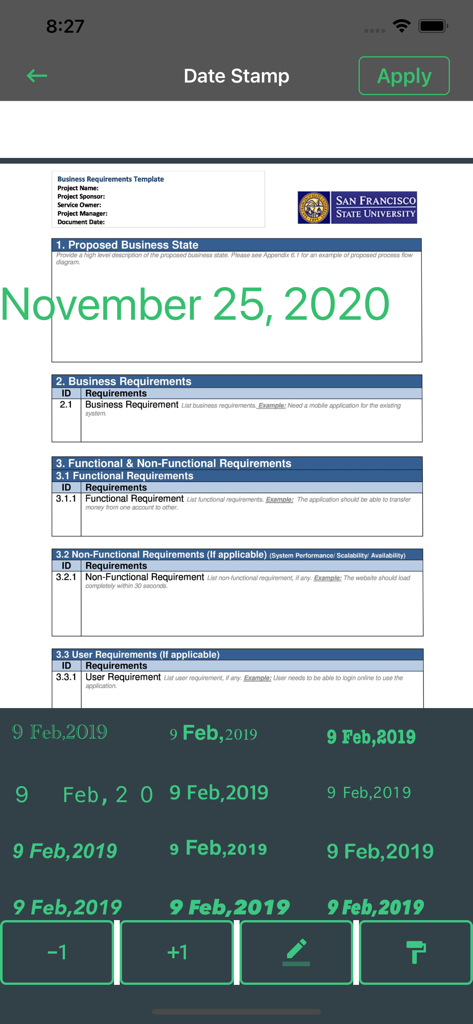
Genius PDFスキャナーアプリの日付スタンプ機能で編集されているビジネスドキュメント。
Genius PDFスキャナーアプリの日付スタンプ機能で編集されているビジネスドキュメント。

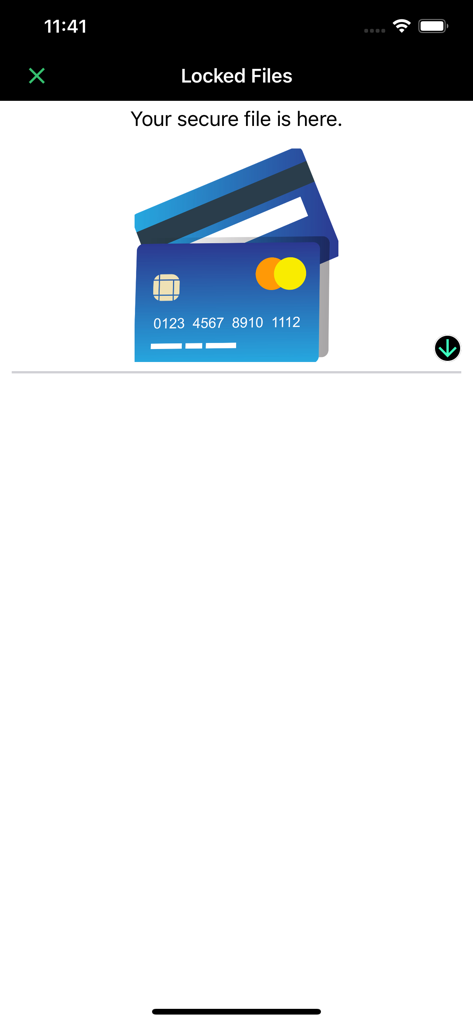
スキャナーアプリのロックされたファイルセクションのスクリーンショット。クレジットカードアイコンが表示された安全なドキュメントストレージエリアを表示しています

スキャナーアプリのロックされたファイルセクションのスクリーンショット。クレジットカードアイコンが表示された安全なドキュメントストレージエリアを表示しています

デジタルワークフローを強化

このアプリを際立たせるツール、 6K+ 人のユーザーが選択.

🛡️

鉄壁の文書セキュリティ

Face IDとパスワード保護を統合し、機密性の高いビジネス契約書や個人IDをローカルファイルで安全に保管します。

📄

高解像度のマルチページスキャン

自動エッジ検出とプロ品質のカラー補正により、レシートから名刺まであらゆるものを一括スキャンできます。

✍️

プロ編集&インスタント署名

OCRを使用して注釈、署名、テキスト抽出を行い、広告なしでドキュメントをPDFに変換して任意のプラットフォームに共有します。

アプリについて

について知っておくべきこと Genius PDF & Document Scanner.

説明

Scan, edit, sign & secure documents with Face ID — fast, easy, and 100% ad-free! Are you in need of finding a good PDF and document scanner that works for free? Well, we bring you a unique 2 in 1 PDF & Document Scanner free of charge. It has a fantastic user interface that makes your way to scanned documents more manageable and more accessible. Welcome to a Dream document scanner where you can have your documents scanned in a matter of minutes. Just open the app and let the app do its magic. Our Dream document scanner is a social and mobile-friendly app through which you can easily access your scanned documents in a single touch. Scan documents, photos and save them on your phone entirely complimentary. Also, edit PDFs, documented, and images with the built-in document editor and iScanner. Features: Now it's time to scan your documents, pictures, and screenshots quickly and effortlessly with our app. Our scanner for the iPhone app is one of the best mobile scanners and PDF converters on the market, which is totally free of use. Browse through powerful editing features and use the PDF document scanner app in your own way. Now you can find both scanner and editor in one single fast scanner app without having to download many apps and suffocate your iPhone. Some features of this free PDF reader app are as follows: More Premium Genius Document Scanner Features: - Multiple Document scanning. - You can secure your documents using Face ID or password - Multipage Editing, OCR & More. - With one click, convert multiple documents into PDF & share with any platform. - More easy to manage, secure documents. Doc Scanner: Scan documents more accessible and faster with this free and offline app. Scanner for iPhone: Scan documents in grayscale, black, white, or colored as much as you desire. Photo Scanner: Operate this app with no hidden charges and advertisements. Document Scanner PDF Creator: Make documents in PDF and later send them to desired people. PDF Document Scanner: Scan documents with a powerful inbuilt scanner that detects high-class numbers and alphabets. iScanner: Scan pictures and images with a high-quality laser-cut scanner that works for free. Fast Scanner: Scan fast with automatic scan technology and free editing tools. Mobile Scanner: Easily scan your documents with your mobile and turn them into portable documents. Document Editor: Edit documents and share them on your social media handles for free. Photo Editing Tools: Remake photos with editing software and correct them using crop, blur control, and color correction features. PDF Editor Free: Make PDF and edit them without any troubles with our free and offline app. Free PDF Reader: Scan documents and read them before you pass them on to your professionals. Business Card Scanner: Easily scan business cards using high-quality scanning features made for you. PDF Expert: Become a master of PDF collectors and turn every receipt and written document into a portable PDF. All Document Reader: Engage with reading documents. Edit and read it as much as you want. PREMIUM SUBSCRIPTION We Offer only three auto-renewing subscription packages on either a 1, 3 or 12-month basis. Secondly, pay your payment through the iTunes account after confirmation of purchase. Terms of Use: https://www.privacypolicies.com/terms/view/68237bda8beeae140d2d63c47874716a What's unique? Why use another app when you can simply scan your ids, business cards, receipts, notes, taxes, faxes, photos, pictures, manuscripts in one single document editor. You can also keep all your data saved in this app and download it on your phone too.Save and share documents in JPEG or PDF formats with your desired people.

最新バージョン

1.8

サイズ

24.3 MB

リリース日

2019年9月16日

ポケットにGeniusを持ち歩く準備はできましたか?

Face IDで書類をスキャン、署名、保護する数千人のプロフェッショナルに加わりましょう。本日、iPhoneで究極の広告なしモバイルオフィスを体験してください。

ダウンロード: App Store

App information, icons, screenshots, and descriptions displayed on this page are sourced from the Apple App Store and are the property of their respective developers. Download estimates and rankings are based on MWM's proprietary models and may not reflect actual figures. This page is provided for informational and analytical purposes only.

Believe this page infringes your intellectual property? File a dispute