
このページはアプリまたはその開発者の公式ページではなく、情報提供および論評を目的として作成された独立した編集出版物です。明示的に別段の記載がない限り、アプリおよびその開発者は、MWM、Apple、Google Play、アプリのパブリッシャー、またはアプリの開発者と提携、承認、後援、認可、またはその他の公式的な関係はなく、このページのいかなる内容も、アプリがMWMのサービスを使用して開発されたことを意味するものではありません。すべての商標、ロゴ、スクリーンショット、その他のコンテンツはそれぞれの所有者の財産です。

Goodnotes: AI Notes, Docs, PDF
Goodnotesは、思考のプロセスにAIを深く組み込み、未加工の情報を即座に知見へと変換する。このアプリは、ユーザーに意思決定と創造のための圧倒的な洞察力をもたらすことがわかる。
ダウンロード
50M+ユーザー評価
評価数
3.4M開発元
カテゴリ
Productivity対応言語
15最新バージョン
7.0.46サイズ
673.5 MBリリース日
2019年1月15日Goodnotes: AI Notes, Docs, PDF アプリケーション分析
テックアナリストによる主要機能評価とユーザーインパクト分析
AI音声記録と会議要約
AIを搭載した音声認識とリアルタイム要約機能により、会話の内容が自動的に記録され、明確な議事録に整理されます。ユーザーは、トランスクリプトを自身のメモと統合し、完成度の高い共有可能なドキュメントを迅速に作成できます。
学習セット(フラッシュカード)
この機能は、アクティブリコールと間隔反復に基づいたフラッシュカードである学習セットを使用して、ユーザーがメモから直接学習し、練習することを可能にします。
AIホワイトボードと共同作業
このツールは、無限のキャンバス上で自由にブレインストーミングやマインドマップ作成を可能にし、強化された図形ツールとリアルタイム共同作業により、チームでのワークショップや問題解決を容易にします。Goodnotes AIは、主要なポイントの即時整理を支援します。
音声同期ノート
このアプリは、ユーザーが書いた瞬間に魔法のように同期される音声メモの記録を可能にします。これは講義やプレゼンテーションの際に非常に有用です。
クラウドバックアップと同期
ユーザーは、すべてのメモをGoogle Drive、Dropbox、またはOneDriveにバックアップし、iCloudを使用してiPad、iPhone、Mac間で同期することで、常にメモを安全に保つことができます。
AIによるテキストドキュメント作成
このアプリは、リッチなインラインブロックによる優れたタイピング体験を提供し、AIによる要約、自動メモ生成、トランスクリプトサポートにより、ユーザーはアイデアを構築し、チームメイトとシームレスに共同作業を行えます。
AIによるテキスト編集
ユーザーはAIを使用して、テキストの要約、短縮、トーンの変更、および入力されたテキストの完璧化を行うことができます。
複合的なノート作成
ユーザーは、手書きと入力されたテキストを、画像、ステッカー、図形、落書きなどと共に1ページに組み合わせることができます。
よくある質問
について知っておくべきこと Goodnotes: AI Notes, Docs, PDF
Can Goodnotes AI answer questions directly from my notes?
Yes, Goodnotes AI allows users to ask questions and receive answers based on the content of their notes. This feature helps connect dots and unlock insights.
Does Goodnotes support real-time collaboration on documents?
Yes, Goodnotes enables real-time collaboration on whiteboards and notes. Users can send a link to their notebooks to work on the same notes directly with teammates.
How does Goodnotes AI assist with meetings and lectures?
Goodnotes AI provides audio transcription and live summarization for meetings and lectures. It automatically captures discussions and structures them into clear meeting minutes, merging with personal notes.
Are Goodnotes 5 users required to upgrade to the new Goodnotes app?
No, existing Goodnotes 5 users can continue using Goodnotes 5 indefinitely. They also have the option to upgrade to the new Goodnotes app, and their notes remain safe.
Can I customize my note-taking experience in Goodnotes?
Yes, Goodnotes offers extensive customization. Users can customize paper template size and color, and add or import stickers, stamps, washi tapes, images, and more.
What cloud services does Goodnotes support for backup and synchronization?
Goodnotes supports backing up all notes to Google Drive, Dropbox, or OneDrive. It also uses iCloud to sync notes across iPad, iPhone, and Mac devices.
Can Goodnotes be used to present notes to an audience?
Yes, Goodnotes allows users to present notes, slides, and content by connecting their device via AirPlay or HDMI to an external screen. A Laser Pointer tool is also available.
Does Goodnotes allow users to edit and annotate PDF documents?
Yes, Goodnotes enables users to highlight, annotate, and edit any PDF document. It also automatically imports PDF tables of contents for easy navigation.
What features does the Whiteboard in Goodnotes offer for brainstorming?
The Goodnotes Whiteboard provides an infinite canvas for brainstorming, mind-mapping, and diagramming. It includes enhanced diagramming tools and supports real-time collaboration for teams.
How does Goodnotes AI assist students with studying and exam preparation?
Goodnotes AI helps students summarize, shorten, and refine typed text. It also offers Study Sets, which are flashcards built on active recall and spaced repetition for effective practice.
Can Goodnotes recognize and solve handwritten math problems?
Yes, Goodnotes features math recognition capabilities. Users can input handwritten math equations and utilize the AI to ask questions about or solve the problems directly within the app.
以下のスクリーンショットと説明は、アプリの公式ストアリスティングから直接取得されたものであり、アプリ開発者の所有物です。
アプリストア
スクリーンショット
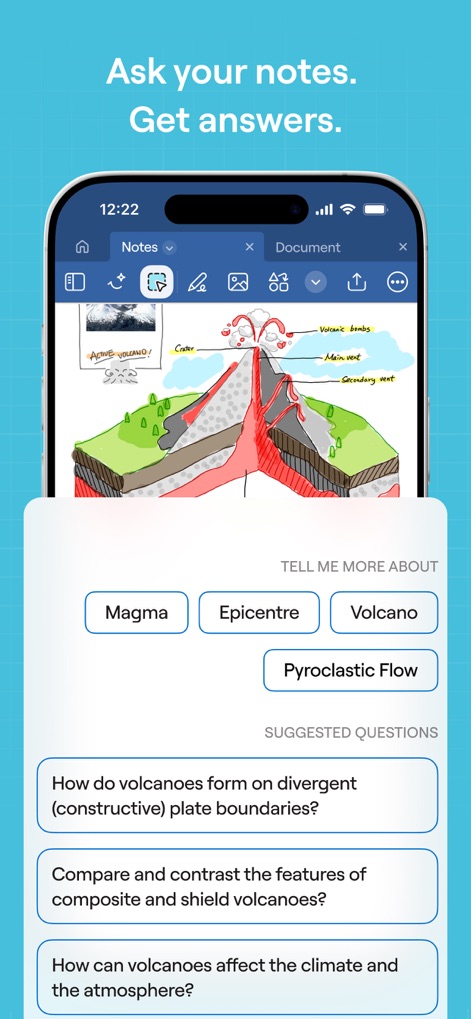
ノートから即座に回答
ユーザーは、手書きで描かれた火山の詳細な図から、AIが生成した関連質問やキーワードを通じて、学習を深めることができます。
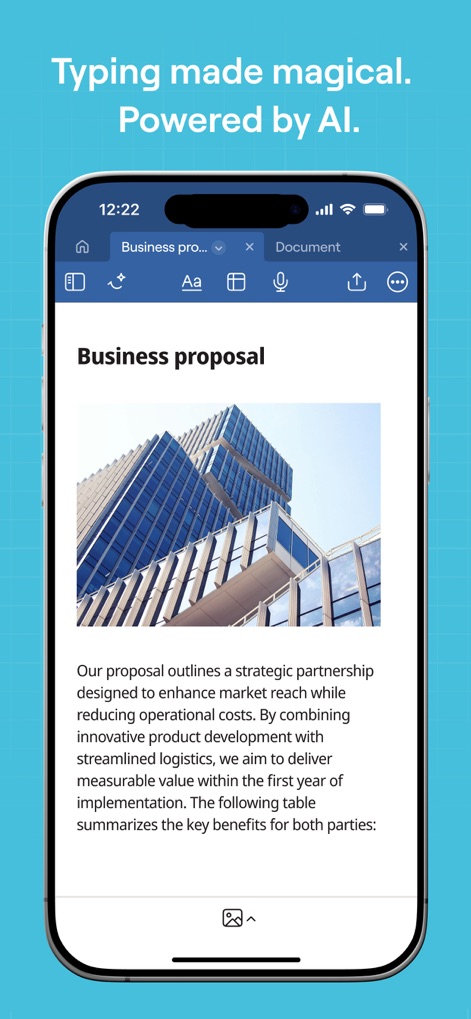
AIで文書を強化
本アプリでは、洗練されたビジネス提案書を作成でき、段落内に画像を挿入する機能により、視覚的に魅力的な文書を構築できます。
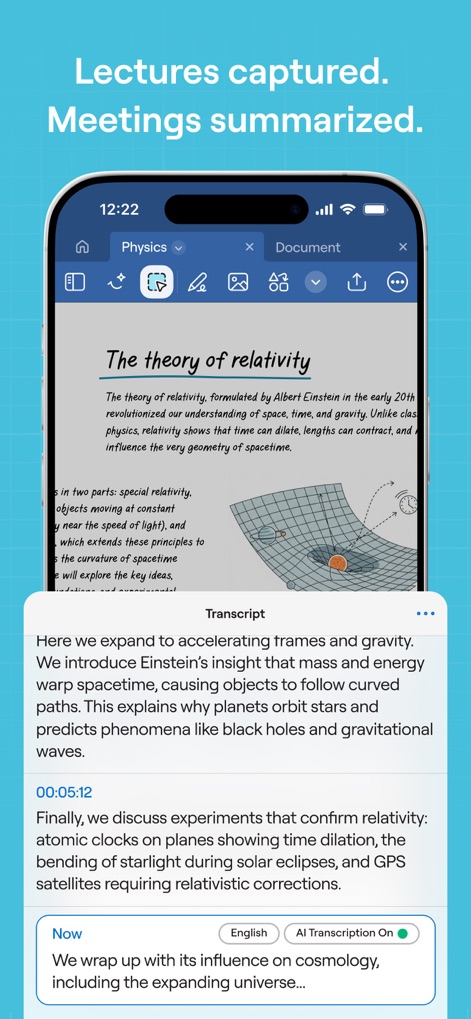
会議を自動で記録
講義内容を記録した手書きノートに加え、AIによるリアルタイム文字起こし機能により、会議やレクチャーの重要なポイントを逃しません。
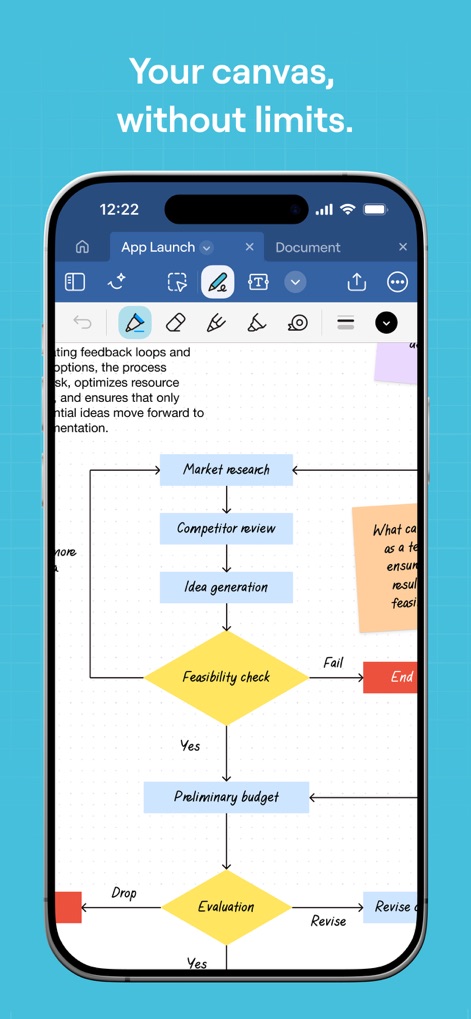
自由な発想を形に
この無限のキャンバス機能では、複雑なフローチャートを自由に作成でき、多彩な図形描画ツールを使ってアイデアを視覚化できます。

PDFを柔軟に編集
PDFドキュメントのテキストハイライト機能と、注釈や編集のためのツールバーを活用し、重要な情報にマークを付け、効率的にレビューできます。
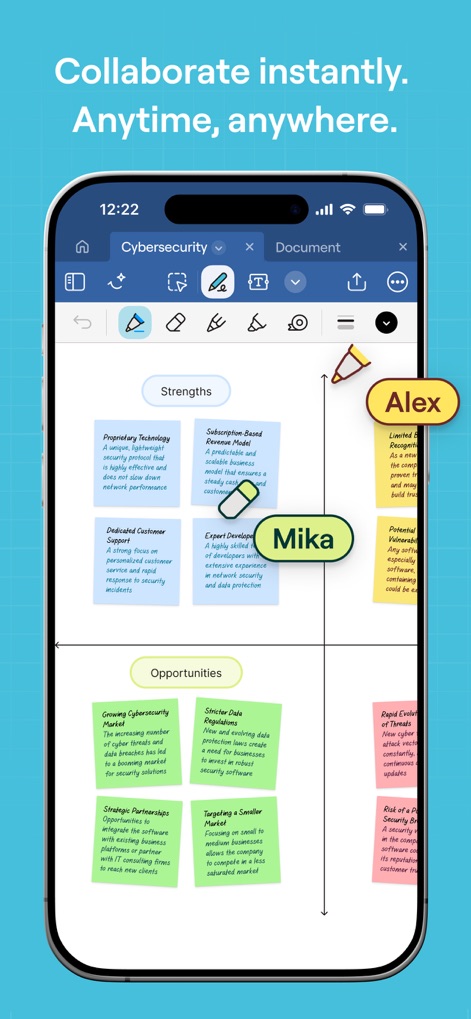
リアルタイムで共同作業
共同編集中のSWOT分析ボードでは、複数のユーザーを示すカーソルやラベルが表示され、チームメンバーとのリアルタイムな連携を実現します。
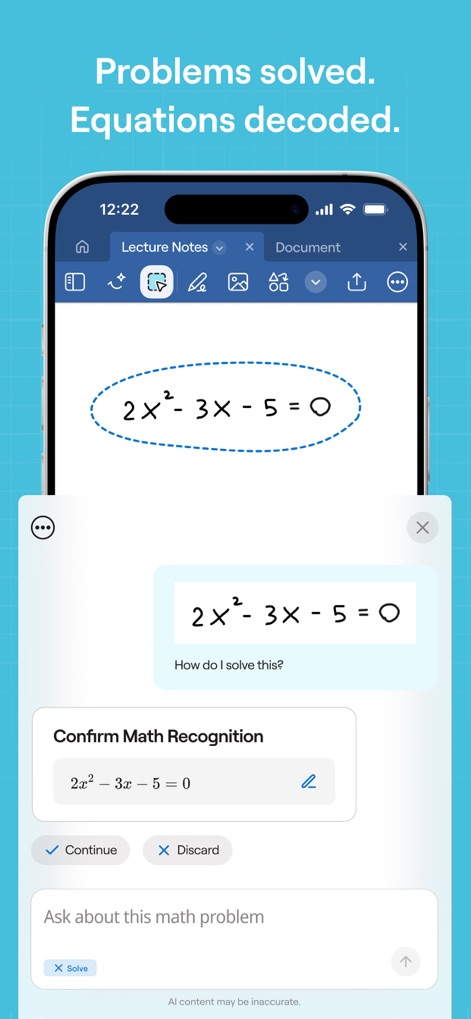
AIが数学をサポート
ユーザーは、手書きの数式認識機能を用いて方程式をアプリに入力し、AIによる問題解決の対話インターフェースを通じて解答を導き出せます。
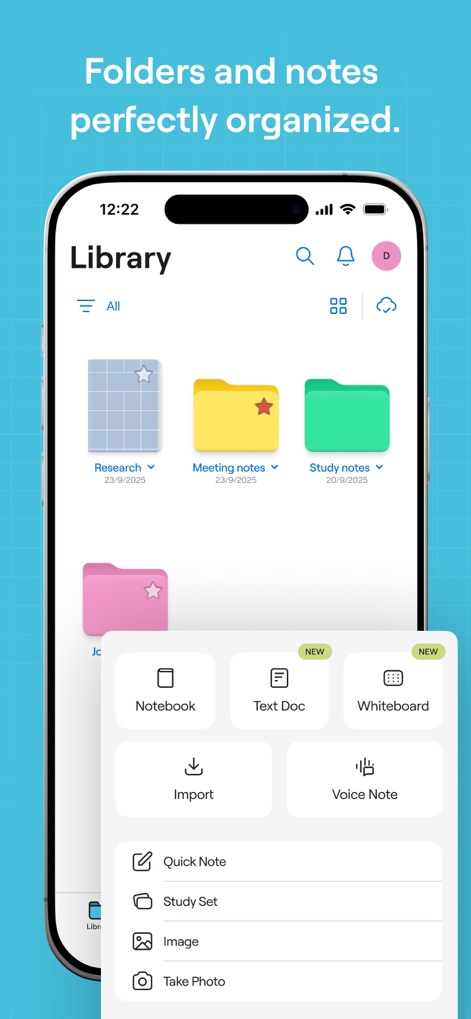
完璧な整理術
整理されたフォルダー構造のライブラリでは、ノートを体系的に管理でき、新しい種類のノートを作成するポップアップメニューから様々なコンテンツを生成できます。

魅せるプレゼンテーション
プレゼンテーションモードでは、作成したノート内容を効果的に映し出すことができ、複数の表示オプションを含むメニューで、視聴者に合わせて表示を調整できます。
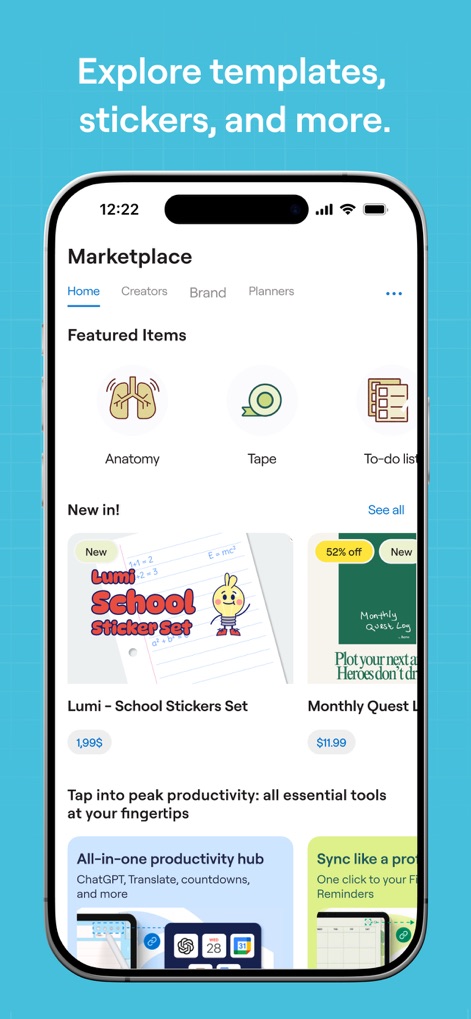
創造性を広げる素材
マーケットプレイスでは、多彩なテンプレートやステッカーが並び、アイテムの価格表示や「New」「52% off」といったバッジにより、創造性を広げる素材を簡単に見つけられます。
説明
Download
類似アプリ
似た機能とユーザー体験を持つアプリ

Notion: Notes, Tasks, AI
Notion Labs, Incorporated

Freenotes®: AI Notes Taking
Hangzhou Free Notes Technology Co., Ltd

Structured - Daily Planner
unorderly GmbH

Google Tasks: Get Things Done
Google LLC

TickTick:To-Do List & Calendar
Appest Limited

Noteful: Notes & PDF Markup
Noteful Technologies Ltd

Todoist: To Do List & Calendar
Doist Inc.

To do list MinimaList & Widget
Inner Grow Limited

monday.com - Work Platform
monday.com Ltd.
このページはアプリまたはその開発者の公式ページではなく、情報提供および論評を目的として作成された独立した編集出版物です。明示的に別段の記載がない限り、アプリおよびその開発者は、MWM、Apple、Google Play、アプリのパブリッシャー、またはアプリの開発者と提携、承認、後援、認可、またはその他の公式的な関係はなく、このページのいかなる内容も、アプリがMWMのサービスを使用して開発されたことを意味するものではありません。すべての商標、ロゴ、スクリーンショット、その他のコンテンツはそれぞれの所有者の財産です。