
このページはアプリまたはその開発者の公式ページではなく、情報提供および論評を目的として作成された独立した編集出版物です。明示的に別段の記載がない限り、アプリおよびその開発者は、MWM、Apple、Google Play、アプリのパブリッシャー、またはアプリの開発者と提携、承認、後援、認可、またはその他の公式的な関係はなく、このページのいかなる内容も、アプリがMWMのサービスを使用して開発されたことを意味するものではありません。すべての商標、ロゴ、スクリーンショット、その他のコンテンツはそれぞれの所有者の財産です。

ダウンロード
25M+ユーザー評価
評価数
127.7K開発元
カテゴリ
Productivity対応言語
74最新バージョン
2.2026.13101サイズ
177.9 MBリリース日
2015年9月24日Google Keep - Notes and lists: テックアナリストによる評価
多忙な現代人の情報管理と生産性を高める主要機能の分析
全デバイス間でのシームレスな同期
ユーザーがKeepに追加した全ての情報は、スマートフォン、タブレット、PCといった複数のデバイス間で自動的に同期されます。これにより、常に最新の情報を手元に置き、どのデバイスからでも作業を継続できます。
クロスデバイスでのメモ作成・編集・共有・共同作業
ユーザーは、あらゆるデバイスからいつでもメモを記録、編集、共有し、他のユーザーと共同で作業を進めることが可能です。これにより、場所を選ばずに情報にアクセスし、生産性を維持できます。
時間と場所に基づくリマインダー
このアプリは、特定の日時や場所に連動したリマインダー設定機能を提供します。これにより、ユーザーは重要なタスクや買い物リストなどを忘れずに実行でき、日常のタスク管理を効率化します。
多様な形式での情報記録
本ツールは、テキストメモ、リスト、写真、音声など、さまざまな形式で情報を記録する機能を提供します。これにより、ユーザーは状況に応じて最適な方法でアイデアやタスクを迅速にキャプチャできます。
ラベルと色によるメモ整理
ユーザーは、ラベル付けと色分け機能を利用して、膨大なメモを効率的に整理し、視覚的に分類できます。これにより、必要な情報を素早く見つけ出し、管理の手間を削減します。
高度な検索とフィルタリング
アプリは、色、ラベル、メモの種類(リスト、音声メモなど)といった多様な属性に基づいてメモを検索・フィルタリングする機能を提供します。これにより、ユーザーは膨大な情報の中から目的のメモを迅速に特定できます。
音声メモの自動文字起こし
本ツールは、音声メモを録音し、その内容を自動的にテキストに変換する機能を提供します。これにより、ユーザーは手を離せない状況でも迅速に情報を記録し、後でテキストとして確認・編集することが可能です。
画像からのテキスト抽出(OCR)
この機能により、ユーザーは写真内のテキストを抽出し、それを検索可能なデータとしてメモに保存できます。これにより、紙の書類やホワイトボードの内容をデジタル化し、後でキーワード検索で素早く見つけ出すことが可能になります。
よくある質問
について知っておくべきこと Google Keep - Notes and lists
What is Google Keep?
Google Keep is a note-taking application designed for capturing, editing, and organizing notes, lists, photos, and audio. It supports collaboration and synchronizes across multiple devices.
How can I organize notes in Google Keep?
Yes, Google Keep enables efficient note organization. Users can categorize and easily find notes by applying labels and colors.
Does Google Keep allow setting reminders?
Yes, Google Keep supports reminders. Users can set time-based or location-based reminders for notes to ensure important tasks or information are not missed.
Can Google Keep transcribe voice recordings?
Yes, Google Keep automatically transcribes voice memos. This feature converts spoken notes into text, making them easily searchable and readable.
Is it possible to extract text from images in Google Keep?
Yes, Google Keep provides functionality to grab text directly from images. This feature helps users quickly locate notes through the search function.
Is Google Keep available on different devices?
Yes, Google Keep is available across multiple devices including phones, tablets, and computers. All content added to Keep synchronizes instantly across these platforms.
Can I share my notes with other people using Google Keep?
Yes, Google Keep supports sharing notes and lists with others. Collaborative lists, like shopping lists, update in real-time for all participants.
Does Google Keep offer a dark mode?
Yes, Google Keep includes a dark mode feature. This visual setting optimizes the app for comfortable viewing during nighttime or in low-light environments.
Can I draw in Google Keep?
Yes, Google Keep allows users to create drawings within notes. The application offers tools for sketching and doodling to capture visual ideas.
How do I search for specific notes in Google Keep?
Users can quickly search and filter notes in Google Keep. Search options include filtering by color, specific labels, audio notes, reminders, or shared notes.
以下のスクリーンショットと説明は、アプリの公式ストアリスティングから直接取得されたものであり、アプリ開発者の所有物です。
アプリストア
スクリーンショット
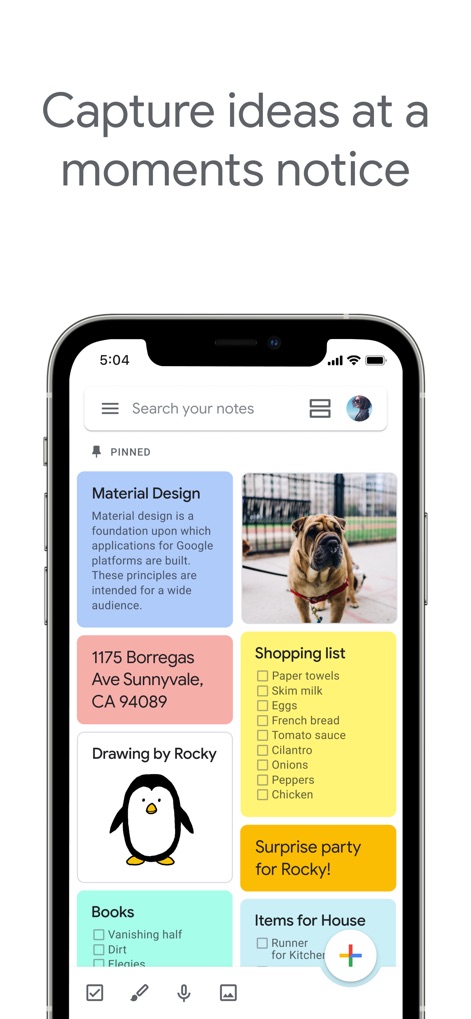
アイデアを素早く記録
複数のメモタイプとカラフルなカードでアイデアを直感的に整理し、重要な情報はピン留めされたセクションで常にトップに表示できます。

共同作業で効率化
共有されたチェックリストを使用すると、複数のユーザーがリアルタイムでタスクを共同編集でき、共同編集者アイコンで参加者を一目で確認できます。

ひらめきを形に
内蔵の手描き機能で自由な発想を表現し、複数の描画ツールを使ってアイデアを視覚的に具体化できます。
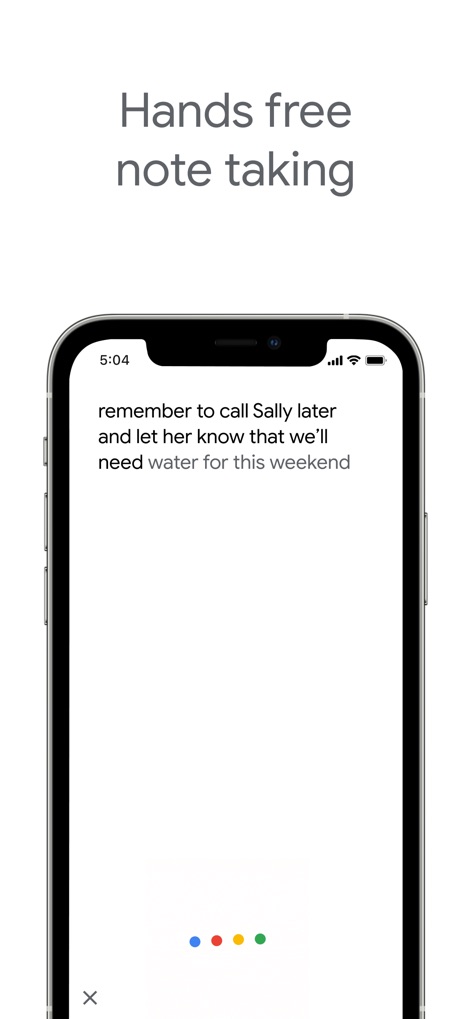
ハンズフリーでメモ
音声入力機能により、ユーザーは手を使わずにアイデアを記録でき、話された内容は自動文字起こしでテキストとして保存されます。
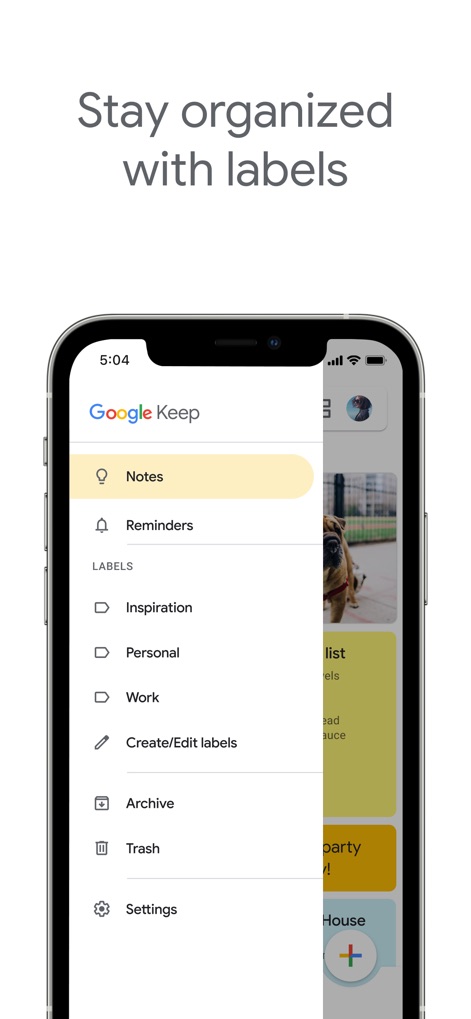
ラベルで整理整頓
ラベルリストを使用してノートを効率的に分類し、左側のナビゲーションメニューから必要なカテゴリーに素早くアクセスして情報を整理できます。
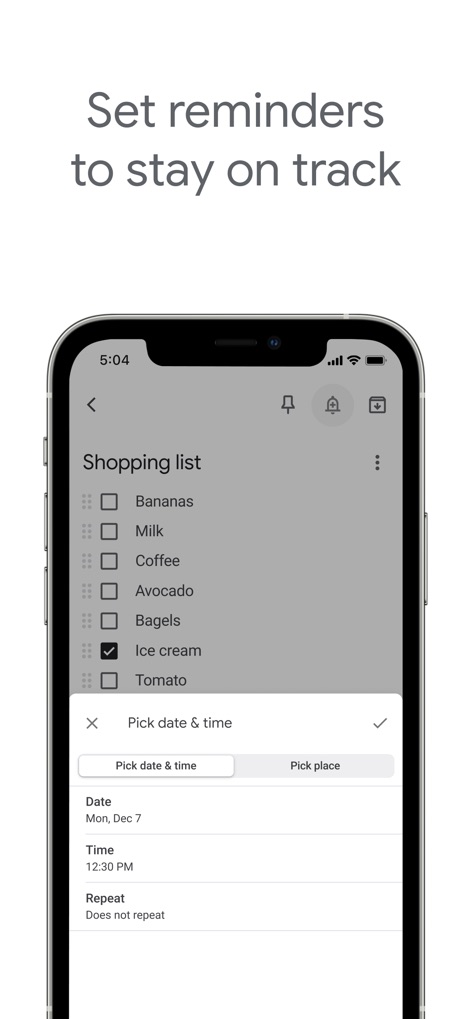
期限を逃さない
重要なタスクにはリマインダー設定を追加でき、日付と時刻の選択を通じて適切なタイミングで通知を受け取ることが可能です。

夜間のアイデアに
ダークモードを有効にすることで、夜間の利用でも目に優しく、背景が暗くなったテキストノートで集中して思考をまとめることができます。
説明
Download
類似アプリ
似た機能とユーザー体験を持つアプリ

Notion: Notes, Tasks, AI
Notion Labs, Incorporated

Freenotes®: AI Notes Taking
Hangzhou Free Notes Technology Co., Ltd

Structured - Daily Planner
unorderly GmbH

Google Tasks: Get Things Done
Google LLC

TickTick:To-Do List & Calendar
Appest Limited

Noteful: Notes & PDF Markup
Noteful Technologies Ltd

Todoist: To Do List & Calendar
Doist Inc.

To do list MinimaList & Widget
Inner Grow Limited

monday.com - Work Platform
monday.com Ltd.
このページはアプリまたはその開発者の公式ページではなく、情報提供および論評を目的として作成された独立した編集出版物です。明示的に別段の記載がない限り、アプリおよびその開発者は、MWM、Apple、Google Play、アプリのパブリッシャー、またはアプリの開発者と提携、承認、後援、認可、またはその他の公式的な関係はなく、このページのいかなる内容も、アプリがMWMのサービスを使用して開発されたことを意味するものではありません。すべての商標、ロゴ、スクリーンショット、その他のコンテンツはそれぞれの所有者の財産です。