
このページはアプリまたはその開発者の公式ページではなく、情報提供および論評を目的として作成された独立した編集出版物です。明示的に別段の記載がない限り、アプリおよびその開発者は、MWM、Apple、Google Play、アプリのパブリッシャー、またはアプリの開発者と提携、承認、後援、認可、またはその他の公式的な関係はなく、このページのいかなる内容も、アプリがMWMのサービスを使用して開発されたことを意味するものではありません。すべての商標、ロゴ、スクリーンショット、その他のコンテンツはそれぞれの所有者の財産です。

GymBook ・ Strength Training
精度を求める専門家のために作られました。プログレッシブ・オーバーロードを楽に追跡し、筋肉のヒートマップを分析し、Apple WatchとiPhoneでのシームレスな体験でトレーニングをマスターしましょう。
ダウンロード
1M+ユーザー評価
評価数
8K+開発元
カテゴリ
Health & Fitness対応言語
7最新バージョン
7.0.17サイズ
506.9 MBリリース日
2013年5月22日データ駆動型リフターのために作られました
精度、効率、プログレッシブ・オーバーロードを重視する専門家向けに設計された高性能ツールで、紙のログブックを置き換えましょう。
スムーズな記録
革新的なワークアウトマトリックスとクイックログインターフェースで、画面での時間を減らし、バーの下での時間を増やしましょう。
高度なパフォーマンス分析
インタラクティブな1RMチャート、ボリュームグラフ、筋肉のヒートマップで成長を視覚化し、各セッションが目標達成に貢献していることを確認しましょう。
よくある質問
について知っておくべきこと GymBook ・ Strength Training
GymBookとは何ですか?
GymBookは、革新的なユーザーインターフェースを通じて、ユーザーがジムでのワークアウトを効率的に作成、記録、分析するのを支援するように設計されたフィットネスアプリです。
ユーザーはGymBookでカスタムワークアウトを作成できますか?
はい、GymBookでは、独自の種目を使用するか、50種類以上の定義済み種目から選択してカスタムワークアウトを作成できます。これらはグループ化および並べ替えが可能です。
GymBookはカスタム種目作成をサポートしていますか?
はい、GymBookでは、カーディオやストレッチを含む独自の種目を作成し、筋肉群、機器、メモ、写真などの詳細を割り当てることができます。
GymBookはワークアウト記録にApple Watchをサポートしていますか?
はい、GymBookはApple Watchをサポートしており、ユーザーは利便性のために手首から直接ワークアウトを記録できます。
GymBookはロック画面でワークアウトの進捗状況を表示できますか?
はい、GymBookは、ライブアクティビティを使用してロック画面またはDynamic Islandで現在のワークアウトの進捗状況を表示し、即時更新を提供します。
GymBookはApple Healthアプリと連携しますか?
はい、GymBookはApple Healthアプリと連携します。完了したワークアウトは、期間、名称、オプションのアクティブカロリーおよび心拍数データを含め、Healthに保存されます。
GymBookは身体測定値と進捗状況を追跡できますか?
はい、GymBookは体重、身長、体脂肪などのさまざまな身体測定値を追跡し、インタラクティブな折れ線グラフで進捗状況を視覚化します。一部の測定値はHealthアプリと同期されます。
GymBookはデータ同期をサポートしていますか?
はい、GymBookはiCloud経由でデータ同期を提供し、ワークアウトログと設定がすべてのユーザーデバイスで一貫して更新されるようにします。
GymBookはどのような単位系をサポートしていますか?
はい、GymBookは、すべてのフィットネスおよび身体測定データの追跡のために、メートル法(キログラム、メートル)とヤード・ポンド法(ポンド、フィート)の両方の単位系をサポートしています。
GymBookは種目の視覚化を提供しますか?
はい、GymBookは種目のアニメーション画像を提供し、動きを明確に示し、関与する主要および二次的な筋肉群を強調します。
GymBookには筋肉ヒートマップが含まれていますか?
はい、GymBookには、アクティブな筋肉群を示す筋肉ヒートマップが含まれており、ワークアウトが体に与える影響の詳細な視覚的概要を提供します。
GymBookはユーザーのパフォーマンスをどのように分析しますか?
はい、GymBookはインタラクティブな折れ線グラフ、ドーナツチャート、レーダーチャートを通じてユーザーのパフォーマンスを分析し、進捗状況とトレーニング効果に関する詳細な洞察を提供します。
GymBookはダークモードとカスタマイズ可能なテーマをサポートしていますか?
はい、GymBookは9つの異なるデザインオプションを提供しており、それぞれライトモードとダークモードの両方で利用可能で、ユーザーはアプリの視覚的な外観をパーソナライズできます。
GymBookの使用にはアカウントが必要ですか?
いいえ、GymBookはユーザーアカウントを必要とせず、アプリ内のすべてのワークアウトデータと個人情報に対して100%のプライバシーを保証します。
GymBookにはアプリ内購入がありますか?
はい、GymBookでは一部の特別な機能に対してアプリ内購入を提供していますが、コアとなる記録、作成、分析機能はすぐに利用できます。
GymBookは評判が良く確立されたフィットネスアプリですか?
はい、GymBookはAppleに紹介され、10,000件以上の5つ星レビューを誇り、App Storeで10年以上提供されているなど、高い評価を得ています。
以下のスクリーンショットと説明は、アプリの公式ストアリスティングから直接取得されたものであり、アプリ開発者の所有物です。
アプリストア
スクリーンショット
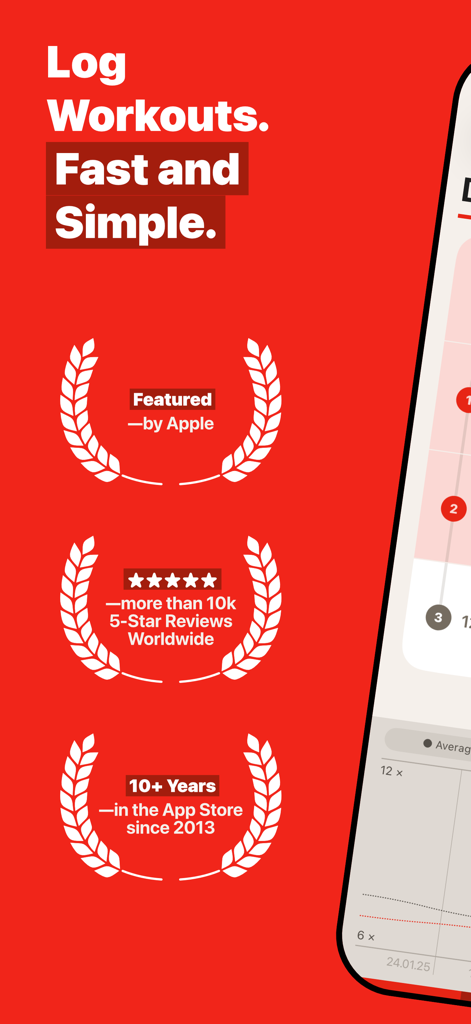
Appleアワードと5つ星評価を備えたワークアウト記録機能を示すGymBookアプリ画面。
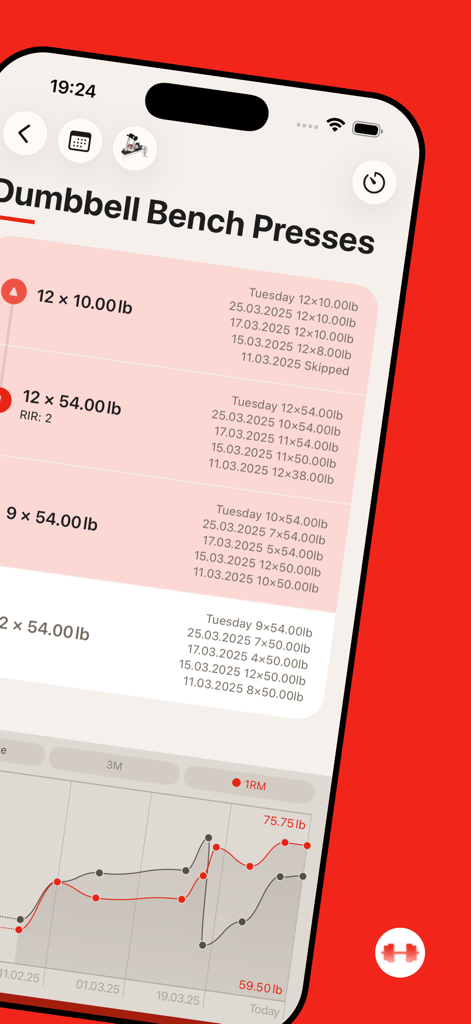
ダンベルベンチプレスのエクササイズログとパフォーマンスチャートを表示するGymBookアプリ画面
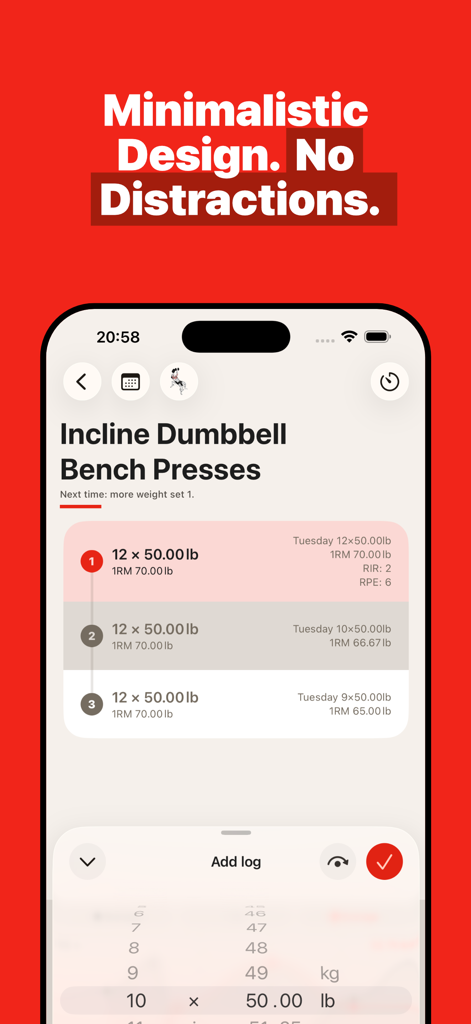
インクラインダンベルベンチプレスのセット、重量、レップのワークアウト追跡を表示するGymBookアプリのミニマリストインターフェース
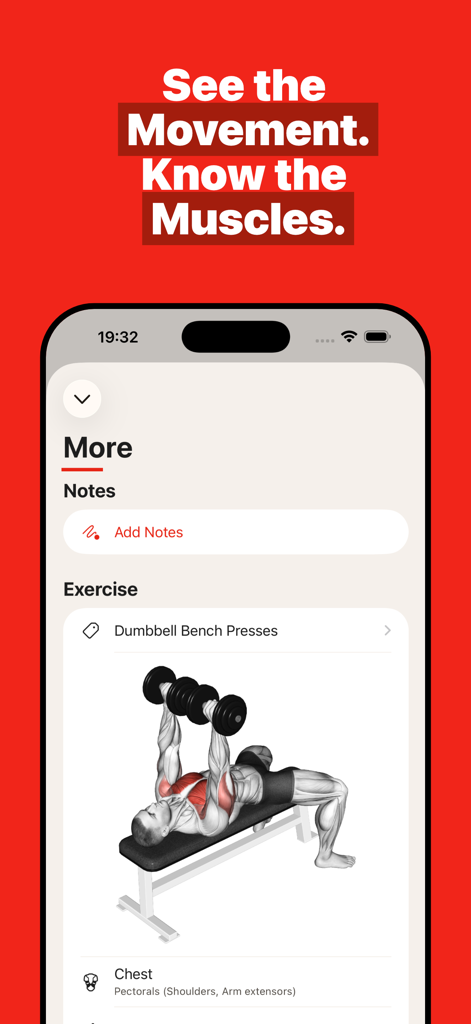
ダンベルベンチプレスの筋肉解剖図を表示するGymBookアプリ
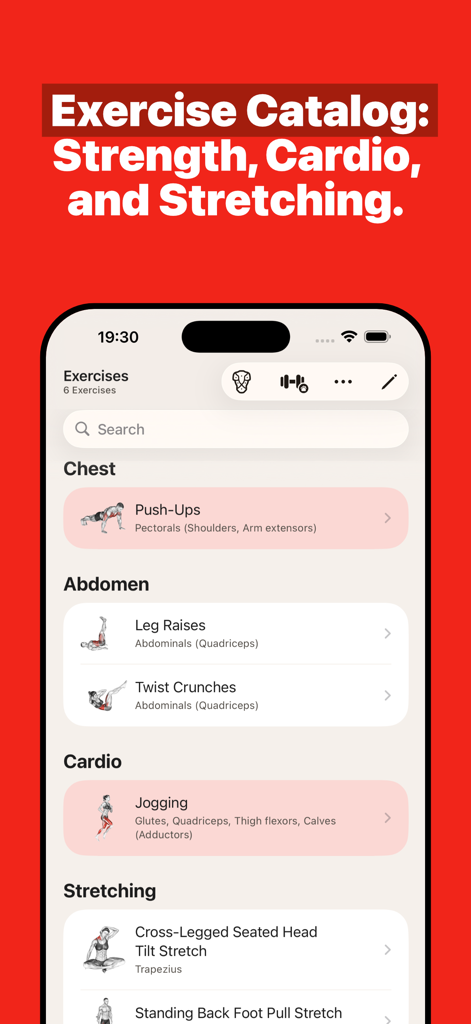
筋力、カーディオ、ストレッチのカテゴリを含むエクササイズカタログを表示するGymBookアプリインターフェース
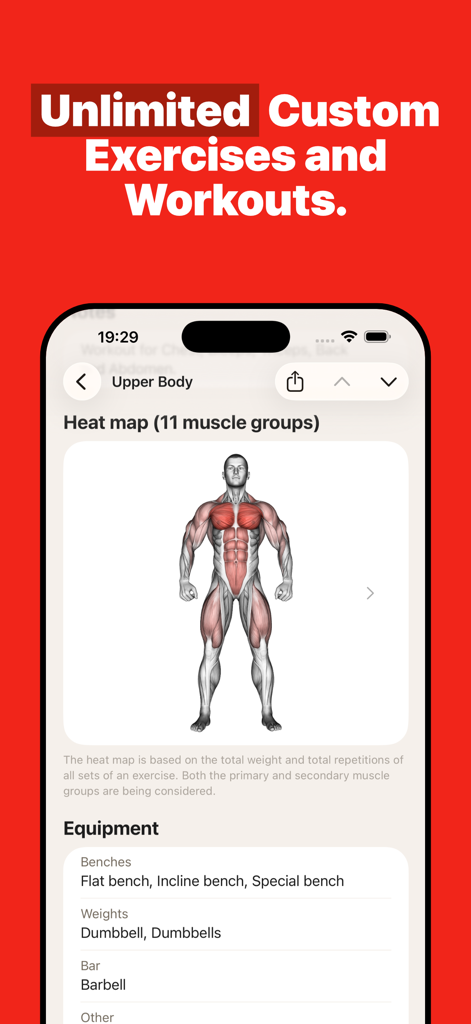
上半身のワークアウトと機器リストの筋肉ヒートマップを表示するGymBookアプリインターフェース
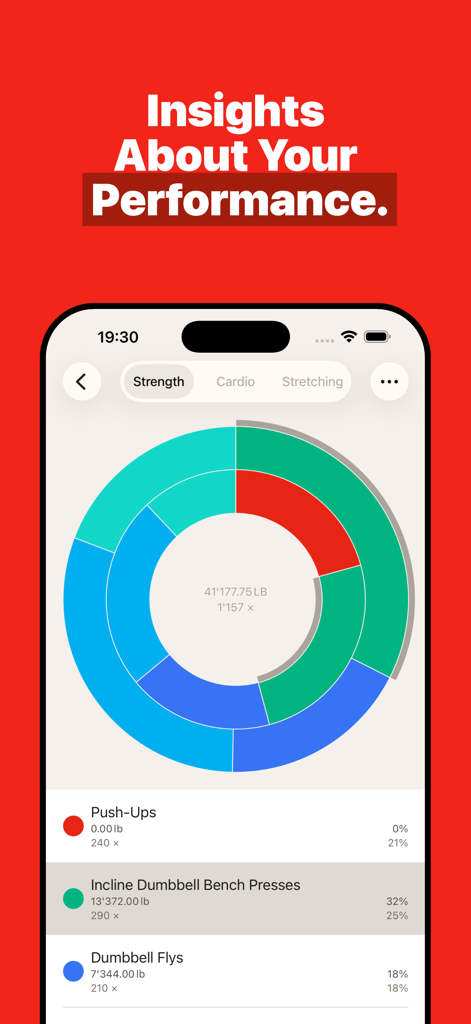
カラフルなドーナツチャートと詳細なエクササイズ統計を表示するGymBookアプリパフォーマンス分析画面
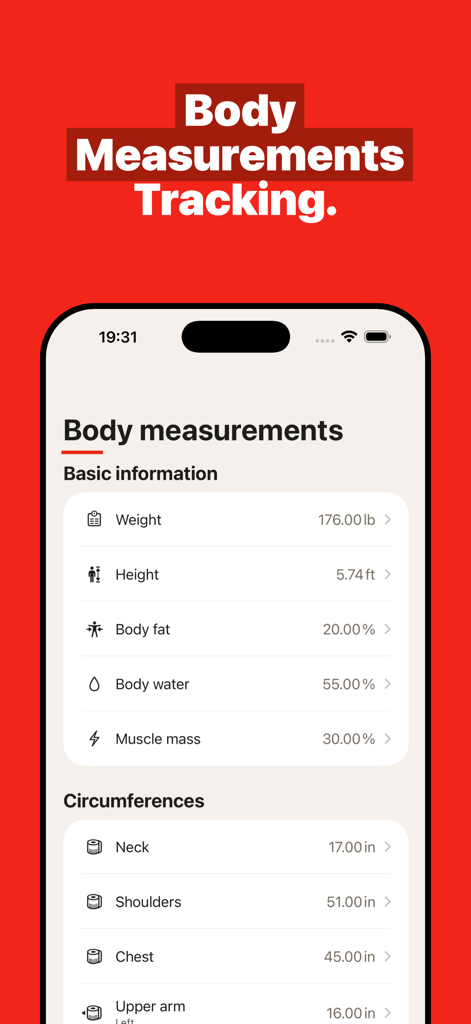
体重、体脂肪、筋肉量の測定値を追跡するGymBookアプリのスクリーンショット
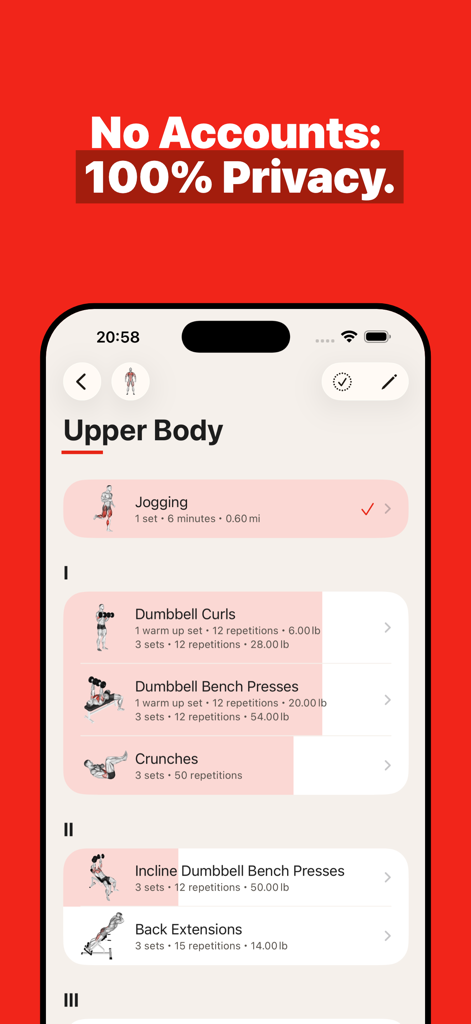
プライバシー機能が強調された上半身のワークアウトルーチンを表示するGymBookアプリインターフェース
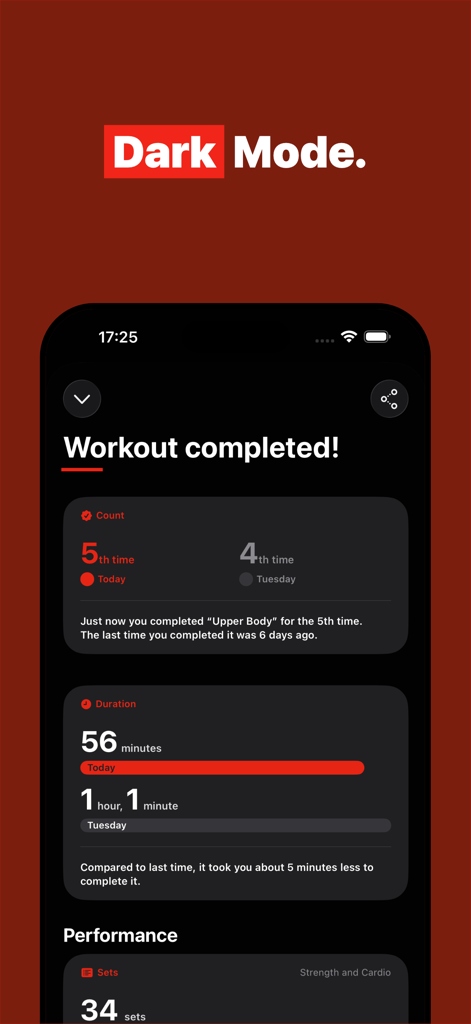
セッション数と期間の比較を示す完了したワークアウトの概要を表示する、ダークモードのGymBookアプリインターフェース。
説明
Download
類似アプリ
似た機能とユーザー体験を持つアプリ

Hevy - Workout Tracker Gym Log
Hevy Studios S.L.

Gymverse: Gym Workout Planner
FITNESS22 LTD
Strong Workout Tracker Gym Log
Strong Fitness PTE Limited

Symmetry: AI Gym Workout Log
SymmetryClub LLC

Caliber: Strength Training
Caliber Fitness, Inc.

Gym Workout Alpha Progression
Alpha Progression GmbH
RepCount - Gym Workout Tracker
Siper Apps AB

Boostcamp: Gym Workout Fitness
BPM Health Co.

AimHarder
AIMHARDER GLOBAL S.L.
このページはアプリまたはその開発者の公式ページではなく、情報提供および論評を目的として作成された独立した編集出版物です。明示的に別段の記載がない限り、アプリおよびその開発者は、MWM、Apple、Google Play、アプリのパブリッシャー、またはアプリの開発者と提携、承認、後援、認可、またはその他の公式的な関係はなく、このページのいかなる内容も、アプリがMWMのサービスを使用して開発されたことを意味するものではありません。すべての商標、ロゴ、スクリーンショット、その他のコンテンツはそれぞれの所有者の財産です。