Highlights: PDF Reader & Notes

Highlights: PDF Reader & Notes

ダウンロード: App Store
ロゴ: Highlights: PDF Reader & Notes

高生産性リサーチのためのインテリジェントPDFリーダー | Highlights

コピー&ペーストの疲労に終止符を。注釈、表、引用を構造化されたノートに自動抽出し、Obsidian、Notion、またはMarkdownに即座にエクスポートします。

開発元

Jonas Myren Ribe

カテゴリ

Productivity

ダウンロード

246K+

ユーザー評価

4.5/5

評価数

5K+

対応言語

1

効率性をさらに詳しく

このインターフェースを利用する 246K+ 人のユーザー.

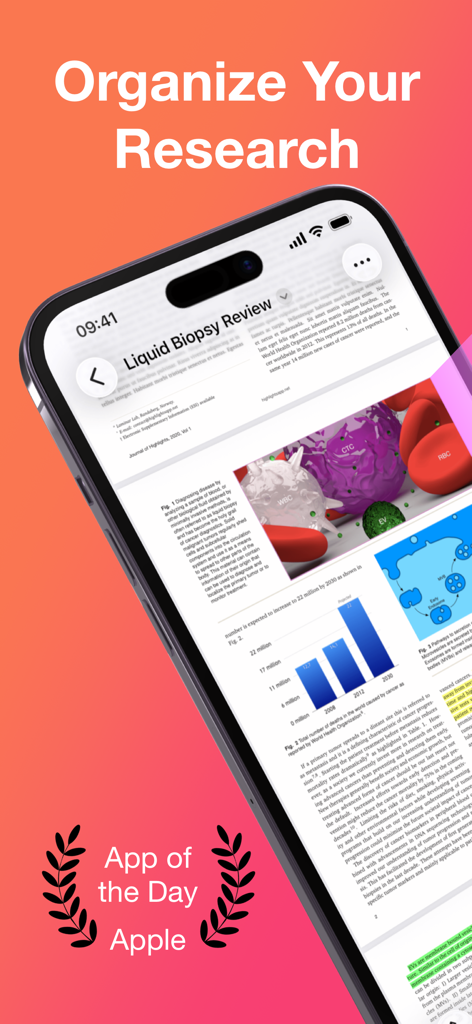
iPhoneのHighlights PDFリーダーアプリに、リサーチ論文とApple App of the Dayの認識が表示されています。
iPhoneのHighlights PDFリーダーアプリに、リサーチ論文とApple App of the Dayの認識が表示されています。

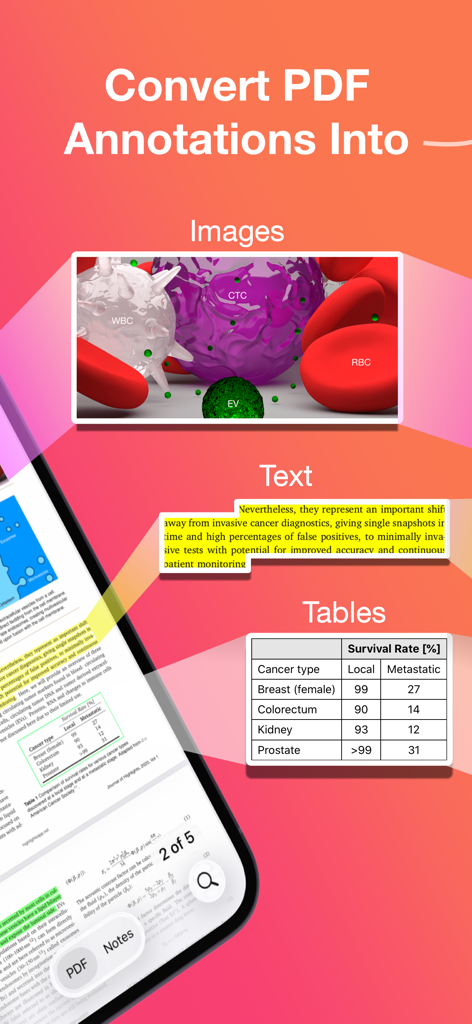
HighlightsアプリがPDF注釈を画像、テキスト、表に変換する方法を示すインフォグラフィック。
HighlightsアプリがPDF注釈を画像、テキスト、表に変換する方法を示すインフォグラフィック。

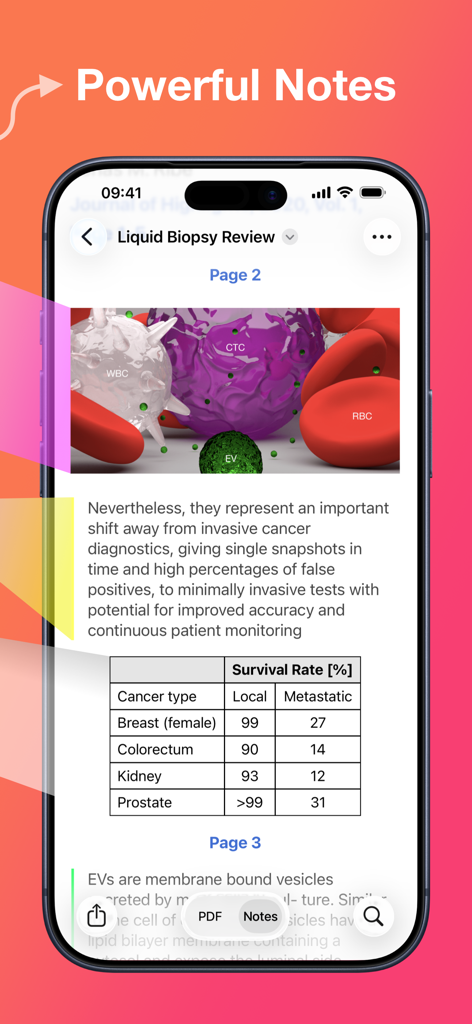
Highlights PDFリーダーアプリに、データ表を含むリサーチ論文から抽出された強力なノートが表示されています。
Highlights PDFリーダーアプリに、データ表を含むリサーチ論文から抽出された強力なノートが表示されています。

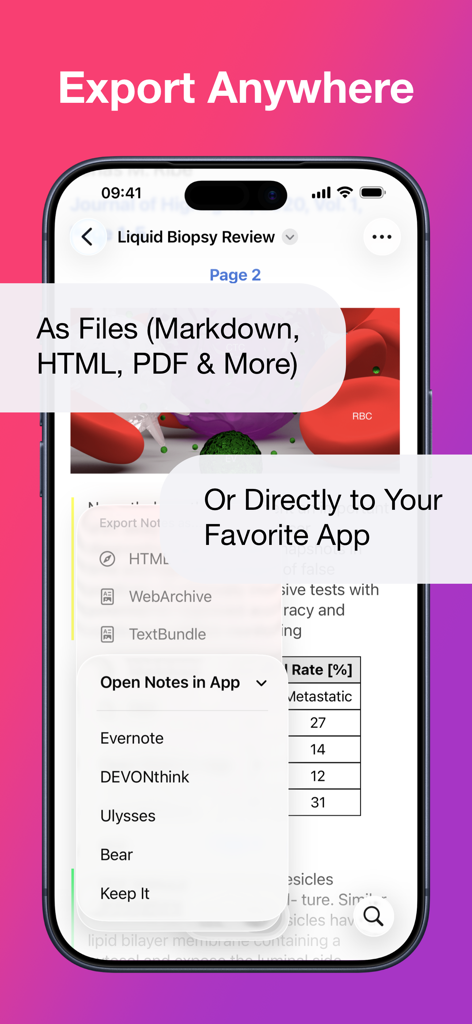
スマートフォン画面にHighlightsアプリのエクスポートメニューが表示され、Markdown、PDF、EvernoteやUlyssesなどの生産性アプリとの直接連携オプションがあります。
スマートフォン画面にHighlightsアプリのエクスポートメニューが表示され、Markdown、PDF、EvernoteやUlyssesなどの生産性アプリとの直接連携オプションがあります。

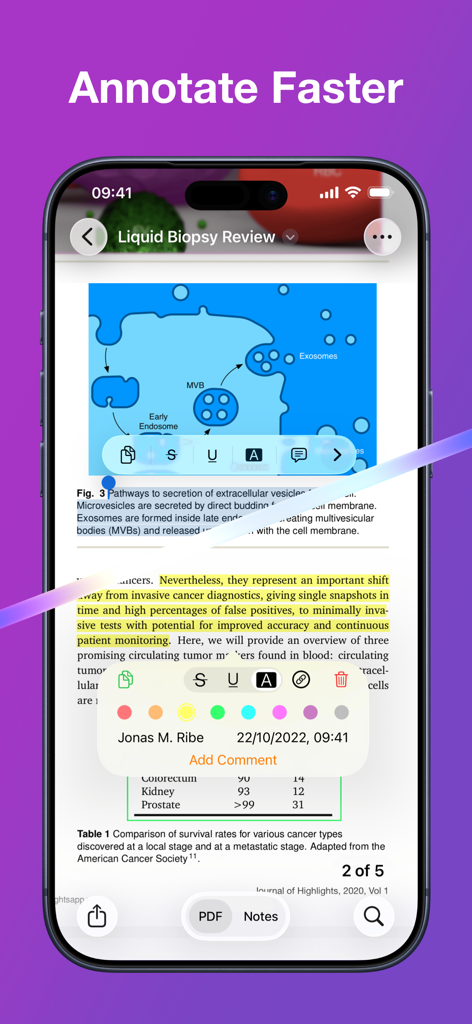
iPhoneのHighlightsアプリに、科学的なPDFが表示され、黄色いテキストハイライトと注釈メニューがあります。
iPhoneのHighlightsアプリに、科学的なPDFが表示され、黄色いテキストハイライトと注釈メニューがあります。

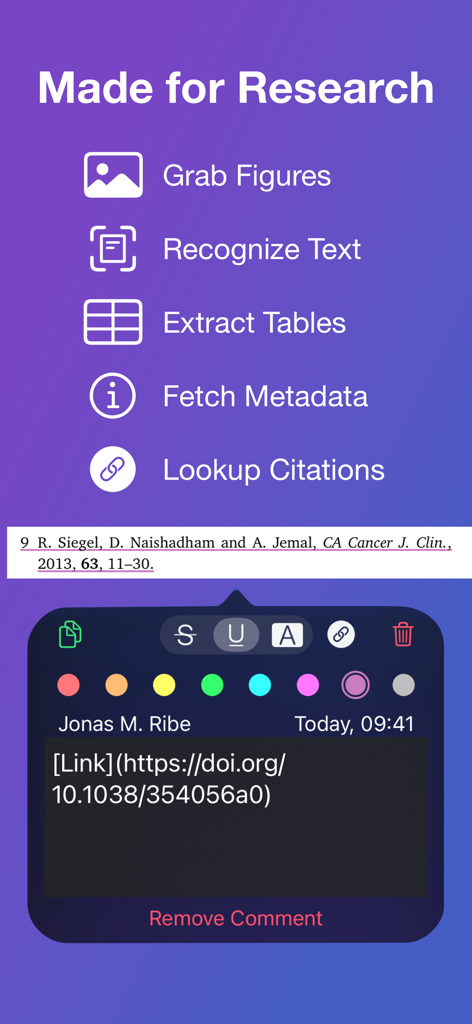
Highlights PDFリーダーのインターフェースに、図の取得、表の抽出、DOIリンクでの引用検索などのリサーチツールが表示されています。
Highlights PDFリーダーのインターフェースに、図の取得、表の抽出、DOIリンクでの引用検索などのリサーチツールが表示されています。

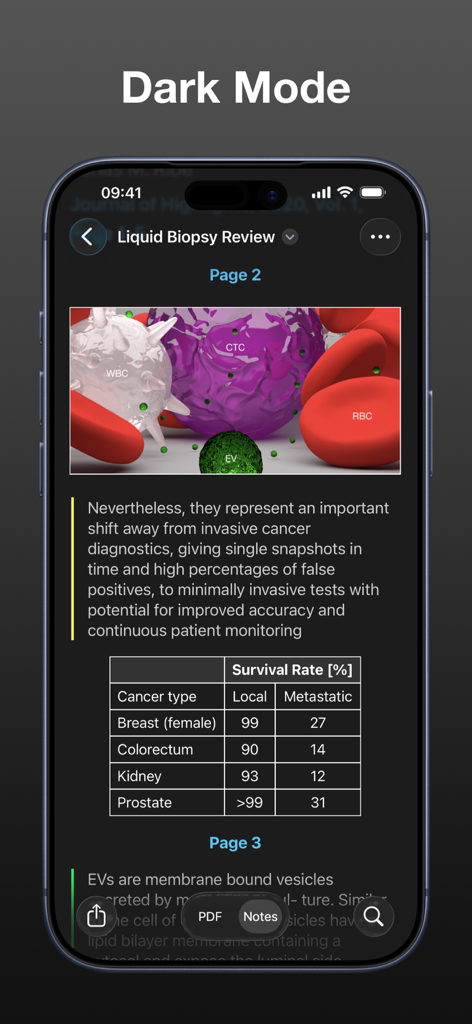
アカデミックリサーチ論文、医療図、データ表を表示するHighlightsアプリのインターフェースのダークモードでのスクリーンショット。
アカデミックリサーチ論文、医療図、データ表を表示するHighlightsアプリのインターフェースのダークモードでのスクリーンショット。

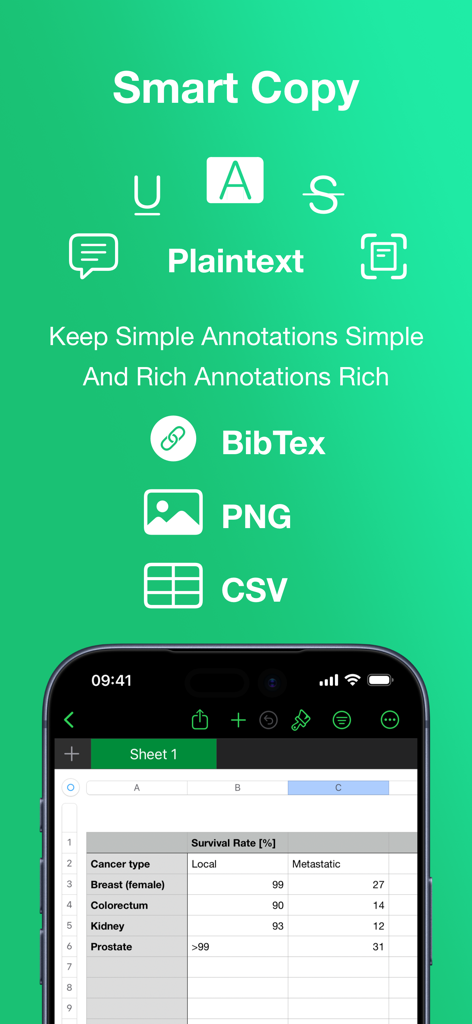
Highlightsアプリのスマートコピー機能に、BibTex、PNG、CSVのエクスポートオプションと、統合されたスプレッドシートビューが表示されています。
Highlightsアプリのスマートコピー機能に、BibTex、PNG、CSVのエクスポートオプションと、統合されたスプレッドシートビューが表示されています。

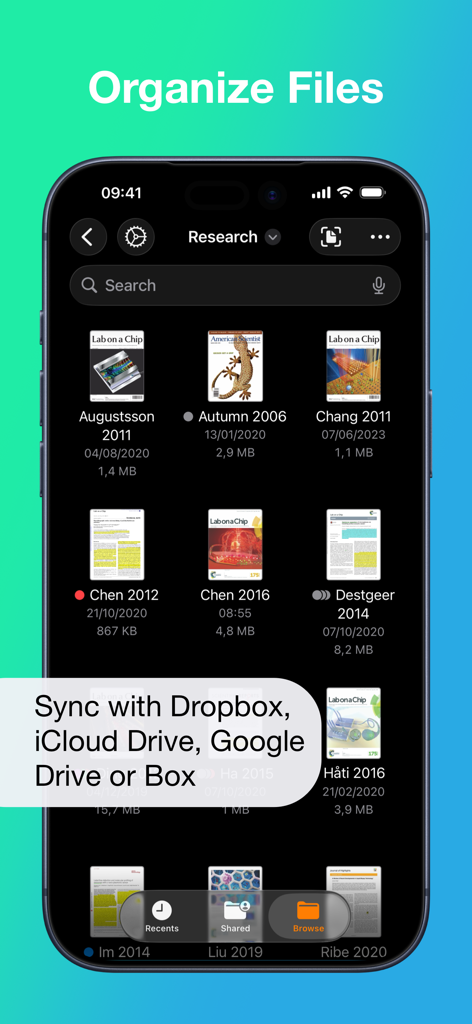
Highlights PDFリーダーアプリのファイル整理インターフェースに、クラウド同期オプション付きのリサーチ論文が表示されています。
Highlights PDFリーダーアプリのファイル整理インターフェースに、クラウド同期オプション付きのリサーチ論文が表示されています。

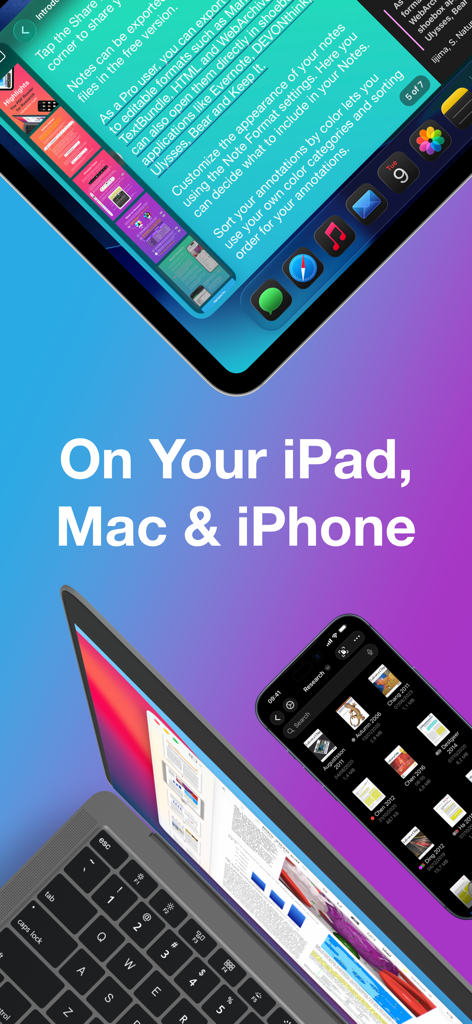
iPad、MacBook、iPhoneに表示されたHighlights PDFリーダーアプリのインターフェース。リサーチやノート作成に使用されます。

iPad、MacBook、iPhoneに表示されたHighlights PDFリーダーアプリのインターフェース。リサーチやノート作成に使用されます。

リサーチワークフローを加速させる

このアプリを際立たせるツール、 246K+ 人のユーザーが選択.

自動インサイト抽出

手作業のコピー&ペーストの疲労に終止符を。ハイライトするだけで、テキスト、画像、表が即座にクリーンでフォーマットされたノートに抽出され、リサーチに活用できます。

🎓

スマートな引用&データツール

学術的な厳密さのために構築されました。DOIメタデータを自動取得し、BibTex引用をフォーマットし、複雑なPDF表を1回のタップでCSVデータに変換します。

🚀

シームレスなセカンドブレイン同期

発見した内容をNotion、Obsidian、またはBearに直接エクスポートします。MarkdownとTextBundleのサポートにより、知識は必要な場所に正確に流れます。

アプリについて

について知っておくべきこと Highlights: PDF Reader & Notes.

説明

"... an app that students, academics, and anyone who does substantial amounts of PDF-based research should try" - Macstories.net "It’s the novel approach to PDF annotation that makes this app a cut above the rest"- TapSmart.com *** "App of the Day" - App Store, US *** USE HIGHLIGHTS FOR FREE Highlights is a fast and lightweight PDF reader (under 10MB) packed with features to help you do your best research. Free users have access to standard PDF reader features including document browsing, reading and annotating. There are NO ADS, time limits or tracking. READ PDF DOCUMENTS • Open PDF documents from anywhere • Browse files using the familiar document browser • Open PDFs in Single Page or Two Page scroll mode • Double tap to Smart Zoom in on a paragraph or figure • Scrub smoothly to the desired page • Search the entire document in an instant • Navigate using any connected keyboard or mouse STORE YOUR FILES WHERE YOU WANT • Full support for "Open In Place" lets you make edits to the file where it is • Access your files from iCloud Drive, Dropbox, Google Drive, OneDrive or Box using the document browser • Or keep them privately on device only HIGHLIGHT AND ANNOTATE FASTER • Select text with your finger, Apple Pencil or mouse pointer • Highlight, underline, strikethrough text and make image selections • Add comments to annotations or as individual sticky notes • Annotate with fewer taps using context aware popovers • Default annotation colors prevents you from having to repeatedly setting the color for the same type of annotation every time TURN ANNOTATIONS INTO NOTES • As you markup text and images the contents are extracted and sorted into notes • Customize the formatting and contents of your notes • Sort the annotations chronologically or create your own color coding EXTRACT TABLE DATA AND RECOGNIZE TEXT • Convert images containing text or tables to actual text and tables using machine learning - letting you get to the underlying data with a single tap SMART COPY Copy annotations to the desired format with one tap: • Text markup as text • Image selections as images • Tables as CSV • Citations as BibTex LOOKUP CITATIONS • Highlights will fetch DOI-links and metadata • Markup any reference and tap the link icon to look it up • If you have read the work already or have it in your reference manager library, Highlights will link you to it EXPORT ANYWHERE • Save or share your notes as portable files: Markdown, TextBundle, HTML, WebArchive or PDF • Share them to your favorite notes app: Apple Notes, Bear, Craft, Evernote, DEVONThink, Keep It, MindNode, Notion, Obsidian, Roam Research or Ulysses • Or send them to a colleague via mail. It's your notes, you decide where they go MUCH MORE • Dark mode • Multi-window support on iPadOS • Keyboard shortcuts and navigation • Support for system Copy and Undo gestures • Alternative app icons • Custom accent colors • Apple Pencil double-tap gestures • Power annotation tools For a full list of features see: highlightsapp.net/features HIGHLIGHTS PRO The Highlights Pro subscription unlocks advanced features on your iPhone, iPad and Mac: • Export options for other apps and easily editable formats • Extract information using table and text recognition • Customize accent colors and alternative app icons • Power annotation tools • Citation lookups • Smart Copy Highlights Pro includes a 14-day free trial. You can cancel your subscription at any time. The subscription will automatically renew unless auto-renew is turned off within 24-hour prior to the end of of the current period. Payments will be charged to your iTunes account and your account will be charged within 24-hours prior to the end of the current period. Any unused portion of a free trial period will be forfeited when you purchase a subscription. For more information about Highlights Pro: highlightsapp.net/pro Privacy Policy: highlightsapp.net/privacy Terms: highlightsapp.net/terms

最新バージョン

2025.1.5

サイズ

33.4 MB

リリース日

2020年4月10日

リサーチワークフローを強化する準備はできましたか?

コピー&ペーストをやめ、PDFから知識を掘り起こし始めた25万人以上の学術関係者や専門家に加わりましょう。Highlightsを今すぐダウンロードして、読書と執筆のギャップを埋めましょう。

ダウンロード: App Store

App information, icons, screenshots, and descriptions displayed on this page are sourced from the Apple App Store and are the property of their respective developers. Download estimates and rankings are based on MWM's proprietary models and may not reflect actual figures. This page is provided for informational and analytical purposes only.

Believe this page infringes your intellectual property? File a dispute