Markup Ultimate

Markup Ultimate

ダウンロード: App Store
ロゴ: Markup Ultimate

Markup Ultimate:AI搭載の洞察でよりスマートに読書

研究者やプロフェッショナル向けのオールインワン生産性スイート。複雑なファイルを自動要約し、Webコンテンツをハイライトし、外出先でもPDFワークフローをマスターしましょう。

ダウンロード: App Store

開発元

Kdan Mobile Software LTD

カテゴリ

Productivity

ダウンロード

378K+

ユーザー評価

4.4/5

評価数

2K+

対応言語

13

効率の可視化

このインターフェースを利用する 378K+ 人のユーザー.

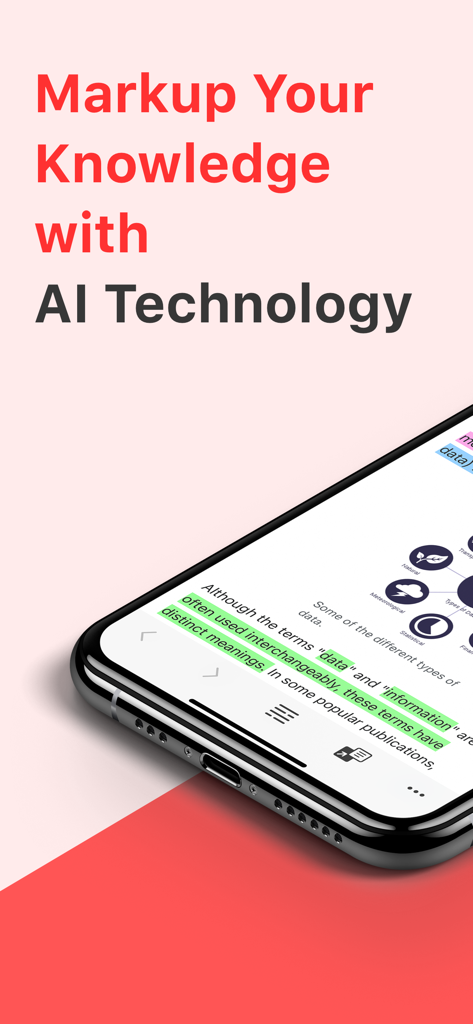
ハイライトされたテキストとAI搭載注釈機能を持つMarkup Ultimateアプリが表示されたスマートフォンの画面。
ハイライトされたテキストとAI搭載注釈機能を持つMarkup Ultimateアプリが表示されたスマートフォンの画面。

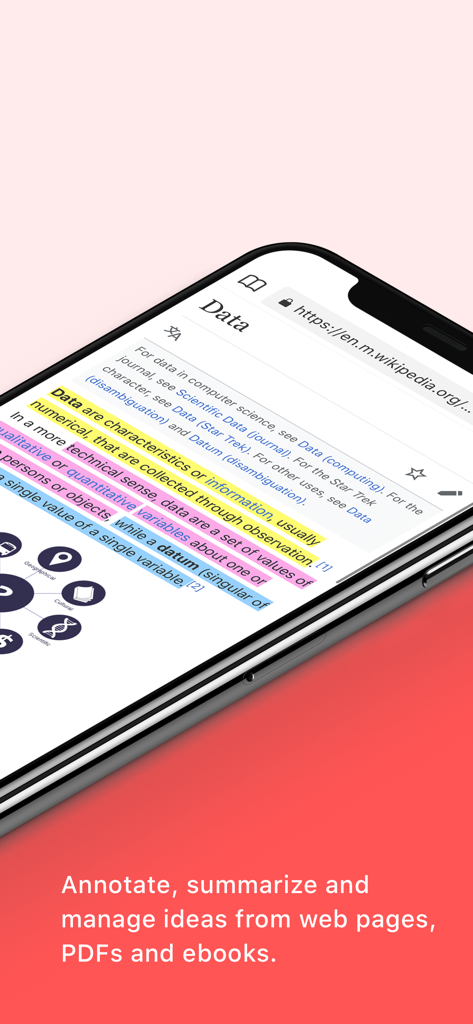
データに関するWikipediaページをハイライトおよび注釈するために使用されているMarkup Ultimateアプリが表示されたスマートフォンの画面。
データに関するWikipediaページをハイライトおよび注釈するために使用されているMarkup Ultimateアプリが表示されたスマートフォンの画面。

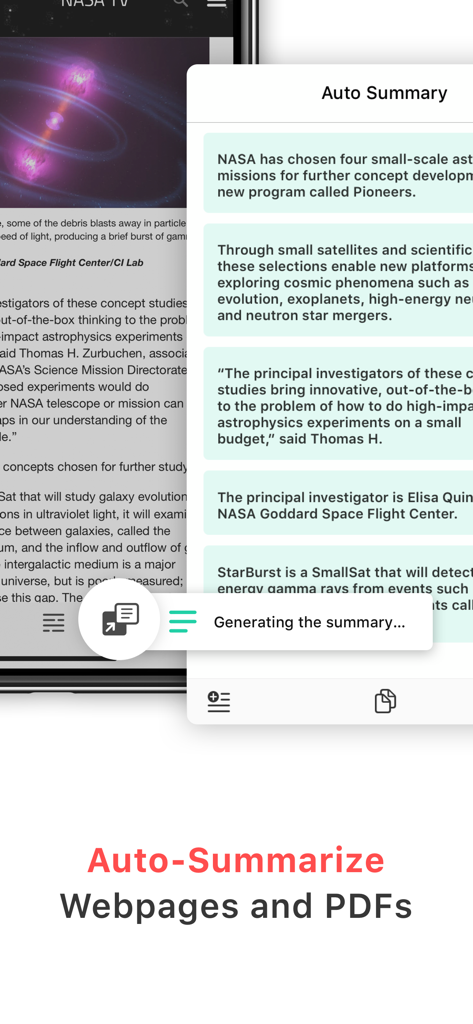
NASAに関する要約された記事が表示されたMarkup UltimateのAI自動要約機能を示すスマートフォンの画面。
NASAに関する要約された記事が表示されたMarkup UltimateのAI自動要約機能を示すスマートフォンの画面。

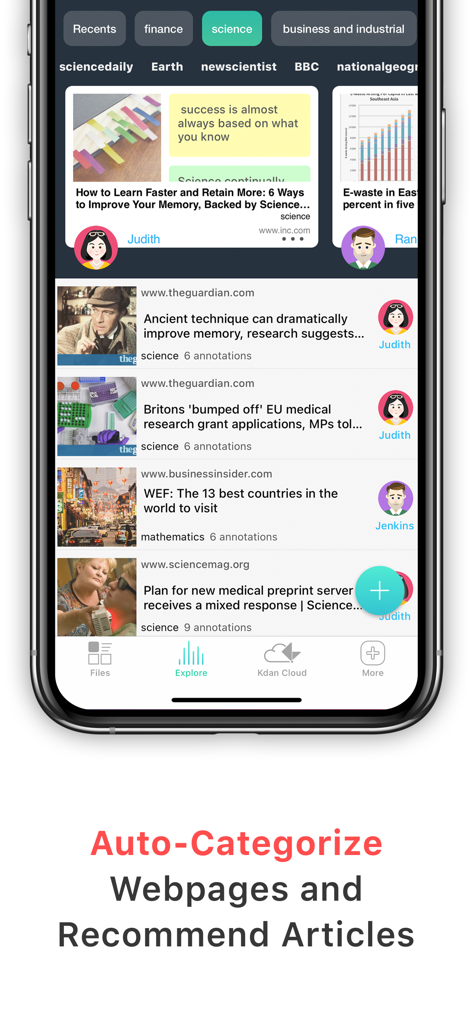
自動分類されたウェブページとパーソナライズされた記事の推奨事項を示すMarkup Ultimateアプリのインターフェイス。
自動分類されたウェブページとパーソナライズされた記事の推奨事項を示すMarkup Ultimateアプリのインターフェイス。

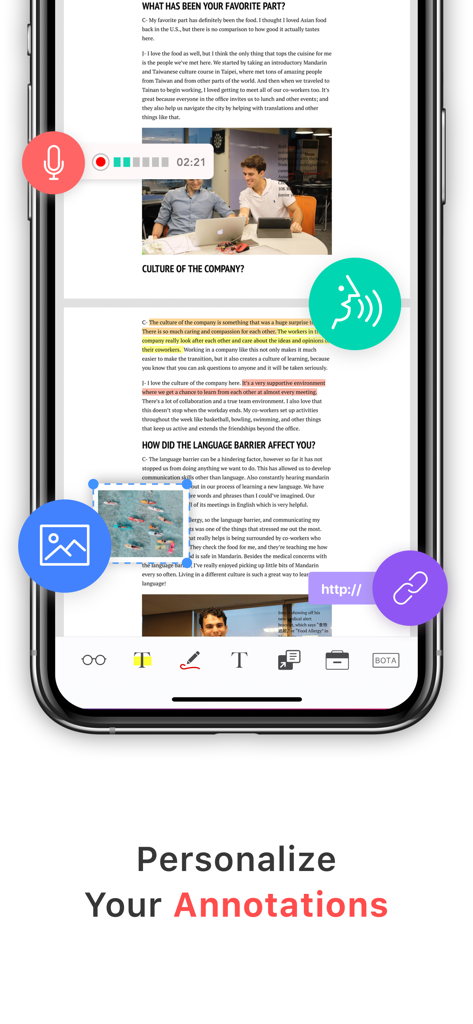
Markup Ultimateアプリで、ボイスメモ、画像、リンクを含むパーソナライズされたマルチメディア注釈が表示されたスマートフォンの画面。
Markup Ultimateアプリで、ボイスメモ、画像、リンクを含むパーソナライズされたマルチメディア注釈が表示されたスマートフォンの画面。

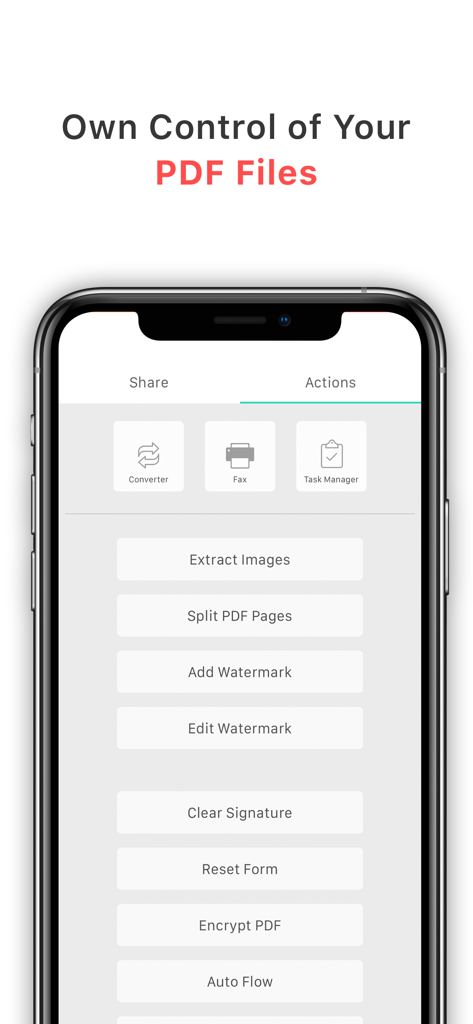
高度なPDF編集および管理アクションを示すMarkup Ultimateアプリのインターフェイス。
高度なPDF編集および管理アクションを示すMarkup Ultimateアプリのインターフェイス。

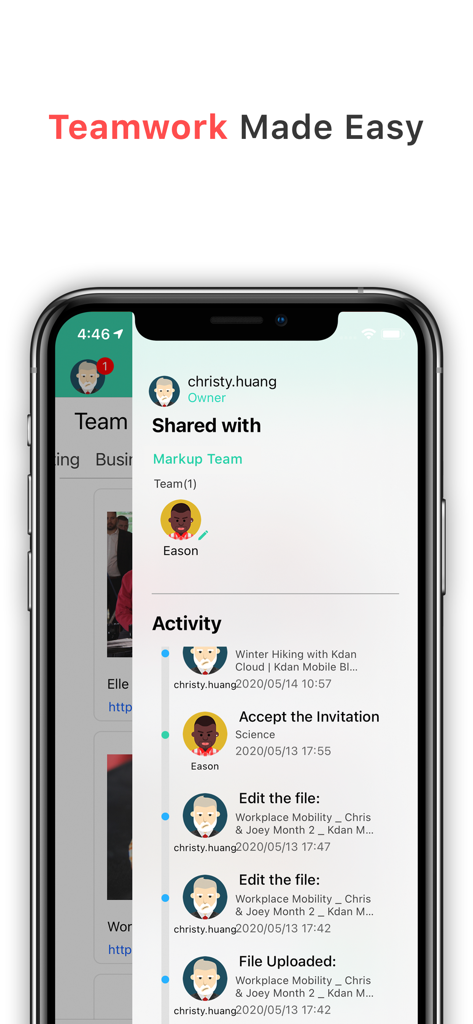
共有ファイル用のチームコラボレーションおよびアクティビティフィードを示すMarkup Ultimateアプリのインターフェイス。
共有ファイル用のチームコラボレーションおよびアクティビティフィードを示すMarkup Ultimateアプリのインターフェイス。

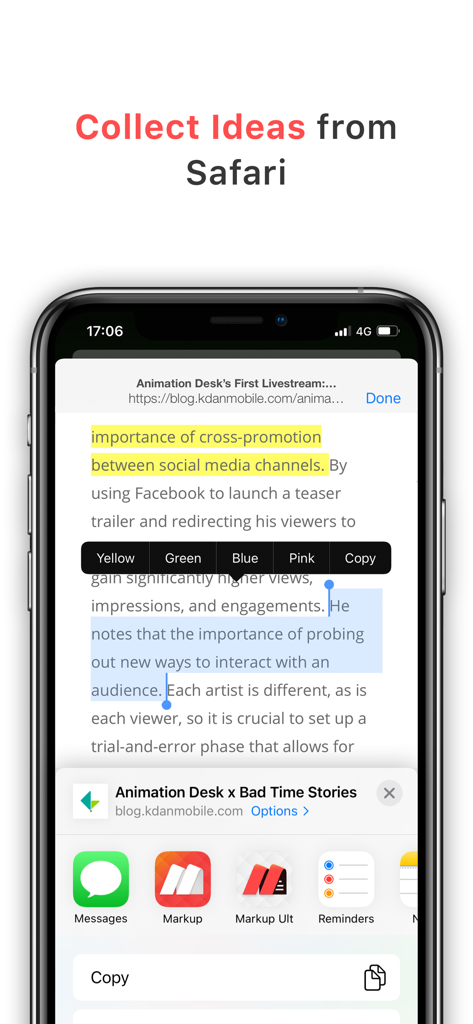
iPhoneのSafariブラウザから直接テキストをハイライトしてアイデアを収集する方法を示すMarkup Ultimateアプリのインターフェイス。
iPhoneのSafariブラウザから直接テキストをハイライトしてアイデアを収集する方法を示すMarkup Ultimateアプリのインターフェイス。

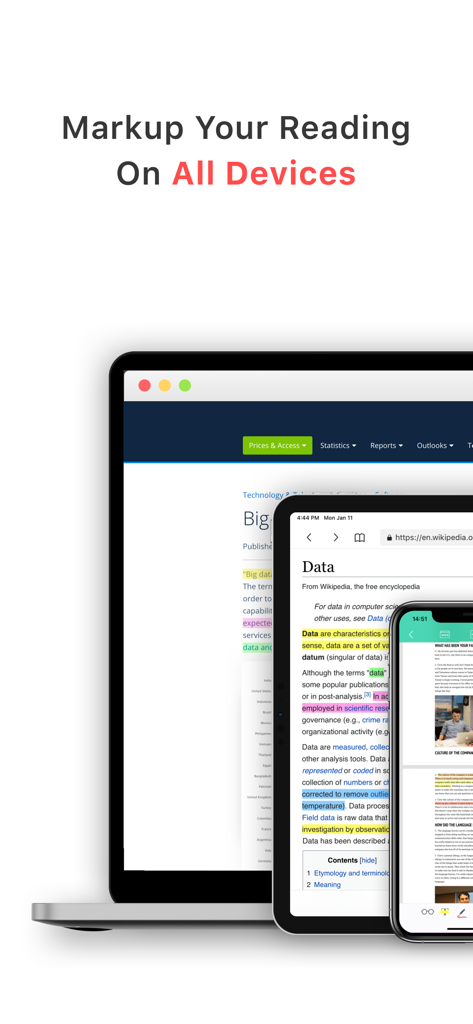
すべてのデバイスでハイライトされたテキストを含むMarkup Ultimateアプリのインターフェイスを示すラップトップ、タブレット、スマートフォン。

すべてのデバイスでハイライトされたテキストを含むMarkup Ultimateアプリのインターフェイスを示すラップトップ、タブレット、スマートフォン。

読書インテリジェンスを向上させる

このアプリを際立たせるツール、 378K+ 人のユーザーが選択.

AI搭載自動要約

長文コンテンツに溺れるのはもうやめましょう。AIが大規模なレポートや記事から要点を瞬時に抽出し、最も重要なことに集中できます。

🖊️

Web&PDF統合注釈

Safariで直接抜粋をハイライトしたり、Apple PencilでPDFを深く掘り下げたりできます。洞察は自動的に同期され、セカンドブレインのために整理されます。

👥

インスタントチームコラボレーション

個々の研究を集合知に変えましょう。注釈付きスニペット、Webマークアップ、キュレーションされたフォルダを共有チームクリップボード経由で即座に共有できます。

アプリについて

について知っておくべきこと Markup Ultimate.

説明

Markup Ultimate is the fully-working version of Markup. Search “Markup” on the App Store and try it out for free before purchasing. Markup is a productivity tool with unique AI-powered features to create a smart reading experience for users. It automatically extracts key reading points out of large files or text and learns the user’s preference and behavior to provide informed suggestions. Markup lets you highlight, annotate, and read with efficiency. ***Widely Recognized by Media & Our Users*** + Featured in All Digital School – Editor’s Choice for Reading + Featured in “Annotation and Screencasting to Extend the Reach of Your Classroom” by Yale Center of Language Study + Featured in “The 9 Best PDF Apps for the Apple iPad” by TabletPC Review + User Testimonial: “PDF Markup helps me to take work with me when I am not in the office. It really does make life better!” - Val Sigler KEY FEATURES AUTO SUMMARY (NEW) – Make every reading second count! •Immediately find your focus on reading by extracting information that matters •Automatically process heavyweight content in a summary view •Add to your own annotations to keep your ideas all in one place •Copy to your clipboards and share to other platforms for extensive reading AI INTEGRATION • Analyze highlighted stories with Markup's brilliant algorithm. • Automatically sort web pages you highlighted into different categories. • Discover more stories you are interested in. INSTANT TEAM COLLABORATION • Share files, pictures, articles, videos, and URLs with your team • Directly share highlighted Web Markups and annotations to your team • Onboard your team members via Teams Clipboards • Invite and manage your members in Team Panel to tracks team’s activity WEB HIGHLIGHTER • Highlight text and excerpts on web pages through built-in or Safari browser. • Sync your highlights through multiple devices. • Explore and share highlights from the markup community. • Link web highlights to your PDFs DOCUMENT VIEWER & ANNOTATOR • Support all mainstream formats, including PDF and ePub books • Add highlights, freehand writings, sticky notes, text boxes, arrows, shapes, etc. • Customize PDF stamps by adding texts or images • Sign & fills documents • BOTA list- display a summary of bookmark, outline, thumbnail and annotation • Text-to-Speech- read out text content with natural sounding voices • Multimedia note-taking - insert links, images, audio clips and capture screens •Advanced PDF Editing – merge and split pages, watermarks, flattened PDFs and more FILE TRANSFER & BACKUP • Get files from Dropbox, Google Drive, iCloud Drive, Photo gallery and local files KDAN CLOUD – FREE SIGN UP • Resume unfinished uploading. • Viewing PDFs online by sending file links. • Send download links from the web with password protection. IN-APP PURCHASE Subscribe to Kdan Cloud services for more advanced capabilities to convert, edit, fax, and sync PDFs on computers and mobile devices. WHAT IS CREATIVITY 365? (FREE TRIAL AVAILABLE) Creativity 365 is a cross-device contention creation toolset aimed at improving productivity and collaboration. The set includes five apps- Markup, Animation Desk, Pocket Scanner, NoteLedge, and Write-on Video plus 1TB Kdan Cloud storage. Creativity 365 subscribers can access to all the premium features commonly unavailable to free app users. IN-APP PURCHASE DETAILS • Creativity 365 subscription is USD$9.99/month or $4.99 per month if you pay annually (includes PDF editing tools, all premium features in all apps & 1 TB cloud storage) • We offer a 3-day or 7-day trial period to new subscribers of Creativity 365. • Subscriptions automatically renew unless canceled at least 24 hours before the end of current subscription period. Terms of service: https://www.kdanmobile.com/en/terms_of_service Privacy Policy: https://www.kdanmobile.com/en/privacy_policy

最新バージョン

8.10.11

サイズ

182.8 MB

リリース日

2014年10月31日

AI搭載の精度で知識をマスターする

378,000人以上のプロフェッショナルや研究者に加わりましょう。今すぐMarkup Ultimateをダウンロードして、要約を自動化し、読書ワークフロー全体を効率化しましょう。

ダウンロード: App Store

App information, icons, screenshots, and descriptions displayed on this page are sourced from the Apple App Store and are the property of their respective developers. Download estimates and rankings are based on MWM's proprietary models and may not reflect actual figures. This page is provided for informational and analytical purposes only.

Believe this page infringes your intellectual property? File a dispute