
このページはアプリまたはその開発者の公式ページではなく、情報提供および論評を目的として作成された独立した編集出版物です。明示的に別段の記載がない限り、アプリおよびその開発者は、MWM、Apple、Google Play、アプリのパブリッシャー、またはアプリの開発者と提携、承認、後援、認可、またはその他の公式的な関係はなく、このページのいかなる内容も、アプリがMWMのサービスを使用して開発されたことを意味するものではありません。すべての商標、ロゴ、スクリーンショット、その他のコンテンツはそれぞれの所有者の財産です。


HVAC Psychrometric Plus
即時の単一状態および混合空気計算のための業界標準ツール。紙のチャートを、リアルタイムの精度、インタラクティブなスライダーコントロール、現場からのプロフェッショナルなスプレッドシートレポートに置き換えます。
ダウンロード
83K+ユーザー評価
評価数
0開発元
カテゴリ
Productivity対応言語
1最新バージョン
6.1サイズ
16.8 MBリリース日
2010年1月15日ポケットに入る精密湿度線図
紙のチャートや手動プロットはもう必要ありません。iPhoneまたはiPadで、単一状態および混合空気解析のASHRAEレベルの精度を即座に取得します。
リアルタイムシナリオモデリング
データ再入力なしで、スライダーを画面上で操作して、空気流量や湿度などの変数を調整し、'もしも'のシナリオを即座に視覚化します。
プロフェッショナルなフィールドレポート
現場を離れる前に、プロフェッショナルなHTMLレポートやスプレッドシートの添付ファイルをクライアントや監督者にメールで送信し、オンサイトで作業を完了させます。
よくある質問
について知っておくべきこと HVAC Psychrometric Plus
HVAC Psychrometric Plusアプリの主な機能は何ですか?
HVAC Psychrometric Plusアプリは、迅速かつ簡単な湿度解析を実行します。単一状態と混合空気のHVAC湿度状態を計算します。
HVAC Psychrometric PlusはiPhoneとiPadの両方で利用できますか?
はい、HVAC Psychrometric PlusはiPhoneとiPadの両方のデバイスに最適化されたユニバーサルアプリです。
HVAC Psychrometric Plusアプリケーションは誰が開発しましたか?
Carmel SoftwareがHVAC Psychrometric Plusアプリケーションを開発しました。同社はソフトウェア設計とHVAC解析において25年以上の経験を持っています。
HVAC Psychrometric Plusはどのような種類の湿度計算をサポートしていますか?
HVAC Psychrometric Plusは、単一状態と混合空気の両方のHVAC湿度計算をサポートしています。ユーザーは、単一の空気流または2つの空気流のパラメータを指定できます。
HVAC Psychrometric Plusでは、入力と計算結果を1つの画面で表示できますか?
はい、HVAC Psychrometric Plusアプリでは、すべての入力パラメータを選択および更新し、同じ画面で計算結果を表示できます。
HVAC Psychrometric Plusは、入力パラメータのいくつもの組み合わせを提供していますか?
HVAC Psychrometric Plusアプリは、湿度計算のために任意の2つの入力パラメータの23種類の組み合わせを提供しています。
HVAC Psychrometric Plusは、入力が変更されたときに結果を即座に更新しますか?
はい、HVAC Psychrometric Plusは、画面上のスライダーコントロールを使用してユーザーが入力値を変更すると、即座に結果を更新します。
HVAC Psychrometric Plusからの計算結果をエクスポートできますか?
はい、HVAC Psychrometric Plusアプリでは、すべての単一状態と混合空気の入力と結果のHTMLメールとスプレッドシートの添付ファイルを送信できます。
HVAC Psychrometric Plusはどのような湿度値タイプを表示しますか?
HVAC Psychrometric Plusは、乾球温度、湿度比、相対湿度、湿球温度、分圧、エンタルピー、比体積、露点温度を表示します。総流量は混合空気のみです。
HVAC Psychrometric Plusで高度と大気圧を指定できますか?
はい、ユーザーは、HVAC Psychrometric Plus内で、分析中の空気の高度や大気圧などの追加パラメータを指定できます。
HVAC Psychrometric Plusは異なる単位系をサポートしていますか?
はい、HVAC Psychrometric Plusは、計算のために華氏またはランキン度、およびメートル法またはインペリアル単位を含む、さまざまな単位タイプをサポートしています。
以下のスクリーンショットと説明は、アプリの公式ストアリスティングから直接取得されたものであり、アプリ開発者の所有物です。
アプリストア
スクリーンショット
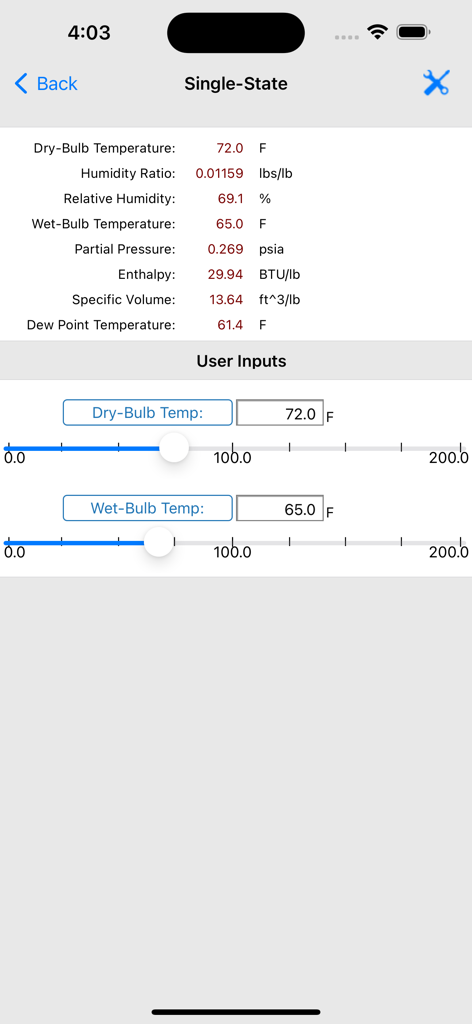
HVAC Psychrometric Plusアプリのインターフェース、単一状態の空気計算と温度のスライダー入力を表示
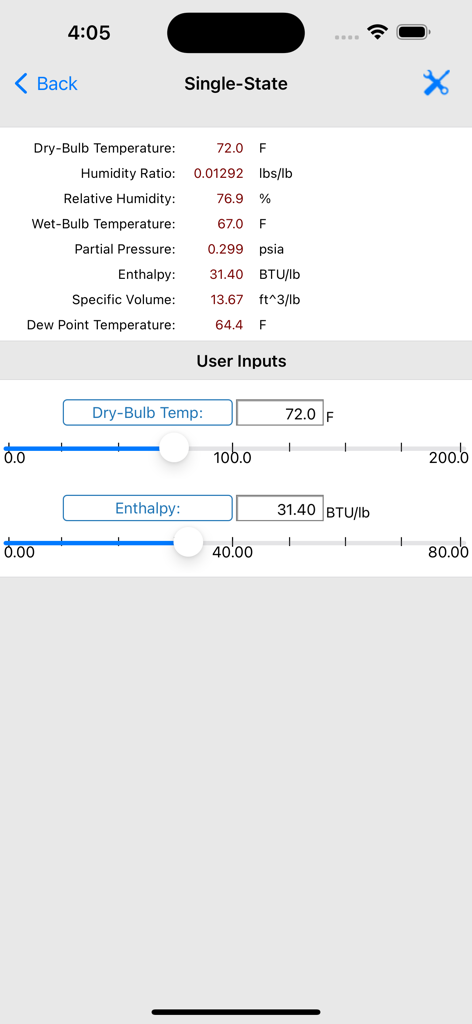
HVAC Psychrometric Plusアプリの画面、単一状態の湿度線図計算と調整可能な入力スライダーを表示
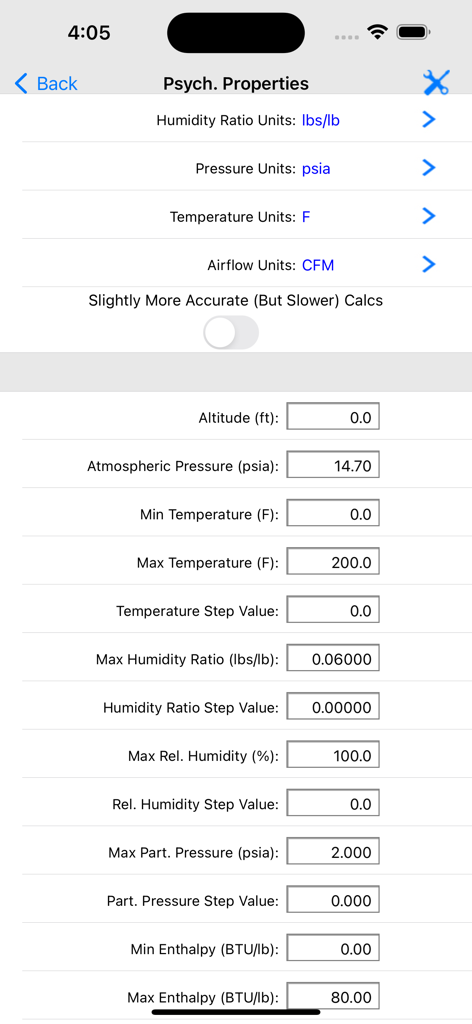
HVAC Psychrometric Plusアプリの湿度線図の単位とプロパティ範囲の設定画面
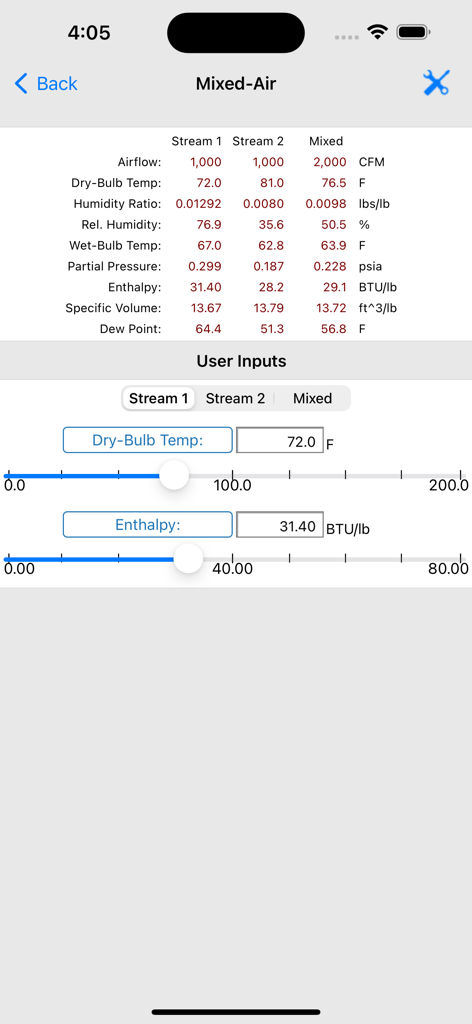
HVAC Psychrometric Plusの混合空気計算画面、空気流データと入力スライダーを表示
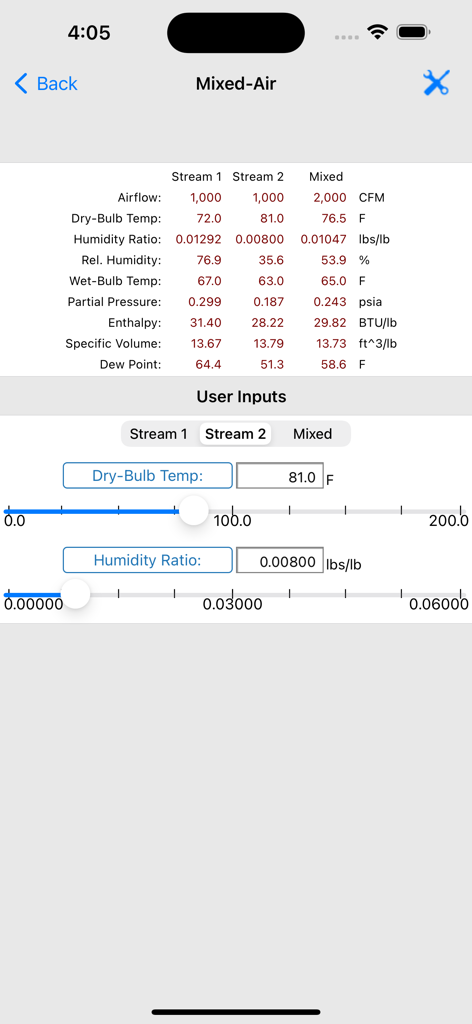
HVAC Psychrometric Plusアプリの混合空気計算画面、空気流データと入力スライダーを表示
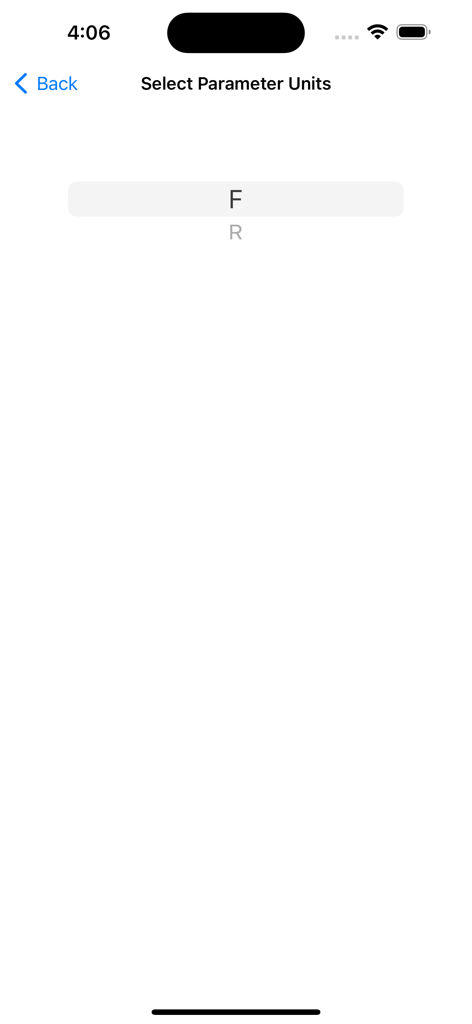
華氏とランキンを含む温度単位選択画面
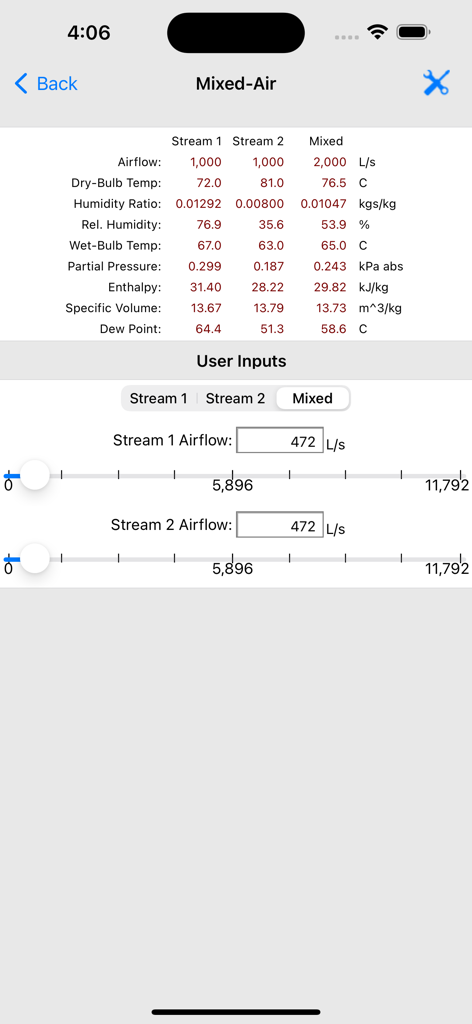
HVAC Psychrometric Plusアプリのインターフェース、空気流入力スライダーとストリームデータを持つ混合空気計算を表示
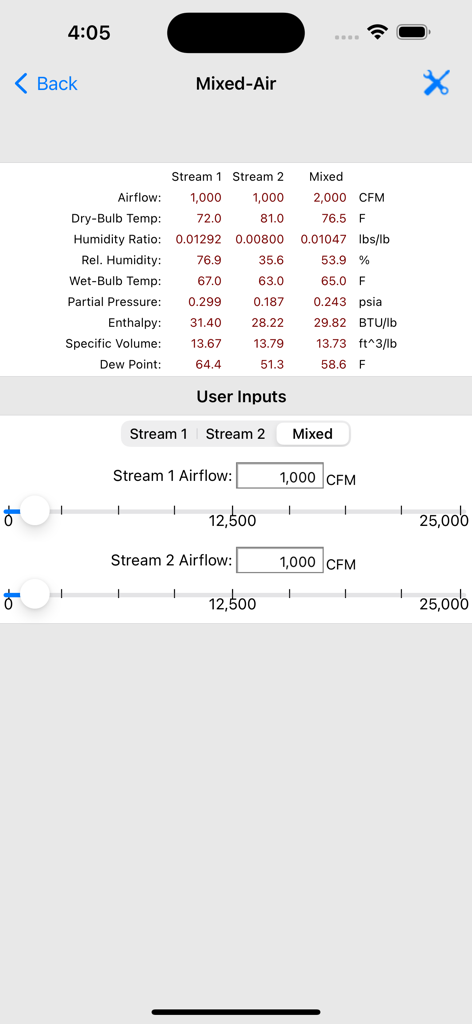
HVAC Psychrometric Plusの混合空気計算画面、2つの空気流とその混合のための空気流と温度データ、およびHVAC Psychrometric Plusの入力スライダーを表示
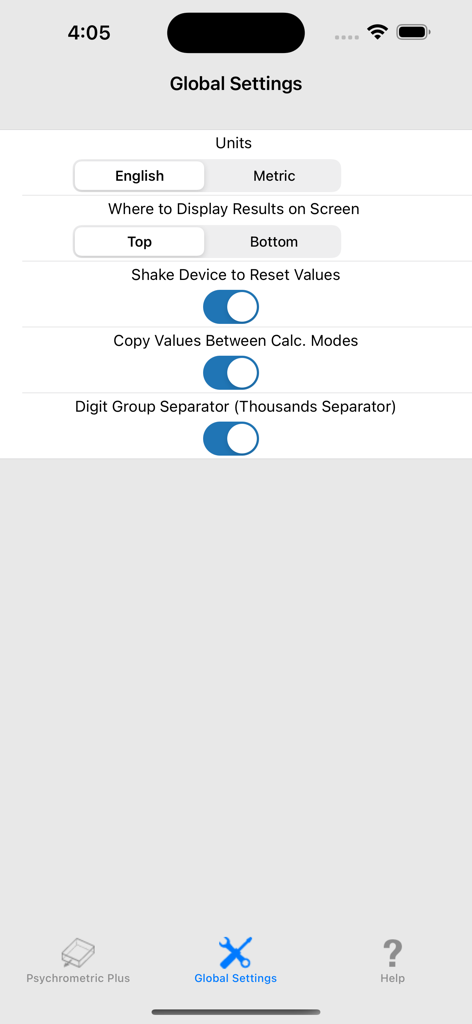
HVAC Psychrometric Plusアプリのグローバル設定画面、単位と表示設定の構成オプションを表示
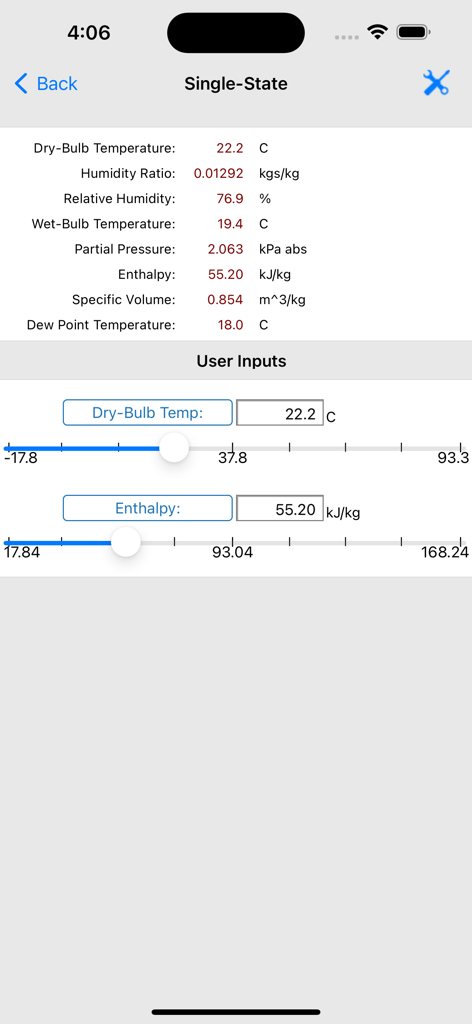
HVAC Psychrometric Plusアプリ、単一状態の空気計算を表示
説明
Download
類似アプリ
同じカテゴリのトップランクアプリ

ChatGPT
OpenAI OpCo, LLC

Google Gemini
Google LLC

Grok
X.AI Corporation

Gmail - Email by Google
Google LLC

千问 - 阿里最强大模型官方AI助手
Shanghai Zhixin Puhui Technology Co., Ltd.

Google Drive
Google LLC

Microsoft Authenticator
Microsoft Corporation

Google Sheets
Google LLC

Google Docs
Google LLC
このページはアプリまたはその開発者の公式ページではなく、情報提供および論評を目的として作成された独立した編集出版物です。明示的に別段の記載がない限り、アプリおよびその開発者は、MWM、Apple、Google Play、アプリのパブリッシャー、またはアプリの開発者と提携、承認、後援、認可、またはその他の公式的な関係はなく、このページのいかなる内容も、アプリがMWMのサービスを使用して開発されたことを意味するものではありません。すべての商標、ロゴ、スクリーンショット、その他のコンテンツはそれぞれの所有者の財産です。