
このページはアプリまたはその開発者の公式ページではなく、情報提供および論評を目的として作成された独立した編集出版物です。明示的に別段の記載がない限り、アプリおよびその開発者は、MWM、Apple、Google Play、アプリのパブリッシャー、またはアプリの開発者と提携、承認、後援、認可、またはその他の公式的な関係はなく、このページのいかなる内容も、アプリがMWMのサービスを使用して開発されたことを意味するものではありません。すべての商標、ロゴ、スクリーンショット、その他のコンテンツはそれぞれの所有者の財産です。


PDFelement: PDF Editor, Viewer
AIが、紙の山を瞬時に価値あるデジタル資産に変える。このアプリは、無秩序な情報を整理し、意思決定を加速させるための秘密兵器を提供する。
ダウンロード
2.5M+ユーザー評価
評価数
21.5K開発元
カテゴリ
Productivity対応言語
13最新バージョン
V6.1.1サイズ
260.4 MBリリース日
2020年11月2日テックアナリストが評価する生産性向上とドキュメント管理の核
PDFelement: PDF Editor, Viewer アプリの主要機能分析
AI搭載ドキュメント処理
このツールは、AIを活用してPDF文書との対話、要約、翻訳、マインドマップ生成、音声メモの文字起こしを可能にし、情報分析とコンテンツ作成の効率を劇的に向上させます。
PDFの直接編集
ユーザーはPDF内のテキストや画像をWord文書のように直接編集でき、フォント調整も可能なため、文書の修正や更新を簡単かつ迅速に行うことができます。
高精度スキャンとOCR
本ツールは、紙文書を高品質でデジタル化し、OCR技術によって画像内のテキストを検索・編集可能な形式に変換することで、膨大な紙資料のデジタル化と活用を強力にサポートします。
多機能PDF変換
このアプリは、PDFファイルをWord、Excel、PowerPoint、画像形式など様々なファイル形式に、またその逆方向にも相互変換できるため、異なるアプリケーション間での柔軟な文書活用を実現します。
フォーム入力と電子署名
ユーザーはPDFフォームに直接入力し、テキストまたは手書きの電子署名を追加することで、契約書や申請書などのデジタル処理を迅速かつ安全に完了させることができます。
高度な注釈とレビュー
本ツールは、PDF文書に多様な注釈(メモ、図形、ハイライト)やコメントを追加する機能を提供し、共同作業や文書レビューのプロセスを効率化し、重要な情報を効果的に伝達します。
ドキュメント管理と最適化
このアプリは、PDFファイルの圧縮、結合、ページの追加・削除・回転・分割といった管理機能を提供し、ファイルサイズや構成を最適化することで、効率的な文書整理を可能にします。
高度なセキュリティと共有
機密性の高いPDF文書をパスワード保護により暗号化し、セキュリティを確保しながら、PDFelement Cloudを介した安全な保存と多様なチャネルでの共有を実現します。
よくある質問
について知っておくべきこと PDFelement: PDF Editor, Viewer
What is PDFelement: PDF Editor, Viewer?
PDFelement is an AI PDF Editor, Reader, Scanner, and Converter. It provides smart AI solutions like chatting with PDFs, translation, summarization, grammar checks, and AI-generated content detection, along with comprehensive PDF editing and management tools.
Can I edit PDFs like a Word document using PDFelement?
Yes, PDFelement allows mobile-exclusive editing of text and images in PDFs, similar to a Word document. Users can fix typos, add paragraphs, customize visuals, and import unique cloud fonts for professional results.
Does PDFelement offer AI features for PDF documents?
Yes, PDFelement offers extensive AI features. These include an AI Written Detector, AI PDF translation, Chat with PDF/AI, summarizing, grammar checks, and rewriting PDFs to enhance document management and analysis.
Can PDFelement translate PDF documents into multiple languages?
Yes, PDFelement's AI PDF translator can translate documents into over 50 languages. This feature ensures that the original formatting is preserved during the translation process, maintaining document integrity.
What PDF reading modes are available in PDFelement?
PDFelement offers Smart PDF Reader features. These include Liquid Mode, which readjusts PDFs to fit the screen, Bookmark navigation for seamless reading, and background modes like dark, light, and sepia for optimal viewing.
Can PDFelement convert files to and from PDF format?
Yes, PDFelement functions as a PDF Converter. It converts various file types such as Word, Excel, PowerPoint, HTML, images, and TXT files to PDF, and also converts PDFs back to these formats.
How does PDFelement handle document scanning and OCR?
PDFelement includes a Scanner to digitize paper documents. It features Enhancer & Deskew for automatic background removal and edge trimming. Its OCR functionality recognizes and extracts text for easy searching, editing, or sharing.
Can I protect my PDFs with a password in PDFelement?
Yes, PDFelement allows users to protect PDFs by setting a password for confidential content. This feature ensures enhanced security for sensitive documents stored or shared through the application.
What cloud storage services does PDFelement support?
PDFelement supports linking with various online storage accounts. These include Wondershare Cloud, iCloud, Google Drive, OneDrive, Dropbox, WebDAV, FTP, and SFTP for convenient storage and access to your PDFs.
How does the subscription work for PDFelement: PDF Editor, Viewer?
Payment for the PDFelement subscription is charged to your iTunes account upon purchase. Subscriptions automatically renew unless auto-renew is turned off at least 24 hours before the current period ends.
Can PDFelement detect AI-generated content?
Yes, PDFelement includes an AI Written Detector feature. This tool accurately checks content to determine if it is human-crafted or AI-generated, assisting users with content verification.
Does PDFelement allow creating new PDF documents?
Yes, PDFelement allows users to create blank PDFs using custom templates like lined, grid, dotted, or music paper. It also enables creating PDFs directly from imported images or device camera scans.
Is it possible to generate mind maps in PDFelement?
Yes, PDFelement features AI Recognition and Summarization to generate mind maps. This capability helps users visualize and organize key information extracted from their documents effectively.
Can PDFelement help me fill out and sign forms?
Yes, PDFelement enables users to fill out PDF forms using interactive text fields, checkboxes, and radio buttons. It also supports creating and uploading digital signatures and custom stamps for document authentication.
Does PDFelement offer audio comments and text transcription?
Yes, PDFelement offers an "AI Record" feature for audio comments and text transcription. This allows users to add spoken notes to documents and convert them into written text efficiently.
以下のスクリーンショットと説明は、アプリの公式ストアリスティングから直接取得されたものであり、アプリ開発者の所有物です。
アプリストア
スクリーンショット

この画面は、AIを活用した「クイックツール」セクションから、PDFの編集やAIチャットなど主要機能に素早くアクセスできることと、「1,000万人以上」のユーザーに信頼されている実績を視覚的に示しています。
AIでスマート管理
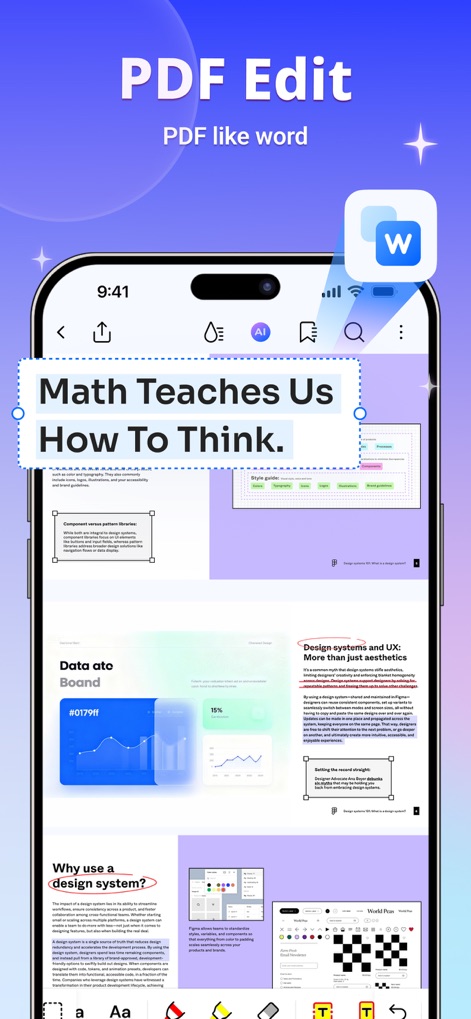
ユーザーは、Wordのように直感的な操作でPDF内のテキストを直接「編集」できることと、「フォントサイズ」や行間などの詳細な書式設定が可能な点を視覚的に確認できます。
Word感覚で編集
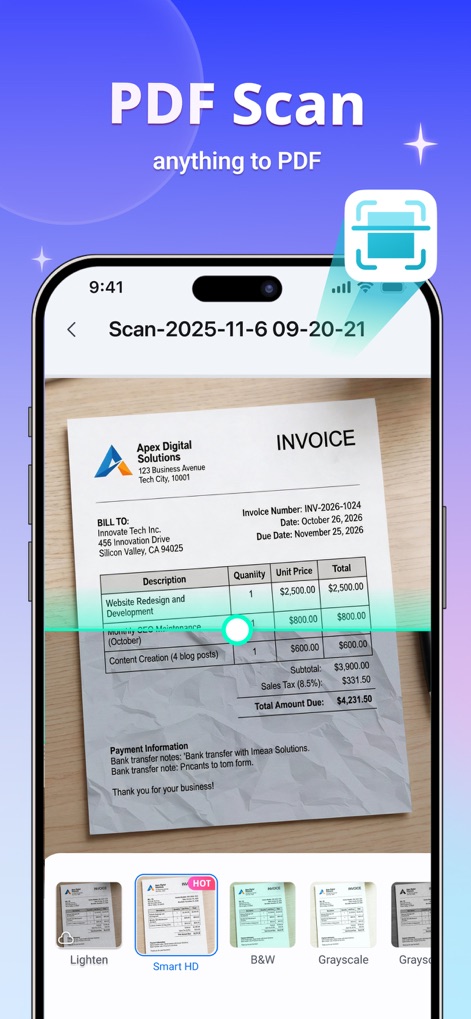
この画面は、紙の請求書をデジタル化する「スキャン」機能を示しており、文書の鮮明さを向上させる「Smart HD」モードや多様なフィルターオプションが利用できることを伝えます。
高精度スキャン
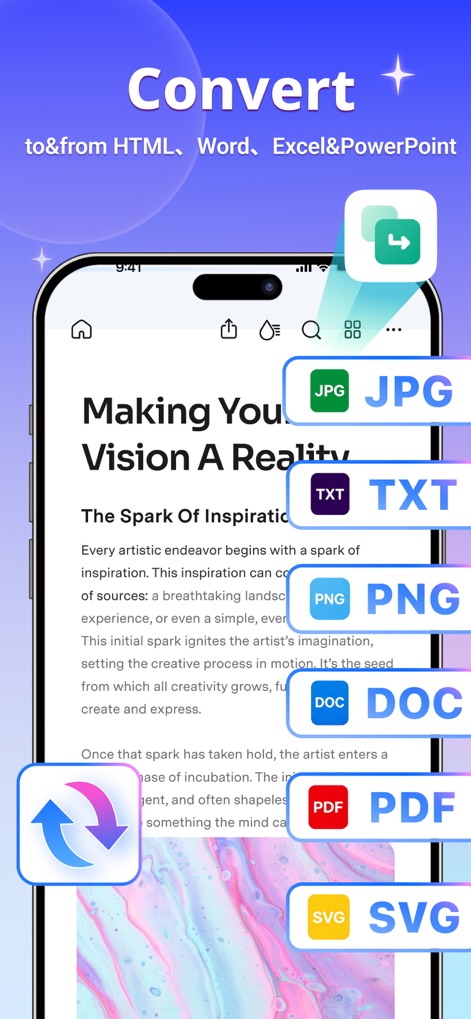
本ツールは、PDFを「JPG」や「PNG」といった画像形式へ、またWordやExcelなど多様なファイル形式へ簡単に変換できる柔軟な機能を提供します。
形式を変換
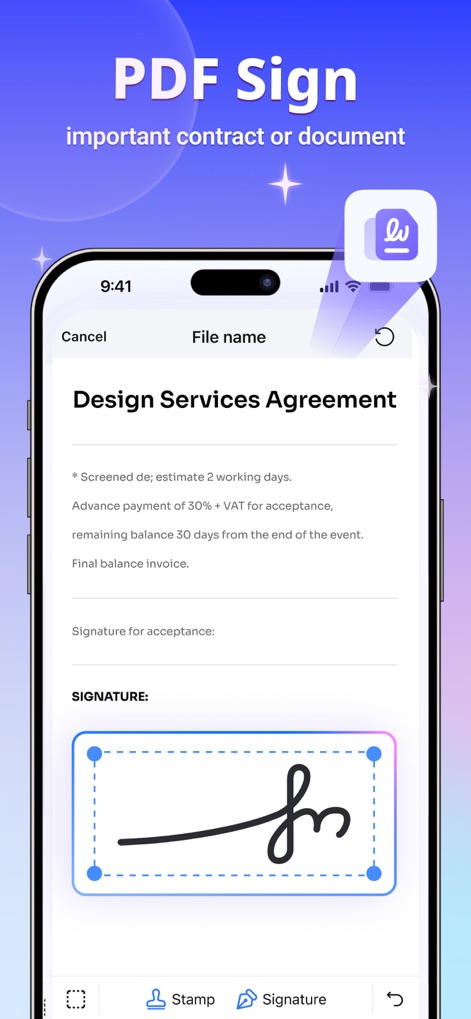
ユーザーは重要な契約書に手書き風の「署名」を簡単に追加できることと、「スタンプ」機能を使って文書に印鑑などを視覚的に押せることを理解できます。
電子サイン対応
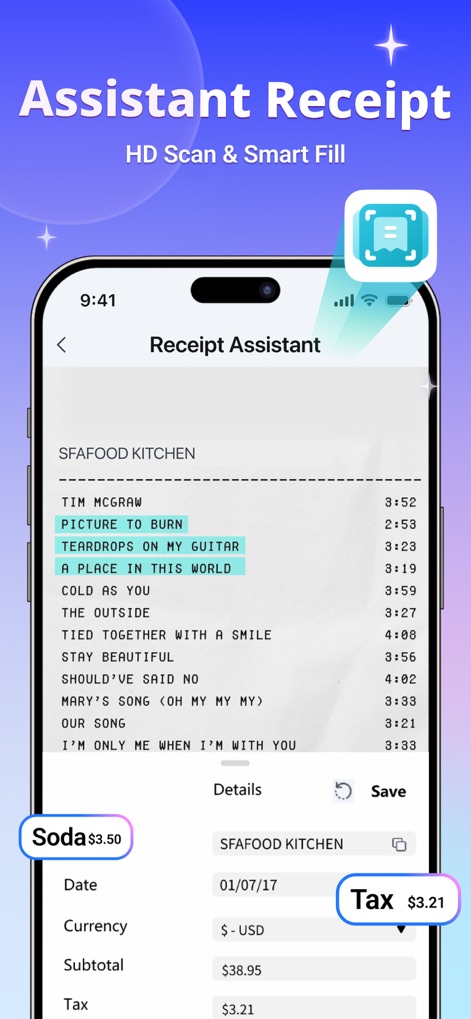
この画面は、「領収書アシスタント」が紙の領収書をHDスキャンし、「税額」や「小計」などの情報を自動で認識・抽出して整理する機能を視覚的に紹介しています。
領収書をスマート管理
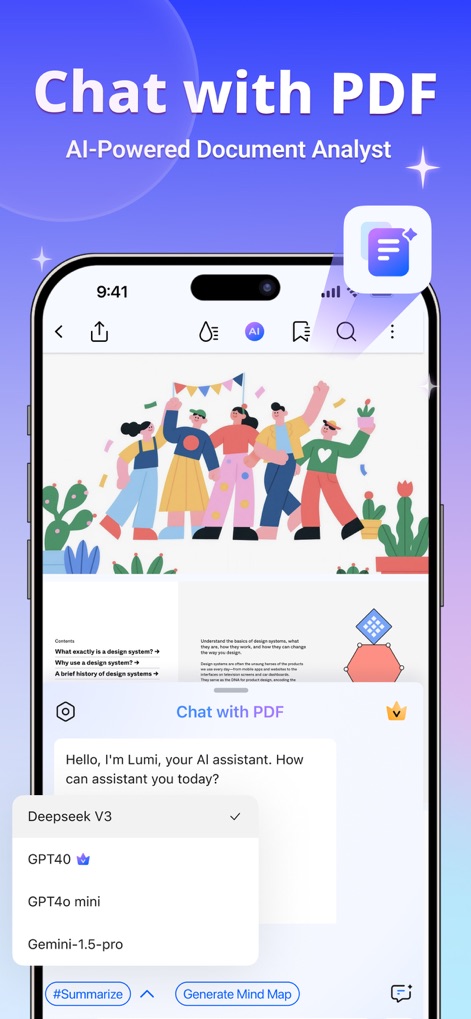
ユーザーはPDFの内容についてAIアシスタントに直接「質問」できることと、「GPT4o」などの高度なAIモデルを選択して文書分析を行う機能が視覚的に示されています。
AIとPDF対話
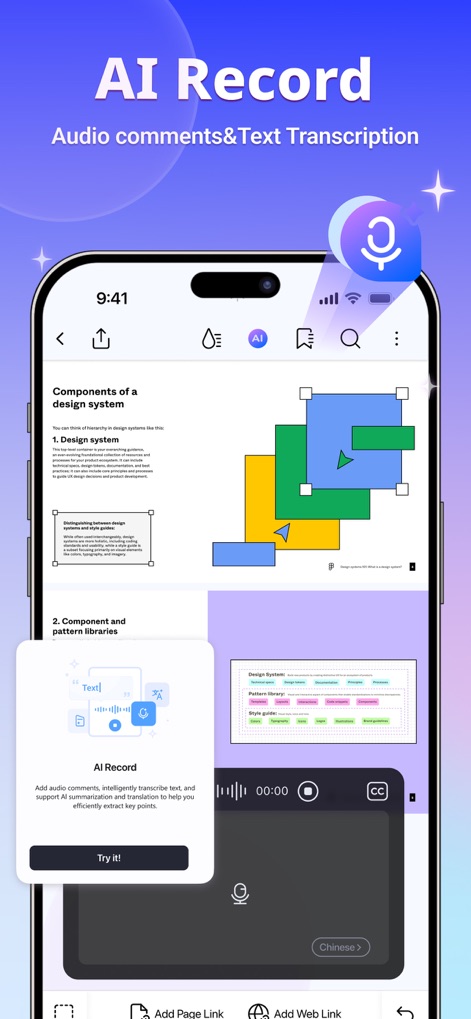
このスクリーンショットは、PDFに「音声コメント」を追加できることと、その音声をリアルタイムで「文字起こし」し、効率的なドキュメント作業をサポートする機能を視覚的に表しています。
音声で記録、文字起こし
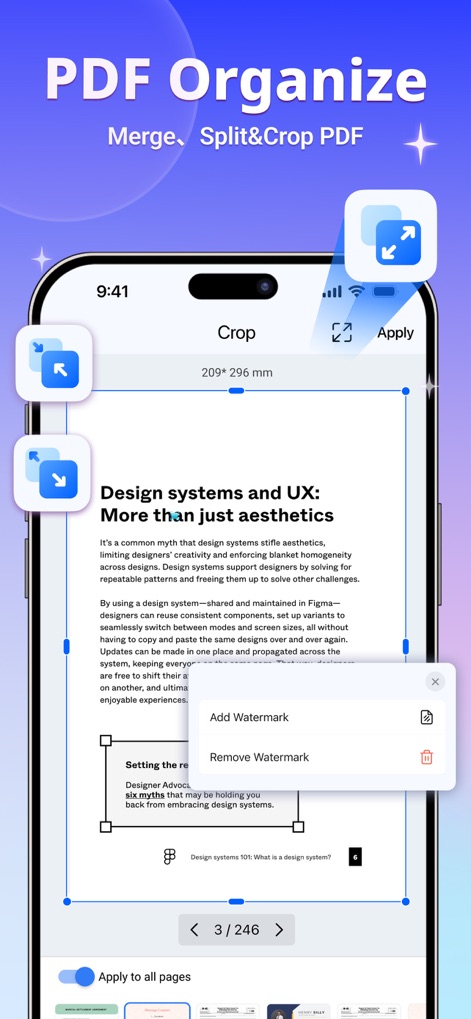
本アプリは、PDFのページを「クロップ」して不要な部分を削除する機能や、「透かし」を追加・削除することで文書をカスタマイズできる高度な整理機能を視覚的に示しています。
PDFを自由自在に整理
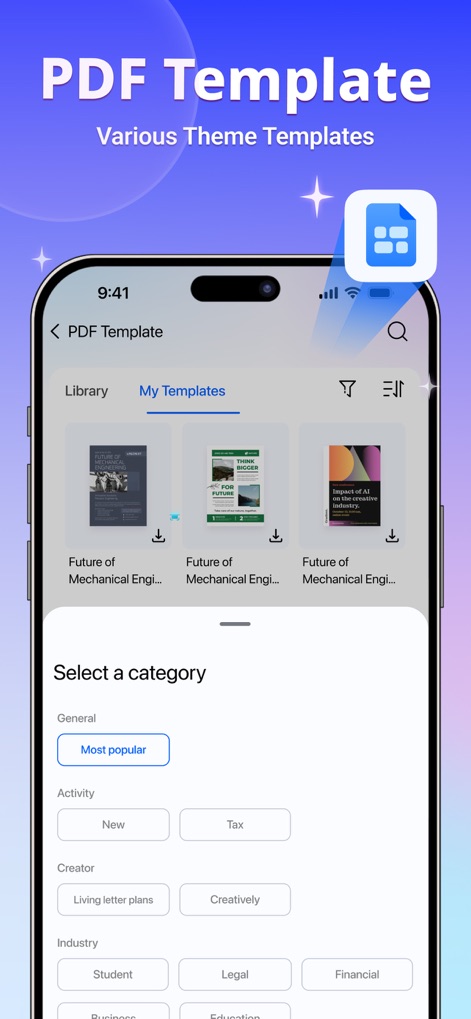
ユーザーは、「履歴書」や「請求書」といったプロフェッショナルなテーマ別テンプレートの豊富な「ライブラリ」から選択し、作業内容に応じてカテゴリで「フィルタリング」できることを視覚的に確認できます。
豊富なテンプレート
説明
Download
類似アプリ
似た機能とユーザー体験を持つアプリ

PDF PRO Scan Image & Documents
Balzo srl

The PDF Scanner, PDF editor HQ
NEXT K.U.M. LTD

CamScanner - PDF Scanner App
INTSIG Information Co., Ltd

Adobe Scan: PDF & OCR Scanner
Adobe Inc.

WPS Office: PDF, Docs, Sheets
KINGSOFT OFFICE SOFTWARE CORPORATION LIMITED

iLovePDF - PDF Editor & Scan
ILOVEPDF S.L.

Scanner App: Genius Scan
The Grizzly Labs

Microsoft Lens: PDF Scanner
Microsoft Corporation

Clear Scan: Doc Scanner App
INDY MOBILE APP COMPANY LIMITED
このページはアプリまたはその開発者の公式ページではなく、情報提供および論評を目的として作成された独立した編集出版物です。明示的に別段の記載がない限り、アプリおよびその開発者は、MWM、Apple、Google Play、アプリのパブリッシャー、またはアプリの開発者と提携、承認、後援、認可、またはその他の公式的な関係はなく、このページのいかなる内容も、アプリがMWMのサービスを使用して開発されたことを意味するものではありません。すべての商標、ロゴ、スクリーンショット、その他のコンテンツはそれぞれの所有者の財産です。