
このページはアプリまたはその開発者の公式ページではなく、情報提供および論評を目的として作成された独立した編集出版物です。明示的に別段の記載がない限り、アプリおよびその開発者は、MWM、Apple、Google Play、アプリのパブリッシャー、またはアプリの開発者と提携、承認、後援、認可、またはその他の公式的な関係はなく、このページのいかなる内容も、アプリがMWMのサービスを使用して開発されたことを意味するものではありません。すべての商標、ロゴ、スクリーンショット、その他のコンテンツはそれぞれの所有者の財産です。


Infinite Painter
Apple Pencilの可能性を解き放ち、指先一つでプロの画材を操る感覚。このアプリは、妥協のないデジタルアート体験を提供する。
ダウンロード
10M+ユーザー評価
評価数
22.9K開発元
カテゴリ
Graphics & Design対応言語
14最新バージョン
7.2.4サイズ
104.2 MBリリース日
2016年8月26日プロフェッショナルなデジタルアート制作を加速するコア機能
「Infinite Painter」の主要機能分析
Apple Pencilの完全なサポート
Apple Pencilの筆圧と傾きを完全にサポートしており、自然で表現力豊かな描画体験を提供します。
Photoshop®ライクなスマートレイヤー
品質を損なうことなく複数回の変形が可能なPhotoshop®ライクなスマートレイヤーを備えており、高度な非破壊編集を実現します。
豊富なブラシと高度なカスタマイズ性
数百種類の内蔵ブラシに加え、各ブラシに100以上のカスタマイズ可能な設定を提供し、ユーザーは独自の表現力を追求できます。
強力なレイヤー管理とブレンドモード
30種類のブレンドモードを備えたレイヤーをサポートし、マスクやクリッピングマスクにより複雑な構成と非破壊編集を可能にします。
印刷対応のカラーモードとファイル形式
CMYKカラーモードや印刷プリセットに対応し、レイヤー構造を保持したPSDファイル形式でのエクスポートが可能で、プロフェッショナルな印刷ワークフローをサポートします。
業界をリードする色補正とライブフィルター
64ビットカラーでの描画、業界トップクラスの色補正ツール、40以上のライブフィルターにより、作品の最終調整と視覚効果の付与が可能です。
多様なパースペクティブガイド
5種類のパースペクティブガイドや標準的な2Dグリッドを提供し、正確な遠近法に基づいた複雑な都市景観やシーンの作成をサポートします。
直感的でカスタマイズ可能なインターフェース
ミニマルで直感的なインターフェースは、画面の散らかりを最小限に抑え、ユーザーのワークフローに合わせて自由にカスタマイズが可能です。
よくある質問
について知っておくべきこと Infinite Painter
Is Infinite Painter available on iPad and iPhone?
Yes, Infinite Painter is a painting, sketching, and drawing app created for both iPad and iPhone. It brings a powerful feature set to artists of all levels.
Does Infinite Painter offer a free trial?
Yes, Infinite Painter provides a 7-day trial to experience all its features. This trial includes 5 layers, basic transform, symmetry, and all built-in brushes.
How can users customize brushes in Infinite Painter?
Infinite Painter allows customizing over 100 settings for every brush. Users can also organize, share, and import or export custom brushes and sets.
Does Infinite Painter support the Apple Pencil?
Yes, Infinite Painter is designed for the Apple Pencil, providing full pressure and tilt support. This ensures a natural and responsive drawing experience on compatible devices.
What layer management features does Infinite Painter provide?
Infinite Painter offers layer support with 30 blend modes, masks for layers, adjustments, groups, and clipping masks. Users can easily group, expand, and collapse layers.
What file formats can Infinite Painter export artwork to?
Infinite Painter exports images as JPG, PNG, ZIP, layered PSD files, or Painter projects. This supports integration with various other platforms and workflows.
What features are available for free in Infinite Painter?
The free version of Infinite Painter includes a 7-day trial, 5 layers, Solid Fill, Lasso selection, Basic Transform, Symmetry, seamless pattern projects, and all built-in brushes with editing.
What are the advantages of the Infinite Painter Pro version?
Infinite Painter Pro provides HD canvas sizes, more layers, adjustments, live Filter layers, layer groups, layer masks, and over 40 powerful, professional tools for advanced artistry.
Does Infinite Painter include tools for perspective drawing?
Yes, Infinite Painter offers five different perspective guides for 3D cityscapes or a standard 2D grid. Users can also drag Rectangle and Circle shapes in perspective.
How does Infinite Painter support seamless pattern creation?
Infinite Painter supports seamless pattern projects as a core feature. This allows users to design and create intricate repeating patterns directly within the application.
以下のスクリーンショットと説明は、アプリの公式ストアリスティングから直接取得されたものであり、アプリ開発者の所有物です。
アプリストア
スクリーンショット

本アプリは、Apple Pencilの筆圧感知と傾き検知に対応しており、紙に描くような自然で反応の良い描画体験を提供します。
紙のような描き心地
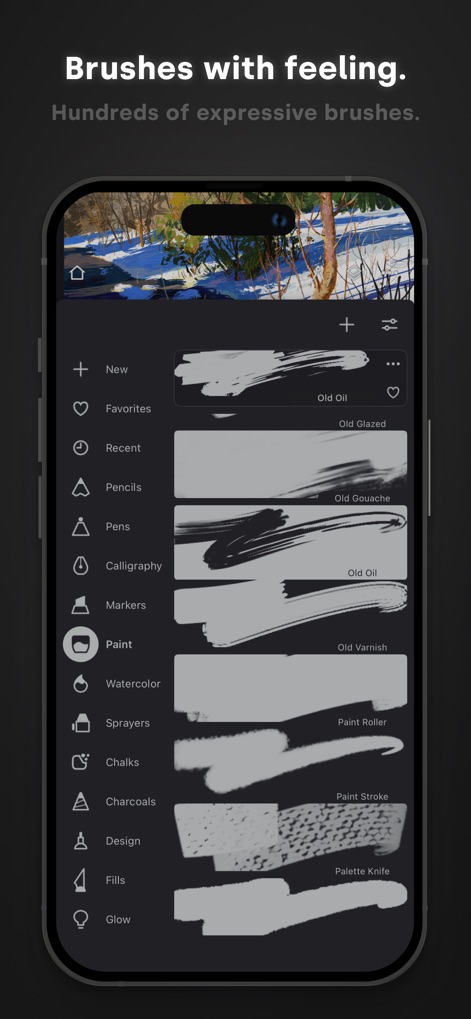
このアプリには、数百種類もの内蔵ブラシが用意されており、リアルな描画効果とキャンバスとの相互作用で、ユーザーは感情豊かな作品を創り出すことができます。
表現豊かなブラシ

本アプリは、レイヤーのグループ化とマスク機能を提供し、ユーザーは非破壊的な編集と30種類のブレンドモードを駆使して、作品を細部までコントロールできます。
レイヤーの自由な操作
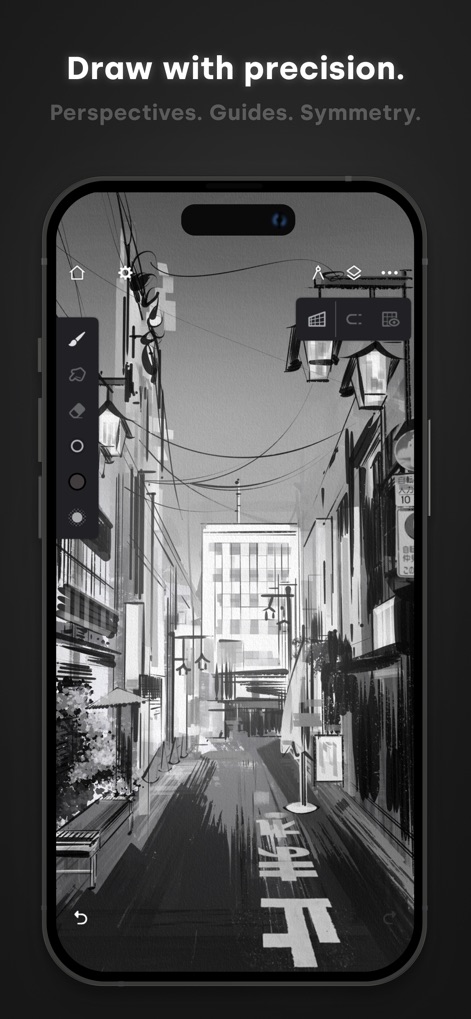
このツールは、パース定規やガイド機能、シンメトリーツールを備えており、ユーザーは精密な線描や複雑な構図を簡単に作成できます。
正確な描画アシスト
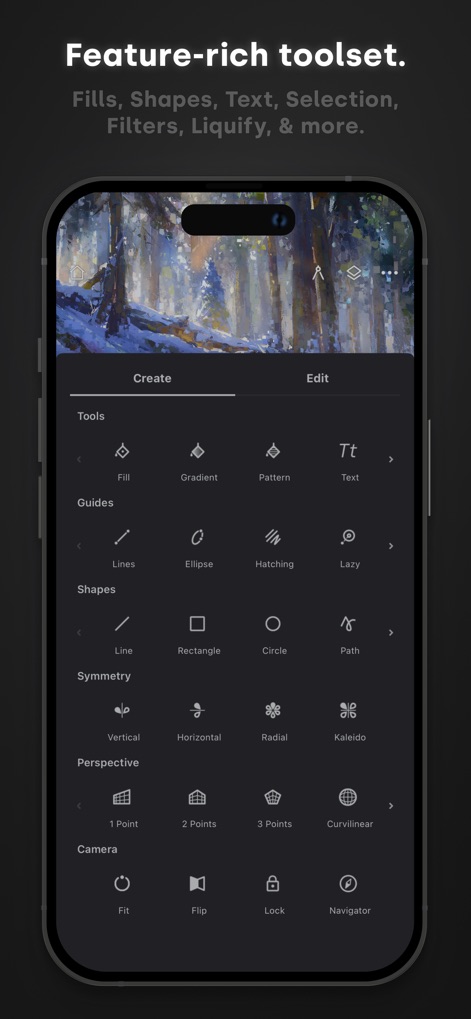
本アプリは、塗りつぶしツールとシェイプ作成機能をはじめ、40種類以上のライブフィルターと変形ツールで、ユーザーの創造性を広げます。
多彩な機能ツール
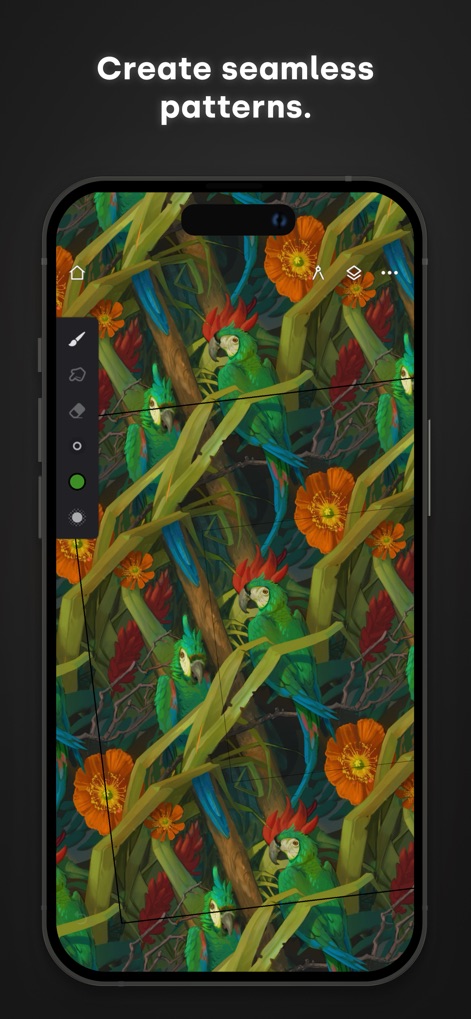
このアプリを使用すると、ユーザーは美しい模様を簡単に作成でき、シームレスなパターンのプロジェクトを通じて、独自のタイルデザインを無限に展開できます。
シームレスなパターン作成

本ツールは、64ビットカラーと業界最高水準のカラー補正機能を提供し、ユーザーは精密な色調整と明暗のコントロールを習得できます。
プロの色彩表現

このアプリでは、ユーザーはイラストやコミックにテキストを簡単に追加でき、フォント、色、書式設定オプションを自由に調整して作品にメッセージを込めることができます。
テキストを自在に追加
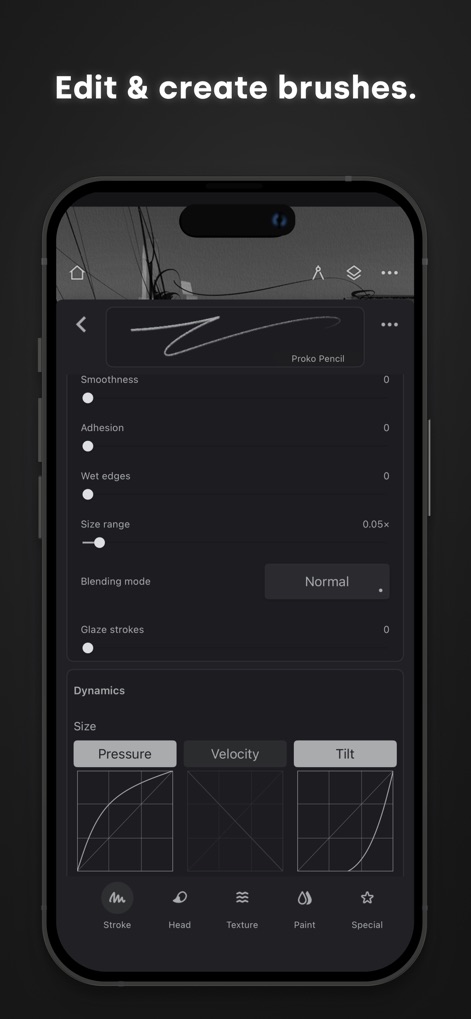
本ツールは、100以上のカスタマイズ可能なブラシ設定を提供し、ユーザーは筆圧や速度に応じたダイナミクス調整で、自分だけの理想的なブラシを作成・編集できます。
ブラシをカスタマイズ

このアプリは、プロレベルのアートワークを制作するための全ての機能を備えており、ユーザーは詳細な描写と豊かな表現力で自身の傑作を生み出すことができます。
傑作を創造する
説明
Download
類似アプリ
似た機能とユーザー体験を持つアプリ

Sketchbook®
Sketchbook, Inc.

Mental Canvas Draw
Mental Canvas, Inc.

ibis Paint
ibis inc.

ibis Paint X
ibis inc.

Paper: Sketch, Draw & Create
Evernote Corporation

Adobe Fresco: Draw & Paint App
Adobe Inc.

Art Set 4
Lofopi Ltd

MediBang Paint – Drawing & Art
MediBang inc.

Tayasui Sketches
SKETCHES SRL
このページはアプリまたはその開発者の公式ページではなく、情報提供および論評を目的として作成された独立した編集出版物です。明示的に別段の記載がない限り、アプリおよびその開発者は、MWM、Apple、Google Play、アプリのパブリッシャー、またはアプリの開発者と提携、承認、後援、認可、またはその他の公式的な関係はなく、このページのいかなる内容も、アプリがMWMのサービスを使用して開発されたことを意味するものではありません。すべての商標、ロゴ、スクリーンショット、その他のコンテンツはそれぞれの所有者の財産です。