Intel® Unison™

Intel® Unison™

ダウンロード: App Store
ロゴ: Intel® Unison™

Intel® Unison™:スマートフォンとWindows PCのシームレスな連携

簡単なファイル共有、デスクトップSMS、通知同期で生産性を向上。iPhone、タブレット、PCを横断した統合されたデジタルエコシステムのスムーズなワークフローを体験してください。

ダウンロード: App Store

開発元

Intel

カテゴリ

Productivity

ダウンロード

2M+

ユーザー評価

4.7/5

評価数

17K+

対応言語

18

あなたのワークスペース、統合

このインターフェースを利用する 2M+ 人のユーザー.

女性がラップトップ、タブレット、スマートフォンを持ち、統合されたマルチデバイス接続を示しているイラスト
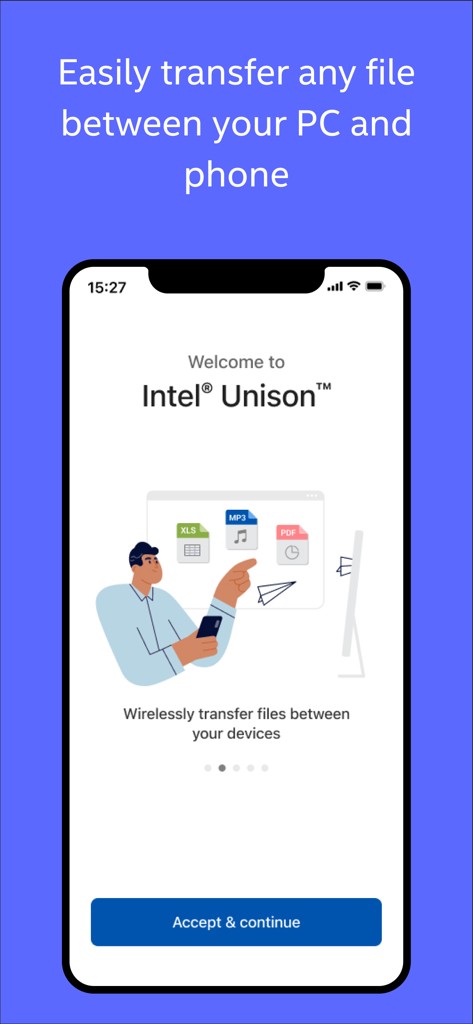
女性がラップトップ、タブレット、スマートフォンを持ち、統合されたマルチデバイス接続を示しているイラスト

PCと電話間のワイヤレスファイル転送を示すIntel Unisonアプリのウェルカム画面
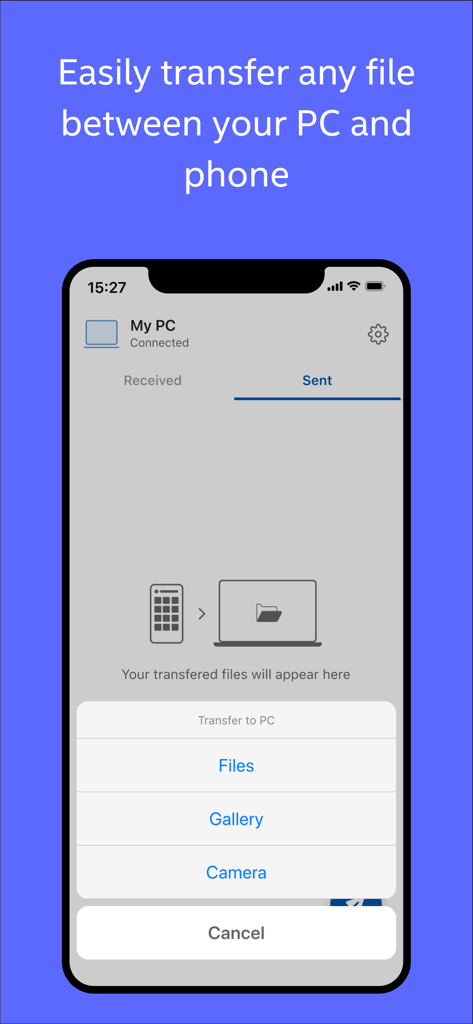
PCと電話間のワイヤレスファイル転送を示すIntel Unisonアプリのウェルカム画面

Intel Unisonモバイルアプリに、接続されたPCへのファイル転送オプションが表示されています
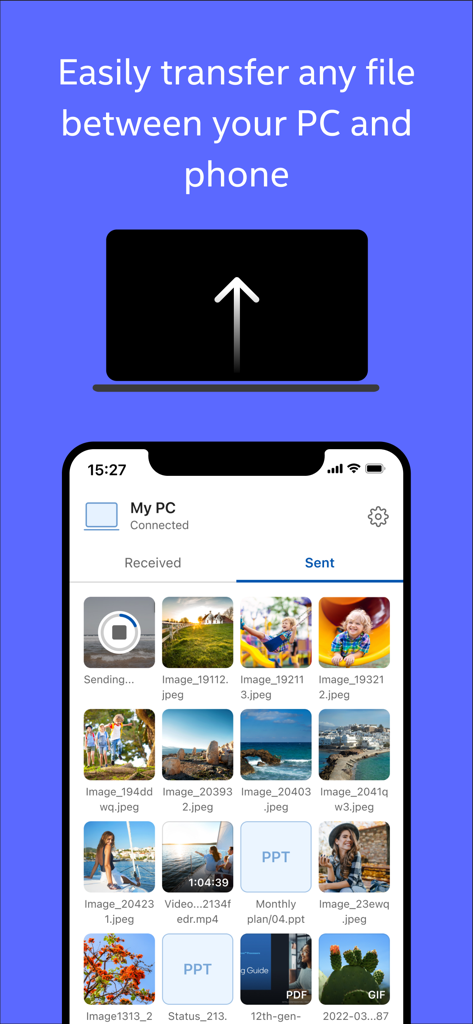
Intel Unisonモバイルアプリに、接続されたPCへのファイル転送オプションが表示されています

Intel Unisonモバイルアプリのインターフェースに、スマートフォンとPC間で送受信されたファイルが表示されています
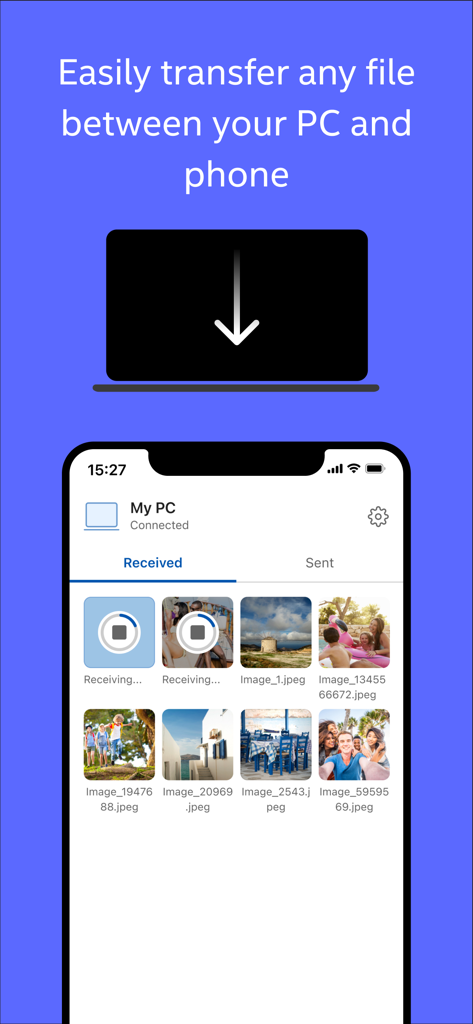
Intel Unisonモバイルアプリのインターフェースに、スマートフォンとPC間で送受信されたファイルが表示されています

Intel Unisonアプリのインターフェースがスマートフォンに表示され、接続されたPCからの写真ファイル転送を表示しています

Intel Unisonアプリのインターフェースがスマートフォンに表示され、接続されたPCからの写真ファイル転送を表示しています

パワーユーザーのための簡単な統合

このアプリを際立たせるツール、 2M+ 人のユーザーが選択.

シームレスなメディアとファイル共有

AirDropのWindows版。PCとスマートフォン間で写真やファイルを瞬時に転送—ケーブル不要、クラウドアップロード不要、スピードだけ。

🗨️

PCでのメッセージとアラート

フローを維持。ラップトップから直接SMSを送信し、モバイル通知を管理して、常にスマートフォンを確認することなく生産性を維持できます。

🖥️

柔軟なマルチスクリーンディスプレイ

外出先でもワークスペースを拡張。タブレットやスマートフォンをPCのセカンドディスプレイとして使用し、どこでもポータブルなデュアルモニター環境を作成します。

アプリについて

について知っておくべきこと Intel® Unison™.

説明

Intel Unison will soon be discontinued. The first step in its wind-down process is ending service for most platforms at the end of June 2025. Lenovo Aura PCs will retain service. Experience seamless productivity like never before with Intel Unison, the ultimate multi-device tool designed to enhance your digital lifestyle. This innovative solution allows for effortless media sharing between your phone, tablet and Windows PC over an Internet connection, making it the perfect companion for those who value efficiency and convenience. With Intel Unison, you can send and receive SMS messages directly from your PC, ensuring you never miss an important text. Stay in the loop with real-time mobile app notifications on your PC, allowing you to respond promptly without having to switch devices. Intel Unison takes productivity to the next level by extending your Windows display to your connected tablet and phone. Instructions: 1. Install Unison app on your phone or tablet 2. Find the Intel Unison PC app on your new PC or install it from the Microsoft app store 3. Launch the Intel Unison apps on your PC and mobile device and follow the instructions Note: • Some features are only available with Intel Unison Premium • Intel Unison Premium is available on Intel® Evo™ , Intel® vPro®, and selected premium devices [Multi_Device Experience,Media_Sharing, Sync_Files,Send_SMS_from_PC,Receive_SMS_on_PC, Mobile_Notifications_on_PC, Extend_Windows_Display, Productivity_Tool, Seamless_Synchronization, Cross-Platform, File_Transfer, Remote_Texting, Desktop_Notifications, PC_SMS, Mobile_to_PC]

最新バージョン

iOS Version 20.35.0.(8920)

サイズ

59.1 MB

リリース日

2022年11月20日

デバイスを統合して体験

200万人以上のパワーユーザーが、スマートフォンとPCのギャップを埋めています。Intel® Unison™を今すぐダウンロードして、スムーズなクロスプラットフォームワークフローを実現しましょう。

ダウンロード: App Store

App information, icons, screenshots, and descriptions displayed on this page are sourced from the Apple App Store and are the property of their respective developers. Download estimates and rankings are based on MWM's proprietary models and may not reflect actual figures. This page is provided for informational and analytical purposes only.

Believe this page infringes your intellectual property? File a dispute