iPrint: Smart Printer App

iPrint: Smart Printer App

ダウンロード: App Store
ロゴ: iPrint: Smart Printer App

iPrint: スマートプリンターアプリ – オールインワンのワイヤレス印刷&ドキュメントハブ

プロフェッショナルなワークフローを効率化。あらゆるブランドのプリンターへの印刷、OCRスキャン、ドキュメントへの即時電子署名を、すべてモバイルデバイスから行えます。

開発元

AHAD DURRANI

カテゴリ

Business

ダウンロード

29K+

ユーザー評価

4.7/5

評価数

700

対応言語

20

モバイルオフィスを実際に使ってみよう

このインターフェースを利用する 29K+ 人のユーザー.

iPrint Smart Printer Appのインターフェース。印刷オプションと10,000以上のプリンターへのサポートを表示。
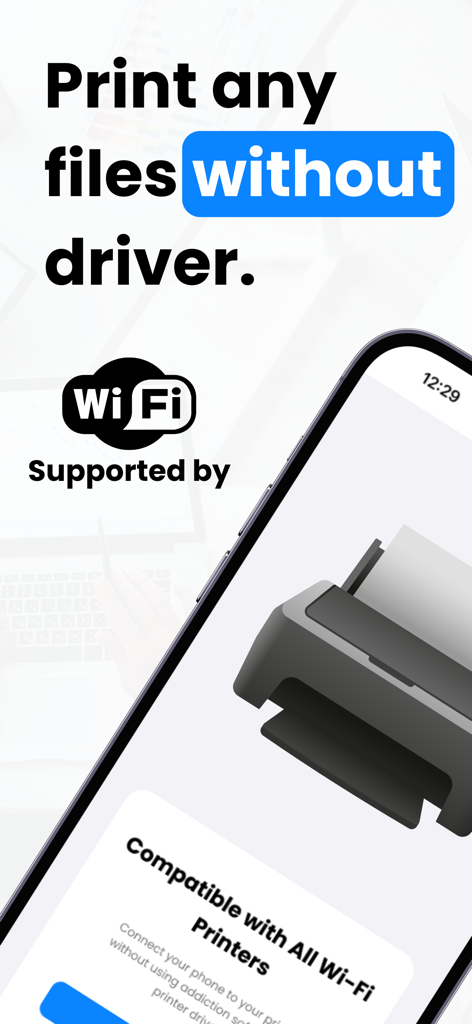
iPrint Smart Printer Appのインターフェース。印刷オプションと10,000以上のプリンターへのサポートを表示。

iPrintアプリ画面。ドライバ不要のWi-Fi印刷機能を表示。
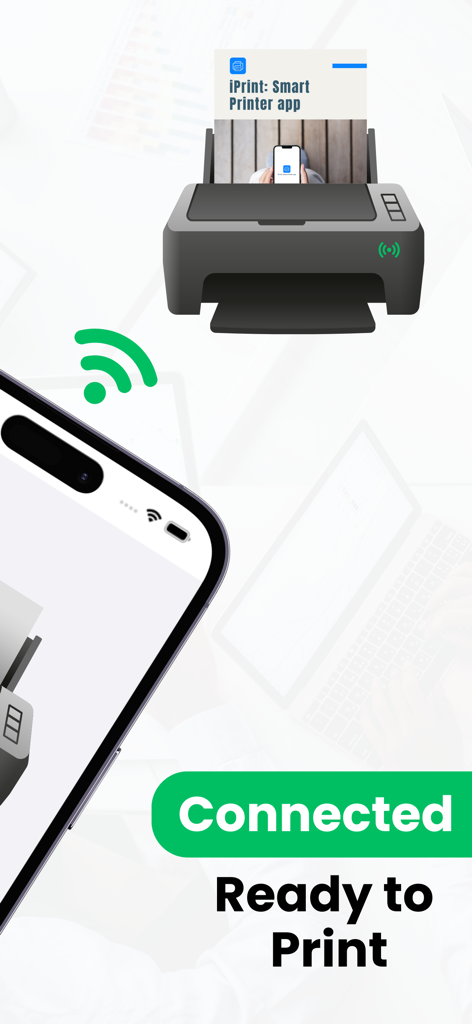
iPrintアプリ画面。ドライバ不要のWi-Fi印刷機能を表示。

iPrintアプリを使用してプリンターにワイヤレス接続されたスマートフォン。印刷準備完了状態を表示。
iPrintアプリを使用してプリンターにワイヤレス接続されたスマートフォン。印刷準備完了状態を表示。

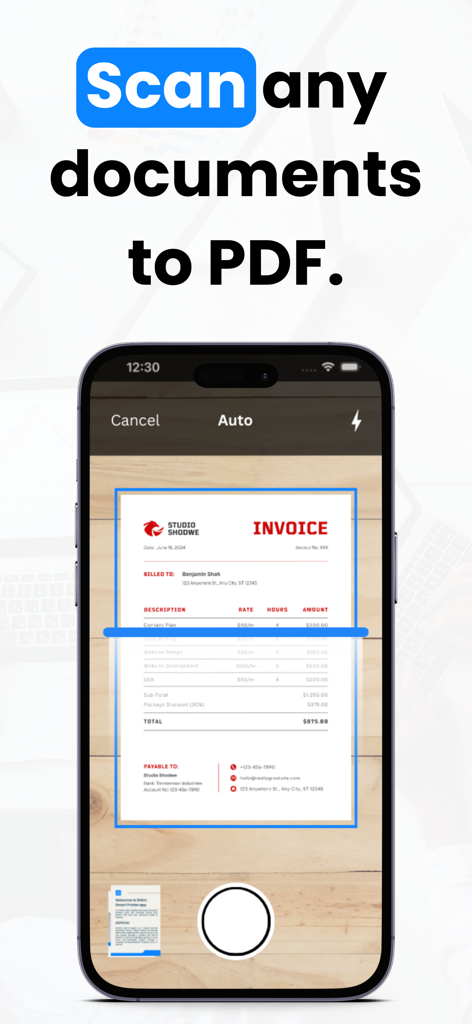
iPrintアプリが請求書をスキャンしてPDFドキュメントを作成している様子を表示するスマートフォンの画面。
iPrintアプリが請求書をスキャンしてPDFドキュメントを作成している様子を表示するスマートフォンの画面。

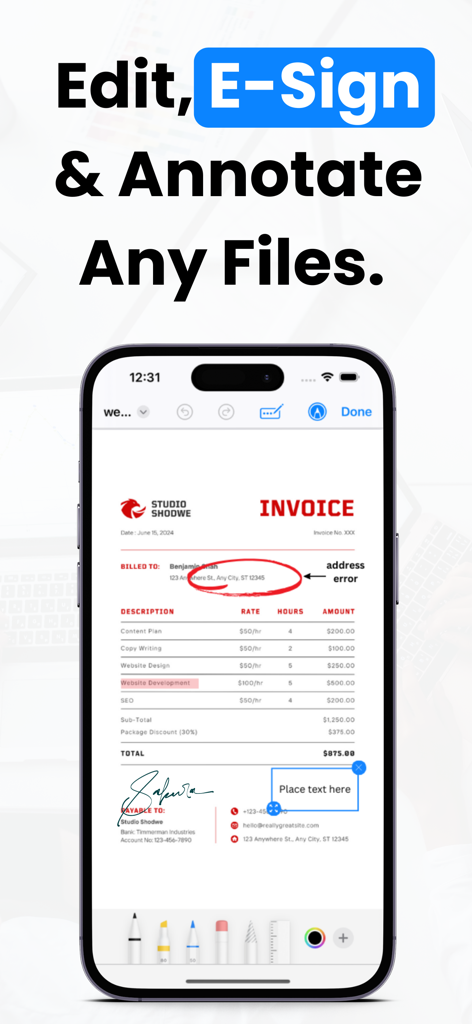
iPrintアプリでドキュメントを編集、電子署名、注釈付けする方法を示すスマートフォン。
iPrintアプリでドキュメントを編集、電子署名、注釈付けする方法を示すスマートフォン。

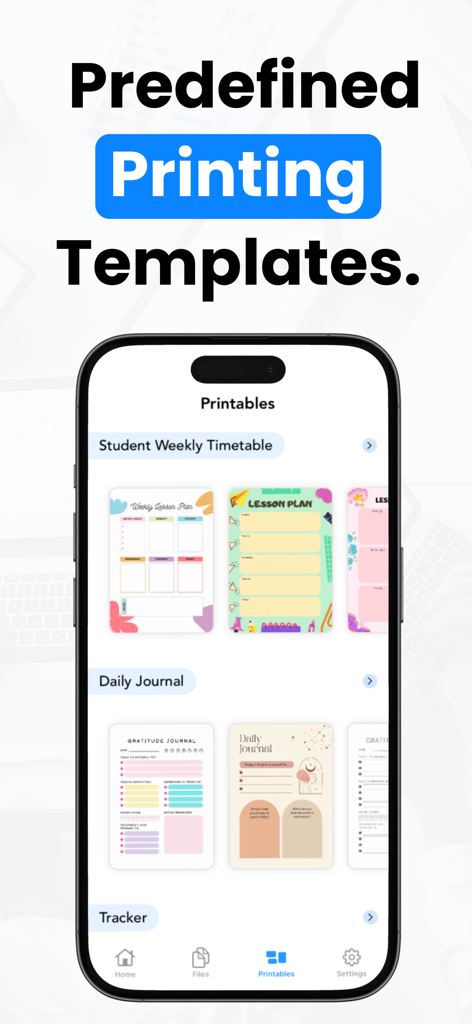
iPrintアプリのインターフェース。レッスン計画、日々のジャーナル、トラッカーなどの事前定義された印刷テンプレートを表示。

iPrintアプリのインターフェース。レッスン計画、日々のジャーナル、トラッカーなどの事前定義された印刷テンプレートを表示。

オールインワンモバイルオフィススイート

このアプリを際立たせるツール、 29K+ 人のユーザーが選択.

🖨️

ユニバーサルワイヤレス印刷

HP、Canon、Brotherなど、あらゆるブランドのプリンターに即座に接続。コンピューターなしで、スマートフォンから直接ドキュメントや写真を印刷できます。

🔍

スマートスキャン&OCR

紙の書類を検索可能なデジタルファイルに変換。高度なOCRテクノロジーがテキストを即座に認識し、アーカイブの編集と共有を容易にします。

✍️

セキュアな電子署名&クラウド同期

外出先で契約書に署名し、Google DriveやiCloudに直接同期。単一の安全で暗号化されたアプリ内で、ビジネスライフサイクルのすべてを管理できます。

アプリについて

について知っておくべきこと iPrint: Smart Printer App.

説明

iPrint: Smart Printer App - Your Ultimate Printing Solution (Hp, Brother, Epson, Canon, Konica, Lexmark, Kyocera, Oki, Samsung and more.) Print, scan, and optimize your mobile printing experience with iPrint, the all-in-one Smart Printer App. Elevate your productivity with powerful features, including ePrint, AirPrint compatibility, an integrated scanner, OCR (Optical Character Recognition), and seamless cloud integration with iCloud and Google Drive. Effortless Printing with ePrint: Print directly from your iOS device to any compatible printer on your Wi-Fi network. ePrint makes printing a breeze – no need for a computer or complex configurations. AirPrint Integration: iPrint: Smart Printer App seamlessly integrates with Apple's AirPrint technology, allowing you to wirelessly print photos, documents, and more to AirPrint-enabled printers. Scanner and OCR: Transform your iOS device into a powerful scanner. Scan physical documents, receipts, or notes, and let our OCR technology convert them into editable text. It's the perfect tool for digitizing and archiving important information. PDF Editing and Merging: Edit, modify, and enhance your PDF documents directly within iPrint. Merge multiple PDFs into a single file effortlessly. Tailor your documents to your exact specifications. eSign Documents: Say goodbye to paper forms and contracts. eSign documents directly from your device, ensuring a secure and legally binding electronic signature. Cloud Integration: Access your documents on-the-go with cloud integration. Connect your iCloud and Google Drive accounts to effortlessly retrieve and print files stored in the cloud. Privacy and Security: Your privacy is our priority. iPrint: Smart Printer App follows stringent security measures to ensure your data is handled with care. Rest assured that your information is safeguarded. Free to Download: Start using iPrint: Smart Printer App for free and experience the convenience of mobile printing and scanning. Unlock advanced features with in-app purchases or opt for a premium subscription. ***Why Choose iPrint: Smart Printer App?*** • Print wirelessly with ePrint. • Harness the power of AirPrint for easy document output. • Scan and OCR for paper-to-digital convenience. • Edit and merge PDFs right within the app. • eSign documents for a modern, secure workflow. • Access and print from your iCloud and Google Drive accounts. • Ensure the highest levels of data privacy and security. Elevate your document management experience with iPrint: Smart Printer App. Download now to simplify your printing, scanning, and document handling needs. ***SUBSCRIPTION INFORMATION*** Monthly price : $9.99 Yearly price : $29.99 • Payment will be charged to your iTunes Account at confirmation of purchase. • Subscription automatically renews unless auto-renew is turned off for at least 24-hours before the end of the current period. • Account will be charged for renewal within 24-hours prior to the end of the current period at the cost of the chosen package. • Subscriptions may be managed by the user and auto-renewal may be turned off by going to the user's Account Settings after purchase. • No cancellation of the current subscription is allowed during the active subscription period. Privacy policy: https://www.lazyvariable.com/privacy-policy-iprint-smart-printer-app/ Terms of use: https://www.lazyvariable.com/terms-of-use-iprint-smart-printer-app/ FAQs: https://lazyvariable.com/iprint-smart-printer-app-faqs Printer List: https://support.apple.com/en-in/HT201311 Contact us on : Email: contact.iprintapp@gmail.com Support Page: https://forms.gle/XUy4gY5AFbcAirLu8

最新バージョン

2.2

サイズ

82.5 MB

リリース日

2023年10月19日

スマートフォンをプロフェッショナルなプリントセンターに変身させませんか?

ワークフローを簡素化した29,000人以上のプロフェッショナルに加わりましょう。どこでビジネスをしていても、数秒でスキャン、電子署名、あらゆるプリンターへの印刷が可能です。

ダウンロード: App Store

App information, icons, screenshots, and descriptions displayed on this page are sourced from the Apple App Store and are the property of their respective developers. Download estimates and rankings are based on MWM's proprietary models and may not reflect actual figures. This page is provided for informational and analytical purposes only.

Believe this page infringes your intellectual property? File a dispute