
このページはアプリまたはその開発者の公式ページではなく、情報提供および論評を目的として作成された独立した編集出版物です。明示的に別段の記載がない限り、アプリおよびその開発者は、MWM、Apple、Google Play、アプリのパブリッシャー、またはアプリの開発者と提携、承認、後援、認可、またはその他の公式的な関係はなく、このページのいかなる内容も、アプリがMWMのサービスを使用して開発されたことを意味するものではありません。すべての商標、ロゴ、スクリーンショット、その他のコンテンツはそれぞれの所有者の財産です。


iScanner: PDF Document Scanner
物理的な情報に、デジタルな知性を授ける。このアプリは、手元の紙を瞬時に洞察と制御可能なデータへと昇華させる。
ダウンロード
50M+ユーザー評価
評価数
3.8M開発元
カテゴリ
Business対応言語
21最新バージョン
5.92サイズ
279.6 MBリリース日
2015年9月23日iScanner: PDF Document Scannerの包括的分析
高度なスキャンと文書管理がもたらす効率性
AIを活用した高品質スキャン
本アプリは、AI技術により、自動境界検出、歪み修正、色補正、ノイズ除去を行い、クリーンで正確なスキャン結果を提供します。
OCRとAIアシスタント
搭載されたOCR技術により20以上の言語でテキストを認識し、スキャンした紙文書からテキストや画像をコピー可能です。また、AIチャット機能でPDFの要約、翻訳、質問ができます。
高度な文書編集機能
スキャンした文書に手書きまたは既存の署名を挿入したり、機密情報をぼかしたり、テキストを追加してフォームを自動入力したり、文書を結合・分割して整理したりできます。
安全なクロスプラットフォームアクセス
ドキュメントは安全なAWSクラウドに保存され、すべてのデバイス間でファイルとフォルダを同期可能です。ウェブブラウザを含むあらゆるプラットフォームからファイルにアクセス、転送、表示できます。
オンデバイスでのプライバシー保護
機密文書はユーザーのデバイスに直接保存され、開発者や第三者によるアクセスは遮断されます。アプリやフォルダをPIN、Face ID、Touch IDで保護し、PDFにパスワードを設定することも可能です。
多機能スキャンモード
契約書やIDカード、手書きのメモなどの各種文書だけでなく、数式、面積、物体数、QRコードの認識といった多様なスキャンモードを提供し、幅広い用途に対応します。
よくある質問
について知っておくべきこと iScanner: PDF Document Scanner
What is iScanner: PDF Document Scanner?
iScanner is a top-rated document scanner and management tool. It uses AI technology to deliver clean, precise, and distortion-free scans, supporting various export formats like PDF, JPG, and DOC.
What file formats does iScanner support for scanned documents?
Yes, iScanner supports various output formats including PDF, JPG, DOC, XLS, PPT, and TXT. Users can easily scan documents and export them in their preferred file type.
Does iScanner use AI to enhance scan quality and fix document imperfections?
Yes, iScanner utilizes AI to improve scan quality by correcting color, reducing noise, detecting borders automatically, straightening pages, and removing fingerprints, folds, or distortions.
Does iScanner: PDF Document Scanner have OCR functionality?
Yes, iScanner includes in-house OCR (Optical Character Recognition) that recognizes text in over 20 languages. It allows users to instantly copy text and images from scans or convert them to editable DOC/TXT formats.
Can I sign documents directly within the iScanner app?
Yes, iScanner allows users to sign scans manually or insert signatures from images. It also offers features to mark up documents, blur sensitive text, and add text using custom templates.
How does iScanner protect user privacy and secure documents?
iScanner protects privacy by storing confidential documents directly on the device, without developer access. It also offers app/folder protection with PIN, Face ID, or Touch ID, and password-protects PDFs.
Can I use my iScanner account and files across multiple devices?
Yes, iScanner offers secure cross-platform access. Users can store documents in the AWS cloud, sync files and folders across all devices, and access them from any platform or web browser with one subscription.
What specialized scanning modes are available in iScanner?
iScanner offers multi-mode scanning, including specific modes for ID documents, mathematical equations (MATH), measuring object dimensions (AREA), counting similar objects (COUNT), and reading QR codes.
Is iScanner a subscription-based application?
Yes, iScanner Pro unlocks all scanner features and operates on a subscription basis. Subscriptions auto-renew but can be managed or canceled anytime in App Store settings.
Can iScanner extract and edit text from scanned documents?
Yes, iScanner's in-house OCR allows users to instantly copy text and images from scanned paper documents. It can also convert these scans into editable DOC or TXT formats with one tap.
以下のスクリーンショットと説明は、アプリの公式ストアリスティングから直接取得されたものであり、アプリ開発者の所有物です。
アプリストア
スクリーンショット
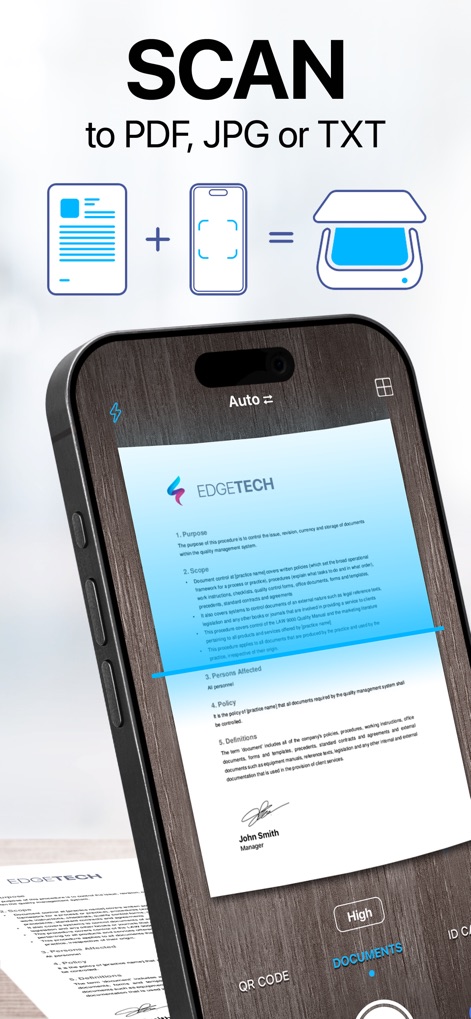
高精度スキャン
このアプリは、文書の境界線を自動検出し、PDFやJPGなど複数の形式で高画質なスキャンを保存します。
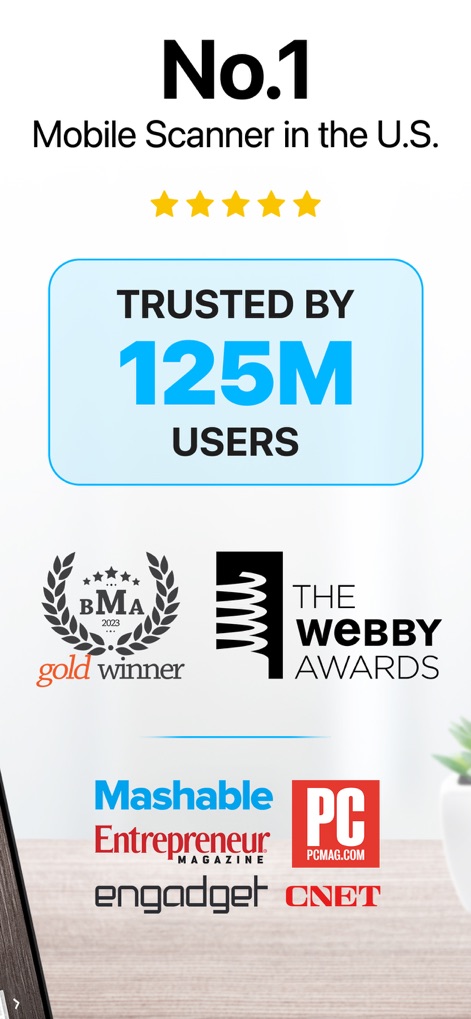
信頼の実績
1億2500万ユーザーに支持され、Webby Awards受賞や主要テクノロジーメディアに掲載された実績が本アプリの信頼性を証明しています。

文書を編集・署名
アプリ内でPDF文書に直接署名を追加でき、機密情報を含むテキストを特定してぼかしや非表示にすることが可能です。
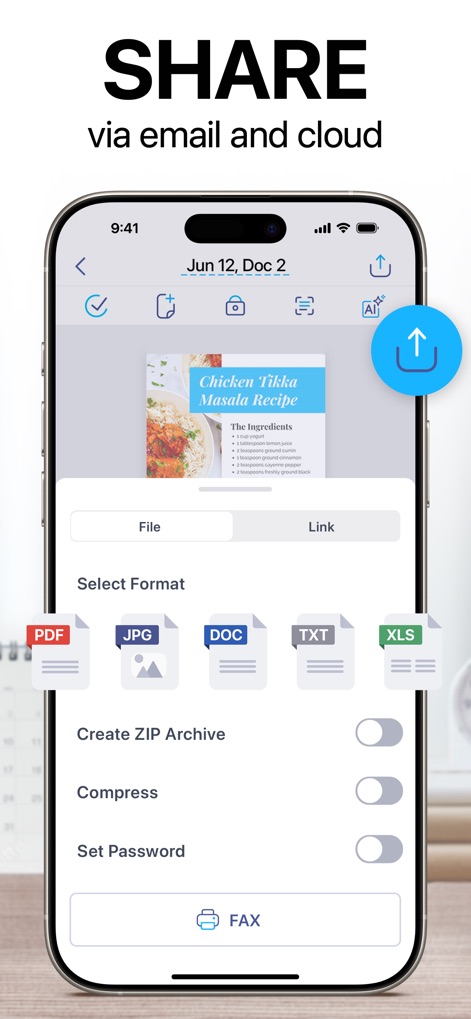
柔軟な共有オプション
スキャンしたファイルをPDFやDOCなど多様な形式でエクスポートし、共有時にパスワード保護やZIPアーカイブ作成を設定できます。
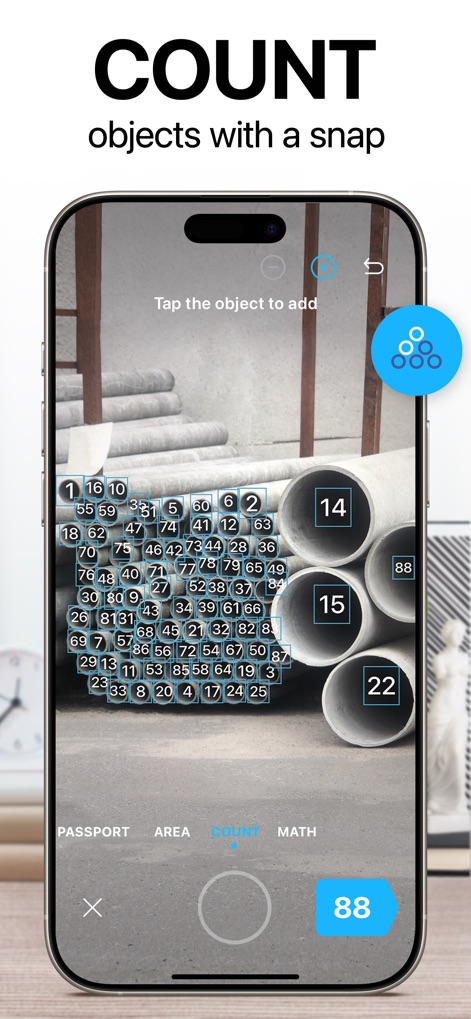
物体自動カウント
カメラで捉えた画面内の複数の類似する物体を自動で認識し、その数を瞬時に正確にカウントするユニークな機能です。
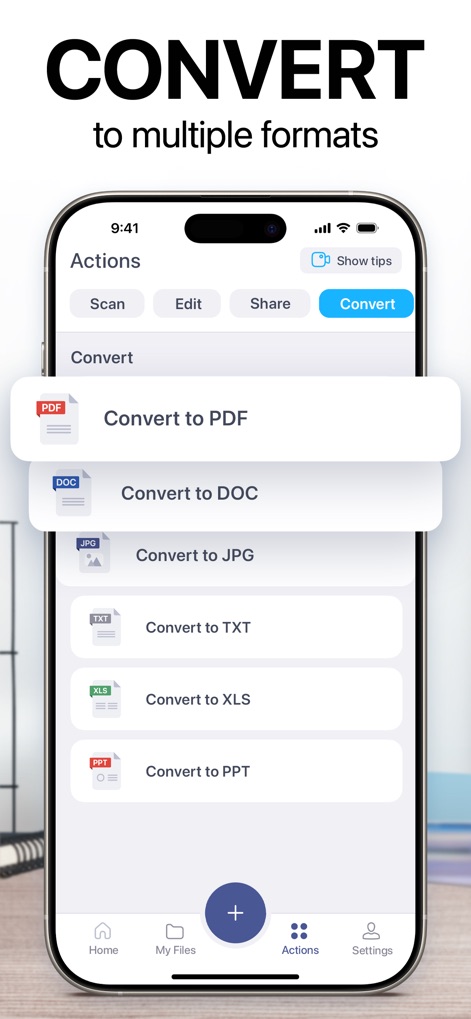
多彩なファイル変換
スキャン文書をPDF、DOC、JPG、XLS、PPTなど、業務で頻繁に使用される複数のファイル形式に簡単に変換できます。

テキストを抽出・編集
高度なOCR機能により、画像内のテキストを正確に認識・抽出_し、抽出されたテキストの翻訳や編集をアプリ内で行えます。
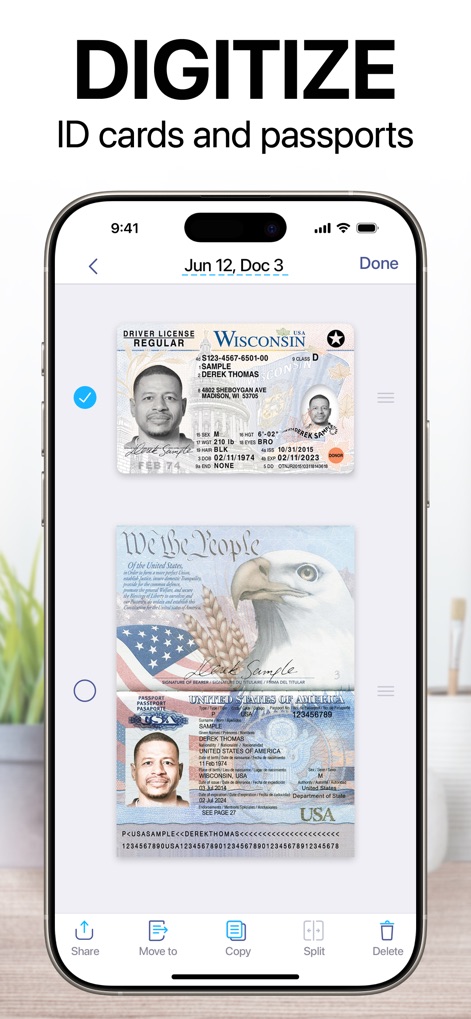
身分証をデジタル化
運転免許証やパスポートなどのIDカードをスキャンして安全に保存し、必要に応じて複数のページを分割して管理できます。
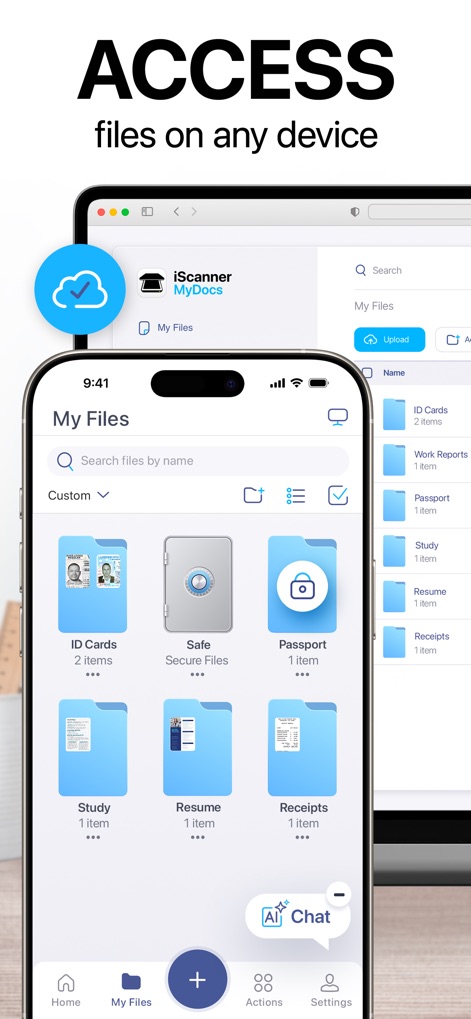
いつでもどこでもアクセス
スキャンしたファイルはクラウドサービスを通じてすべてのデバイス間で同期され、PCのウェブブラウザからも安全にアクセスできます。
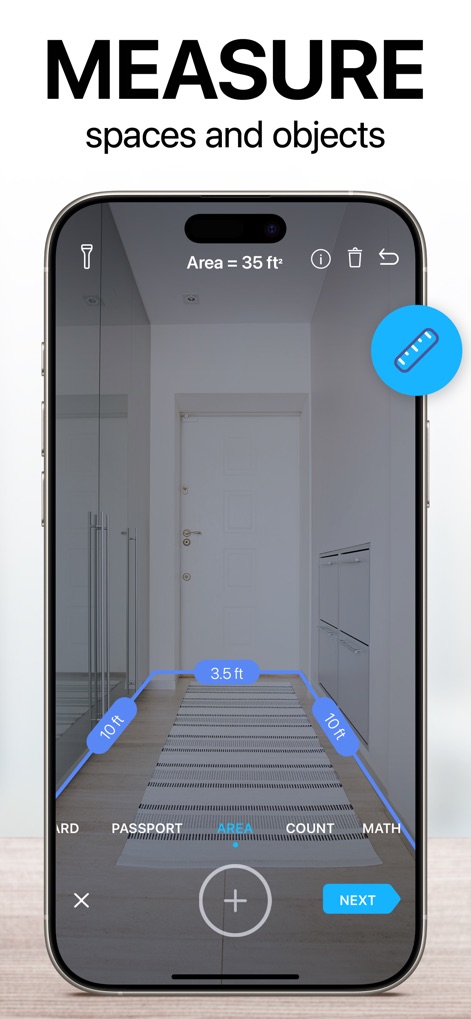
空間と物体を測定
拡張現実(AR)技術を使い、空間の面積や通路の長さなどの寸法をカメラを通してリアルタイムで測定することが可能です。
説明
Download
類似アプリ
似た機能とユーザー体験を持つアプリ

PDF PRO Scan Image & Documents
Balzo srl

The PDF Scanner, PDF editor HQ
NEXT K.U.M. LTD

CamScanner - PDF Scanner App
INTSIG Information Co., Ltd

Adobe Scan: PDF & OCR Scanner
Adobe Inc.

WPS Office: PDF, Docs, Sheets
KINGSOFT OFFICE SOFTWARE CORPORATION LIMITED

iLovePDF - PDF Editor & Scan
ILOVEPDF S.L.

Scanner App: Genius Scan
The Grizzly Labs

Microsoft Lens: PDF Scanner
Microsoft Corporation

Clear Scan: Doc Scanner App
INDY MOBILE APP COMPANY LIMITED
このページはアプリまたはその開発者の公式ページではなく、情報提供および論評を目的として作成された独立した編集出版物です。明示的に別段の記載がない限り、アプリおよびその開発者は、MWM、Apple、Google Play、アプリのパブリッシャー、またはアプリの開発者と提携、承認、後援、認可、またはその他の公式的な関係はなく、このページのいかなる内容も、アプリがMWMのサービスを使用して開発されたことを意味するものではありません。すべての商標、ロゴ、スクリーンショット、その他のコンテンツはそれぞれの所有者の財産です。