Measure Map Pro
Measure Map Pro
ダウンロード: App Store

このページはアプリまたはその開発者の公式ページではなく、情報提供および論評を目的として作成された独立した編集出版物です。明示的に別段の記載がない限り、アプリおよびその開発者は、MWM、Apple、Google Play、アプリのパブリッシャー、またはアプリの開発者と提携、承認、後援、認可、またはその他の公式的な関係はなく、このページのいかなる内容も、アプリがMWMのサービスを使用して開発されたことを意味するものではありません。すべての商標、ロゴ、スクリーンショット、その他のコンテンツはそれぞれの所有者の財産です。


ロゴ: Measure Map Pro
ダウンロード: App Store

Measure Map Pro

エンジニア、請負業者、土地所有者向けの究極のマッピングユーティリティ。地球の曲率精度で複雑な周囲長と面積を計算し、AutoCAD、KML、GIS形式に即座にエクスポートできます。

主要数値

ダウンロード

99K+

ユーザー評価

4.4/5

評価数

2K+

開発元

Blue Blink One, SL

カテゴリ

Utilities

対応言語

10

最新バージョン

13.10.5

サイズ

239.0 MB

リリース日

2011年6月22日
機能

手のひらの中のプロフェッショナルマッピング

高解像度衛星技術でメジャーを置き換えましょう。モバイルデバイスから直接正確な面積、周囲長、距離を計算することで、現場訪問の時間を節約できます。

レーザーのような正確な測定

小さな建物のフットプリントから広大な1000エーカーの牧場まで、サブメーター精度で測定しながら地球の曲率を考慮します。

業界標準のエクスポート

データ(DXF、SHP、KML、CSV)をAutoCADに即座にエクスポートし、フィールド測定をプロフェッショナルCADまたはGISワークフローにシームレスに統合します。

以下のスクリーンショットと説明は、アプリの公式ストアリスティングから直接取得されたものであり、アプリ開発者の所有物です。

アプリストア

スクリーンショット
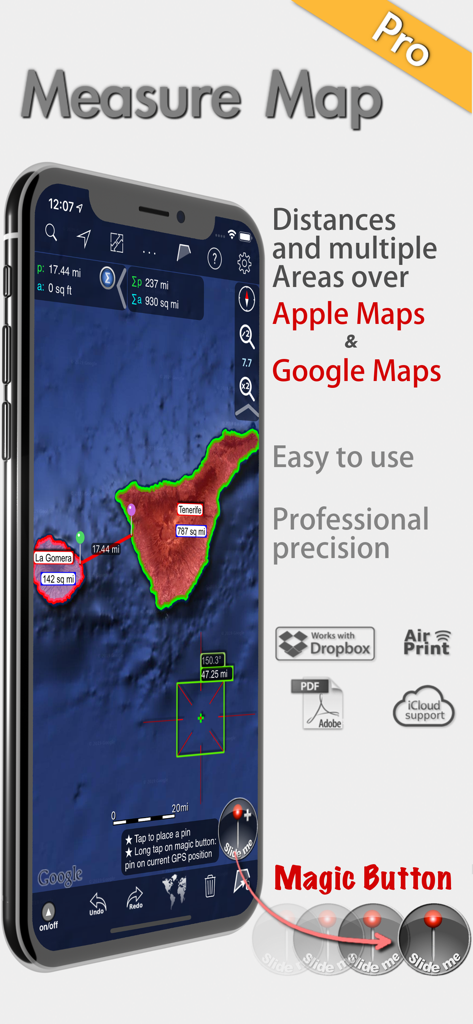
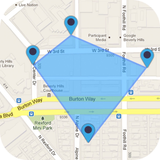
Measure Map Pro - Measure Map Proアプリが衛星マップ上でプロフェッショナルな面積と距離の測定を表示
Measure Map Proアプリが衛星マップ上でプロフェッショナルな面積と距離の測定を表示

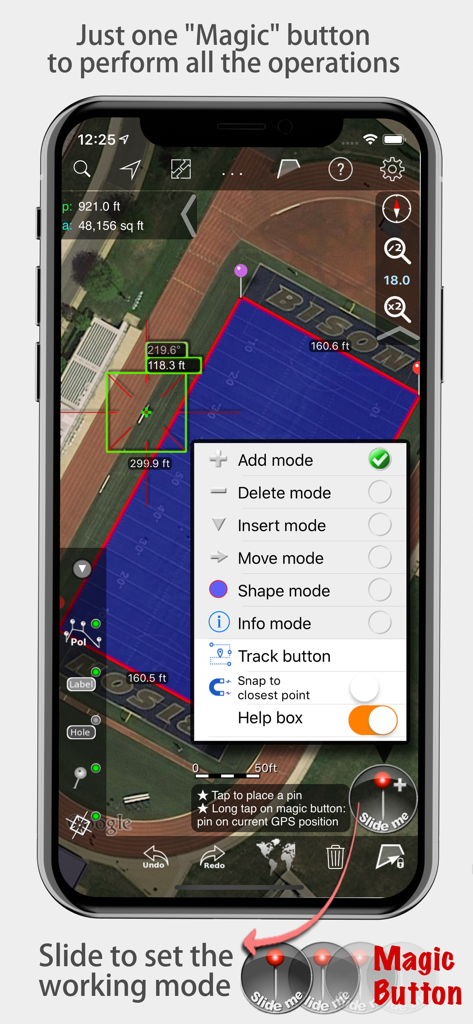
Measure Map Pro - Measure Map Proアプリが衛星マップ上に面積と距離の測定を表示し、マジックボタンメニューを開いた状態
Measure Map Proアプリが衛星マップ上に面積と距離の測定を表示し、マジックボタンメニューを開いた状態

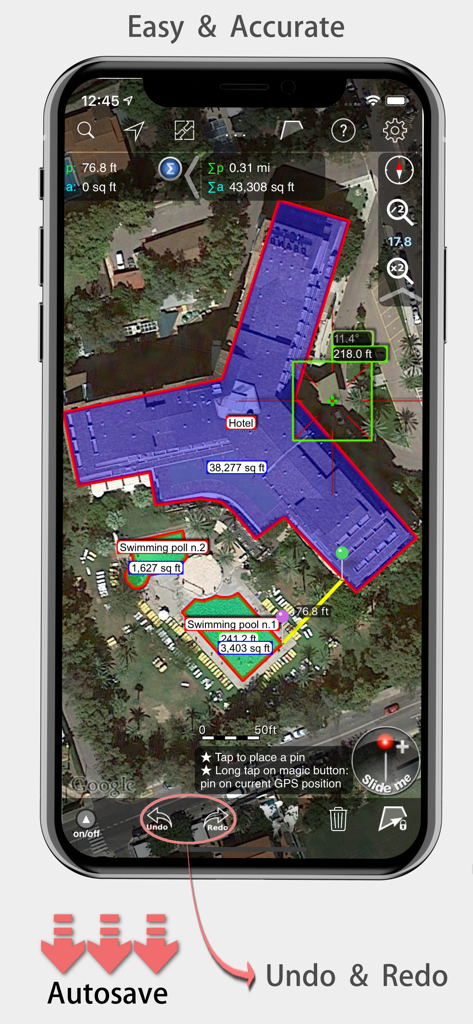
Measure Map Pro - Measure Map Proモバイルアプリが衛星マップ上でホテルの建物の正確な面積と距離の測定を表示
Measure Map Proモバイルアプリが衛星マップ上でホテルの建物の正確な面積と距離の測定を表示

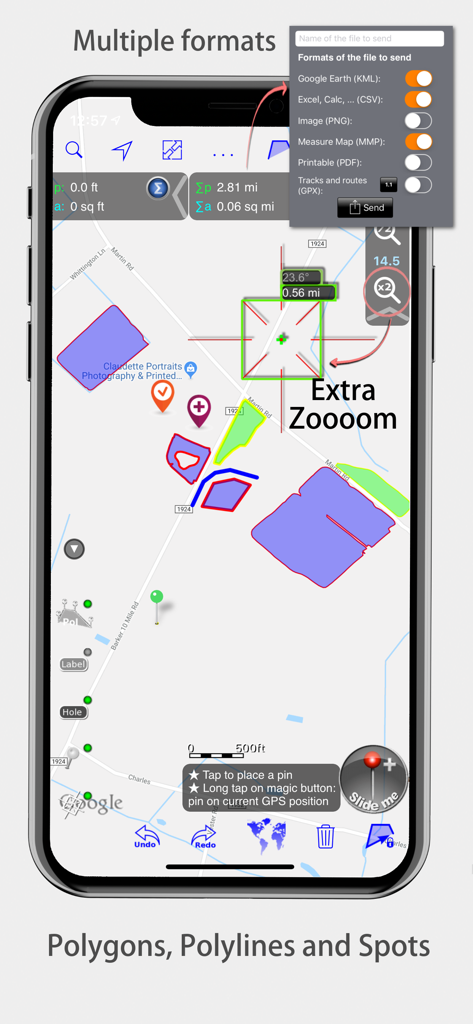
Measure Map Pro - Measure Map Proインターフェイスがマップポリゴンとエクスポート形式を表示
Measure Map Proインターフェイスがマップポリゴンとエクスポート形式を表示

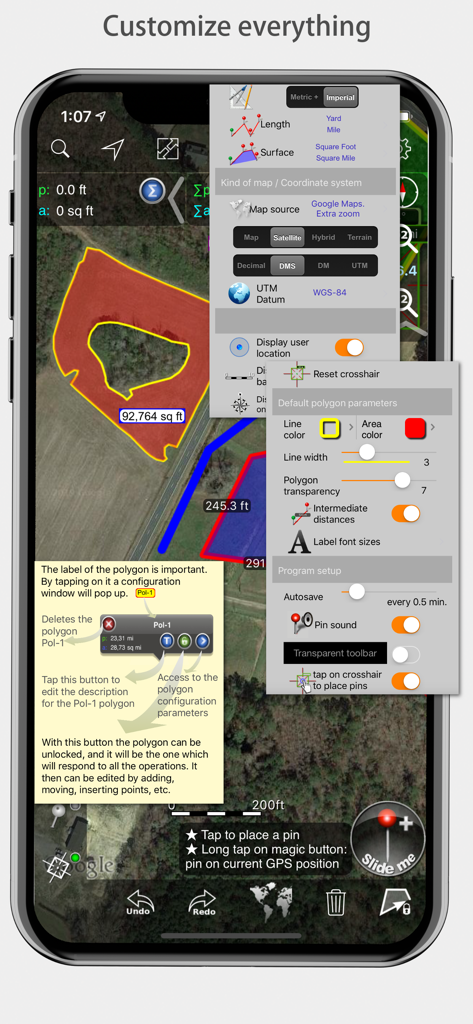
Measure Map Pro - Measure Map Proモバイルアプリインターフェイスが測定とマップスタイルのためのさまざまなカスタマイズメニューを表示

Measure Map Proモバイルアプリインターフェイスが測定とマップスタイルのためのさまざまなカスタマイズメニューを表示

説明

Measure Map Pro lets you quickly and easily measure multiple distances, perimeters and areas with laser sharp precision!. Use it for small areas or large, then share with coworkers. Click “...More” to learn why you should download this App today! Calculate surface areas, buildings, plots, floors, forest areas or dimensions for fencing, sports tours, trips or anything you need for field work without having to go to the spot to take measurements. Only one finger to calculate with astonishing accuracy all these measurements over satellite images. That’s what Measure Map Pro is for, to put a powerful, portable measuring tool right in the palm of your hand. Your iPhone, iPod touch or iPad can now provide you with totally precise measurements of any distance, from as small as one tenth of a meter to as big as thousands of kilometers or miles, even taking the curvature of the earth’s surface into account when measuring. It does all that, fast and effortlessly. Just one "magic" button for all the operations to easily place points without loosing it's professional accuracy. Some impressive features you get in Measure Map Pro (some of them via in-app purchase): * Autosave * Attractive, smooth, easy navigation and use * For iPhone and iPad * Apple or G00GLE Maps with extra zoom level. * Displays Maps View: Map, Satellite, Hybrid and Terrain. * Undo and redo operations as needed * AirPrint and iCloud support * More maps with extra zoom level through in-app purchase: Bing, Here, and ArcGIS. And Open Street, Open Cycle, World Street and more in the future * Operations: Add, delete intermediate pins, insert between pins, move pins, get info. * Circles and rectangles * Multiple areas and routes on screen * Display of altitude above sea level, azimuth and angle * Calculates azimuth or bearing * Search for current location, text (villages, places of interest, etc.) * Length units: meters, kilometers, feet, yards, miles, nautical miles, ken, ri, bù, lǐ * Surface units: square meters and kilometers, ares, hectares, square foot, square yards, square miles, acres, fanegas (Valencian, Castilian or Colombian), tsubo, bu, so, lí, mǔ * Intermediate distances between pins can be displayed * Attach pictures to points * Ability to select color and thickness of the perimeter line. * Ability to select the color and transparency of the selected area. * Working format: Measure Map, KMZ, KML (G00GLE Earth), CSV (Excel), Autocad (DXF), Shape (SHP), GPX, Image (PNG) and PDF * Export and import of surfaces and routes via e-mail, iTunes, AirDrop and Dropbox. * Save to photo album * Download surfaces and routes from the Internet. * Calculates multiple areas and routes simultaneously * Ability to create inner polygons as "holes". * Drawing of shapes: circle and rectangle. * More maps with extra zoom level through in-app purchase * Calculates azimuth or bearing * Attach pictures to points * Displays altitude above sea level, azimuth and angle. * Imports KML, KMZ and GPX format files besides exporting them. * Track mode: drops pins on current GPS position at regular intervals. (Continued use of GPS running in the background can dramatically decrease battery life) * Coordinate system DM * Apple Pencil drawing mode (with iPad Pro) * Image layers If precise measurements are important to you, this is the app you need. You won’t find one that is better, more accurate and easier to use.

Download

ダウンロード: App Store

このページはアプリまたはその開発者の公式ページではなく、情報提供および論評を目的として作成された独立した編集出版物です。明示的に別段の記載がない限り、アプリおよびその開発者は、MWM、Apple、Google Play、アプリのパブリッシャー、またはアプリの開発者と提携、承認、後援、認可、またはその他の公式的な関係はなく、このページのいかなる内容も、アプリがMWMのサービスを使用して開発されたことを意味するものではありません。すべての商標、ロゴ、スクリーンショット、その他のコンテンツはそれぞれの所有者の財産です。