
このページはアプリまたはその開発者の公式ページではなく、情報提供および論評を目的として作成された独立した編集出版物です。明示的に別段の記載がない限り、アプリおよびその開発者は、MWM、Apple、Google Play、アプリのパブリッシャー、またはアプリの開発者と提携、承認、後援、認可、またはその他の公式的な関係はなく、このページのいかなる内容も、アプリがMWMのサービスを使用して開発されたことを意味するものではありません。すべての商標、ロゴ、スクリーンショット、その他のコンテンツはそれぞれの所有者の財産です。

MetaMoJi Note
高度な手書き、音声同期メモ、プロフェッショナルなPDFマークアップを無限の高解像度キャンバスに統合した唯一のクロスプラットフォームツールで、プロフェッショナルワークフローを強化しましょう。
ダウンロード
266K+ユーザー評価
評価数
3K+開発元
カテゴリ
Productivity対応言語
13最新バージョン
3.10.4サイズ
99.8 MBリリース日
2012年9月26日無限の創造性、プロフェッショナルな精度
MetaMoJi Noteは、高解像度スケッチ、高度なPDF注釈、音声同期ノート作成を現代のプロフェッショナル向けに統合したオールインワンデジタルワークスペースです。
無限ズームベクターキャンバス
100%の視覚的整合性でスケッチ、描画、または書き込みます。解像度や詳細を失うことなく、アイデアを小さな付箋から巨大なホワイトボードまでスケーリングします。
プロフェッショナルPDFマークアップ
複雑な契約書やデザインドキュメントを簡単にインポート、署名、注釈付けします。プロレベルのフィードバックのために高度なカリグラフィーペンとスマートクロッピングツールを使用してください。
よくある質問
について知っておくべきこと MetaMoJi Note
MetaMoJi Noteとは何ですか?
MetaMoJi Noteは、包括的なノートおよびスケッチブックアプリ、PDF注釈ツール、ボイスメモレコーダー、デジタルスクラップブックです。高度な手書き認識と、さまざまなペンと用紙スタイルでの描画をサポートしています。
MetaMoJi Noteで手書き文字をテキストに変換できますか?
はい、MetaMoJi Noteは手書き文字のテキスト変換と高度な手書き認識をサポートしています。この機能を利用するには、別途mazec手書き入力メソッドを購入する必要があります。
MetaMoJi Noteのゴールドサービスとは何ですか?
ゴールドサービスはMetaMoJi Noteのプレミアムアドオンであり、MetaMoJi Cloudの使用を強化します。共有ドライブ機能、自動同期間隔、追加のクラウドストレージ、プレミアムアイテムへの無制限アクセスを提供します。
MetaMoJi Noteはクラウド同期をサポートしていますか?
はい、MetaMoJi NoteではすべてのフォルダをMetaMoJi Cloudに同期できます。このサービスは、デバイス間でドキュメントを保存および管理するために最大2GBの無料ストレージを提供します。
MetaMoJi Noteでメモにパスワード保護をかけることはできますか?
はい、MetaMoJi Noteの有料版には、メモにパスワード保護をかける機能が含まれています。この機能により、重要な情報がアプリ内で安全かつプライベートに保たれます。
MetaMoJi Noteにどのような種類のドキュメントをインポートできますか?
MetaMoJi Noteでは、さまざまなファイルタイプをインポートできます。ユーザーは、画像、グラフィック、Google Drive経由のMicrosoft Officeファイル、および注釈および保存用のPDFドキュメントをインポートできます。
MetaMoJi Noteは複数のプラットフォームで利用できますか?
はい、MetaMoJi Noteはすべての主要なモバイルプラットフォームで利用できます。このような幅広いクロスプラットフォーム互換性を持つ唯一のノートテイキングアプリとして認識されています。
MetaMoJi Noteはボイスメモをサポートしていますか?
はい、MetaMoJi Noteにはボイスメモ機能が含まれています。ユーザーは、ボイスレコーディングをビジュアルコンテンツにタグ付けし、オーディオ編集機能を使用して、任意のドキュメントまたは描画内の音声キューをインデックス化できます。
MetaMoJi Noteを使用してドキュメントを共同編集できますか?
はい、MetaMoJi Noteのプレミアムゴールドサービスには共有ドライブ機能が含まれています。この機能により、ユーザーはドキュメントを共同編集でき、チームワークと生産性を向上させることができます。
MetaMoJi Noteはどのような高度なペン スタイルを提供していますか?
MetaMoJi Noteは、ハイライター、万年筆、ブラシなどの高度なペン スタイルを提供しています。これらは、さまざまな標準ペンやカリグラフィー オプションに加えて、多様な描画と筆記に使用できます。
以下のスクリーンショットと説明は、アプリの公式ストアリスティングから直接取得されたものであり、アプリ開発者の所有物です。
アプリストア
スクリーンショット
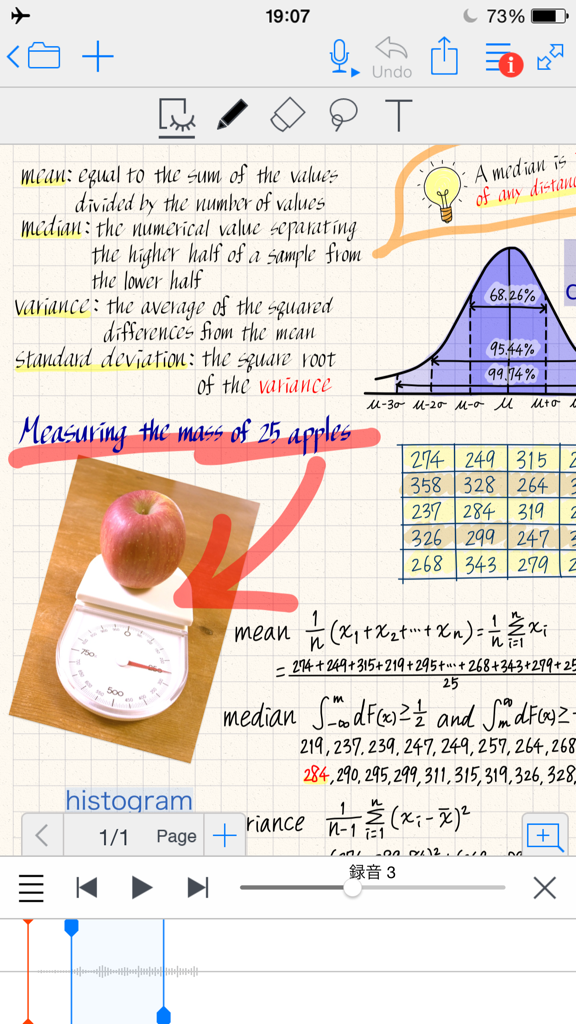
MetaMoJi Noteのデジタルノートページ。手書きの統計数式、図、音声録音同期が表示されています。
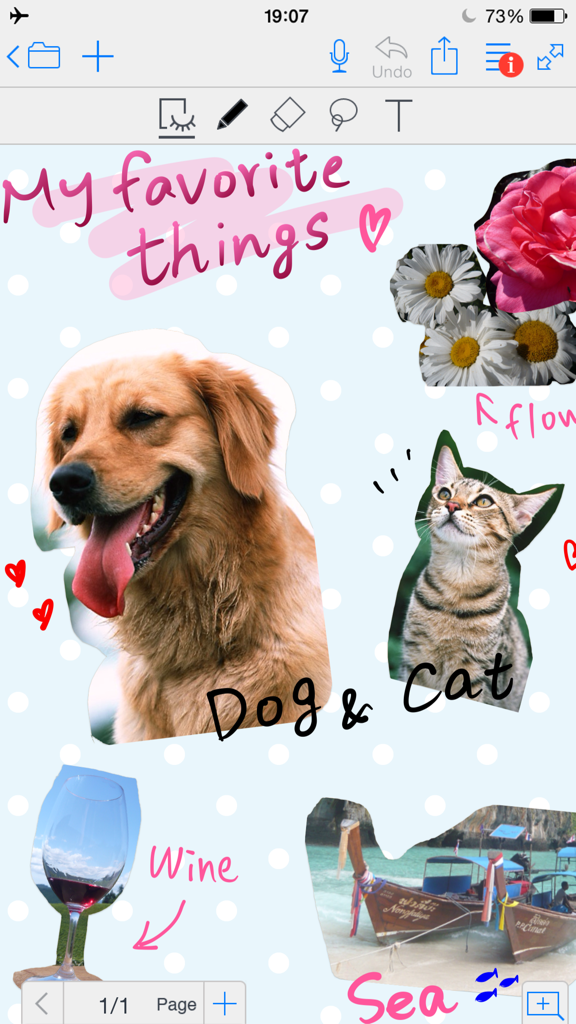
MetaMoJi Noteのデジタルスクラップブックページ。写真と手書きのメモがあります。
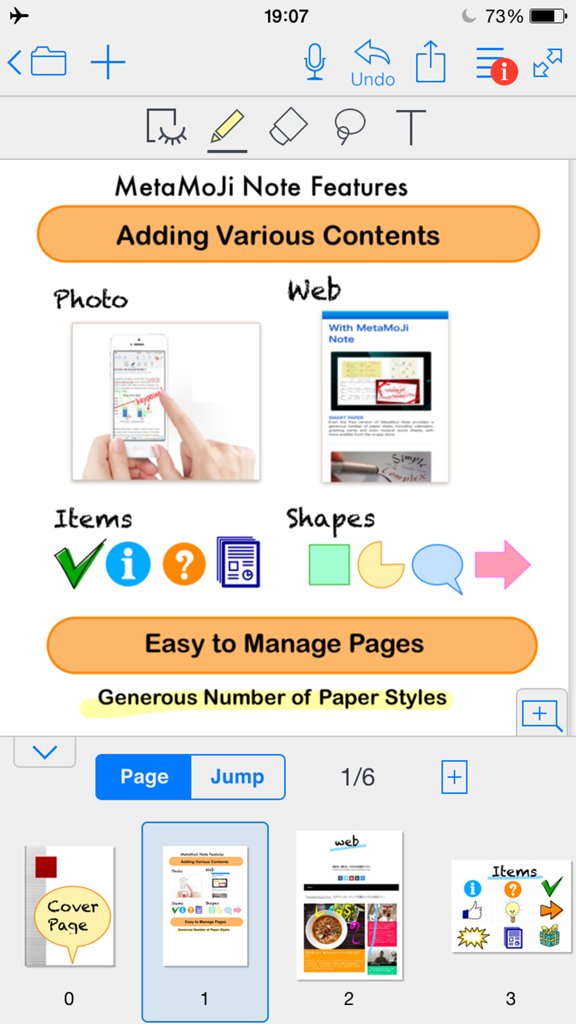
MetaMoJi Noteの機能を示すスクリーンショット。写真、Webコンテンツ、図形、アイテムの追加機能とページ管理ツールが表示されています。
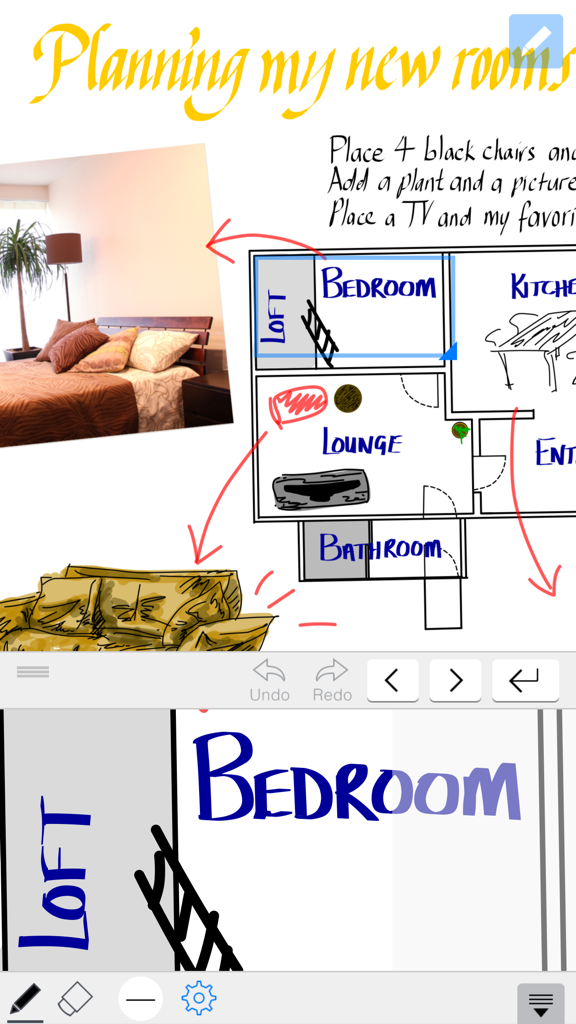
MetaMoJi Noteのデジタルノート。間取り図と写真を含む部屋の計画スケッチが表示されています。
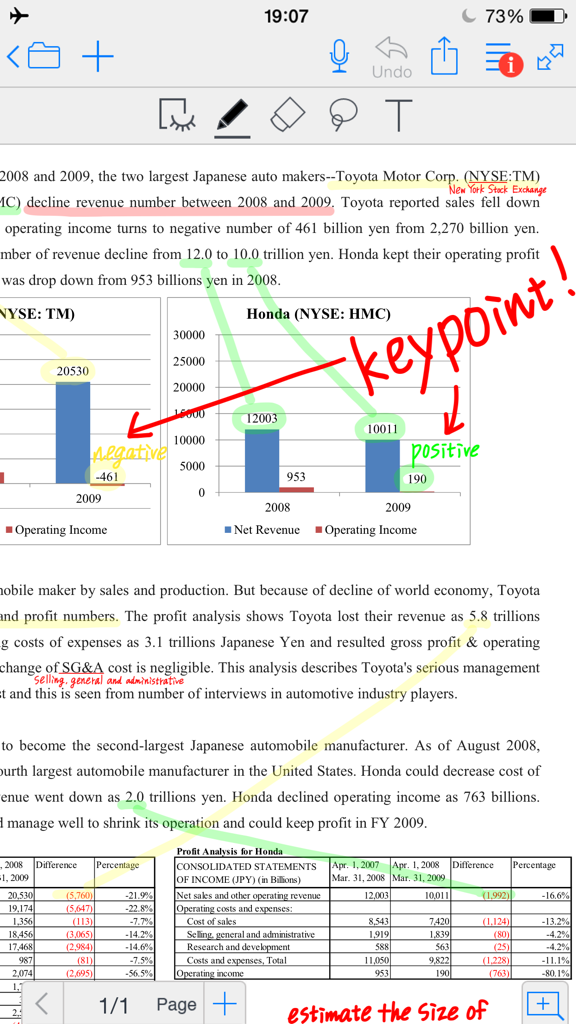
MetaMoJi Noteで手書きとハイライトを使用してビジネス文書に注釈を付けています。
説明
Download
類似アプリ
似た機能とユーザー体験を持つアプリ

Notepad: Easy Notes & Memos
1381802 Ontario Inc.

EasyNote: Note, Handwrite, PDF
Hangzhou Tensorart Technology Co., Ltd

Wellnote-Notes&PDF
MAXEYE US INC.

AJournal - Planner & Journal
WonderApps AB

Element Note
Soysauce Lab

Penbook
User Camp Inc.

Notes Writer - Note Taking
Kairoos Solutions S.L.

Notewise - AI Notes, PDF, Docs
ZIIKR Pte. Ltd.

Notes Writer Pro 2026
Kairoos Solutions S.L.
このページはアプリまたはその開発者の公式ページではなく、情報提供および論評を目的として作成された独立した編集出版物です。明示的に別段の記載がない限り、アプリおよびその開発者は、MWM、Apple、Google Play、アプリのパブリッシャー、またはアプリの開発者と提携、承認、後援、認可、またはその他の公式的な関係はなく、このページのいかなる内容も、アプリがMWMのサービスを使用して開発されたことを意味するものではありません。すべての商標、ロゴ、スクリーンショット、その他のコンテンツはそれぞれの所有者の財産です。