
このページはアプリまたはその開発者の公式ページではなく、情報提供および論評を目的として作成された独立した編集出版物です。明示的に別段の記載がない限り、アプリおよびその開発者は、MWM、Apple、Google Play、アプリのパブリッシャー、またはアプリの開発者と提携、承認、後援、認可、またはその他の公式的な関係はなく、このページのいかなる内容も、アプリがMWMのサービスを使用して開発されたことを意味するものではありません。すべての商標、ロゴ、スクリーンショット、その他のコンテンツはそれぞれの所有者の財産です。


Microsoft Planner
視覚的に作業を整理し、Office 365 内でシームレスに共同作業し、現代のプロフェッショナル向けに設計された直感的なボードでチームの進捗を維持します。
ダウンロード
6M+ユーザー評価
評価数
29K+開発元
カテゴリ
Productivity対応言語
29最新バージョン
1.17.11サイズ
150.6 MBリリース日
2017年5月18日視覚的な精度でワークフローをマスター
モバイルで Microsoft Planner のパワーを体験してください。プロフェッショナルな効率性のために設計されたツールで、タスクを整理し、チームと共同作業し、期限を守りましょう。
直感的なカンバンボード
タスクを視覚的なバケットに整理し、シンプルなドラッグ&ドロップ機能でステータスの変更を管理します。
シームレスな 365 連携
信頼するセキュアな Microsoft エコシステム内で、ファイル、写真、議論をタスクに直接リンクさせます。
よくある質問
について知っておくべきこと Microsoft Planner
Microsoft Plannerとは何ですか?
Microsoft Planner は、チームワークを整理するためのシンプルで視覚的な方法を提供します。チームは、プランを作成し、タスクを整理および割り当て、ファイルを共有し、進捗状況に関する最新情報を取得できます。
Microsoft Planner を利用するには Office 365 サブスクリプションが必要ですか?
はい、Microsoft Planner を利用するには、対象となる Office 365 の職場または学校のサブスクリプションが必要です。Office 365 の個人用アカウントはサポートされていません。会社のサブスクリプションについて不明な場合は、IT 部門にお問い合わせください。
Microsoft Planner はどのようにタスクを整理しますか?
Microsoft Planner はタスクを視覚的に整理します。各プランには独自のボードがあり、タスクはバケットに整理されます。ユーザーは、ステータスまたは担当者別にタスクを分類し、列間でドラッグ アンド ドロップして更新します。
チームは Microsoft Planner 内で共同作業やチャットを行えますか?
はい、Microsoft Planner は Office 365 用に構築されており、チームが直接共同作業できます。ユーザーはタスクを共同で実行し、写真を添付し、異なるアプリケーションを切り替えることなくタスクについて会話できます。
Microsoft Planner は複数のデバイスで利用できますか?
はい、Microsoft Planner はすべてのデバイスで機能します。この機能により、チームメンバーは同期を保ち、モバイルでもデスクにいても会話を続けたりタスクを更新したりできます。
ユーザーは Microsoft Planner で割り当てられたすべてのタスクをどのように表示しますか?
ユーザーは、Microsoft Planner の [マイ タスク] ビューですべての割り当てられたタスクを表示します。これにより、すべてのプランにわたるすべてのタスクとそのステータスの包括的なリストが提供され、個々の貢献の可視性が確保されます。
タスクにファイルや写真を添付できますか?
はい、Microsoft Planner のタスクにファイルや写真を添付できます。アプリは、写真アプリへのアクセス許可を求め、画像を選択するか、カメラアプリを使用して新しい写真を撮り、タスクに直接添付します。
以下のスクリーンショットと説明は、アプリの公式ストアリスティングから直接取得されたものであり、アプリ開発者の所有物です。
アプリストア
スクリーンショット
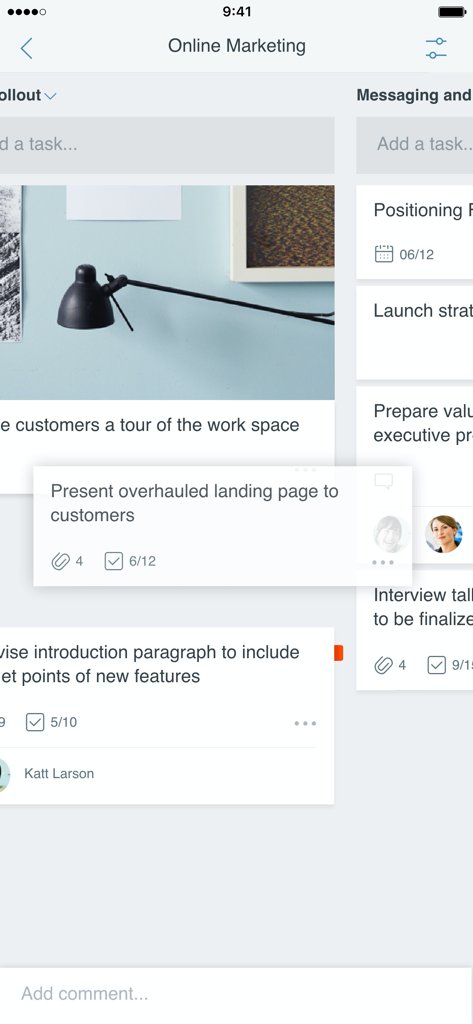
プロジェクトタスク管理のための視覚的なカンバンボードを示す Microsoft Planner モバイルアプリのインターフェース
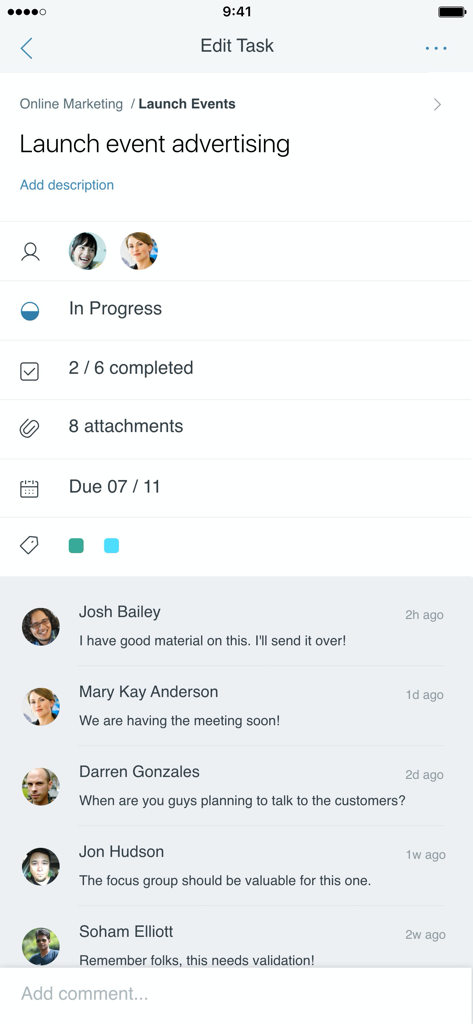
ステータスの進捗状況とチームコメントを含むタスクの詳細を示す Microsoft Planner モバイルアプリのインターフェース
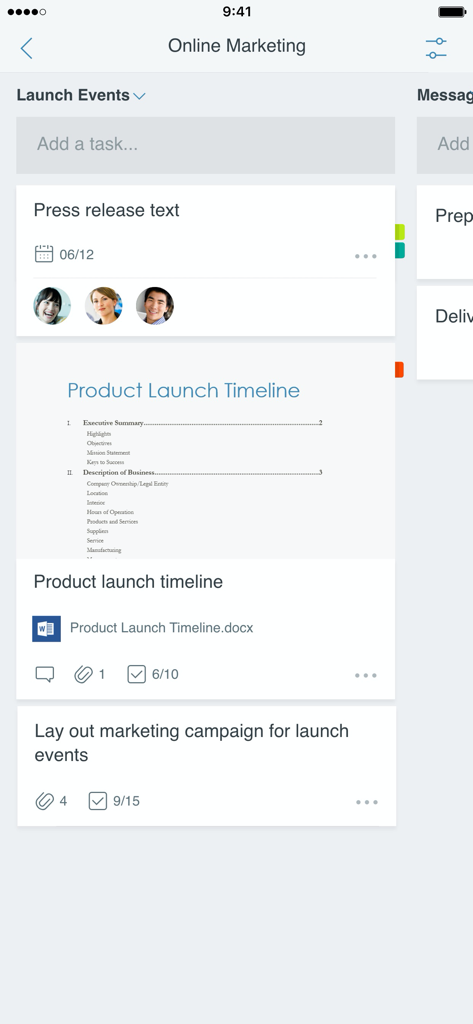
チームの割り当てと添付ファイルを含むオンラインマーケティングプロジェクトのタスクボードを示す Microsoft Planner のモバイルインターフェース
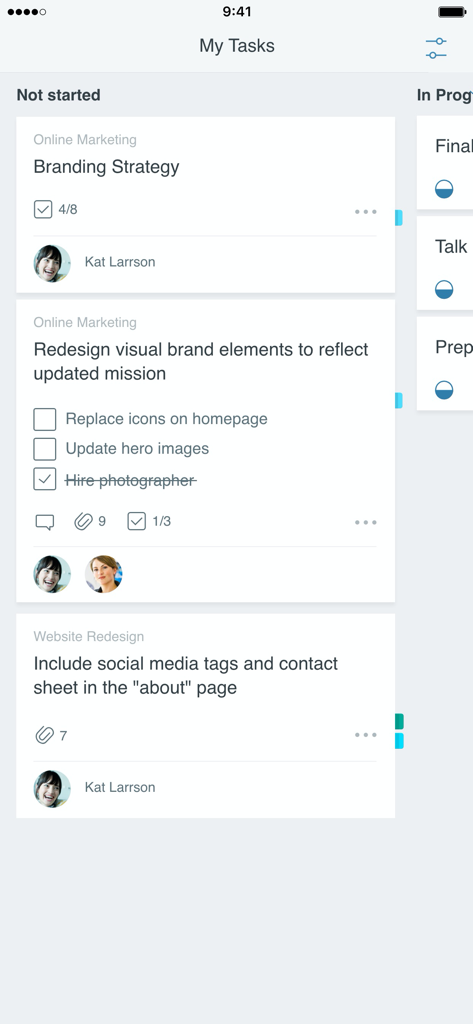
「未開始」列に整理されたタスクカードを含むカンバンボードを示す Microsoft Planner アプリのインターフェース
説明
Download
類似アプリ
似た機能とユーザー体験を持つアプリ

Xmind - Mind Map & Brainstorm
Xmind Ltd.

Smartsheet: Projects & Teams
Smartsheet Inc.

Miro: your visual workspace
Realtimeboard Inc.

Padlet
Wallwisher, Inc.

Asana: Work Management
Asana, Inc.

Microsoft Loop
Microsoft Corporation

Microsoft Whiteboard
Microsoft Corporation

Nola: Story Planner & Writing
indent Inc.

MeisterTask - Task Management
MeisterLabs
このページはアプリまたはその開発者の公式ページではなく、情報提供および論評を目的として作成された独立した編集出版物です。明示的に別段の記載がない限り、アプリおよびその開発者は、MWM、Apple、Google Play、アプリのパブリッシャー、またはアプリの開発者と提携、承認、後援、認可、またはその他の公式的な関係はなく、このページのいかなる内容も、アプリがMWMのサービスを使用して開発されたことを意味するものではありません。すべての商標、ロゴ、スクリーンショット、その他のコンテンツはそれぞれの所有者の財産です。