
このページはアプリまたはその開発者の公式ページではなく、情報提供および論評を目的として作成された独立した編集出版物です。明示的に別段の記載がない限り、アプリおよびその開発者は、MWM、Apple、Google Play、アプリのパブリッシャー、またはアプリの開発者と提携、承認、後援、認可、またはその他の公式的な関係はなく、このページのいかなる内容も、アプリがMWMのサービスを使用して開発されたことを意味するものではありません。すべての商標、ロゴ、スクリーンショット、その他のコンテンツはそれぞれの所有者の財産です。


Xmind - Mind Map & Brainstorm
Xmindは、ユーザーの思考を視覚的な支配へと昇華させ、複雑な情報を明快なロードマップへと変えることで、アイデアを行動へと直結させる。
ダウンロード
12.5M+ユーザー評価
評価数
269.8K開発元
カテゴリ
Productivity対応言語
16最新バージョン
26.02.04105サイズ
843.3 MBリリース日
2017年12月12日Xmind - マインドマップ&ブレインストーム アプリ分析
多機能な視覚化ツールが、アイデア整理とプロジェクト管理にもたらす影響
リアルタイム共同編集
このアプリは、チームメンバーが同じマインドマップ上で同時に作業できるリアルタイム共同編集機能を提供し、場所を問わずアイデア共有とコンテンツ編集を同期させます。
タスク統合管理
ユーザーは、マインドマップ内で直接タスクを作成・管理し、優先順位の設定、進捗の追跡、期間の管理を一元的に行うことができます。
ピッチモード
ユーザーは、マインドマップを自動生成されたトランジションとレイアウトを持つスライドショーとして提示することができ、プレゼンテーションを容易にします。
複数構造のサポート
このアプリは、マインドマップ、ロジックチャート、ツリーチャートなど9種類の構造を提供し、複雑なトピックやプロジェクト管理のために複数の構造を一つのマップ内で組み合わせることを可能にします。
多様な形式のエクスポート
PDF、PNG、Markdown、Word、Excel、PowerPointなど、多岐にわたるファイル形式でのエクスポートをサポートし、情報の共有と活用を容易にします。
アウトライナー機能
このアプリは、思考やアイデアを階層的にアウトライン化する機能を提供し、それらをマインドマップにシームレスに統合することを可能にします。
多様な形式のインポート
マインドマネージャー、フリーマインド、ワードなどの多様なファイル形式をインポートできるため、既存の作業をシームレスに継続できます。
高度なトピックの装飾
ユーザーは、画像、音声メモ、数式、ラベル、ハイパーリンクなどを挿入することで、トピックを詳細に説明し、情報を豊かにすることができます。
マルチタスク対応
本アプリは、同時に2つのファイルを並べて開いて編集するマルチタスク機能に対応しており、効率的な作業フローをサポートします。
豊富なテンプレート
本ツールは、クリエイティブなニーズに対応する30種類の洗練されたテンプレートを提供し、ユーザーは迅速にマインドマップの作成を開始できます。
よくある質問
について知っておくべきこと Xmind - Mind Map & Brainstorm
What is Xmind?
Xmind is a full-featured mind mapping and brainstorming tool for clarity, creativity, and collaboration across all platforms. It helps users structure thoughts and manage projects efficiently.
Does Xmind offer templates for mind mapping?
Yes, Xmind provides over 100 well-designed templates to kick-start any mind map, covering various creative, planning, and study needs.
What structures does Xmind support for mind maps?
Xmind supports 9 different structures, including Mind Map, Logic Chart, Brace Map, Org Chart, Tree Chart, Timeline, Fishbone, Tree Table, and Matrix. Multiple structures can be combined.
Can users add rich media to Xmind mind maps?
Yes, Xmind allows enriching topics with images, audio notes, equations, labels, hyperlinks, topic links, and drawings for comprehensive information visualization.
Does Xmind support LaTeX for equations?
Yes, Xmind supports LaTeX, enabling users to accurately jot down mathematics and chemical equations directly within their mind maps.
Can I record audio notes in Xmind?
Yes, Xmind allows users to record audio notes directly within their mind maps, ensuring creative ideas are captured quickly without missing details.
Does Xmind include an Outliner feature?
Yes, Xmind features an Outliner to hierarchically organize thoughts and ideas, which can then be seamlessly integrated into a mind map structure.
Does Xmind offer a distraction-free mode?
Yes, Xmind provides a ZEN Mode, a full-screen, distraction-free environment designed for content focus. This feature is available specifically on iPad.
Can Xmind convert mind maps into presentations?
Yes, Xmind's Pitch Mode transforms mind maps into slideshows with auto-generated transitions and layouts, allowing for easy and effective presentations.
Does Xmind support multitasking with other apps?
Yes, Xmind supports multitasking, allowing users to open, read, and edit two files side-by-side, such as Xmind and GoodNotes/Notability simultaneously.
Does Xmind allow real-time collaboration?
Yes, Xmind supports real-time collaboration, enabling teams to work simultaneously on the same mind map, share ideas, and edit content together regardless of location.
What file formats can Xmind import?
Xmind can import files from MindManager, FreeMind, Lighten, MindNode, Markdown, OPML, TextBundle, and Word (DOCX Only) for versatile compatibility.
What export formats does Xmind support?
Xmind supports exporting mind maps to PDF, PNG, Markdown, Word, Excel, PowerPoint, OPML, and TextBundle formats, providing universal sharing options.
Can I password-protect Xmind files?
Yes, Xmind allows users to encrypt their mind map files with a password, enhancing the security and privacy of their intellectual property.
Can Xmind be used for project and task management?
Yes, Xmind integrates task management, allowing users to create, set priorities, track progress, and manage task duration directly within their mind maps.
How much does an Xmind subscription cost annually?
An annual Xmind Pro/Premium subscription costs either $59.99 or $99.00, depending on the chosen plan. These are auto-renewable subscriptions.
How do I cancel my Xmind subscription?
To cancel an Xmind subscription, navigate to Settings > iTunes & App Store > Tap Apple ID > View Apple ID > Subscriptions, then select the Xmind subscription to cancel.
Is Xmind a recurring subscription?
Yes, Xmind subscriptions are auto-renewable. Your iTunes account is automatically charged for renewal 24 hours prior to the expiration of each billing cycle.
Where can I find Xmind's Privacy Policy?
Xmind's comprehensive Privacy Policy, detailing data handling practices, is publicly available on their website at https://www.xmind.com/privacy/.
Where can I find Xmind's Terms of Service?
Xmind's official Terms of Service, which includes subscription rules and user agreements, can be accessed on their website at https://www.xmind.com/terms/.
以下のスクリーンショットと説明は、アプリの公式ストアリスティングから直接取得されたものであり、アプリ開発者の所有物です。
アプリストア
スクリーンショット
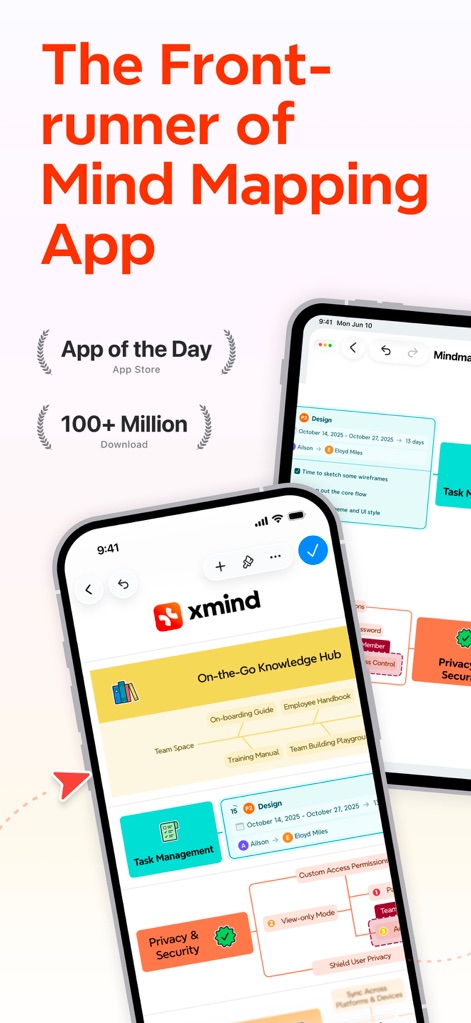
マインドマップの先駆者
このアプリは「App of the Day」や「100+ Million Download」といった実績を達成し、モバイルデバイス上で「タスク管理」や「知識ハブ」を直感的に表示します。
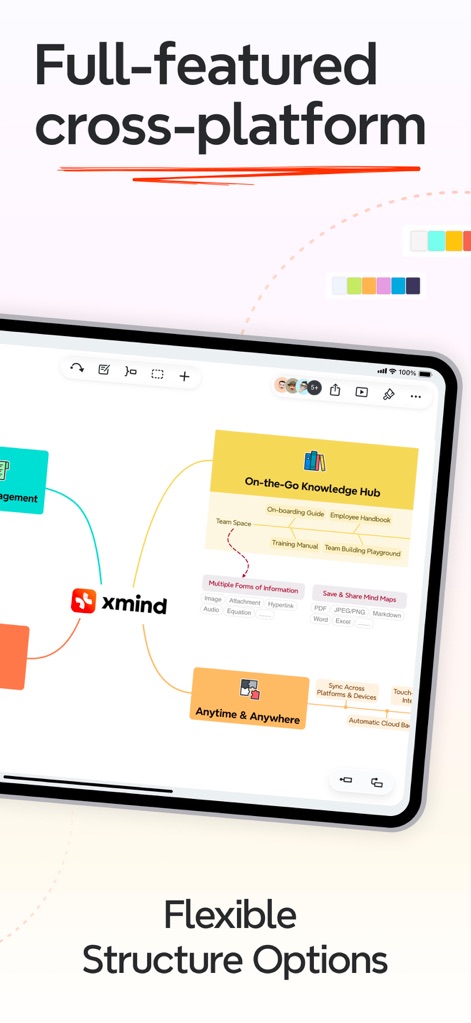
多彩な構造と表現
本ツールはマインドマップ、ロジックチャートなど9種類の異なる構造を提供し、画像、音声メモ、方程式といった多様な形式の情報を統合できます。
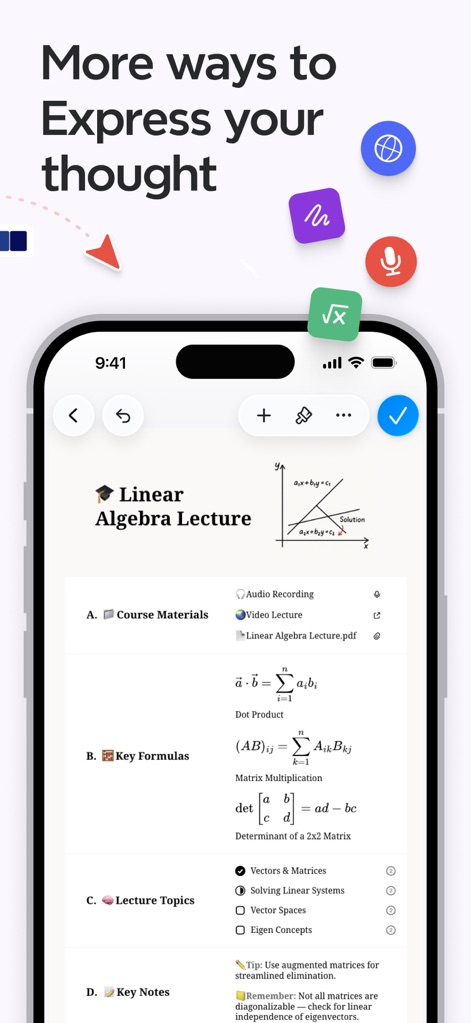
思考を豊かに表現
ユーザーは本アプリでLaTeX形式による複雑な数式や化学式を記述し、音声録音やPDFなどの豊富なコンテンツをトピックに直接挿入できます。
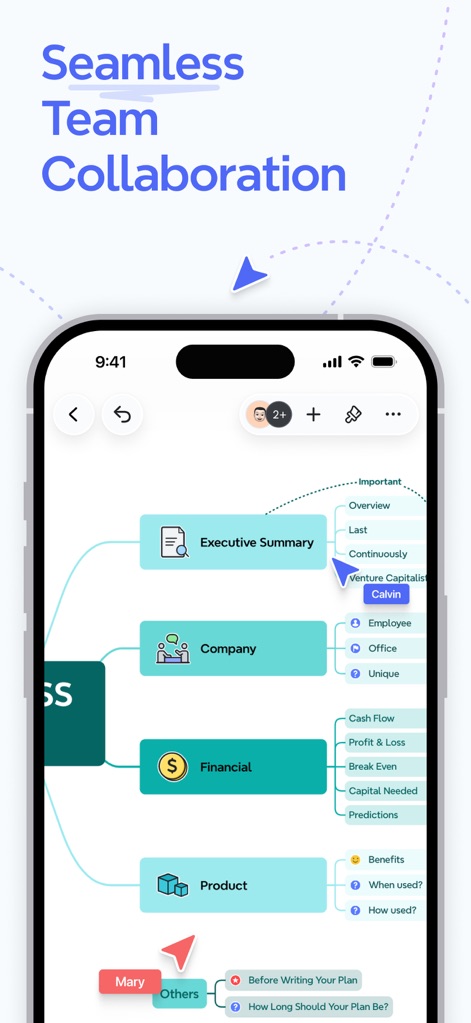
シームレスな共同作業
本ツールは複数のユーザーが同時に同じマインドマップを編集できるリアルタイムコラボレーションに対応し、「Executive Summary」や「Company」といった主要なカテゴリ分けでアイデアを整理します。
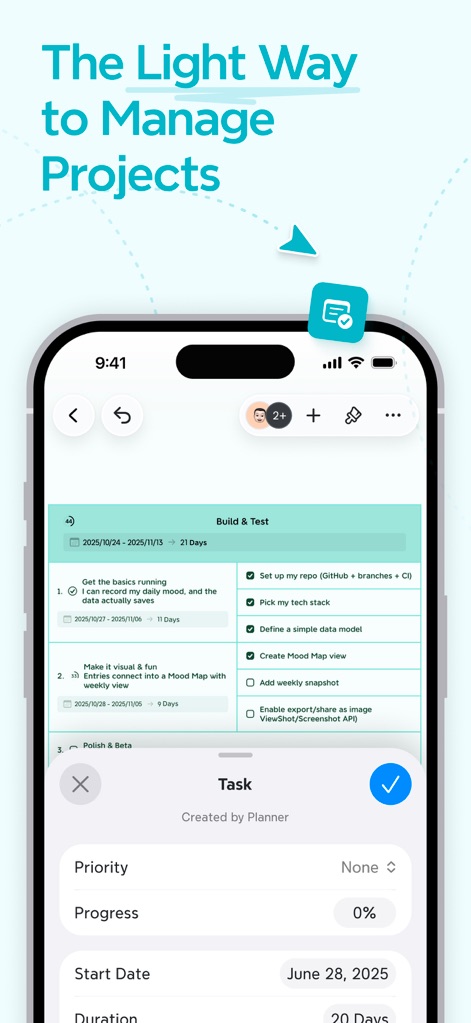
効率的なプロジェクト管理
このアプリでは、マップ内でタスクを作成・管理でき、「優先度」「進捗状況」「期間」といった詳細な情報を設定してプロジェクトを効率的に管理します。
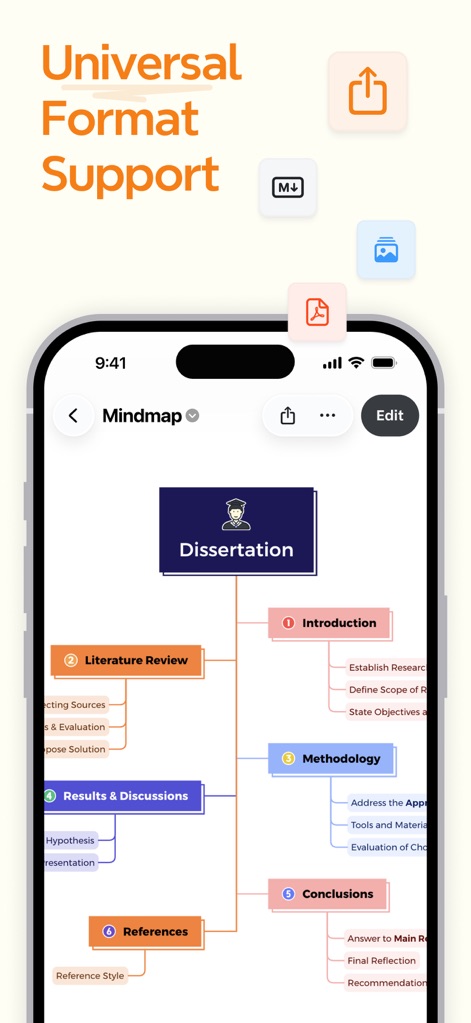
多様な形式に対応
本アプリはPDF、PNG、Markdownなど多様な形式でのエクスポートに対応し、MindManagerやFreeMindといった外部ツールからのインポートも可能です。
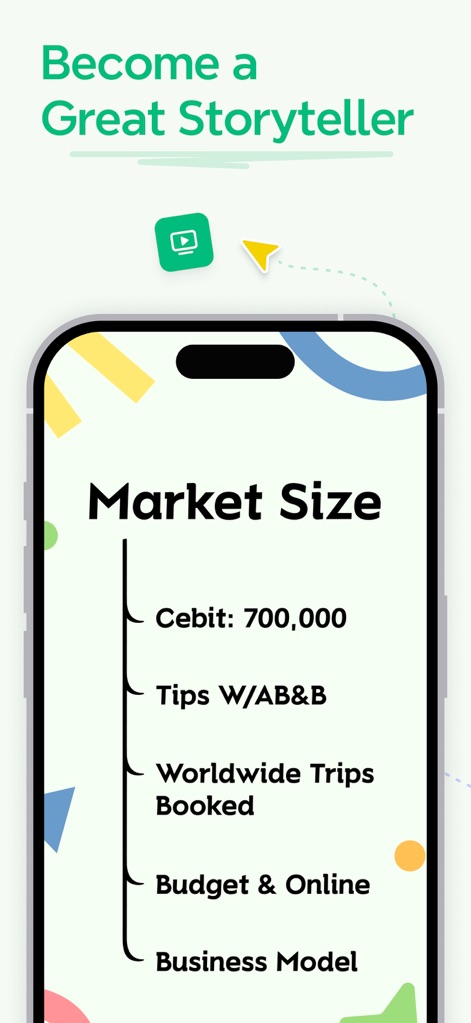
魅力的なストーリーテラー
ユーザーは「ピッチモード」を活用してマインドマップを自動生成のスライドショーとして提示でき、情報を構造化し視覚的に整理するツリーチャート構造を利用できます。
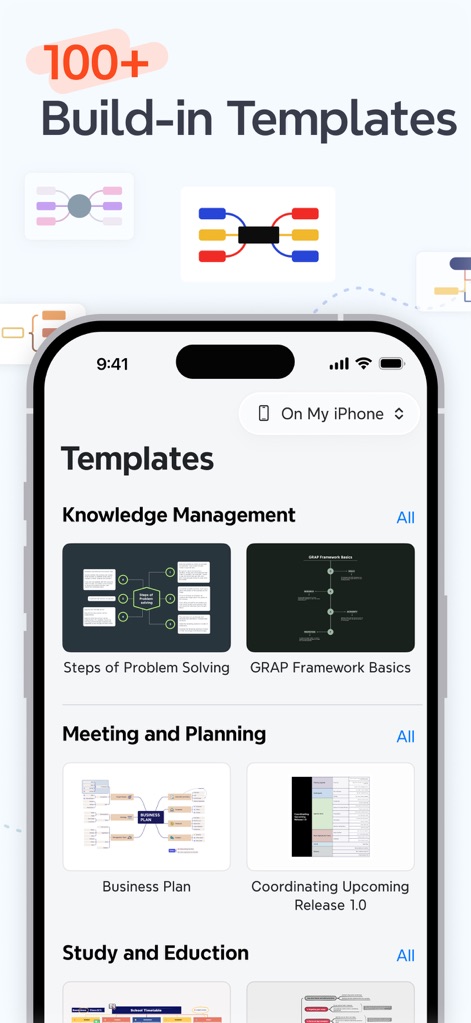
豊富なテンプレート集
このアプリは知識管理、会議、学習など様々な目的に合わせた100以上の組み込みテンプレートを提供し、ユーザーの創造的なニーズに応える洗練されたデザインが施されています。
説明
Download
類似アプリ
似た機能とユーザー体験を持つアプリ

Smartsheet: Projects & Teams
Smartsheet Inc.

Miro: your visual workspace
Realtimeboard Inc.

Padlet
Wallwisher, Inc.

Asana: Work Management
Asana, Inc.

Microsoft Planner
Microsoft Corporation

Microsoft Loop
Microsoft Corporation

Microsoft Whiteboard
Microsoft Corporation

Nola: Story Planner & Writing
indent Inc.

MeisterTask - Task Management
MeisterLabs
このページはアプリまたはその開発者の公式ページではなく、情報提供および論評を目的として作成された独立した編集出版物です。明示的に別段の記載がない限り、アプリおよびその開発者は、MWM、Apple、Google Play、アプリのパブリッシャー、またはアプリの開発者と提携、承認、後援、認可、またはその他の公式的な関係はなく、このページのいかなる内容も、アプリがMWMのサービスを使用して開発されたことを意味するものではありません。すべての商標、ロゴ、スクリーンショット、その他のコンテンツはそれぞれの所有者の財産です。