My Notes - Notebook, Notepad
ダウンロード: App Store

このページはアプリまたはその開発者の公式ページではなく、情報提供および論評を目的として作成された独立した編集出版物です。明示的に別段の記載がない限り、アプリおよびその開発者は、MWM、Apple、Google Play、アプリのパブリッシャー、またはアプリの開発者と提携、承認、後援、認可、またはその他の公式的な関係はなく、このページのいかなる内容も、アプリがMWMのサービスを使用して開発されたことを意味するものではありません。すべての商標、ロゴ、スクリーンショット、その他のコンテンツはそれぞれの所有者の財産です。

ロゴ: My Notes - Notebook, Notepad
ダウンロード: App Store

My Notes - Notebook, Notepad

あなたのスタイルを反映したデジタルサンクチュアリをデザインしましょう。パーソナライズされたテーマとホーム画面ウィジェットで、ボイスメモ、スケッチ、チェックリストを1つの美しく安全な場所に保存できます。

主要数値

ダウンロード

6K+

ユーザー評価

4.3/5

評価数

0

開発元

MARKO NIKOLIC PR RACUNARSKO PROGRAMIRANJE ASCENDIK NIS

カテゴリ

Productivity

対応言語

29

最新バージョン

2.1.1

サイズ

128.6 MB

リリース日

2023年8月24日
機能

あなたの思考を、スタイルとセキュリティで

学術的なメモからクリエイティブなブレインダンプまで、あなたのライフスタイルに合ったパーソナライズされたデジタルノートで、アイデアを捉える方法を変えましょう。

美しいパーソナライズ

美しいテーマと背景でノート作成を自己表現に変え、デジタルワークスペースを自宅のように感じさせましょう。

マルチモーダルブレインダンプ

タイピングだけでなく、アイデアをスケッチしたり、ボイスメモを録音したり、写真を添付したりして、インスピレーションのひらめきを捉えましょう。

以下のスクリーンショットと説明は、アプリの公式ストアリスティングから直接取得されたものであり、アプリ開発者の所有物です。

アプリストア

スクリーンショット
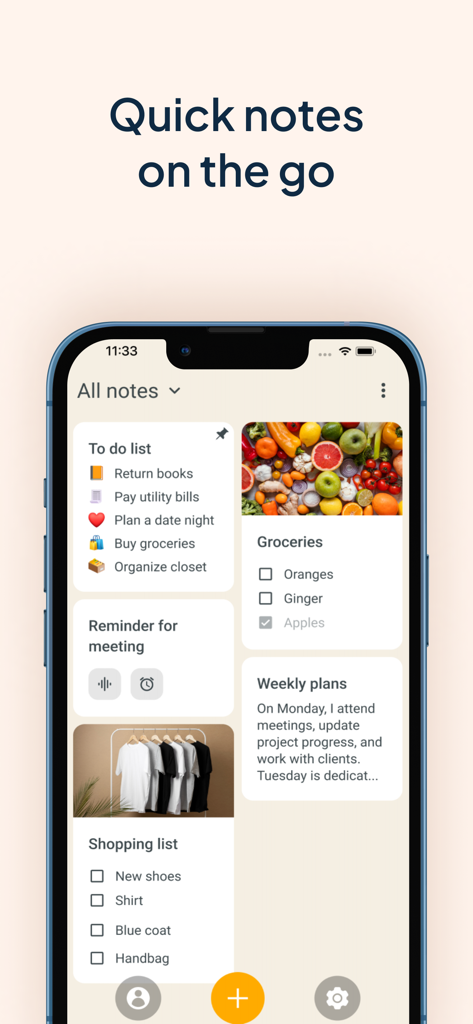
My Notes - Notebook, Notepad - ToDoリストや写真チェックリストを含む、さまざまな美しいノートカードを表示するスマートフォンの画面
ToDoリストや写真チェックリストを含む、さまざまな美しいノートカードを表示するスマートフォンの画面

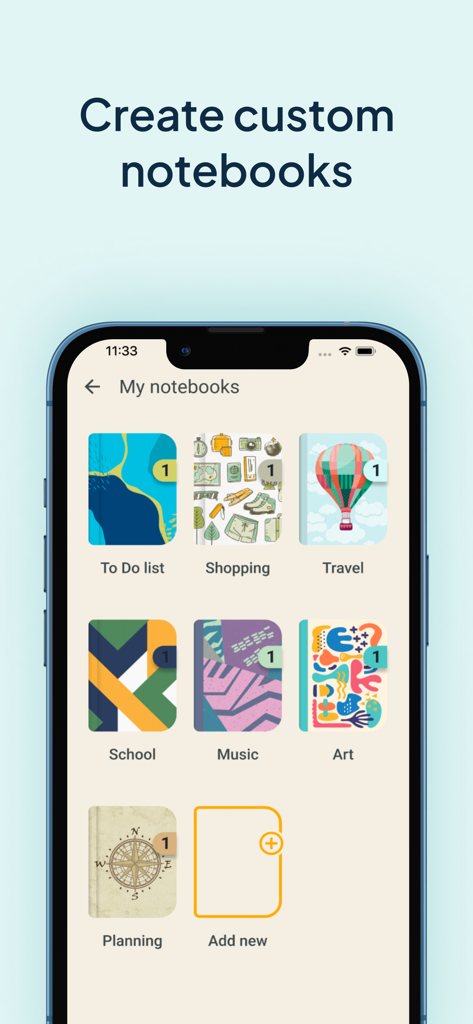
My Notes - Notebook, Notepad - 整理のために、さまざまなカラフルでテーマのあるデジタルノートブックの表紙を表示する「マイノートブック」というタイトルのモバイルアプリインターフェイス
整理のために、さまざまなカラフルでテーマのあるデジタルノートブックの表紙を表示する「マイノートブック」というタイトルのモバイルアプリインターフェイス

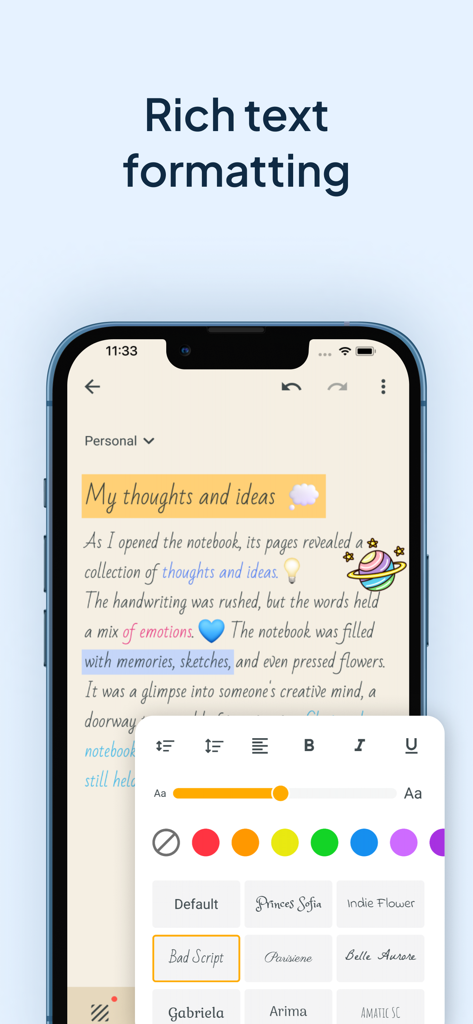
My Notes - Notebook, Notepad - 美しいノート作成のためのカスタムフォントの色やフォントサイズを含む、リッチテキストフォーマットオプションを表示する「My Notes」アプリのスマートフォン画面
美しいノート作成のためのカスタムフォントの色やフォントサイズを含む、リッチテキストフォーマットオプションを表示する「My Notes」アプリのスマートフォン画面

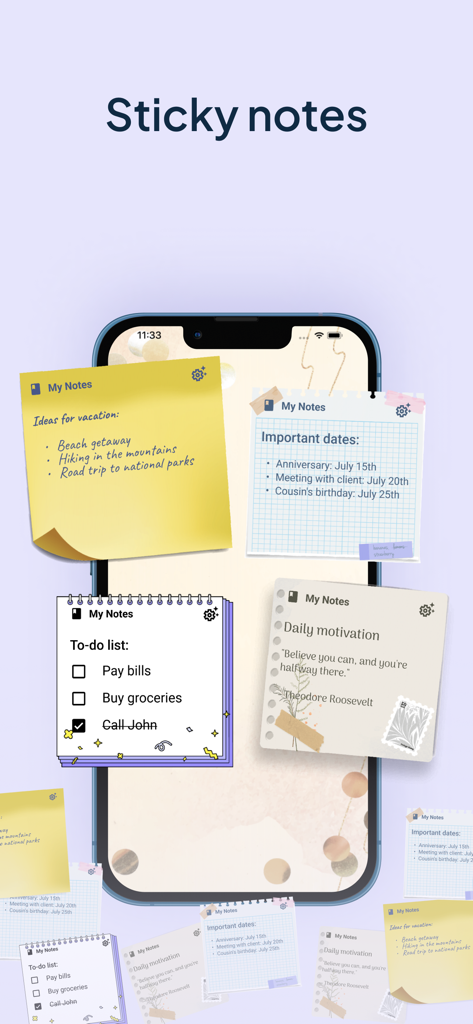
My Notes - Notebook, Notepad - タスクやアイデアを整理するためのさまざまな美しい付箋ウィジェットを表示するスマートフォンのホーム画面
タスクやアイデアを整理するためのさまざまな美しい付箋ウィジェットを表示するスマートフォンのホーム画面

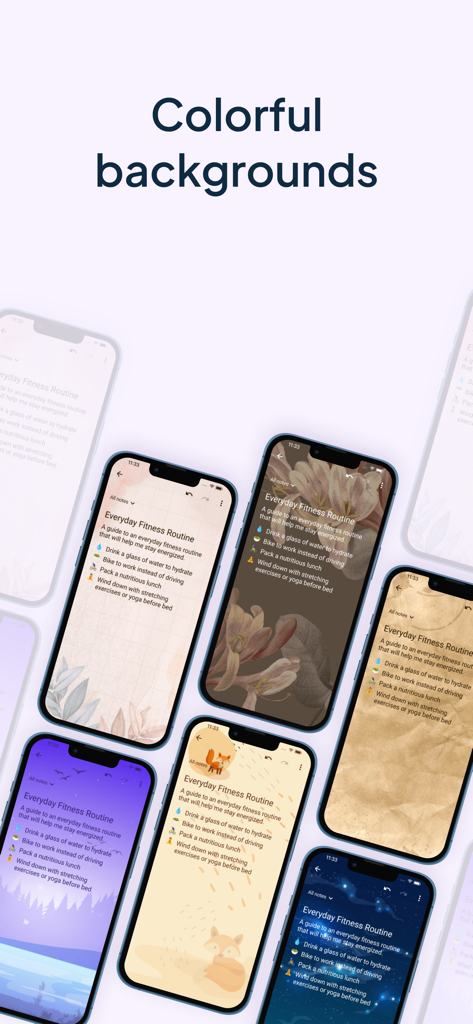
My Notes - Notebook, Notepad - デジタルノート用のさまざまな美しいカラフルな背景テーマの表示

デジタルノート用のさまざまな美しいカラフルな背景テーマの表示

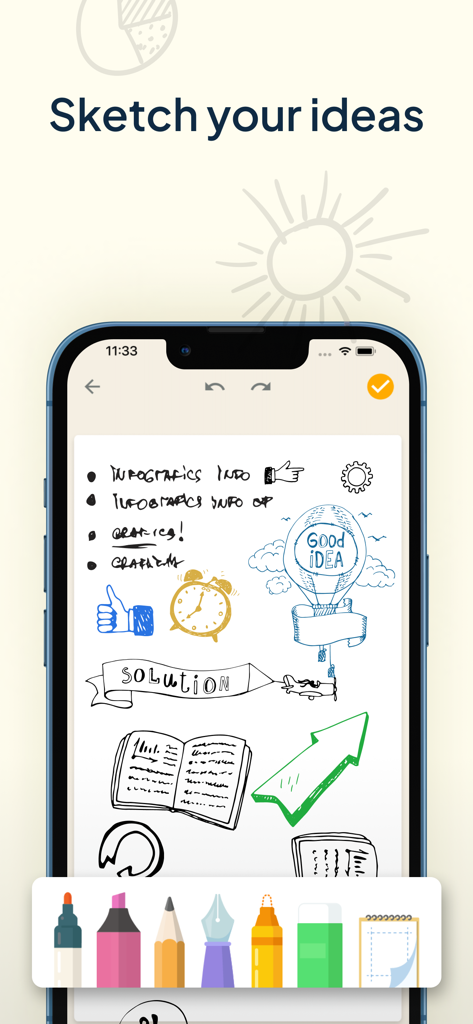
My Notes - Notebook, Notepad - 下部にデジタル描画ツールバーがあり、「My Notes」アプリで手描きのスケッチや図を表示するiPhone画面
下部にデジタル描画ツールバーがあり、「My Notes」アプリで手描きのスケッチや図を表示するiPhone画面

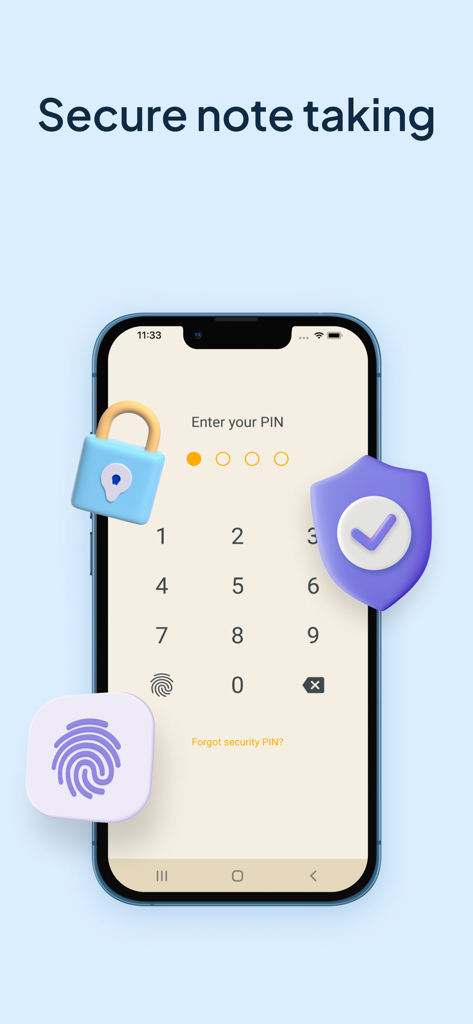
My Notes - Notebook, Notepad - ロックと盾のアイコンが付いた安全なノート作成のためのPIN入力画面を表示するスマートフォンのディスプレイ
ロックと盾のアイコンが付いた安全なノート作成のためのPIN入力画面を表示するスマートフォンのディスプレイ

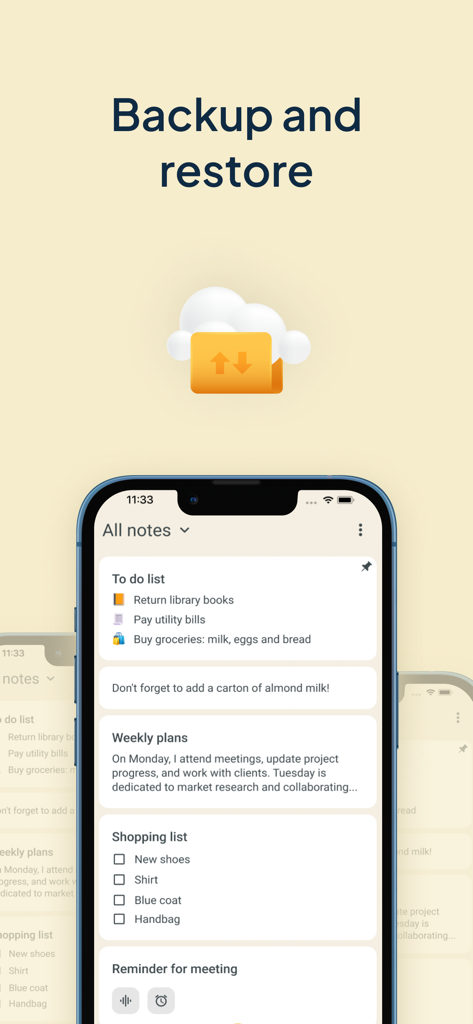
My Notes - Notebook, Notepad - クラウド同期を備えたバックアップと復元機能を示す「My Notes」アプリのインターフェイス

クラウド同期を備えたバックアップと復元機能を示す「My Notes」アプリのインターフェイス

説明

Get ready to experience the power of efficient note taking and task management with My Notes - Notebook, Notepad. This app is designed to be your go-to tool for capturing and managing all your ideas, thoughts, and important information in one place. This notebook with calendar will revolutionize the way you write down things and keep a log of your tasks. No need to wonder how to stay organized any longer! With My Notes - Notebook, Notepad, you can create separate notebooks for different subjects or projects, ensuring a well-organized workspace for lists or audio notes. Take advantage of its useful features such as daily checklists, drawing capabilities, text formatting, lovely backgrounds and themes, and a convenient widget that allows you to access your quick notes with ease. Also bear in mind that protection is important so you can keep your secrets safe with the built-in codelock feature. Say hello to a digital memo notepad that enhances your productivity and creativity! REDEFINING THE ART OF TAKING NOTES: Create separate notebooks for different purposes, keeping your writings organized and easily accessible. Use the checklists option to manage your tasks list and to-do lists efficiently, ensuring that nothing falls through the cracks. Capture your thoughts and ideas effortlessly with the ability to type, draw, or even record audio notes. Enhance your notebook with rich text formatting options, including bold, italic, underline, and bullet points. Archive writings that you no longer need but still want to keep for future reference. The archive feature helps you maintain a clean and organized color notes app. CUSTOMIZATION THAT SETS YOUR NOTEBOOKS APP APART: Choose from a wide range of attractive backgrounds and themes to personalize your notes taking experience. Adjust font sizes, colors, and styles to make your notes visually appealing and easy to read. Access your memo notes with ease using the convenient widget shown on your device's home screen just like sticky notes. MULTIMEDIA TO VISUALIZE YOUR IDEAS: Unleash your creativity and sketch or draw notes to illustrate your thoughts visually. Insert photos, images, and videos to create multimedia-rich entries that bring your memories and concepts to life. Record notes to capture lectures, interviews, or important discussions, ensuring you never miss a detail. PROTECT AND SECURE YOUR NOTE WRITER: Safeguard the thoughts that you jot down, a checklist or voice notes by backing them up to the cloud or internal storage. Set up a codelock to protect sensitive information like tasks schedule or an important to do list. Restore your notebook entries from previous backups, giving you peace of mind even if your device is lost, damaged, or replaced. WHY GO PREMIUM? Unlock the full potential of this new take notes app with the premium version, granting you access to advanced features and exclusive benefits, access to premium backgrounds, themes and additional customization options. Enjoy an ad-free experience, allowing you to focus solely on your creative moments and tasks without any distractions. Lifetime access with one-time payment is available for users, but you can choose the subscription plan as well that best suits your needs. We can offer you a Premium 1-year subscription or a 1-month subscription plan. Your iTunes account will be charged at confirmation of purchase. The subscription will automatically renew unless auto-renew is turned off at least 24 hours before the end of the billing period. You can go to your iTunes Account Settings to manage your subscription & turn off auto-renew. Any unused portion of the free trial period, if offered, will be forfeited when you purchase a subscription. Terms of Use: https://www.apple.com/legal/internet-services/itunes/dev/stdeula/ Privacy Policy: https://www.ascendik.com/privacy-policy/ Do you have questions or feedback? Feel free to contact us at notebook.support@ascendik.com

Download

ダウンロード: App Store

このページはアプリまたはその開発者の公式ページではなく、情報提供および論評を目的として作成された独立した編集出版物です。明示的に別段の記載がない限り、アプリおよびその開発者は、MWM、Apple、Google Play、アプリのパブリッシャー、またはアプリの開発者と提携、承認、後援、認可、またはその他の公式的な関係はなく、このページのいかなる内容も、アプリがMWMのサービスを使用して開発されたことを意味するものではありません。すべての商標、ロゴ、スクリーンショット、その他のコンテンツはそれぞれの所有者の財産です。