
このページはアプリまたはその開発者の公式ページではなく、情報提供および論評を目的として作成された独立した編集出版物です。明示的に別段の記載がない限り、アプリおよびその開発者は、MWM、Apple、Google Play、アプリのパブリッシャー、またはアプリの開発者と提携、承認、後援、認可、またはその他の公式的な関係はなく、このページのいかなる内容も、アプリがMWMのサービスを使用して開発されたことを意味するものではありません。すべての商標、ロゴ、スクリーンショット、その他のコンテンツはそれぞれの所有者の財産です。

My Scanner: Scan to PDF & Edit
デバイスを強力なモバイルオフィスに変革。ドキュメントのスキャン、PDFの編集、契約書の電子署名、そしてパーソナルAIアシスタントによるよりスマートな作成まで—すべてを1か所で。
ダウンロード
3M+ユーザー評価
評価数
29K+開発元
カテゴリ
Business対応言語
12最新バージョン
9.5サイズ
373.5 MBリリース日
2020年5月20日あなたのオールインワンモバイルワークスペース
かさばるハードウェアや複数のサブスクリプションとはおさらば。My Scannerは、プロフェッショナルなドキュメントツールと高度なAIを組み合わせ、日々の生産性を劇的に向上させます。
鮮明なプロスキャン
レシート、メモ、IDをスマートな自動補正と強力なOCRテキスト抽出により、瞬時に高解像度PDFに変換。
スマートAIアシスタント
内蔵された24時間年中無休のAIパートナーにより、プロフェッショナルなメールの下書き、長文レポートの要約、複雑な数式の解き方を簡単に実行。
よくある質問
について知っておくべきこと My Scanner: Scan to PDF & Edit
My Scanner: Scan to PDF & Editとは何ですか?
My Scannerは、オールインワンのドキュメントおよび生産性向上アプリです。デバイスを、スキャン、PDF編集、統合されたAIライティングアシスタントによるコンテンツ作成の強力なツールに変え、他の複数のアプリケーションを置き換えます。
My ScannerはドキュメントをPDF、JPG、またはDOC形式に変換できますか?
はい、My Scannerはスキャンしたドキュメントを高解像度のPDFまたはJPGとしてエクスポートできます。また、DOC形式へのエクスポートもサポートしており、アプリから直接多様なファイル出力オプションを提供します。
My ScannerはどのようなPDF編集機能を提供しますか?
My Scannerは、テキストの追加、ハイライト、下線、描画、フォームへの記入、電子署名の追加、注釈付け、ドラッグ&ドロップの簡単な操作によるページの並べ替え、マージ、分割、整理など、高度なPDF編集機能を提供します。
My ScannerにはAIライティングアシスタントが含まれていますか?
はい、My Scannerには内蔵のAIライティングアシスタントが搭載されています。このアシスタントは、メールの作成、エッセイの作成、アイデアのブレインストーミング、テキストの要約、書き直し、文法校正、スタイルに合わせたコンテンツの生成を支援します。
My Scannerはドキュメントのセキュリティとユーザーのプライバシーをどのように保証しますか?
My Scannerは、Face ID、Touch ID、またはパスコード保護によりドキュメントのセキュリティを確保します。また、オフラインでのスキャンと編集もサポートしており、データがデバイス上に保持されるため、ユーザーのプライバシーが保護されます。
My Scannerで利用可能なサブスクリプションオプションは何ですか?
My Scannerでは、週次、月次、四半期、年次のサブスクリプションオプションを提供しています。これらのサブスクリプションは、現在の期間が終了する少なくとも24時間前に自動更新をオフにしない限り、自動的に更新されます。
My Scannerは画像またはスキャンされたページからテキストを抽出できますか?
はい、My Scannerにはテキスト抽出(OCR)ツールが含まれています。この機能により、ユーザーは画像やスキャンされたページから直接編集可能なテキストを抽出でき、100以上の言語への翻訳も提供されます。
My Scannerは数学や科学の方程式を解くことができますか?
はい、My Scannerには数学・科学ソルバーが含まれています。ユーザーは手書きまたは印刷された方程式をスキャンして、アプリ内で直接数学、化学、物理の問題の即時解決策を得ることができます。
My Scannerには拡張現実(AR)ルーラーがありますか?
はい、My ScannerにはARルーラーツールが搭載されています。これにより、ユーザーはデバイスのカメラを通して直接拡張現実を使用してオブジェクトや距離を即座に測定でき、実用的な測定機能を提供します。
My Scannerは請求書を作成したり、税務フォームに記入したりするのに役立ちますか?
はい、My Scannerには、外出先でプロフェッショナルな請求書を作成するための請求書作成機能が含まれています。また、税務フォームフィラーも搭載されており、税務文書を簡単に記入してエクスポートでき、財務タスクを効率化します。
My Scannerで利用可能なドキュメント共有オプションは何ですか?
My Scannerでは、メール、メッセンジャー、または印刷を通じてドキュメントを共有できます。PDF、JPEG、Word、TXT、PPT、XLSなどのさまざまなエクスポート形式をサポートし、ファイルを圧縮するオプションも提供します。
My Scannerはスキャンと編集のためにオフラインで動作しますか?
はい、My Scannerはスキャンと編集の両方でオフラインで動作します。この機能はプライバシー管理を強化し、アクティブなインターネット接続を必要とせずに生産性を維持できるようにします。
以下のスクリーンショットと説明は、アプリの公式ストアリスティングから直接取得されたものであり、アプリ開発者の所有物です。
アプリストア
スクリーンショット
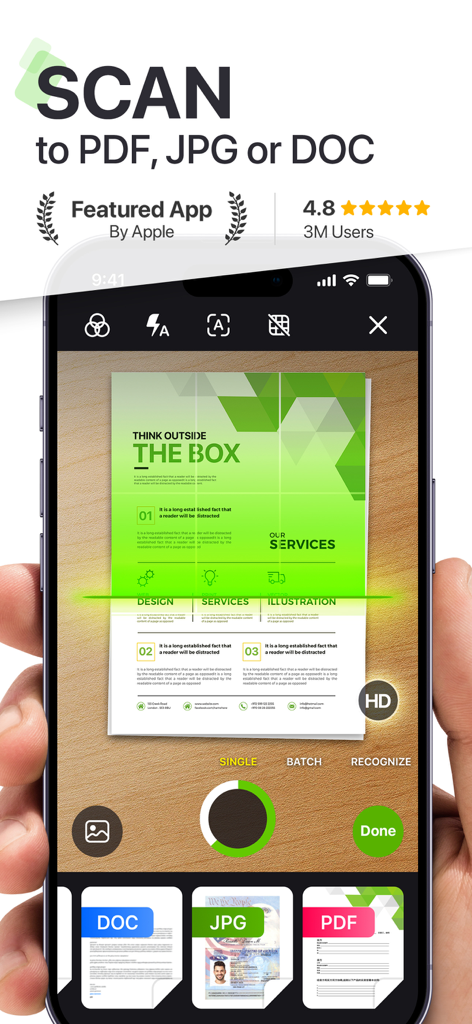
My ScannerアプリがドキュメントをPDF形式にスキャンしているスマートフォンのインターフェース
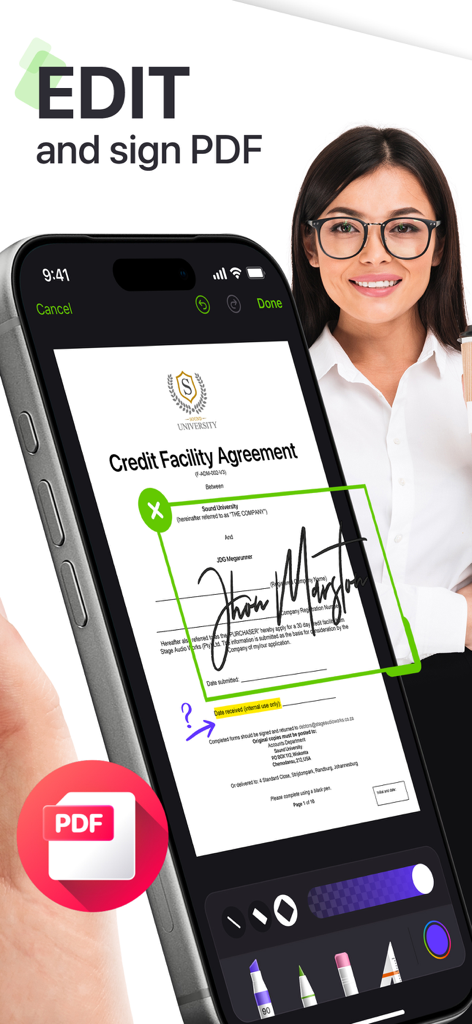
ユーザーがPDF信用契約書に署名しているスマートフォンの画面
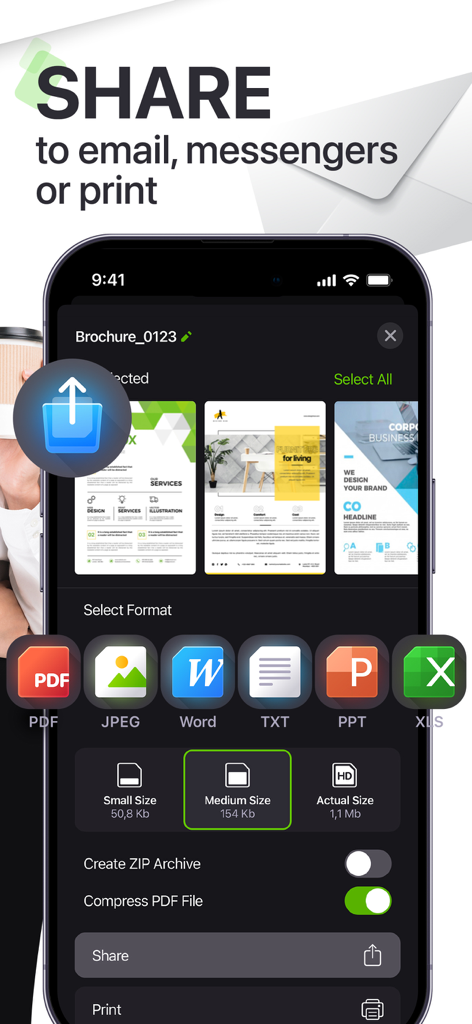
ドキュメント共有オプションとPDF、Word、JPEGを含むファイル形式選択が表示されているモバイルアプリのインターフェース
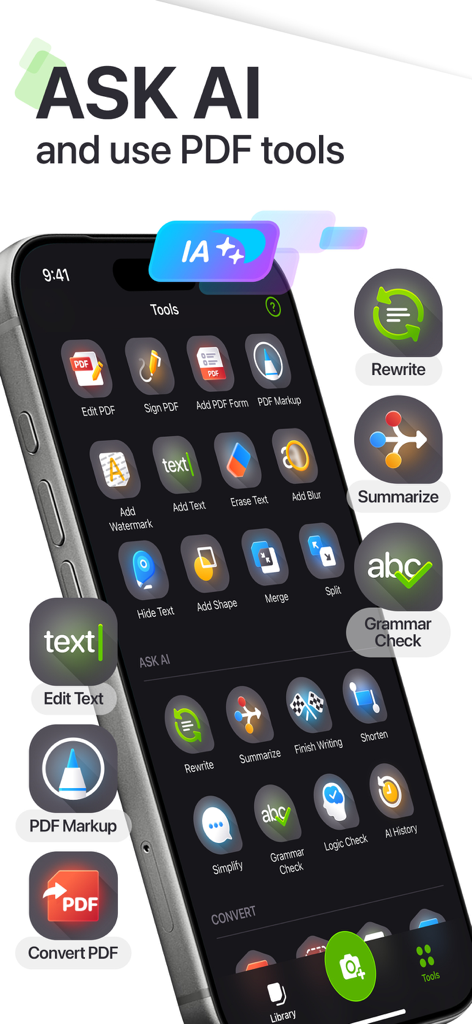
AIライティングアシスタントとPDF編集ツールがiPhoneに表示されているMy Scannerアプリのインターフェース
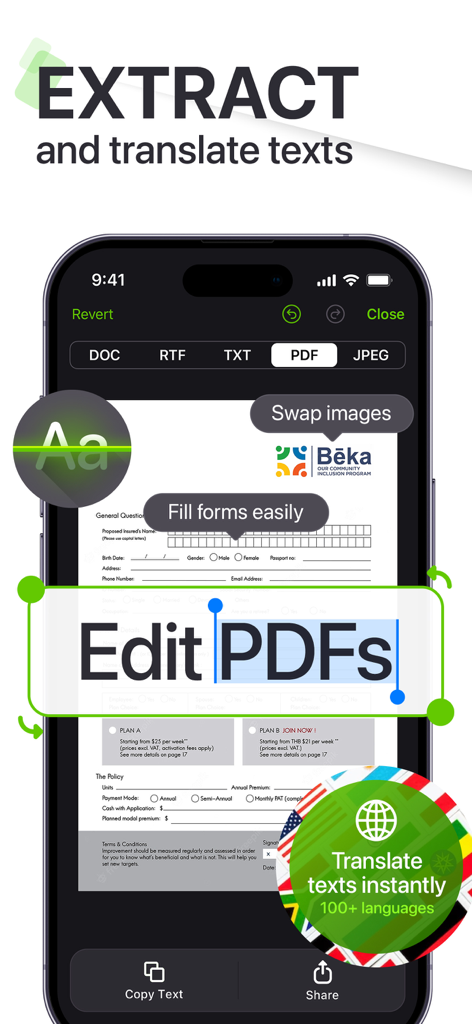
My ScannerアプリのPDF編集およびドキュメントから抽出されたテキストの翻訳インターフェースが表示されているスマートフォンの画面
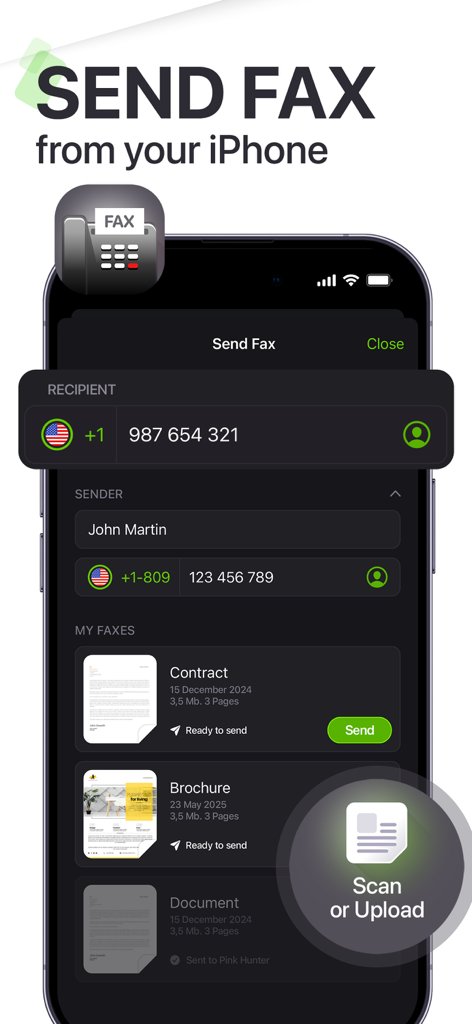
My Scannerアプリの「FAX送信」画面。受信者と送信者の詳細、ドキュメントリストがiPhoneに表示されている
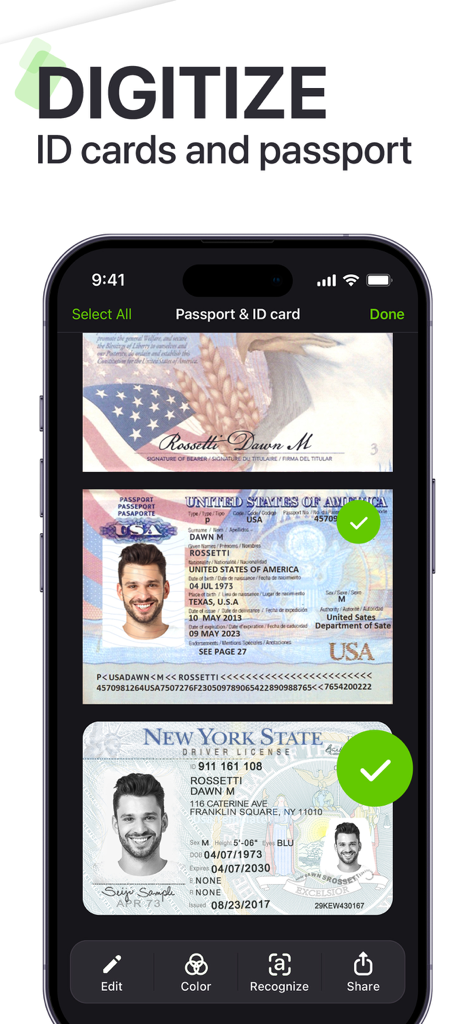
My Scannerアプリのインターフェース内にスキャンされたパスポートと運転免許証が表示されているスマートフォンの画面
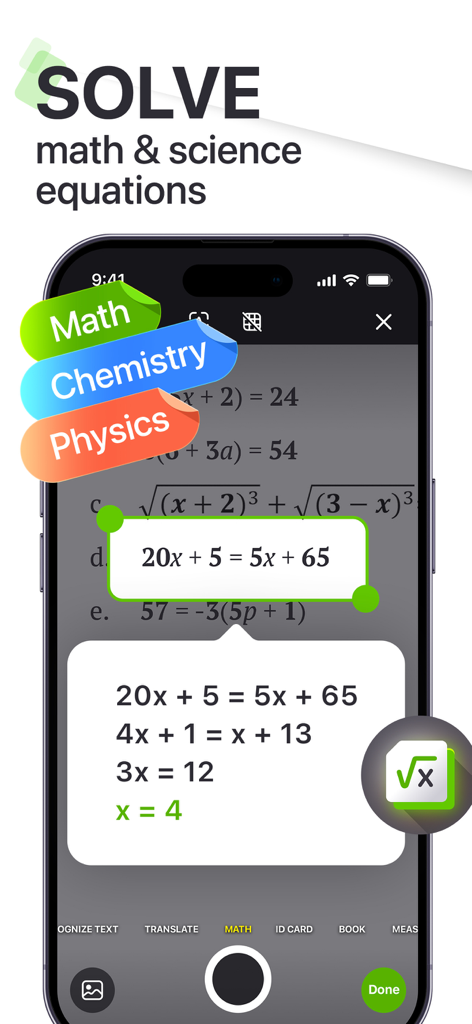
My Scannerアプリが数式を段階的に解いているスマートフォンの画面
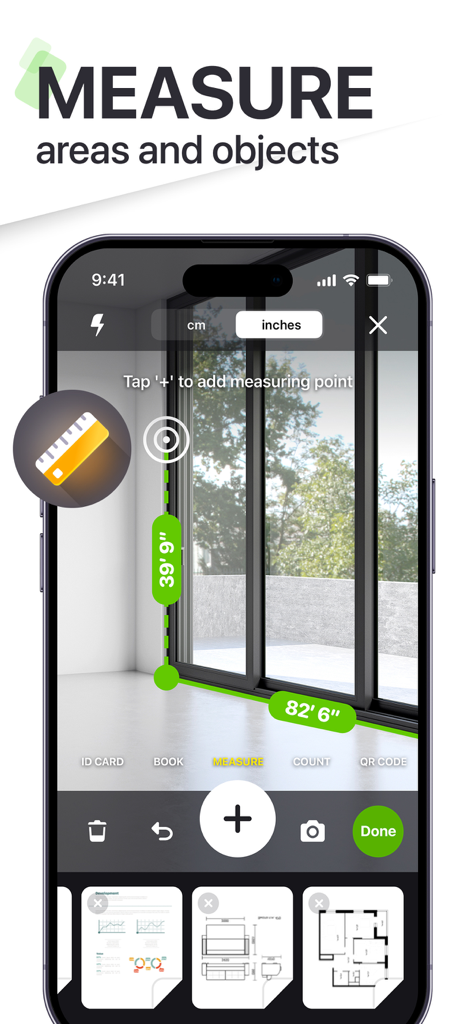
My Scannerアプリの拡張現実定規機能を使って部屋の窓を測定しているスマートフォンの画面
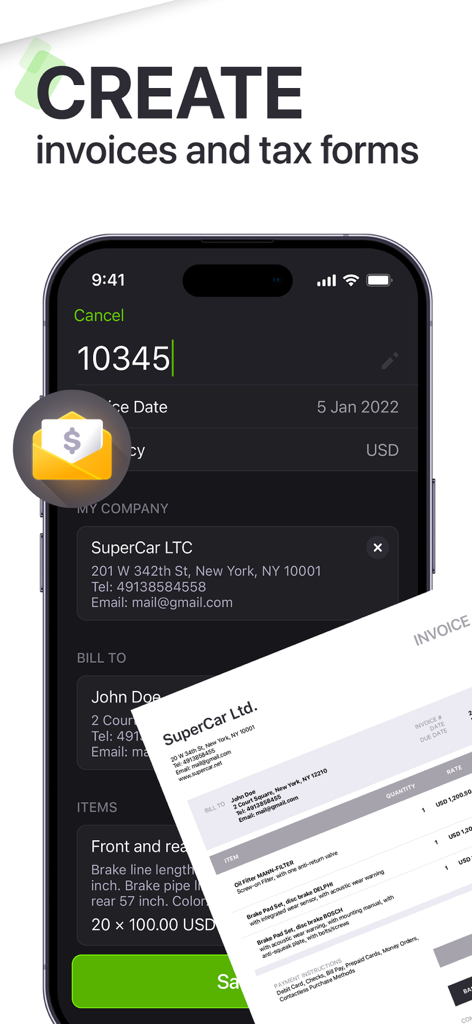
プロフェッショナルな請求書や税務フォームを作成するためのモバイルアプリのインターフェース
説明
Download
類似アプリ
似た機能とユーザー体験を持つアプリ

PDF PRO Scan Image & Documents
Balzo srl

The PDF Scanner, PDF editor HQ
NEXT K.U.M. LTD

CamScanner - PDF Scanner App
INTSIG Information Co., Ltd

Adobe Scan: PDF & OCR Scanner
Adobe Inc.

WPS Office: PDF, Docs, Sheets
KINGSOFT OFFICE SOFTWARE CORPORATION LIMITED

iLovePDF - PDF Editor & Scan
ILOVEPDF S.L.

Scanner App: Genius Scan
The Grizzly Labs

Microsoft Lens: PDF Scanner
Microsoft Corporation

Clear Scan: Doc Scanner App
INDY MOBILE APP COMPANY LIMITED
このページはアプリまたはその開発者の公式ページではなく、情報提供および論評を目的として作成された独立した編集出版物です。明示的に別段の記載がない限り、アプリおよびその開発者は、MWM、Apple、Google Play、アプリのパブリッシャー、またはアプリの開発者と提携、承認、後援、認可、またはその他の公式的な関係はなく、このページのいかなる内容も、アプリがMWMのサービスを使用して開発されたことを意味するものではありません。すべての商標、ロゴ、スクリーンショット、その他のコンテンツはそれぞれの所有者の財産です。