
このページはアプリまたはその開発者の公式ページではなく、情報提供および論評を目的として作成された独立した編集出版物です。明示的に別段の記載がない限り、アプリおよびその開発者は、MWM、Apple、Google Play、アプリのパブリッシャー、またはアプリの開発者と提携、承認、後援、認可、またはその他の公式的な関係はなく、このページのいかなる内容も、アプリがMWMのサービスを使用して開発されたことを意味するものではありません。すべての商標、ロゴ、スクリーンショット、その他のコンテンツはそれぞれの所有者の財産です。


My Scans, best PDF Scanner App
紙の山をデジタル資産に変え、どこからでもアクセス可能にする。このアプリは、ユーザーに紙媒体を瞬時に操る能力を与えている。
ダウンロード
2.5M+ユーザー評価
評価数
121.1K開発元
カテゴリ
Productivity対応言語
20最新バージョン
5.10サイズ
112.9 MBリリース日
2015年7月30日効率的な文書管理と生産性向上に貢献する核心的機能
'My Scans' 主要機能分析
クラウド連携と複数デバイス同期
本ツールは、クラウドサービスを介して複数のデバイス間で文書を同期し、いつでもどこからでもアクセスできる環境を提供します。また、共同作業を容易にし、チームの生産性を高めます。
クラウドバックアップ
このアプリは、スキャンした重要な文書をクラウドに安全にバックアップし、偶発的なデータ損失からユーザーの情報を保護します。
検索可能なPDFの作成
本ツールは、スキャンした文書から検索可能なPDFファイルを作成し、大量のデジタル文書の中から特定の情報を迅速に見つけることを可能にします。
高度なファイルとフォルダー管理
このアプリは、直感的なファイルおよびフォルダー管理機能を提供し、スキャンした文書を体系的に整理し、必要なファイルを素早く見つけることを可能にします。
クラウドリンク共有
ユーザーは、ファイルやフォルダーへのリンクのみを共有することで、アクセス権を細かく管理しながら、大規模な文書を安全かつ効率的に共有することが可能です。
自動エッジ検出とトリミング
このアプリは、自動的に文書の端を検出し、画像を正確にトリミングすることで、手動での調整の手間を省き、プロフェッショナルなスキャン結果を生成します。
文書の共有機能
ユーザーは、スキャンした文書を画像またはPDF形式で簡単に共有することができ、同僚やクライアントとのスムーズな情報連携をサポートします。
複数ページの文書対応
ユーザーは、複数のページを1つのPDF文書として結合することができ、契約書やレポートなど、まとまった形式での文書管理と共有を簡素化します。
デバイスからの直接印刷
本ツールは、ユーザーがスキャンした文書をデバイスから直接印刷できる機能を提供し、物理的なコピーが必要な場面での作業効率を向上させます。
ファックス送信機能
このアプリは、ユーザーがスキャンした文書をファックスとして送信することを可能にし、従来の通信手段を必要とするビジネスニーズに対応します。
よくある質問
について知っておくべきこと My Scans, best PDF Scanner App
What is the primary function of the My Scans app?
My Scans is a document scanner and organizer for iPhone and iPad. It converts photos of documents into searchable PDFs by detecting edges, allowing users to efficiently manage and share their digital documents.
Can My Scans create searchable PDF documents?
Yes, My Scans detects document edges from photos and converts them into searchable PDF documents. This advanced feature is available when the My Scans Free version is upgraded to the full version.
Does My Scans offer cloud synchronization and collaboration?
Yes, My Scans provides cloud collaboration, sharing, backup, and cross-device syncing via Top App Cloud. Users can access files through a web browser and work with shared folders when the cloud service is enabled.
What is the subscription cost for My Scans Cloud?
The Top App Cloud Subscription for My Scans costs $2.99 per month or $19.99 annually. This payment is processed through your iTunes Account and automatically renews unless turned off.
Are export functions included in the free version of My Scans?
No, export functions in My Scans require an in-app purchase to 'Upgrade to PRO' or enabling the 'Top App Cloud' service. The free version allows testing but restricts export capabilities.
How can I share documents from the My Scans app?
My Scans allows sharing documents as images or PDFs, direct printing, and sending faxes. Cloud sharing links are also available with the Top App Cloud service to easily distribute your scanned files.
How do I cancel my Top App Cloud subscription for My Scans?
To cancel your Top App Cloud Subscription for My Scans, access your user Account Settings after purchase. Auto-renewal can be turned off there, but no cancellation is permitted during the active subscription period.
Does My Scans provide tools to edit scanned documents?
Yes, My Scans includes tools for editing scanned documents. Users can apply blur, use a pencil, add signatures, and insert text directly onto their documents within the app interface.
以下のスクリーンショットと説明は、アプリの公式ストアリスティングから直接取得されたものであり、アプリ開発者の所有物です。
アプリストア
スクリーンショット
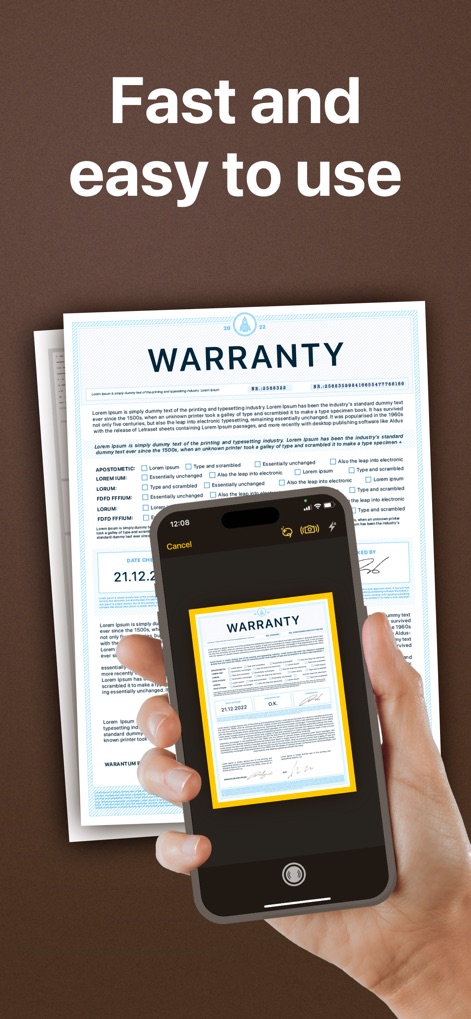
本アプリは、書類の自動エッジ検出機能とシンプルで直感的なキャプチャインターフェースにより、迅速な文書スキャンを実現します。
高速スキャン

フォルダ機能と直感的なドキュメントサムネイル表示により、すべてのスキャンを効率的に整理し、簡単にアクセスできます。
文書整理

ぼかし、ペン、署名、テキストなどの多彩な編集ツールと、コンテンツの修正を示す注釈機能で、スキャン文書を自由に調整できます。
高度な編集
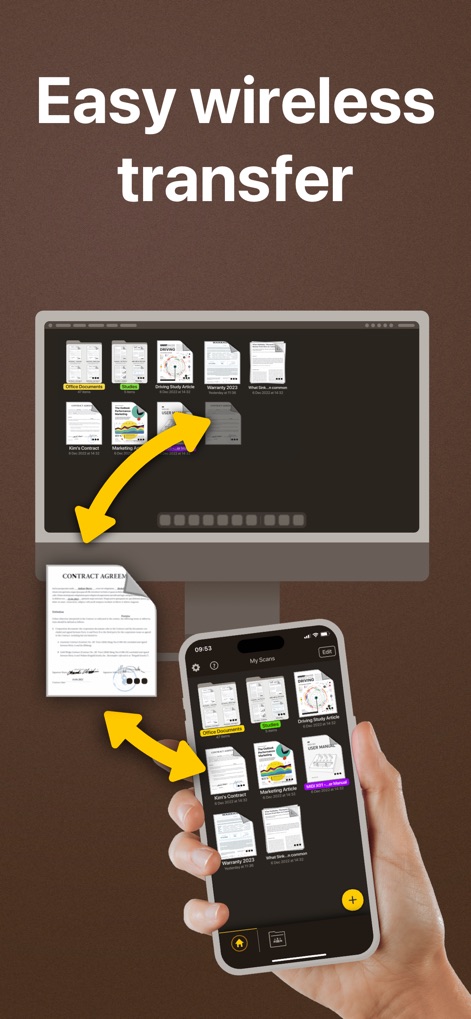
ワイヤレス同期機能と複数のデバイス間でのアクセスにより、PCとスマートフォン間で書類をシームレスに転送できます。
簡単転送

国際的なFAXオプションと直感的な入力画面を通じて、本アプリから直接、書類を簡単かつ確実にFAX送信できます。
簡単FAX送信
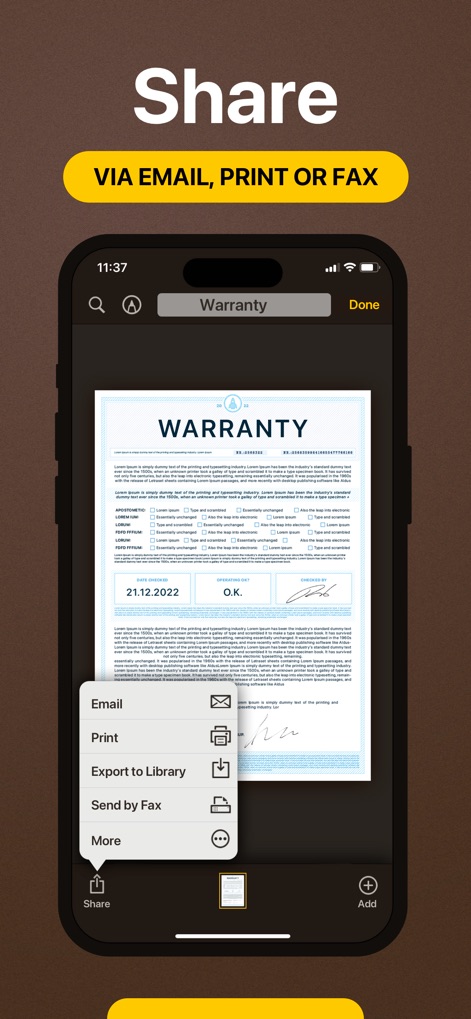
電子メール、印刷、FAX送信などの複数の共有オプションと、ライブラリへのエクスポート機能により、重要な文書を容易に共有できます。
多様な共有
説明
Download
類似アプリ
似た機能とユーザー体験を持つアプリ

PDF PRO Scan Image & Documents
Balzo srl

The PDF Scanner, PDF editor HQ
NEXT K.U.M. LTD

CamScanner - PDF Scanner App
INTSIG Information Co., Ltd

Adobe Scan: PDF & OCR Scanner
Adobe Inc.

WPS Office: PDF, Docs, Sheets
KINGSOFT OFFICE SOFTWARE CORPORATION LIMITED

iLovePDF - PDF Editor & Scan
ILOVEPDF S.L.

Scanner App: Genius Scan
The Grizzly Labs

Microsoft Lens: PDF Scanner
Microsoft Corporation

Clear Scan: Doc Scanner App
INDY MOBILE APP COMPANY LIMITED
このページはアプリまたはその開発者の公式ページではなく、情報提供および論評を目的として作成された独立した編集出版物です。明示的に別段の記載がない限り、アプリおよびその開発者は、MWM、Apple、Google Play、アプリのパブリッシャー、またはアプリの開発者と提携、承認、後援、認可、またはその他の公式的な関係はなく、このページのいかなる内容も、アプリがMWMのサービスを使用して開発されたことを意味するものではありません。すべての商標、ロゴ、スクリーンショット、その他のコンテンツはそれぞれの所有者の財産です。