
このページはアプリまたはその開発者の公式ページではなく、情報提供および論評を目的として作成された独立した編集出版物です。明示的に別段の記載がない限り、アプリおよびその開発者は、MWM、Apple、Google Play、アプリのパブリッシャー、またはアプリの開発者と提携、承認、後援、認可、またはその他の公式的な関係はなく、このページのいかなる内容も、アプリがMWMのサービスを使用して開発されたことを意味するものではありません。すべての商標、ロゴ、スクリーンショット、その他のコンテンツはそれぞれの所有者の財産です。

MyScript Notes: AI Handwriting
業界をリードするAIを活用して、手書きを検索可能なプロフェッショナルなドキュメントに。無限のブレインストーミングから複雑な数式の解決まで、iPadやその他のデバイスで究極の生産性ワークスペースを体験してください。
ダウンロード
6M+ユーザー評価
評価数
112K+開発元
カテゴリ
Productivity対応言語
11最新バージョン
7.0.12サイズ
204.9 MBリリース日
2016年8月10日AIを駆使したインテリジェンスでワークフローをマスターする
アナログの創造性とデジタルの生産性の架け橋に。MyScript Notesは、手書き文字を瞬時にプロフェッショナルで検索可能、かつ活用可能なデータへと変換します。
魔法のような手書き変換
Apple Pencilで自然に書き込むだけで、世界最高水準のAIが66言語に対応し、リアルタイムでノートを綺麗なテキストに変換します。
STEMとプロフェッショナルのための精度
複雑な数式を瞬時に解決し、手書きの図形をPowerPointやLaTeXへの書き出しに最適な、編集可能な完璧な形に整えます。
よくある質問
について知っておくべきこと MyScript Notes: AI Handwriting
What is MyScript Notes: AI Handwriting?
MyScript Notesは、ユーザーが手書きでメモやドキュメントを作成したり、無限のキャンバスでブレインストーミングしたり、PDFに注釈を付けたりできるアプリです。AI手書き認識を使用して変換を行います。
Does MyScript Notes convert handwriting to typed text?
はい、MyScript Notesは手書き文字や数式を正確にテキストに変換します。また、描画した図をデジタル使用に適した完璧な図形に変換します。
Can I annotate PDFs in MyScript Notes?
はい、MyScript Notesでは、既存のファイルをPDFとしてインポートし、ペンジェスチャーを使用してアプリケーション内で直接注釈を付けることができます。
What languages does MyScript Notes support for handwriting recognition?
MyScript Notesは66の異なる言語で手書き文字を理解および処理し、メモ作成のための幅広い言語的互換性を提供します。
Does MyScript Notes offer an infinite canvas for note-taking?
はい、MyScript Notesは、自由形式のメモ作成、ブレインストーミング、マインドマッピングのための無限のキャンバスを提供し、アイデアを整理するための無制限のスペースを提供します。
Can I sync my notes across multiple devices with MyScript Notes?
はい、MyScript Notesはモバイルプラットフォームで動作し、ユーザーはクロスプラットフォームアクセスで互換性のあるどのデバイスからでもメモにアクセスして検索できます。
Does MyScript Notes store my data on its servers?
MyScript Notesはユーザーのプライバシーを尊重し、明示的なユーザーの同意なしにサーバーにコンテンツを保存しないため、データのセキュリティを確保します。
What editing tools are available in MyScript Notes?
MyScript Notesは、編集のための直感的なペンジェスチャー、ハイライト用のマーカー、コンテンツを選択するための投げ縄、正確な削除のための消しゴムを提供します。
Can MyScript Notes help with math equations?
はい、MyScript Notesでは、数式や行列を手書きで入力できます。簡単な計算を解いたり、数式をLaTeXや画像としてコピーしたりできます。
Does MyScript Notes support a dark mode?
はい、MyScript Notesには、生産性を向上させ、さまざまな照明条件で快適な視聴体験を提供するように設計された、目に優しいダークモードが含まれています。
What AI-powered features are available in MyScript Notes?
MyScript NotesにはAI学習セットが含まれており、説明、要約、クイズ、チャットのオプションがあり、学習とメモの整理を強化します。
以下のスクリーンショットと説明は、アプリの公式ストアリスティングから直接取得されたものであり、アプリ開発者の所有物です。
アプリストア
スクリーンショット
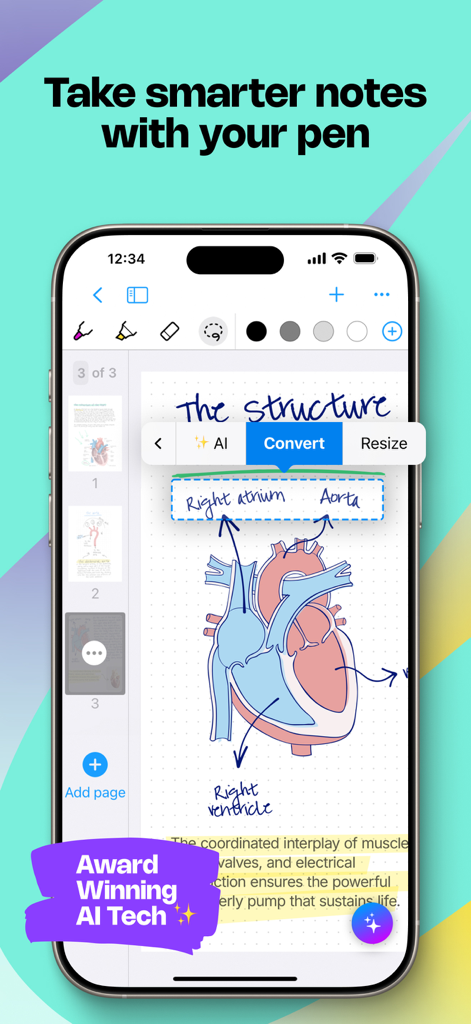
解剖学的な心臓の図が表示されたMyScript Notesアプリのスマートフォン画面。AIメニューが手書きのラベルをテキストに変換している様子。
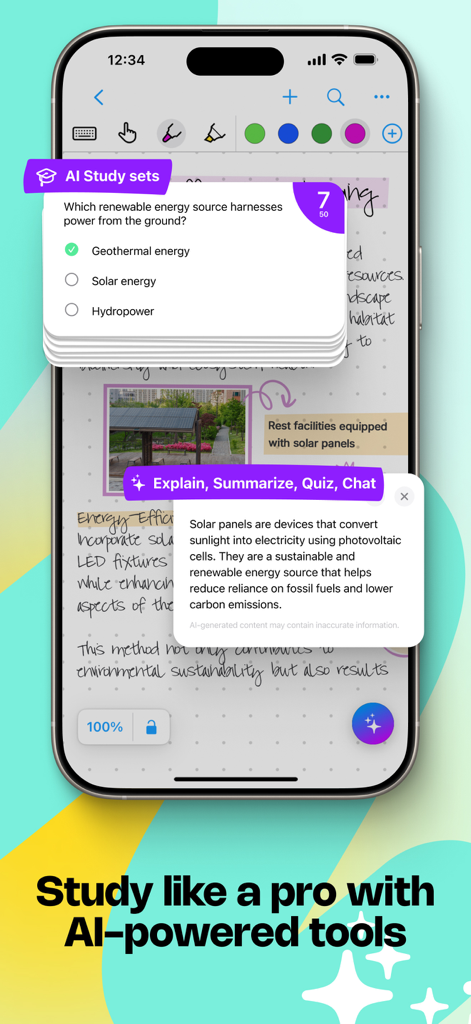
AIを駆使した学習セットと内容解説ツールを備えた手書きノートが表示されたiPhone画面
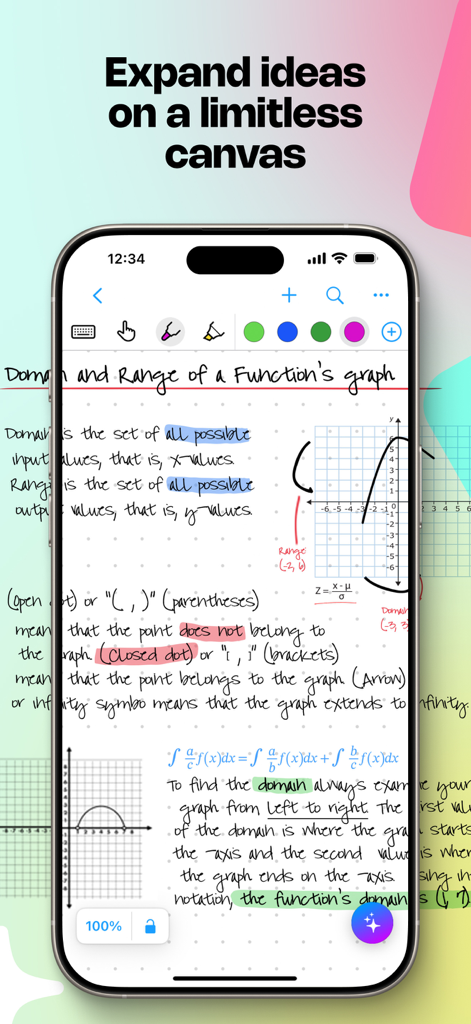
無制限のデジタルキャンバス上に手書きの数学ノートと図形が表示されたモバイルアプリ画面
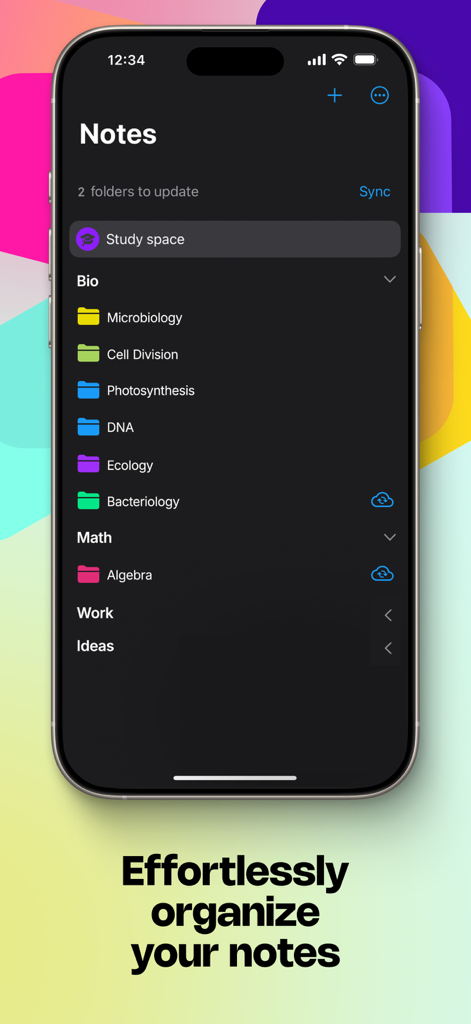
iPhone画面。MyScript Notesで「生物」や「数学」などの科目ごとに整理されたノートフォルダーを表示
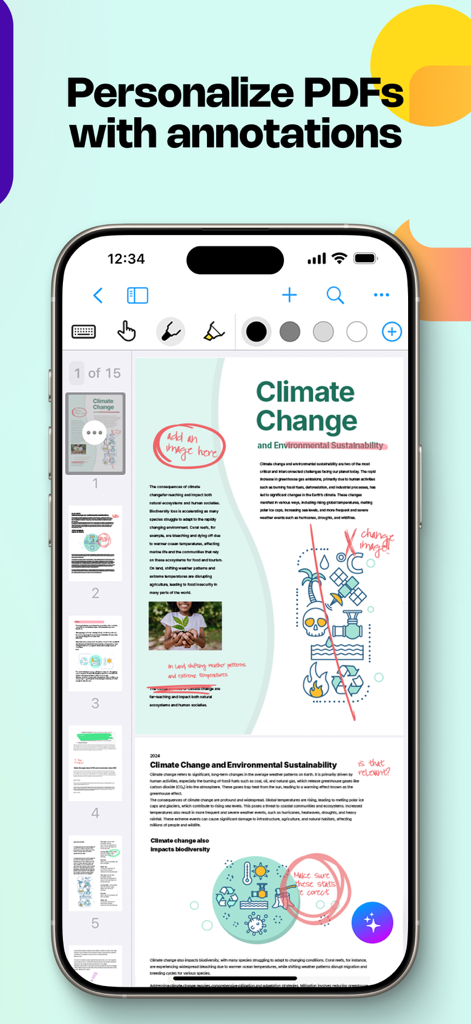
PDFドキュメント上に手書きのハイライトやメモが表示された、iPhone上のMyScript Notesインターフェース
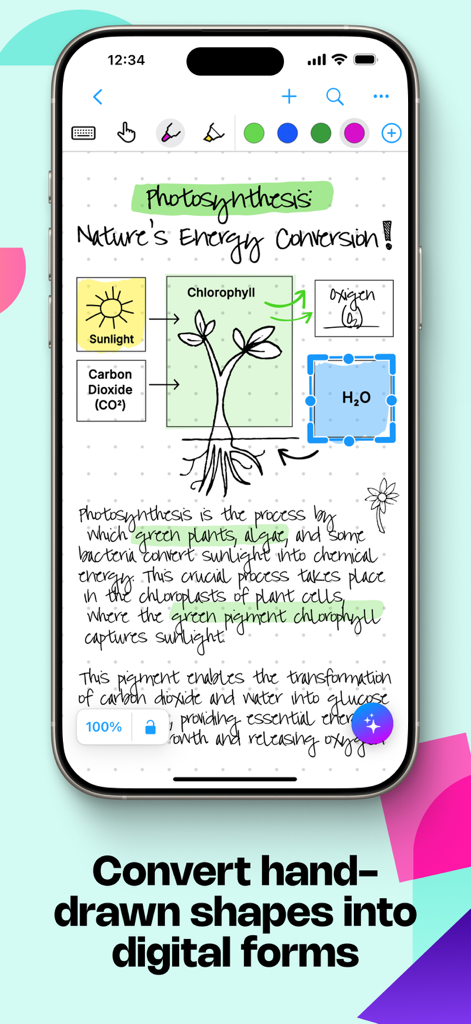
手書きの生物学ノートと光合成の図が綺麗なデジタル図形に変換されているMyScript Notesアプリのインターフェース
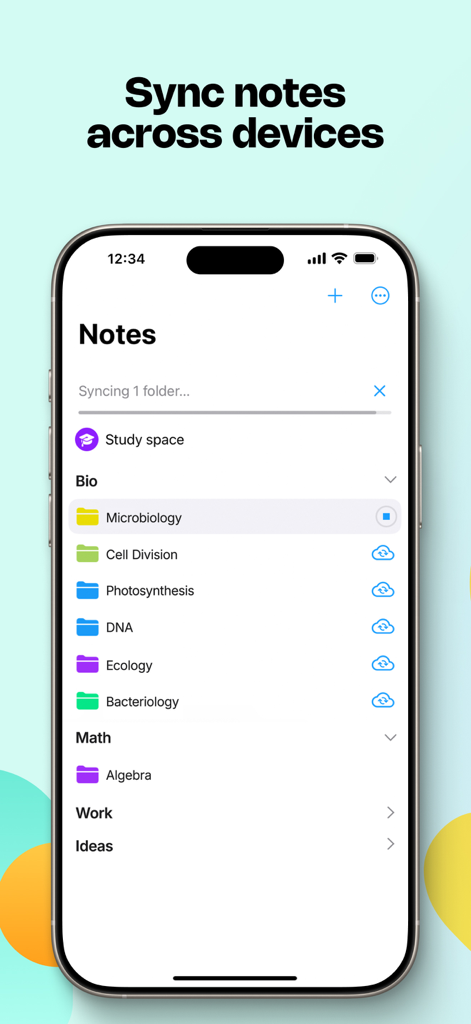
整理された学習フォルダーとデバイス間の同期機能を表示するiPhone上のMyScript Notesアプリのインターフェース
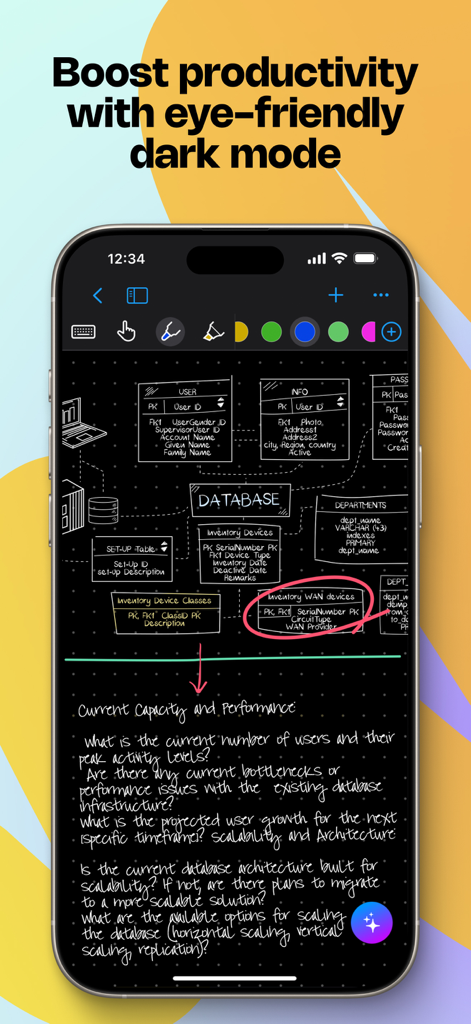
手書きのデータベース図とノートが表示された、ダークモードのMyScript Notesアプリを表示するスマートフォン
説明
Download
類似アプリ
似た機能とユーザー体験を持つアプリ

Notion: Notes, Tasks, AI
Notion Labs, Incorporated

Freenotes®: AI Notes Taking
Hangzhou Free Notes Technology Co., Ltd

Structured - Daily Planner
unorderly GmbH

Google Tasks: Get Things Done
Google LLC

TickTick:To-Do List & Calendar
Appest Limited

Noteful: Notes & PDF Markup
Noteful Technologies Ltd

Todoist: To Do List & Calendar
Doist Inc.

To do list MinimaList & Widget
Inner Grow Limited

monday.com - Work Platform
monday.com Ltd.
このページはアプリまたはその開発者の公式ページではなく、情報提供および論評を目的として作成された独立した編集出版物です。明示的に別段の記載がない限り、アプリおよびその開発者は、MWM、Apple、Google Play、アプリのパブリッシャー、またはアプリの開発者と提携、承認、後援、認可、またはその他の公式的な関係はなく、このページのいかなる内容も、アプリがMWMのサービスを使用して開発されたことを意味するものではありません。すべての商標、ロゴ、スクリーンショット、その他のコンテンツはそれぞれの所有者の財産です。