Nitro PDF Pro: Read & Edit

Nitro PDF Pro: Read & Edit

ダウンロード: App Store
ロゴ: Nitro PDF Pro: Read & Edit

Nitro PDF Pro: iPadとiPhoneのためのデスクトップクラスのPDFエディター

精密な編集、安全な署名、シームレスなクラウド同期のために設計された、プロフェッショナルで軽量なツールで、モバイルワークフローを強化しましょう。どこでも作業できます。

開発元

Nitro Software, Inc.

カテゴリ

Productivity

ダウンロード

61K+

ユーザー評価

3.8/5

評価数

500

対応言語

4

あなたのワークフローを可視化

このインターフェースを利用する 61K+ 人のユーザー.

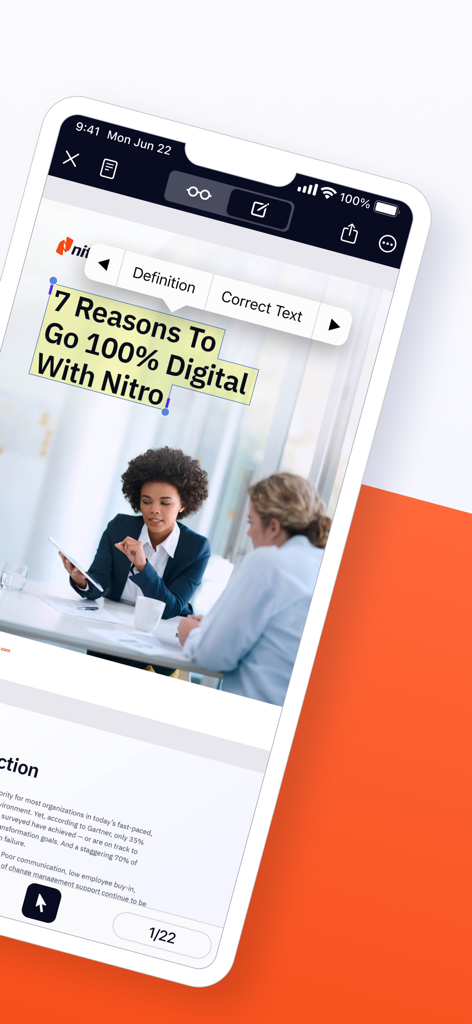
Nitro PDF Proアプリ画面、モバイルPDF編集と署名機能を表示

Nitro PDF Proアプリ画面、モバイルPDF編集と署名機能を表示

Nitro PDF Proインターフェイス、モバイルデバイスでのテキスト編集ツールを表示
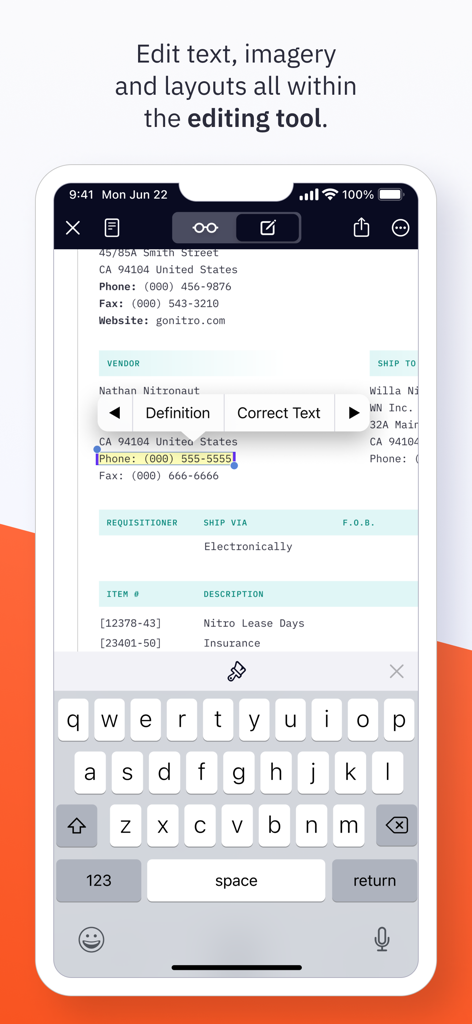
Nitro PDF Proインターフェイス、モバイルデバイスでのテキスト編集ツールを表示

iPhoneのNitro PDF Proを使用してPDFドキュメントのテキストを編集
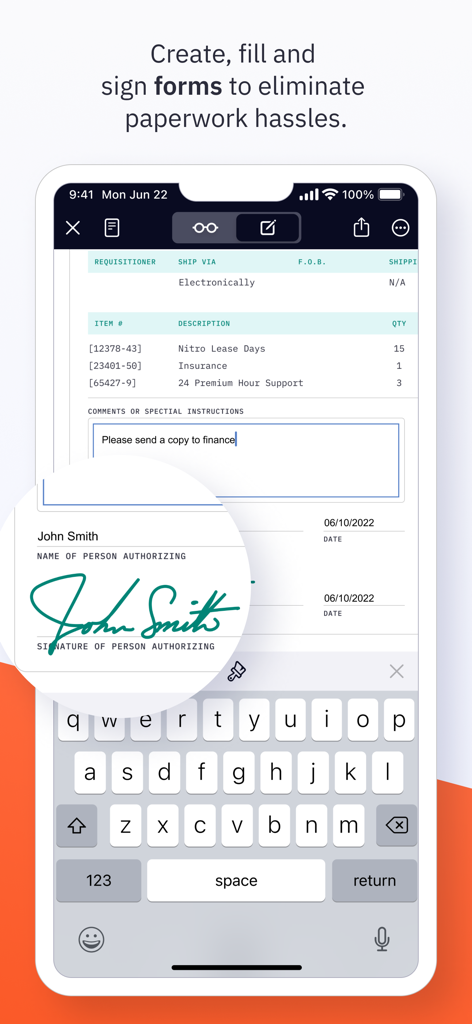
iPhoneのNitro PDF Proを使用してPDFドキュメントのテキストを編集

デジタルフォームの記入と署名のためのNitro PDF Proモバイルアプリインターフェイス
デジタルフォームの記入と署名のためのNitro PDF Proモバイルアプリインターフェイス

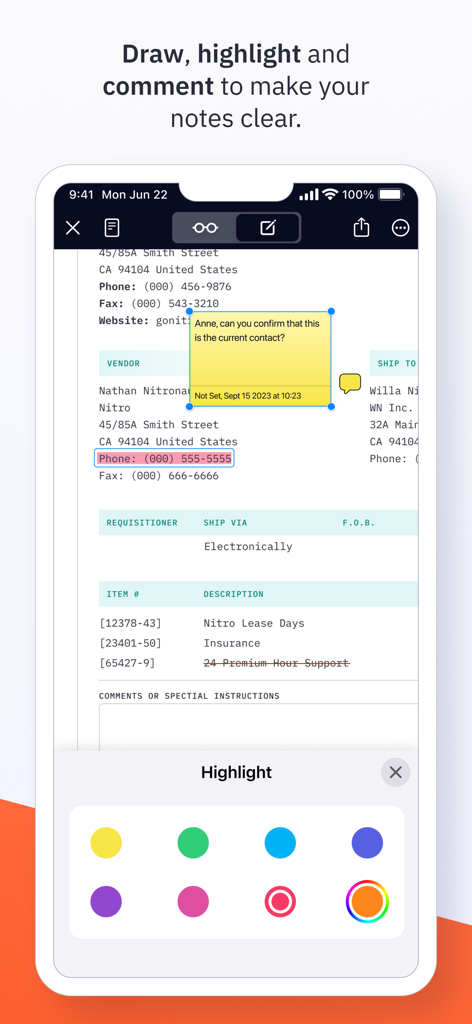
Nitro PDF Proアプリのインターフェイス、モバイルデバイスでのドキュメントハイライトと付箋コメントを表示
Nitro PDF Proアプリのインターフェイス、モバイルデバイスでのドキュメントハイライトと付箋コメントを表示

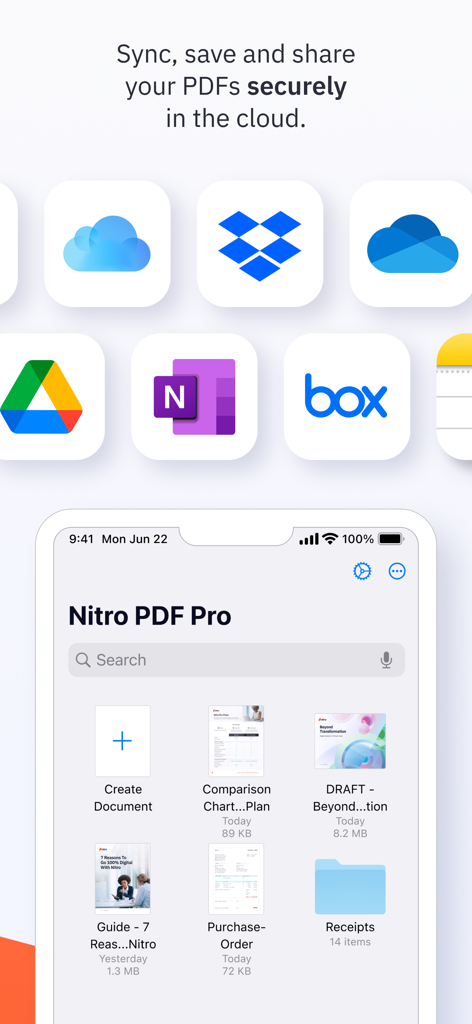
Nitro PDF Proモバイルアプリインターフェイス、安全なクラウド同期とファイル管理機能を強調表示
Nitro PDF Proモバイルアプリインターフェイス、安全なクラウド同期とファイル管理機能を強調表示

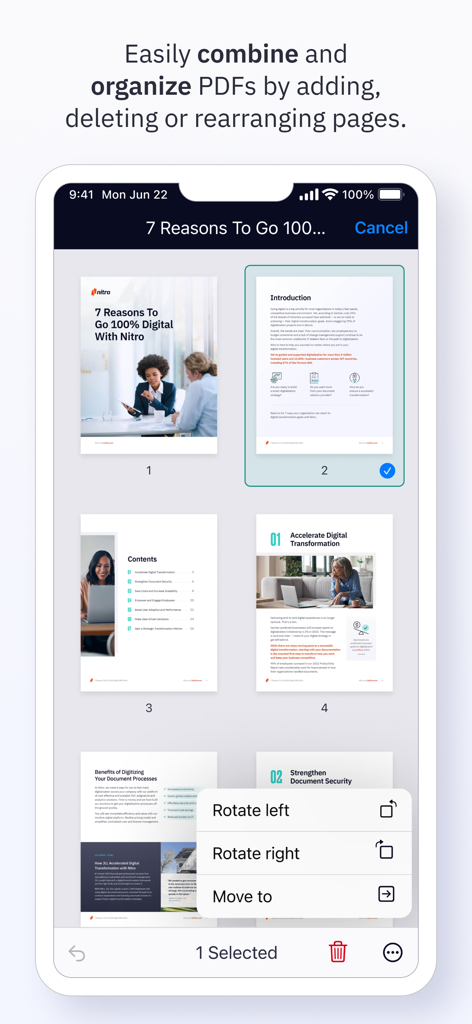
Nitro PDF Proアプリのインターフェイス、iPhoneで選択したページを回転または移動するためのメニューが表示されたPDFページのグリッドビューを表示。

Nitro PDF Proアプリのインターフェイス、iPhoneで選択したページを回転または移動するためのメニューが表示されたPDFページのグリッドビューを表示。

どこでもドキュメントをマスター

このアプリを際立たせるツール、 61K+ 人のユーザーが選択.

✏️

デスクトップクラスの編集

テキストを修正したり、画像を追加したり、Apple Pencilで正確に注釈を付けたりできます。「後でデスクで修正しよう」はもう必要ありません。今すぐ行いましょう。

🖋️

電子署名とセキュリティ

法的拘束力のあるドキュメントに即座に署名できます。高度なパスワード暗号化と安全な共有により、機密性の高いクライアントデータを保護します。

📂

国境なき仕事

複数のファイルをマージし、iCloud、Google Drive、またはOneDriveとシームレスに同期できます。あなたのオフィスは、あなたが選んだ場所になります。

レビュー分析

ユーザーレビューの分析.

感情スコア

20%
ネガティブ

概要

The Nitro PDF Pro app generally receives negative feedback, with many users reporting frequent crashes, freezing, and difficulties with saving and opening documents, particularly after updates or on specific iOS versions like iOS 17. A major point of dissatisfaction is the app's significantly limited feature set compared to its desktop counterparts and rival PDF editors, lacking essential capabilities such as OCR, advanced text editing, and proper Apple Pencil integration. Users also express frustration with misleading "free" download claims that lead to mandatory in-app purchases and complain about unresponsive customer support. Despite a few positive remarks on its basic utility for document management, the overall sentiment highlights a disappointing user experience and poor value.

主なテーマ

Missing Features(17)
Crashes & Bugs(13)
Pricing & Subscription(13)
Desktop App Disparity(10)
Core PDF Functionality(8)
Customer Support(6)
Usability & Interface(5)

アプリについて

について知っておくべきこと Nitro PDF Pro: Read & Edit.

説明

Ready to do more with PDFs on iPad & iPhone? Edit, read, sign and sync PDFs in the cloud with the powerful, lightweight Nitro PDF Pro app designed for iPad & iPhone users. Packed with features to help you stay productive on the go, Nitro PDF Pro for iPad & iPhone lets you edit, sign, share and manage your documents wherever you are - all in a secure and user-friendly interface. Get started for free with a 14-day trial today. “Superior PDF handling, & economical” “Nitro PDF Pro has become an essential tool in my daily business operations! It makes everything from document preparation to communication much easier for me.” “If you are looking for a workhorse app to handle your PDFs made by responsive developers, look no further...” -> With Nitro PDF Pro you can: EDIT PDFs ON THE GO * Easily edit PDF text wherever you are, on any iOS device * Make notes and add comments to PDFs for quick, on-the-go reference * Add images or mark-up PDFs with drawings, with stylus support for iPad ANNOTATE & HIGHLIGHT PDFs * Add annotations to PDF text and documents * Highlight text to stay organized and keep track of important information FILL & SAVE PDF FORMS * Fill and save PDF forms for fast & easy productivity * Keep your PDF forms secure with password protection SIGN & SHARE PDF DOCUMENTS * Sign & share PDF documents in a snap * Save text, signatures and images in your Library for easy re-use * Keep documents synced with the cloud for on-the-go signatures PROTECT, SECURE & SYNC PDFs * Password protect PDFs to keep your data and confidential information secure * Set the level of document encryption as required * Sync with the cloud to back up PDFs on iCloud, Dropbox, Google Drive, or Microsoft OneNote MERGE, EXPORT & ORGANIZE PDFs * Merge multiple documents into one PDF in just a few clicks for easy organization * Import, export & organize PDFs in folders for fast access and easy on-the-go editing * Duplicate, add, delete or rearrange pages for simple, custom document creation ADDITIONAL AMAZING PDF EDITOR FEATURES * Duplicate, add, delete, rotate and rearrange pages * Enable easier PDF reading with dark mode, search and zoom * Email & Airdrop your documents, with PDF flattening for maximum compatibility * View two documents simultaneously with multiple windows (iPadOS) * Bluetooth pressure-sensitive stylus support - automatically works with Apple Pencil * Support for Adonit Jot Touch and Jot Script styluses Still exploring PDF editors for iOS? No pressure! Give Nitro PDF Pro iOS a try for free with a 14-day trial and see how you like its features and functions. We think you’ll love the value we pack into our easy-to-use PDF iOS app. Questions and issues regarding our PDF app? We're here to help! Connect with Nitro through our Community Forum: https://community.gonitro.com/ NITRO POLICY https://www.gonitro.com/legal/privacy-policy https://www.gonitro.com/legal/terms-of-service

最新バージョン

25.1

サイズ

43.7 MB

リリース日

2022年3月15日

今日のモバイル生産性を向上させましょう

デスクトップはもう不要です。どこにいてもプロレベルのPDFを扱えます。14日間の無料トライアルを開始して、究極のiPadファーストエディターを体験してください。

ダウンロード: App Store

App information, icons, screenshots, and descriptions displayed on this page are sourced from the Apple App Store and are the property of their respective developers. Download estimates and rankings are based on MWM's proprietary models and may not reflect actual figures. This page is provided for informational and analytical purposes only.

Believe this page infringes your intellectual property? File a dispute