
このページはアプリまたはその開発者の公式ページではなく、情報提供および論評を目的として作成された独立した編集出版物です。明示的に別段の記載がない限り、アプリおよびその開発者は、MWM、Apple、Google Play、アプリのパブリッシャー、またはアプリの開発者と提携、承認、後援、認可、またはその他の公式的な関係はなく、このページのいかなる内容も、アプリがMWMのサービスを使用して開発されたことを意味するものではありません。すべての商標、ロゴ、スクリーンショット、その他のコンテンツはそれぞれの所有者の財産です。


ダウンロード
5M+ユーザー評価
評価数
29.4K開発元
カテゴリ
Productivity対応言語
29最新バージョン
6.8.29サイズ
224.4 MBリリース日
2016年5月22日Appleエコシステム向け多機能ノートアプリの主要機能分析
Notebook – Notes, Notepad の機能評価
マルチモーダルノート作成
ユーザーはテキスト、画像、スケッチ、チェックリスト、音声、ファイルを1つのノートに統合することで、あらゆる形式の情報を柔軟に記録し、アイデアを多角的に表現することが可能です。
デバイス間でのシームレスな同期
本アプリは全てのノートとノートブックをデバイス間で自動同期させ、クラウドにも保存することで、ユーザーはどのデバイスからでも最新の情報にアクセスでき、作業の中断なく継続することが可能です。
高度な検索機能
このアプリはノート内、ノートブック間、写真内のオブジェクトやテキスト、さらには手書きノート内のテキストを検索する機能を提供し、ユーザーは膨大な情報の中から必要な情報を迅速かつ正確に見つけ出すことが可能です。
リアルタイム共同作業と共有
ユーザーはKanbanスタイルのNoteboardや共同作業用デジタルキャンバス「Spaces」を利用してチームとリアルタイムで協力し、公開可能なリンクを通じてノートを共有することが可能です。
Appleエコシステムとの統合
本ツールはApple Pencilでの手書き、Siriによる音声入力・検索、iPadのマルチタスク機能、Apple Watchからの操作に対応しており、ユーザーはAppleデバイスの機能を最大限に活用し、自然で効率的な操作体験を得ることが可能です。
情報の整理と構造化
このアプリは関連するノートをネストされた階層でグループ化し、KanbanスタイルのNoteboardで視覚的に整理する機能を提供し、ユーザーは複雑な情報を論理的に整理し、アクセスしやすい状態を保つことで思考の整理を促進することが可能です。
WebコンテンツのブックマークとSmart Cards
ユーザーはオンライン記事、ビデオなどのWebコンテンツを効率的に収集し、広告なしでオフラインで読めるSmart Cardsとして自動整形された状態で保存し、後で集中して閲覧することが可能です。
タスク管理とチェックリスト
本アプリはノートに直接チェックリストを作成し、完了マークを付けてタスクを管理する機能を提供し、ユーザーはノート作成とタスク管理を一元化することで、作業の効率性を向上させることが可能です。
よくある質問
について知っておくべきこと Notebook – Notes, Notepad
What is Notebook – Notes & To Do app?
Notebook – Notes & To Do is an app that allows users to write notes, add files, create to-dos, sketch ideas, and record audio. It syncs instantly across devices and to the cloud.
Does Notebook – Notes & To Do sync across multiple devices?
Yes, Notebook – Notes & To Do synchronizes all notes and notebooks across your devices and to the cloud. You can also take notes offline and continue on another device when connected.
What types of notes can I create in Notebook – Notes & To Do?
Notebook – Notes & To Do allows you to create text notes, add images, sketches, checklists, audio, videos, and scan documents. You can also include PDFs, Word documents, and spreadsheets.
Does Notebook – Notes & To Do support handwritten notes?
Yes, Notebook – Notes & To Do supports handwritten notes. Users can handwrite their thoughts using Apple Pencil for both iPhone and iPad versions of the app.
How can I organize my notes in Notebook – Notes & To Do?
Notebook – Notes & To Do offers organization through Nested Collections, allowing related notes to be grouped in a hierarchy. You can also use Noteboards for kanban-style visual organization.
Can users collaborate on notes in Notebook – Notes & To Do?
Yes, Notebook – Notes & To Do enables real-time collaboration. Users can share and collaborate on Noteboards, brainstorm in Spaces with audio/video calls, and create Public Notes with shareable links.
What kind of search functions are available in Notebook – Notes & To Do?
Notebook – Notes & To Do offers quick search within or across notebooks. It also searches for objects and text within photos, text within handwritten notes, and text within audio notes.
Can Notebook – Notes & To Do scan documents and business cards?
Yes, Notebook – Notes & To Do can scan documents and business cards. This feature allows users to capture physical information directly into their notes.
What features does Notebook Pro offer in Notebook – Notes & To Do?
Notebook Pro provides more storage, allows creation of long notes and large files, Email In functionality to save emails as notes, access to premium covers, and custom recurring reminders.
Is Notebook – Notes & To Do secure and private for users?
Yes, Notebook – Notes & To Do is privacy-focused and secure. It features secure notes, GDPR compliance, encryption at rest, multi-factor authentication, and is ad-free.
Is Notebook – Notes & To Do available on Apple Watch?
Yes, Notebook – Notes & To Do is available on Apple Watch. Users can record audio notes, scribble to create new notes, check off checklist items, and create photo notes.
Does Notebook – Notes & To Do provide journaling suggestions?
Yes, Notebook – Notes & To Do provides journaling suggestions. It offers personalized journaling prompts based on user activity to enhance their journaling habit.
Can I record audio and video directly within Notebook – Notes & To Do?
Yes, Notebook – Notes & To Do allows direct recording of audio and video. Users can create audio note cards for ideas/meetings and video note cards to capture thoughts with screen and self recording.
Does Notebook – Notes & To Do work offline?
Yes, Notebook – Notes & To Do works offline. Users can take notes without an internet connection and continue working on other devices once connected to a network.
How are subscriptions managed for Notebook Pro in Notebook – Notes & To Do?
Subscriptions for Notebook Pro auto-renew unless cancelled and are charged via your Apple iTunes account. Prices vary by location, and you can manage your subscription in account settings after purchase.
以下のスクリーンショットと説明は、アプリの公式ストアリスティングから直接取得されたものであり、アプリ開発者の所有物です。
アプリストア
スクリーンショット
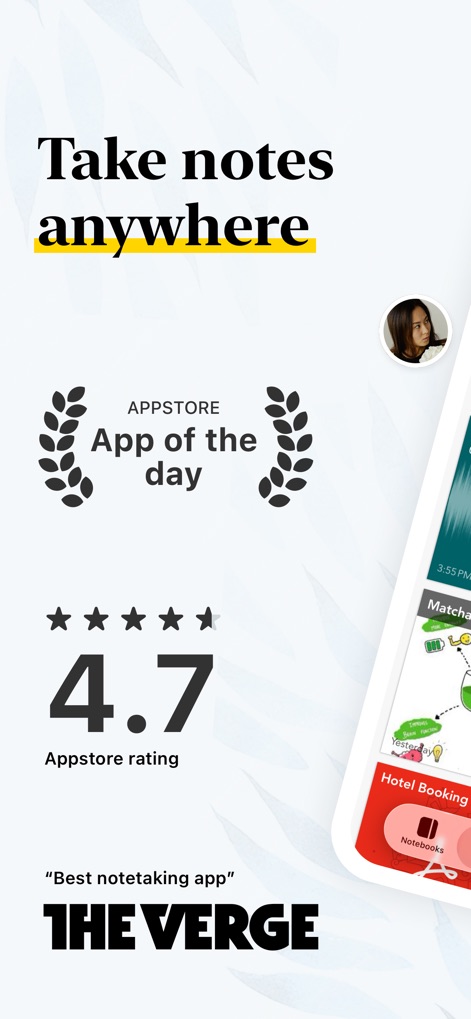
本アプリは「App Store App of the day」に選ばれ、高いApp Storeの評価(4.7星)を得ています。さらに、THE VERGEの「最高のメモアプリ」という評価も紹介されており、その品質と人気を視覚的に伝えています。
どこでもアイデアを。
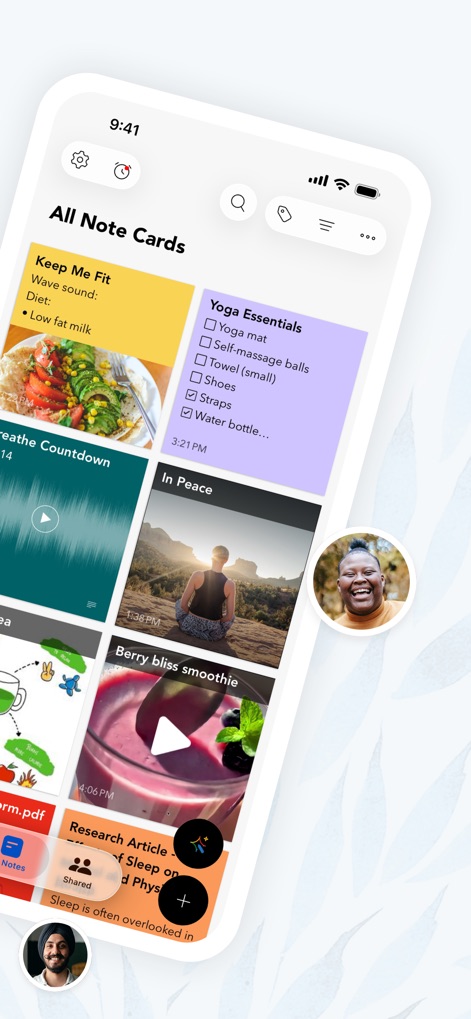
ユーザーは、テキスト、画像、チェックリスト、音声、動画など、さまざまな形式のメモを一目で確認できます。また、色分けされたカード形式で情報が整理されており、視覚的に分かりやすいインターフェースを提供します。
多彩なノート。
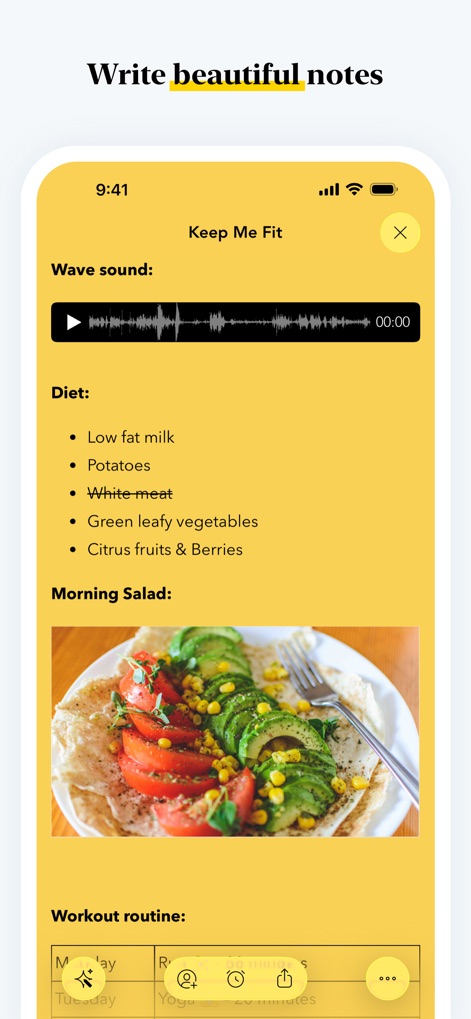
このスクリーンショットは、単一のノート内で音声録音を再生する波形表示と、食事内容を説明する埋め込み画像を組み合わせています。ユーザーはテキスト、音声、画像をシームレスに統合し、詳細で視覚的に魅力的なノートを作成できます。
美しいノート。
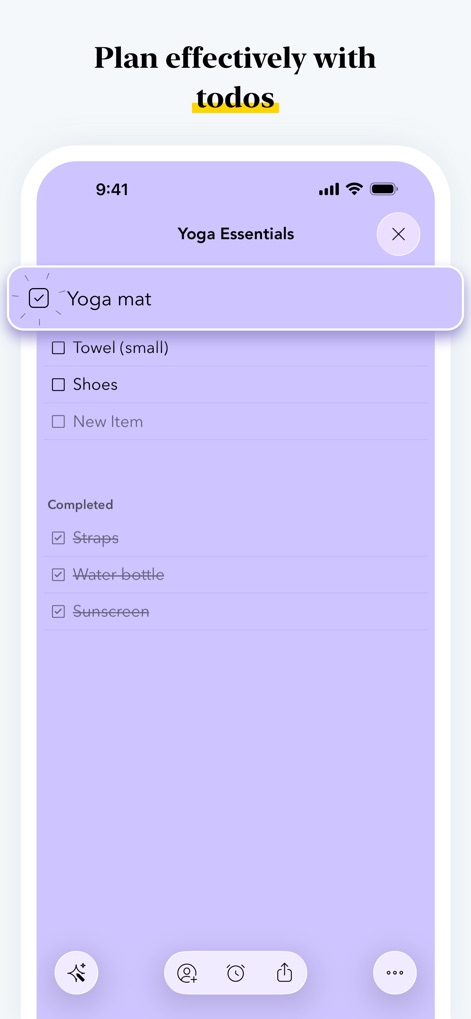
効果的な計画をサポートするため、本アプリはチェックリストの作成機能を提供します。ユーザーは「ヨガマット」のような項目にチェックマークを付けて完了済みとしてマークし、タスクの進捗を明確に管理できます。
タスクを整理。
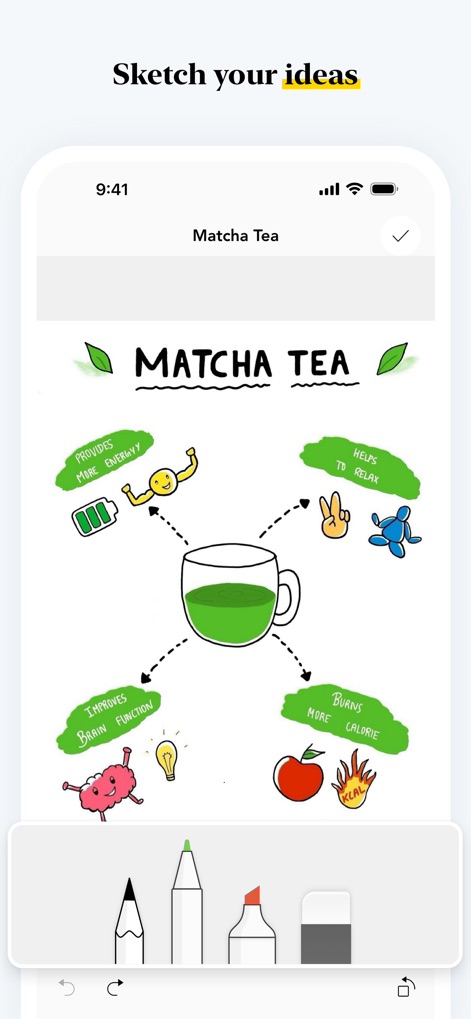
ユーザーはペン、マーカー、消しゴムなどの描画ツールを使用して、自由にアイデアをスケッチできます。この例では、抹茶に関する情報を視覚的なマインドマップ形式で表現し、創造的な思考をサポートしています。
アイデアをスケッチ。
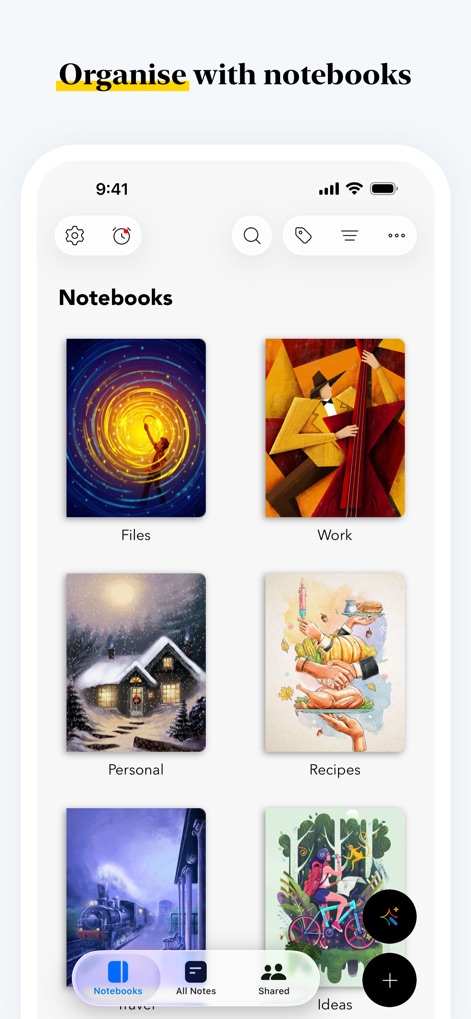
ユーザーは、魅力的なカスタム表紙を持つ複数のノートブックを作成し、情報を整理できます。この画面では、「Files」「Work」「Personal」「Recipes」といったカテゴリー分けされたノートブックが表示され、効率的な情報管理を促進します。
ノートブックで整理。
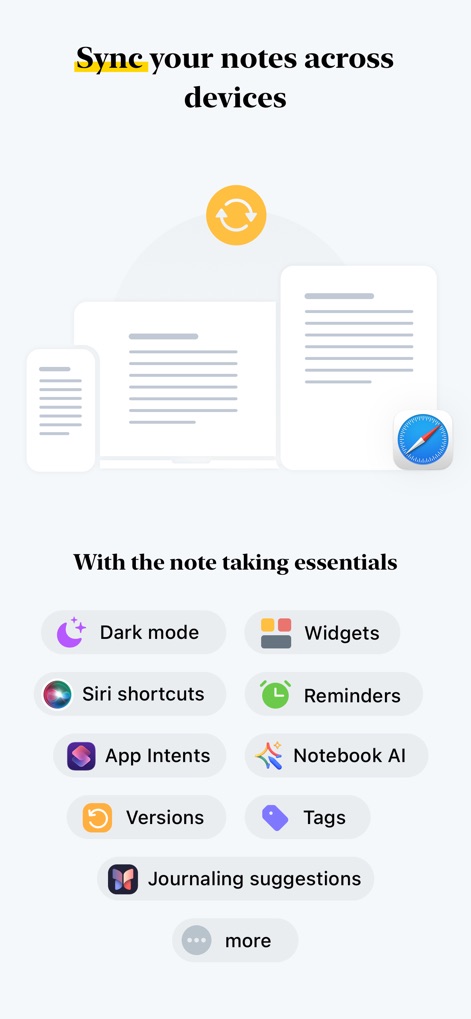
本アプリは、デバイス間でノートをシームレスに同期する機能を提供し、ユーザーはどのデバイスからでも情報にアクセスできます。また、Siriショートカットやウィジェットなど、Appleエコシステムに特化した多様な機能が利用可能です。
デバイス間同期。
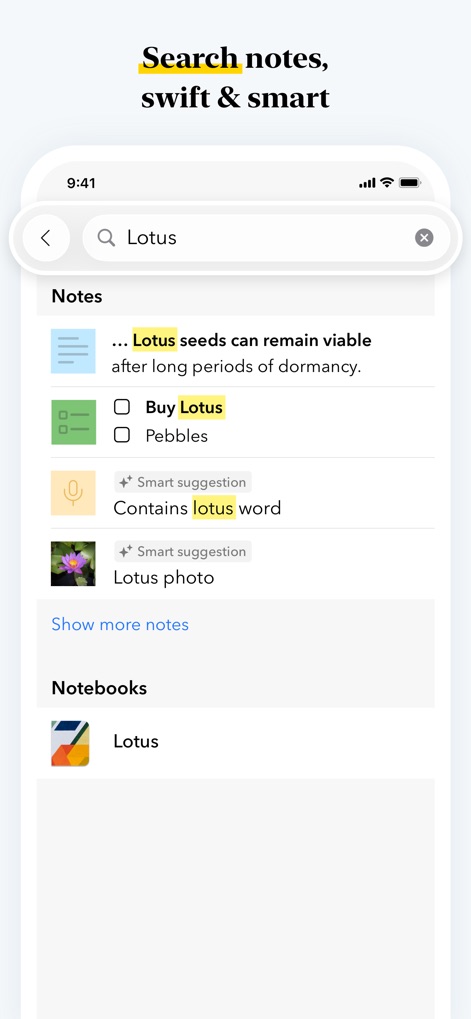
ユーザーは検索バーに「Lotus」と入力することで、関連するノートを迅速に検索できます。この機能は、テキスト、チェックリスト、音声、画像など、さまざまな形式のノートから情報を抽出し、効率的な情報発見を可能にします。
スマート検索。
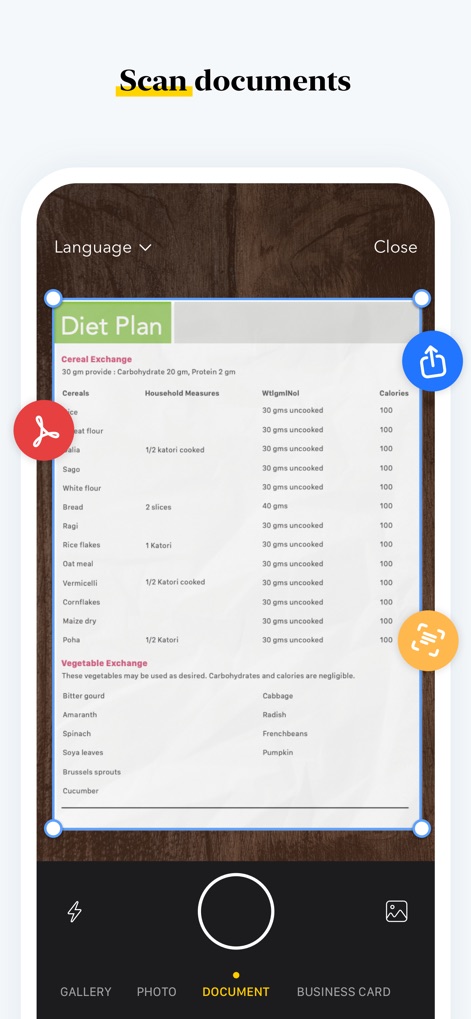
本アプリは高品質なドキュメントスキャン機能を搭載しており、「Diet Plan」のような書類をデジタル化できます。ユーザーはスキャン範囲を自由に調整できる青い枠線とハンドルを使って、正確なキャプチャが可能です。
ドキュメントスキャン。
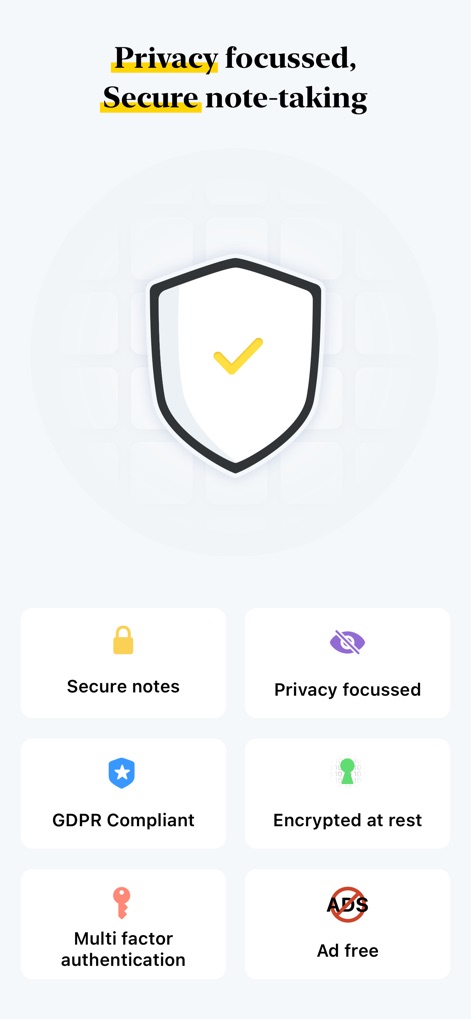
本アプリは「プライバシー重視」の原則を掲げ、ユーザーのデータを保護します。多要素認証やGDPR準拠といった複数のセキュリティ機能が提供されており、安心してノート作成を行えます。
安心のセキュリティ。
説明
Download
類似アプリ
似た機能とユーザー体験を持つアプリ

Notion: Notes, Tasks, AI
Notion Labs, Incorporated

Freenotes®: AI Notes Taking
Hangzhou Free Notes Technology Co., Ltd

Structured - Daily Planner
unorderly GmbH

Google Tasks: Get Things Done
Google LLC

TickTick:To-Do List & Calendar
Appest Limited

Noteful: Notes & PDF Markup
Noteful Technologies Ltd

Todoist: To Do List & Calendar
Doist Inc.

To do list MinimaList & Widget
Inner Grow Limited

monday.com - Work Platform
monday.com Ltd.
このページはアプリまたはその開発者の公式ページではなく、情報提供および論評を目的として作成された独立した編集出版物です。明示的に別段の記載がない限り、アプリおよびその開発者は、MWM、Apple、Google Play、アプリのパブリッシャー、またはアプリの開発者と提携、承認、後援、認可、またはその他の公式的な関係はなく、このページのいかなる内容も、アプリがMWMのサービスを使用して開発されたことを意味するものではありません。すべての商標、ロゴ、スクリーンショット、その他のコンテンツはそれぞれの所有者の財産です。