Noteflow+ Digital Notebook
ダウンロード: App Store

このページはアプリまたはその開発者の公式ページではなく、情報提供および論評を目的として作成された独立した編集出版物です。明示的に別段の記載がない限り、アプリおよびその開発者は、MWM、Apple、Google Play、アプリのパブリッシャー、またはアプリの開発者と提携、承認、後援、認可、またはその他の公式的な関係はなく、このページのいかなる内容も、アプリがMWMのサービスを使用して開発されたことを意味するものではありません。すべての商標、ロゴ、スクリーンショット、その他のコンテンツはそれぞれの所有者の財産です。


ロゴ: Noteflow+ Digital Notebook
ダウンロード: App Store

Noteflow+ Digital Notebook

ビジュアルシンカーのための高精度ベクトルキャンバス。ホワイトボードを編集可能なインクに簡単に変換し、iPadでのプロフェッショナルなワークフローを合理化します。

主要数値

ダウンロード

141K+

ユーザー評価

4.4/5

評価数

300

開発元

Qrayon, LLC

カテゴリ

Business

対応言語

1

最新バージョン

3.4

サイズ

15.9 MB

リリース日

2017年9月19日
機能

あなたのアイデアをデジタルに進化させる

ペンと紙の触覚的な自由と、ベクトルの精度、シームレスなクラウド統合の力を組み合わせたデジタルノートを体験してください。

物理世界をキャプチャ

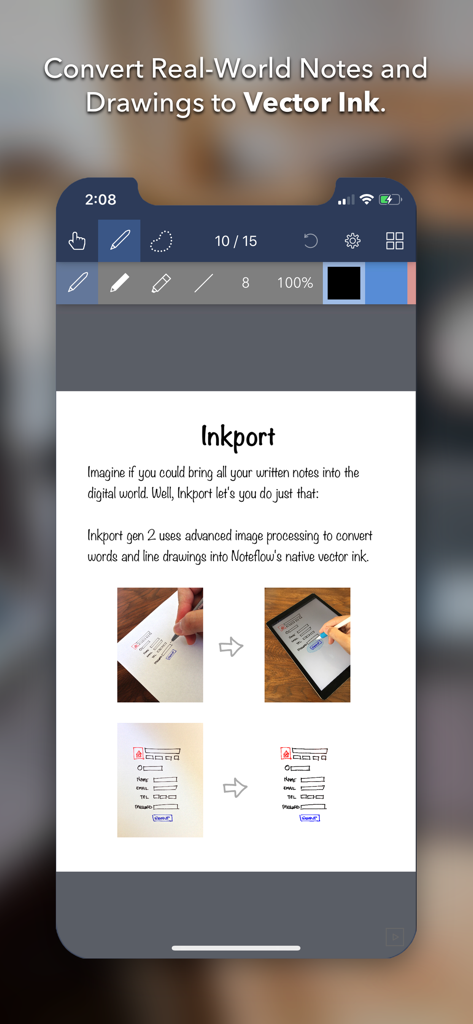
Inkport Gen 2を使用して、ホワイトボードのスケッチや紙のメモを、編集可能なデジタルインクに瞬時に変換します。特別なハードウェアは必要ありません。

無限のベクトル精度

品質を損なうことなく、描画やメモをスケーリングします。当社のベクトルエンジンは、あなたの作品をシャープに保ち、最も大きな思考のための無限のキャンバスを提供します。

摩擦のないワークフロー

ネイティブiOSのドラッグ&ドロップ、クラウド同期、そして高度なプロフェッショナル環境向けに設計された直感的な「レイヤーフリー」シェーディングで、アイデアをより速く動かしましょう。

以下のスクリーンショットと説明は、アプリの公式ストアリスティングから直接取得されたものであり、アプリ開発者の所有物です。

アプリストア

スクリーンショット
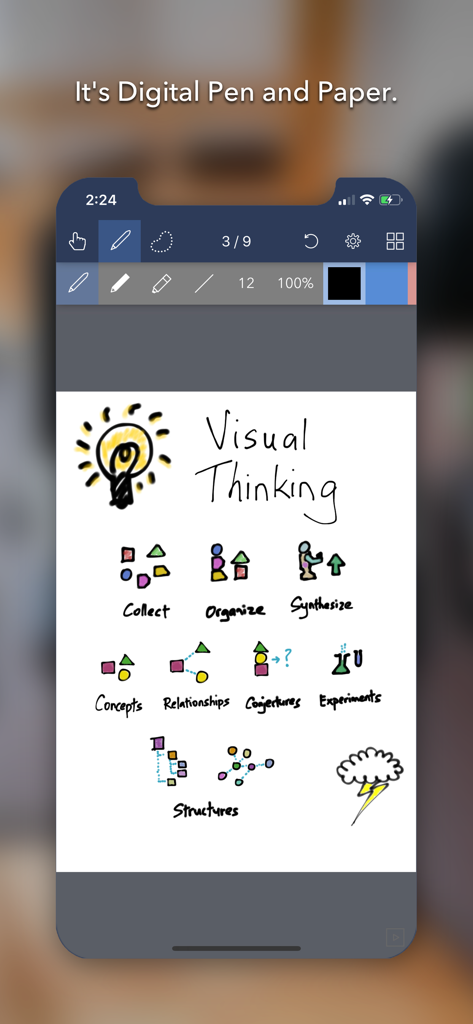
Noteflow+ Digital Notebook - Noteflow デジタルノートアプリが、電球とワークフローアイコンを含むビジュアルシンキングスケッチを表示
Noteflow デジタルノートアプリが、電球とワークフローアイコンを含むビジュアルシンキングスケッチを表示

Noteflow+ Digital Notebook - Noteflowアプリが紙の描画をデジタルベクトルインクに変換

Noteflowアプリが紙の描画をデジタルベクトルインクに変換

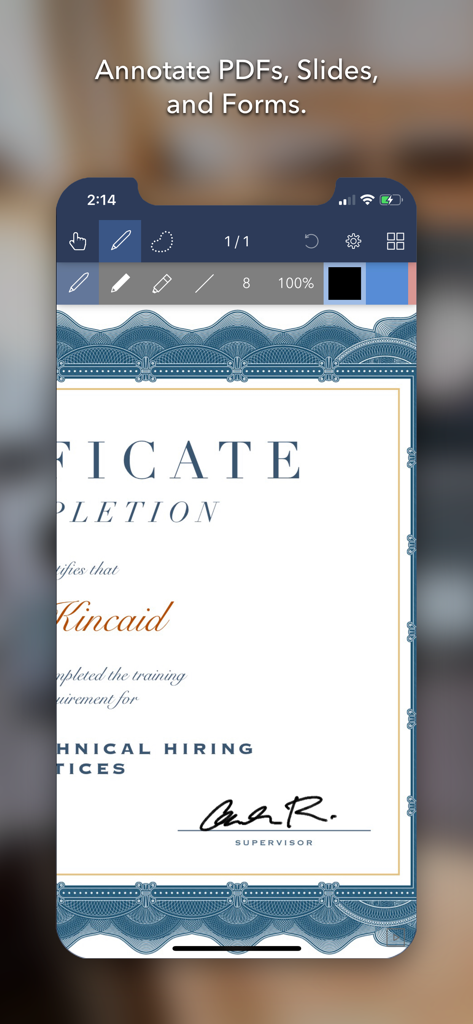
Noteflow+ Digital Notebook - iPhone画面にNoteflow plusアプリで注釈が付けられた証明書が表示
iPhone画面にNoteflow plusアプリで注釈が付けられた証明書が表示

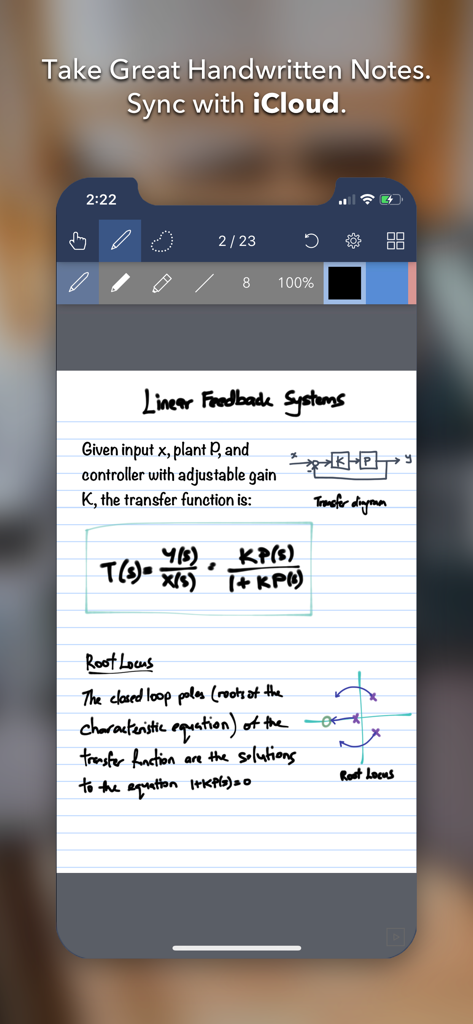
Noteflow+ Digital Notebook - Noteflow plusアプリのiPhoneインターフェイスに、数式と図が含まれる手書きの学術ノートが表示
Noteflow plusアプリのiPhoneインターフェイスに、数式と図が含まれる手書きの学術ノートが表示

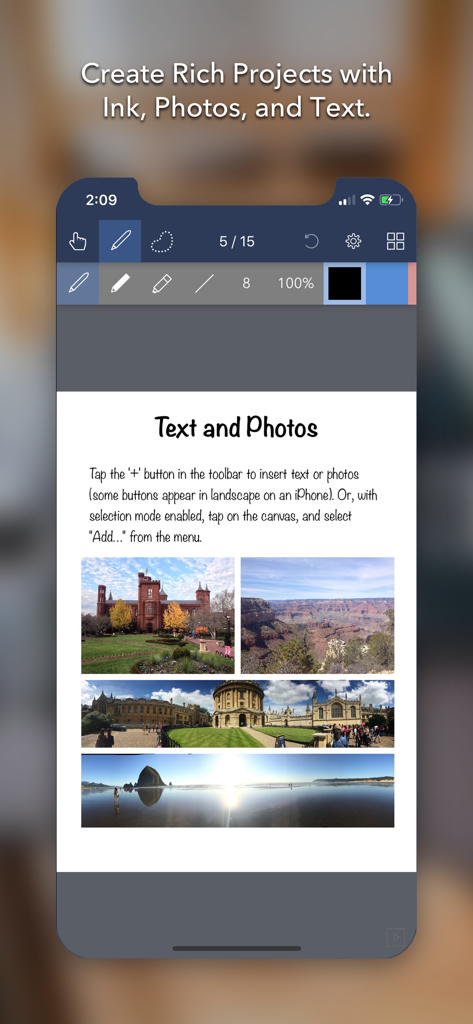
Noteflow+ Digital Notebook - Noteflow plusアプリのインターフェイスに、テキストと4つの旅行写真を含むデジタルノートページが表示

Noteflow plusアプリのインターフェイスに、テキストと4つの旅行写真を含むデジタルノートページが表示

説明

Noteflow is designed to replace pen and paper. It is a modern digital notebook that lets you get the most out of your iPad or iPhone. Use it for taking notes, annotating PDFs, sketching and doodling, plus a whole lot more: Copy and paste from the real world: Use Inkport gen 2 to snap a picture of a whiteboard or writing and convert it into Noteflow's native vector ink. No special paper needed. Then resize, re-color, or edit as if you wrote it in Noteflow. Create layered drawings without layers: Use the highlighter tool to color and shade behind existing ink. Use Color-Select to separate and edit individual colors. It's a much more fluid and natural editing experience than with layers. Use the straight-line tool with a grid for fast and intuitive wireframes and drafting. Drag-and-drop, cloud-storage, and more: Noteflow natively integrates with iOS's file system and drag-and-drop capabilities. Drop photos and text into Noteflow, and drag your drawings into other apps. Store your files locally or sync with the cloud service of your choice. Make Noteflow a seamless part of your workflow, the way you like. SPACE FOR YOUR IDEAS TO ROAM Our vision for Noteflow is simple: to be digital pen and paper. The magic of pen and paper is in their versatility. They are useful for so many things, but particularly for the freeform capture of ideas. Noteflow expands upon this quality. You can naturally do all the things you normally do with pen and paper: take notes in meetings or class, and jot down flashes of inspirations on the go. And you can take that to a whole new level: One of Noteflow’s best uses is for "thinking on digital paper": quickly capture key ideas and concepts, then move and organize them on the screen. Noteflow's vector ink engine lets you scale and edit your work without any loss of quality. Your words and drawings remain tack sharp when zoomed in, giving you a huge effective working canvas even on a single page. There are analogues in the physical world, such as sketchnotes or everyday working on a white board, but being able to fluidly edit and move your ideas around the page is something you can only do digitally. When you represent the ideas in your head with your own personal scribbles on the screen, it effectively becomes an extension of your mind - giving you more room to think. We've designed every part of Noteflow to let you intuitively capture and work on your ideas the way you like. Whether it's dropping in existing information, quickly sketching concepts, or assembling polished presentations for others. By resizing ink and zooming in, you have a huge effective canvas to work with, even on a single page. As your ideas shape up, Noteflow has all the tools you need to tidy them up and format them to share with others. DIGITAL TOOLS FOR A DIGITAL AGE I hope you'll find Noteflow a useful part of your workflow, and that you'll discover new ways to do things with it that weren't easy before. We're very proud of the work we've put into Noteflow, but we're also just seen the beginning of what's possible with powerful new digital platforms like the iPad. Our goal is to push these platforms to their limits to craft useful tools. Tools that can help us think a little more clearly, communicate a bit more effectively, and connect with other in new and enriching ways. Thanks for joining us on this journey! -- The App Makers @ Qrayon.

Download

ダウンロード: App Store

このページはアプリまたはその開発者の公式ページではなく、情報提供および論評を目的として作成された独立した編集出版物です。明示的に別段の記載がない限り、アプリおよびその開発者は、MWM、Apple、Google Play、アプリのパブリッシャー、またはアプリの開発者と提携、承認、後援、認可、またはその他の公式的な関係はなく、このページのいかなる内容も、アプリがMWMのサービスを使用して開発されたことを意味するものではありません。すべての商標、ロゴ、スクリーンショット、その他のコンテンツはそれぞれの所有者の財産です。