
このページはアプリまたはその開発者の公式ページではなく、情報提供および論評を目的として作成された独立した編集出版物です。明示的に別段の記載がない限り、アプリおよびその開発者は、MWM、Apple、Google Play、アプリのパブリッシャー、またはアプリの開発者と提携、承認、後援、認可、またはその他の公式的な関係はなく、このページのいかなる内容も、アプリがMWMのサービスを使用して開発されたことを意味するものではありません。すべての商標、ロゴ、スクリーンショット、その他のコンテンツはそれぞれの所有者の財産です。

ダウンロード
87K+ユーザー評価
評価数
1M+開発元
カテゴリ
Productivity対応言語
33最新バージョン
2.0サイズ
2.6 MBリリース日
2016年5月23日あなたの第二の脳、標準搭載
ちょっとしたメモから複雑なプロジェクトまで、Apple Notesはあなたがすでに所有している最も強力なツールです。あなたの生活全体にわたるスピード、セキュリティ、そしてシームレスな整理のために設計されています。
思考を繋げる
「>>」ショートカットを使用してノートをリンクし、個人の知識ネットワークを構築します。構造化されたデジタルライブラリを構築する学生や専門家に最適です。
テキストを超える検索
高度なOCRテクノロジーにより、スキャンしたレシート、ホワイトボードの写真、さらには手書きの文字の中からキーワードを検索し、瞬時に取得できます。
よくある質問
について知っておくべきこと Notes
Notesアプリでメモに添付ファイルを追加できますか?
はい、NotesアプリではPDF、写真、地図、ウェブリンクなどのさまざまな添付ファイルを直接メモに追加できます。
Notesアプリは音声録音と文字起こしをサポートしていますか?
はい、Notesアプリは直接メモに音声を録音および文字起こしする機能をサポートしています。これらの録音を再生することも可能です。
Notesアプリで書類をスキャンできますか?
はい、Notesアプリには内蔵のドキュメントスキャナーが搭載されています。紙の書類を直接メモにスキャンして、簡単に保存およびアクセスできます。
Notesアプリで機密情報を保護するにはどうすればよいですか?
Notesアプリでは、個々のメモをロックすることで、機密情報や個人データを保護できます。この機能により、アプリ内のプライベートな情報が保護されます。
Notesアプリでチェックリストを作成・管理できますか?
はい、Notesアプリで食料品リストやToDoリストなど、さまざまな目的のチェックリストを作成できます。項目は完了したときにチェックを入れられます。
Notesアプリは描画やスケッチ機能をサポートしていますか?
はい、Notesアプリは、対応iPadで指やApple Pencilを使用して、メモ内やPDFインラインで直接描画やスケッチを行うことをサポートしています。さまざまなブラシスタイルと色が用意されています。
Notesアプリを開かずに、素早くメモを作成するにはどうすればよいですか?
コントロールセンターにクイックメモを追加したり、iPadでApple Pencilを使って右下から上にスワイプしたり、キーボードでFn+Qを使用したりすることで、アプリを開かずにクイックメモを作成できます。
Notesアプリでメモ内の特定のテキストを検索できますか?
はい、Notesアプリでは、メモ内、手書き文字、さらにはレシートや請求書などのスキャンされた書類や写真内のテキストを検索できます。
Notesアプリでメモ同士をリンクするにはどうすればよいですか?
Notesアプリでは、メモ同士をリンクしてアイデアをつなげることができます。メモを書きながらリンクを追加するショートカットとして、「>>」と入力します。
Notesアプリでフォルダやタグを使ってメモを整理できますか?
はい、Notesアプリでは、フォルダ、サブフォルダ、タグなどの整理オプションが用意されています。#料理や#経費などのタグをメモに直接入力または手書きできます。
Notesアプリで共有メモやフォルダの共同編集はできますか?
はい、Notesアプリでは、共有フォルダ全体または特定の共有メモでの共同編集が可能です。友人をメンションして重要な更新を通知できます。
Notesアプリで共有メモの共同編集者のアクティビティを表示できますか?
はい、Notesアプリにはアクティビティビューがあります。この機能により、共有メモ内の各共同編集者のアクティビティを日ごとにまとめた概要が表示されます。
NotesアプリはApple Watchで利用できますか?
はい、NotesアプリはApple Watchで利用できます。iCloudのすべてのメモを表示したり、メモをピン留めしたり、チェックリストの項目を完了したり、手首から直接音声入力やSiriを使って新しいメモを作成したりできます。
Notesはリッチテキストフォーマットオプションをサポートしていますか?
はい、Notesアプリでは、見出し、本文、箇条書きリスト、ハイライトなどのさまざまなテキストスタイルを適用できます。これにより、メモの表示が向上します。
Notesアプリでメモ内のテキストセクションを折りたたむことはできますか?
はい、Notesアプリでは、セクションヘッダーの横をタップすることでテキストを折りたたむことができます。これによりシェブロンが表示され、メモの内容をコンパクトに表示できます。
以下のスクリーンショットと説明は、アプリの公式ストアリスティングから直接取得されたものであり、アプリ開発者の所有物です。
アプリストア
スクリーンショット
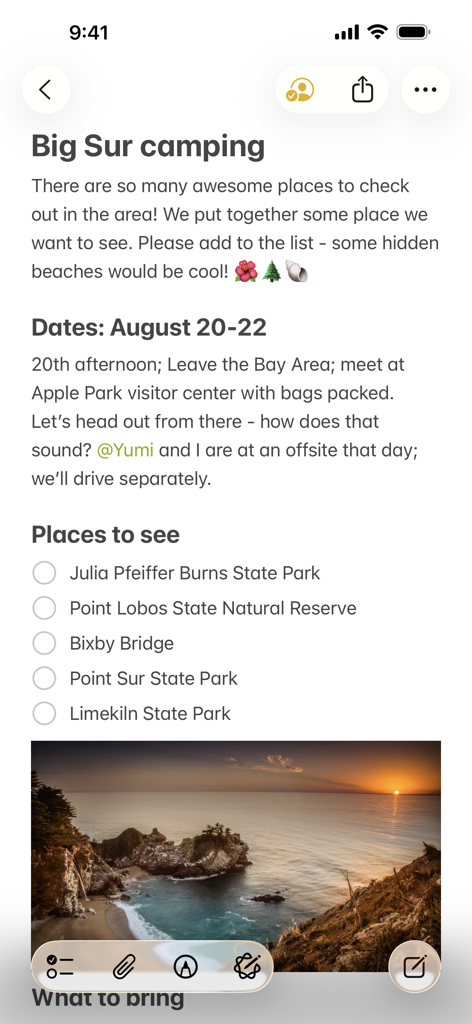
Apple Notesで共有された「Big Sur camping」というタイトルのノート。場所のチェックリストと夕日の風景写真が含まれています。
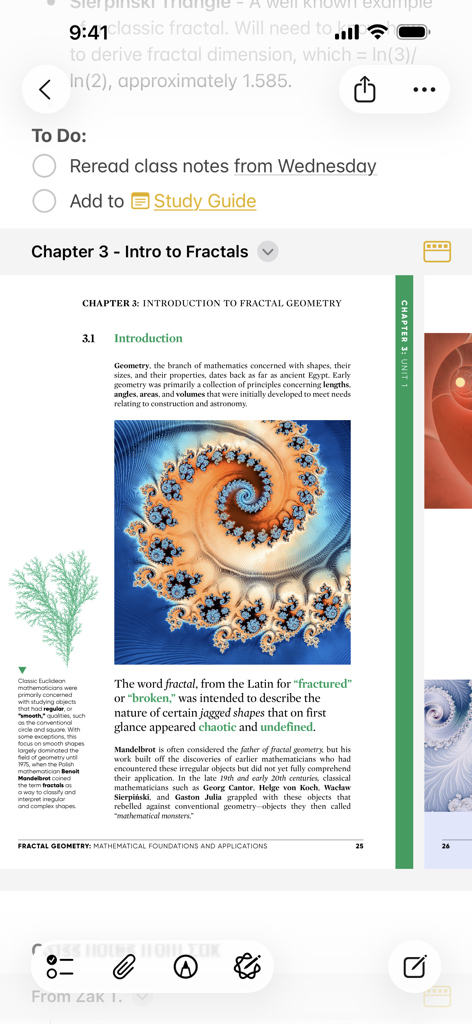
Apple Notesアプリには、フラクタル幾何学に関するPDFドキュメントが添付された学習ToDoリストが表示されています。
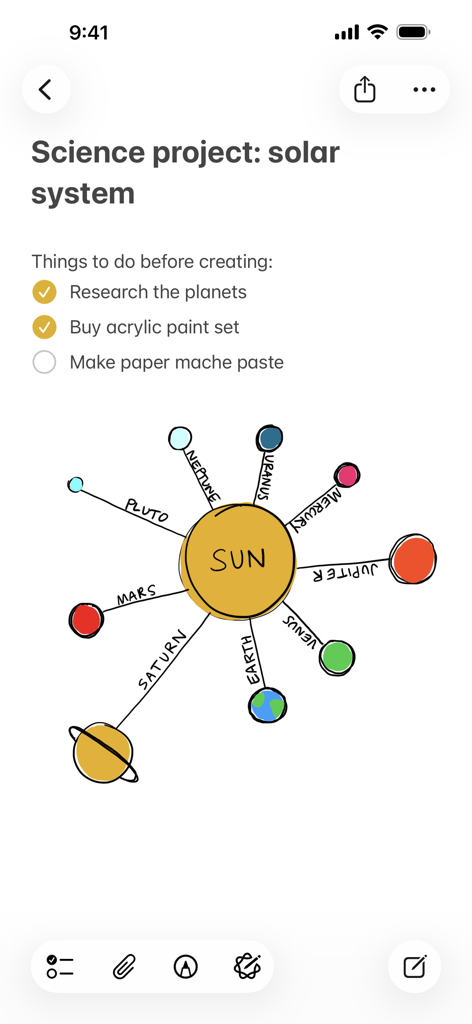
Apple Notesのサイエンスプロジェクトノート。チェックリストと太陽系のカラフルな手描きの図が含まれています。
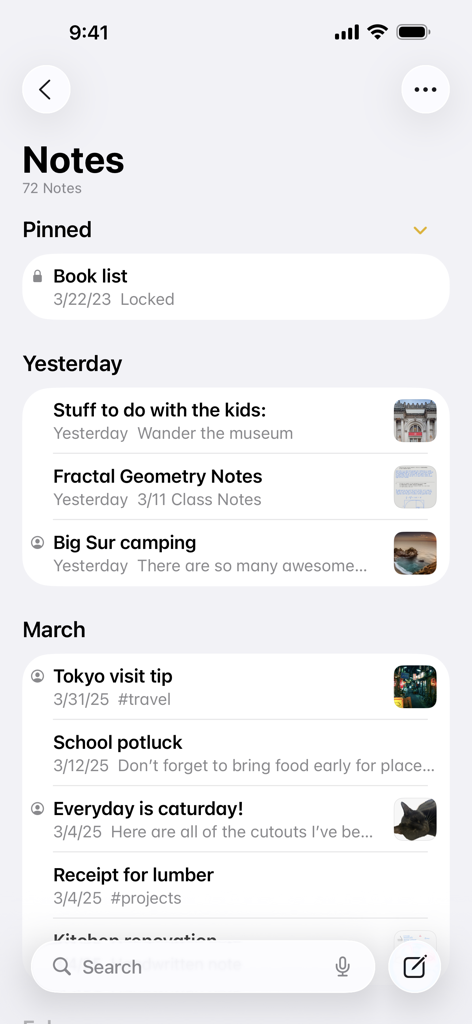
Apple Notesアプリのメインインターフェース。プレビューサムネイル付きのピン留めされたノートと時系列順のノートのリストが表示されています。
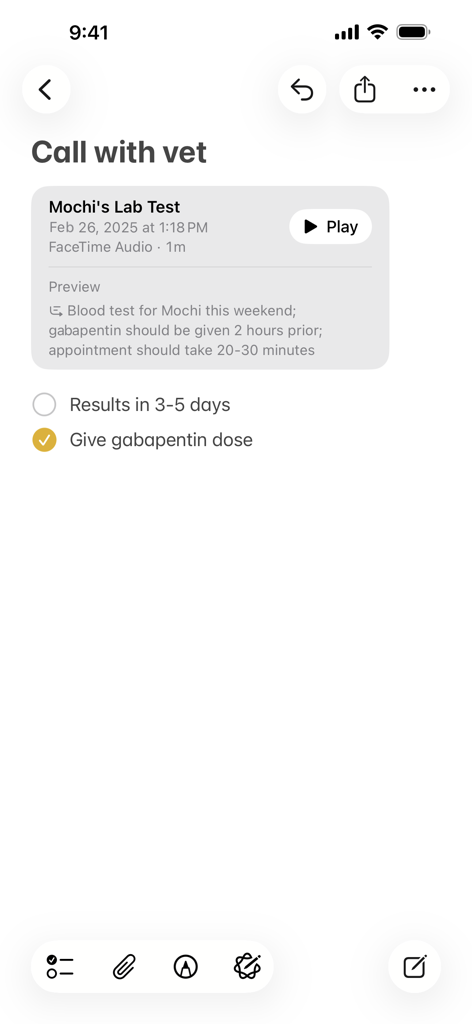
Apple Notesのノートには、音声録音とテキストプレビュー、そして獣医訪問のためのチェックリストが表示されています。
説明
Download
類似アプリ
似た機能とユーザー体験を持つアプリ

Notion: Notes, Tasks, AI
Notion Labs, Incorporated

Freenotes®: AI Notes Taking
Hangzhou Free Notes Technology Co., Ltd

Structured - Daily Planner
unorderly GmbH

Google Tasks: Get Things Done
Google LLC

TickTick:To-Do List & Calendar
Appest Limited

Noteful: Notes & PDF Markup
Noteful Technologies Ltd

Todoist: To Do List & Calendar
Doist Inc.

To do list MinimaList & Widget
Inner Grow Limited

monday.com - Work Platform
monday.com Ltd.
このページはアプリまたはその開発者の公式ページではなく、情報提供および論評を目的として作成された独立した編集出版物です。明示的に別段の記載がない限り、アプリおよびその開発者は、MWM、Apple、Google Play、アプリのパブリッシャー、またはアプリの開発者と提携、承認、後援、認可、またはその他の公式的な関係はなく、このページのいかなる内容も、アプリがMWMのサービスを使用して開発されたことを意味するものではありません。すべての商標、ロゴ、スクリーンショット、その他のコンテンツはそれぞれの所有者の財産です。