
このページはアプリまたはその開発者の公式ページではなく、情報提供および論評を目的として作成された独立した編集出版物です。明示的に別段の記載がない限り、アプリおよびその開発者は、MWM、Apple、Google Play、アプリのパブリッシャー、またはアプリの開発者と提携、承認、後援、認可、またはその他の公式的な関係はなく、このページのいかなる内容も、アプリがMWMのサービスを使用して開発されたことを意味するものではありません。すべての商標、ロゴ、スクリーンショット、その他のコンテンツはそれぞれの所有者の財産です。


OP Auto Clicker: Automatic Tap
指がなくても、デジタル世界を支配できる。このアプリは、ユーザーをマニュアル操作の呪縛から解放する。
ダウンロード
250k+ユーザー評価
評価数
4.4K開発元
カテゴリ
Utilities対応言語
18最新バージョン
2.1.2サイズ
47.6 MBリリース日
2023年12月12日テックアナリストによるiOS向け自動化ツールの主要機能評価
OP Auto Clicker: Automatic Tapの機能分析
複数のクリックモード
本アプリは、単一の点、複数の点、画面のリフレッシュ、自動スクロールといった多様な操作モードを提供し、ユーザーは様々なデジタルシナリオで高度な自動化を実現できます。
高精度CPS計算機能
本ツールは、正確なCPS(Clicks Per Second)計算機能を提供し、ユーザーは手動クリックを凌駕する速度で操作を行うことができ、特に競技性の高いゲームで優位性を確立します。
多機能オートクリックアシスタント
このアプリは、高速かつ連続的なクリック操作を自動化することで、ユーザーがアイテムの獲得、チケットの購入、ゲーム内タスクといった反復的なデジタル作業を効率的に完了できるよう支援します。
クイックコマンドとスクリプト保存
ユーザーはカスタムスクリプトを保存し、必要な時に即座に実行することが可能です。これにより、複雑な一連の操作をワンタップで自動化し、生産性を向上させます。
詳細なカスタマイズ設定
ユーザーはクリック間隔、持続時間、画面上の正確な位置、さらには複雑なスワイプパスなど、自動化の詳細なパラメータを自由に設定でき、特定のアプリケーションやゲームに最適化された操作を可能にします。
精密なグローバルタイマー
グローバルタイマー機能により、ユーザーは自動クリックの開始時間や終了時間、または総動作時間を正確に設定することができ、時間に基づくタスクの自動管理を最適化します。
日常タスクの自動化
このアプリは、ウェブページの自動リフレッシュ、コンテンツのスクロール、反復的なコマンド実行といった日常的なデジタルタスクを自動化し、ユーザーのブラウジング、読書、動画視聴体験をより快適で効率的なものにします。
フローティングコントロールパネル
本アプリは、画面上に常時表示されるフローティングコントロールパネルを備えており、ユーザーはアプリを切り替えることなく、自動化スクリプトの開始、停止、調整をリアルタイムで直感的に行えます。
よくある質問
について知っておくべきこと OP Auto Clicker: Automatic Tap
What is OP Auto Clicker: Automatic Tap?
OP Auto Clicker: Automatic Tap is a multi-functional auto-click assistant designed for rapid, continuous clicking tasks. It automates actions like liking, snatching items, grabbing tickets, and various game tasks, enhancing digital efficiency.
Does OP Auto Clicker support multiple clicking modes?
Yes, OP Auto Clicker supports multiple clicking modes including Single Target, Multi-Target, Refresh, and Scroll. Users can customize clicking times and intervals to fit various scenarios.
Can OP Auto Clicker automate scrolling and refreshing web pages?
Yes, OP Auto Clicker automatically refreshes and scrolls webpages. This feature enhances browsing and reading experiences, making daily digital tasks more efficient and hassle-free.
How can gamers use OP Auto Clicker?
Gamers use OP Auto Clicker for high-precision auto-clicking, rapid successive clicks, and auto-swipe actions. Its floating panel allows effortless control and adjustment of scripts during gameplay.
Does OP Auto Clicker allow users to save custom scripts?
Yes, OP Auto Clicker allows users to store scripts for instant execution in any mode. This feature boosts productivity and saves time by quickly applying pre-defined commands.
Does OP Auto Clicker calculate Clicks Per Second (CPS)?
Yes, OP Auto Clicker accurately calculates Clicks Per Second (CPS). This precise calculation provides an advantage in securing limited items and competitive tasks.
Is the OP Auto Clicker application available in multiple languages?
Yes, OP Auto Clicker offers multi-language support. This caters to global users, making the application accessible and user-friendly for a wider international audience.
How does the subscription for OP Auto Clicker work?
The subscription for OP Auto Clicker automatically renews unless canceled at least 24 hours before the end of the current period. Your account is charged for renewal within 24 hours before the period's end.
Can I manage my OP Auto Clicker subscription after purchase?
Yes, users can manage their OP Auto Clicker subscription and turn off automatic renewal in their account settings after purchase. This provides full control over subscription preferences.
Does OP Auto Clicker offer screenshot and recording functions?
Yes, OP Auto Clicker includes professional functions for webpage screenshot and recording. This feature allows users to capture and record webpage content as needed.
以下のスクリーンショットと説明は、アプリの公式ストアリスティングから直接取得されたものであり、アプリ開発者の所有物です。
アプリストア
スクリーンショット
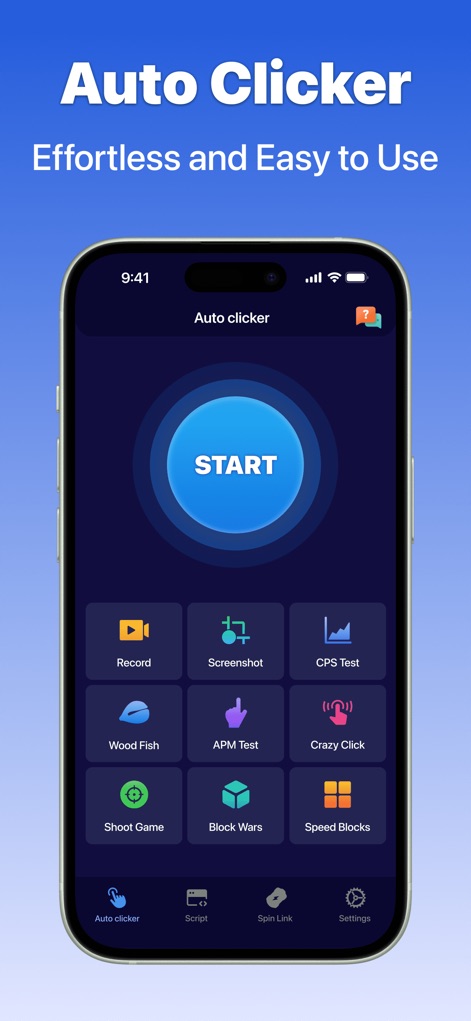
このアプリは、大きな「START」ボタンによる直感的な操作と、画面下部に配置された「Record」や「Screenshot」などの多様なユーティリティ機能を提供します。
簡単操作の自動クリック

ユーザーは、ゲーム内で無限のタップを自動化でき、画面上の「50 Cookies!」や「2.5 cookies per second」といったリアルタイムの進捗状況を視覚的に確認できます。
無限タップでゲーム体験
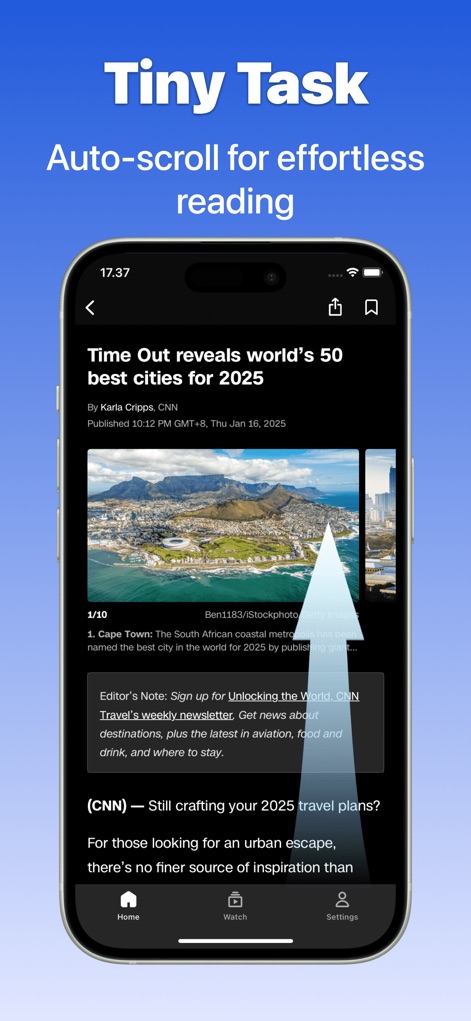
記事などの長文コンテンツを「Auto-scroll」機能で楽に読み進めることができ、画面に表示される自動スクロールを示す矢印がその動作を示します。
読書を快適に自動スクロール

このツールは、「Auto Refresh」機能により、タイムリーな情報更新を可能にし、画面に表示される「Maximize Your Savings!」や「Reading rewards」のように、お得なオファーや報酬を逃しません。
自動更新でお得をゲット

ユーザーは、画面上に複数設定されたターゲット(例: 1, 2, 3)を順番に自動クリックでき、複雑な操作も「Auto Multi-click」機能で効率的に実行できます。
マルチターゲットで高速アクション
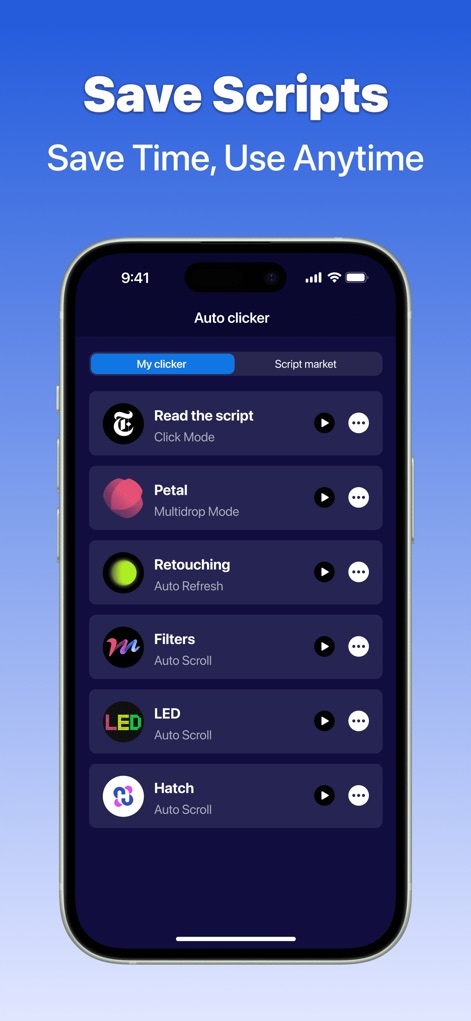
アプリは「My clicker」タブでパーソナライズされたスクリプトの保存と管理をサポートし、それらをいつでも素早く再生できる「プレイボタン」を提供します。
スクリプト保存で時間短縮

「Web clicker」機能は、ウェブコンテンツへのアクセスを容易にする検索バーを備え、さらに画面録画機能やスクリーンショット機能も統合しています。
ウェブ管理を効率化
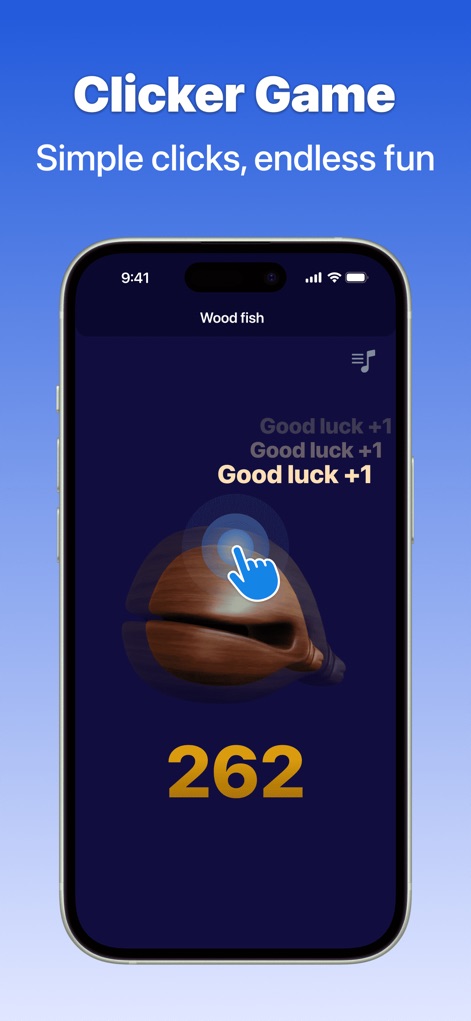
このアプリは、「Wood fish」のようなクリッカーゲームでの自動操作を可能にし、画面に表示される「Good luck +1」や合計スコア「262」のように、自動でのポイント獲得をサポートします。
クリッカーゲームも自動で
説明
Download
類似アプリ
似た機能とユーザー体験を持つアプリ

自动ּ连点器 - 自动点击器
壮壮 彭

连点器-高效自动点击按键辅助工具
和圆 魏

连点器 - 自动点击持续滚动刷新&旋转指针工具
源 韦

自动点击器·连点器
磊 赵

Auto Clicker-Auto Tapper tool
佳豪 张

Auto Clicker: Click Automatic
RH LANDSCAPING LLC

连点器-自动连点神器&点赞抢购助手
倩格 刘

Auto Clicker - Tap Assistant
乐飞 张

Auto Tapper Assistant App
KUPERTINO BIL. YAZ. HALIL IBRAHIM KARAHAN SAFFET ARSLAN MUSTAFA AYTEN MUHAMMET YALCIN OZDEMIR K. S.
このページはアプリまたはその開発者の公式ページではなく、情報提供および論評を目的として作成された独立した編集出版物です。明示的に別段の記載がない限り、アプリおよびその開発者は、MWM、Apple、Google Play、アプリのパブリッシャー、またはアプリの開発者と提携、承認、後援、認可、またはその他の公式的な関係はなく、このページのいかなる内容も、アプリがMWMのサービスを使用して開発されたことを意味するものではありません。すべての商標、ロゴ、スクリーンショット、その他のコンテンツはそれぞれの所有者の財産です。