PDF Editor: Fill Edit,Sign PDF
ダウンロード: App Store

このページはアプリまたはその開発者の公式ページではなく、情報提供および論評を目的として作成された独立した編集出版物です。明示的に別段の記載がない限り、アプリおよびその開発者は、MWM、Apple、Google Play、アプリのパブリッシャー、またはアプリの開発者と提携、承認、後援、認可、またはその他の公式的な関係はなく、このページのいかなる内容も、アプリがMWMのサービスを使用して開発されたことを意味するものではありません。すべての商標、ロゴ、スクリーンショット、その他のコンテンツはそれぞれの所有者の財産です。

ロゴ: PDF Editor: Fill Edit,Sign PDF
ダウンロード: App Store

PDF Editor: Fill Edit,Sign PDF

AI駆動ツールで瞬時に文書をスキャン、編集、署名、変換。iPhone、iPad、Macで、プリンターなしでどこでもプロフェッショナルなワークフローを管理できる単一サブスクリプション。

主要数値

ダウンロード

9K+

ユーザー評価

4.3/5

評価数

0

開発元

AHAD DURRANI

カテゴリ

Business

対応言語

13

最新バージョン

2.2

サイズ

81.1 MB

リリース日

2023年3月20日
機能

外出先での生産性を最大化

現代のプロフェッショナル向けに設計された究極のオールインワンPDFツールキット。Appleエコシステム全体で文書をシームレスにスキャン、編集、署名できます。

AIアシスタントとOCR

スキャンを編集可能なテキストに瞬時に変換し、スマートAIで複雑な文書を数秒で要約します。

プロフェッショナルな電子署名

iPhoneまたはiPadから、安全で法的に有効なデジタル署名で契約書に署名し、フォームに記入できます。

以下のスクリーンショットと説明は、アプリの公式ストアリスティングから直接取得されたものであり、アプリ開発者の所有物です。

アプリストア

スクリーンショット
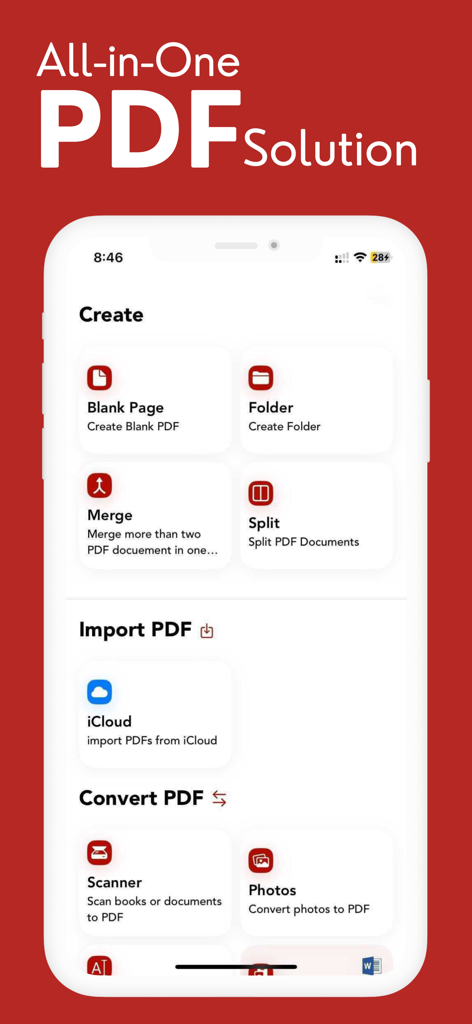
PDF Editor: Fill Edit,Sign PDF - PDF Editorアプリのダッシュボード。iPhoneでのPDFファイルの作成、マージ、分割、変換オプションが表示されます。
PDF Editorアプリのダッシュボード。iPhoneでのPDFファイルの作成、マージ、分割、変換オプションが表示されます。

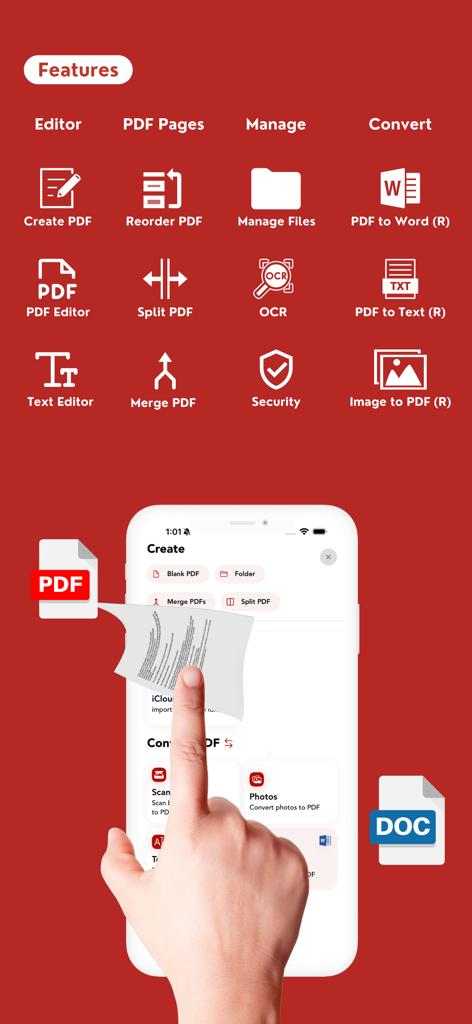
PDF Editor: Fill Edit,Sign PDF - PDF Editorアプリの機能。iPhoneでのOCRおよびファイル変換ツールが含まれます。
PDF Editorアプリの機能。iPhoneでのOCRおよびファイル変換ツールが含まれます。

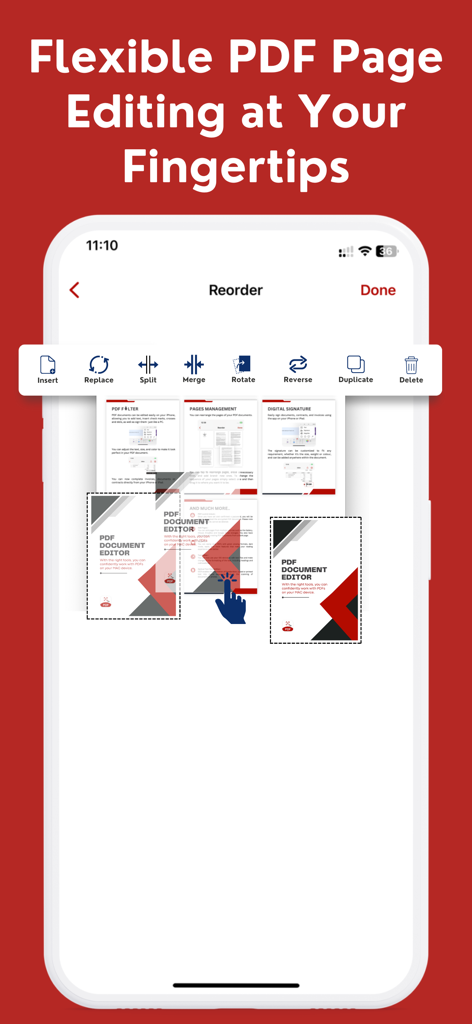
PDF Editor: Fill Edit,Sign PDF - スマートフォン画面。PDFページの並べ替え、マージ、分割オプションが表示されます。
スマートフォン画面。PDFページの並べ替え、マージ、分割オプションが表示されます。

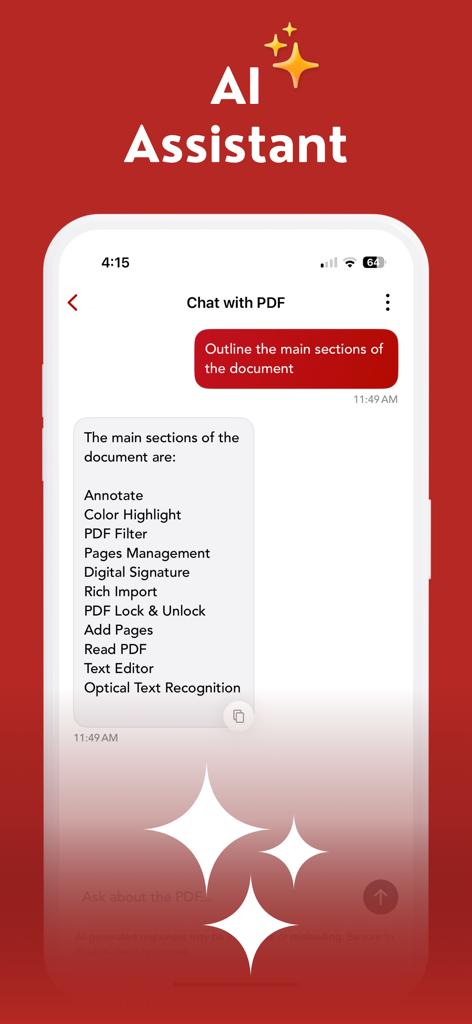
PDF Editor: Fill Edit,Sign PDF - PDF EditorアプリのAIアシスタント機能。文書の主要セクションを概説するチャットインターフェイスが表示されます。
PDF EditorアプリのAIアシスタント機能。文書の主要セクションを概説するチャットインターフェイスが表示されます。

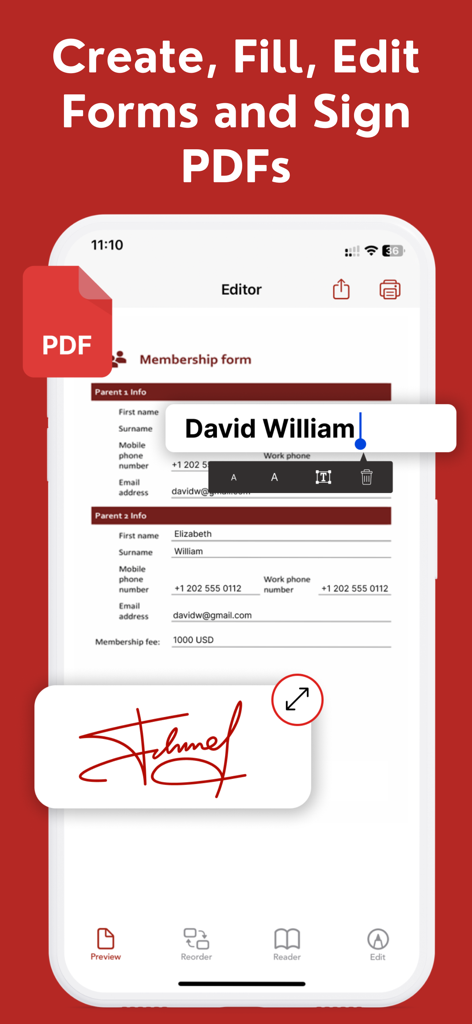
PDF Editor: Fill Edit,Sign PDF - モバイルアプリのインターフェイス。メンバーシップフォームの編集方法と、PDFドキュメントへのデジタル署名の追加方法が表示されます。
モバイルアプリのインターフェイス。メンバーシップフォームの編集方法と、PDFドキュメントへのデジタル署名の追加方法が表示されます。

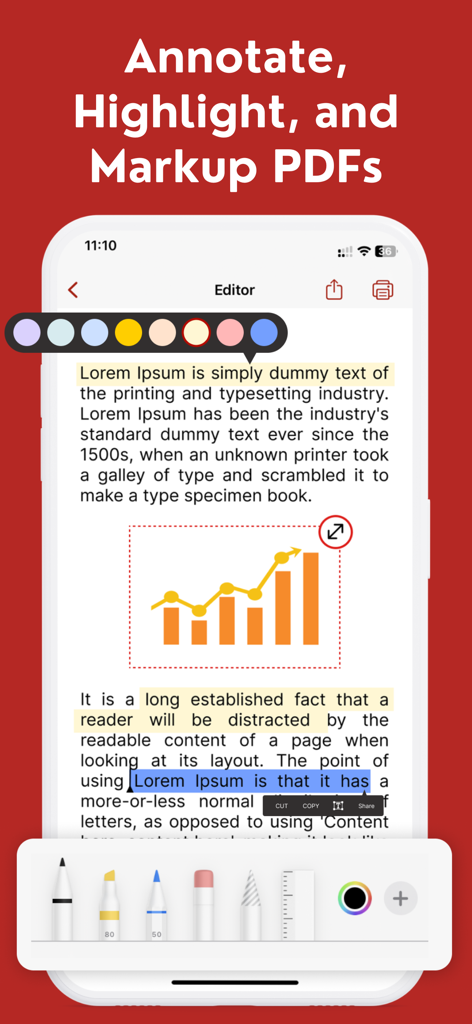
PDF Editor: Fill Edit,Sign PDF - PDF Editorアプリのインターフェイス。テキストのハイライト表示とドキュメントのマークアップツールが表示されます。

PDF Editorアプリのインターフェイス。テキストのハイライト表示とドキュメントのマークアップツールが表示されます。

説明

Looking for an easy-to-use and powerful PDF editor, fast documents scanner and file converter like Convert Photo to PDF, PDF to Word, pdf to images, jpeg to pdf cover almost all file converter with OCR Technology inbuilt for your iPhone, iPad and Macbook in single subscription? Look no further than our PDF Editor, Documents Scanner & Converter app! With our app, you can easily create, edit, and manage PDF documents right from your iPhone, iPad or Macbook, iMac. Whether you need to annotate a document, add a signature, or merge multiple PDFs into one file, our app has you covered. Here are some of the key features of our PDF Editor, Documents Scanner & Converter app! (All in One PDF Editor) ********** Highlighted Features: ********** + PDF Lock & Unlock. + AI Integration. + Dropbox Integration. + Excel to PDF & PPTX to PDF. + Scan PDF. + Create New PDF. + Create or Design Any Form. + Share or Print Any Form. + Form Fill Out. + Edit PDF. + Split PDF. + Merge PDF. + Reorder PDF. + Print or Share PDF. + Remove Page From PDF. + E- Sign. + Add Text Box. + Add Image. + OCR (Image to Text). + Secure PDF. + Convert Photo to PDF. (R:Reverse) + Convert PDF to Word.(R) + Convert Text to PDF.(R) + File Converter (Pro Supported). + Single Subscription use in your iPhone, iPad, iMac, Mac book - All Apple Devices Easy document creation: Create new PDF documents with a few taps, or import existing documents from your device or cloud storage services. Advanced editing tools: Edit text, images, and other content within your PDFs, and add annotations, comments, and highlights. AI Assistant — Smarter PDF Interactions: Interact with the AI Assistant using simple text prompts to get instant, intelligent responses OCR Technology: OCR features enable users to convert scanned documents into editable and searchable text. With advanced OCR technology, the app recognizes text in scanned documents and converts it into editable text. The app supports multiple languages, making it a versatile tool for users around the world. Signature support: Sign PDF documents directly within the app, or import and save your signature for later use. Merge and split PDFs: Easily combine multiple PDFs into a single document, or split one PDF into multiple files. File management: Organize and manage your PDFs with ease, including renaming, moving, and deleting files. Cloud integration: Sync your PDFs with a popular cloud storage service like iCloud to access your documents from anywhere. Our PDF Document Editor & Maker app is designed to be intuitive and user-friendly, with a clean and modern interface that makes it easy to get started. Download it today and start creating and editing PDF documents like a pro! SUBSCRIPTION INFORMATION Monthly price : $4.99 Yearly price : $29.99 Consider PDF Editor, Documents Scanner & Converter app! (All in one PDF Editor) pro and enjoy full access to all features and content. If you choose a All in One PDF Editor subscription, payment will be charged to iTunes Account at confirmation of purchase. The subscription will automatically renew unless turned off in your iTunes Account Settings at least 24 hours before the current period ends. From iTunes Account settings you can manage your subscription and turn off auto-renew. Your iTunes Account will be charged when the purchase is confirmed. Privacy Policy: https://www.lazyvariable.com/pdf-editor-privacy-policy/ Terms of use: https://www.lazyvariable.com/pdf-editor-terms-of-use/ FAQs: https://www.lazyvariable.com/pdf-editor-faqs/ Support: Please contact us by email at "contact.pdfdocumenteditor@gmail.com".

Download

ダウンロード: App Store

このページはアプリまたはその開発者の公式ページではなく、情報提供および論評を目的として作成された独立した編集出版物です。明示的に別段の記載がない限り、アプリおよびその開発者は、MWM、Apple、Google Play、アプリのパブリッシャー、またはアプリの開発者と提携、承認、後援、認可、またはその他の公式的な関係はなく、このページのいかなる内容も、アプリがMWMのサービスを使用して開発されたことを意味するものではありません。すべての商標、ロゴ、スクリーンショット、その他のコンテンツはそれぞれの所有者の財産です。








