
このページはアプリまたはその開発者の公式ページではなく、情報提供および論評を目的として作成された独立した編集出版物です。明示的に別段の記載がない限り、アプリおよびその開発者は、MWM、Apple、Google Play、アプリのパブリッシャー、またはアプリの開発者と提携、承認、後援、認可、またはその他の公式的な関係はなく、このページのいかなる内容も、アプリがMWMのサービスを使用して開発されたことを意味するものではありません。すべての商標、ロゴ、スクリーンショット、その他のコンテンツはそれぞれの所有者の財産です。


PDF Editor: Read, Scan & Sign
紙の束から解放され、あらゆる文書をデジタル支配下に置く。このアプリは、ユーザーにデスクレスの自由を与える。
ダウンロード
1M+ユーザー評価
評価数
11.2K開発元
カテゴリ
Business対応言語
11最新バージョン
1.1.77サイズ
177.7 MBリリース日
2022年9月29日テックアナリストが評価する、プロフェッショナル向けPDF管理ソリューション
A1 PDF EDITORの主要機能分析
PDF編集・注釈機能
このアプリは、ユーザーがPDFドキュメントを直接編集し、カスタム可能な付箋や直感的な描画ツールを使用して注釈を追加することを可能にします。重要な箇所をハイライトしたり、テキストボックスを追加したり、既存の注釈に返信したりできます。Apple Pencilサポートにより、より高い精度での作業が可能です。
PDF署名機能
本ツールは、ユーザーが指やApple Pencilを使用してフォームに記入し、簡単に電子署名を行うことを可能にします。電子署名システムにより、オリジナルの署名がPDFドキュメント上で正確に再現されます。
PDF変換機能
この機能は、Word、Excel、PowerPoint、画像(JPG, PNG)、プレーンテキストなどの多様な形式のファイルをPDFに変換するだけでなく、PDFをこれらの形式に変換することも可能にし、広範なファイル管理の柔軟性を提供します。
PDFスキャン機能
本アプリは、スマートフォンのカメラを使用して物理的な書類をスキャンし、普遍的に読み取り可能なデジタルPDFドキュメントに変換します。高度なスキャン技術により、自動透視補正、色調整、およびインテリジェントなトリミングツールが適用され、プロフェッショナルな見た目を実現します。
共有・共同作業機能
ユーザーは、メール、リンク、またはテキストメッセージを介してPDFファイルを簡単に共有することで、同僚やクライアントを共同作業に招待できます。受信者に対して閲覧、編集、署名などの許可レベルを設定することが可能です。
オフライン作業機能
インターネット接続がない状況でも、ユーザーはPDFドキュメントの編集や管理を行うことができます。変更はオンラインに復帰した際に自動的に同期されるため、場所を選ばずに生産性を維持できます。
画像挿入・描画ツール
この機能により、ユーザーはドキュメント内に画像を挿入したり、編集したり、複数のPDFツールを使用して自由に描画したりすることが可能になります。これにより、ドキュメントの視覚的な魅力を高め、より表現豊かなコンテンツを作成できます。
PDF閲覧機能
本アプリは、高品質なPDFオープナーとして機能し、ユーザーがあらゆる種類のPDFドキュメントをクリアで読みやすい形式で表示・閲覧することを可能にします。
よくある質問
について知っておくべきこと PDF Editor: Read, Scan & Sign
What is PDF Editor: Read, Scan & Sign?
PDF Editor: Read, Scan & Sign, also known as A1 PDF EDITOR, is an all-in-one PDF converter, reader, and editor. It enables users to view, scan, edit, annotate, convert, draw, and sign PDF documents on Apple devices.
Can I edit PDF documents with A1 PDF EDITOR?
Yes, A1 PDF EDITOR allows users to edit PDFs. Features include adding sticky notes, drawing, highlighting passages, adding text boxes, and responding to annotations. It supports Apple Pencil on iPad Pro.
Does PDF Editor: Read, Scan & Sign support document scanning?
Yes, PDF Editor: Read, Scan & Sign includes a PDF Scanner. It converts physical documents into universally readable PDFs using the phone's camera, with features like automatic perspective correction and intelligent cropping.
How can I sign documents using A1 PDF EDITOR?
Users can sign documents in A1 PDF EDITOR by filling out forms and adding signatures using a finger or Apple Pencil. The electronic signature system ensures signatures appear accurate on PDF documents.
Is A1 PDF EDITOR compatible with Apple devices?
Yes, A1 PDF EDITOR is compatible with all Apple devices. This includes iPhones (iOS 15.0+), iPads (iPadOS 15.0+), and Macs (macOS 12.0+ with Apple M1 chip or later).
Can PDF Editor: Read, Scan & Sign convert files to and from PDF format?
Yes, PDF Editor: Read, Scan & Sign converts various document types like Word, Excel, Presentations, and Images to PDF. It also converts PDFs back into Word, Excel, and Presentation formats.
Does A1 PDF EDITOR offer a free trial?
Yes, A1 PDF EDITOR offers a free premium trial for 3 days. This trial unlocks all premium features, allowing users to experience the app before committing to a subscription plan.
Can I work offline with PDF Editor: Read, Scan & Sign?
Yes, users can work offline with PDF Editor: Read, Scan & Sign. Any changes made while offline will automatically sync once the device reconnects to the internet.
How do subscriptions work for A1 PDF EDITOR?
Subscriptions for A1 PDF EDITOR are charged through your App Store account and automatically renew. Users can manage or cancel their subscription through App Store account settings, at least 24 hours before the current period ends.
What types of annotations are supported in PDF Editor: Read, Scan & Sign?
PDF Editor: Read, Scan & Sign supports various annotations, including customizable sticky notes, drawing tools, highlighting key passages, and adding text boxes for in-depth comments. Users can also respond to existing annotations.
以下のスクリーンショットと説明は、アプリの公式ストアリスティングから直接取得されたものであり、アプリ開発者の所有物です。
アプリストア
スクリーンショット
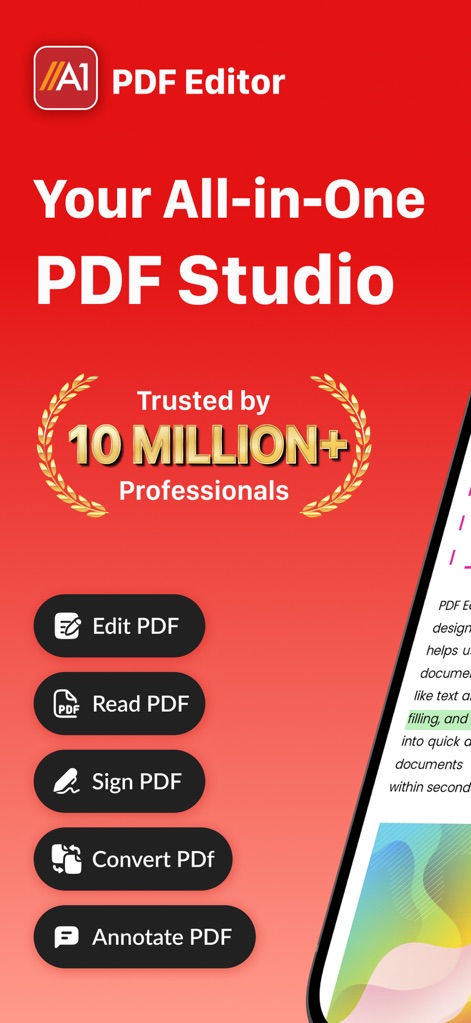
このアプリは、編集、閲覧、署名、変換、注釈付けといった主要機能を一つの場所で提供し、1000万人以上の専門家からの信頼を得ています。
オールインワンPDFスタジオ
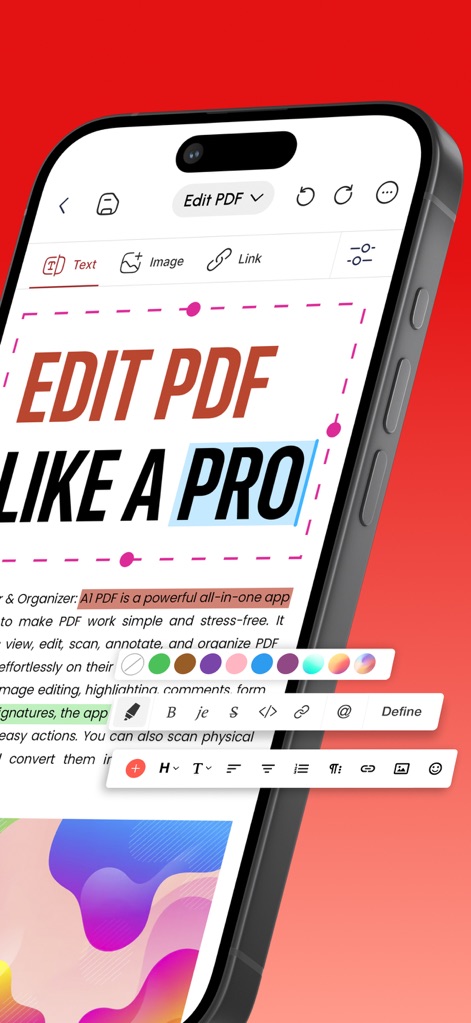
ユーザーはテキストの強調表示や色変更など、カスタマイズ可能な編集ツールを使用して、PDFドキュメントをプロのように編集できます。
プロ級のPDF編集
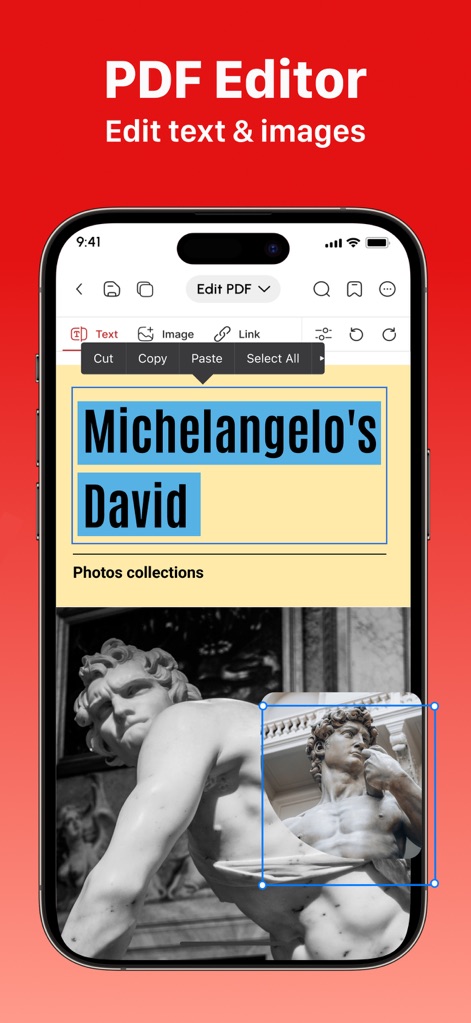
直感的なインターフェースにより、ユーザーはPDF内のテキストを編集したり、画像を簡単に選択・調整して視覚的なコンテンツを管理できます。
テキストと画像の調整
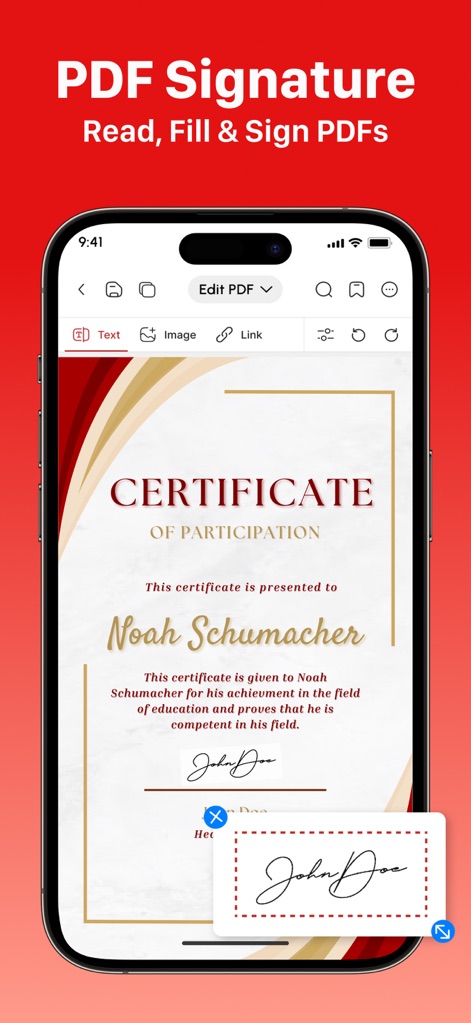
この機能により、ユーザーは指やApple Pencilで直接署名を作成し、PDFドキュメントのフォームに署名や記入を簡単に行うことができます。
簡単な電子署名
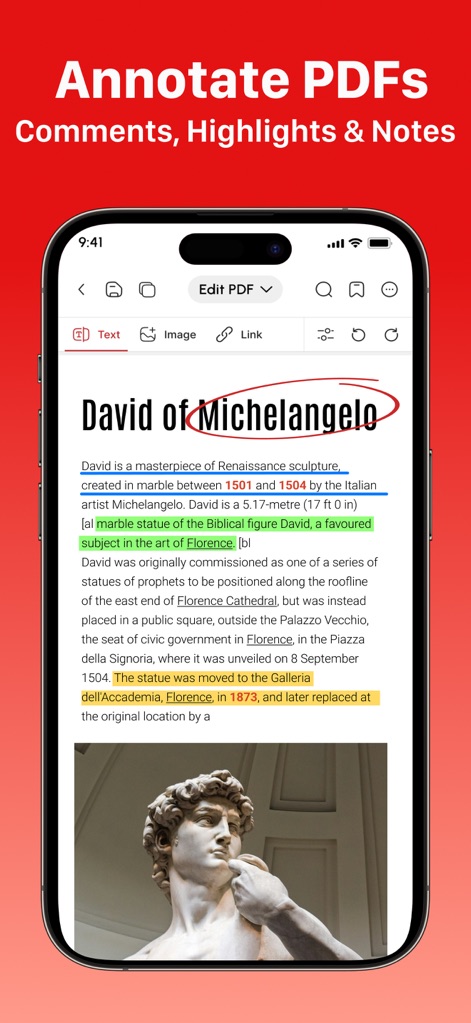
ユーザーはテキストをハイライトしたり、コメントやノートを追加して、PDFドキュメントの内容を詳細に分析し、理解を深めることができます。
注釈とハイライト
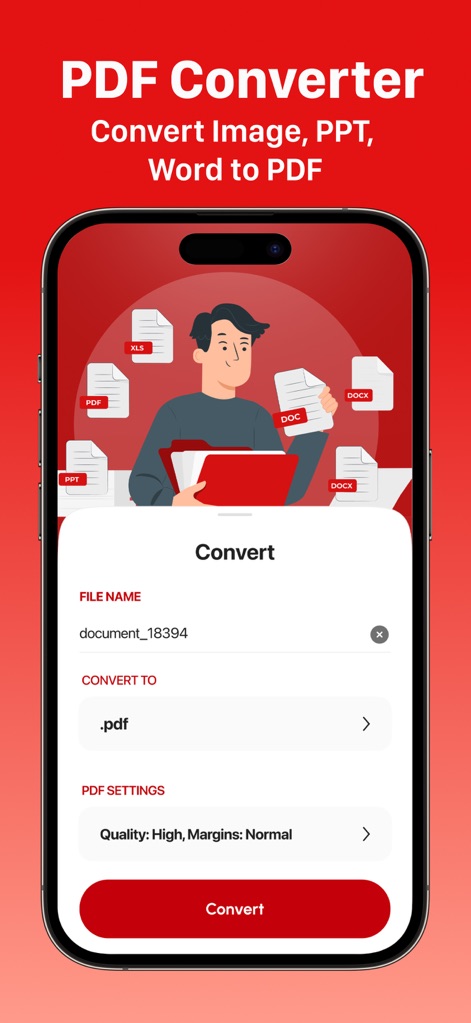
画像、PPT、Wordなどの様々な形式のファイルをPDFに高品質で変換する機能が提供されており、ユーザーは変換設定を細かく調整できます。
多彩なファイル変換
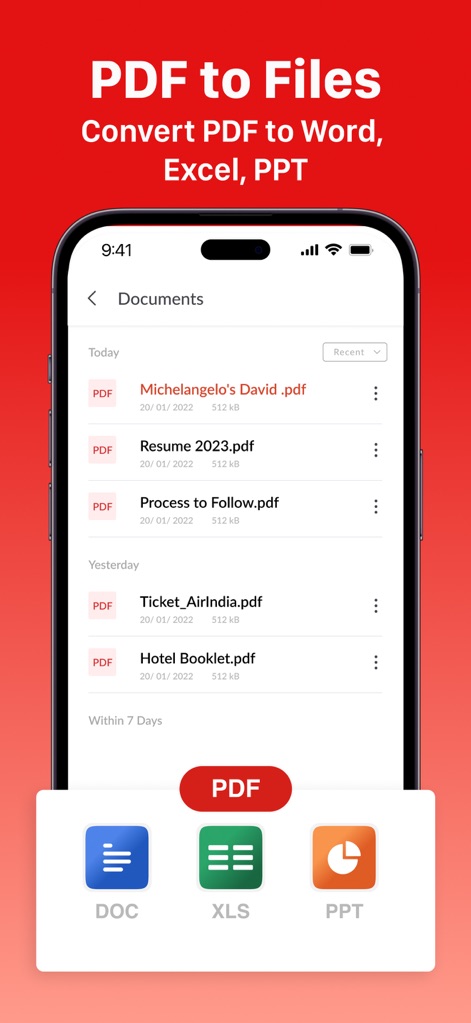
このツールは、PDFドキュメントをWord、Excel、PowerPoint形式に変換する機能を提供し、柔軟なファイル管理を可能にします。
PDFからファイルへ
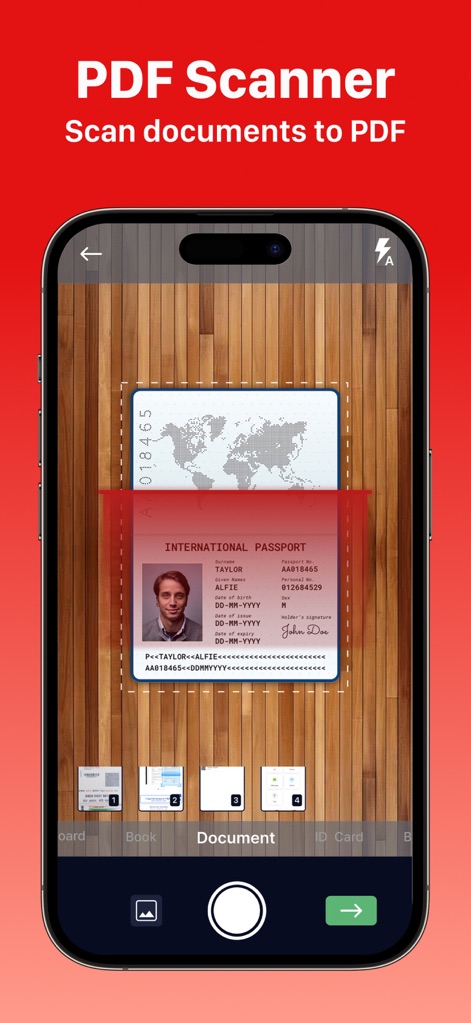
物理的な書類をスキャンし、自動パース補正やクロッピングツールを活用して、高品質なPDFに変換することができます。
高度なPDFスキャン
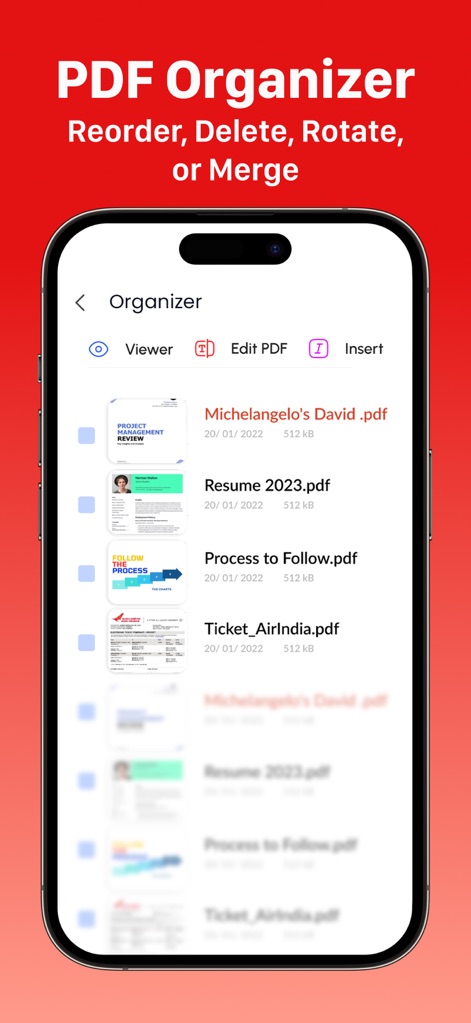
ユーザーはPDFドキュメントの順序を並べ替えたり、複数のファイルを結合することで、効率的にドキュメントを整理できます。
効率的なドキュメント整理

このアプリは4.6つ星と12000件以上の高評価を獲得しており、その優れた機能性と信頼性により、多くの専門家から選ばれています。
専門家からの信頼
説明
Download
類似アプリ
似た機能とユーザー体験を持つアプリ

PDF PRO Scan Image & Documents
Balzo srl

The PDF Scanner, PDF editor HQ
NEXT K.U.M. LTD

CamScanner - PDF Scanner App
INTSIG Information Co., Ltd

Adobe Scan: PDF & OCR Scanner
Adobe Inc.

WPS Office: PDF, Docs, Sheets
KINGSOFT OFFICE SOFTWARE CORPORATION LIMITED

iLovePDF - PDF Editor & Scan
ILOVEPDF S.L.

Scanner App: Genius Scan
The Grizzly Labs

Microsoft Lens: PDF Scanner
Microsoft Corporation

Clear Scan: Doc Scanner App
INDY MOBILE APP COMPANY LIMITED
このページはアプリまたはその開発者の公式ページではなく、情報提供および論評を目的として作成された独立した編集出版物です。明示的に別段の記載がない限り、アプリおよびその開発者は、MWM、Apple、Google Play、アプリのパブリッシャー、またはアプリの開発者と提携、承認、後援、認可、またはその他の公式的な関係はなく、このページのいかなる内容も、アプリがMWMのサービスを使用して開発されたことを意味するものではありません。すべての商標、ロゴ、スクリーンショット、その他のコンテンツはそれぞれの所有者の財産です。