PDF Office Pro, Acrobat Expert
ダウンロード: App Store

このページはアプリまたはその開発者の公式ページではなく、情報提供および論評を目的として作成された独立した編集出版物です。明示的に別段の記載がない限り、アプリおよびその開発者は、MWM、Apple、Google Play、アプリのパブリッシャー、またはアプリの開発者と提携、承認、後援、認可、またはその他の公式的な関係はなく、このページのいかなる内容も、アプリがMWMのサービスを使用して開発されたことを意味するものではありません。すべての商標、ロゴ、スクリーンショット、その他のコンテンツはそれぞれの所有者の財産です。

ロゴ: PDF Office Pro, Acrobat Expert
ダウンロード: App Store

PDF Office Pro, Acrobat Expert

リアルタイム共同作業、強力なOCR、シームレスなiCloud同期でドキュメントをマスターしましょう。プロフェッショナル向けに設計された最も高度なモバイルPDFスイートで、テキストを編集し、フォームに署名し、データを保護しましょう。

主要数値

ダウンロード

182K+

ユーザー評価

4.4/5

評価数

200

開発元

Heytopia LLC

カテゴリ

Business

対応言語

13

最新バージョン

7.0.1

サイズ

148.8 MB

リリース日

2020年9月16日
機能

あなたの完全なモバイルオフィス

シンプルなPDFリーダーで妥協するのはやめましょう。プロフェッショナルグレードの編集、安全なOCR、そしてすべてのAppleデバイスでのシームレスなiCloud共同作業で、ドキュメントを完全に制御しましょう。

完全なテキストと画像の編集

PDF内の元のテキストを変更し、フォントを変更し、画像を直接リサイズします。ポケットに入るデスクトップクラスのエディタです。

エコシステム全体で同期

iPadでApple Pencilで開始し、Macで完了します。ファイルと編集はiCloud経由で瞬時に同期され、摩擦のないワークフローを実現します。

以下のスクリーンショットと説明は、アプリの公式ストアリスティングから直接取得されたものであり、アプリ開発者の所有物です。

アプリストア

スクリーンショット
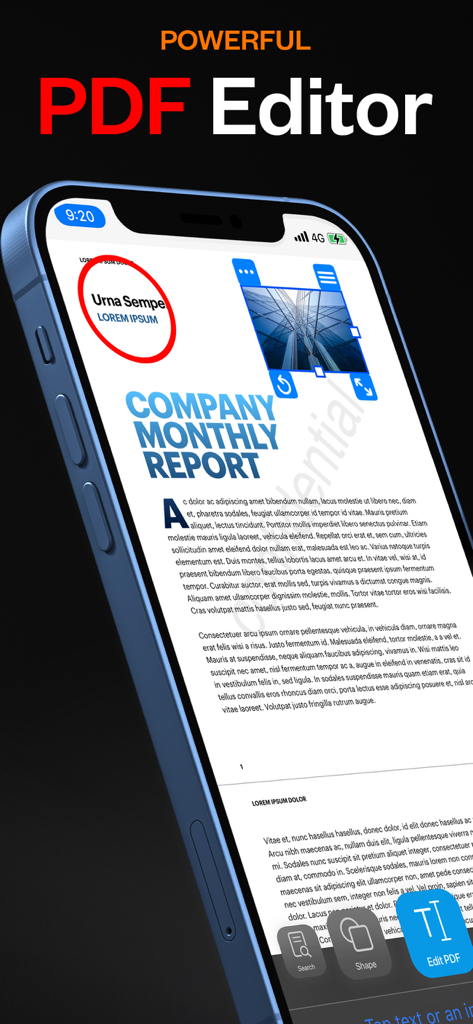
PDF Office Pro, Acrobat Expert - iPhoneにPDF Office Proアプリのインターフェイスが表示され、強力な編集ツールで会社の月次レポートを編集しています
iPhoneにPDF Office Proアプリのインターフェイスが表示され、強力な編集ツールで会社の月次レポートを編集しています

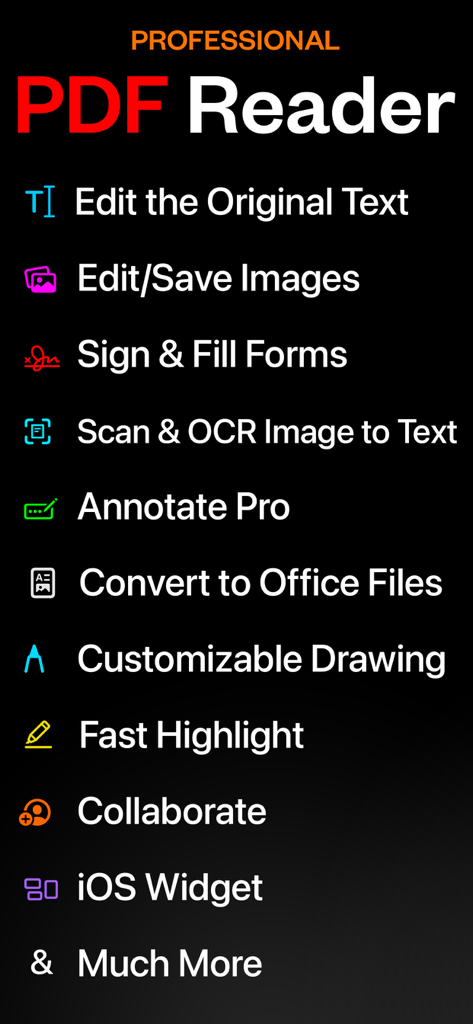
PDF Office Pro, Acrobat Expert - テキスト編集、スキャン、フォーム署名を含むPDF Office Proアプリのプロフェッショナル機能のリスト
テキスト編集、スキャン、フォーム署名を含むPDF Office Proアプリのプロフェッショナル機能のリスト

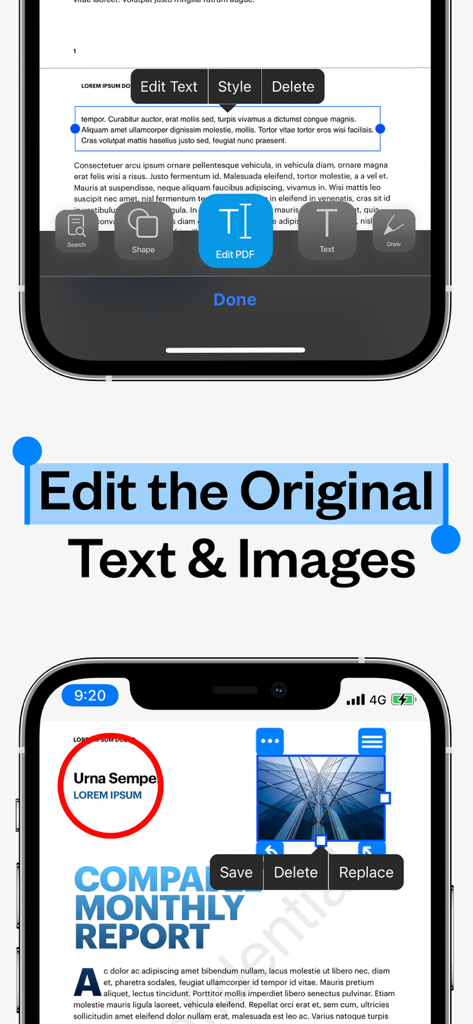
PDF Office Pro, Acrobat Expert - PDFドキュメントで元のテキストと画像を編集するためのツールを示すPDF Office Proのモバイルインターフェイス。
PDFドキュメントで元のテキストと画像を編集するためのツールを示すPDF Office Proのモバイルインターフェイス。

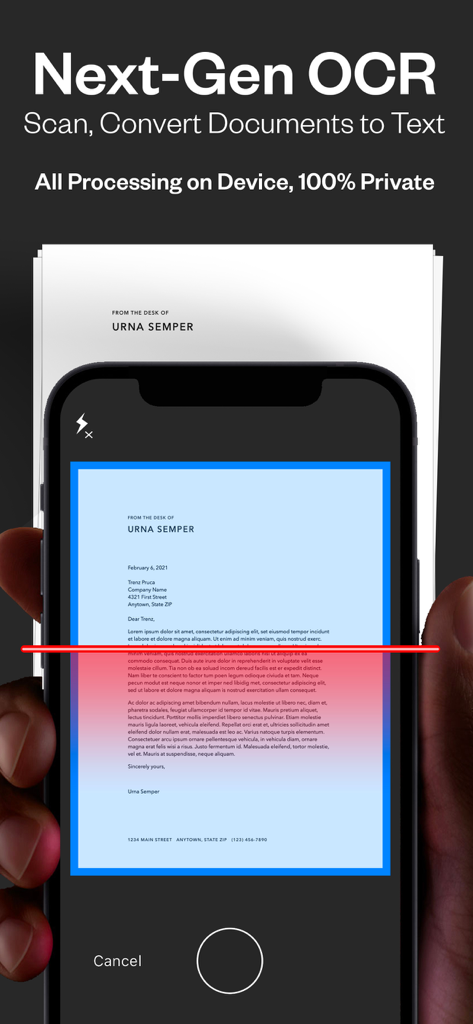
PDF Office Pro, Acrobat Expert - PDF Office Pro OCR機能を使用して、物理的なドキュメントをデジタルテキストにスキャンしています。
PDF Office Pro OCR機能を使用して、物理的なドキュメントをデジタルテキストにスキャンしています。

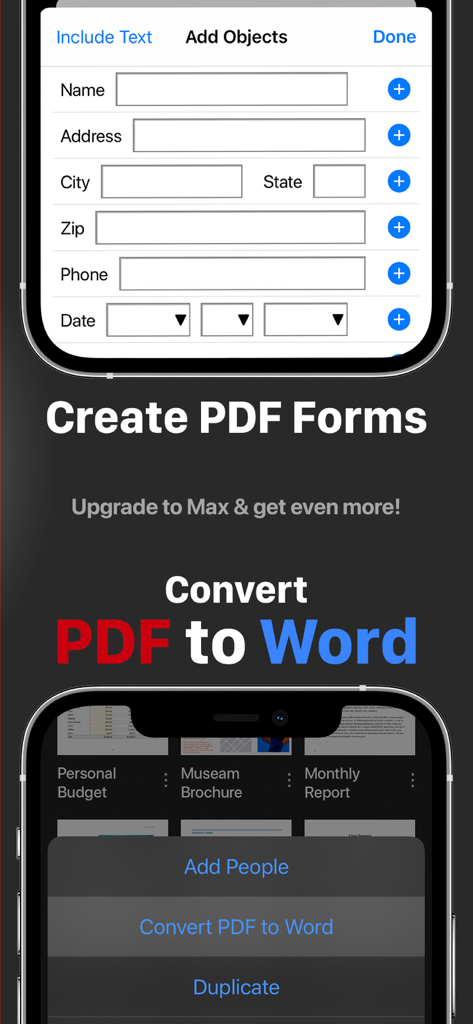
PDF Office Pro, Acrobat Expert - モバイルデバイスでPDFフォームを作成し、PDFをWordに変換する機能を示すPDF Office Proアプリのインターフェイス
モバイルデバイスでPDFフォームを作成し、PDFをWordに変換する機能を示すPDF Office Proアプリのインターフェイス

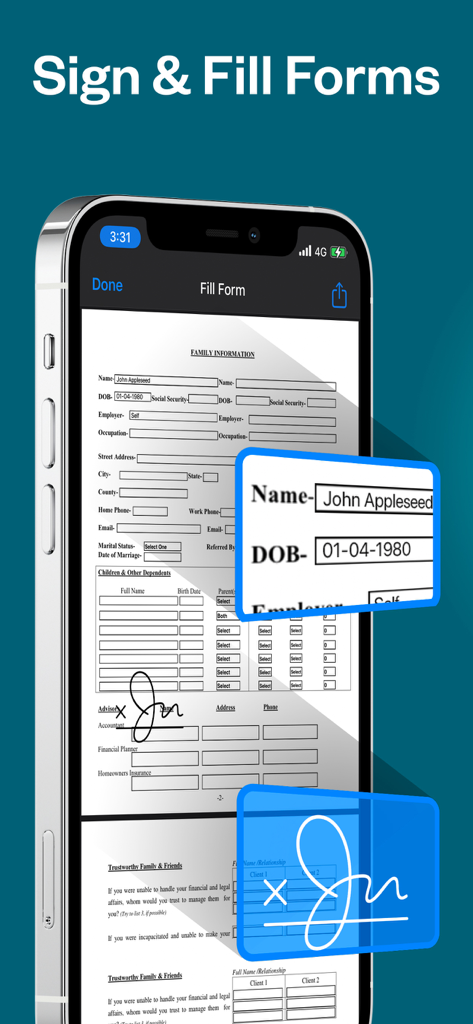
PDF Office Pro, Acrobat Expert - テキスト入力フィールドとデジタル署名のあるPDFドキュメントを表示するiPhone
テキスト入力フィールドとデジタル署名のあるPDFドキュメントを表示するiPhone

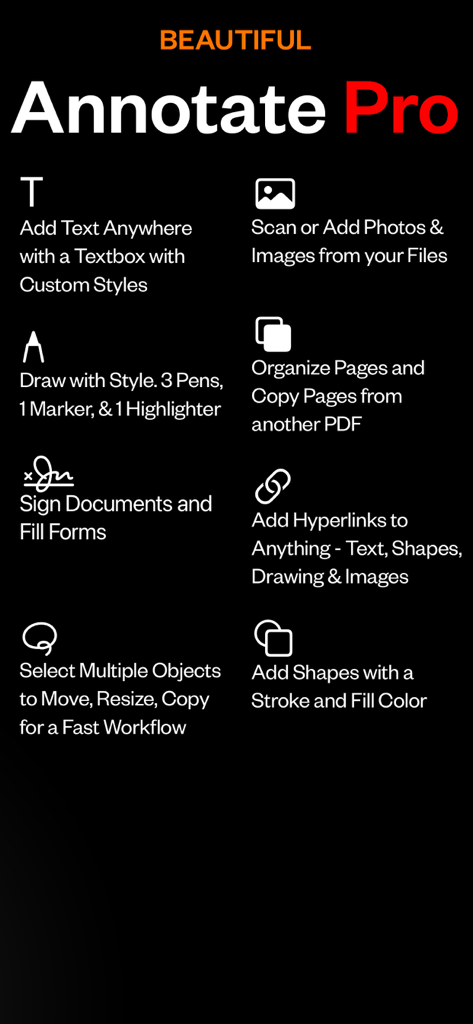
PDF Office Pro, Acrobat Expert - テキストボックス、描画ツール、ドキュメント署名、ページ整理を含むPDF注釈機能のリスト
テキストボックス、描画ツール、ドキュメント署名、ページ整理を含むPDF注釈機能のリスト

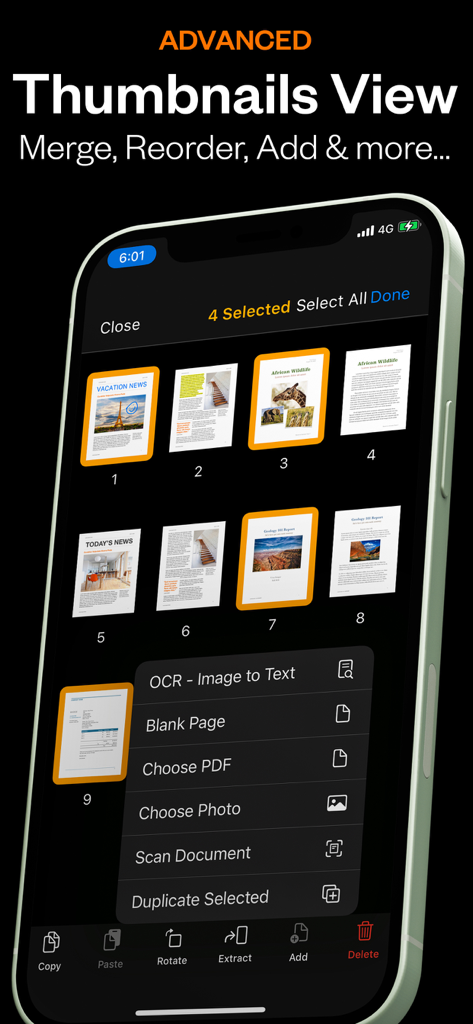
PDF Office Pro, Acrobat Expert - ページ管理とOCRオプションを示すPDF Office Proアプリの高度なサムネイルビュー。
ページ管理とOCRオプションを示すPDF Office Proアプリの高度なサムネイルビュー。

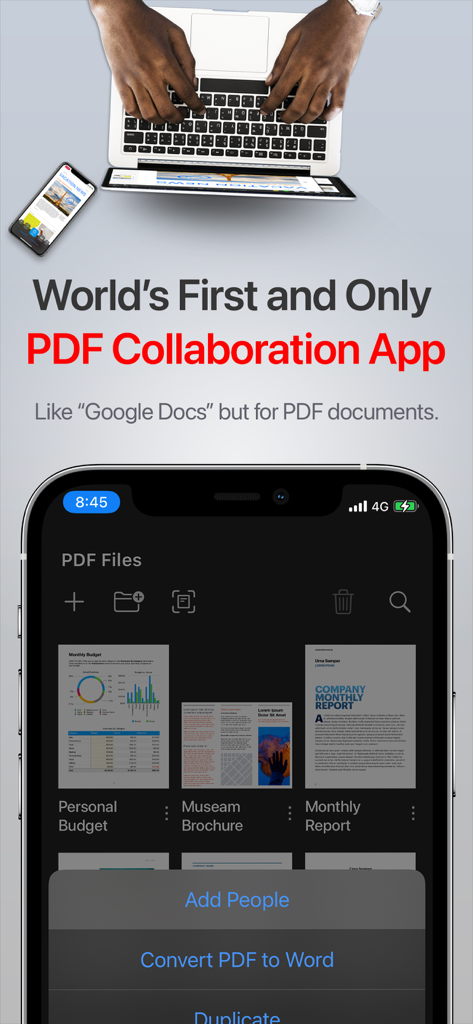
PDF Office Pro, Acrobat Expert - リアルタイム共同作業機能とドキュメント管理を示すiPhone上のPDF Office Proアプリのインターフェイス
リアルタイム共同作業機能とドキュメント管理を示すiPhone上のPDF Office Proアプリのインターフェイス

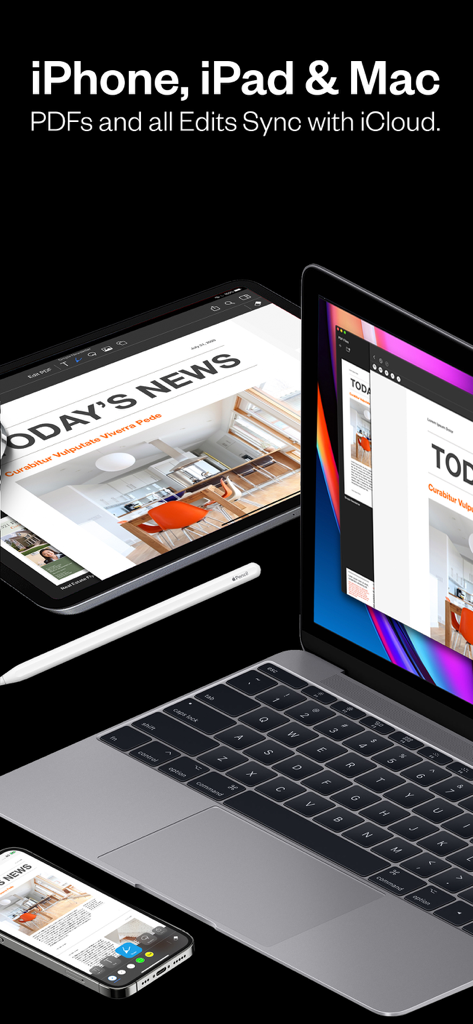
PDF Office Pro, Acrobat Expert - iPhone、iPad、MacBook全体で同期されたPDF Office Proアプリ

iPhone、iPad、MacBook全体で同期されたPDF Office Proアプリ

説明

Introducing PDF Office Pro, the best PDF editor and reader! Edit text, images, sign, forms, highlight, OCR image to text, collaborate, use widgets, and much more! PDF Office Pro is a productivity app that offers a feature packed way to work with PDF documents. Using PDF Office Pro, you can edit PDF text, edit PDF Images, draw on PDF docs with Apple Pencil (not required to draw), convert images to text, invite people for real-time collaborative editing, fill PDF forms, sign PDF docs, edit hyperlinks and upload unlimited PDFs on iCloud and access the data from any iOS and Mac device. PDF Office Pro offers all the basic functionalities such as reading, highlight, draw, sign and organize PDF files; and more advanced features like rearranging PDF pages, real-time collaborative editing, online syncing, annotation, and so much more... **PDF Office Pro bundles exciting features** EDIT PDFs Original Text & Images • Edit, add, remove existing word/s or text/s or image/s. Change the font, size, and color, alignment, fill static PDF docs/forms. Save, replace, delete and resize PDF images. Powerful Editing Tool • Beautiful UI to edit text in your PDF documents • Freehand drawing with your finger or Apple Pencil • Add your own text/notes in the existing body • Scan & Fill PDF document/forms • Merge large PDF docs for easy sharing • Insert and Resize photo into PDFs UNLIMITED UPLOADS AND DATA SYNCING • Upload and Sync unlimited number of PDF files on iCloud and access the data from any iOS or Mac device. OCR - Convert Images to Text • Simple convert an image(s) or PDF to text • Next-Gen OCR with amazing accuracy • Processing done on device, 100% private World’s first real-time collaborative PDF editor • Share your doc with friends/co-workers/clients • Create a shared folder by inviting iClouds users for real-time collaborative editing. Get everyone’s feedback in one place. • Start collaborating work and save all data in shared PDF folder Annotate • Annotate word and text with highlights, underlines, handwriting • Add your comments or notes within the PDF file • Use doc sign creator and add your own signatures • Draw and insert different shapes and objects DARK MODE • Enable dark mode feature for long - time reading. Easily adjust the buttons and toolbars according to your convenience. Organize PDFs • Create a folder and organize your documents • Sync iCloud Drive with the app • Browse recently deleted PDFs Unlimited PDF uploads and syncing • Upload unlimited documents on iCloud • Access these documents from your iPhone, iPad, and Mac • Sync data online and never worry about any data loss Copy Pages • Take pages from one PDF and add to another UPGRADE AND GET: Convert PDFs to Word .docx Fully-Editable Files Conversion Includes: • Text Formatting & Attributes • Annotations & Highlights • Drawings • Images • Tables & more. • The conversion is done on our AWS secure server. All files are deleted IMMEDIATELY and just incase, we do many things: 1) We completely erase the data server every 24 hours. 2) No data is saved or tracked. 3) We even change the name of the PDF to gibberish before uploading! Create Custom PDF Forms • Easy 'Start' with templates for common PDF form objects • Add Text Input Boxes • Checkboxes • Radio • Choices • Buttons SMART COMPRESS • Control the resolution of images inside the PDF • Adjust the image quality • Flatten PDFs • Remove all images if you’d like Stamps & Stamps Builder: • Emphasize sections of the PDF • Create your own stamps MORE • Watermarks on All Pages or One Page • Add/Edit Table of Contents for nice organized outlines • Auto-Add Page numbers to your PDF and specify the exact format and location of the numbers • Add a password to exported PDFs for added protection/security

Download

ダウンロード: App Store

このページはアプリまたはその開発者の公式ページではなく、情報提供および論評を目的として作成された独立した編集出版物です。明示的に別段の記載がない限り、アプリおよびその開発者は、MWM、Apple、Google Play、アプリのパブリッシャー、またはアプリの開発者と提携、承認、後援、認可、またはその他の公式的な関係はなく、このページのいかなる内容も、アプリがMWMのサービスを使用して開発されたことを意味するものではありません。すべての商標、ロゴ、スクリーンショット、その他のコンテンツはそれぞれの所有者の財産です。








