
このページはアプリまたはその開発者の公式ページではなく、情報提供および論評を目的として作成された独立した編集出版物です。明示的に別段の記載がない限り、アプリおよびその開発者は、MWM、Apple、Google Play、アプリのパブリッシャー、またはアプリの開発者と提携、承認、後援、認可、またはその他の公式的な関係はなく、このページのいかなる内容も、アプリがMWMのサービスを使用して開発されたことを意味するものではありません。すべての商標、ロゴ、スクリーンショット、その他のコンテンツはそれぞれの所有者の財産です。


ダウンロード
100k+ユーザー評価
評価数
96開発元
カテゴリ
Business対応言語
20最新バージョン
1.3.1サイズ
141.7 MBリリース日
2023年1月26日モバイルデバイスにおける包括的なPDF管理ソリューション
「PDF Reader - PDF Editor」機能分析
PDFフォーム入力と署名
ユーザーはPDFフォームを簡単に完成させ、保存し、送信できます。また、場所を問わずPDFに署名を追加することが可能です。
PDFテキストと画像の直接編集
このアプリは、PDF内のテキストや画像を直接編集する機能を提供します。ユーザーはページの結合、分割、順序変更、画像の回転、そしてPDFへの描画も行えます。
高度なPDF閲覧と注釈
ユーザーはPDFを快適に閲覧でき、メモの追加、テキストのハイライト、下線、取り消し線、テキスト検索、ページブックマークなどの豊富な注釈機能を利用できます。
ドキュメントスキャン機能
本ツールは、さまざまなドキュメントを迅速にスキャンする機能を提供し、スキャン品質を向上させて明確なデジタルコピーを作成することを可能にします。
高度なファイル管理
ユーザーはPDFファイルを整理、名前変更、コピー、移動、または削除できます。また、Googleドライブなどのクラウドストレージからのファイルアクセスもサポートしています。
画像からPDFへの変換
この機能により、ユーザーは写真や画像を新しいPDFドキュメントに簡単に変換することができ、デジタル化のプロセスを簡素化します。
よくある質問
について知っておくべきこと PDF Reader - PDF Editor
What is PDF Reader - PDF Editor?
PDF Reader - PDF Editor is an all-in-one tool for reading, editing, viewing, annotating, scanning, filling, signing, and sharing PDF files. It also allows creating forms and converting images to PDF.
Can I annotate PDFs with PDF Reader - PDF Editor?
Yes, PDF Reader - PDF Editor allows users to annotate PDFs. You can add notes, highlight, underline, and cross out text directly within your PDF documents using the app.
How do I convert images to PDF using PDF Reader - PDF Editor?
Yes, PDF Reader - PDF Editor includes a PDF Converter feature. It allows you to convert photos and turn other images directly into new PDF files within the application.
Can I sign PDF documents in PDF Reader - PDF Editor?
Yes, PDF Reader - PDF Editor allows you to sign PDFs. Users can easily complete, save, and add their signature to PDF forms and documents directly within the app from any location.
Does PDF Reader - PDF Editor include a document scanner?
Yes, PDF Reader - PDF Editor includes a document scanner. It enables users to quickly scan various documents, including IDs and passports, and improve the scan quality for better clarity.
Can I edit text and images in PDFs using PDF Reader - PDF Editor?
Yes, PDF Reader - PDF Editor supports direct editing of text and images within PDF files. Users can modify content directly, enhancing their documents as needed.
How can I manage my PDF files with PDF Reader - PDF Editor?
PDF Reader - PDF Editor allows comprehensive file management. You can organize, rename, copy, move, or delete PDFs and access files directly from your Google Drive.
Does PDF Reader - PDF Editor have OCR functionality?
Yes, PDF Reader - PDF Editor includes OCR (Optical Character Recognition) functionality. It allows users to search and extract text from PDFs, as well as create documents using OCR.
Where can I find the Terms of Use for PDF Reader - PDF Editor?
The Terms of Use for PDF Reader - PDF Editor are available at the following address: https://www.apple.com/legal/internet-services/itunes/dev/stdeula/.
What is the Privacy Policy for PDF Reader - PDF Editor?
The Privacy Policy for PDF Reader - PDF Editor is located at https://www.freeprivacypolicy.com/privacy/view/50c5621471755f1548917ebbe5e90160. This policy details how the app handles user data.
以下のスクリーンショットと説明は、アプリの公式ストアリスティングから直接取得されたものであり、アプリ開発者の所有物です。
アプリストア
スクリーンショット
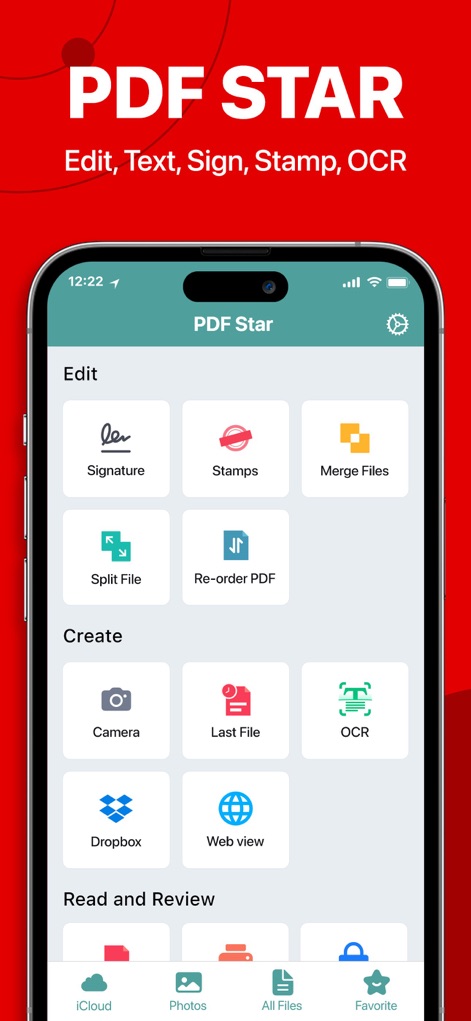
署名やスタンプといった複数の編集機能と、カメラやOCRによるファイル作成オプションを利用して、PDFタスクを効率化できます。
効率的なPDF編集

このアプリは、署名作成機能とOCR(光学文字認識)によるテキスト認識を素早く選択できるインターフェースを提供し、作業効率を高めます。
主要機能へ素早くアクセス
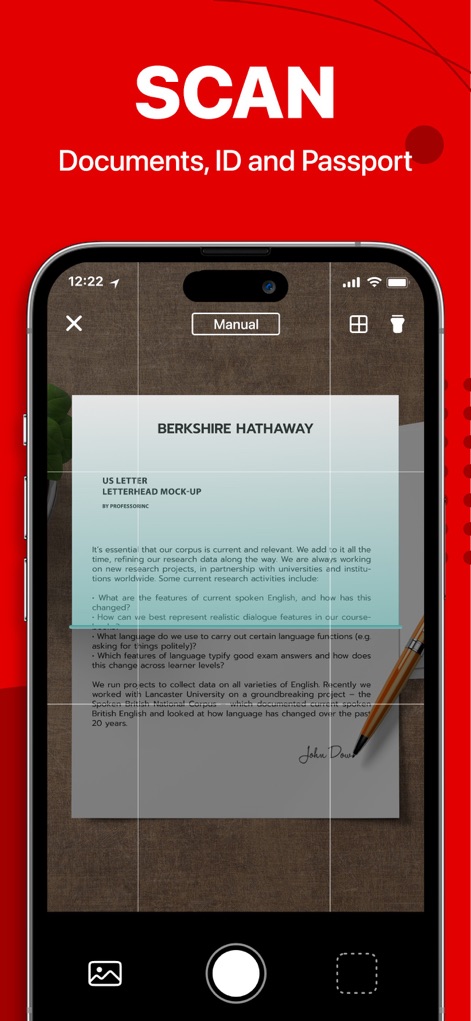
このツールを使用すると、文書をスキャンしてデジタル化でき、リアルタイムでテキストがハイライト表示されるため、情報の認識が容易になります。
高精度ドキュメントスキャン
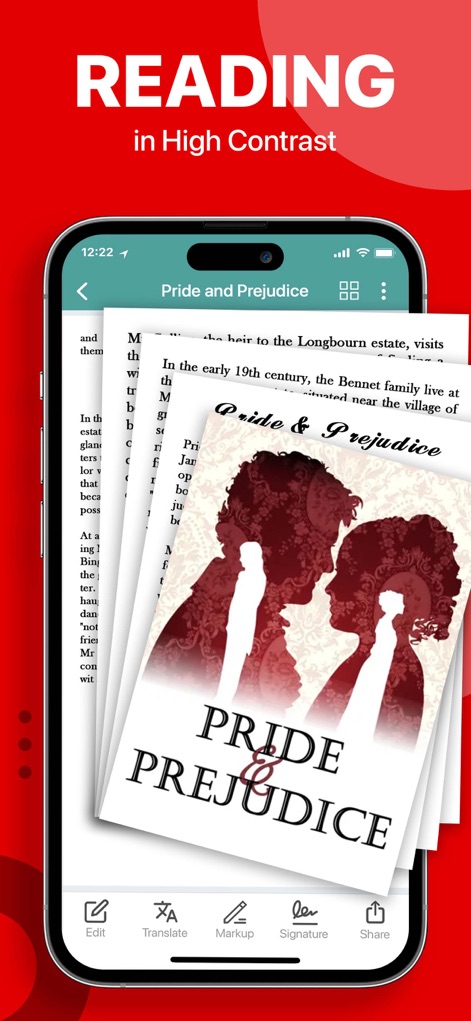
高コントラスト表示によりテキストが読みやすくなり、編集、翻訳、マークアップといった豊富な読書ツールでPDFを詳細に分析できます。
快適な読書体験
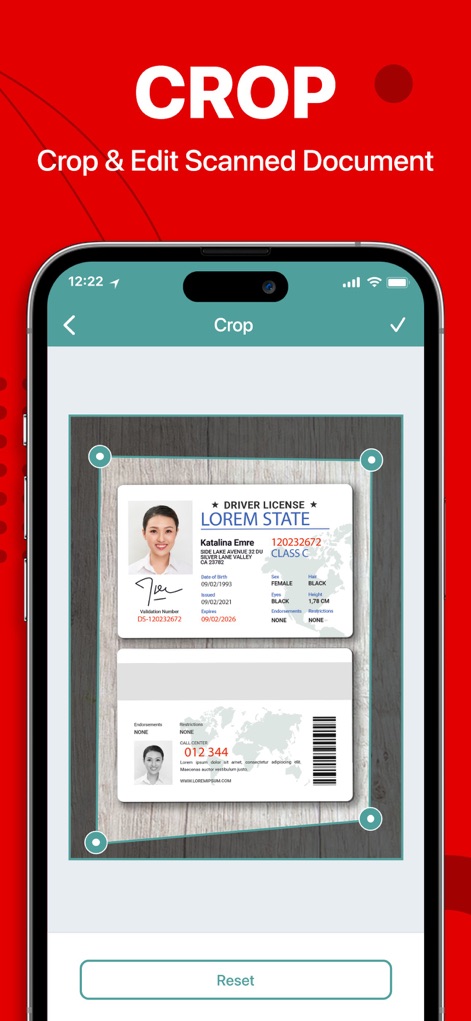
スキャンした運転免許証のような文書を正確にトリミングする機能と、その後の編集オプションにより、必要な情報だけを抽出できます。
スキャン文書をトリミング
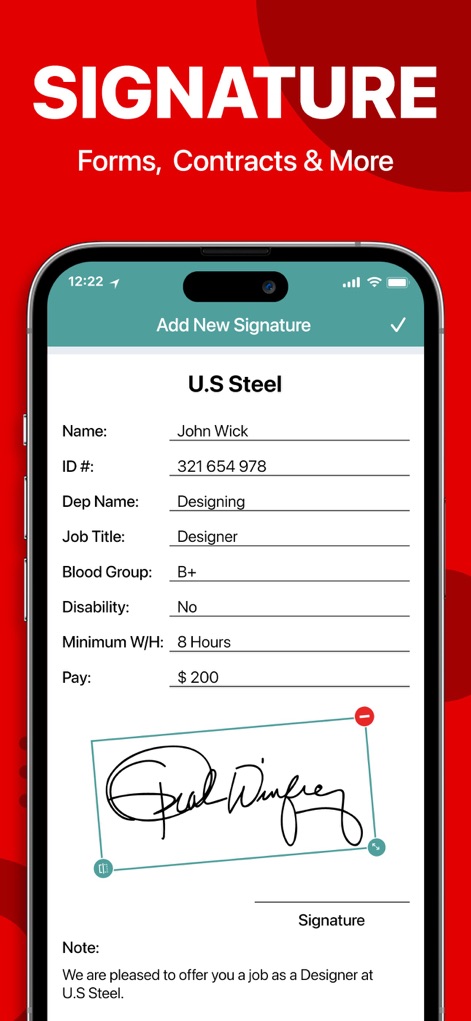
ユーザーは詳細な個人情報をフォームに入力し、デジタル署名を追加することで、契約書や重要文書の承認プロセスを効率化できます。
デジタル署名で効率化

このアプリは、サムネイル付きのファイルリストでPDFを一覧表示し、検索、ソート、フィルター機能を使って目的のファイルを素早く見つけられます。
すべてのPDFを一元管理

リアルタイムのスキャン表示と自動検出機能により、ドキュメント、ID、パスポートなどを素早くデジタル化し、高品質なPDFを作成できます。
高速ドキュメントスキャン
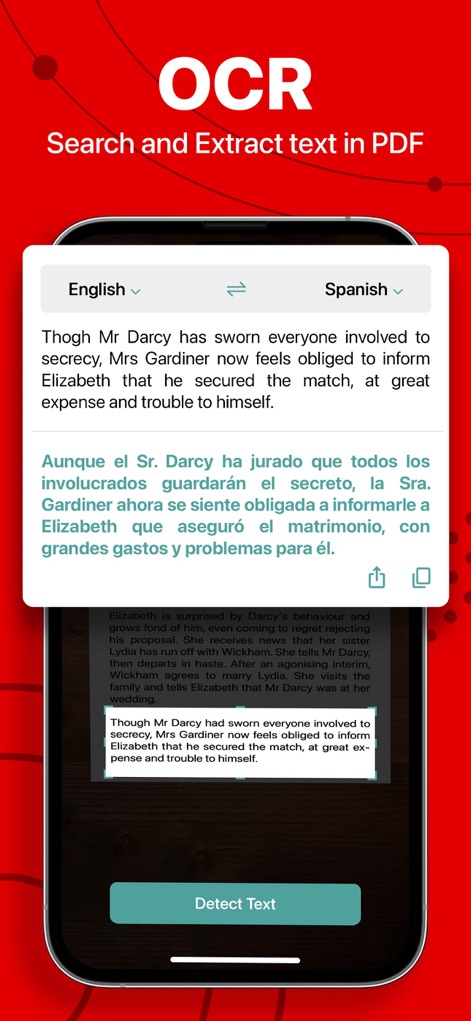
OCR機能によりPDF内のテキストを正確に抽出し、さらに英語からスペイン語への翻訳機能で国際的な文書作業もサポートします。
OCRでテキストを抽出

カスタムロゴスタンプや「承認済み」などの承認スタンプを文書に簡単に適用でき、プロフェッショナルな仕上げを実現します。
文書にスタンプを適用
説明
Download
類似アプリ
似た機能とユーザー体験を持つアプリ

PDF PRO Scan Image & Documents
Balzo srl

The PDF Scanner, PDF editor HQ
NEXT K.U.M. LTD

CamScanner - PDF Scanner App
INTSIG Information Co., Ltd

Adobe Scan: PDF & OCR Scanner
Adobe Inc.

WPS Office: PDF, Docs, Sheets
KINGSOFT OFFICE SOFTWARE CORPORATION LIMITED

iLovePDF - PDF Editor & Scan
ILOVEPDF S.L.

Scanner App: Genius Scan
The Grizzly Labs

Microsoft Lens: PDF Scanner
Microsoft Corporation

Clear Scan: Doc Scanner App
INDY MOBILE APP COMPANY LIMITED
このページはアプリまたはその開発者の公式ページではなく、情報提供および論評を目的として作成された独立した編集出版物です。明示的に別段の記載がない限り、アプリおよびその開発者は、MWM、Apple、Google Play、アプリのパブリッシャー、またはアプリの開発者と提携、承認、後援、認可、またはその他の公式的な関係はなく、このページのいかなる内容も、アプリがMWMのサービスを使用して開発されたことを意味するものではありません。すべての商標、ロゴ、スクリーンショット、その他のコンテンツはそれぞれの所有者の財産です。