PDF Reader Pro – Lite Edition
ダウンロード: App Store

このページはアプリまたはその開発者の公式ページではなく、情報提供および論評を目的として作成された独立した編集出版物です。明示的に別段の記載がない限り、アプリおよびその開発者は、MWM、Apple、Google Play、アプリのパブリッシャー、またはアプリの開発者と提携、承認、後援、認可、またはその他の公式的な関係はなく、このページのいかなる内容も、アプリがMWMのサービスを使用して開発されたことを意味するものではありません。すべての商標、ロゴ、スクリーンショット、その他のコンテンツはそれぞれの所有者の財産です。

ロゴ: PDF Reader Pro – Lite Edition
ダウンロード: App Store

PDF Reader Pro – Lite Edition

モバイルでの生産性を向上させましょう。テキスト編集、契約署名、スキャンされたOCR、ファイル変換をiPhoneとiPadでシームレスに行い、どこへ行くにもビジネスをサポートします。

主要数値

ダウンロード

756K+

ユーザー評価

4.3/5

評価数

1K+

開発元

PDF Technologies, Inc.

カテゴリ

Business

対応言語

13

最新バージョン

3.0.2

サイズ

180.8 MB

リリース日

2014年10月8日
機能

あなたの完全なモバイルオフィススイート

どこからでもドキュメントを編集、署名、保護できるように設計された強力なツールセットで、プロフェッショナルなワークフローを効率化しましょう。

プロフェッショナルな注釈と署名

法的に有効な署名、プロフェッショナルなスタンプ、明確なハイライトを契約書やレポートに追加して、外出先でも取引を完了しましょう。

スマートOCRとテキスト編集

スキャンされた画像を検索可能なデータに変換し、デスクトップに戻ることなくPDF内のタイポを直接修正できます。

以下のスクリーンショットと説明は、アプリの公式ストアリスティングから直接取得されたものであり、アプリ開発者の所有物です。

アプリストア

スクリーンショット
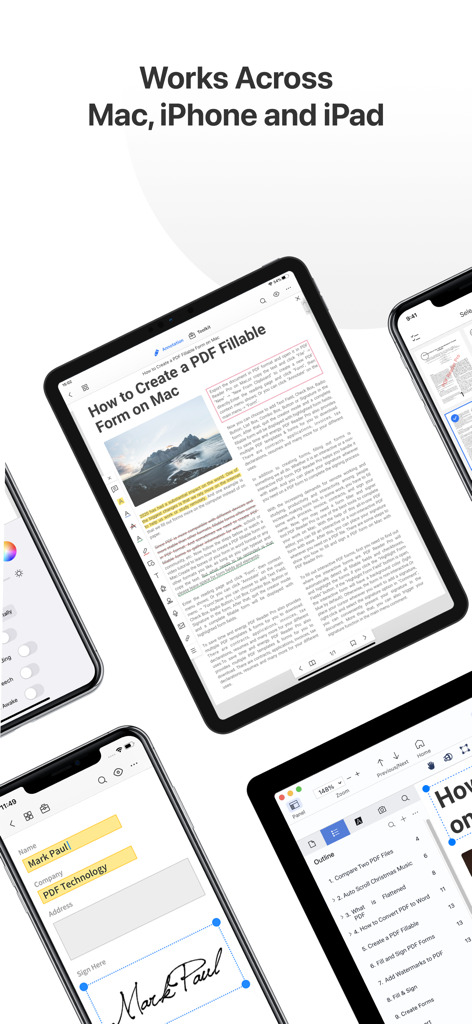
PDF Reader Pro – Lite Edition - Mac、iPhone、iPadデバイス全体でのPDF Reader Proアプリケーションインターフェイス
Mac、iPhone、iPadデバイス全体でのPDF Reader Proアプリケーションインターフェイス

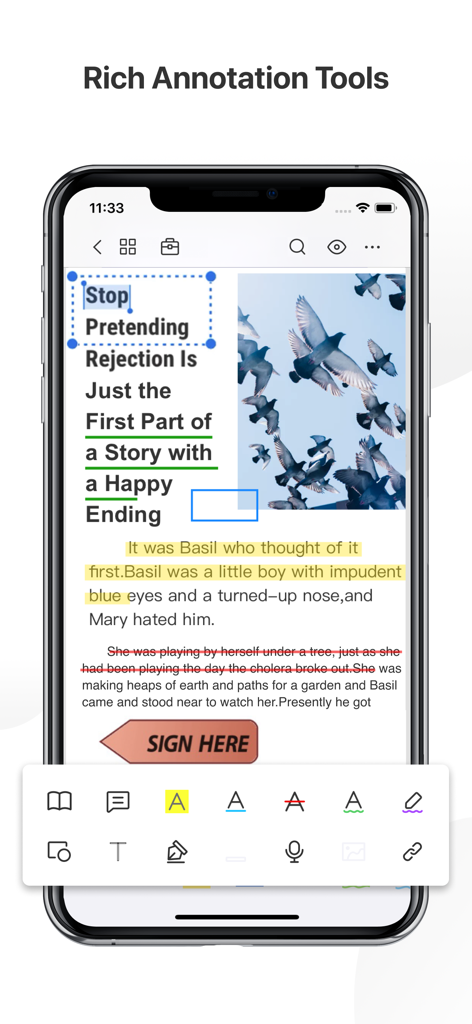
PDF Reader Pro – Lite Edition - ハイライトやデジタル署名などのPDF Reader Pro注釈ツールを表示するiPhone画面。
ハイライトやデジタル署名などのPDF Reader Pro注釈ツールを表示するiPhone画面。

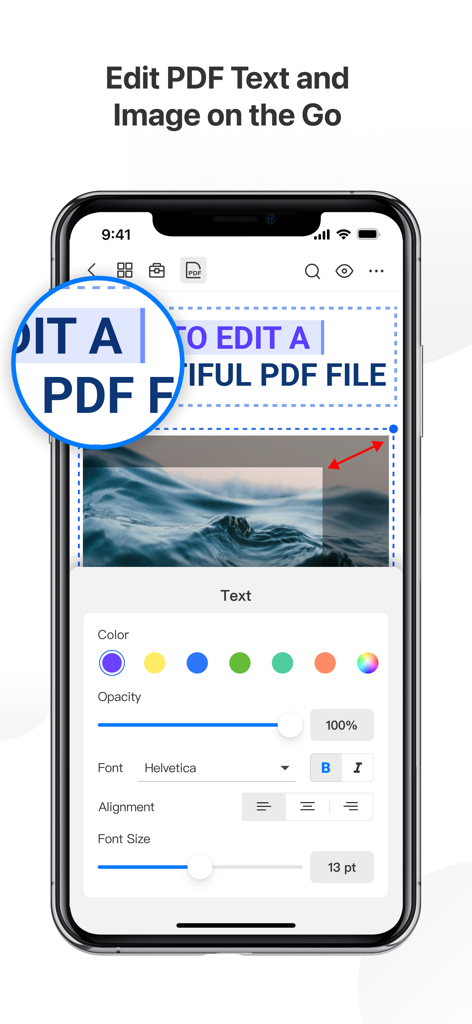
PDF Reader Pro – Lite Edition - PDF Reader Pro Liteアプリのテキストおよび画像編集機能を示すiPhoneスクリーンショット
PDF Reader Pro Liteアプリのテキストおよび画像編集機能を示すiPhoneスクリーンショット

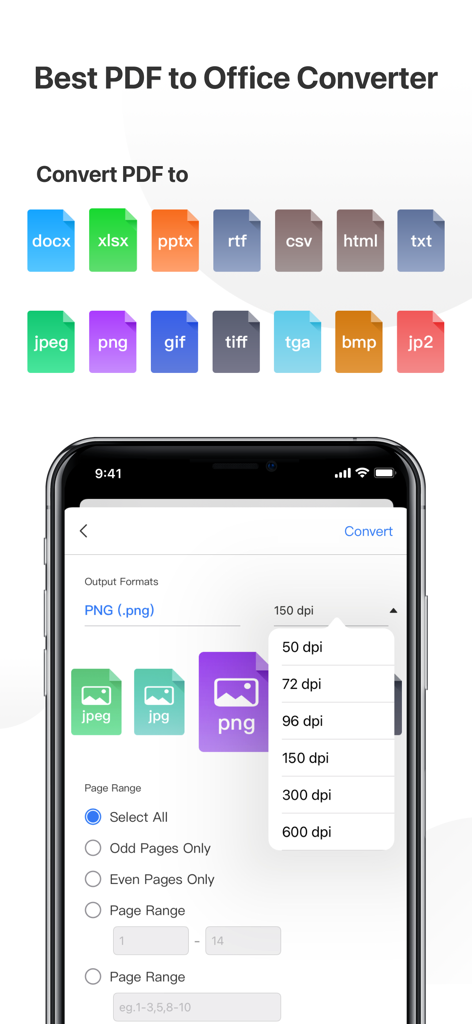
PDF Reader Pro – Lite Edition - Office形式と画像解像度設定のオプションを示すPDFコンバーターのインターフェイス
Office形式と画像解像度設定のオプションを示すPDFコンバーターのインターフェイス

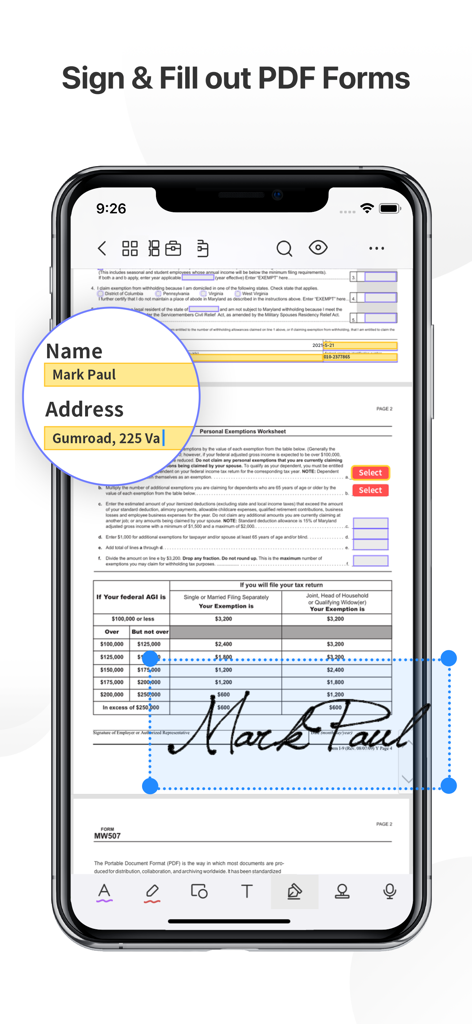
PDF Reader Pro – Lite Edition - 署名および記入済みのデジタル税務フォームが表示されたPDF Reader Proアプリを示すiPhone
署名および記入済みのデジタル税務フォームが表示されたPDF Reader Proアプリを示すiPhone

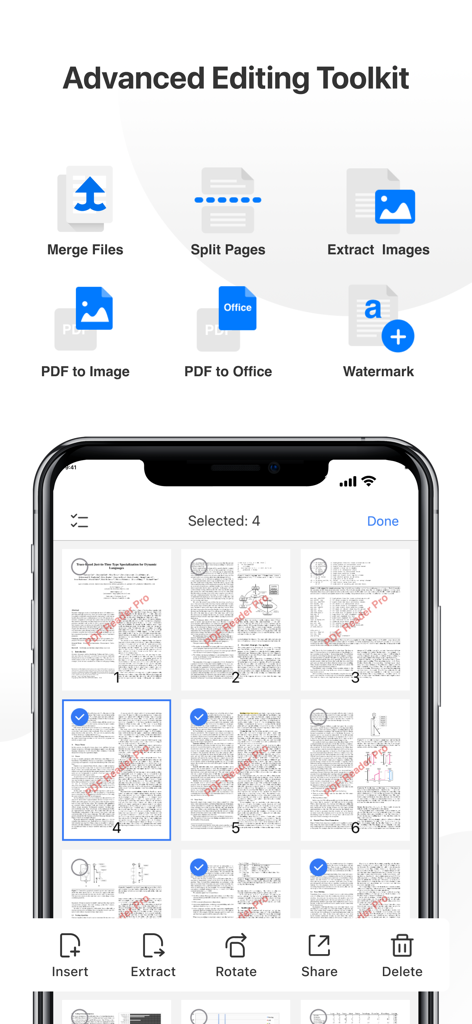
PDF Reader Pro – Lite Edition - iPhoneでのドキュメントのマージ、分割、ページ管理機能を示すPDF Reader Proの高度な編集ツールキットインターフェイス
iPhoneでのドキュメントのマージ、分割、ページ管理機能を示すPDF Reader Proの高度な編集ツールキットインターフェイス

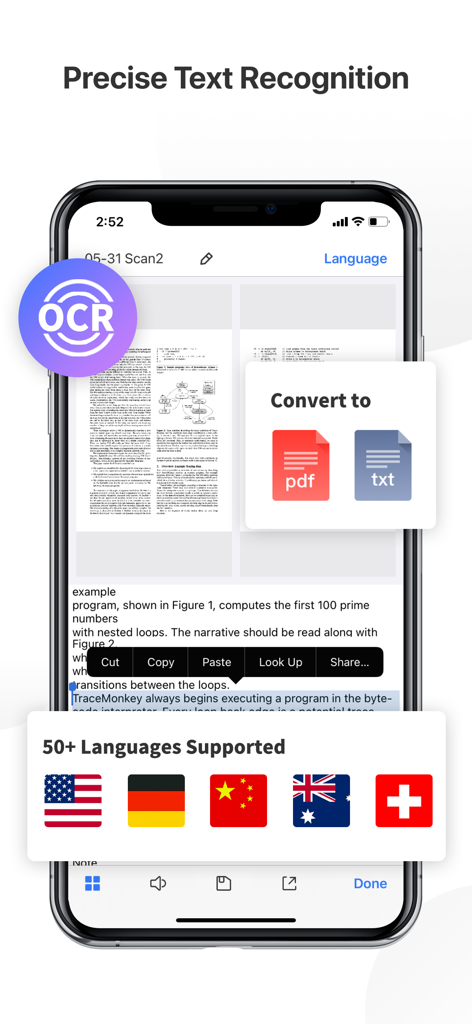
PDF Reader Pro – Lite Edition - iPhone画面でのOCRテキスト認識と50以上のサポート言語を示すPDF Reader Pro Lite
iPhone画面でのOCRテキスト認識と50以上のサポート言語を示すPDF Reader Pro Lite

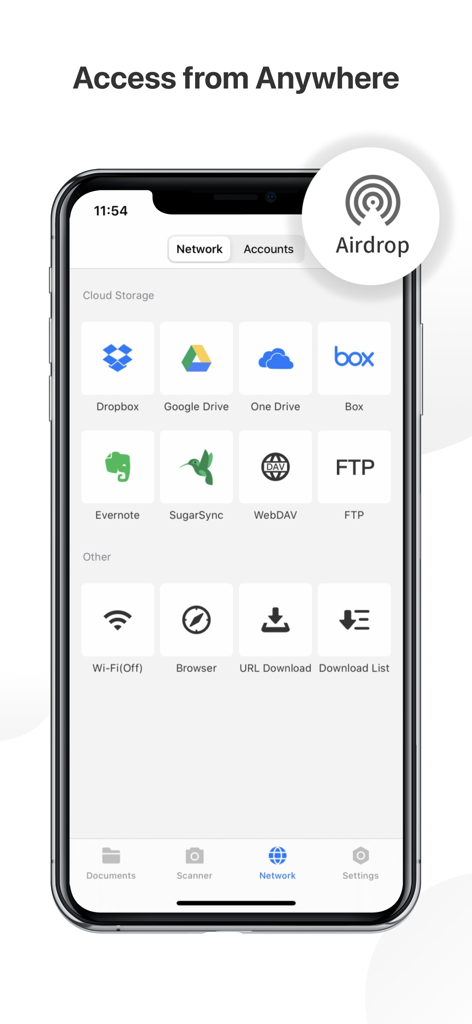
PDF Reader Pro – Lite Edition - Dropbox、Google Drive、AirdropなどのPDF Reader Proのクラウドストレージとネットワーク接続オプションを表示するスマートフォンの画面
Dropbox、Google Drive、AirdropなどのPDF Reader Proのクラウドストレージとネットワーク接続オプションを表示するスマートフォンの画面

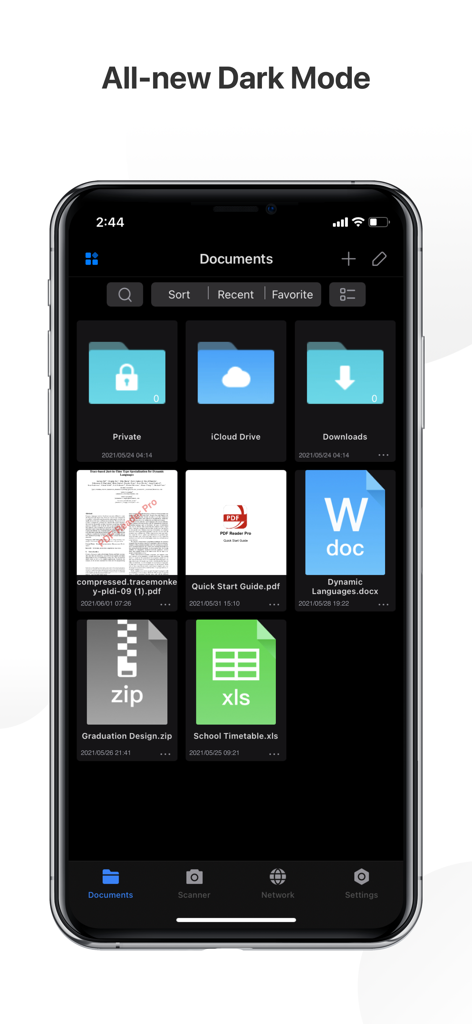
PDF Reader Pro – Lite Edition - ドキュメントフォルダとPDF、Word、Excelなどのファイルのグリッドを含む、PDF Reader Proモバイルアプリの新しいダークモードを紹介するインターフェイス

ドキュメントフォルダとPDF、Word、Excelなどのファイルのグリッドを含む、PDF Reader Proモバイルアプリの新しいダークモードを紹介するインターフェイス

説明

PDF Reader Pro helps much for anyone who reads, edit, highlights, OCR, signs, converts, creates, protects, compresses and fills out PDFs on their iPhone and iPad. It also makes it easy to organize, annotate and edit your PDFs. Import files from your computer or the cloud, then complete forms, add freehand drawings and audio notes and more. PDF Reader Pro offers even more - merge and combine multiple documents, split your PDFs, insert pages from another PDF, insert photos or hyperlinks to your PDFs, Convert PDF to Word and other Microsoft Office® formats. With support for reading files from popular productivity suites, it’s a convenient way to take the office anywhere you go. PDF Reader Pro Edition for Professional is your last choice of PDF application. READ ・ View PDFs with various themes like night mode to comfort your eyes. ・ Choose vertically/horizontally scroll pages or single pages/two pages/book mode. ・ Support crop mode, tabbed PDF reading, continuous page view, auto scroll and more. ・ Use text-to-speech feature to read selected text with no time limits. ・ Easy content navigation with bookmarks/outlines. ・ Fast files Printing to directly print PDFs from your device. ・ DRM, supports Vitrium* protected PDF files. ANNOTATE ・ Annotate PDFs with highlight, underline, strikethrough, note, freehand, text box, anchored note, rectangle, circle, line etc. ・ Create multiple signatures with trackpad, keyboard or images. ・ Insert pre-designed stamps such as Approved, Confidential and more. ・ Support to link any part of the text to a different page, email or website. ・ Share your annotated PDFs with others via PDF documents/Flattened copy/ Summary/ Original PDF. EDIT PDF ・Edit PDF text. Easily fix typos or other inaccurate content. Fast change the font color, size and style. ・Modify PDF images such as cropping, rotating, deleting, replacing, etc. Easily resize or move images for a better layout. ・Add and edit watermarks to keep your PDFs safe and professional. Watermark tiling is supported. ・Extract images from PDFs. ・Create a Flattened copy to flatten PDF to make the contents static. PAGE EDITOR ・ Merge & Split PDFs available, split documents into multiple documents or combine multiple pages into a new one. ・ Extract the desired pages to create a new PDF. ・ Insert blank pages / another PDF to import specified content. ・ Rotate, rearrange, add, and delete PDF pages. Fill FORMS ・ Work with static PDF forms created in Adobe Acrobat. ・ Fill out any PDF forms with interactive fields such as text fields, checkboxes, radio buttons, combo boxes, list boxes, etc. CONVERT PDF · Export from PDF to Microsoft Word (.docx), PowerPoint (.pptx), Excel (.xlsx), RTF, Text, Image, HTML, CSV, and more Offline. ・ Convert MS Office documents, iWorks, web content, and images to PDFs. ・ Create a new PDF as a blank PDF / from your clipboard content. COMPRESS PDFs ・ Compress large PDFs to reduce file size. PDF size-reduction for easily sharing. OCR · OCR pdfs to convert scanned PDF files or pictures into editable and searchable PDFs or TXT files. 50+ languages supported! PROTECT CONTENT WITH PASSWORD AND ENCRYPTION ・ Passcode to prevent unauthorized use of PDF Reader Pro. ・ Encrypt to protect your PDF files from unauthorized reading with a password. SCANNER ・Make continuous scans and automatically detect edges of scanned objects. Text-to-Speech ・ Support a total of 36 voices for 26 languages. WORK IN THE CLOUD ・ Store and secure files on iCloud Drive, Dropbox, OneDrive, Google Drive, Evernote, Box, FTP, WebDav, etc. Backup Files between iOS Devices, Mac and PC ・ Connect your iPhone/iPad with a desktop for transferring files using USB or WiFi connection. Support Various File Types ・ MS Office, iWork, image files ・ Compressed files (zip, rar) ・ audio and video files ・ Other file formats Have any feedback? Please contact us directly at support@pdfreaderpro.com Terms of Use: https://www.apple.com/legal/internet-services/itunes/dev/stdeula/

Download

ダウンロード: App Store

このページはアプリまたはその開発者の公式ページではなく、情報提供および論評を目的として作成された独立した編集出版物です。明示的に別段の記載がない限り、アプリおよびその開発者は、MWM、Apple、Google Play、アプリのパブリッシャー、またはアプリの開発者と提携、承認、後援、認可、またはその他の公式的な関係はなく、このページのいかなる内容も、アプリがMWMのサービスを使用して開発されたことを意味するものではありません。すべての商標、ロゴ、スクリーンショット、その他のコンテンツはそれぞれの所有者の財産です。








