PDF Scanner App: Ai Scanner
ダウンロード: App Store

このページはアプリまたはその開発者の公式ページではなく、情報提供および論評を目的として作成された独立した編集出版物です。明示的に別段の記載がない限り、アプリおよびその開発者は、MWM、Apple、Google Play、アプリのパブリッシャー、またはアプリの開発者と提携、承認、後援、認可、またはその他の公式的な関係はなく、このページのいかなる内容も、アプリがMWMのサービスを使用して開発されたことを意味するものではありません。すべての商標、ロゴ、スクリーンショット、その他のコンテンツはそれぞれの所有者の財産です。

ロゴ: PDF Scanner App: Ai Scanner
ダウンロード: App Store

PDF Scanner App: Ai Scanner

ぼやけた写真やしわくちゃのページを、瞬時に高解像度のシャープなPDFに変換します。AI搭載の影除去とオンデバイスプライバシーにより、現代のプロフェッショナル向けに設計されたオフィス品質の結果を体験してください。

主要数値

ダウンロード

74K+

ユーザー評価

4.6/5

評価数

1K+

開発元

Shanghai Zongchong Information Technology Co., Ltd

カテゴリ

Utilities

対応言語

37

最新バージョン

1.2.6

サイズ

211.7 MB

リリース日

2025年1月7日
機能

モバイルオフィス向けプロフェッショナルツール

最先端のAIを活用して、散らかったスナップショットを鮮明でプロフェッショナルなドキュメントに変えます。品質とプライバシーが譲れない高速ワークフローのために構築されています。

AI駆動HDクラリティ

影を自動的に除去し、テキストの境界線をシャープにし、質感を向上させて、暗い場所でもスタジオ品質のPDFを瞬時に生成します。

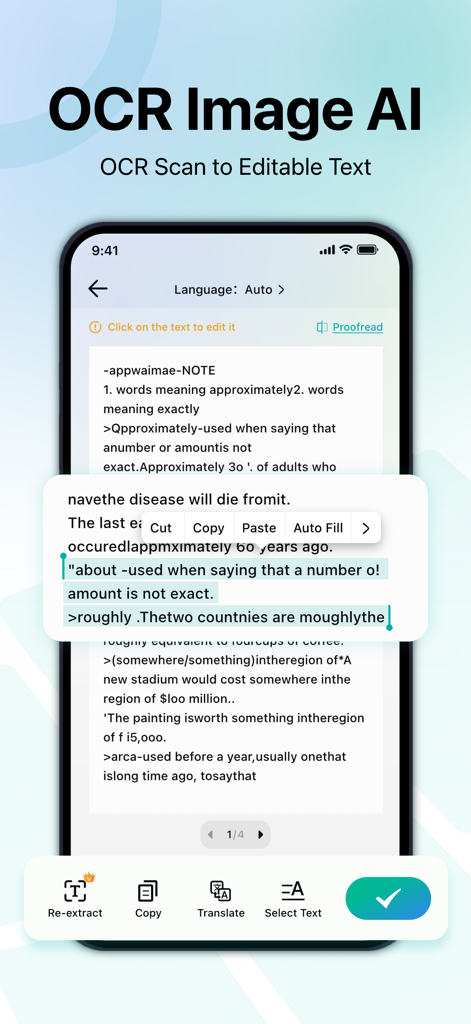
多言語OCRテキスト

元のレイアウトを維持しながら、スキャンから編集可能なテキストを抽出します。数十言語をサポートし、国際ビジネスに最適です。

以下のスクリーンショットと説明は、アプリの公式ストアリスティングから直接取得されたものであり、アプリ開発者の所有物です。

アプリストア

スクリーンショット
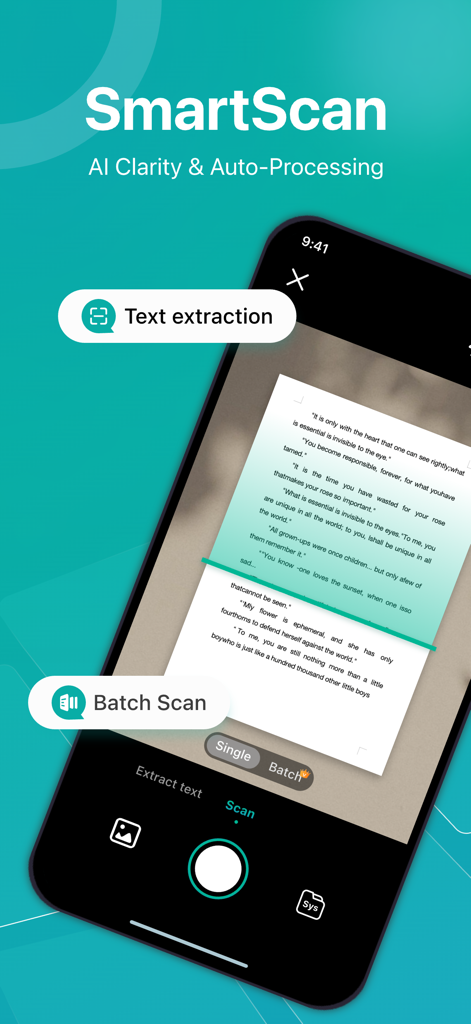
PDF Scanner App: Ai Scanner - PDFスキャナーアプリのインターフェース。AIクラリティとテキスト抽出を備えたSmartScan機能が表示されています。
PDFスキャナーアプリのインターフェース。AIクラリティとテキスト抽出を備えたSmartScan機能が表示されています。

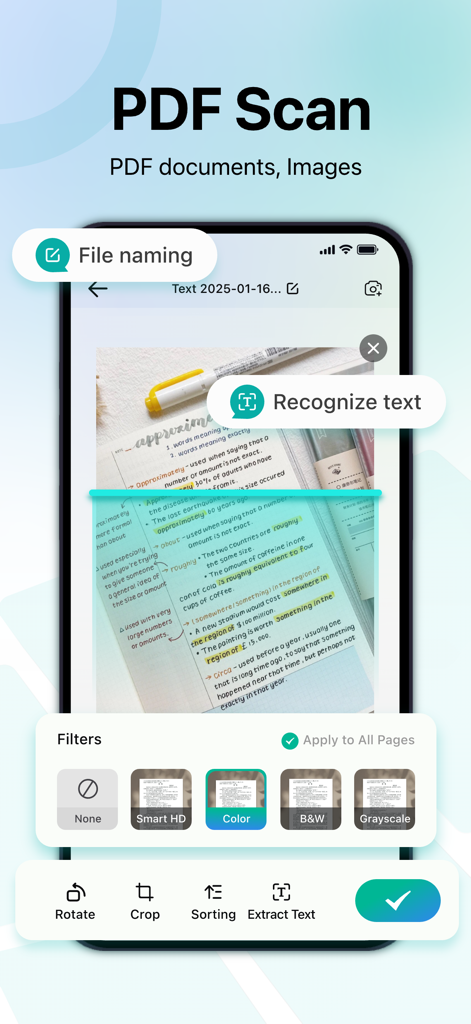
PDF Scanner App: Ai Scanner - PDFスキャナーアプリのモバイルアプリインターフェース。ドキュメントフィルターとテキスト認識機能が表示されています。
PDFスキャナーアプリのモバイルアプリインターフェース。ドキュメントフィルターとテキスト認識機能が表示されています。

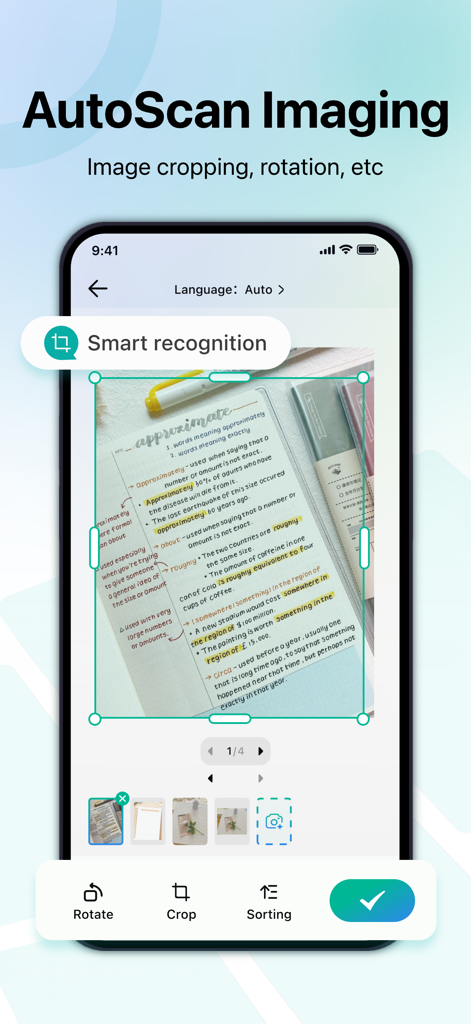
PDF Scanner App: Ai Scanner - スキャンされたドキュメントのトリミングと回転のためのAutoScan Imaging機能を示すスマートフォン画面。
スキャンされたドキュメントのトリミングと回転のためのAutoScan Imaging機能を示すスマートフォン画面。

PDF Scanner App: Ai Scanner - スキャンされたドキュメント画像を編集可能なテキストに変換するPDFスキャナーアプリのOCR機能を表示するiPhone画面。
スキャンされたドキュメント画像を編集可能なテキストに変換するPDFスキャナーアプリのOCR機能を表示するiPhone画面。

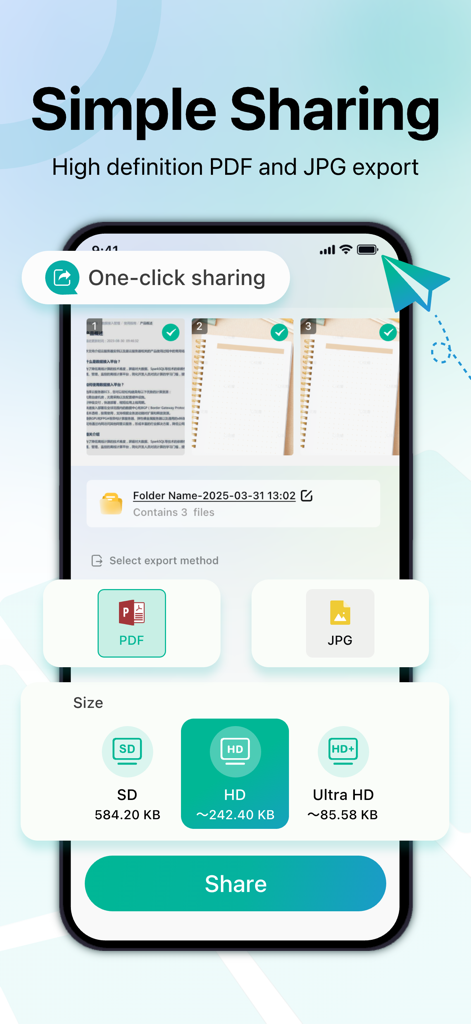
PDF Scanner App: Ai Scanner - 高解像度品質設定でのPDFおよびJPGエクスポートオプションを表示するiPhone画面。

高解像度品質設定でのPDFおよびJPGエクスポートオプションを表示するiPhone画面。

説明

PDF Scanner App — Make every scan clear PDF Scanner App converts and exports the self-trained super-resolution Python model to a CoreML smart HD model available for iOS, and uses AI to make the smart HD filter obtain super-resolution details and texture enhancements, turning ordinary pages shot by mobile phones into high-resolution documents instantly, making text and lines sharp regardless of dim light, shadows or paper folds. The simple interface and fully automatic process allow you to switch between "shoot → draft" in milliseconds, and completely say goodbye to tedious parameter adjustments. Core functions: AI smart HD The self-trained super-resolution smart HD model automatically enhances text edges and detailed textures, greatly reducing blur and noise, and making low-quality originals clear again. Intelligent binarization processing Adjust the black and white threshold according to the page lighting and color distribution to ensure that the fonts of documents such as forms and contracts are always clear and readable. Accurate scanning Capture clear and accurate scans of documents, receipts, business cards, etc. Intelligent edge detection and automatic cropping provide professional results every time. Multilingual Accurate OCR Built-in multilingual recognition engine, supports common languages ​​such as Chinese, English, French, Spanish, and Japanese, retains the original layout, and exports editable text or standard PDF. Flexible file management Save scans in PDF or image format (JPEG/PNG) to meet your needs. Easily merge multiple pages into a single document to simplify sharing. Easy sharing Instantly share your scans on major platforms such as email, messaging apps, and social networks. Enjoy high-resolution sharing for clear scans, ensuring that every detail is captured and delivered. Designed with privacy in mind All scans are securely stored on your device. The option to encrypt sensitive files gives you extra peace of mind. Why choose PDF Scanner App "One shot and done": fully automatic processing flow, from shadow removal, text edge sharpening to AI detail texture enhancement, instantly produce manuscripts. Extremely readable: Whether the paper is old and damaged or the picture is blurry, it can be intelligently processed to reproduce the clearest content. Professional application: A must-have for fast-paced offices in industries such as law, finance, and education. Quickly scan → identify → share, all in one go. Zero learning cost: Remove unnecessary settings, anyone can use it, and complete the first scanning experience in seconds. PDF Scanner App is not just a "scanner", but a smart tool that gives documents a "new lease of life". Subscription function service: 1. Subscription service: weekly subscription, lifetime subscription 2. Subscription price: subject to IAP application information Terms of Service 1. User terms of service: https://zonghong-termsofuse.pages.dev 2. Privacy Policy: https://zonghong-privacypolicy.pages.dev/ Contact us: zonghong_global@163.com

Download

ダウンロード: App Store

このページはアプリまたはその開発者の公式ページではなく、情報提供および論評を目的として作成された独立した編集出版物です。明示的に別段の記載がない限り、アプリおよびその開発者は、MWM、Apple、Google Play、アプリのパブリッシャー、またはアプリの開発者と提携、承認、後援、認可、またはその他の公式的な関係はなく、このページのいかなる内容も、アプリがMWMのサービスを使用して開発されたことを意味するものではありません。すべての商標、ロゴ、スクリーンショット、その他のコンテンツはそれぞれの所有者の財産です。








