
このページはアプリまたはその開発者の公式ページではなく、情報提供および論評を目的として作成された独立した編集出版物です。明示的に別段の記載がない限り、アプリおよびその開発者は、MWM、Apple、Google Play、アプリのパブリッシャー、またはアプリの開発者と提携、承認、後援、認可、またはその他の公式的な関係はなく、このページのいかなる内容も、アプリがMWMのサービスを使用して開発されたことを意味するものではありません。すべての商標、ロゴ、スクリーンショット、その他のコンテンツはそれぞれの所有者の財産です。


Camera Scanner: Scan to PDF
このアプリは、iPhoneを瞬時にプロのモバイルオフィスに変える。紙の束に埋もれる日々は、過去のものとなる。
ダウンロード
1M+ユーザー評価
評価数
42.4K開発元
カテゴリ
Productivity対応言語
1最新バージョン
8.1サイズ
67.7 MBリリース日
2021年12月29日モバイルを基盤とした包括的なドキュメント管理ソリューション
「Camera Scanner: Scan to PDF」の主要機能分析
高精度ドキュメントスキャンと自動補正
本アプリは、契約書、メモ、ID、書籍、レシートなど、さまざまな書類を高精度でスキャンし、自動でエッジ検出とパース補正を行い、鮮明な結果を保証します。
PDFの編集と電子署名
本ツールは、ユーザーがPDFファイルに直接注釈を追加したり、編集したり、安全に電子署名を行ったりすることを可能にし、外出先での文書管理を容易にします。
iPhoneを高性能スキャナーとして利用
このアプリは、iPhoneを強力なドキュメントスキャナーおよびPDFコンバーターへと変貌させ、ユーザーはいつでもどこでも必要な書類をデジタル化できます。
ドキュメントの迅速な共有とエクスポート
本アプリは、スキャンしたPDFドキュメントをメール、メッセージングアプリ、または主要なクラウドサービスを通じて、ワンタップで迅速に共有およびエクスポートする機能を提供します。
写真からPDFへの変換とPDF結合
ユーザーは写真を簡単にPDFに変換し、複数のスキャンや画像を1つのプロフェッショナルなPDFドキュメントに結合できるため、多種多様なコンテンツの整理が可能です。
高機能PDFリーダーとファイル管理
このアプリは、内蔵のPDFリーダーでファイルを迅速に閲覧できるだけでなく、スキャンしたドキュメントを整理・検索し、効率的なファイル管理をサポートし、生産性向上に貢献します。
レシートスキャン機能(経費管理)
ユーザーは、ビジネスや個人の経費のためにレシートをデジタルでスキャン・保存し、迅速に経費記録を共有することが可能となり、経理処理の効率化を支援します。
高度なセキュリティとプライバシー保護
ユーザーのファイルはデバイス上でプライベートかつ安全に保たれ、機密性の高いドキュメントも安心してスキャンおよび管理できるため、信頼性の高い利用が可能です。
よくある質問
について知っておくべきこと Camera Scanner: Scan to PDF
What is the main function of the PDF Scanner App for Documents?
The PDF Scanner App for Documents transforms an iPhone into a powerful scanning tool, enabling users to scan various documents like receipts, contracts, notes, and IDs directly from their phone.
Does the PDF Scanner App for Documents offer a free version?
Yes, the PDF Scanner App for Documents offers a free version that allows users to scan, save, and share documents without needing an account or subscription.
Can the PDF Scanner App for Documents scan multi-page documents?
Yes, the PDF Scanner App for Documents can scan dozens of pages at once and provides features to easily add, remove, or rearrange pages for multi-page PDFs.
What types of documents can I scan with the PDF Scanner App for Documents?
Users can scan business receipts, contracts, school notes, ID cards, multi-page forms, books, and handwritten notes using the PDF Scanner App for Documents.
Are scans made with the PDF Scanner App for Documents stored securely?
Yes, all scans made with the PDF Scanner App for Documents stay on the user's device. The app ensures privacy with no automatic uploads or tracking of personal information.
Can I use the PDF Scanner App for Documents without an internet connection?
Yes, the PDF Scanner App for Documents supports offline scanning. Users can utilize the app's features and scan documents free without Wi-Fi or an internet connection.
What are the subscription costs for the PDF Scanner App for Documents?
The PDF Scanner App for Documents offers a weekly subscription for $1.99, a monthly subscription for $4.99, and a yearly subscription for $19.99.
Does the PDF Scanner App for Documents include OCR text recognition?
Yes, the PDF Scanner App for Documents includes text recognition features. Users can extract and edit any text from scanned documents, as shown in the app's interface.
Can I convert scanned documents to formats other than PDF using the PDF Scanner App for Documents?
Yes, the PDF Scanner App for Documents can convert PDFs to various formats including TXT, PPT, Word, HTML, and Excel. It also allows exporting as JPEG.
How does the PDF Scanner App for Documents enhance scan quality?
The PDF Scanner App for Documents enhances quality with auto edge detection, advanced image enhancement to clean shadows, improve contrast, and smart modes like Color, Grayscale, and Black & White filters.
Can users sign documents within the PDF Scanner App for Documents?
Yes, the PDF Scanner App for Documents allows users to edit and sign documents directly within the app. It provides tools for adding signatures to scanned files.
Does the PDF Scanner App for Documents allow for sharing scanned files?
Yes, the PDF Scanner App for Documents allows users to share scans as PDF or JPEG via email, text, and other methods. Users can also create zip files or set password protection.
Is there a quick way to start scanning with the PDF Scanner App for Documents?
Yes, the PDF Scanner App for Documents offers a Quick Launch Widget, allowing users to start scanning directly from their home screen for fast access.
Does the PDF Scanner App for Documents handle ID card scanning?
Yes, the PDF Scanner App for Documents provides specific functionality to digitize ID cards, ensuring they are scanned with precision and clarity.
Can the PDF Scanner App for Documents scan QR codes?
Yes, the PDF Scanner App for Documents functions as both a QR Code Scanner and Maker. It enables users to scan QR codes and perform actions like opening URLs.
以下のスクリーンショットと説明は、アプリの公式ストアリスティングから直接取得されたものであり、アプリ開発者の所有物です。
アプリストア
スクリーンショット
本アプリは、100万人以上のユーザーに選ばれた実績を示すバッジと、書類のスキャン・管理・変換における最高のアプリとしての高いユーザー評価を視覚的に伝えます。
信頼と高評価
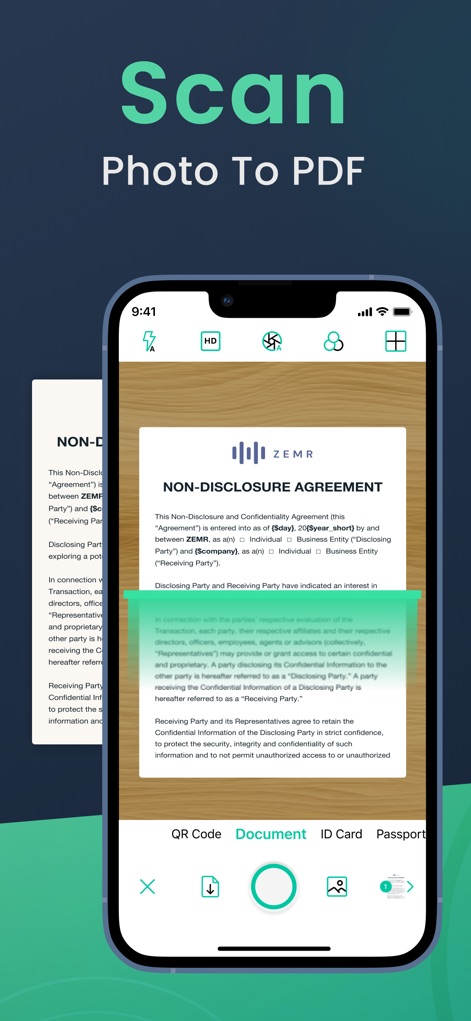
高度なエッジ検出とパース補正機能により、書類や写真から高精度のPDFを生成し、明瞭なスキャン結果を実現します。
高精度スキャン
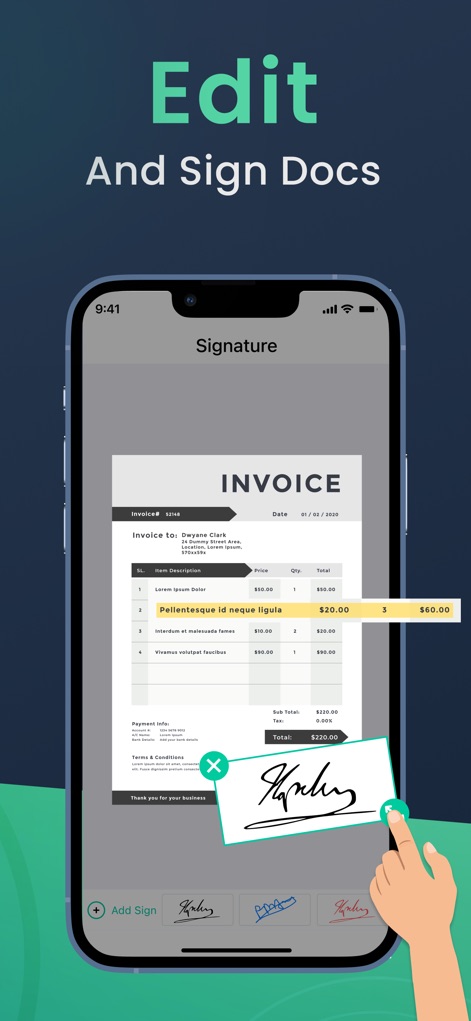
電子署名機能により、請求書や契約書などのPDF文書に直接署名や注釈を追加し、デジタルでの管理を効率化します。
文書に署名
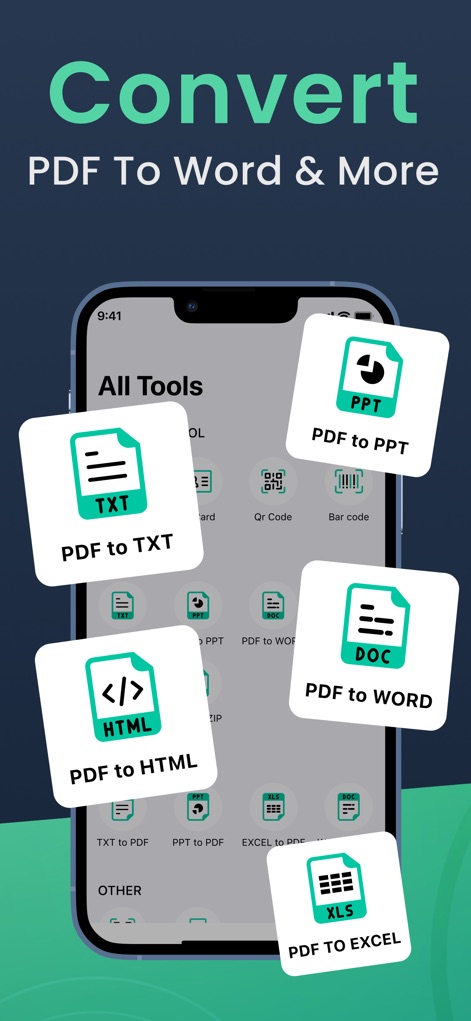
本アプリの強力な変換ツールを使用すると、PDFファイルをWordやExcelなどの多様な形式へ手軽に変換でき、柔軟な文書編集を可能にします。
多彩な形式へ変換
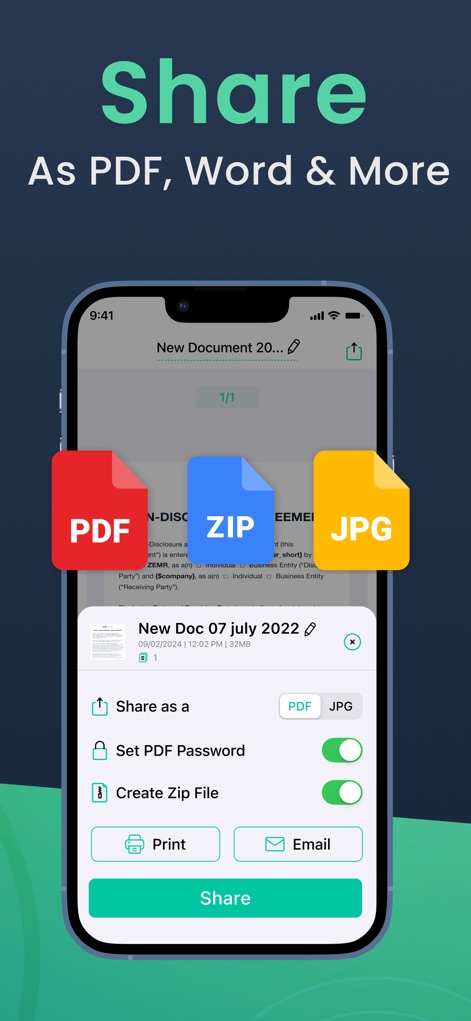
スキャンした文書はPDF、JPG、ZIP形式で共有でき、さらにパスワード設定や印刷、メール送信といった機能で安全かつ迅速に配布できます。
簡単共有・エクスポート
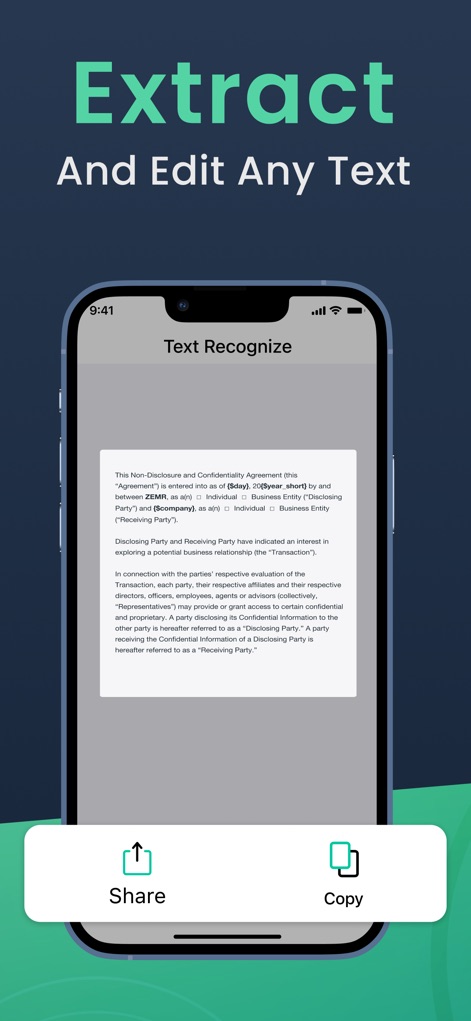
高度なOCR(光学式文字認識)機能により、書類内のテキストを正確に認識し、抽出されたテキストは簡単にコピーや共有が可能です。
テキストを抽出
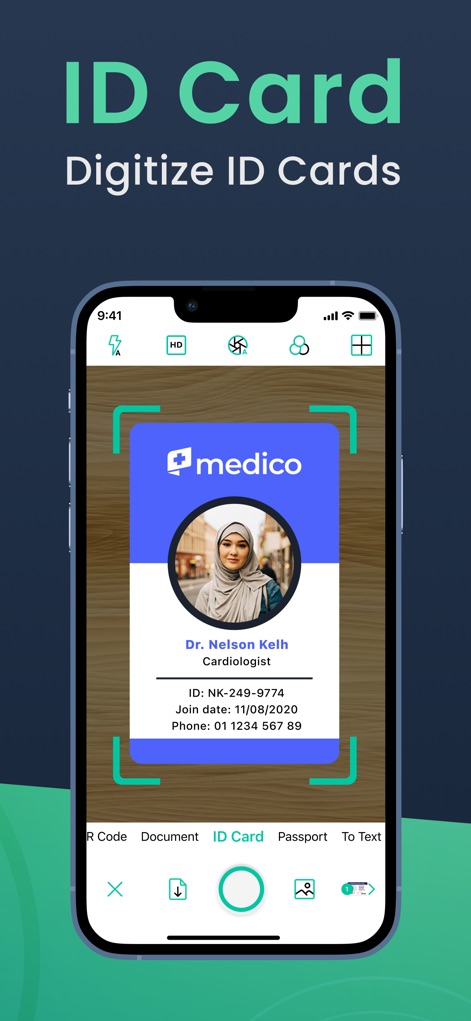
本アプリは身分証明書のスキャンに特化しており、自動エッジ検出機能を用いて正確なデジタルコピーを作成し、効率的な管理をサポートします。
身分証をデジタル化
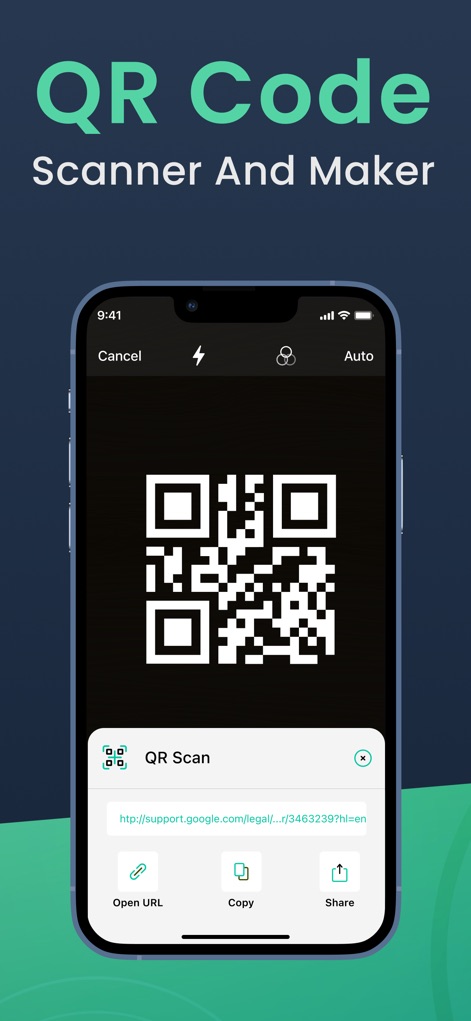
本アプリにはQRコードスキャナーが内蔵されており、URLを瞬時に読み取り、開いたりコピーしたり、さらには作成・共有する機能も提供します。
QRコード機能
説明
Download
類似アプリ
似た機能とユーザー体験を持つアプリ

PDF PRO Scan Image & Documents
Balzo srl

The PDF Scanner, PDF editor HQ
NEXT K.U.M. LTD

CamScanner - PDF Scanner App
INTSIG Information Co., Ltd

Adobe Scan: PDF & OCR Scanner
Adobe Inc.

WPS Office: PDF, Docs, Sheets
KINGSOFT OFFICE SOFTWARE CORPORATION LIMITED

iLovePDF - PDF Editor & Scan
ILOVEPDF S.L.

Scanner App: Genius Scan
The Grizzly Labs

Microsoft Lens: PDF Scanner
Microsoft Corporation

Clear Scan: Doc Scanner App
INDY MOBILE APP COMPANY LIMITED
このページはアプリまたはその開発者の公式ページではなく、情報提供および論評を目的として作成された独立した編集出版物です。明示的に別段の記載がない限り、アプリおよびその開発者は、MWM、Apple、Google Play、アプリのパブリッシャー、またはアプリの開発者と提携、承認、後援、認可、またはその他の公式的な関係はなく、このページのいかなる内容も、アプリがMWMのサービスを使用して開発されたことを意味するものではありません。すべての商標、ロゴ、スクリーンショット、その他のコンテンツはそれぞれの所有者の財産です。