PDF Scanner App - Scan PDF Doc

PDF Scanner App - Scan PDF Doc

ダウンロード: App Store
ロゴ: PDF Scanner App - Scan PDF Doc

PDFスキャナーアプリ - PDFドキュメントをスキャン:プロ仕様のオールインワンポケットスキャナー

iPhoneをパワフルなHDドキュメントハブに変えましょう。IDのスキャン、契約への署名、OCRによるテキスト抽出をすべてデバイスに安全に保存し、プライバシーを完全に保護できます。

ダウンロード: App Store

開発元

PDF EXPERT LTD

カテゴリ

Business

ダウンロード

5K+

ユーザー評価

4.8/5

評価数

300

対応言語

1

あなたのオフィスを可視化

このインターフェースを利用する 5K+ 人のユーザー.

PDFスキャナーアプリを使用するスマートフォンが、自動エッジ検出で賃貸契約書を撮影している様子
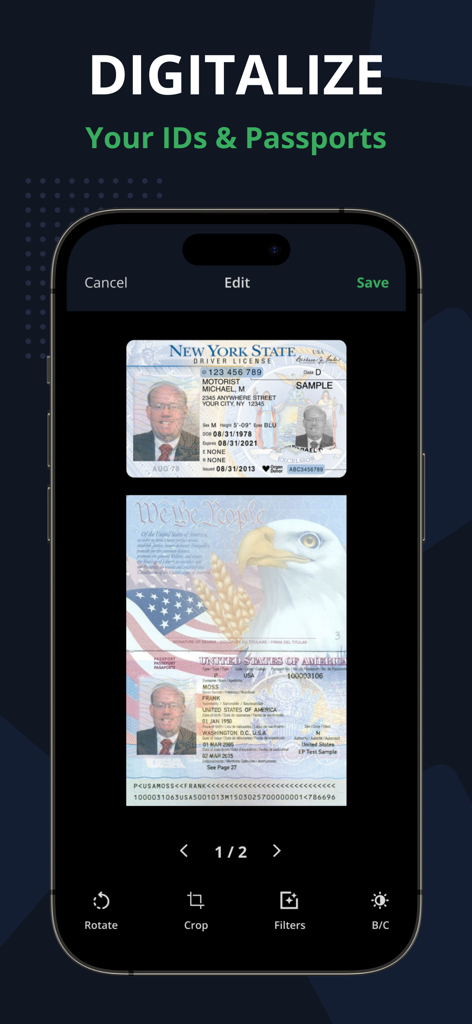
PDFスキャナーアプリを使用するスマートフォンが、自動エッジ検出で賃貸契約書を撮影している様子

PDFスキャナーアプリのインターフェースを表示するスマートフォンに、ニューヨーク州運転免許証と米国パスポートのスキャンコピーが表示されている様子
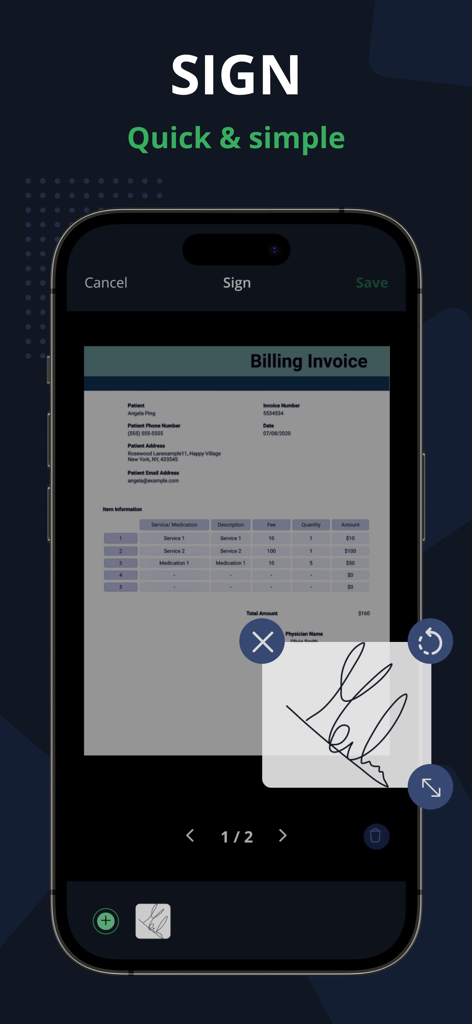
PDFスキャナーアプリのインターフェースを表示するスマートフォンに、ニューヨーク州運転免許証と米国パスポートのスキャンコピーが表示されている様子

請求書にPDFスキャナーアプリの電子署名ツールが表示されているスマートフォン画面
請求書にPDFスキャナーアプリの電子署名ツールが表示されているスマートフォン画面

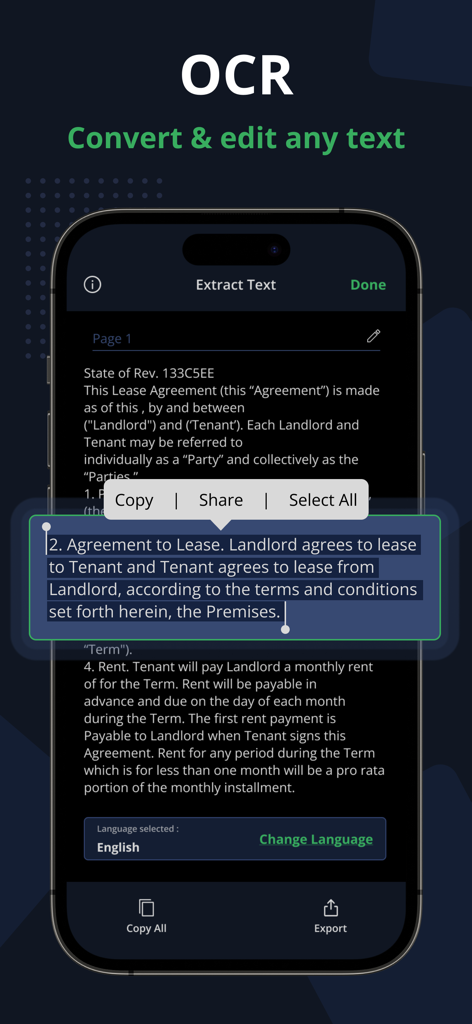
PDFスキャナーアプリのインターフェースに、法的文書からのOCRテキスト抽出が表示され、編集、コピー、共有のオプションがある様子
PDFスキャナーアプリのインターフェースに、法的文書からのOCRテキスト抽出が表示され、編集、コピー、共有のオプションがある様子

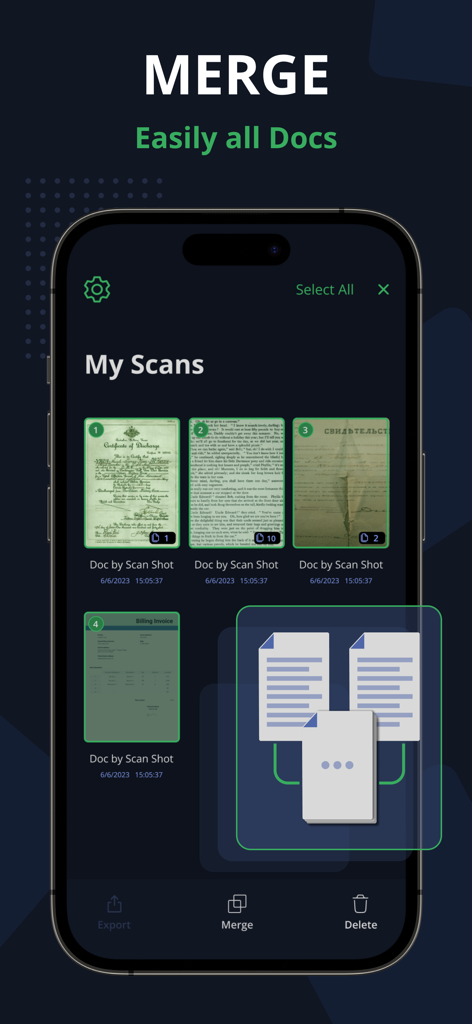
PDFスキャナーアプリのインターフェースに、複数のスキャン済みドキュメントを単一のファイルにマージする機能が表示されている様子
PDFスキャナーアプリのインターフェースに、複数のスキャン済みドキュメントを単一のファイルにマージする機能が表示されている様子

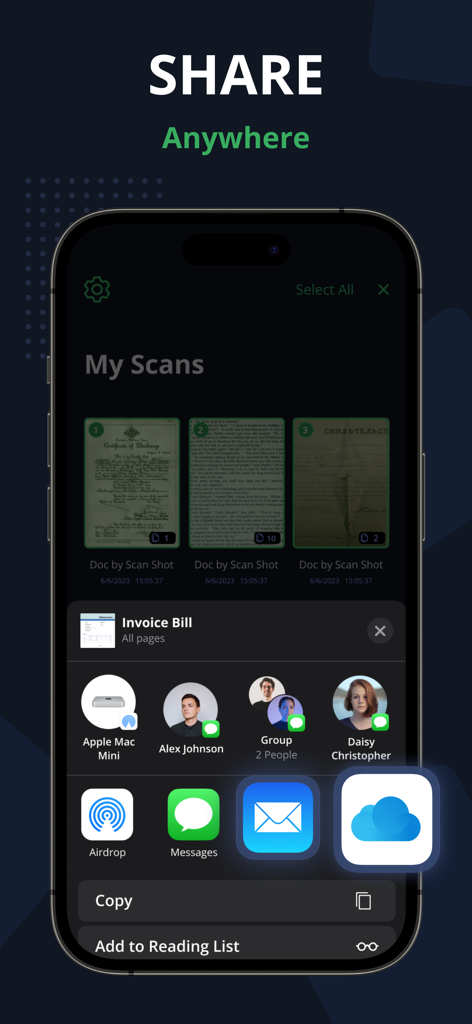
PDFスキャナーアプリのユーザーインターフェースに、メール、メッセージ、クラウドサービス経由のドキュメント共有オプションが表示されている様子
PDFスキャナーアプリのユーザーインターフェースに、メール、メッセージ、クラウドサービス経由のドキュメント共有オプションが表示されている様子

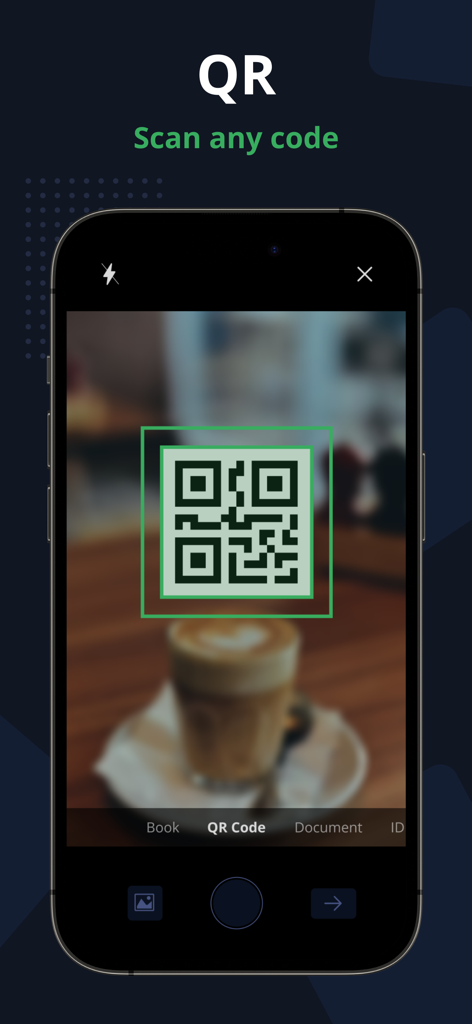
PDFスキャナーアプリのQRコードスキャン機能が表示されたiPhone画面、緑色のビューファインダー付き

PDFスキャナーアプリのQRコードスキャン機能が表示されたiPhone画面、緑色のビューファインダー付き

あなたのオフィスを再定義

このアプリを際立たせるツール、 5K+ 人のユーザーが選択.

📄

プログレードAIスキャン

自動エッジ検出とパースペクティブ補正により、すべてのドキュメントがプロフェッショナルに見える、クリスタルクリアな結果を得られます。

検索可能なOCRテキスト

画像を編集可能なテキストに即座に変換。紙の山を掘り起こす代わりに、デジタルアーカイブを検索して時間を節約しましょう。

✍️

電子署名&セキュアID

内蔵の電子署名で契約をその場で完了し、100%オフライン処理で機密性の高いIDを安全にスキャンします。

アプリについて

について知っておくべきこと PDF Scanner App - Scan PDF Doc.

説明

PDF Scanner App allows you to effortlessly scan, import, and instantly share documents within this smart Scanner app. Easily retrieve and access all your previously scanned files using this PDF Document Scanner app. With this app you can easily Scan app on your phone, you can effortlessly save time and energy by scanning swiftly whenever needed. The PDF Document are directly stored on your iPhone in either image or PDF format, courtesy of the free PDF scanner and high-definition camera scanner pro app for PDF scans. - Scan PDF Turn your iPhone or iPad into a powerful document scanner and PDF converter with the PDF Scanner App. Whether you need to scan PDF, digitize receipts, documents, business cards, whiteboards, IDs, books, or photos, our app has you covered. Easily transform images into PDFs in an instant. - Scan ID & Passport Effortlessly scan your ID cards and passports, then easily share them with others. This PDF Document Scanner App easily scans ID cards, passports, driver's licenses, visas, and various identity documents within seconds. It then stores the Scanned document within the device, utilizing the capabilities of both an ID scanner and a document scanner. - Complete your paperwork from anywhere with ease Use this PDF Document Scanner App to include an electronic signature using PDF sign tools. An intuitive PDF Editor App allows you to mark and edit fields, adding everything you need effortlessly. - Scan Book with our PDF Scanner App Use our free Document Scanner app to easily scan books, novels, magazines, and convert them to PDF format with the help of a Camera Scanner App. Save your scanned documents directly to your iPhone and iPad device in either image or PDF format using the Doc Scanner app. Key Features of the PDF Scanner App - Free Document Scanner Pro & Scan PDF: • Automatically detects document edges and corrects perspective of PDF Document. • Enhance scan quality both automatically and manually. • Free document and photo scanning with this camera scanner app. • Extract text from images using OCR, making it searchable, editable, and shareable. • Scan multiple pages and convert them to a multi-page PDF using the PDF document scanner app. • Scan and print PDF documents using the free doc scanner app. • Efficiently manage your files for better document organization. • Convert selected images from your Image Gallery into PDF documents. Scan, edit, sign, and effortlessly share any document in either PDF or JPEG format. Our scanner functions seamlessly without requiring an internet connection, storing all scans directly on your device. Take your productivity to the next level with e-sign or sign PDF Document and OCR capabilities. Add your signature to scanned documents with just a few taps in Scanner Pro. Utilize text recognition to convert any scan into editable text. Information about the auto-renewal of subscription for PDF Scanner Pro - Document Scanner App. -Subscribe to unlock Pro access to all features, with charges applied upon purchase confirmation. -Subscriptions automatically renew 24 hours prior to the expiration date. You can manage your subscriptions in the account settings within the App Store. -Users have the option to manage subscriptions and disable auto-renewal by accessing their Account Settings after making a purchase. -If a user purchases a subscription after a free trial period, any remaining unused portion of the trial will be forfeited. Privacy Policy: https://www.techstic.org/privacy-pdf-scanner Terms of Use: https://www.techstic.org/tos-pdf-scanner

最新バージョン

1.2

サイズ

30.0 MB

リリース日

2023年10月3日

ワークフローを変革する準備はできましたか?

評価の高いPDFスキャナーアプリをダウンロードして、今日からiPhoneで書類のデジタル化、署名、共有を始めましょう。インターネットは不要です。

ダウンロード: App Store

App information, icons, screenshots, and descriptions displayed on this page are sourced from the Apple App Store and are the property of their respective developers. Download estimates and rankings are based on MWM's proprietary models and may not reflect actual figures. This page is provided for informational and analytical purposes only.

Believe this page infringes your intellectual property? File a dispute