
このページはアプリまたはその開発者の公式ページではなく、情報提供および論評を目的として作成された独立した編集出版物です。明示的に別段の記載がない限り、アプリおよびその開発者は、MWM、Apple、Google Play、アプリのパブリッシャー、またはアプリの開発者と提携、承認、後援、認可、またはその他の公式的な関係はなく、このページのいかなる内容も、アプリがMWMのサービスを使用して開発されたことを意味するものではありません。すべての商標、ロゴ、スクリーンショット、その他のコンテンツはそれぞれの所有者の財産です。


PDF Scanner App: TapScanner
紙の山をデジタル兵器に変え、あらゆる紙を思いのままに操る力を手に入れる。
ダウンロード
10M+ユーザー評価
評価数
344.7K開発元
カテゴリ
Business対応言語
8最新バージョン
4.71.0サイズ
178.1 MBリリース日
2018年5月30日モバイルドキュメント管理の包括的ソリューション
PDF Scanner App: TapScannerの機能分析
モバイルPDFスキャン
モバイルデバイスを使用して、あらゆる種類の紙文書や画像を高品質なPDFに変換し、デジタル化を促進します。レシート、ビジネスカード、身分証明書など、様々な物理的文書を即座にデジタル化できます。
OCRによるテキスト抽出
高度なOCR(光学式文字認識)技術を搭載しており、スキャンした画像からテキストを正確に抽出し、編集可能な形式に変換することを可能にします。機械学習アルゴリズムにより認識精度が向上しています。
電子署名とPDF編集
PDF文書に電子署名を容易に追加できるツールを提供し、直感的なビューアでフィールドのマーク付けや編集が可能です。これにより、モバイルデバイス上で重要な書類作業を効率的に完結させることができます。
多様なファイル形式への変換
PDFファイルをJPGやWord文書に、またJPGやWordをPDFに変換する機能を提供します。ユーザーは必要に応じて文書形式を柔軟に変更でき、時間と労力を節約します。
PDFのパスワード保護
機密性の高いPDF文書にパスワードを設定することで、不正なアクセスからファイルを保護します。ユーザーは文書のセキュリティを強化し、安心してデジタルアーカイブを管理できます。
クラウドバックアップ
スキャンした文書をユーザーが選択した主要なクラウドサービスに自動的にバックアップする機能を提供します。これにより、データ損失のリスクを軽減し、異なるデバイスからのアクセスを可能にします。
PDFの分割と結合
既存のPDFファイルを複数の独立したファイルに分割したり、複数のPDFファイルを一つに結合したりする機能が備わっています。ユーザーは文書の構成を自由に調整し、管理を簡素化できます。
簡単な文書共有
スキャンおよび編集された文書を、メール、ソーシャルメディア、インスタントメッセージアプリを通じて迅速かつシームレスに共有する機能を提供します。これにより、コラボレーションが容易になります。
自動トリミングと最適化
スキャン時に文書の境界を自動的に検出し、トリミングおよび補正を行います。これにより、手動での調整にかかる時間を節約し、常にきれいで整理されたスキャン結果を得ることができます。
高度なファイル整理
フォルダーの作成やタグ付けを通じて、スキャンした文書を体系的に整理することを可能にします。ユーザーは名前、タグ、またはフォルダーに基づいて、大量の文書ライブラリから目的のファイルを容易に検索できます。
よくある質問
について知っておくべきこと PDF Scanner App: TapScanner
What documents can PDF Scanner App: TapScanner convert to PDF?
PDF Scanner App: TapScanner converts various documents to PDF, including receipts, business cards, whiteboards, IDs, books, and photos directly from your mobile device.
Does PDF Scanner App: TapScanner automatically crop scanned documents?
Yes, PDF Scanner App: TapScanner features automatic cropping and sorting of documents, streamlining the scanning process and saving user time.
Can users add an e-signature with PDF Scanner App: TapScanner?
Yes, PDF Scanner App: TapScanner allows users to attach an E-signature and edit fields within documents using its PDF sign tools.
How does PDF Scanner App: TapScanner enhance scanned documents?
PDF Scanner App: TapScanner enhances documents with powerful filters, removing shadows, adjusting contrast, brightness, and converting to black and white for professional results.
Does PDF Scanner App: TapScanner support cloud backup for scans?
Yes, PDF Scanner App: TapScanner automatically backs up scanned documents from your phone to your preferred cloud service, ensuring high-quality PDF output.
Can I edit text from scanned documents using PDF Scanner App: TapScanner?
Yes, PDF Scanner App: TapScanner uses OCR to convert images to editable text. Users can export accurate text and unlock content from scans, enhanced by machine learning.
Does PDF Scanner App: TapScanner include a QR code reader?
Yes, PDF Scanner App: TapScanner integrates a built-in QR scanner within its cam scan module, supporting links, text, ISBN, and emails.
How do I split PDF files in PDF Scanner App: TapScanner?
To split PDF files in PDF Scanner App: TapScanner, import a PDF file, and the application will divide it into multiple separate PDF documents.
Can PDF Scanner App: TapScanner combine multiple PDF files?
Yes, PDF Scanner App: TapScanner allows users to merge multiple PDF files quickly, simplifying document organization and editing processes.
What file formats can PDF Scanner App: TapScanner convert?
PDF Scanner App: TapScanner converts between JPG and PDF, and between PDF and Word. It also transforms camera or gallery images into PDFs.
Can PDF Scanner App: TapScanner reduce the size of PDF files?
Yes, PDF Scanner App: TapScanner compresses PDF files, reducing their size for easier sharing via email or chat and saving storage space.
Does PDF Scanner App: TapScanner remove watermarks from scans?
Yes, PDF Scanner App: TapScanner offers a feature to remove watermarks, ensuring perfect and clean scans without stains.
Can I protect my PDF files with a password in PDF Scanner App: TapScanner?
Yes, PDF Scanner App: TapScanner allows users to protect PDF files with a password, enhancing document security.
Is direct printing available through PDF Scanner App: TapScanner?
Yes, PDF Scanner App: TapScanner enables users to print documents directly from within the application.
How can I share documents using PDF Scanner App: TapScanner?
Users can easily and quickly share documents from PDF Scanner App: TapScanner to email, social media, and instant messaging applications.
How does PDF Scanner App: TapScanner help organize scanned documents?
PDF Scanner App: TapScanner helps organize documents by allowing users to create folders and tag scans. Documents are searchable by name, tag, or folder.
How often are subscriptions billed for PDF Scanner App: TapScanner?
Subscriptions for PDF Scanner App: TapScanner are billed weekly, monthly, or annually, depending on the specific plan selected by the user.
Does the PDF Scanner App: TapScanner subscription auto-renew?
Yes, PDF Scanner App: TapScanner subscriptions auto-renew at the chosen package's cost unless cancelled 24 hours before the current period ends.
How do I manage or cancel my PDF Scanner App: TapScanner subscription?
Users manage their PDF Scanner App: TapScanner subscription and turn off auto-renewal via their iTunes Account Settings after purchase.
Is PDF Scanner App: TapScanner free to use?
PDF Scanner App: TapScanner offers a "Try Now For Free!" option. It provides initial access freely, but extended features require subscriptions.
以下のスクリーンショットと説明は、アプリの公式ストアリスティングから直接取得されたものであり、アプリ開発者の所有物です。
アプリストア
スクリーンショット
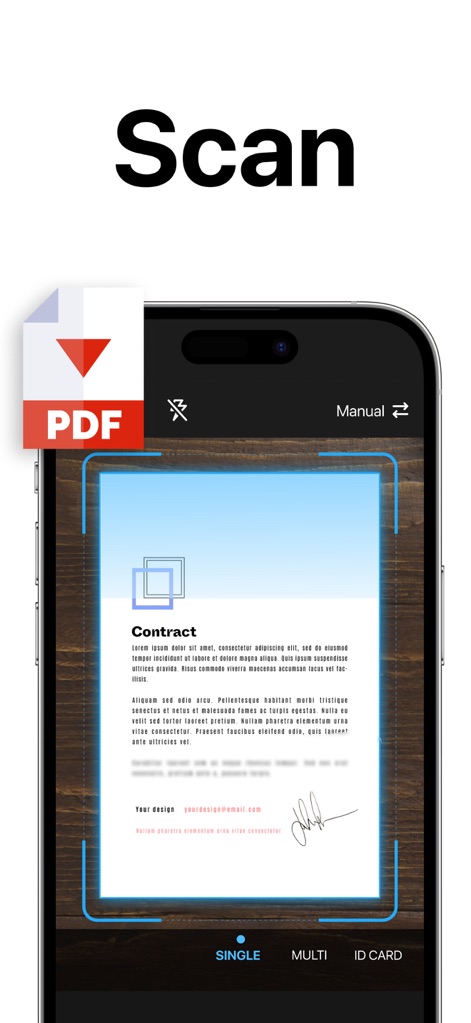
本アプリは、ドキュメントの自動認識スキャン範囲と手動調整機能を備え、契約書などの書類を迅速かつ正確にPDF形式で取り込むことができます。
高速スキャンをPDFに

スキャンしたドキュメントは、PDF、DOC、JPG、XLSなど多様なファイル形式で保存できるため、ユーザーは目的に合わせて最適な形式を選択可能です。
多様な形式で保存
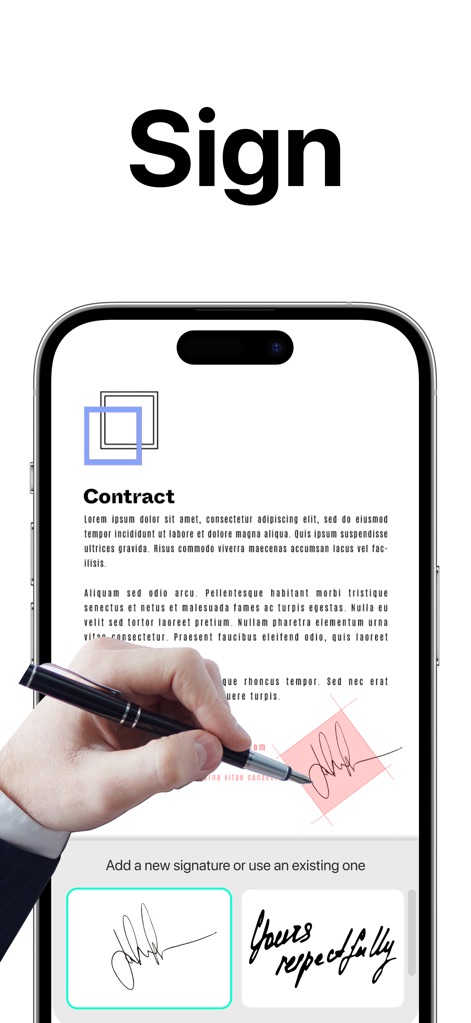
電子署名機能により、契約書に直接署名を追加できます。既存の署名を利用したり、スクリーン上で新しい署名を簡単に作成したりすることが可能です。
デジタル署名
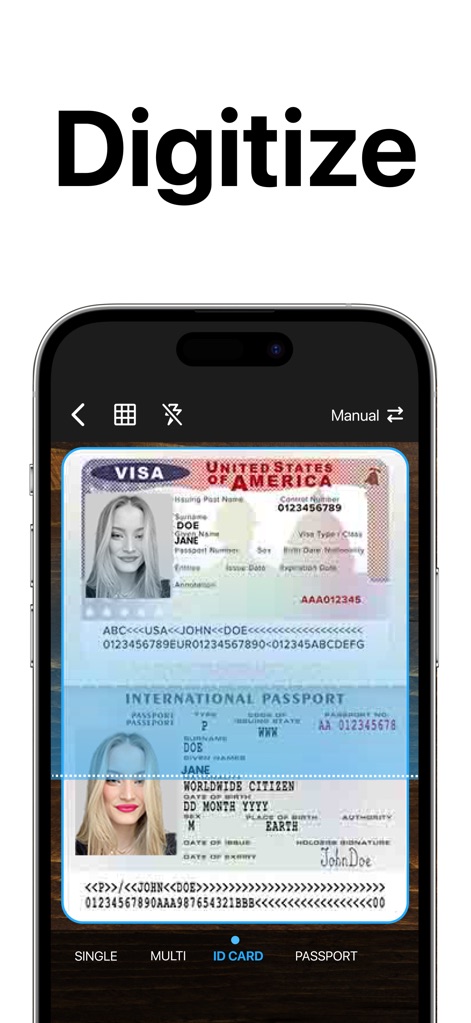
身分証明書やパスポートなどの重要書類も、本ツールで手軽にデジタル化できます。複数種類に対応したスキャンモードで、正確なデータ抽出を実現します。
身分証をデジタル化
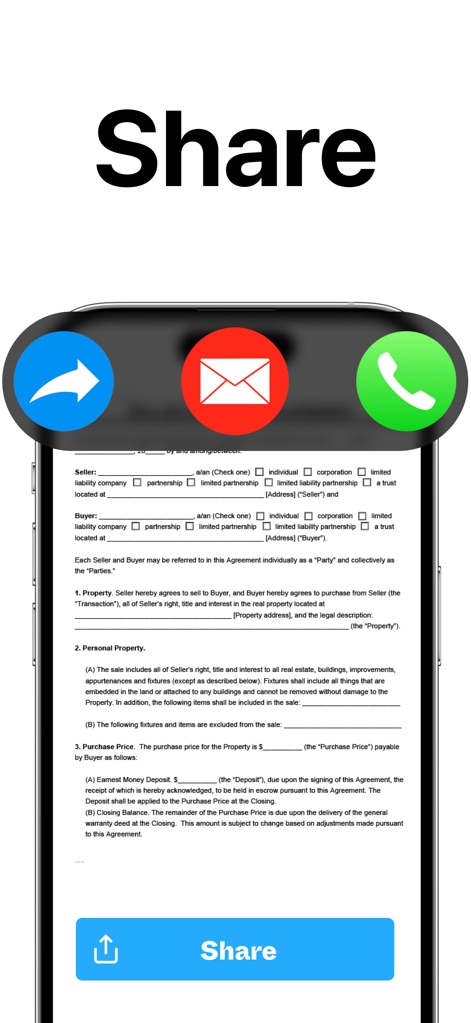
スキャンしたドキュメントは、メールやSNS、メッセージアプリなど複数のチャネルを通じて簡単に共有できます。迅速な共有ボタンにより、作業効率が向上します。
簡単ドキュメント共有
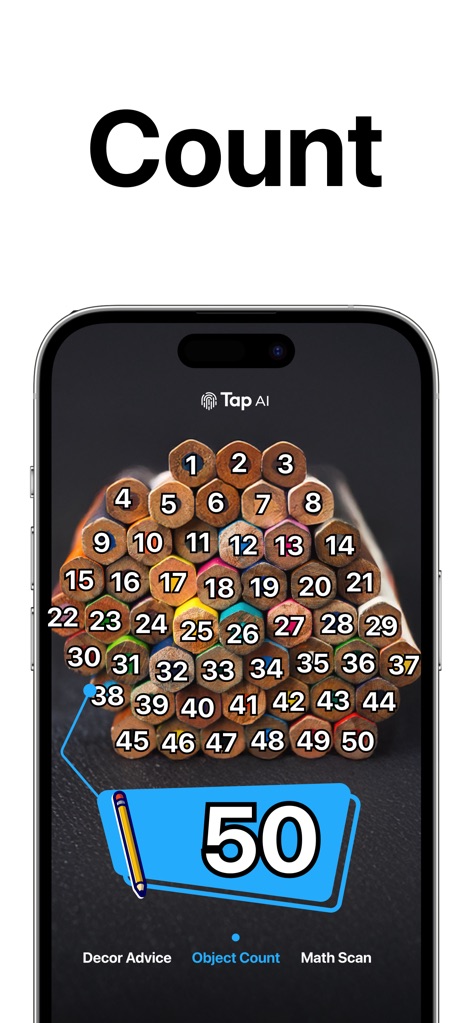
AIを活用したオブジェクトカウント機能により、画像内の物体を自動で認識し、その数を正確に表示します。ユーザーは対象物の数量を瞬時に把握できます。
AIで数を数える
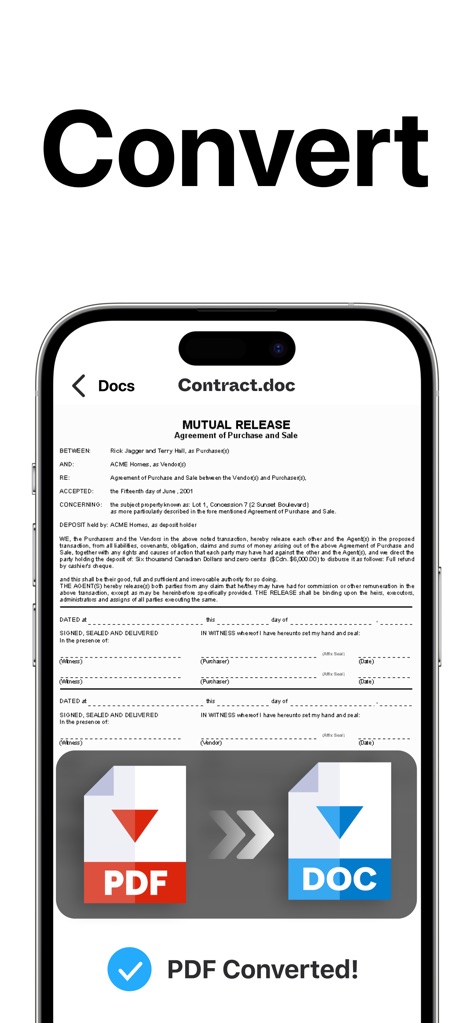
PDFからDOC形式への変換機能は、クリック一つで書類を編集可能なWordファイルに変換します。変換成功の確認表示で、プロセスの完了を明確に伝えます。
ファイルを相互変換
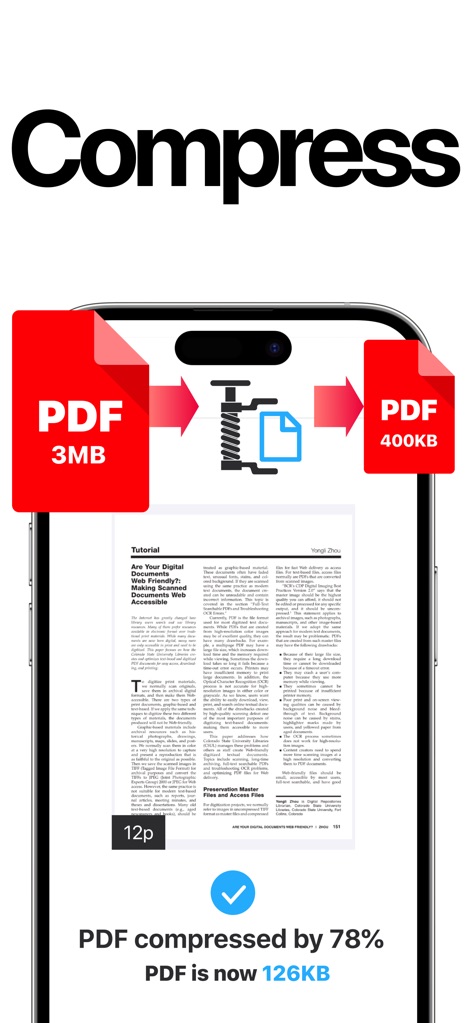
PDFファイル圧縮機能を利用することで、ファイルサイズを大幅に削減し、メールやチャットでの共有を容易にします。圧縮率の表示により、削減効果を可視化します。
PDFを圧縮
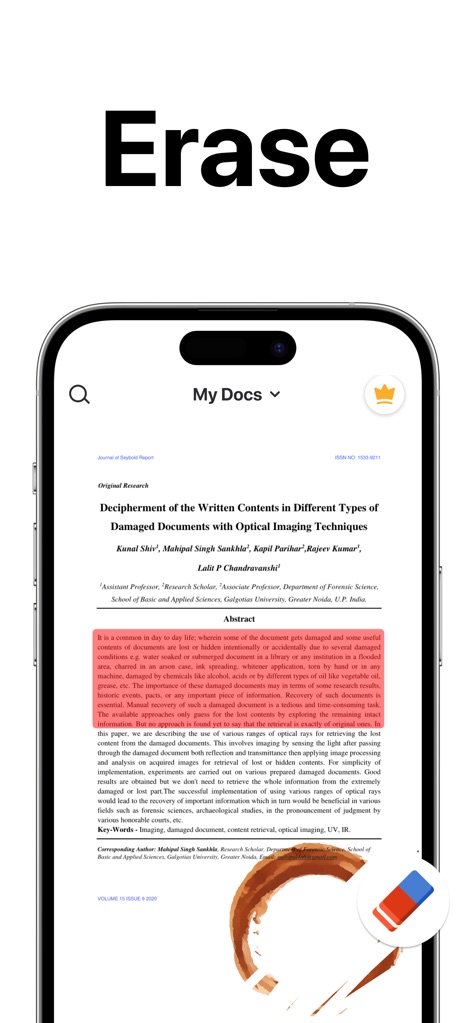
本アプリのウォーターマーク除去機能は、ドキュメント上の不要な汚れや痕跡をきれいに消去し、プロフェッショナルな外観に仕上げます。文書クリーニング機能で書類がより鮮明になります。
汚れを消去
説明
Download
類似アプリ
似た機能とユーザー体験を持つアプリ

PDF PRO Scan Image & Documents
Balzo srl

The PDF Scanner, PDF editor HQ
NEXT K.U.M. LTD

CamScanner - PDF Scanner App
INTSIG Information Co., Ltd

Adobe Scan: PDF & OCR Scanner
Adobe Inc.

WPS Office: PDF, Docs, Sheets
KINGSOFT OFFICE SOFTWARE CORPORATION LIMITED

iLovePDF - PDF Editor & Scan
ILOVEPDF S.L.

Scanner App: Genius Scan
The Grizzly Labs

Microsoft Lens: PDF Scanner
Microsoft Corporation

Clear Scan: Doc Scanner App
INDY MOBILE APP COMPANY LIMITED
このページはアプリまたはその開発者の公式ページではなく、情報提供および論評を目的として作成された独立した編集出版物です。明示的に別段の記載がない限り、アプリおよびその開発者は、MWM、Apple、Google Play、アプリのパブリッシャー、またはアプリの開発者と提携、承認、後援、認可、またはその他の公式的な関係はなく、このページのいかなる内容も、アプリがMWMのサービスを使用して開発されたことを意味するものではありません。すべての商標、ロゴ、スクリーンショット、その他のコンテンツはそれぞれの所有者の財産です。