
このページはアプリまたはその開発者の公式ページではなく、情報提供および論評を目的として作成された独立した編集出版物です。明示的に別段の記載がない限り、アプリおよびその開発者は、MWM、Apple、Google Play、アプリのパブリッシャー、またはアプリの開発者と提携、承認、後援、認可、またはその他の公式的な関係はなく、このページのいかなる内容も、アプリがMWMのサービスを使用して開発されたことを意味するものではありません。すべての商標、ロゴ、スクリーンショット、その他のコンテンツはそれぞれの所有者の財産です。


PDF Scanner Pro ⊟
このアプリは、紙の束をデジタル情報に変換するだけでなく、その情報を完全に支配する力をユーザーに与える。
ダウンロード
2.5M+ユーザー評価
評価数
74.2K開発元
カテゴリ
Utilities対応言語
32最新バージョン
2.3.0サイズ
120.7 MBリリース日
2017年6月11日プロフェッショナルな文書管理と生産性向上に貢献する主要機能
PDF Scanner Pro ⊟ の包括的分析
OCR(光学文字認識)
本ツールは、スキャンしたドキュメントを編集可能なテキスト形式に変換するOCR機能を備えており、情報の再利用と編集を可能にします。
電子署名機能
このアプリは、ドキュメントに簡単に電子署名を行う機能を提供し、契約書や承認プロセスを迅速化します。
PDFファイル圧縮
本ツールは、PDFファイルを圧縮する機能を備えており、電子メールでの送信やストレージの管理を容易にします。
直感的なユーザーインターフェース
本ツールは、ユーザーが容易に操作できる直感的で使いやすいインターフェースを備えています。
マルチページスキャン
このアプリは、複数のページをスムーズに連続してスキャンする機能を提供し、効率的なドキュメント取り込みを支援します。
ドキュメントハイライト
ユーザーは、ドキュメント内の重要なセクションをハイライト表示できるツールを利用し、情報の識別と整理を効率的に行えます。
オフラインスキャン
このアプリは、インターネット接続なしでドキュメントをスキャンする機能を提供し、どこでも作業の継続を可能にします。
アプリ内からのPDF印刷
このアプリは、PDFファイルをアプリから直接印刷する機能を提供し、追加のステップなしで物理的なコピーを作成できます。
よくある質問
について知っておくべきこと PDF Scanner Pro ⊟
Is PDF Scanner Pro easy to use?
Yes, PDF Scanner Pro offers a user-friendly interface for easy navigation and smooth scanning of documents, ensuring a straightforward experience for its users.
Can I scan multiple pages with PDF Scanner Pro?
Yes, PDF Scanner Pro allows you to scan multiple pages smoothly, supporting comprehensive document scanning needs within the app.
Does PDF Scanner Pro support e-signatures?
Yes, PDF Scanner Pro includes an e-signature feature, allowing users to sign documents with ease directly within the application.
How does PDF Scanner Pro convert scans to editable text?
PDF Scanner Pro uses OCR (Optical Character Recognition) to convert scanned documents into editable text formats, enabling easy modification and reuse of content.
Can I highlight text in PDF Scanner Pro?
Yes, PDF Scanner Pro provides new tools for highlighting crucial sections within your documents, helping users emphasize important information.
Can I print documents using PDF Scanner Pro?
Yes, PDF Scanner Pro allows you to print PDFs directly from the app, offering extra convenience for managing your scanned documents.
Does PDF Scanner Pro compress PDF files?
Yes, PDF Scanner Pro offers the functionality to compress PDF files, making them smaller and easier for emailing and sharing.
What are the benefits of PDF Scanner Pro Premium?
Upgrading to the Premium version of PDF Scanner Pro grants unlimited access to all app features and removes advertisements for an uninterrupted experience.
Does PDF Scanner Pro offer a free trial?
Yes, PDF Scanner Pro offers a free trial period. However, any unused portion of this free trial is forfeited if you purchase a premium subscription during the trial.
How do I cancel my PDF Scanner Pro subscription?
You can cancel your PDF Scanner Pro subscription or free trial in your iTunes settings at least 24-hours before the end of the current period.
What happens when I cancel my PDF Scanner Pro subscription?
Cancelling your PDF Scanner Pro subscription downgrades you to the free service. The cancellation takes effect the day after the last day of the current subscription period.
Can I crop my scanned documents in PDF Scanner Pro?
PDF Scanner Pro allows users to crop scanned documents using both AI Crop and Manual Crop options, providing flexibility for precise image adjustments.
Can I add emojis to documents with PDF Scanner Pro?
Yes, PDF Scanner Pro offers the ability to add emojis to documents, as indicated by an emoji icon available in the editing toolbar.
Where can I find the Terms of Use for PDF Scanner Pro?
The Terms of Use (EULA) for PDF Scanner Pro are available at https://www.levelclashapps.com/TermsOfUse.html.
以下のスクリーンショットと説明は、アプリの公式ストアリスティングから直接取得されたものであり、アプリ開発者の所有物です。
アプリストア
スクリーンショット
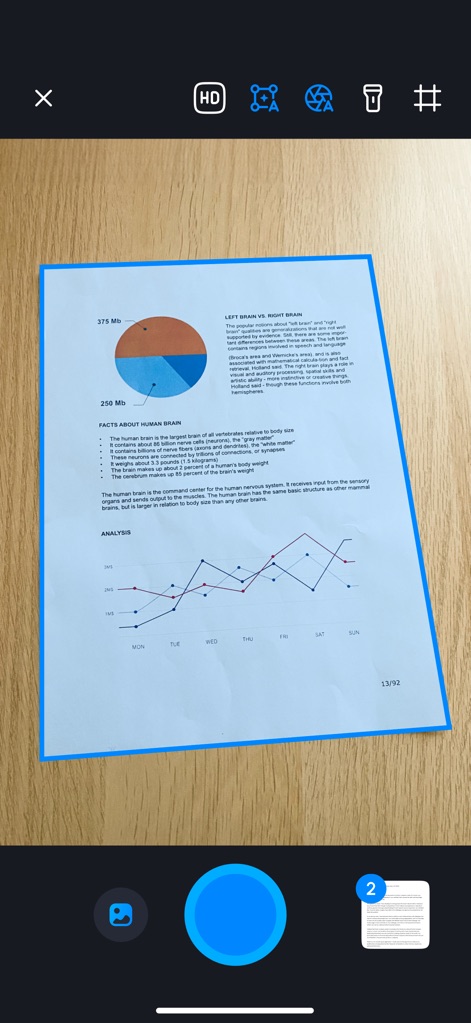
本アプリは、ドキュメントのスマートな**自動検出**機能と、鮮明な結果を保証する**HDスキャンモード**を提供し、効率的なスキャン体験を実現します。
高品質スキャン開始
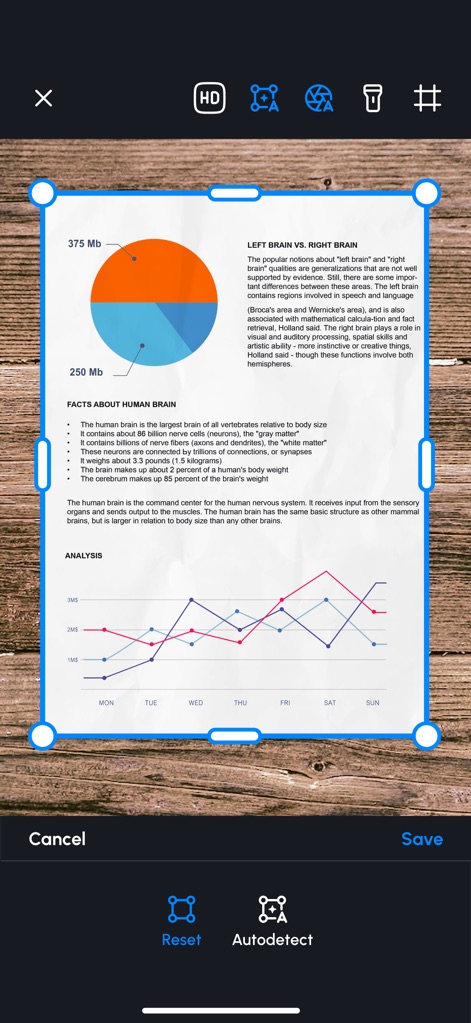
ユーザーは、ドラッグ可能なハンドルを使った**手動クロップ**でスキャン範囲を正確に調整でき、必要に応じて**自動検出**機能で最適なトリミングを素早く適用できます。
精密な画像調整
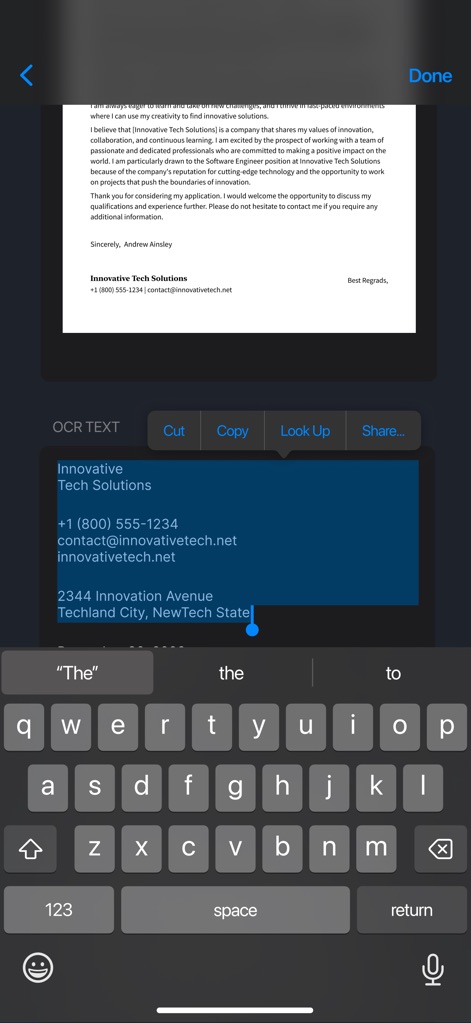
本アプリは、スキャンしたドキュメントから**OCRテキストを正確に抽出**し、抽出されたテキストを**編集、コピー、共有**できるため、情報管理が容易になります。
高度なOCR認識
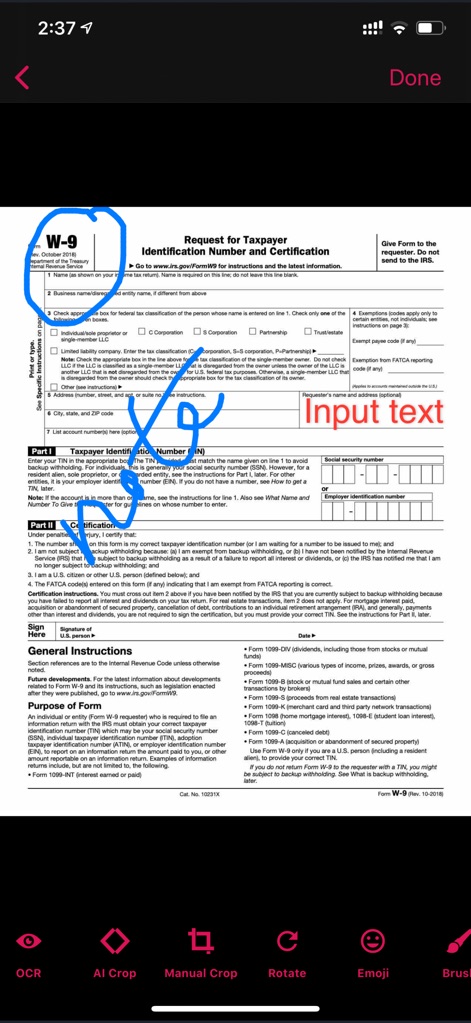
ユーザーは、スキャンしたドキュメントに直接**手書きの注釈**(円やバツ印など)を追加したり、**テキストボックス**を挿入して情報を補完したりできます。
ドキュメントに直接書き込み
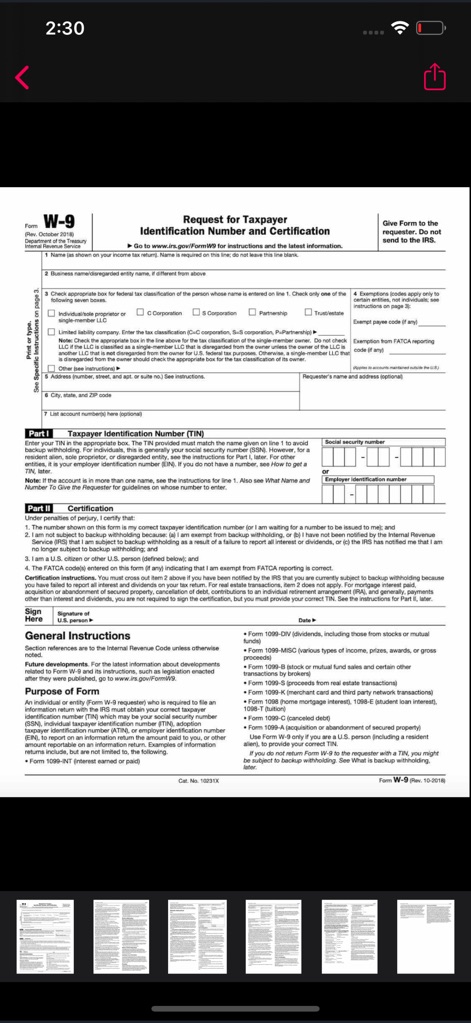
本アプリは、**複数ページのドキュメント**を効率的にスキャン・管理し、サムネイル表示で**ページ全体を簡単にプレビュー**できるため、整理がしやすくなります。
複数ページを管理

作成されたPDFドキュメントは、**安全に保存**されるだけでなく、アプリ内から直接**簡単に共有**できるため、共同作業や提出がスムーズに行えます。
スキャンを即座に共有
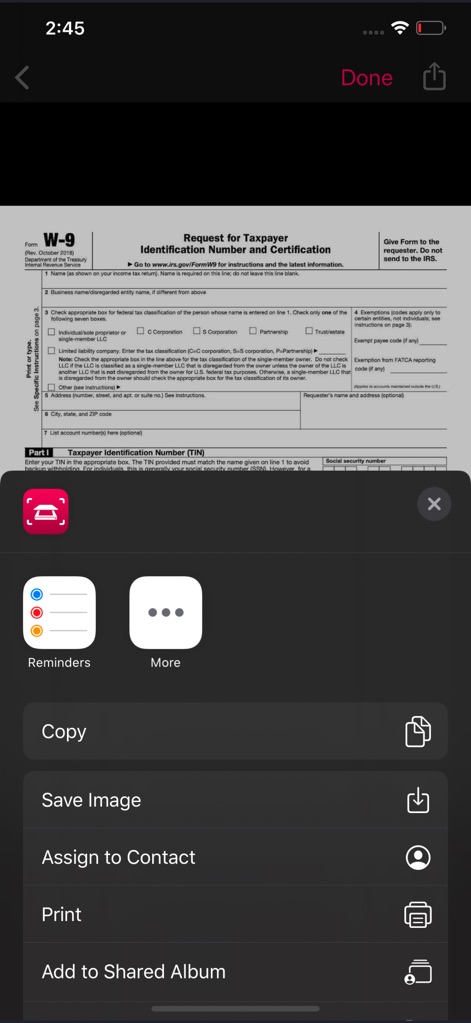
ユーザーは、スキャンしたファイルを**画像として保存**したり、**連絡先に割り当て**たりするなど、多様な方法でエクスポートでき、利便性が向上します。
多彩なエクスポート機能
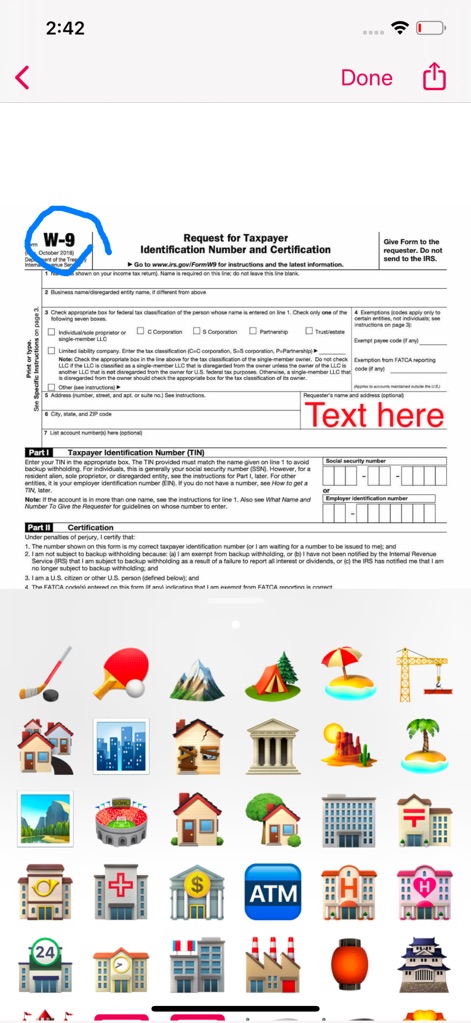
ドキュメントに**テキストを自由に入力**できるほか、豊富な**絵文字ライブラリ**から選択して、スキャンに視覚的な要素を追加し、個性を表現できます。
個性的なカスタマイズ
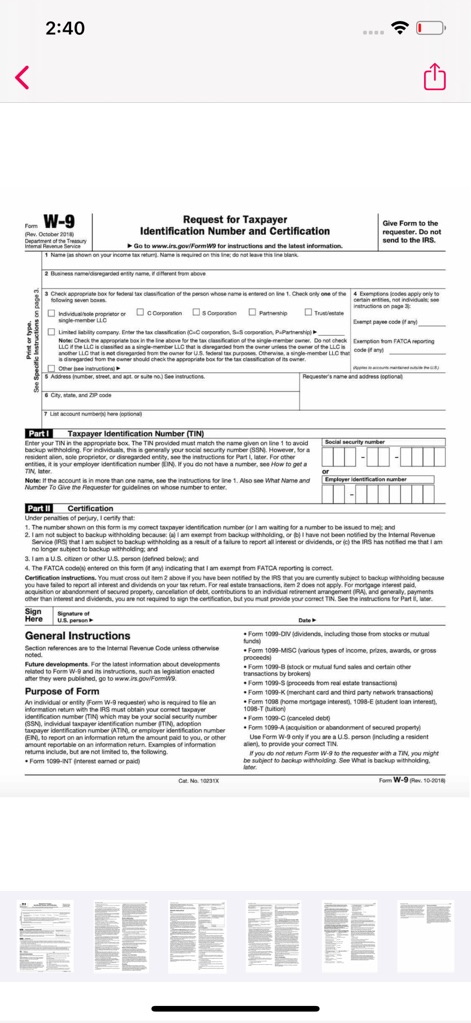
スキャンされた**複数ページのドキュメント**を一覧で確認でき、完成したPDFは**ワンタップで共有**または削除の操作が可能です。
複数ページを一括管理
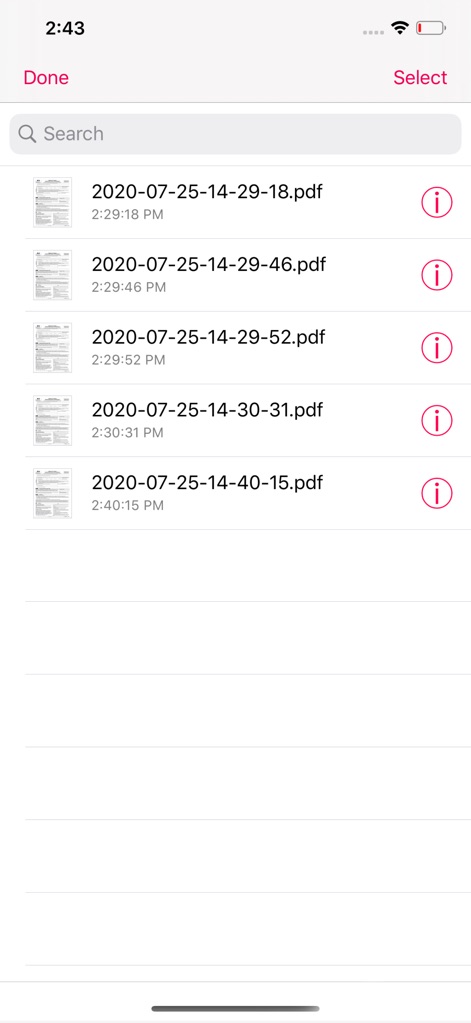
スキャンしたすべてのドキュメントは**日付と時刻で整理**され、**検索バー**を使用して特定のファイルを素早く見つけることができます。
直感的なファイル管理
説明
Download
類似アプリ
似た機能とユーザー体験を持つアプリ

PDF PRO Scan Image & Documents
Balzo srl

The PDF Scanner, PDF editor HQ
NEXT K.U.M. LTD

CamScanner - PDF Scanner App
INTSIG Information Co., Ltd

Adobe Scan: PDF & OCR Scanner
Adobe Inc.

WPS Office: PDF, Docs, Sheets
KINGSOFT OFFICE SOFTWARE CORPORATION LIMITED

iLovePDF - PDF Editor & Scan
ILOVEPDF S.L.

Scanner App: Genius Scan
The Grizzly Labs

Microsoft Lens: PDF Scanner
Microsoft Corporation

Clear Scan: Doc Scanner App
INDY MOBILE APP COMPANY LIMITED
このページはアプリまたはその開発者の公式ページではなく、情報提供および論評を目的として作成された独立した編集出版物です。明示的に別段の記載がない限り、アプリおよびその開発者は、MWM、Apple、Google Play、アプリのパブリッシャー、またはアプリの開発者と提携、承認、後援、認可、またはその他の公式的な関係はなく、このページのいかなる内容も、アプリがMWMのサービスを使用して開発されたことを意味するものではありません。すべての商標、ロゴ、スクリーンショット、その他のコンテンツはそれぞれの所有者の財産です。