PDF Scanner ~ Scan Document
ダウンロード: App Store

このページはアプリまたはその開発者の公式ページではなく、情報提供および論評を目的として作成された独立した編集出版物です。明示的に別段の記載がない限り、アプリおよびその開発者は、MWM、Apple、Google Play、アプリのパブリッシャー、またはアプリの開発者と提携、承認、後援、認可、またはその他の公式的な関係はなく、このページのいかなる内容も、アプリがMWMのサービスを使用して開発されたことを意味するものではありません。すべての商標、ロゴ、スクリーンショット、その他のコンテンツはそれぞれの所有者の財産です。

ロゴ: PDF Scanner ~ Scan Document
ダウンロード: App Store

PDF Scanner ~ Scan Document

現代のプロフェッショナル向けのオールインワン スキャン ソリューション。Google DriveおよびDropboxへのシームレスなエクスポートにより、高品質の書類、レシート、IDを楽にスキャン、電子署名、整理できます。

主要数値

ダウンロード

392K+

ユーザー評価

4.5/5

評価数

4K+

開発元

PROTOOLS LLP

カテゴリ

Business

対応言語

2

最新バージョン

2.6.3

サイズ

104.9 MB

リリース日

2020年1月27日
機能

あなたのプロフェッショナル モバイル オフィス

iPhoneを高性能スキャナーに変えましょう。外出先で書類を楽にキャプチャ、署名、整理し、どこにいても生産性を維持できます。

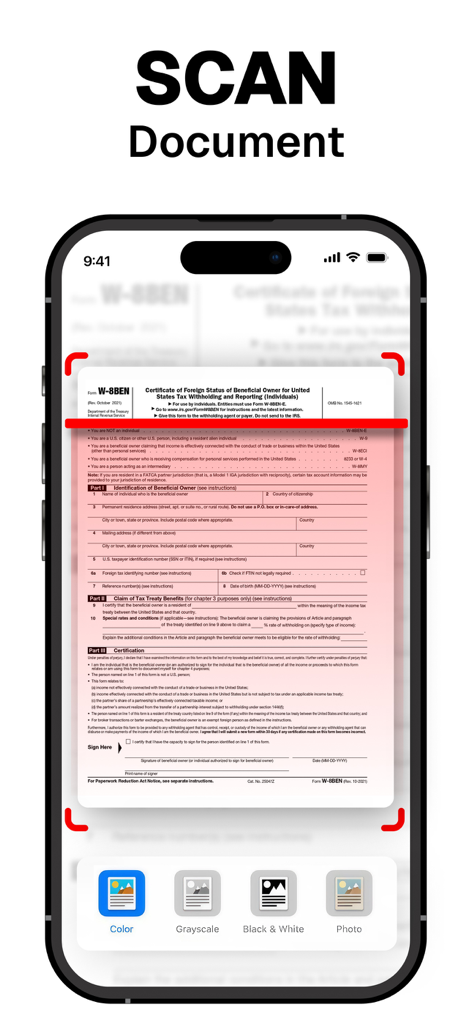
クリスタルクリアなHDスキャン

自動境界検出とカラー補正により、すべての書類がプロフェッショナルでシャープに見え、単純な写真のようには見えません。

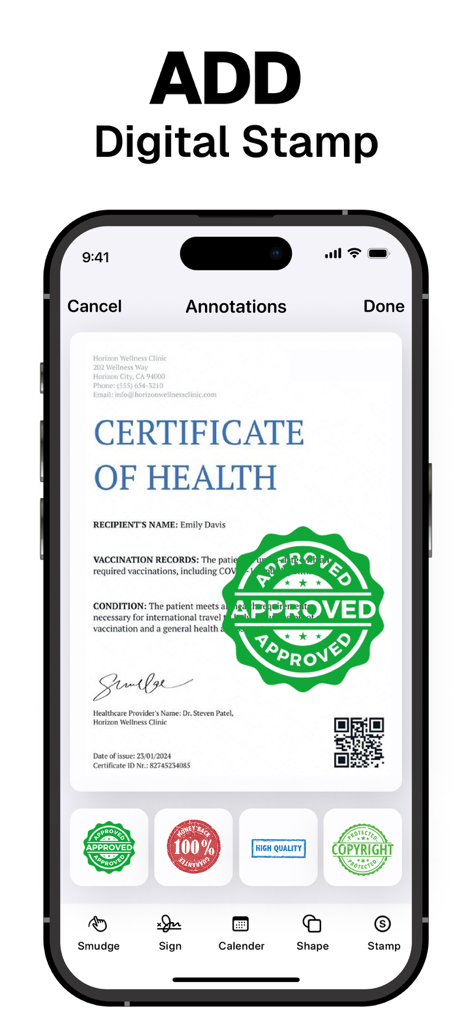
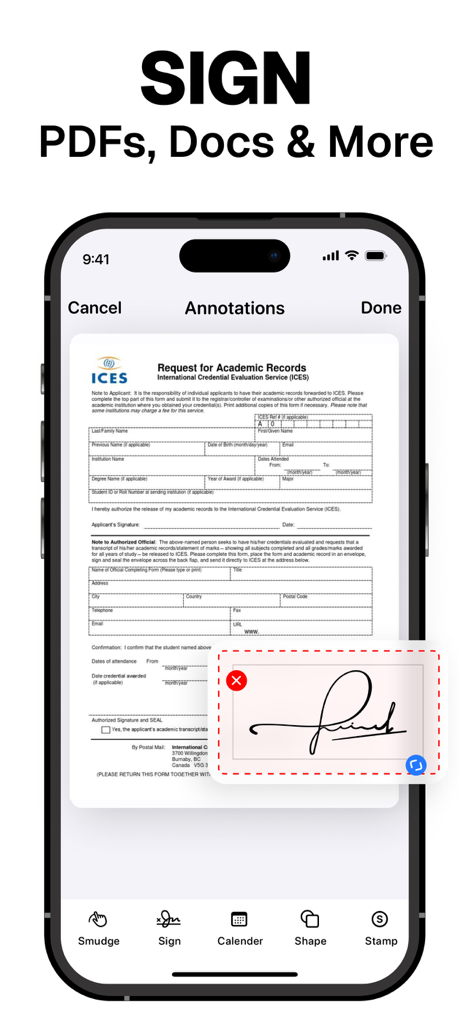
インスタント電子署名とスタンプ

印刷やスキャンを必要とせずに、PDFに直接デジタル署名を追加することで、契約を数秒で完了できます。

以下のスクリーンショットと説明は、アプリの公式ストアリスティングから直接取得されたものであり、アプリ開発者の所有物です。

アプリストア

スクリーンショット
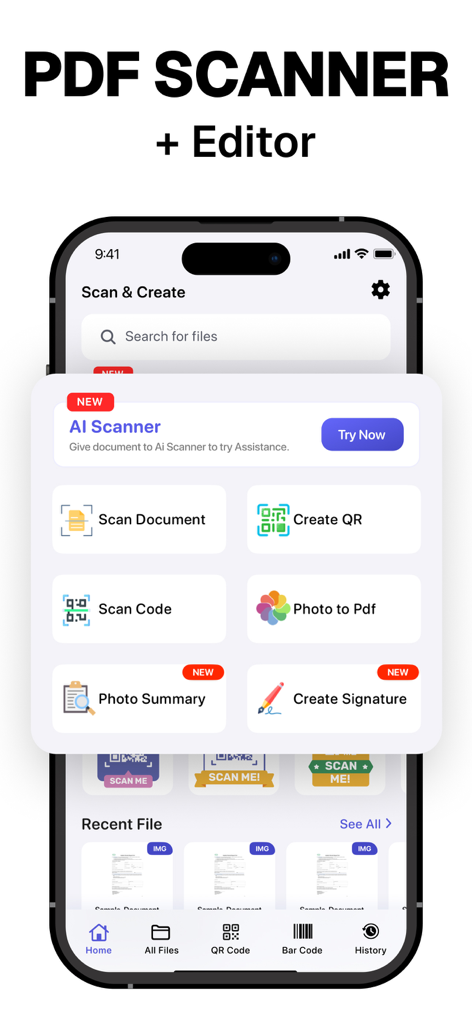
PDF Scanner ~ Scan Document - PDFスキャナーアプリのホーム画面。書類スキャン、署名作成、QRコードツールを備えています。
PDFスキャナーアプリのホーム画面。書類スキャン、署名作成、QRコードツールを備えています。

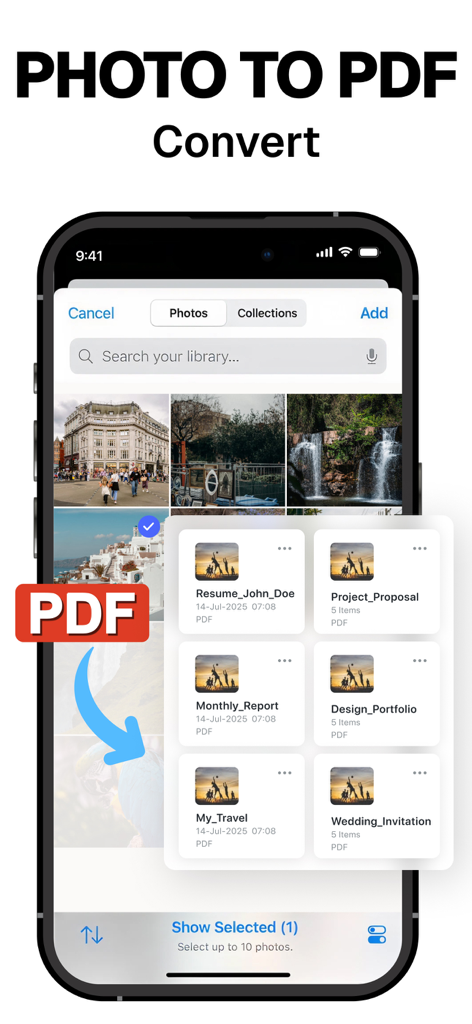
PDF Scanner ~ Scan Document - 写真をPDFドキュメントに変換する方法を示すモバイルアプリインターフェイス。
写真をPDFドキュメントに変換する方法を示すモバイルアプリインターフェイス。

PDF Scanner ~ Scan Document - 自動境界検出とカラーフィルターを備えた税務書類をスキャンするPDFスキャナーアプリを示すiPhone画面。
自動境界検出とカラーフィルターを備えた税務書類をスキャンするPDFスキャナーアプリを示すiPhone画面。

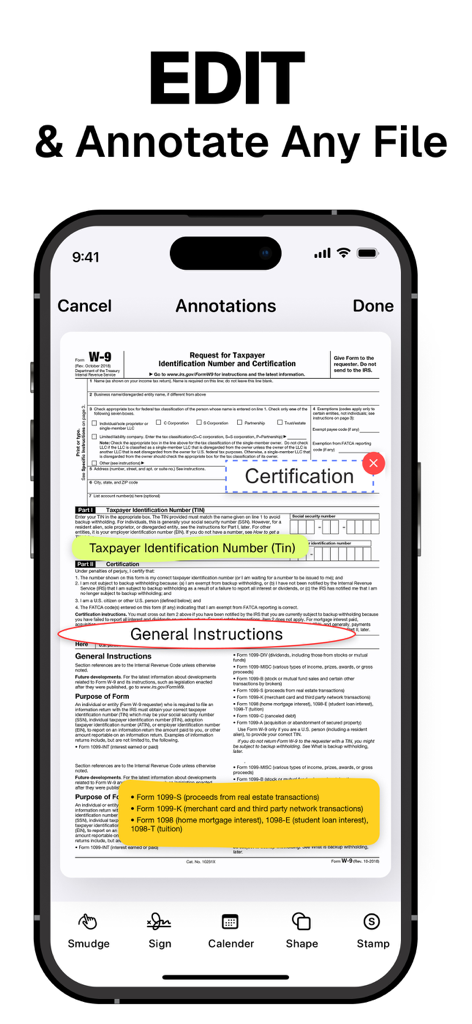
PDF Scanner ~ Scan Document - W-9税フォームの一部を強調表示する注釈ツールを備えたPDFスキャナーのモバイルアプリインターフェイス。
W-9税フォームの一部を強調表示する注釈ツールを備えたPDFスキャナーのモバイルアプリインターフェイス。

PDF Scanner ~ Scan Document - デジタルPDFドキュメントの電子署名機能を示すスマートフォン画面。

デジタルPDFドキュメントの電子署名機能を示すスマートフォン画面。

PDF Scanner ~ Scan Document - スキャンされたPDFドキュメントに承認および著作権などのデジタルスタンプを追加するためのモバイルアプリインターフェイス。
スキャンされたPDFドキュメントに承認および著作権などのデジタルスタンプを追加するためのモバイルアプリインターフェイス。

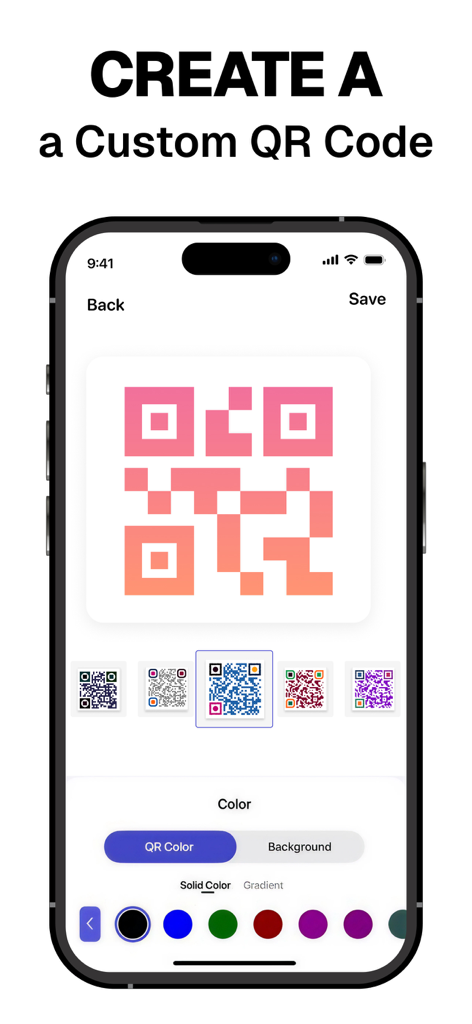
PDF Scanner ~ Scan Document - PDFスキャナーアプリでさまざまな色とグラデーションを使用してQRコードを作成およびカスタマイズするためのインターフェイス。
PDFスキャナーアプリでさまざまな色とグラデーションを使用してQRコードを作成およびカスタマイズするためのインターフェイス。

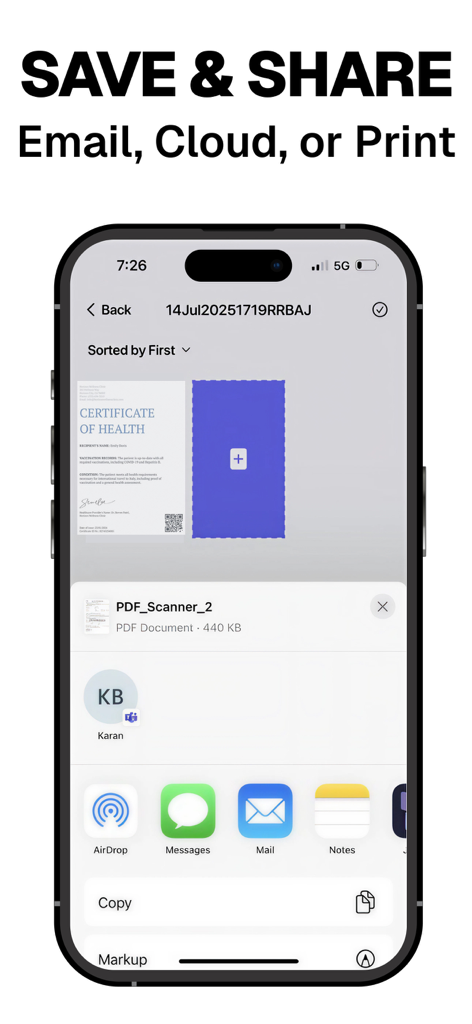
PDF Scanner ~ Scan Document - スキャンされたPDFドキュメントをメール、クラウド、または印刷を介して保存および共有するオプションを示すモバイルアプリ画面。

スキャンされたPDFドキュメントをメール、クラウド、または印刷を介して保存および共有するオプションを示すモバイルアプリ画面。

説明

PDF Scanner our free scanner app to scan anything you need: Documents, Passport, Licence IDs, business documents, agreements, letters, invoices, order sheets, receipts Scanner and management documents with your iOS device!!! Scanner App is a handy scanner app that will turn your iOS device into a powerful mobile scanner. Easily scan, save and share any document in PDF or JPEG format. You can scan the documents and attach them together save and share as PDF and JPEG. Make folders cope and move any where in the app. Draw and import your signature makes easier for doing business deals. Annotate the documents, receipts, fax papers , books store your scans as multipage PDF or JPEG files. Share your scans via: - iMessage or email documents as PDF, JPEG, or PNG, or save to Camera Roll. - Export the scanned documents to Dropbox, Google Drive , or open in any 3rd party application E-sign & stamp documents right on your iOS device: - Add one or several signatures and stamps into the app - Add the e-sign to scanned pages in a moment Features PDF Scanner : – Scan to the highest quality PDF or JPEG – Save scans in high quality grayscale, black and white or color – Automatic border detection for documents makes them advanced scanner – Advanced processing and color correction – Choose between low, medium and HD scan quality – Multipage scanning ability scan as many pages as you like – ID and Passport scanning modes UNLIMITED ACCESS SUBSCRIPTION • You can subscribe for unlimited access to all features and content offered for purchases within PDF Scanner • Subscriptions are billed monthly, weekly or annually at the rate selected depending on the subscription plan • Payment will be charged to your iTunes Account at confirmation of purchase • Subscription automatically renews at the cost of the chosen package unless auto-renew is turned off at least 24-hours before the end of the current period • Account will be charged for renewal within 24-hours prior to the end of the current period, and identify the cost of the renewal • Subscriptions may be managed by the user and auto-renewal may be turned off by going to the user's Account Settings after purchase • If eligible for free trial and you subscribe before your free trial ends, the rest of your free trial period will be forfeited as soon as your purchase is confirmed. Subscriptions will start immediately after free trial ends unless cancelled at least 24 hours prior to the end of the trial period. Terms and Conditions: https://drive.google.com/open?id=149BnpvS7Q7PRAzUuZY-FNNxK1OQCgEcW Privacy Policy: https://drive.google.com/open?id=1AiNdqbZ1KUKCPLfdldCGhBftKOuHtFgn Thank you so much for your love! Can’t wait to see what you create We are aways listening, email us for any support You Rock :)

Download

ダウンロード: App Store

このページはアプリまたはその開発者の公式ページではなく、情報提供および論評を目的として作成された独立した編集出版物です。明示的に別段の記載がない限り、アプリおよびその開発者は、MWM、Apple、Google Play、アプリのパブリッシャー、またはアプリの開発者と提携、承認、後援、認可、またはその他の公式的な関係はなく、このページのいかなる内容も、アプリがMWMのサービスを使用して開発されたことを意味するものではありません。すべての商標、ロゴ、スクリーンショット、その他のコンテンツはそれぞれの所有者の財産です。