PenToPrint Handwriting to PDF
ダウンロード: App Store

このページはアプリまたはその開発者の公式ページではなく、情報提供および論評を目的として作成された独立した編集出版物です。明示的に別段の記載がない限り、アプリおよびその開発者は、MWM、Apple、Google Play、アプリのパブリッシャー、またはアプリの開発者と提携、承認、後援、認可、またはその他の公式的な関係はなく、このページのいかなる内容も、アプリがMWMのサービスを使用して開発されたことを意味するものではありません。すべての商標、ロゴ、スクリーンショット、その他のコンテンツはそれぞれの所有者の財産です。

ロゴ: PenToPrint Handwriting to PDF
ダウンロード: App Store

PenToPrint Handwriting to PDF

アナログ思考のための究極のOCRブリッジ。紙のノートを、元のレイアウトと独自の筆跡スタイルを維持したまま、検索可能なデジタルアーカイブに即座に変換します。

主要数値

ダウンロード

800

ユーザー評価

4.4/5

評価数

0

開発元

Serandi systems LTD

カテゴリ

Productivity

対応言語

1

最新バージョン

1.02

サイズ

34.2 MB

リリース日

2024年11月6日
機能

アナログからデジタルへのワークフローをマスター

ペンと紙とデジタルセカンドブレインの間の究極のブリッジを体験してください。簡単にスキャン、変換、整理できます。

スマート検索機能

数秒で必要なものを見つけられます。OCRは手書き文字を検索可能なデータベースに変換し、手動でのブラウジングを過去のものにします。

元のレイアウトを保持

ノートの魂を維持します。独自の筆跡やスケッチの本来の見た目と感触を維持しながら、テキストをデジタル化します。

以下のスクリーンショットと説明は、アプリの公式ストアリスティングから直接取得されたものであり、アプリ開発者の所有物です。

アプリストア

スクリーンショット
PenToPrint Handwriting to PDF - 手書きノートを検索可能にするための、手書き文字からPDFへの変換機能

手書きノートを検索可能にするための、手書き文字からPDFへの変換機能

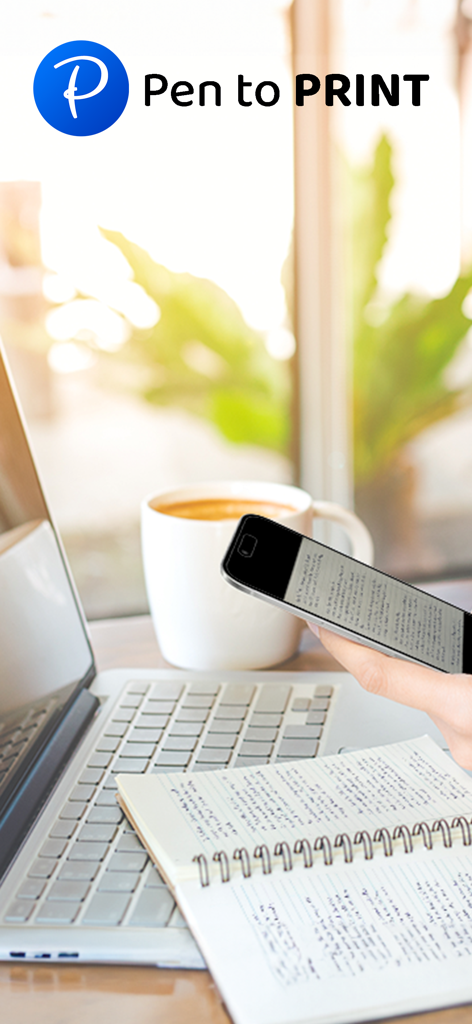
PenToPrint Handwriting to PDF - 机の上のノートの上の手書きノートをスキャンするためにスマートフォンを使用している人、ラップトップとコーヒーの隣
机の上のノートの上の手書きノートをスキャンするためにスマートフォンを使用している人、ラップトップとコーヒーの隣

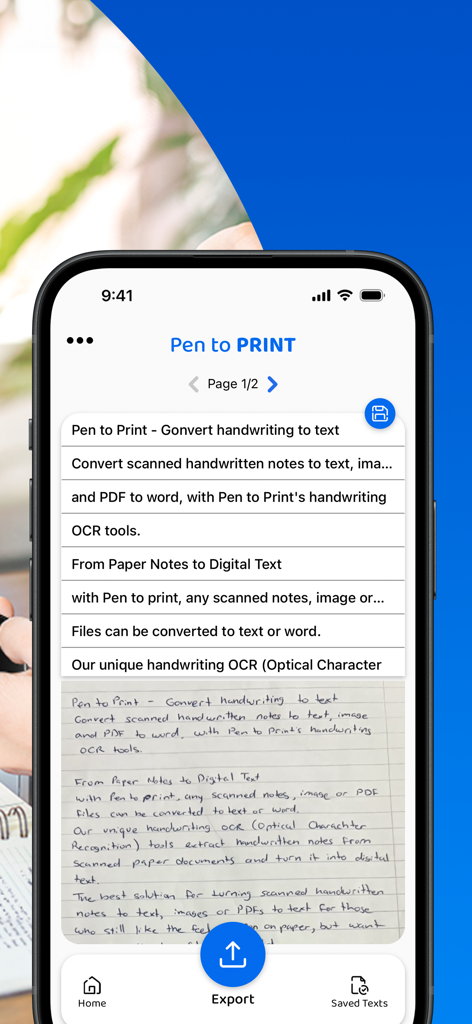
PenToPrint Handwriting to PDF - モバイル画面にデジタルテキスト行に変換された手書きノートを表示するPenToPrintアプリのインターフェース
モバイル画面にデジタルテキスト行に変換された手書きノートを表示するPenToPrintアプリのインターフェース

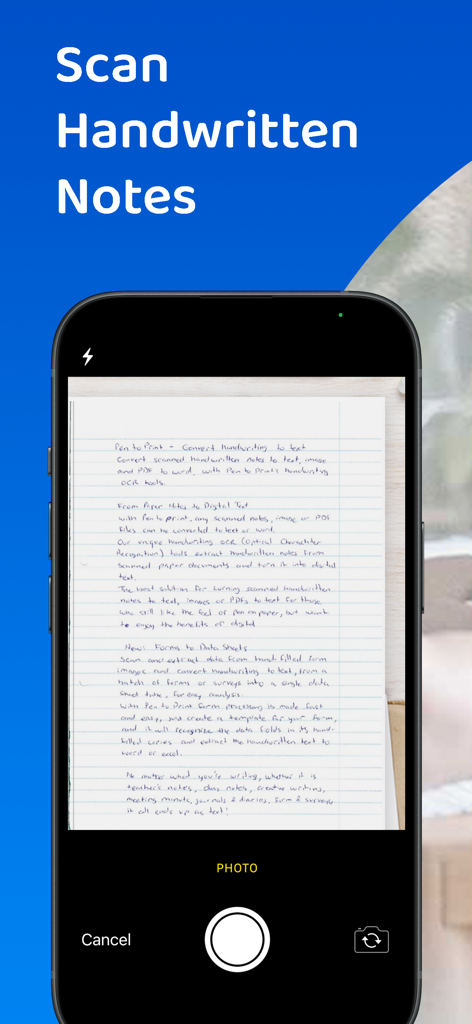
PenToPrint Handwriting to PDF - PenToPrintアプリで手書きの紙のノートをスキャンするスマートフォン
PenToPrintアプリで手書きの紙のノートをスキャンするスマートフォン

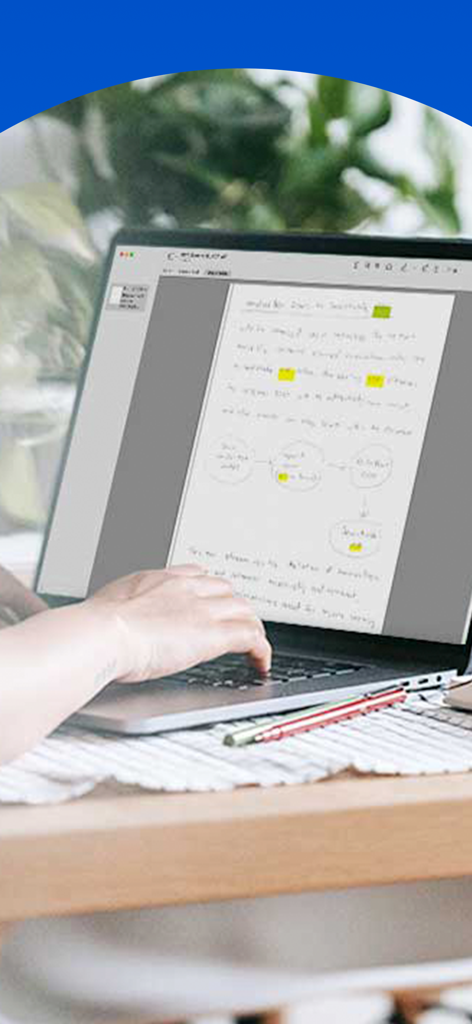
PenToPrint Handwriting to PDF - ハイライトと図が表示されたデジタル化された手書きノートがラップトップ画面に表示される
ハイライトと図が表示されたデジタル化された手書きノートがラップトップ画面に表示される

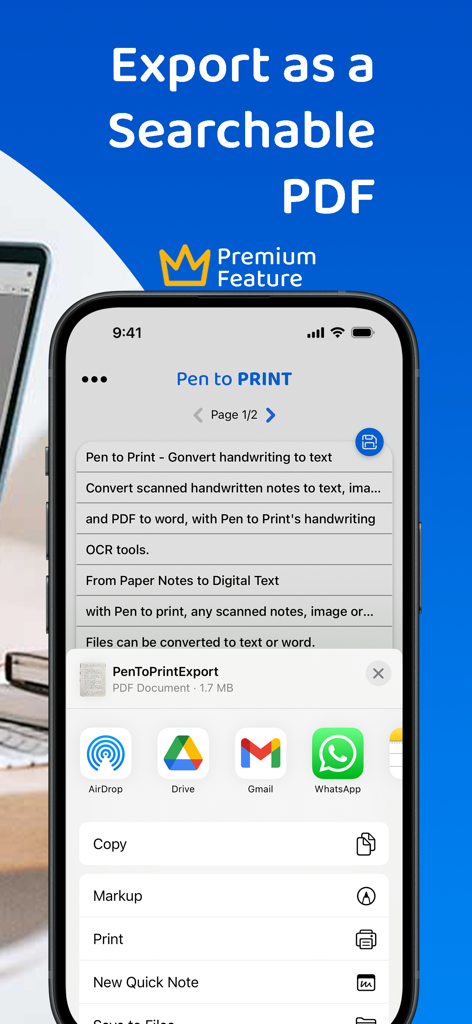
PenToPrint Handwriting to PDF - 検索可能なPDFとして手書き文書をエクスポートするために共有メニューが開いているPenToPrintアプリを表示するiPhone画面
検索可能なPDFとして手書き文書をエクスポートするために共有メニューが開いているPenToPrintアプリを表示するiPhone画面

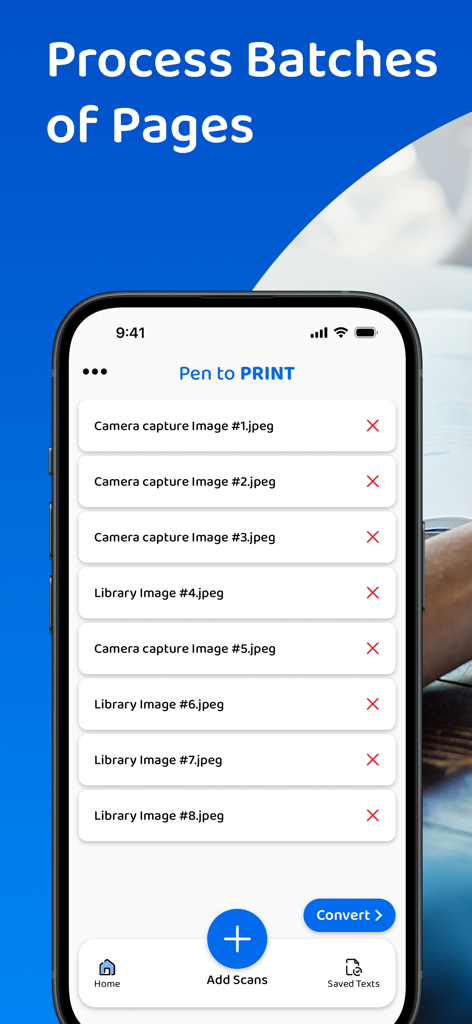
PenToPrint Handwriting to PDF - PDFに変換するためにバッチ処理の準備ができた複数のスキャン画像リストを表示するPenToPrintアプリのモバイルインターフェース

PDFに変換するためにバッチ処理の準備ができた複数のスキャン画像リストを表示するPenToPrintアプリのモバイルインターフェース

PenToPrint Handwriting to PDF - 検索可能なPDFにデジタル変換するためにノートから手書きノートをスキャンするためにスマートフォンを使用している人
検索可能なPDFにデジタル変換するためにノートから手書きノートをスキャンするためにスマートフォンを使用している人

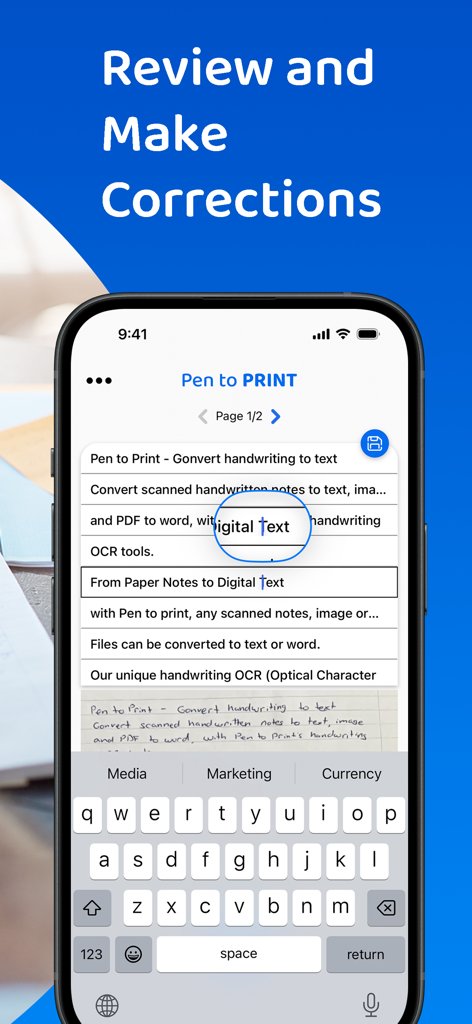
PenToPrint Handwriting to PDF - デジタルテキストに変換された手書きノートのレビューと修正のためのインターフェース

デジタルテキストに変換された手書きノートのレビューと修正のためのインターフェース

説明

Pen to Print - Convert scanned handwritten images to PDF and make your notes searchable. Pen to Print's Searchable PDF maker is designed to effortlessly transform scanned handwritten notes to a searchable PDF using OCR. It easily converts scanned images into fully searchable PDF documents, digitizing the scanned handwriting to text. Its advanced OCR technology, accurately recognizes and converts handwriting to text, enabling users to easily transform their scanned images to PDF and allow them to search, highlight, and extract information from their scanned handwritten notes. This OCR app preserves the authenticity of scanned handwritten notes with its original layout and unique handwriting, while providing the convenience of digital search capabilities, making a huge leap in the efficiency of document management with a quick and easy access to relevant information within the converted texts. The Pen to Print searchable PDF maker offers many advantages, transforming the way users interact with handwritten content. One of its key strengths lies in the significant time efficiency it brings to document management. By converting handwritten images to PDF with the precision of Pen to Print’s OCR technology, users can swiftly locate specific information within the handwritten text, eliminating the need for laborious manual searches. Enhanced accessibility is another notable advantage, allowing users to access their documents from any device at any time, fostering flexibility in a fast-paced digital environment. The preservation of scanned handwritten notes, from image to PDF, in a searchable format, strikes a harmonious balance between tradition and modern efficiency, and boosts productivity while preserving the authenticity of the original handwritten scanned notes. We welcome all feedback and are always happy to hear from our users. If you like our app, an app review will be well appreciated :-) If you encounter a problem, please contact us at: contact@serendi.me, so we can provide you assistance and support. For more information and online OCR tools, visit our website: https://www.pen-to-print.com Download Pen to Print now, and start converting your handwriting to text! The Yearly Plan and Monthly Plan are auto-renewing subscriptions, providing an unlimited amount of text exports for a year/a month respectively, therefore: Payment will be charged to iTunes Account at confirmation of purchase. Subscription automatically renews unless auto-renew is turned off at least 24 hours before the end of the current period. Account will be charged for renewal within 24 hours prior to the end of the current period, and identify the cost of the renewal. Subscriptions may be managed by the user and auto-renewal may be turned off by going to the user's Account Settings after purchase. Any unused portion of a free trial period, if offered, will be forfeited when the user purchases a subscription to that publication, where applicable. Check out the user terms of use at: https://www.apple.com/legal/internet-services/itunes/dev/stdeula, and our privacy policy: https://www.pen-to-print.com/privacy

Download

ダウンロード: App Store

このページはアプリまたはその開発者の公式ページではなく、情報提供および論評を目的として作成された独立した編集出版物です。明示的に別段の記載がない限り、アプリおよびその開発者は、MWM、Apple、Google Play、アプリのパブリッシャー、またはアプリの開発者と提携、承認、後援、認可、またはその他の公式的な関係はなく、このページのいかなる内容も、アプリがMWMのサービスを使用して開発されたことを意味するものではありません。すべての商標、ロゴ、スクリーンショット、その他のコンテンツはそれぞれの所有者の財産です。