
このページはアプリまたはその開発者の公式ページではなく、情報提供および論評を目的として作成された独立した編集出版物です。明示的に別段の記載がない限り、アプリおよびその開発者は、MWM、Apple、Google Play、アプリのパブリッシャー、またはアプリの開発者と提携、承認、後援、認可、またはその他の公式的な関係はなく、このページのいかなる内容も、アプリがMWMのサービスを使用して開発されたことを意味するものではありません。すべての商標、ロゴ、スクリーンショット、その他のコンテンツはそれぞれの所有者の財産です。

Philips HearLink 2
iPhoneやApple Watchから補聴器をシームレスに管理。お気に入りのオーディオをストリーミングし、サウンド環境をパーソナライズして、完全にさりげなく、簡単に接続を維持しましょう。
ダウンロード
352K+ユーザー評価
評価数
31K+開発元
カテゴリ
Medical対応言語
31最新バージョン
1.6.1サイズ
424.5 MBリリース日
2023年2月9日指先で実現する、パーソナライズされた聴こえ
現代のライフスタイルにシームレスに統合されるように設計された、プロフェッショナルグレードのツールで、あなたの環境をマスターしましょう。
手首でさりげなく操作
Apple Watchからプログラムの切り替えや音量調節をさりげなく行えるため、携帯電話を取り出すことなく会話に集中できます。
シームレスなオーディオストリーミング
補聴器をプレミアムワイヤレスヘッドフォンに変え、ポッドキャスト、音楽、ハンズフリー通話がクリアに耳に直接届きます。
よくある質問
について知っておくべきこと Philips HearLink 2
How does the Philips HearLink 2 app adjust hearing aid volume?
Philips HearLink 2アプリは、左右の補聴器の音量を個別に、またはまとめて調整します。ユーザーはアプリのサウンドインターフェース内にある専用のスライダーで音量を操作します。
Can the Philips HearLink 2 app mute surrounding sounds?
はい、Philips HearLink 2アプリには周囲の音をミュートする機能があります。この機能は、環境ノイズを低減して集中力を高めるのに役立ち、メインのサウンド画面にあるアイコンからアクセスできます。
How do users switch hearing aid programs in the Philips HearLink 2 app?
ユーザーは、補聴器のプログラムをPhilips HearLink 2アプリ内で直接切り替えることができます。プログラムは、聴覚専門家によって設定されたものです。利用可能なプログラムは、インターフェースに表示され、そこから選択できます。
Does the Philips HearLink 2 app show hearing aid battery levels?
はい、Philips HearLink 2アプリは、左右の補聴器の現在のバッテリーレベルを表示します。また、残りバッテリー時間を時間単位で推定表示します。
Can the Philips HearLink 2 app help locate lost hearing aids?
はい、Philips HearLink 2アプリには「補聴器を探す」機能があります。この機能は、補聴器の最後の既知の位置を地図上に表示します。位置情報サービスが有効になっている必要があります。
Does Philips HearLink 2 offer remote assistance from a hearing care professional?
はい、Philips HearLink 2は、聴覚専門家とのオンライン訪問を可能にします。ユーザーは、アプリの「リモートフィッティング」機能を通じて、リモートでのフィッティングとリアルタイム調整の予約ができます。
What is the sound equalizer feature in Philips HearLink 2?
Philips HearLink 2のサウンドイコライザーは、環境音を調整します。この機能はPhilips HearLink 50および40モデルで利用可能で、低域、中域、高域の周波数をカスタマイズできます。
What is the Philips Journal feature in Philips HearLink 2?
Philips HearLink 2のPhilips Journal機能は、ユーザーの進捗状況を追跡し、装用時間などの聴覚健康データを監視します。Philips HearLink 50および40モデルで利用可能です。
What iOS version does Philips HearLink 2 require for optimal performance?
最適なパフォーマンスのためには、Philips HearLink 2アプリはiOS 15.2以降を実行しているiOSデバイスが必要です。ユーザーはデバイスのオペレーティングシステムが最新であることを確認してください。
Does the Philips HearLink 2 app support Apple Watch?
はい、Philips HearLink 2にはApple Watch用アプリが含まれています。これにより、ユーザーは電話機とのBluetooth範囲内であれば、目立たずにプログラムを変更したり、音量を調整したりできます。
How do I start using the Philips HearLink 2 app with my hearing aids?
Philips HearLink 2アプリを使い始めるには、まず補聴器をアプリケーションとペアリングする必要があります。この最初のペアリングプロセスは、デバイスを制御するために不可欠です。
Can the Philips HearLink 2 app control wireless accessories?
はい、Philips HearLink 2アプリは、補聴器とペアリングされたワイヤレスアクセサリを制御します。この機能には、TVアダプターやAudioClipなどのデバイスの管理が含まれます。
Does Philips HearLink 2 support Auracast™ broadcasts?
はい、Philips HearLink 2はAuracast™ブロードキャストをサポートしています。ユーザーは、アプリを通じてAuracast™ブロードキャストに接続して調整できます。これは特にPhilips HearLink 50モデルで利用可能です。
How do I access support and troubleshooting in the Philips HearLink 2 app?
ユーザーは、Philips HearLink 2アプリ内でサポートとトラブルシューティングの解決策にアクセスできます。「ヘルプ&サポート」セクションでは、支援と一般的な問題解決に直接アクセスできます。
以下のスクリーンショットと説明は、アプリの公式ストアリスティングから直接取得されたものであり、アプリ開発者の所有物です。
アプリストア
スクリーンショット
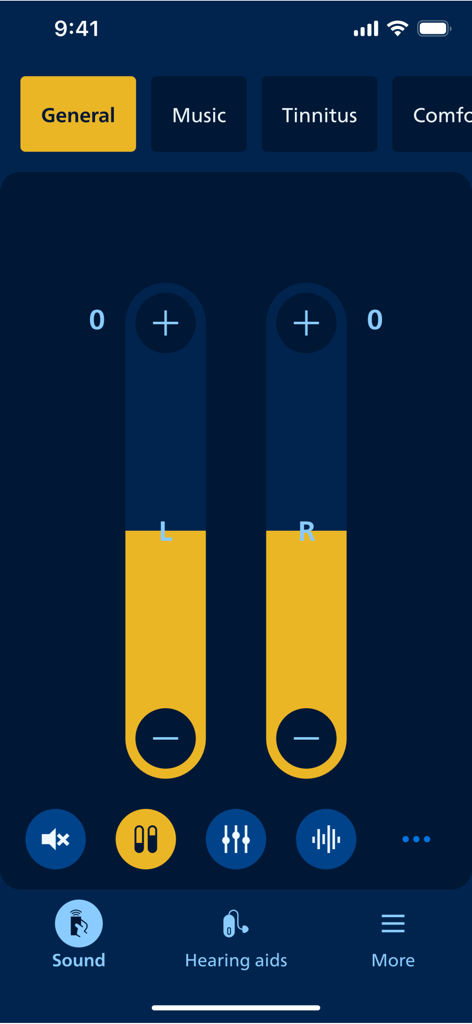
Philips HearLink 2アプリの音量調整画面
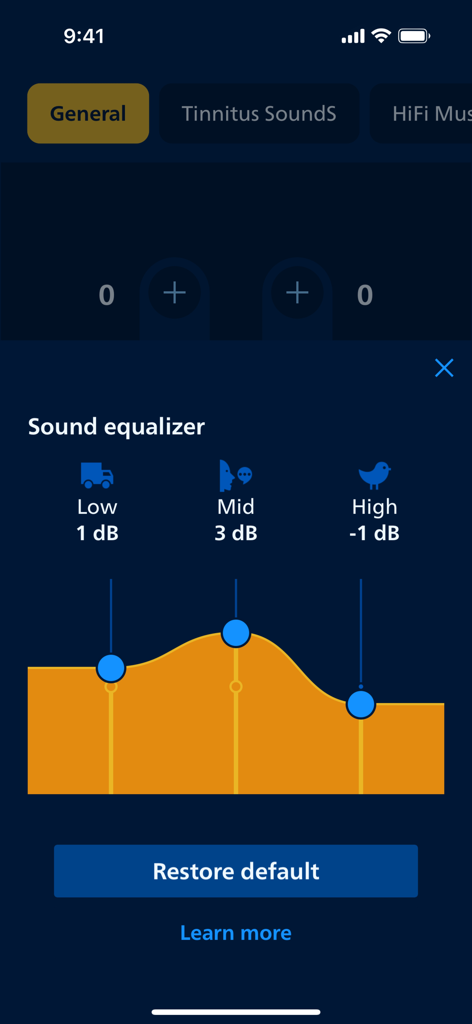
Philips HearLink 2のサウンドイコライザーインターフェイス。低音、中音、高音の調整可能な周波数帯域が表示されています。
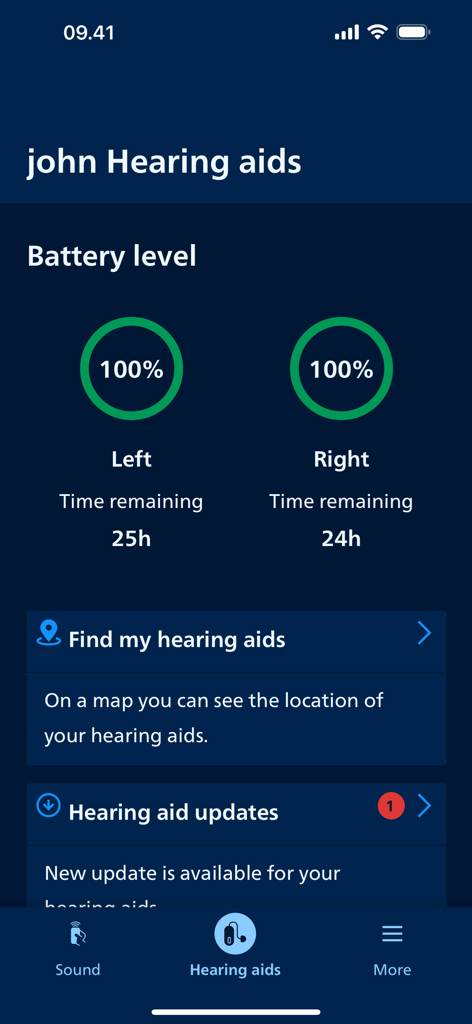
Philips HearLink 2アプリの画面。左右の補聴器のバッテリー残量と「補聴器を探す」機能が表示されています。
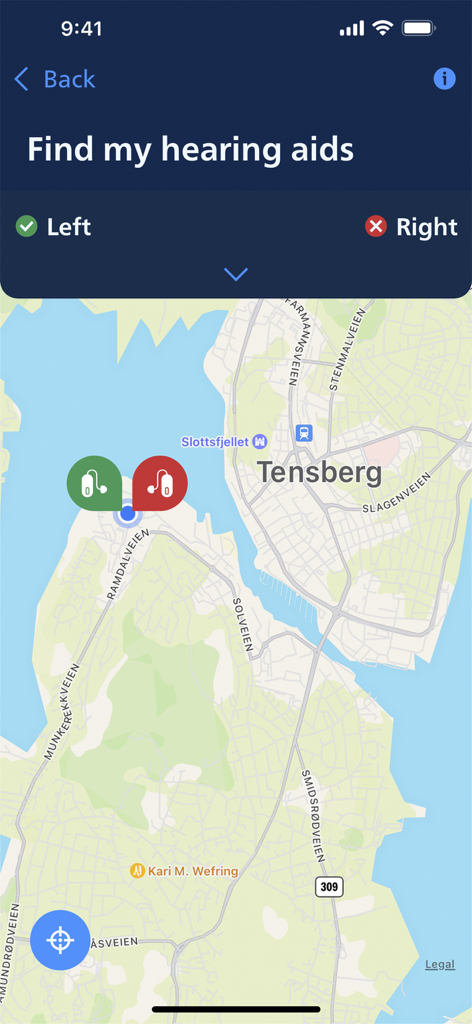
Philips HearLink 2アプリの「補聴器を探す」マップ機能を表示
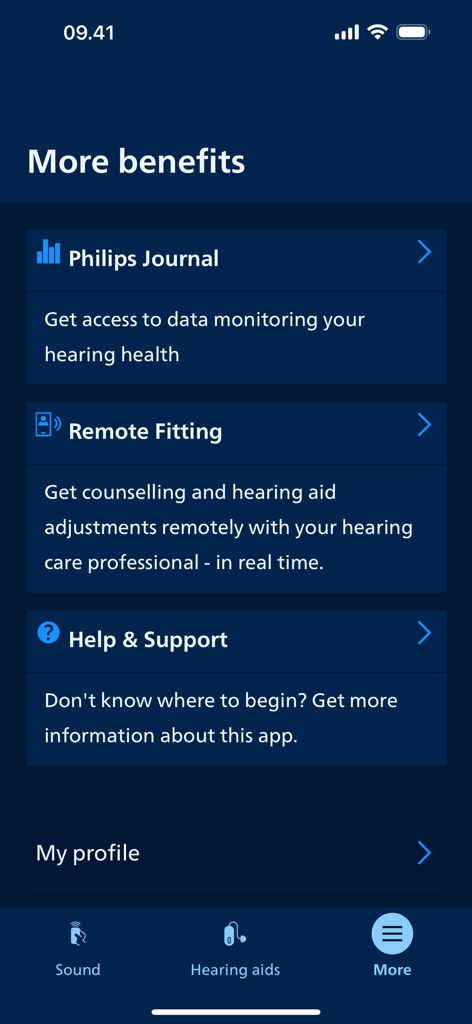
Philips HearLink 2アプリの画面。Philips JournalやRemote Fittingなどの追加機能が表示されています。
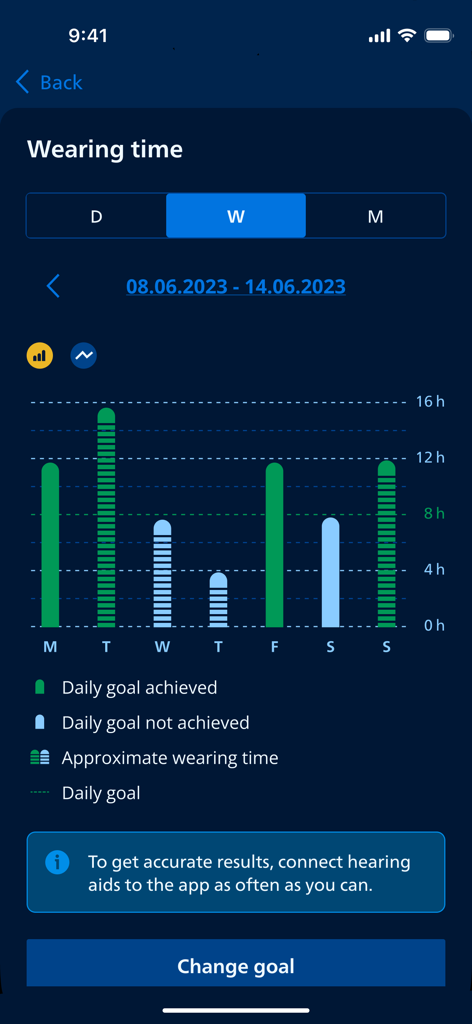
Philips HearLink 2アプリの棒グラフ。毎日の補聴器装用時間と、1週間の目標達成状況が表示されています。
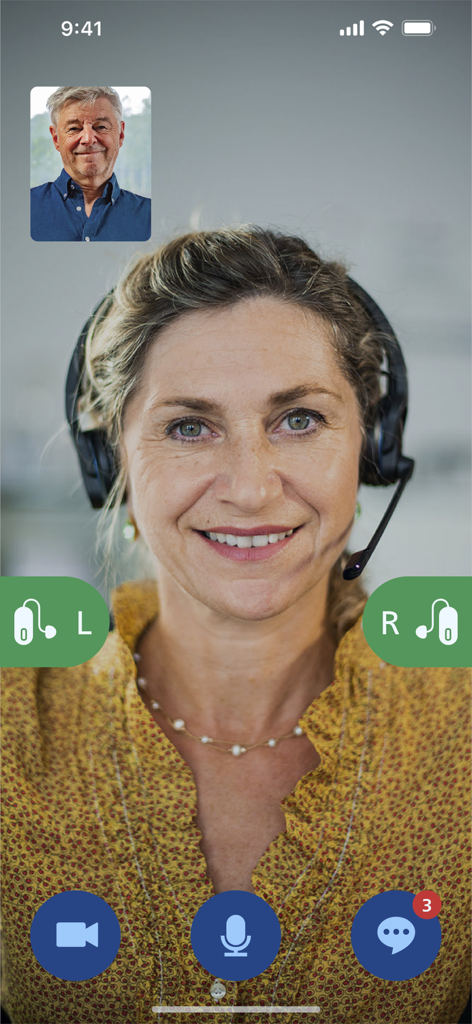
Philips HearLink 2アプリでの聴覚専門家とのオンライン訪問
説明
Download
類似アプリ
似た機能とユーザー体験を持つアプリ

ReSound Smart 3D
GN Resound A/S

Braun IPL app
P&G Productions

BeMore – for your hearing aids
GN Hearing Care Corporation
Jabra Enhance Pro
GN Hearing Care Corporation

Miracle-Ear App
Miracle-Ear, Inc.

myPhonak
Sonova AG

Amplifon App
Amplifon S.p.A.

Hearing Remote
Sonova AG

Oticon Companion
Oticon
このページはアプリまたはその開発者の公式ページではなく、情報提供および論評を目的として作成された独立した編集出版物です。明示的に別段の記載がない限り、アプリおよびその開発者は、MWM、Apple、Google Play、アプリのパブリッシャー、またはアプリの開発者と提携、承認、後援、認可、またはその他の公式的な関係はなく、このページのいかなる内容も、アプリがMWMのサービスを使用して開発されたことを意味するものではありません。すべての商標、ロゴ、スクリーンショット、その他のコンテンツはそれぞれの所有者の財産です。