
このページはアプリまたはその開発者の公式ページではなく、情報提供および論評を目的として作成された独立した編集出版物です。明示的に別段の記載がない限り、アプリおよびその開発者は、MWM、Apple、Google Play、アプリのパブリッシャー、またはアプリの開発者と提携、承認、後援、認可、またはその他の公式的な関係はなく、このページのいかなる内容も、アプリがMWMのサービスを使用して開発されたことを意味するものではありません。すべての商標、ロゴ、スクリーンショット、その他のコンテンツはそれぞれの所有者の財産です。

ReSound Smart 3D
目立たないコントロール、専門家による遠隔サポート、アクティブなライフスタイルに合わせた高度なサウンド設定で、あなたの「きこえ」の歩みをリードしましょう。
ダウンロード
1M+ユーザー評価
評価数
114K+開発元
カテゴリ
Medical対応言語
44最新バージョン
1.41.0サイズ
265.4 MBリリース日
2017年4月28日あなたの世界を、思いのままに
アクティブなライフスタイル向けに設計された直感的なツールで、あらゆる環境での明瞭さと快適さを確保し、きこえの体験をトータルにコントロール。
目立たないサウンドコントロール
スマートフォンから音量、低音、高音を簡単に調整したり、プログラムを切り替えたりできます。周囲に気づかれずに、騒がしいレストランでの聞き取りを最適化するのに最適です。
どこでも受けられるプロフェッショナルケア
リサウンド・アシストを使用して、専門家にサポートを依頼できます。新しい設定やソフトウェアアップデートをリモートで受け取れるため、クリニックへ行く手間を省けます。
よくある質問
について知っておくべきこと ReSound Smart 3D
ReSound Smart 3Dアプリとは何ですか?
ReSound Smart 3Dアプリは、モバイルデバイスから補聴器を操作できるアプリで、サウンド調整、プログラム変更、認定補聴器店からのリモートサポートなどを提供します。
ReSound Smart 3Dアプリで補聴器の設定を調整できますか?
はい、ReSound Smart 3Dアプリを使用すると、音量調整、補聴器のミュート、プログラム変更、高音、中音、低音の調整によるサウンドのパーソナライズが可能です。
ReSound Smart 3Dアプリは、紛失した補聴器を見つけるのにどのように役立ちますか?
ReSound Smart 3Dアプリには、マップビューと信号強度インジケーターを使用して、紛失または置き忘れた補聴器を見つけるのに役立つ機能が含まれています。
ReSound Smart 3Dで補聴器の専門家からリモートアシスタンスを受けることはできますか?
はい、ReSound Assistを使用すると、補聴器の専門家からサポートをリクエストでき、専門家は新しい補聴器の設定やソフトウェアアップデートをリモートで送信できます。
ReSound Smart 3Dアプリには耳鳴り管理機能がありますか?
はい、ReSound Smart 3Dアプリには耳鳴り管理機能があり、耳鳴りサウンドジェネレーターのサウンドバリエーションと周波数を調整したり、自然のサウンドを選択したりできます。
アプリ経由でReSound補聴器にオーディオをストリーミングできますか?
はい、ReSound Smart 3Dアプリを使用すると、テレビのオーディオなどのオプションのReSoundストリーミングアクセサリの音量を調整できます。
ReSound Smart 3Dアプリでカスタムサウンド設定を保存することは可能ですか?
はい、ReSound Smart 3Dアプリでは、好みの設定を「お気に入り」として保存でき、これらのカスタム設定を特定の場所にタグ付けすることもできます。
ReSound Smart 3Dアプリで補聴器の装着状態を確認するにはどうすればよいですか?
ReSound Smart 3Dアプリには「装着状態を確認」機能があり、現在の補聴器の装着状態を参照画像と比較して、適切な装着を確認できます。
ReSound Smart 3Dアプリは補聴器のバッテリー残量を監視しますか?
はい、ReSound Smart 3Dアプリを使用すると、モバイルデバイスから直接、充電式補聴器のバッテリーステータスを監視できます。
以下のスクリーンショットと説明は、アプリの公式ストアリスティングから直接取得されたものであり、アプリ開発者の所有物です。
アプリストア
スクリーンショット
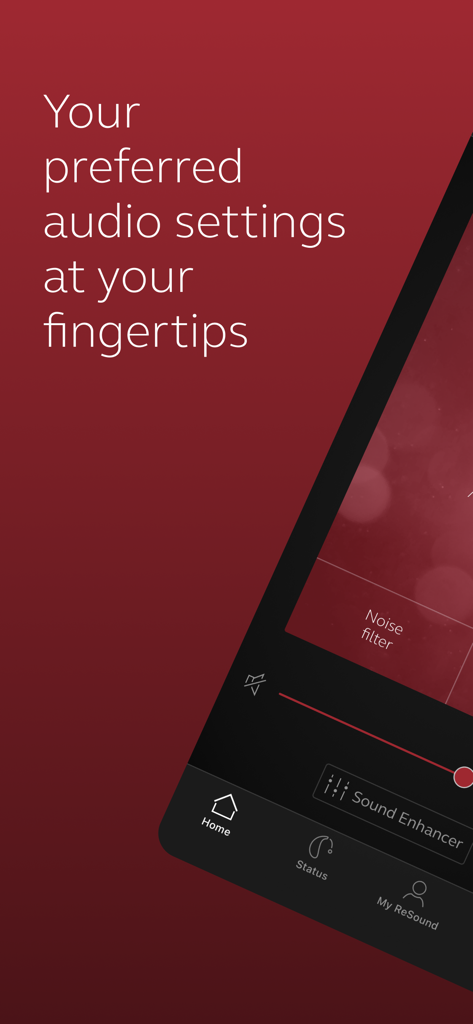
オーディオ設定とサウンドエンハンスメントのオプションを表示するReSound Smart 3Dアプリのインターフェース
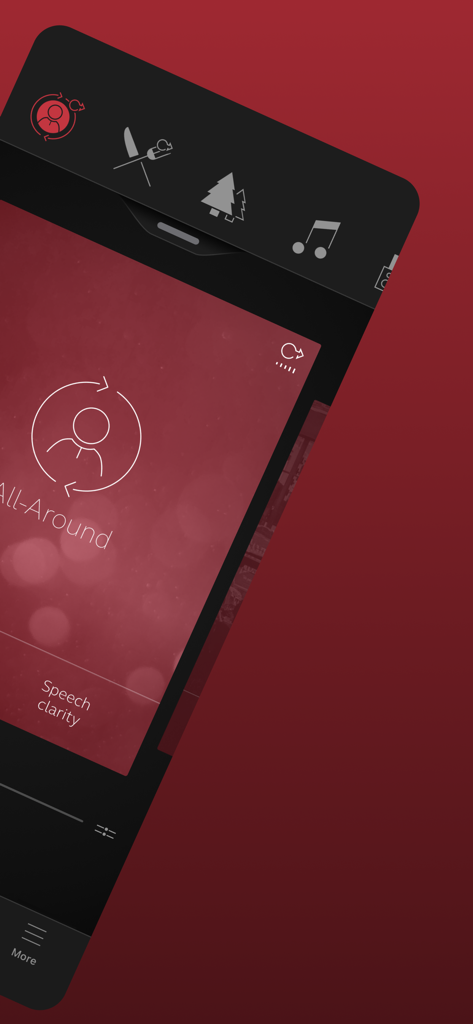
補聴器のプログラム選択と言葉の明瞭度設定を表示するReSound Smart 3Dアプリのインターフェース
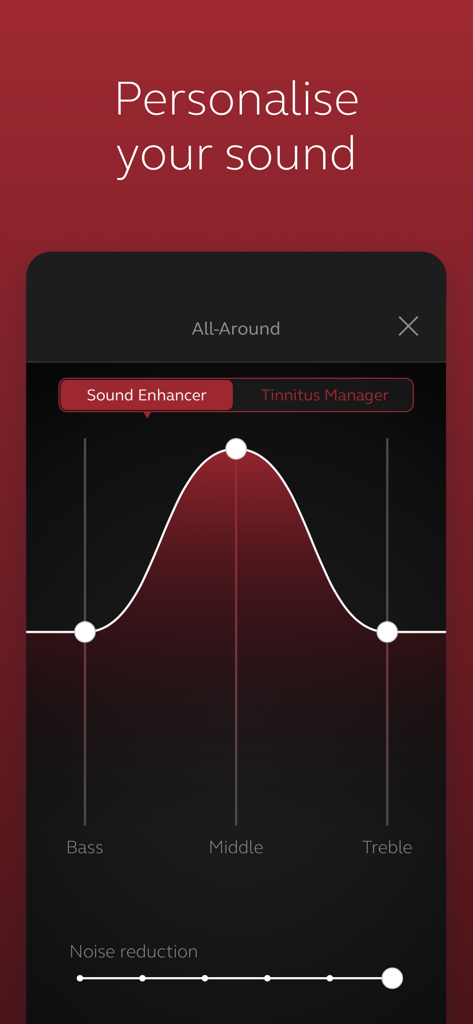
低音、中音、高音のコントロールでサウンドをパーソナライズするReSound Smart 3Dアプリのインターフェース
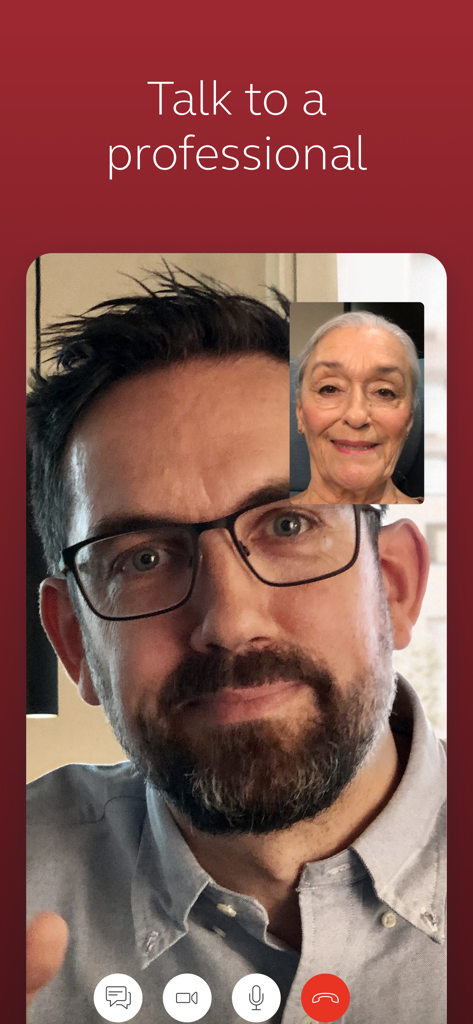
ReSound Smart 3Dアプリ内でのユーザーときこえのケアの専門家による遠隔医療ビデオ通話
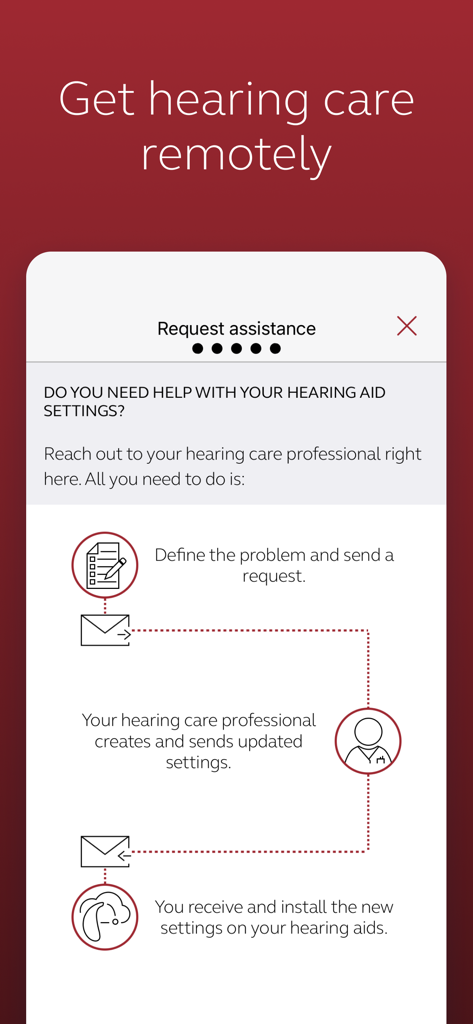
専門家からリモートで補聴器の調整を依頼し、受け取る方法を説明するReSound Smart 3Dアプリ内のインフォグラフィック
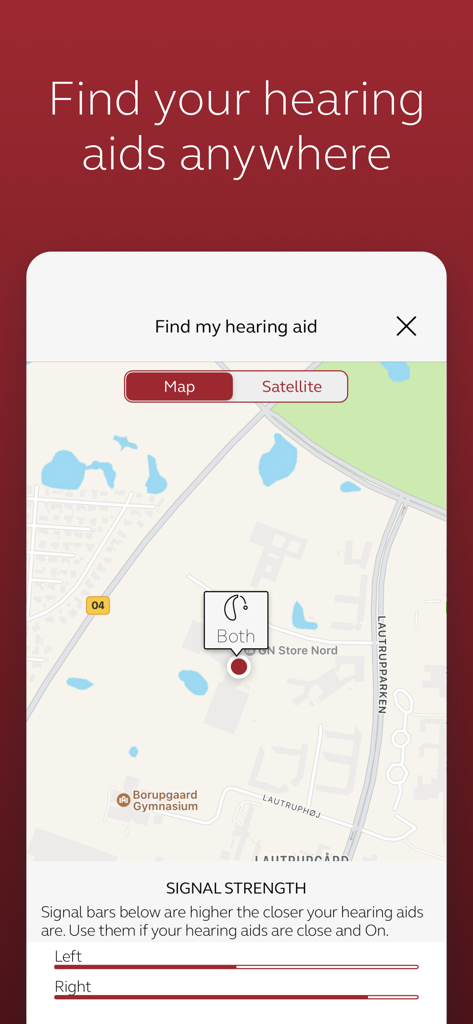
ReSound Smart 3Dアプリ内で、置き忘れた補聴器を見つけるための地図表示と信号強度インジケーター
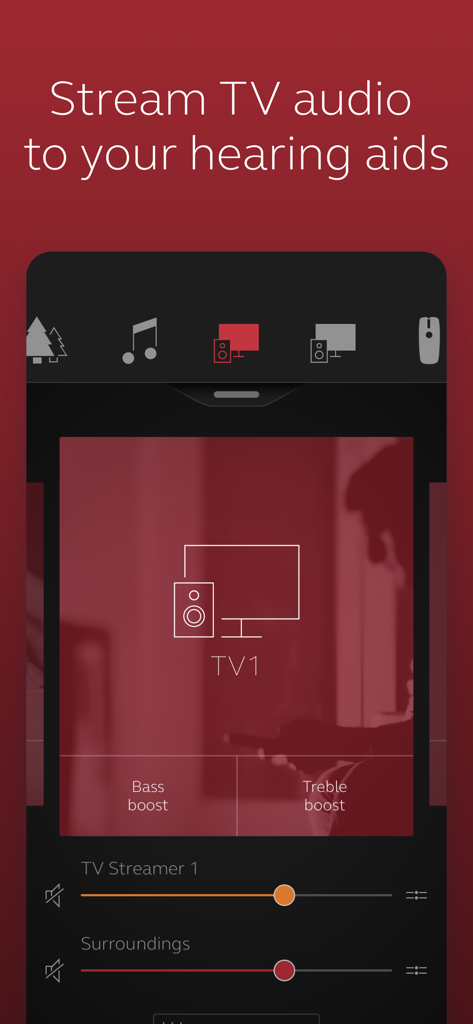
低音ブーストと高音ブーストのオプションを備えた、テレビオーディオストリーミングコントロールを表示するReSound Smart 3Dアプリの画面
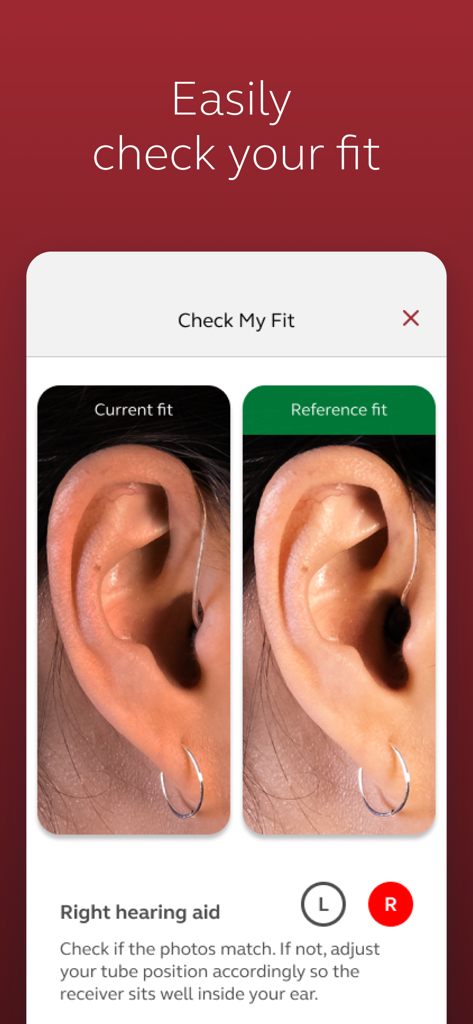
現在の補聴器の装着写真と参照写真を比較する、ReSound Smart 3Dアプリの「マイフィットを確認」画面
説明
Download
類似アプリ
似た機能とユーザー体験を持つアプリ

Braun IPL app
P&G Productions
Philips HearLink 2
SBO Hearing AS

BeMore – for your hearing aids
GN Hearing Care Corporation

Jabra Enhance Pro
GN Hearing Care Corporation

Miracle-Ear App
Miracle-Ear, Inc.

myPhonak
Sonova AG

Amplifon App
Amplifon S.p.A.

Hearing Remote
Sonova AG

Oticon Companion
Oticon
このページはアプリまたはその開発者の公式ページではなく、情報提供および論評を目的として作成された独立した編集出版物です。明示的に別段の記載がない限り、アプリおよびその開発者は、MWM、Apple、Google Play、アプリのパブリッシャー、またはアプリの開発者と提携、承認、後援、認可、またはその他の公式的な関係はなく、このページのいかなる内容も、アプリがMWMのサービスを使用して開発されたことを意味するものではありません。すべての商標、ロゴ、スクリーンショット、その他のコンテンツはそれぞれの所有者の財産です。