Pipe Saddle Layout Calculator
ダウンロード: App Store

このページはアプリまたはその開発者の公式ページではなく、情報提供および論評を目的として作成された独立した編集出版物です。明示的に別段の記載がない限り、アプリおよびその開発者は、MWM、Apple、Google Play、アプリのパブリッシャー、またはアプリの開発者と提携、承認、後援、認可、またはその他の公式的な関係はなく、このページのいかなる内容も、アプリがMWMのサービスを使用して開発されたことを意味するものではありません。すべての商標、ロゴ、スクリーンショット、その他のコンテンツはそれぞれの所有者の財産です。

ロゴ: Pipe Saddle Layout Calculator
ダウンロード: App Store

Pipe Saddle Layout Calculator

複雑な三角法や手作業によるレイアウトミスに終止符を。あらゆるサイズ、角度、厚さの完璧なフィッシュマウスカットと配管交差のための正確な1:1印刷可能テンプレートを生成します。

主要数値

ダウンロード

80K+

ユーザー評価

3.4/5

評価数

0

開発元

Jean-Paul Lanaux

カテゴリ

Productivity

対応言語

1

最新バージョン

4.0.3

サイズ

0.8 MB

リリース日

2012年5月15日
機能

プロの精度ですべての接合部をマスター

配管工のブルーブックのデジタル進化版。時間を節約し、材料の無駄をなくし、瞬時の計算とフルサイズの印刷可能テンプレートで完璧なカットを実現します。

ゼロ計算レイアウト

複雑な三角法や手計算チャートは不要です。メインパイプと分岐パイプの仕様を入力するだけで、正確なオフセット寸法が得られ、瞬時に完璧なフィッシュマウスカットとコープカットが可能です。

ラップ&トレーステンプレート

現場での究極の近道。標準的な8.5x11インチ用紙にフルサイズ(1:1スケール)のパターンを生成します。印刷して巻き付け、なぞるだけで、手作業での採寸なしに完璧にフィットします。

以下のスクリーンショットと説明は、アプリの公式ストアリスティングから直接取得されたものであり、アプリ開発者の所有物です。

アプリストア

スクリーンショット
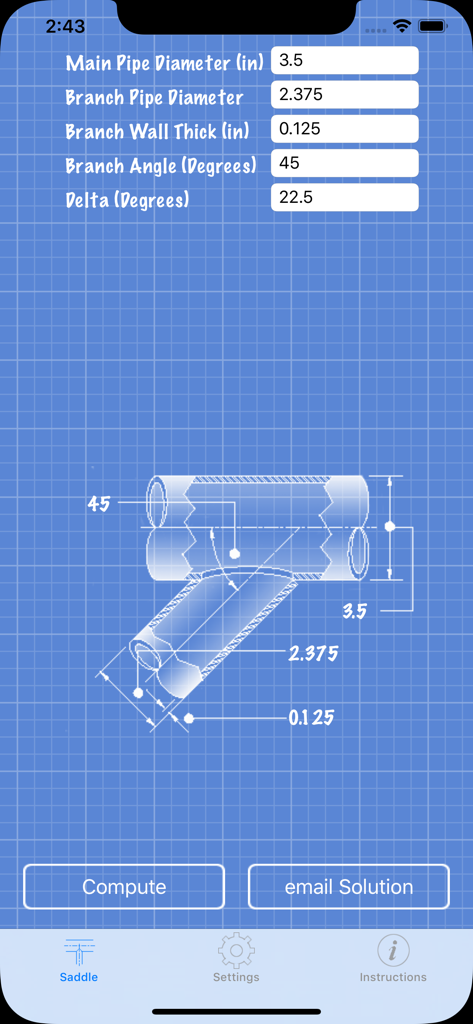
Pipe Saddle Layout Calculator - パイプサドルレイアウト計算機のインターフェース。青焼き図と、パイプの寸法や角度の入力フィールドが表示されています
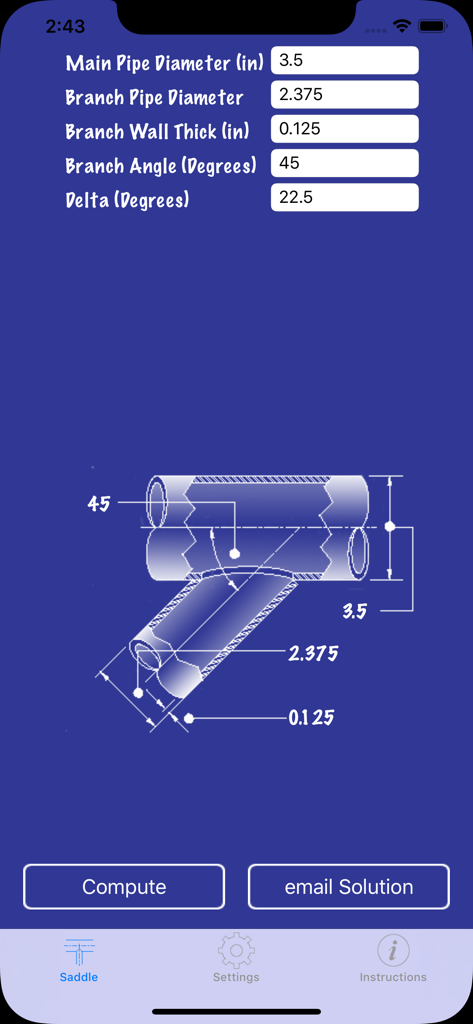
パイプサドルレイアウト計算機のインターフェース。青焼き図と、パイプの寸法や角度の入力フィールドが表示されています

Pipe Saddle Layout Calculator - パイプサドルレイアウト計算機のインターフェース。測定入力とパイプ図が表示されています
パイプサドルレイアウト計算機のインターフェース。測定入力とパイプ図が表示されています

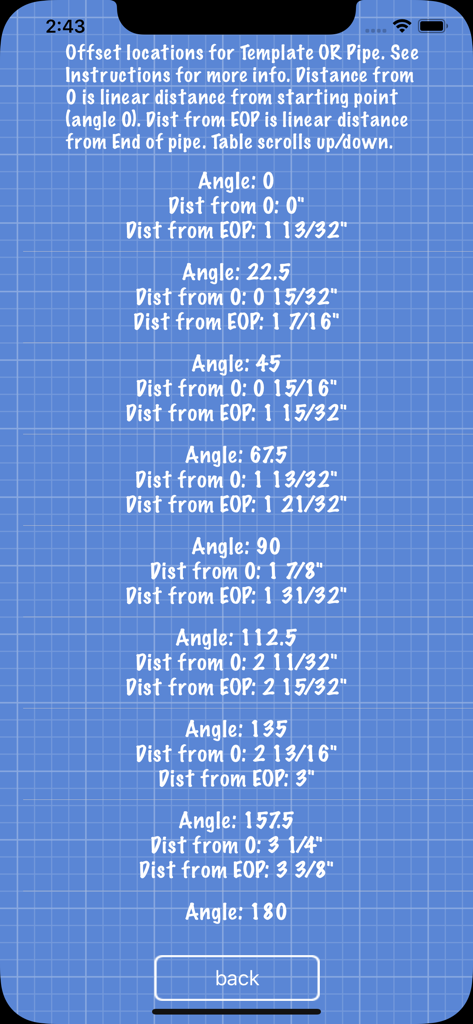
Pipe Saddle Layout Calculator - パイプサドルレイアウトのオフセット位置と、精密な切断のための距離測定値の表。
パイプサドルレイアウトのオフセット位置と、精密な切断のための距離測定値の表。

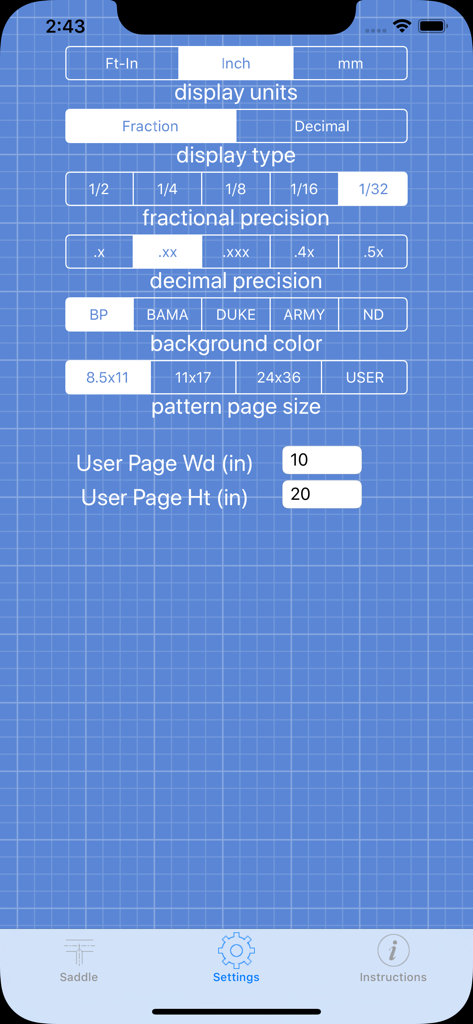
Pipe Saddle Layout Calculator - Pipe Saddle Layout Calculatorアプリの設定画面。単位と精度の設定が表示されています。
Pipe Saddle Layout Calculatorアプリの設定画面。単位と精度の設定が表示されています。

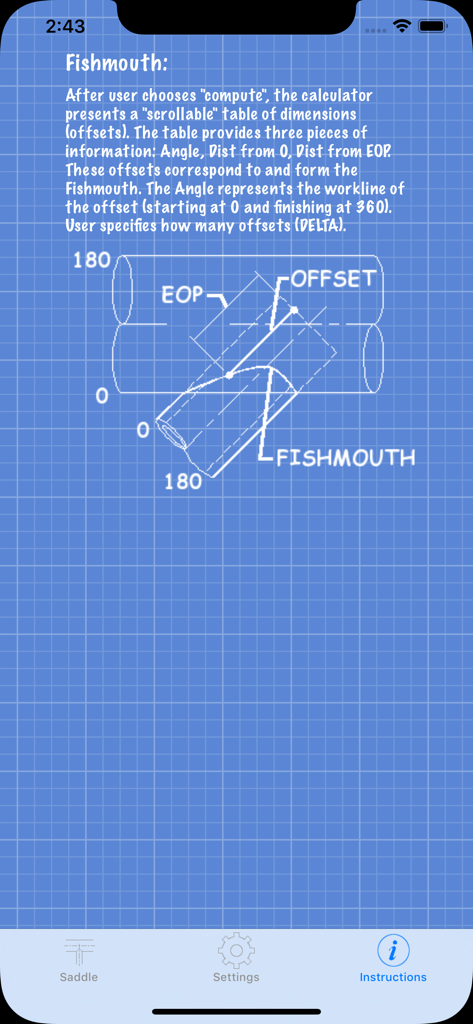
Pipe Saddle Layout Calculator - フィッシュマウスパイプカットの図が青いグリッドの青焼き図を背景に表示されている指示画面。
フィッシュマウスパイプカットの図が青いグリッドの青焼き図を背景に表示されている指示画面。

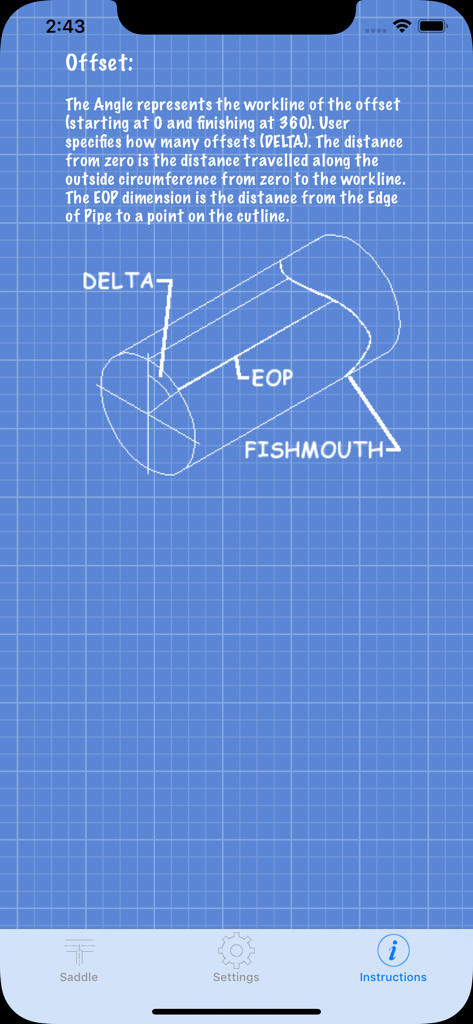
Pipe Saddle Layout Calculator - パイプのフィッシュマウスカットのための技術的な青焼き図が表示されている指示画面
パイプのフィッシュマウスカットのための技術的な青焼き図が表示されている指示画面

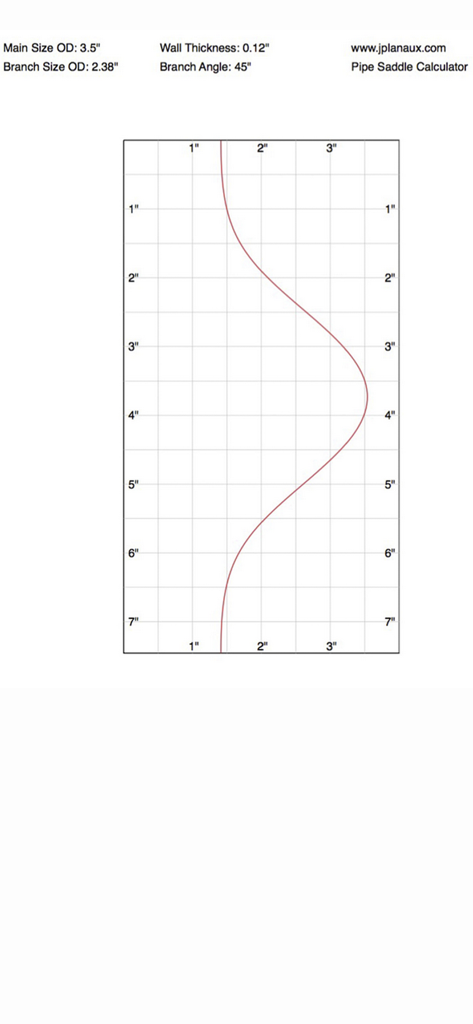
Pipe Saddle Layout Calculator - 45度の分岐カット用の正確なパイプサドルレイアウトテンプレート(グリッド上)。

45度の分岐カット用の正確なパイプサドルレイアウトテンプレート(グリッド上)。

説明

Pipe Saddle Layout Calculator is a iPhone app that provides the fitter with the points to make an accurate cut (fish mouth, cope, etc) for piping (cylinder to cylinder) intersections. This app is intended to be used by fitters, welders, fabricators, or anyone who needs to join two metal cylinders at any angle. Are you still carrying that blue book around? Pipe Saddle Layout Calculator is the modern piping blue book. Confused about how to layout cut lines for joining two pieces of pipe? If you are a pipe fabricator, welder, or fitter who needs to make perfect saddle cuts, then this app is for you. Forget books, calculators, compasses, ancient saddle layout procedures, laptops, expensive CAD programs, mathematics or internet access to figure out how to make that perfect saddle joint. Pipe Saddle Layout Calculator is easy. Pipe Saddle Layout Calculator provides the offset layout dimensions for that perfect pipe joint. This calculator works with any size pipe, any angle of intersection, and any wall thickness of pipe. User enters: main pipe, branch pipe, wall thickness (this app considers wall thickness, you don't want to leave too much metal, or take too much off) and branch angle. The calculator does the rest. This calculator produces an on the fly ordinate table of the offsets. The beauty of this app is that it also produces full size pattern templates, so you don't have to measure and layout all of the work points. Now you can print out your pipe pattern templates for any size and any angle intersection. This version outputs patterns configured for an 8.5 X 11 (everyone has access to one of these), 11 X 17, and 24 X 36 printer sizes. So with this app and a 8.5 X 11 printer, the user can still produce any size pipe coping pattern. The calculator is very versatile. Presently input and output is US based imperial and/or metric. Output is feet, or feet and inches, decimal or fractions (to 1/32"). This app has been updated to support metric solutions. User can control how much cut line accuracy he/she wants by setting how many control points are desired (infinite amount, user can get 8 control points, i.e. every 45 degrees or 360 control points, i.e every degree, or more). Most books only give 8 or 16 control points. This app allows an infinite amount. For example, a 2" pipe needs fewer control points than a 48".

Download

ダウンロード: App Store

このページはアプリまたはその開発者の公式ページではなく、情報提供および論評を目的として作成された独立した編集出版物です。明示的に別段の記載がない限り、アプリおよびその開発者は、MWM、Apple、Google Play、アプリのパブリッシャー、またはアプリの開発者と提携、承認、後援、認可、またはその他の公式的な関係はなく、このページのいかなる内容も、アプリがMWMのサービスを使用して開発されたことを意味するものではありません。すべての商標、ロゴ、スクリーンショット、その他のコンテンツはそれぞれの所有者の財産です。








