
このページはアプリまたはその開発者の公式ページではなく、情報提供および論評を目的として作成された独立した編集出版物です。明示的に別段の記載がない限り、アプリおよびその開発者は、MWM、Apple、Google Play、アプリのパブリッシャー、またはアプリの開発者と提携、承認、後援、認可、またはその他の公式的な関係はなく、このページのいかなる内容も、アプリがMWMのサービスを使用して開発されたことを意味するものではありません。すべての商標、ロゴ、スクリーンショット、その他のコンテンツはそれぞれの所有者の財産です。

Pixquare - Pixel Art Studio
指先一つでドット絵の世界を支配し、ゲーム開発の夢を現実にする究極のツール。このアプリは、あなたの創造力をデバイスの限界から解き放つ。
ダウンロード
250k+ユーザー評価
評価数
3.6K開発元
カテゴリ
Graphics & Design対応言語
14最新バージョン
2.67.0サイズ
58.7 MBリリース日
2023年6月13日Pixquare - Pixel Art Studioの主要機能分析
ピクセルアート制作の可能性を広げる多機能スタジオ
買い切り型ライセンス
本アプリは一度の購入で全ての機能と将来のアップデートを永続的に利用でき、サブスクリプションの心配なく創作活動に集中できます。
Asepriteファイル互換性
本ツールはAsepriteファイルのインポートおよびエクスポートに対応しており、既存のワークフローや他ツールとの連携をシームレスに行えます。
高度なアニメーションとレイヤー管理
ユーザーは、マルチセレクション、レイヤーグルーピング、オニオンスキンなど、アニメーション制作に特化した強力なツールとレイヤー機能を活用できます。
タイルセット・タイルマップシステム
本アプリは、ゲームアセット制作を効率化するタイルセットおよびタイルマップシステムを提供し、ゲーム開発を支援します。
Apple Pencilの完全サポート
ユーザーはApple Pencilのジェスチャー、筆圧感知、タッチ拒否機能により、精密で自然な描画体験を得られます。
高機能カラーパレット管理
本ツールはLospecからのパレット保存・読み込み、インポート/エクスポート、カラーグラデーション生成機能を提供し、色彩管理を容易にします。
多彩なブラシツール
このアプリは、ピクセルパーフェクト、筆圧感知、カスタムブラシなど、多様なブラシオプションを備え、豊かな表現を可能にします。
無制限軸のシンメトリーツール
ユーザーは、無制限の軸を持つシンメトリーツールを活用して、複雑な対称デザインを迅速かつ正確に作成できます。
高度にカスタマイズ可能なUI
本アプリは、左利きモードを含む高度にカスタマイズ可能な直感的なユーザーインターフェースを提供し、快適な作業環境を実現します。
タイムラプス記録機能
ユーザーは、自身の制作過程を自動的にタイムラプス動画として記録し、進捗の共有や振り返りに利用できます。
よくある質問
について知っておくべきこと Pixquare - Pixel Art Studio
What is Pixquare?
Pixquare is a top-rated pixel art editor for iPads and iPhones, designed for beginners and professionals. It offers a simple interface and rich toolset for creating game assets, animations, and pixel art doodles.
Can users create animations with Pixquare?
Yes, Pixquare supports animation creation. It features an optimized layer/timeline panel, frame tagging, onion skin, and clipping mask capabilities specifically designed for animating pixel art.
Does Pixquare support both iPad and iPhone devices?
Yes, Pixquare supports both iPad and iPhone devices. This allows artists to create pixel art flexibly across their Apple mobile ecosystem.
What file formats can Pixquare import and export?
Pixquare supports Aseprite file import and export. It also allows GIF importing and exports to PNG, GIF, MOV, and Sprite sheet formats. Users can also import photos and files as reference layers.
Does Pixquare require a subscription?
No, Pixquare does not require a subscription. It operates on a "buy once" model, providing free updates forever after a single purchase.
Can I customize the user interface and themes in Pixquare?
Yes, Pixquare offers a highly customizable and intuitive UI, including a left-hand mode. It also supports custom themes, allowing users to personalize their workspace.
Is Pixquare suitable for creating game development assets?
Yes, Pixquare is suitable for creating game development assets. It includes features like a Tileset/Tilemap system and the ability to export sprite sheets, which are essential for game design.
Does Pixquare provide support for Apple Pencil?
Yes, Pixquare fully supports Apple Pencil. It includes features such as gestures, pressure sensitivity, and touch rejection to enhance the drawing experience.
Does Pixquare offer timelapse recording?
Yes, Pixquare provides automatic timelapse recording. This feature allows artists to document their creative process from start to finish.
What versatile tools are available in Pixquare for pixel art?
Pixquare offers versatile tools like various brushes (spray, pixel perfect, pressure sensitivity), eraser, move, line, shape, and selection tools. It also includes color management, shading, and advanced options like color replacement and text.
以下のスクリーンショットと説明は、アプリの公式ストアリスティングから直接取得されたものであり、アプリ開発者の所有物です。
アプリストア
スクリーンショット

iPhoneとiPadで、精緻なピクセルアート作品と多機能なレイヤー管理を両立。
ピクセルアートの頂点

本アプリは、直感的なユーザーインターフェースと豊かなピクセルアートのイラスト表示により、創造性を最大限に引き出します。
直感的デザイン
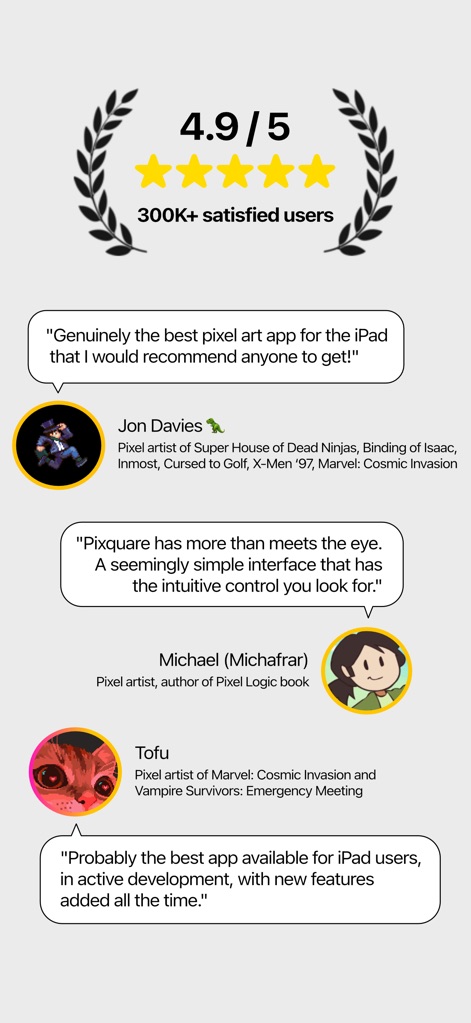
30万以上のユーザーから4.9/5の高評価を獲得しており、著名なピクセルアーティストからの推薦コメントがその品質を証明しています。
高評価の理由
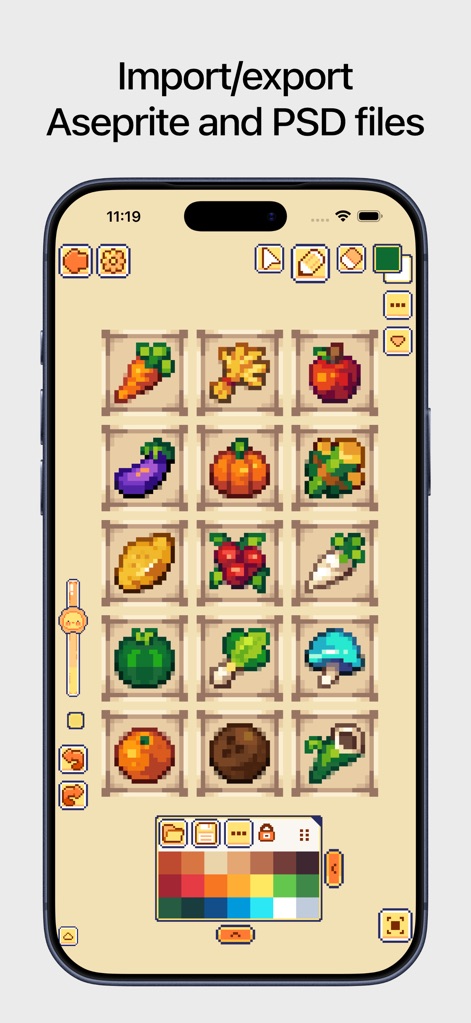
ユーザーは、AsepriteやPSDファイルのインポート・エクスポート機能と豊富なカラーパレットを活用し、既存のプロジェクトをスムーズに統合できます。
豊富なファイル互換性

このアプリは、高度なタイムラインパネルと直感的なキャラクターアニメーション編集機能で、複雑な動きを簡単に作成できます。
高度なアニメーション
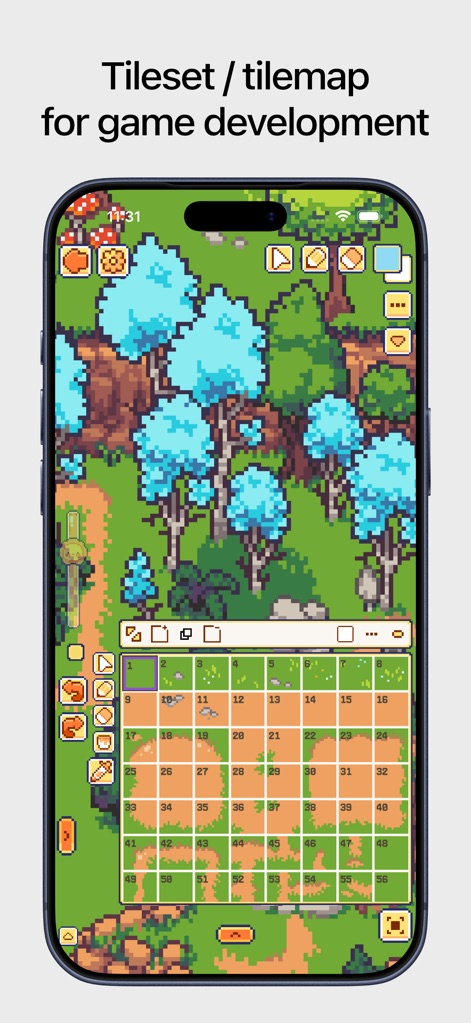
本ツールは、ゲーム開発向けのタイルセット/タイルマップエディタと、広大なゲームアセット作成機能を提供し、効率的な作業を可能にします。
ゲーム開発を加速
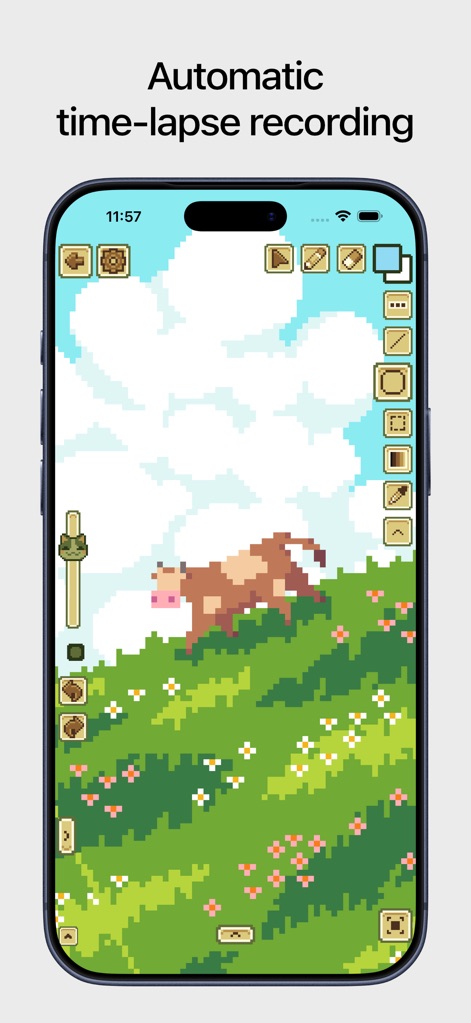
自動タイムラプス録画機能により、作品の制作過程を簡単に記録し、簡素化されたツールアクセスで創造に集中できます。
制作過程を記録
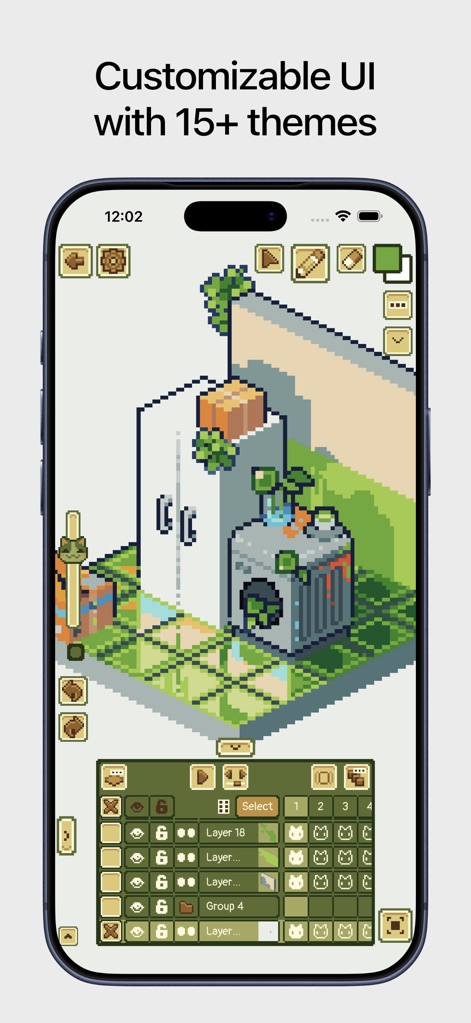
15種類以上のカスタマイズ可能なUIテーマと詳細なレイヤー整理機能を備え、ユーザーは自分好みの作業環境を構築できます。
UIを自由に設定
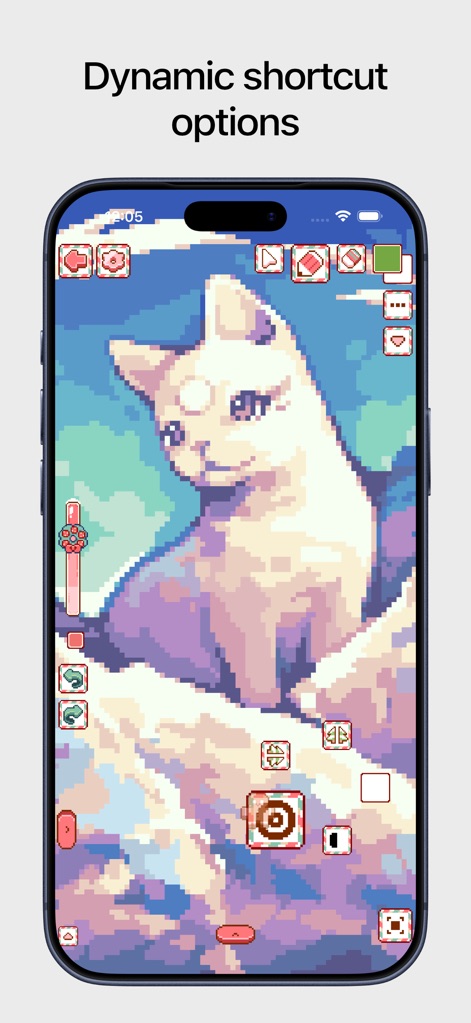
動的なショートカットオプションにより、ユーザーは作業効率を高め、精密なピクセル編集を素早く実行できます。
効率的なショートカット
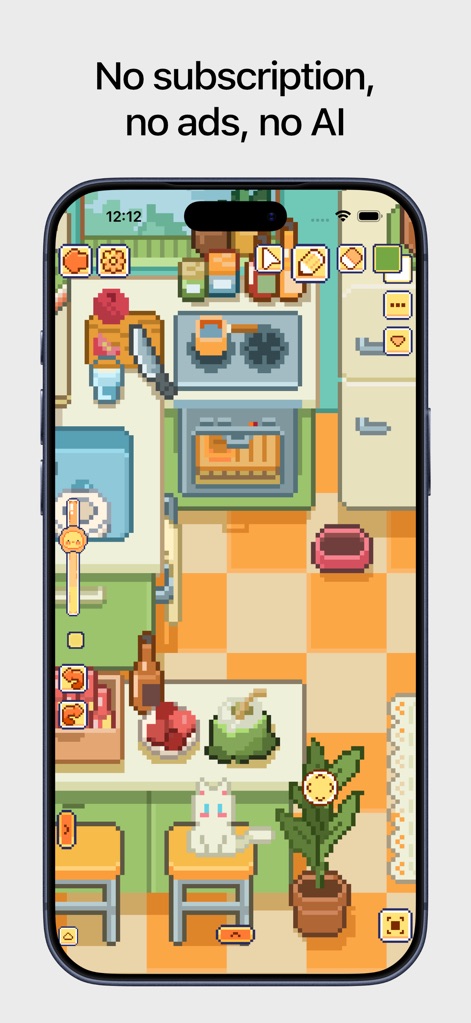
このアプリは、広告やサブスクリプションなしの買い切りモデルを提供し、クリーンで集中できる広告なしの体験を保証します。
広告なし、買い切り
説明
Download



このページはアプリまたはその開発者の公式ページではなく、情報提供および論評を目的として作成された独立した編集出版物です。明示的に別段の記載がない限り、アプリおよびその開発者は、MWM、Apple、Google Play、アプリのパブリッシャー、またはアプリの開発者と提携、承認、後援、認可、またはその他の公式的な関係はなく、このページのいかなる内容も、アプリがMWMのサービスを使用して開発されたことを意味するものではありません。すべての商標、ロゴ、スクリーンショット、その他のコンテンツはそれぞれの所有者の財産です。