Planner: Daily, Weekly Diary
ダウンロード: App Store

このページはアプリまたはその開発者の公式ページではなく、情報提供および論評を目的として作成された独立した編集出版物です。明示的に別段の記載がない限り、アプリおよびその開発者は、MWM、Apple、Google Play、アプリのパブリッシャー、またはアプリの開発者と提携、承認、後援、認可、またはその他の公式的な関係はなく、このページのいかなる内容も、アプリがMWMのサービスを使用して開発されたことを意味するものではありません。すべての商標、ロゴ、スクリーンショット、その他のコンテンツはそれぞれの所有者の財産です。

ロゴ: Planner: Daily, Weekly Diary
ダウンロード: App Store

Planner: Daily, Weekly Diary

お気に入りのクラシックなウィークリーレイアウトを、かさばらずに体験できます。iPhoneとiPadのための最もシンプルで美しいプランナーで、人生を整理し、習慣を記録し、目標を達成しましょう。

主要数値

ダウンロード

296K+

ユーザー評価

4.7/5

評価数

3K+

開発元

Digital Legal Tech, Societatea cu Raspundere Limitata

カテゴリ

Productivity

対応言語

28

最新バージョン

2.0.7

サイズ

1.4 GB

リリース日

2020年12月9日
機能

あなたの紙の手帳を、デジタルライフのために再構築

モダンな生産性のパワーで、クラシックなダイアリーの直感的な使い心地を体験しましょう。複雑な設定は不要—開いて、計画して、目標を達成するだけです。

象徴的なウィークリーレイアウト

1回の視線で、あなたの1週間全体を可視化できます。レイアウトは、お気に入りの伝統的な紙の手帳を模倣しており、デジタル疲れを感じることなく、ワークライフバランスを管理しやすくなっています。

デジタルペーパー体験

書く、タイプする、またはApple Pencilを使用できます。買い物リストを書き留める場合でも、大きな目標をスケッチする場合でも、スタイラスサポートと音声入力により、計画が自然でスムーズになります。

以下のスクリーンショットと説明は、アプリの公式ストアリスティングから直接取得されたものであり、アプリ開発者の所有物です。

アプリストア

スクリーンショット
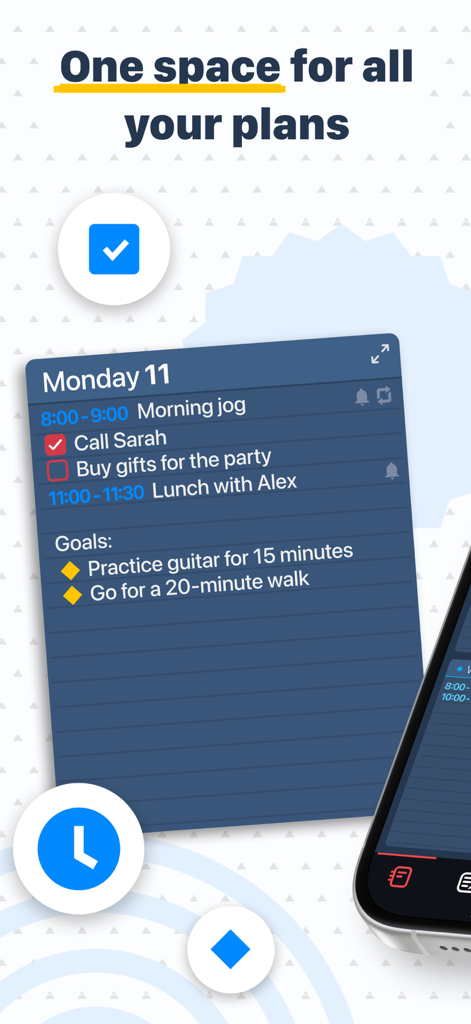
Planner: Daily, Weekly Diary - 月曜日のスケジュール、タスクリスト、目標追跡を表示するデイリープランナーアプリのインターフェース。
月曜日のスケジュール、タスクリスト、目標追跡を表示するデイリープランナーアプリのインターフェース。

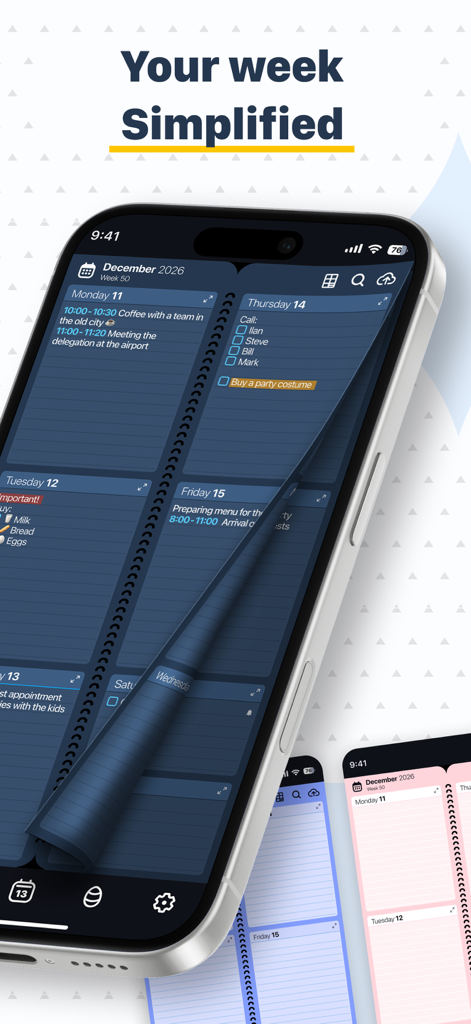
Planner: Daily, Weekly Diary - iPhoneに、ダークブルーのウィークリーカレンダー表示とページめくりのアニメーションを備えたプランナーアプリが表示されています。
iPhoneに、ダークブルーのウィークリーカレンダー表示とページめくりのアニメーションを備えたプランナーアプリが表示されています。

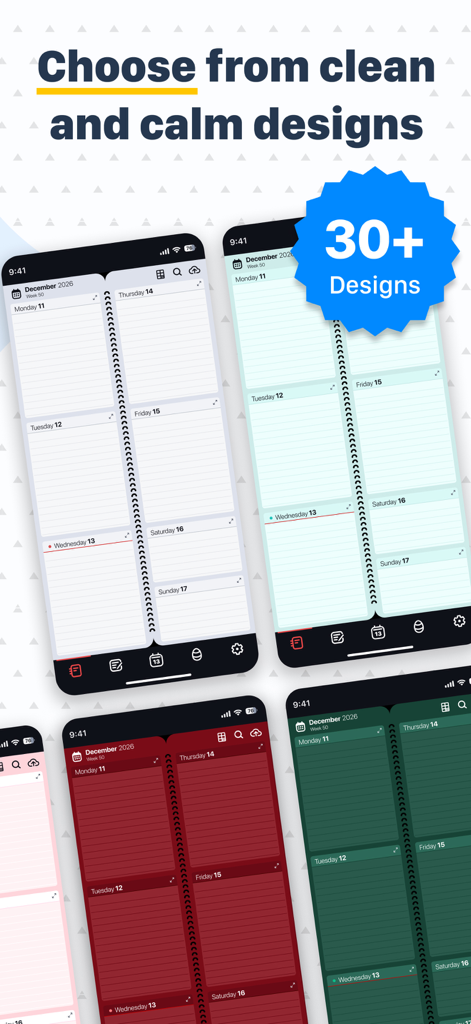
Planner: Daily, Weekly Diary - デジタルウィークリープランナーアプリ用の、さまざまなカラフルな背景デザインとテーマ。
デジタルウィークリープランナーアプリ用の、さまざまなカラフルな背景デザインとテーマ。

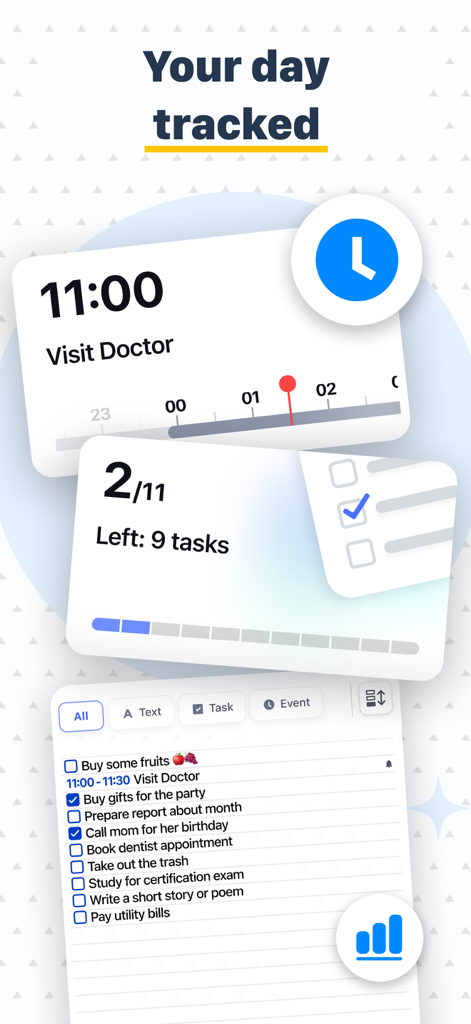
Planner: Daily, Weekly Diary - 進捗追跡と予定された予定を含む、毎日のタスクリストを表示するモバイルアプリのインターフェース。
進捗追跡と予定された予定を含む、毎日のタスクリストを表示するモバイルアプリのインターフェース。

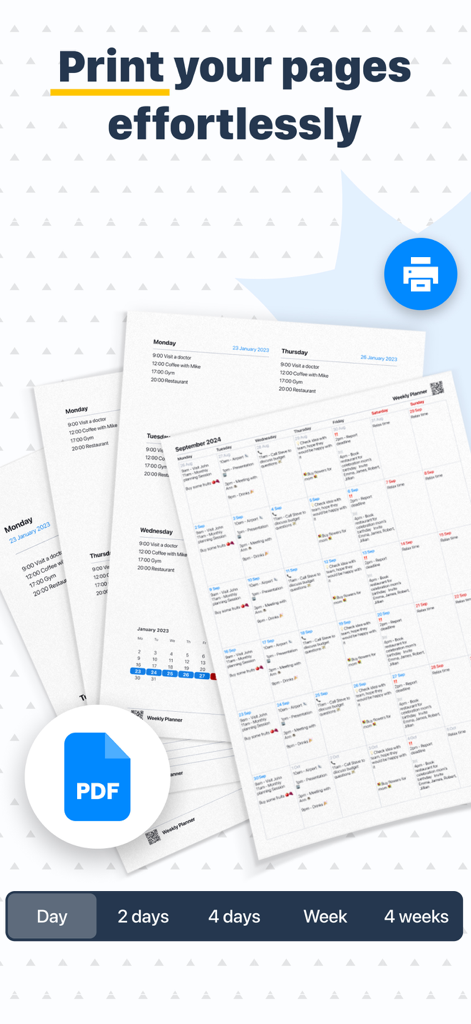
Planner: Daily, Weekly Diary - 毎日のおよび週次のプランナーページを印刷またはPDFファイルとしてエクスポートするオプションを示すインターフェース。
毎日のおよび週次のプランナーページを印刷またはPDFファイルとしてエクスポートするオプションを示すインターフェース。

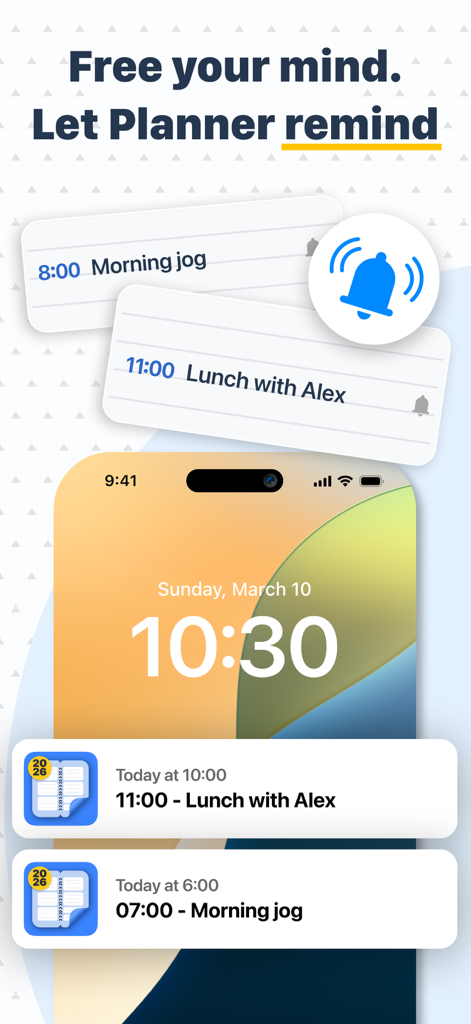
Planner: Daily, Weekly Diary - プランナーアプリからの予定されたタスク通知とリマインダーを表示するiPhoneのロック画面。
プランナーアプリからの予定されたタスク通知とリマインダーを表示するiPhoneのロック画面。

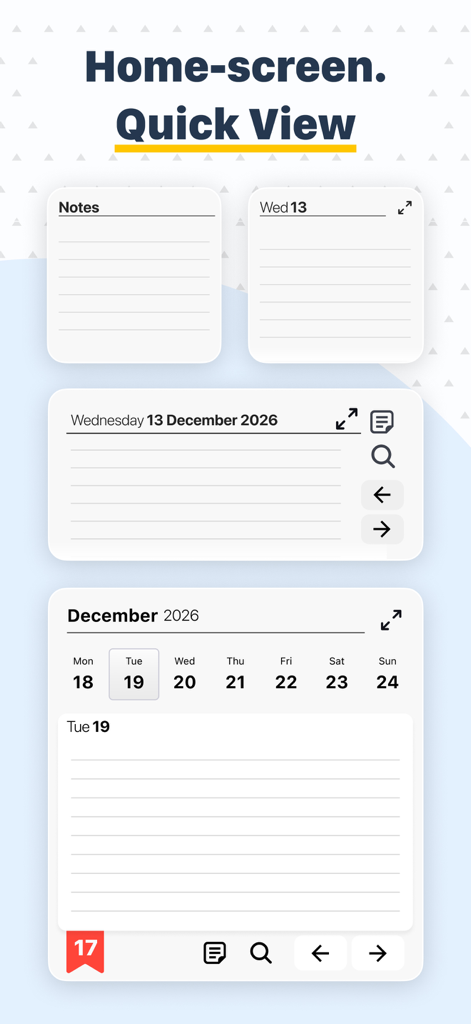
Planner: Daily, Weekly Diary - ノートとカレンダーのクイックビューウィジェットを備えたプランナーアプリのホーム画面インターフェース。
ノートとカレンダーのクイックビューウィジェットを備えたプランナーアプリのホーム画面インターフェース。

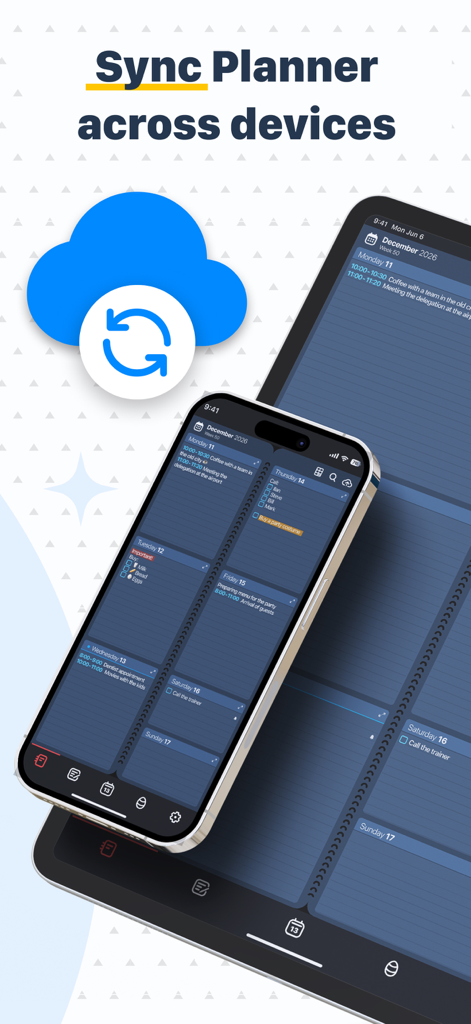
Planner: Daily, Weekly Diary - クラウドアイコン付きで、iPhoneとiPad間で同期されたウィークリープランナーアプリ。

クラウドアイコン付きで、iPhoneとiPad間で同期されたウィークリープランナーアプリ。

Planner: Daily, Weekly Diary - 生産性向上のヘルプのために「AIに24時間年中無休で質問」というテキストを添えて手を振る、フレンドリーな紫色のペーパークリップのキャラクター。

生産性向上のヘルプのために「AIに24時間年中無休で質問」というテキストを添えて手を振る、フレンドリーな紫色のペーパークリップのキャラクター。

Planner: Daily, Weekly Diary - プランナーアプリ内のカラフルな模様の卵と小さな赤いドラゴンが登場する、リラックスできるミニゲーム画面。

プランナーアプリ内のカラフルな模様の卵と小さな赤いドラゴンが登場する、リラックスできるミニゲーム画面。

説明

Diary, Calendar, Organiser, Planner is designed to combine a notepad, planner, reminder, calendar, habit tracker, and to-do list into one simple application - both for your private life and for work. It will replace your usual paper organizer of the week with its absolutely identical digital copy, so you can easily make and keep track of your plans and achieve your goals. A dream written next to the date becomes a goal! Millions of people around the world use our Planner. It helps you make a class schedule, keep notes, client, to-do, and shopping lists, develop habits, be productive and never forget anything. The Planner interface is a classic paper notebook people have been using for centuries. The easiest and most user-friendly way to plan. It's like a school diary. It's like a minimalistic paper planner. On one screen, you see all your plans for the week - the most visible period of time for the smartest planning. You can easily flip back and forth for as many weeks, months, years as you want. Any tasks, plans, habits - easy to set, change, delete. No complicated data entry systems, no filling out forms - just enter text by typing or by voice, just like in ordinary memos. Key Functions of Diary, Calendar, Organiser, Planner: • Nice flipping experience - like a paper calendar (diary, planner). You no longer need to carry a paper notebook. • A full week view and a zoomed-in one-day view for more notes. All the plans are spread before your eyes. • A variety of background designs to suit the most demanding tastes. One can change them an infinite number of times. • A calendar with an easy move to any date in the past and the future. • Highlight notes with color, underline, strikethrough, bold, italics. All for prioritizing tasks, marking their completion. • A separate list of notes (to-do list), not tied to a date. You can make a shopping list, write down valuable ideas. • Specifying the week number and return to the current date at any time. • Change the color and font size of records and events. • Change language. • Change the first day of the week. • You can add voice notes or use a stylus on the tablet as well. • Save to or retrieve from iCloud. • Word search function. We have also added: • Recurring events (daily, annual, etc.) For birthdays, workouts, schedules. • Automatic reminders. • Ticks to mark completed tasks. • Integration with iPhone Calendar We will add soon: • Splitting days by hours for a more convenient timetable with a stable schedule. • Option to share your schedule with colleagues, friends and family. • Integration with other calendars (such as Google Calendar). • and so much more. The basic Diary, Calendar, Organiser, Planner function is always free. You can also purchase Premium version, either through a one-time payment or a subscription. E-mail: appweeklyplanner@gmail.com

Download

ダウンロード: App Store

このページはアプリまたはその開発者の公式ページではなく、情報提供および論評を目的として作成された独立した編集出版物です。明示的に別段の記載がない限り、アプリおよびその開発者は、MWM、Apple、Google Play、アプリのパブリッシャー、またはアプリの開発者と提携、承認、後援、認可、またはその他の公式的な関係はなく、このページのいかなる内容も、アプリがMWMのサービスを使用して開発されたことを意味するものではありません。すべての商標、ロゴ、スクリーンショット、その他のコンテンツはそれぞれの所有者の財産です。








