
このページはアプリまたはその開発者の公式ページではなく、情報提供および論評を目的として作成された独立した編集出版物です。明示的に別段の記載がない限り、アプリおよびその開発者は、MWM、Apple、Google Play、アプリのパブリッシャー、またはアプリの開発者と提携、承認、後援、認可、またはその他の公式的な関係はなく、このページのいかなる内容も、アプリがMWMのサービスを使用して開発されたことを意味するものではありません。すべての商標、ロゴ、スクリーンショット、その他のコンテンツはそれぞれの所有者の財産です。


Planner & Journal - Zinnia
紙の束縛を解き放ち、思考と創造性を無限に拡張する。
ダウンロード
10M+ユーザー評価
評価数
71.8K開発元
カテゴリ
Lifestyle対応言語
8最新バージョン
1.45サイズ
209.0 MBリリース日
2020年2月26日デジタルジャーナリングとプランニングにおける革新的なユーザー体験
アプリ「Zinnia」の主要機能分析
豊富なデジタルスタジオコンテンツ
このアプリは、既製のジャーナル、プランナー、トラッカー、ステッカー、ワシテープ、ジャーナルカード、フレーム、テンプレートなど、カスタムキュレーションされた豊富なデジタルコンテンツコレクションを提供します。ユーザーはテーマ別コレクションを利用して、簡単に美的感覚に優れたジャーナリングを始めることが可能です。
高度な生産性向上ツール
本ツールは、デジタルカレンダー(Googleカレンダーなど)とのイベント同期機能を提供し、個人のスケジュールに合わせてカレンダーをカスタマイズすることが可能です。ユーザーは、習慣、目標、時間管理のための多様なテンプレートを活用し、タイムブロッキング、カンバン、ポモドーロ、SMART目標などの生産性向上手法を実践できます。
現実的な手書き・描画体験
このアプリは、紙とペンで書くような自然な手書き感覚を再現し、Scribble機能にも対応しています。ユーザーは、リアルなツールでスケッチ、落書き、色付けを行うことができ、多様な筆記具、調整可能な不透明度、サイズ、色を用いて創造性を表現することが可能です。
柔軟なインポートとノート作成機能
本ツールは、PDFファイルのインポートとそのマークアップ(Etsyジャーナルを含む)に対応しており、個人の写真も取り込むことができます。ユーザーは、ノートをインポートしてハイライトや注釈を加えたり(教科書の写真撮影やPDFの取り込みなど)、既存のコンテンツをアプリ内で効果的に活用することが可能です。
メンタルヘルスサポート機能
このアプリは、セルフケアの計画と継続を支援する機能を提供します。ユーザーは、カラーコーディング、トラッカー、その他の手法を用いて集中力を高め、自身の思考や感情について書き記し、感謝のジャーナリングを実践することで、心の健康をサポートすることが可能です。
パーソナルコンテンツの管理と再利用
本アプリは「My Stuff」機能を通じて、ユーザーが作成したデザインや、お気に入りのスタジオコンテンツを保存し、整理する機能を提供します。これにより、ユーザーは独自のスタイルを確立し、頻繁に使用する要素に素早くアクセスして、効率的にジャーナルやプランナーをカスタマイズすることが可能です。
高度なデジタル編集機能
本ツールは、デジタル環境ならではの優れた編集機能を提供します。ユーザーは、元に戻す、オブジェクトのサイズ変更と移動、レイヤーの前後への移動、レイヤーのロック、トリミング、回転などの操作を直感的に行うことができ、自動日付テンプレートも活用して、柔軟かつ効率的なデザイン作業を実現することが可能です。
定期的なコンテンツと機能の追加
このアプリは、毎月新しいコンテンツを定期的に追加し、頻繁に新機能も導入しています。ユーザーは常に新鮮な素材やツールにアクセスでき、創造性を刺激され、アプリの進化と共に自身のジャーナリング体験を豊かにすることが可能です。
よくある質問
について知っておくべきこと Planner & Journal - Zinnia
How much does Zinnia Premium cost?
Zinnia Premium costs $3.99 USD per week, $8.99 USD per month, or $34.99 USD per year. Prices are subject to change. Any unused free trial portion is forfeited upon purchase.
Does Zinnia offer a free trial?
Yes, Zinnia offers a free 7-day trial for Zinnia Premium, providing access to all content. A free version with limited content is also available to get started.
How do I cancel Zinnia Premium auto-renewal?
You manage Zinnia Premium subscriptions and turn off auto-renewal through your Account Settings after purchase. Auto-renewal must be off at least 24 hours before the current period ends.
What features does Planner & Journal - Zinnia offer?
Planner & Journal - Zinnia offers calendars, trackers, stickers, ready-to-use journals, templates, and creative tools for digital planning and journaling. It supports productivity and mental wellness features.
Does Zinnia add new content regularly?
Yes, Zinnia adds new content every month, including new features. The app provides custom-curated and themed content collections for aesthetic journaling.
Can I use productivity methods like Pomodoro in Zinnia?
Yes, Zinnia's templates and design tools support various productivity methods. These include Timeblocking, Kanban, Pomodoro, and SMART goals, helping users manage their time effectively.
Does Zinnia sync with other digital calendars?
Yes, Zinnia syncs events to digital calendars such as Google Calendar. Users can also customize their calendar to align with their personal schedule within the app.
Does Zinnia support realistic handwriting?
Yes, Zinnia supports realistic handwriting. Users can handwrite naturally, scribble, sketch, doodle, and color with lifelike tools, offering adjustable opacity, size, and color.
Can Zinnia import external documents or images?
Yes, Zinnia imports PDFs, including linked and tabbed Etsy journals, and personal photos. It also allows importing notes to highlight and annotate from various sources.
How can I share my creations from Zinnia?
Zinnia allows sharing creations directly to social networks like Instagram, Pinterest, and Facebook. Users can also save their spreads as a PDF, archive, or preferred method.
Where can I find the Zinnia Privacy Policy?
The Zinnia Privacy Policy is available at http://pixiteapps.com/privacy-policy/.
What digital editing tools are available in Zinnia?
Zinnia provides digital editing tools including undo, resize objects, send to back/front, lock a layer, crop, rotate, and auto-date templates for versatile design customization.
How does Zinnia support mental health?
Zinnia supports mental health by helping users schedule and stay on top of self-care. It offers tools like color coding, trackers, and gratitude journaling to write thoughts and feelings.
Does Zinnia include mood tracking features?
Yes, Zinnia includes mood tracking features. Users can utilize templates like the "Mood Tracker" to log and visualize their emotional states, supporting self-awareness.
Does Zinnia offer customizable templates?
Yes, Zinnia offers a variety of customizable templates within its Studio. Users can select templates for managing habits, goals, time, and other aspects of their planning and journaling.
以下のスクリーンショットと説明は、アプリの公式ストアリスティングから直接取得されたものであり、アプリ開発者の所有物です。
アプリストア
スクリーンショット
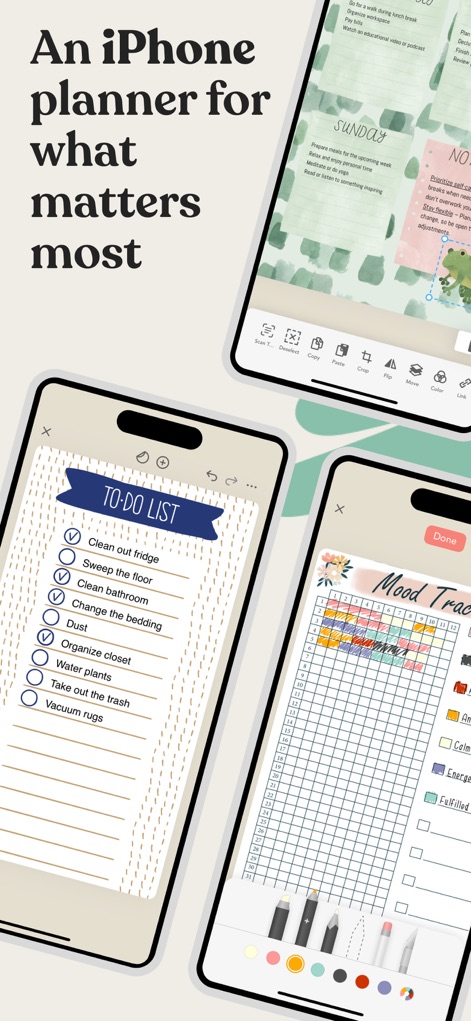
このアプリは、柔軟な編集ツールと詳細なTo-Doリストを組み合わせて、ユーザーの毎日の計画と追跡を支援します。
多機能プランナー
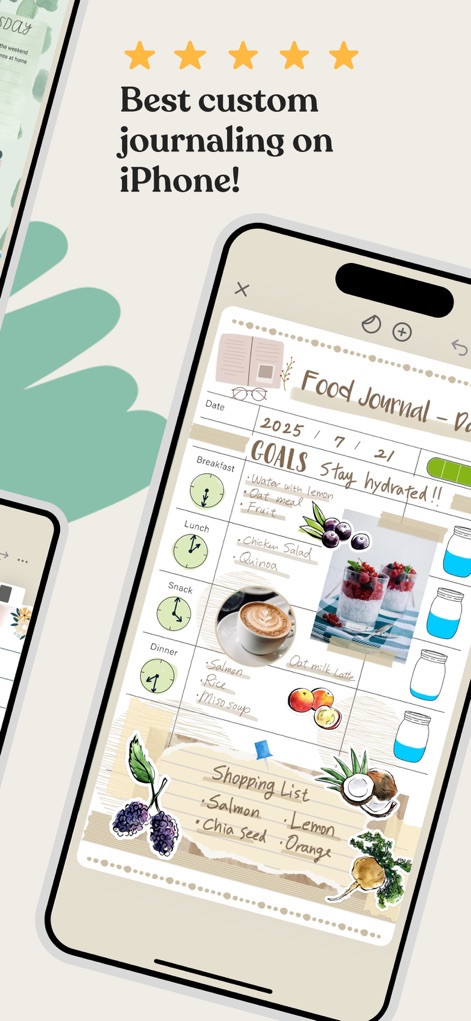
このアプリは、ユーザーが食事の目標を設定し、ショッピングリストを作成できる、美しくカスタマイズ可能なフードジャーナルを提供します。
カスタムジャーナル
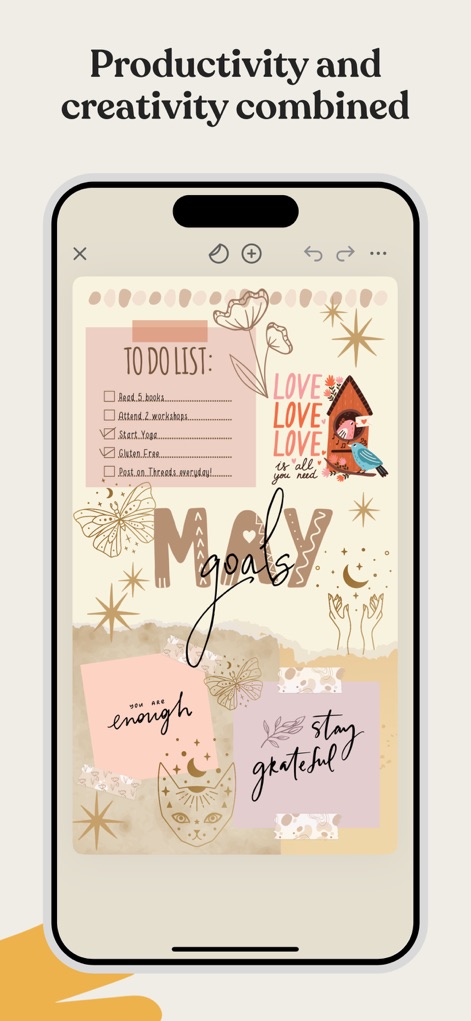
本ツールは、タスク管理のためのTo-Doリストと、目標達成を視覚化するためのクリエイティブなステッカーを統合しています。
創造性と効率
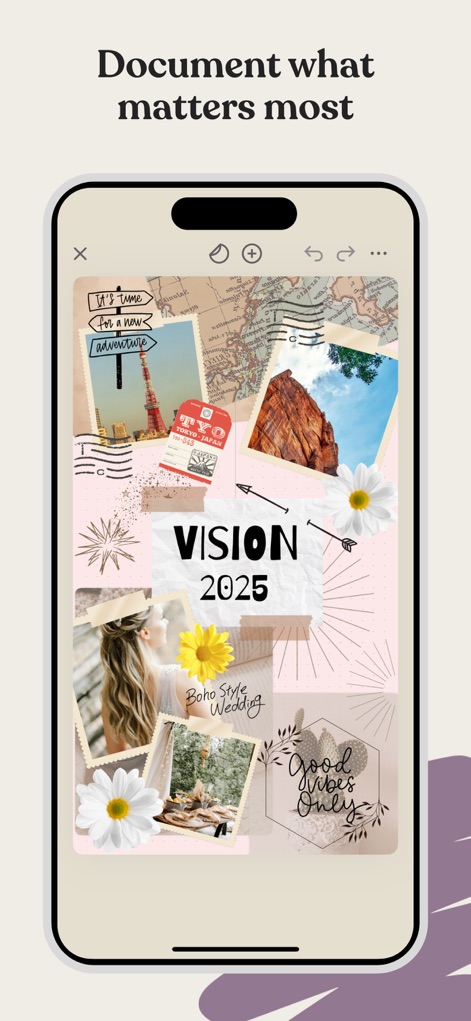
このアプリでは、複数の写真と魅力的なグラフィック要素を組み合わせて、ユーザー自身のビジョンボードを作成できます。
ビジョンボード
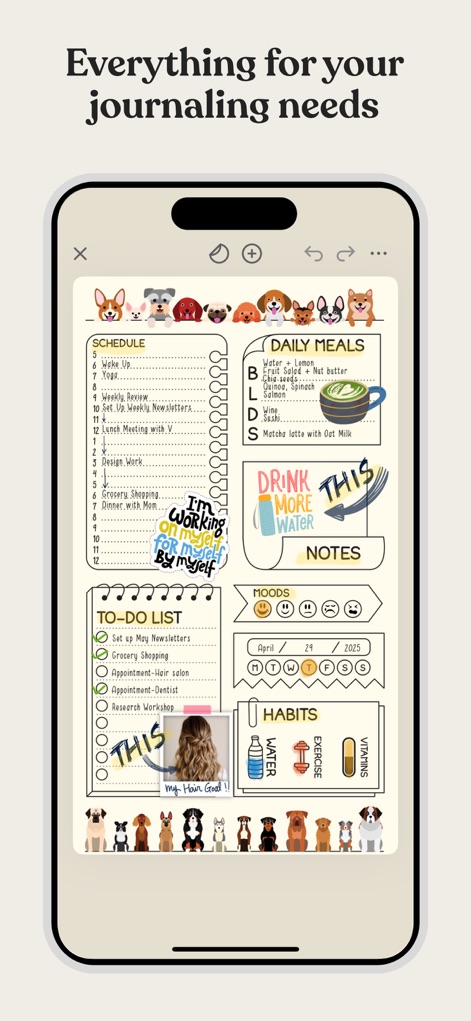
このアプリは、詳細なスケジュール管理と習慣トラッカーを一つのページにまとめ、ユーザーのライフスタイルを全面的にサポートします。
総合プランナー
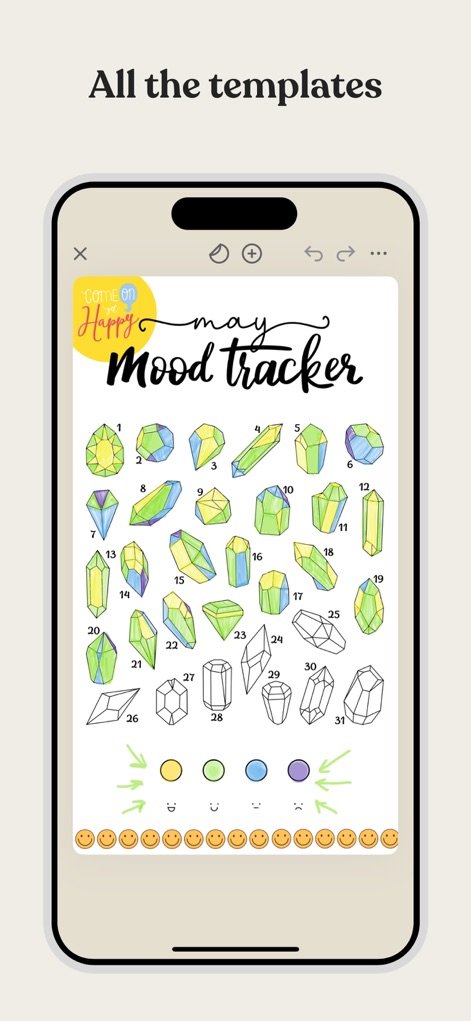
本ツールは、クリスタルのイラストを用いたユニークなムードトラッカーと、色分けされた感情表現の選択肢を提供します。
豊富なテンプレート
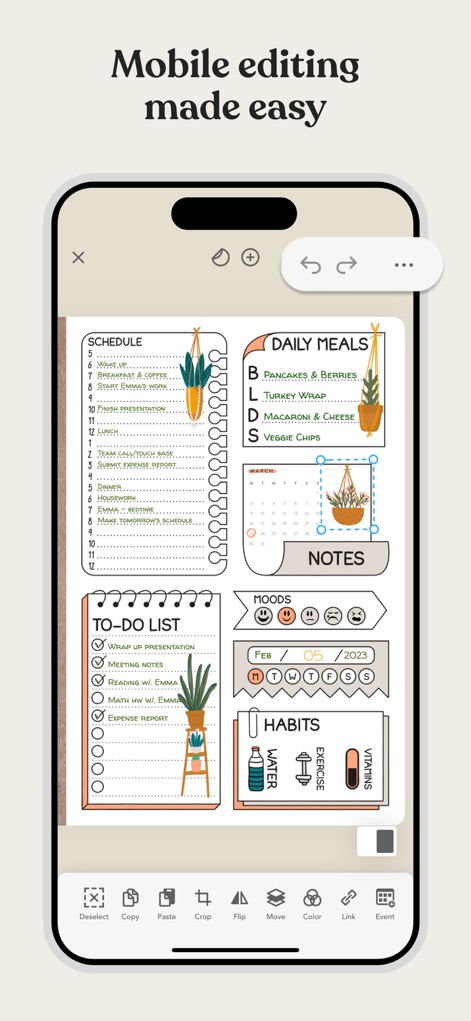
このアプリは、オブジェクトの移動やサイズ変更といった直感的な編集機能と、日々の活動を記録する包括的なレイアウトを提供します。
簡単な編集
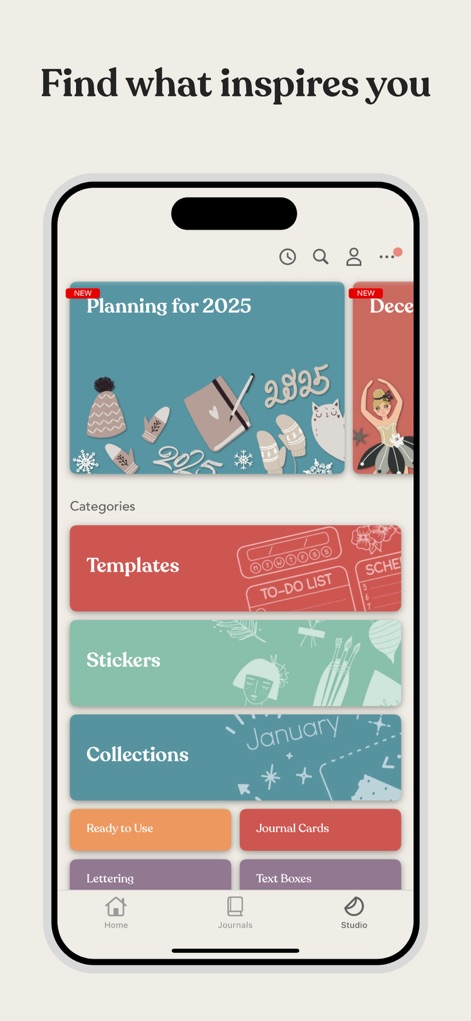
本ツールは、多種多様なテンプレートやステッカーがカテゴリー別に整理されており、ユーザーは常に新しいコンテンツを見つけることができます。
インスピレーション源
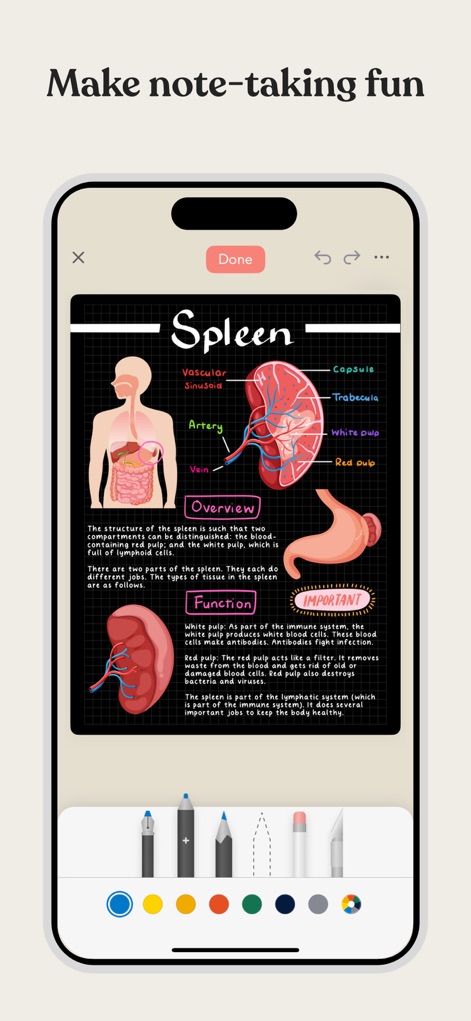
このアプリでは、複雑な概念を視覚的に表現する詳細な図と、多様な描画ツールを使用してメモを取ることができます。
楽しくノート作成
説明
Download
類似アプリ
似た機能とユーザー体験を持つアプリ

Notion: Notes, Tasks, AI
Notion Labs, Incorporated

Freenotes®: AI Notes Taking
Hangzhou Free Notes Technology Co., Ltd

Structured - Daily Planner
unorderly GmbH

Google Tasks: Get Things Done
Google LLC

TickTick:To-Do List & Calendar
Appest Limited

Noteful: Notes & PDF Markup
Noteful Technologies Ltd

Todoist: To Do List & Calendar
Doist Inc.

To do list MinimaList & Widget
Inner Grow Limited

monday.com - Work Platform
monday.com Ltd.
このページはアプリまたはその開発者の公式ページではなく、情報提供および論評を目的として作成された独立した編集出版物です。明示的に別段の記載がない限り、アプリおよびその開発者は、MWM、Apple、Google Play、アプリのパブリッシャー、またはアプリの開発者と提携、承認、後援、認可、またはその他の公式的な関係はなく、このページのいかなる内容も、アプリがMWMのサービスを使用して開発されたことを意味するものではありません。すべての商標、ロゴ、スクリーンショット、その他のコンテンツはそれぞれの所有者の財産です。