
このページはアプリまたはその開発者の公式ページではなく、情報提供および論評を目的として作成された独立した編集出版物です。明示的に別段の記載がない限り、アプリおよびその開発者は、MWM、Apple、Google Play、アプリのパブリッシャー、またはアプリの開発者と提携、承認、後援、認可、またはその他の公式的な関係はなく、このページのいかなる内容も、アプリがMWMのサービスを使用して開発されたことを意味するものではありません。すべての商標、ロゴ、スクリーンショット、その他のコンテンツはそれぞれの所有者の財産です。

Planner Pro - Daily Planner
アプリを切り替えるのをやめて、集中力を取り戻しましょう。カレンダー、タスク、メモを、あなたのハイパフォーマンスライフスタイルに合わせて設計された強力なコマンドセンターにシームレスに統合しましょう。
ダウンロード
3M+ユーザー評価
評価数
18K+開発元
カテゴリ
Productivity対応言語
9最新バージョン
8.2.4サイズ
95.0 MBリリース日
2012年10月28日1か所で一日をマスターする
アプリの切り替えの疲労をやめましょう。Planner Proは、カレンダー、タスク、メモを、一日を制覇したいハイアチーバーのために設計された、単一のシームレスなワークスペースに統合します。
統合されたデイリーワークスペース
強力なタスクマネージャーでiOSカレンダーを同期し、サブタスクと25段階の優先度レベルをサポートすることで、デジタル断片化を解消します。
ディープワーク&フォーカス タイマー
計画から実行へ移行しましょう。内蔵ホワイトノイズを備えた統合フォーカス タイマーを使用して、フロー状態に入り、生産性をリアルタイムで追跡します。
よくある質問
について知っておくべきこと Planner Pro - Daily Planner
Planner Pro - Daily Planner とは何ですか?
Planner Pro - Daily Planner は、イベント、タスク、メモを単一のプラットフォームに統合する包括的なアプリです。ユーザーが日々の生活を管理し、スケジュールを効率的に整理するのに役立ちます。
Planner Pro を既存の iOS カレンダーと同期できますか?
はい、Planner Pro - Daily Planner は iOS カレンダーやイベントとの同期を許可しています。必要に応じて特定のカレンダーを表示または非表示にすることもできます。
Planner Pro は繰り返しタスクやプロジェクトをサポートしていますか?
はい、Planner Pro - Daily Planner は繰り返しタスクとプロジェクトの両方をサポートしています。詳細な整理のために、プロジェクト内にサブタスクを作成することもできます。
Planner Pro - Daily Planner のメモ機能はどのように機能しますか?
Planner Pro のメモ機能により、ユーザーはメモに直接スケッチ(iOS 13+)、音声ファイルを添付、無制限のメモを作成できます。メモは日、週、月のビューで管理可能です。
Planner Pro にはフォーカスタイマーが含まれていますか?
はい、Planner Pro - Daily Planner にはフォーカスタイマー機能が含まれています。ユーザーはアクティビティを追加したり、リマインダーを設定したり、複数のホワイトノイズオプションから選択したり、連続または手動タイミングを選択したりできます。
Planner Pro - Daily Planner の主な機能は何ですか?
Planner Pro は、イベント、タスク、メモ、フォーカスタイマーを 1 つのアプリに統合しています。主な機能には、iOS カレンダーの同期、繰り返しタスク、音声/スケッチメモ、日、週、月ごとの計画モジュールが含まれます。
Planner Pro - Daily Planner でタスクを優先度別に整理できますか?
はい、Planner Pro - Daily Planner は 25 段階の異なる優先度レベルのタスクとプロジェクトをサポートしています。これにより、ユーザーは緊急度に基づいてコミットメントを効果的に分類および管理できます。
Planner Pro - Daily Planner のサブスクリプションはどのように機能しますか?
Planner Pro のオプションのフルバージョンはサブスクリプションで提供され、iTunes アカウントに請求され、年次自動更新されます。請求を避けるには、期間終了の 24 時間前に自動更新をオフにしてください。
Planner Pro - Daily Planner のプライバシーポリシーはどこで見つけられますか?
Planner Pro - Daily Planner のプライバシーポリシーは、提供されているリンク(https://apps.beesoft.io/PlannerPro/PrivacyPolicy.html)で確認できます。これにより、ユーザーはデータの取り扱い慣行を確認できます。
Planner Pro は異なる向きやビューをサポートしていますか?
はい、Planner Pro - Daily Planner は横向きと縦向きの両方をサポートしています。また、日、週、月、タスクのモジュールを提供しており、さまざまなビューでスケジュールを効果的に管理できます。
Planner Pro - Daily Planner 内のレコードを検索できますか?
はい、Planner Pro - Daily Planner は完全なレコード検索機能を提供しています。この機能により、ユーザーはアプリケーション内に保存されているすべてのイベント、タスク、メモを検索できます。
Planner Pro - Daily Planner のユーザー数は?
Planner Pro - Daily Planner のユーザーは世界中で 500 万人以上います。アプリは 4.86 という高い世界評価を維持しており、これはユーザーの満足度と普及率の高さを反映しています。
Planner Pro - Daily Planner はクロスデバイス同期をサポートしていますか?
はい、Planner Pro - Daily Planner は異なるデバイス間での同期をサポートしています。この機能により、すべてのデータとスケジュールされたアイテムが Apple デバイス全体で一貫性があり、最新の状態に保たれます。
ユーザーは Planner Pro - Daily Planner の外観をカスタマイズできますか?
はい、Planner Pro - Daily Planner はカスタマイズのために複数のテーマを提供しています。ユーザーは、好みに合わせてアプリの外観をパーソナライズし、計画体験を向上させることができます。
以下のスクリーンショットと説明は、アプリの公式ストアリスティングから直接取得されたものであり、アプリ開発者の所有物です。
アプリストア
スクリーンショット
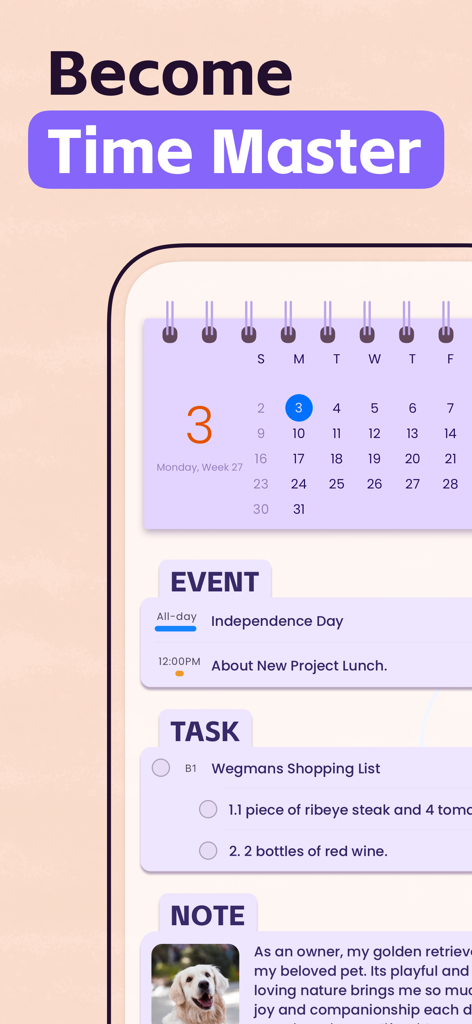
Planner Proアプリのスクリーンショット。カレンダーイベント、タスクリスト、メモが1つのインターフェースに統合されている様子を表示します。
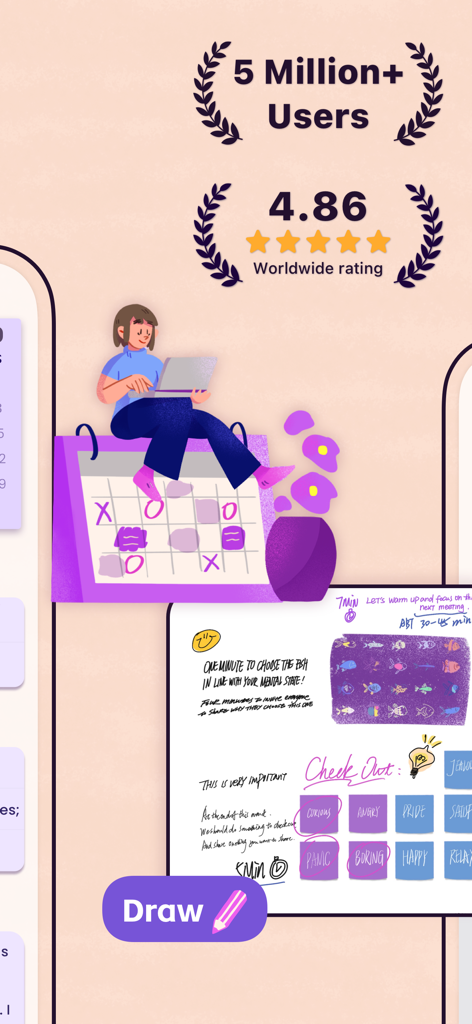
Planner Proのプロモーション画像。高いユーザー評価とデジタル描画機能を強調しています。
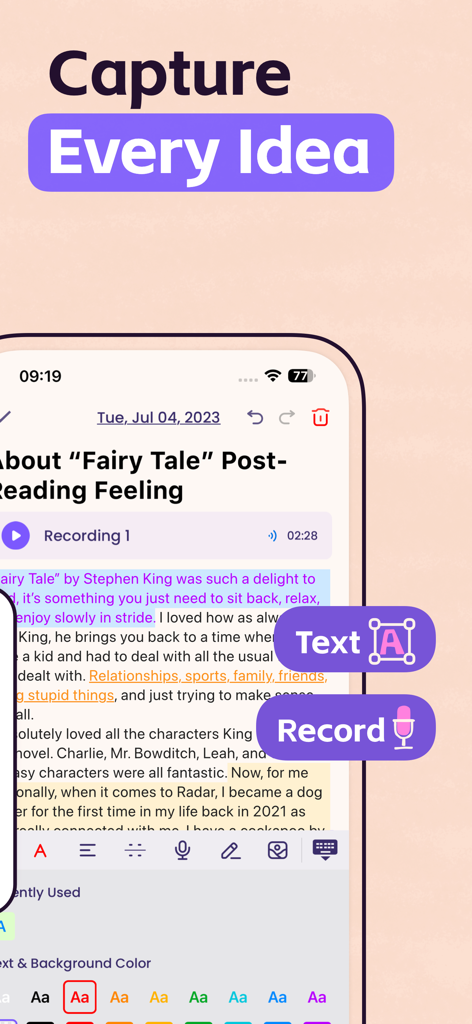
Planner Proアプリのインターフェース。テキストと音声録音オプションを備えたメモ機能を表示します。
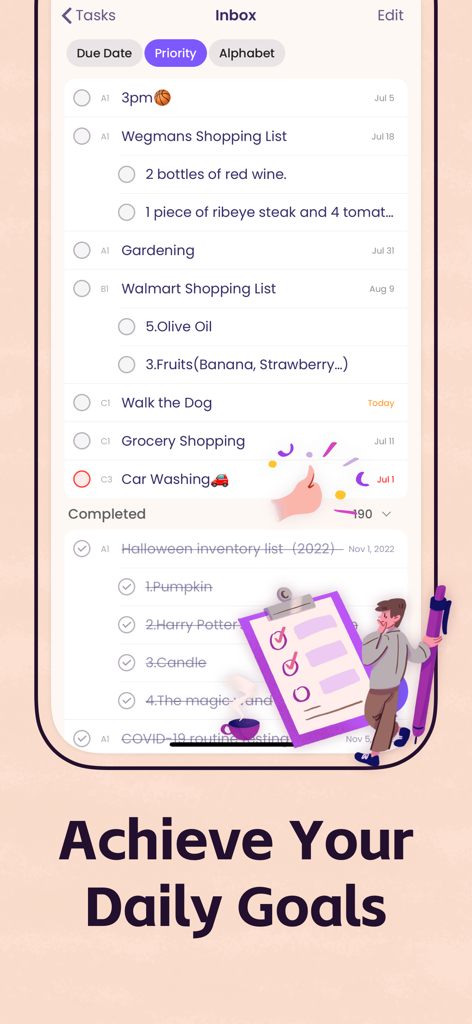
Planner Proタスクインボックスのスクリーンショット。分類された毎日のタスクと完了した目標を表示します。
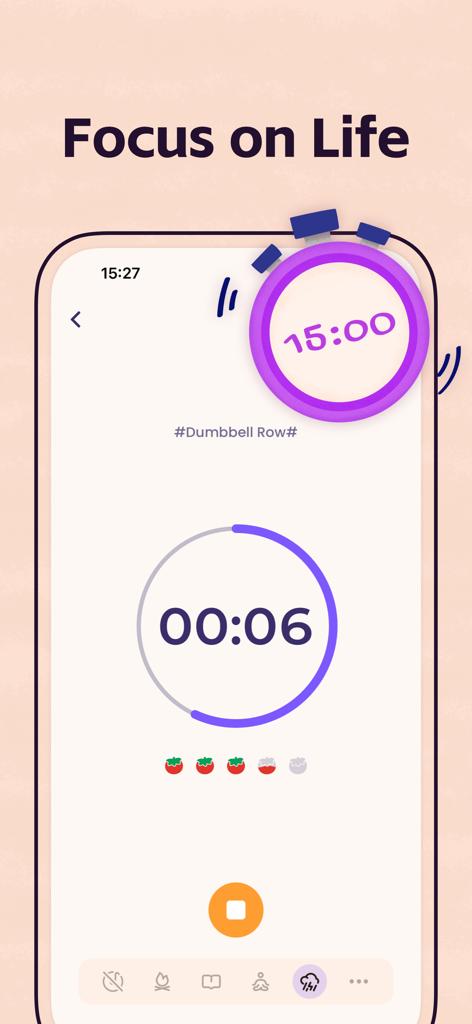
Planner Proアプリのフォーカス タイマースクリーン。フィットネスアクティビティトラッカーとポモドーロスタイルのカウントダウンを表示します。
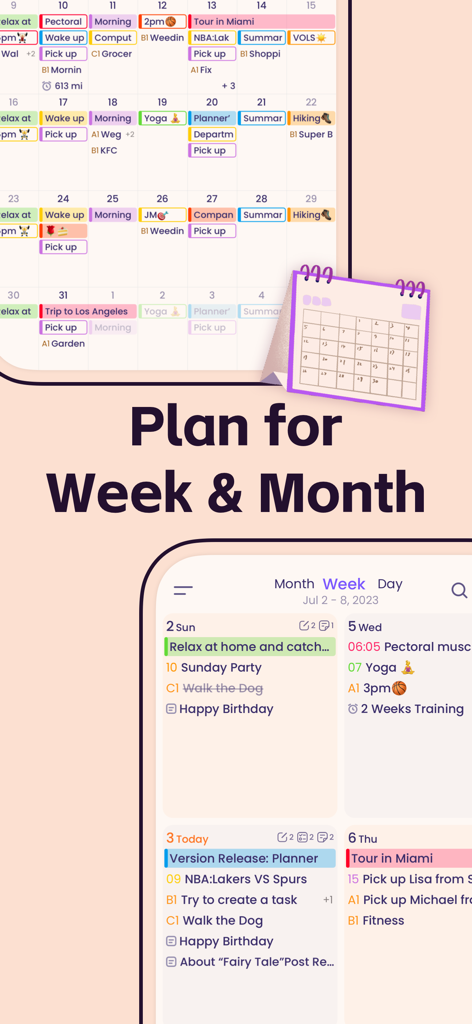
Planner Proアプリのインターフェース。タスクとイベントを整理するための月次および週次カレンダービューを表示します。
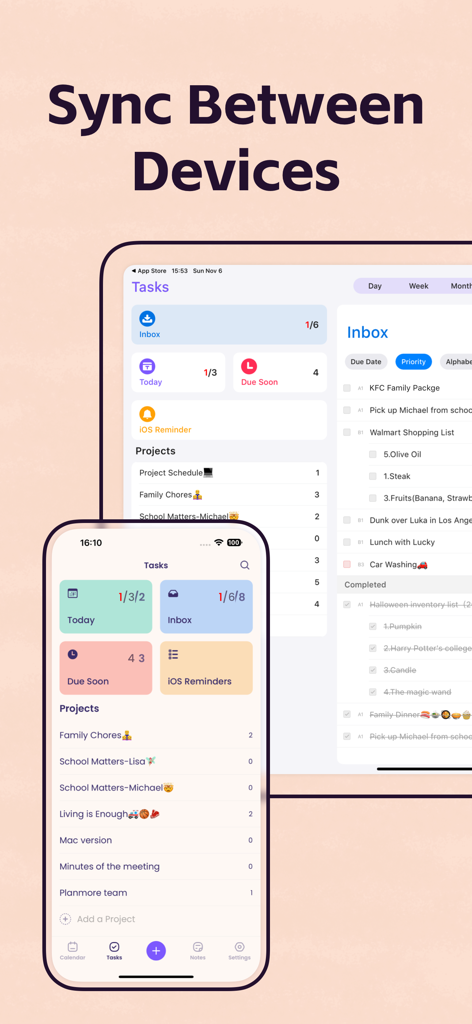
Planner Proアプリのインターフェース。iPhoneとiPad間のタスク同期を表示します。
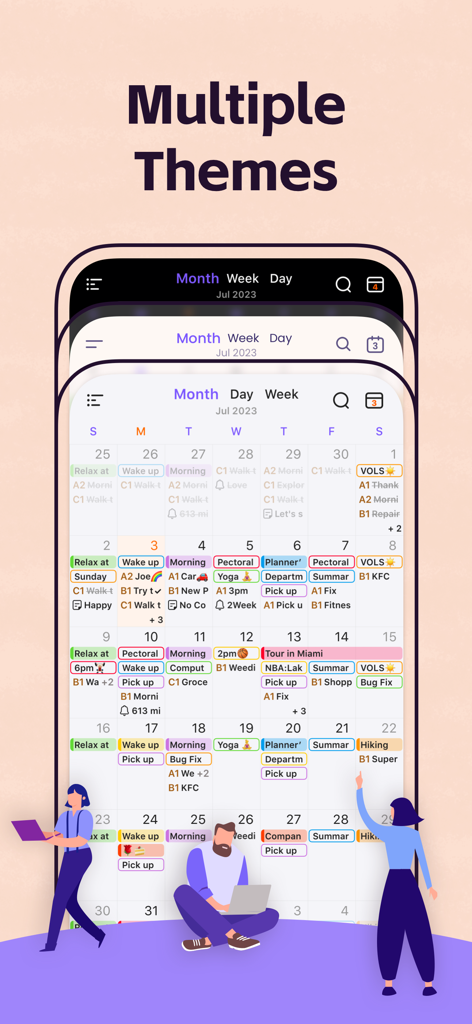
Planner Pro月次カレンダーインターフェースのさまざまなカラーテーマを表示する3つのスマートフォン画面
説明
Download
類似アプリ
似た機能とユーザー体験を持つアプリ

Notion: Notes, Tasks, AI
Notion Labs, Incorporated

Freenotes®: AI Notes Taking
Hangzhou Free Notes Technology Co., Ltd

Structured - Daily Planner
unorderly GmbH

Google Tasks: Get Things Done
Google LLC

TickTick:To-Do List & Calendar
Appest Limited

Noteful: Notes & PDF Markup
Noteful Technologies Ltd

Todoist: To Do List & Calendar
Doist Inc.

To do list MinimaList & Widget
Inner Grow Limited

monday.com - Work Platform
monday.com Ltd.
このページはアプリまたはその開発者の公式ページではなく、情報提供および論評を目的として作成された独立した編集出版物です。明示的に別段の記載がない限り、アプリおよびその開発者は、MWM、Apple、Google Play、アプリのパブリッシャー、またはアプリの開発者と提携、承認、後援、認可、またはその他の公式的な関係はなく、このページのいかなる内容も、アプリがMWMのサービスを使用して開発されたことを意味するものではありません。すべての商標、ロゴ、スクリーンショット、その他のコンテンツはそれぞれの所有者の財産です。