Pofi Brush - Sketch & Paint

Pofi Brush - Sketch & Paint

ダウンロード: App Store
ロゴ: Pofi Brush - Sketch & Paint

Pofi Brush - スケッチ&ペイント:あなたのプロフェッショナルモバイルイラストレーションスタジオ

強力な2Dエンジン、4Kキャンバス、キャラクターアーティストやコミッククリエイター向けに設計されたカスタマイズ可能なブラシで、創造性を解き放ちましょう。iPadとiPhoneでプロフェッショナルスタジオの精度を体験してください。

ダウンロード: App Store

開発元

Pofi Entertainment Shenzhen Network Technology Co.,Ltd

カテゴリ

Graphics & Design

ダウンロード

366K+

ユーザー評価

3.2/5

評価数

700

対応言語

9

偉大さへの垣間見

このインターフェースを利用する 366K+ 人のユーザー.

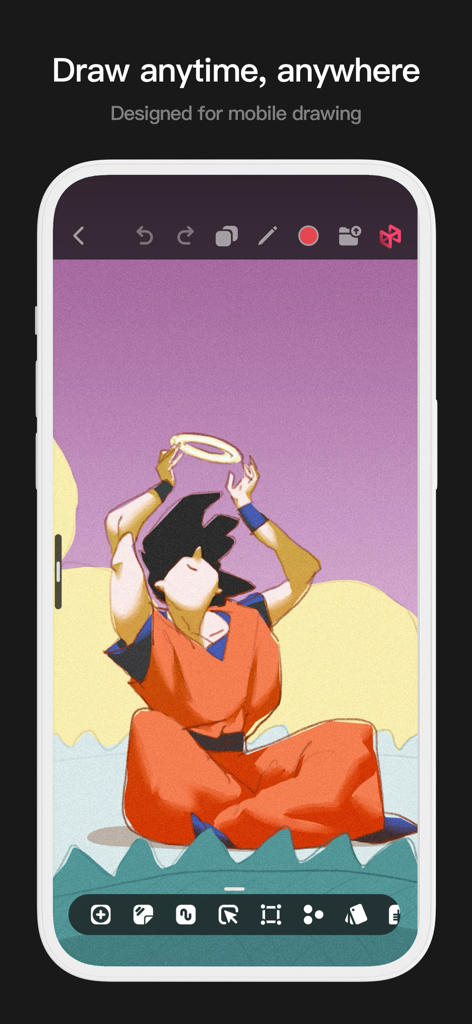
アニメイラストと描画ツールを備えたPofi Brushアプリのモバイルインターフェイス。
アニメイラストと描画ツールを備えたPofi Brushアプリのモバイルインターフェイス。

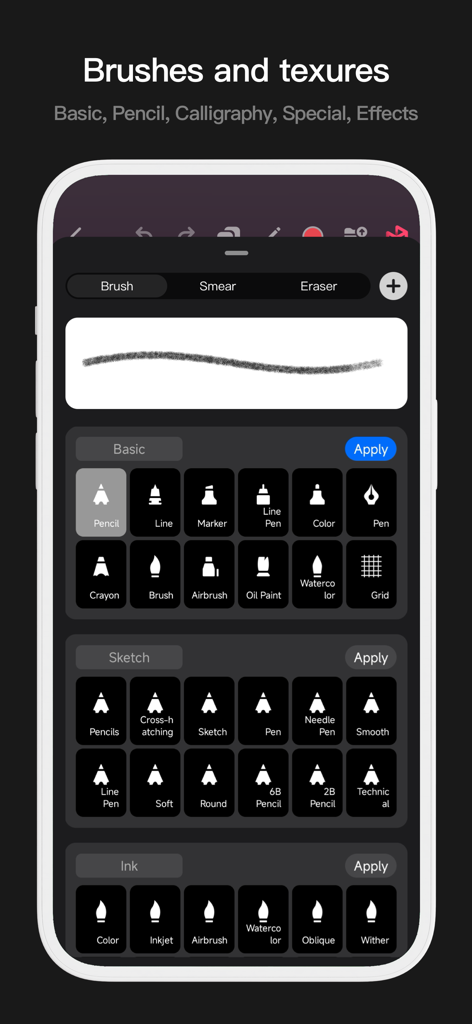
鉛筆、インク、水彩ツールを含むデジタルアートブラシのライブラリを示すPofi Brushのモバイルインターフェイス。
鉛筆、インク、水彩ツールを含むデジタルアートブラシのライブラリを示すPofi Brushのモバイルインターフェイス。

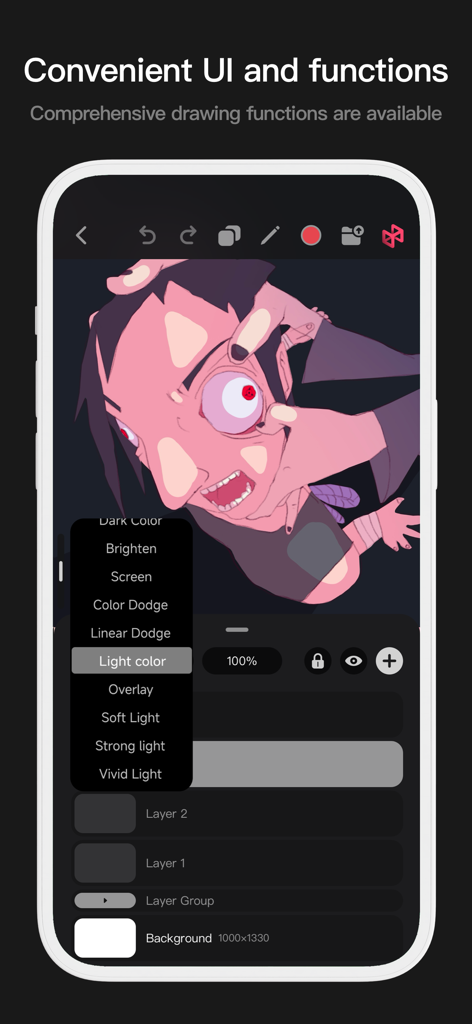
レイヤー合成オプションと様式化されたキャラクターアートを示すPofi Brushモバイルインターフェイス。
レイヤー合成オプションと様式化されたキャラクターアートを示すPofi Brushモバイルインターフェイス。

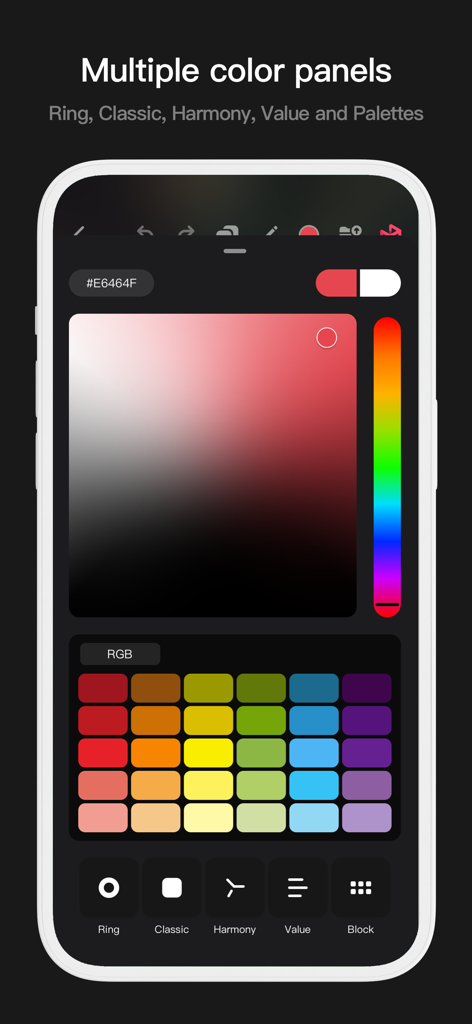
クラシックなグラデーションとカラーパレットのスウォッチを含む複数のカラー選択パネルを示すPofi Brushアプリインターフェイス。
クラシックなグラデーションとカラーパレットのスウォッチを含む複数のカラー選択パネルを示すPofi Brushアプリインターフェイス。

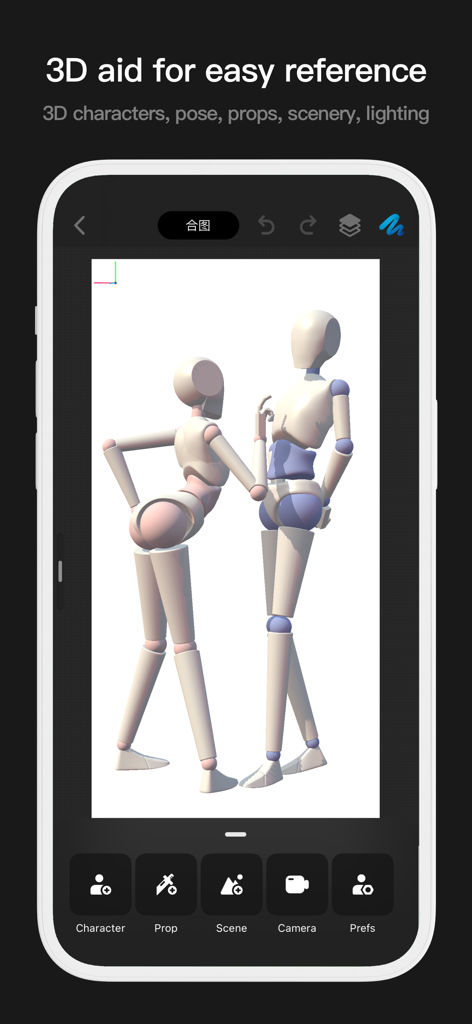
描画ポーズリファレンス用に2つの3Dマネキンを示すPofi Brushアプリのインターフェイス。
描画ポーズリファレンス用に2つの3Dマネキンを示すPofi Brushアプリのインターフェイス。

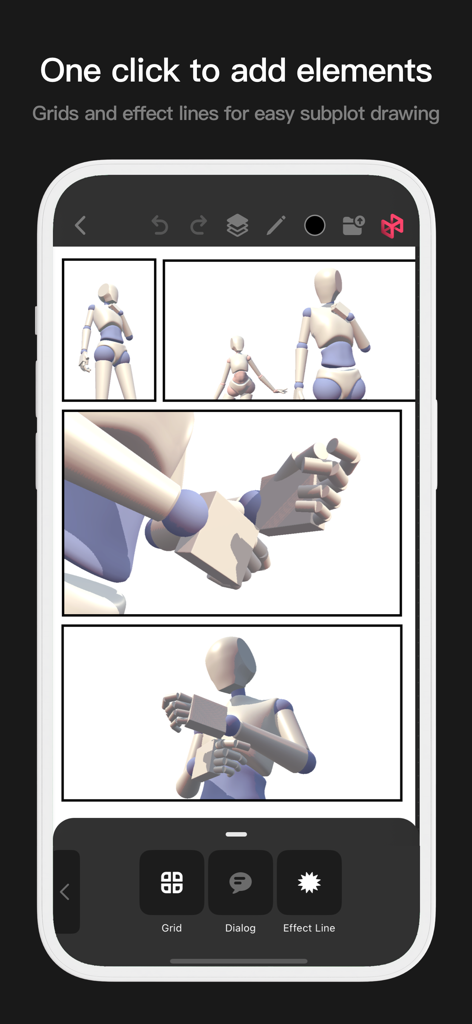
グリッドと効果線を持つPofi Brushコミックレイアウトツール。
グリッドと効果線を持つPofi Brushコミックレイアウトツール。

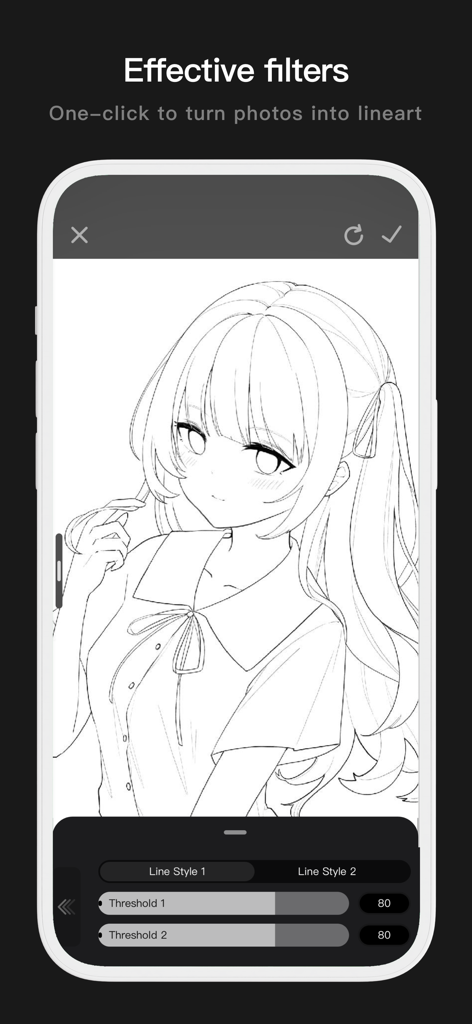
調整可能なしきい値設定でクリーンなアニメ線画に変換された写真を示すPofi Brushのモバイルインターフェイス。
調整可能なしきい値設定でクリーンなアニメ線画に変換された写真を示すPofi Brushのモバイルインターフェイス。

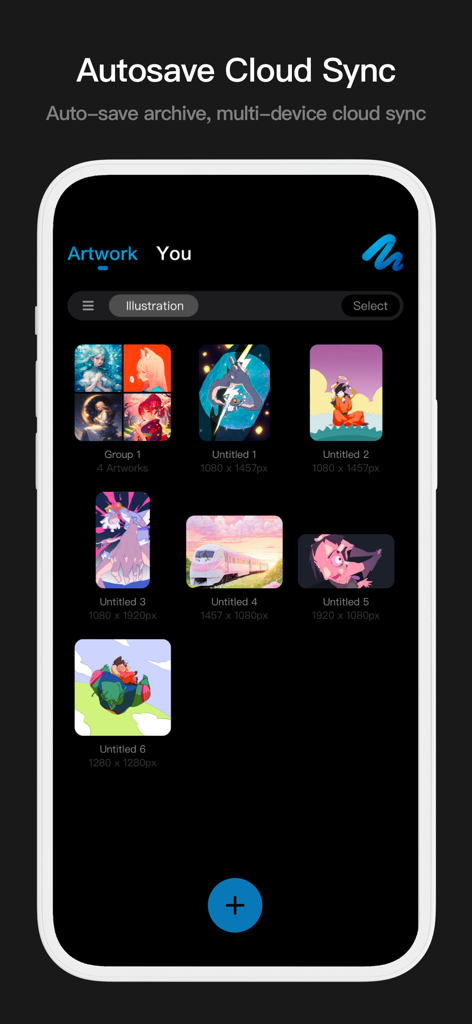
クラウド同期と自動保存機能を備えたデジタルイラストを示すPofi Brushアートワークギャラリーインターフェイス。

クラウド同期と自動保存機能を備えたデジタルイラストを示すPofi Brushアートワークギャラリーインターフェイス。

創造的な可能性を解き放つ

このアプリを際立たせるツール、 366K+ 人のユーザーが選択.

🖋️

プロフェッショナルブラシマスター

アンチフラッター安定化とブラシごとに40以上のカスタマイズ可能な設定により、完璧な線画を作成できます。Apple Pencilの圧力と傾きに完全に最適化されています。

🚀

4Kキャンバスでデスクトップパワー

巨大な4K x 4Kキャンバスで遅延なくペイントしましょう。当社の64ビットマルチコアエンジンは、複雑な構成や高解像度の詳細を管理する場合でも、スムーズなパフォーマンスを保証します。

高度なスタジオワークフロー

27の合成モード、アルファロック、洗練されたレイヤーグループでプロのテクニックをアンロックし、業界標準のキャラクターデザインに必要な完全な制御を提供します。

世界中のユーザーに愛されています

Trusted by 366K+ 人がこのアプリを愛用しています.

"

"アニメーションの学生として、私はあらゆる描画アプリを試しましたが、Pofi Brushは信じられないほどの筆圧感度とブラシエディターの深さで際立っています。iPadで遅延なしに4Kキャンバスで作業できるようになったことは、私のキャラクターデザインワークフローを完全に変えました。"

Chloe Rivera
"

"アンチフラッターストロークとさまざまな合成モードは、デジタルイラストレーションにまさに必要としていたものです。ラフスケッチからソーシャルメディアフィード用の洗練された作品まで、半分の時間で移行できます。本当にポケットの中にプロのアートスタジオのように感じます!"

Marcus Chen

アプリについて

について知っておくべきこと Pofi Brush - Sketch & Paint.

説明

Pofi Brush delivers nearly 10 exquisitely crafted brushes, full-featured layer and color tools, an elegant interface, and a smooth yet powerful 2D Artistic Engine—unlocking a professional art studio experience on your device. Whether you're sketching your first draft or crafting professional illustrations, Pofi Brush empowers artists to create stunning comics, animations, and concept art on mobile or tablet. Unleash your creativity anytime, anywhere. Powerful 2D Artistic Engine The powerful 2D Artistic Engine is developed by the Pofi team and is optimized for 64-bit multi-core processors. It is compatible with multiple platforms and supports large HD canvases and multiple layers. It is optimized for smooth speed to ensure you get the best painting experience. - Canvas up to 4k × 4k px, making your artwork clear and lifelike. - Easy-to-use interface for mobile painting. - Optimised for 64-bit multicore processors for smooth drawing speeds. - Use the Apple Pencil for smooth, realistic, low-latency strokes. - Auto-save and save on exit. - All features supported on phones and tablets. Professional Brush Editor Pofi Brush presets dozens of creative brushes of various types, each with over 40 custom settings, allowing you to adjust the brush editor according to your personal preferences and creative needs, or design your own custom brushes for more personalized creations. - Built-in dozens of well-designed creative brushes for sketching, inking, texture, art, specialties and more! - Each brush has three modes: Brush, Eraser, and Smudge. - Each brush has over 40 customizable settings and a library of preset nib shapes and textures. - Comb, sort, and create brushes by groups for better management of your brushes. - Anti-flutter brush strokes can be set to give your brush more flow. - Finger-painting simulates pressure, so you can use your finger to paint with the sharpness and fineness of a real paintbrush. - Take full advantage of the Apple Pencil's features, combining the speed, tilt and pressure of the brush to experience a realistic brush touch. Advanced Multi-layer System Pofi Brush offers a multi-layer system with grouping, layer effects, and layer adjustments, giving you precise control over each layer to create stunning artwork. - Quickly preview and find the layer you need with the Layer Preview. - Support drag-and-drop grouping, merging, and deleting of multiple layers to conveniently manage your layers. - 20 layer functions: drag sort, show/hide, lock/unlock, transparency, multi-select, grouping/ungrouping, merge, fill, new, clear, copy, delete, rename, alpha lock, invert color, color markup, background color. - 27 layer blending modes: Standard, Darken, Positive Blend, Color Deepen, Linear Deepen, Darken, Brighten, Filter, Color Lighten, Linear Lighten, Lighten, Overlay, Soft Light, Highlight, Bright Light, Linear Light, Spot Light, Solid Blend, Difference, Exclude, Subtract, Divide, Color and other modes. Full-featured Color Tools Provides various color tool panels and styles needed by painters, allowing you to get the colors you need easily and quickly. - 4 kinds of color panels: circular color palette, square color palette, HSB numeric color value, grouping color matching color blocks - 2 kinds of color picking methods: input hexadecimal color code, long press to suck color - 6 color block functions: color block group, group rename, group sort, color block sort, overlay color block, delete color block More Highlights - Cell phone interface view supports half-screen and full-screen expanding interface. - Tablet PC supports large interface expansion and small interface drag and drop. - Support canvas rotation and zoom - Auto archive, return to save - Support exporting Png and Jpg image files. > Twitter/X: @ Pofi Brush > Instagram: @pofibrush > Email: brush@pofiart.com Privacy Policy: https://brush.pofiapp.com/privacy

最新バージョン

3.10.1

サイズ

1.1 GB

リリース日

2020年8月6日

いつでもどこでも、あなたのプロフェッショナルアートスタジオ

モバイルで最も応答性の高いブラシエンジンで、4Kの傑作を作成する何千人ものアーティストに参加しましょう。次の大きなアイデアのスケッチを始める準備はできましたか?

ダウンロード: App Store