REC - Pro Video Camera

REC - Pro Video Camera

Download on App Store
Logo of REC - Pro Video Camera

REC - Pro Video Camera: Professional Cinema Control for Your iPhone

Unlock your device's full potential with ProRes RAW, Apple Log, and precise manual settings. From multi-cam timecode sync to advanced audio polar patterns, REC provides the granular control elite creators need for broadcast-quality production.

Download on App Store

Publisher

LateNiteSoft S.L.

Category

Photo & Video

Downloads

0

User Rating

3.9/5

Total Ratings

0

Locales

1

Master Every Frame

Discover the interface used by 0 users.

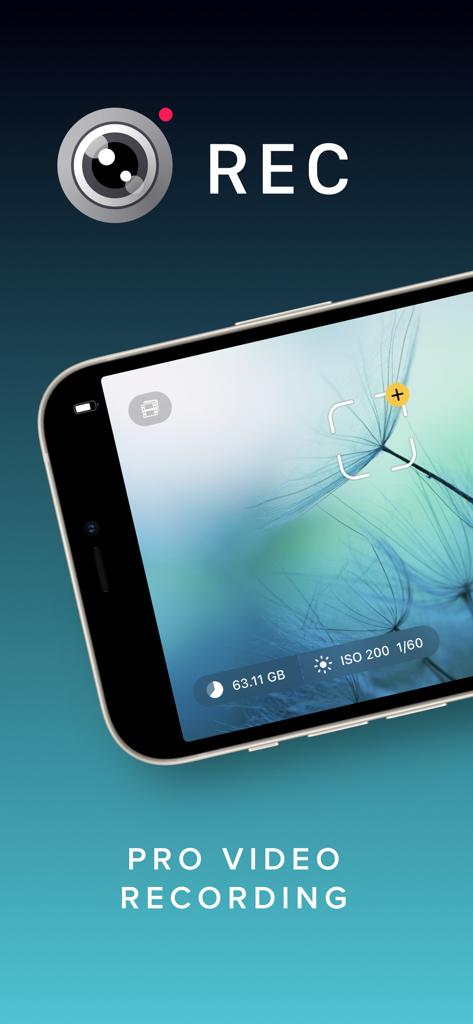
REC Pro Video Camera interface on iPhone showing manual recording settings
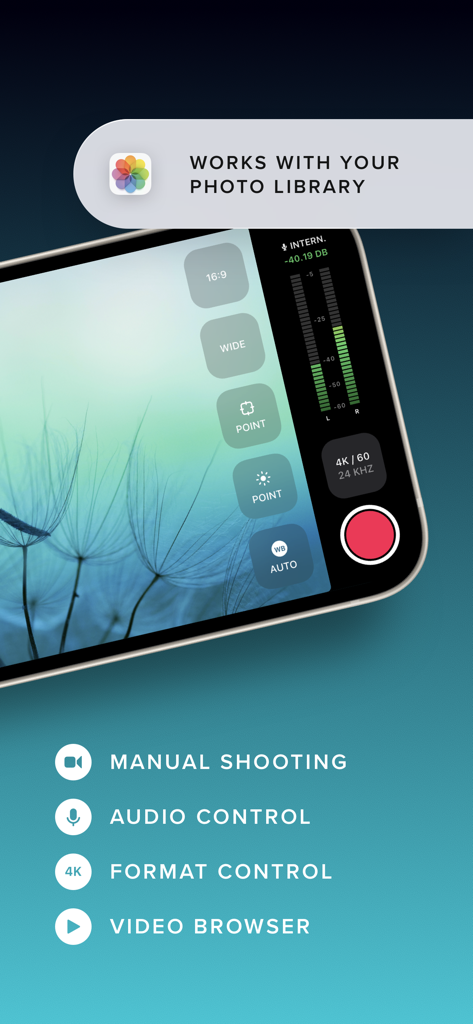
REC Pro Video Camera interface on iPhone showing manual recording settings

REC Pro Video Camera app interface showing manual shooting and audio controls on a smartphone screen
REC Pro Video Camera app interface showing manual shooting and audio controls on a smartphone screen

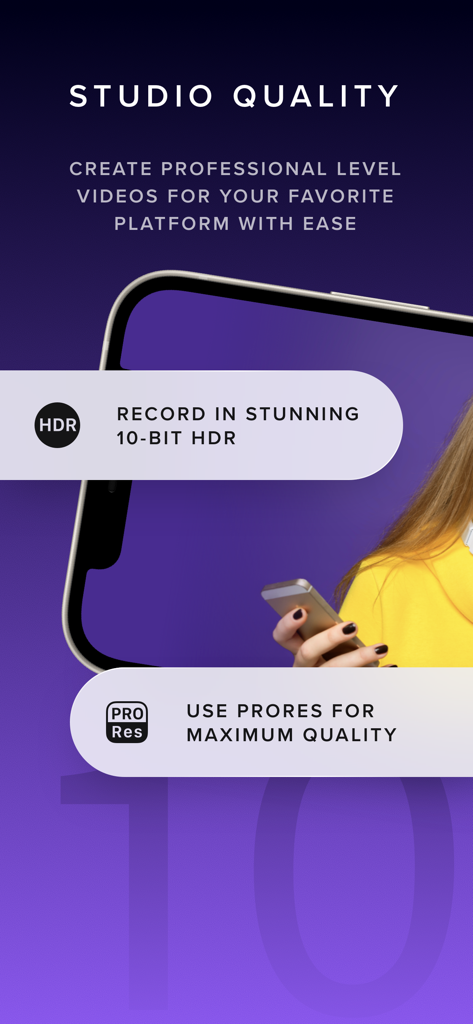
A promotional screen for the REC Pro Video Camera app highlighting 10-bit HDR and ProRes recording features for professional studio quality videos.
A promotional screen for the REC Pro Video Camera app highlighting 10-bit HDR and ProRes recording features for professional studio quality videos.

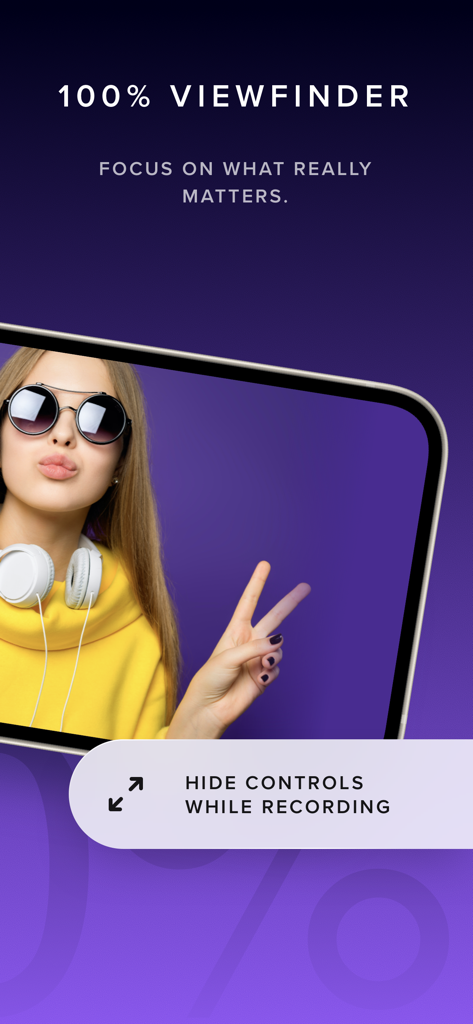
Interface of REC Pro Video Camera app showcasing the 100 percent viewfinder feature which hides controls while recording for a clear view.
Interface of REC Pro Video Camera app showcasing the 100 percent viewfinder feature which hides controls while recording for a clear view.

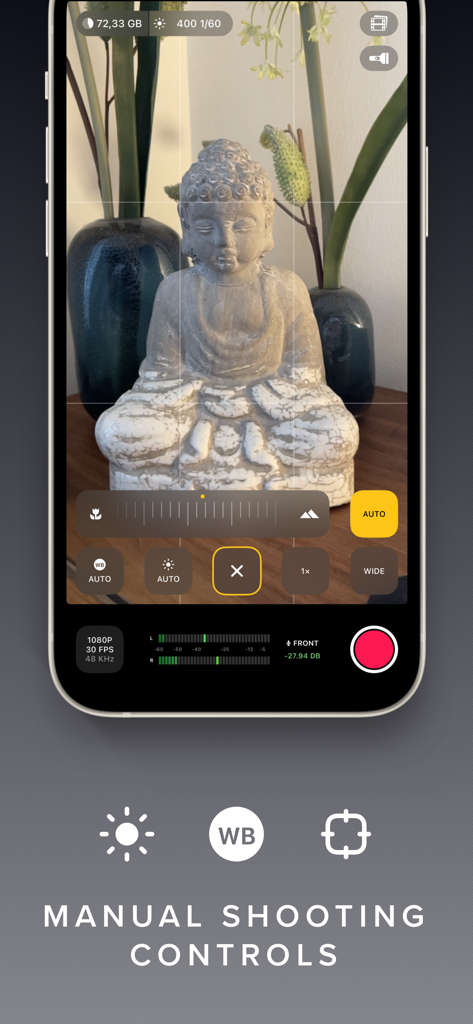
Interface of the REC Pro Video Camera app highlighting its manual shooting controls
Interface of the REC Pro Video Camera app highlighting its manual shooting controls

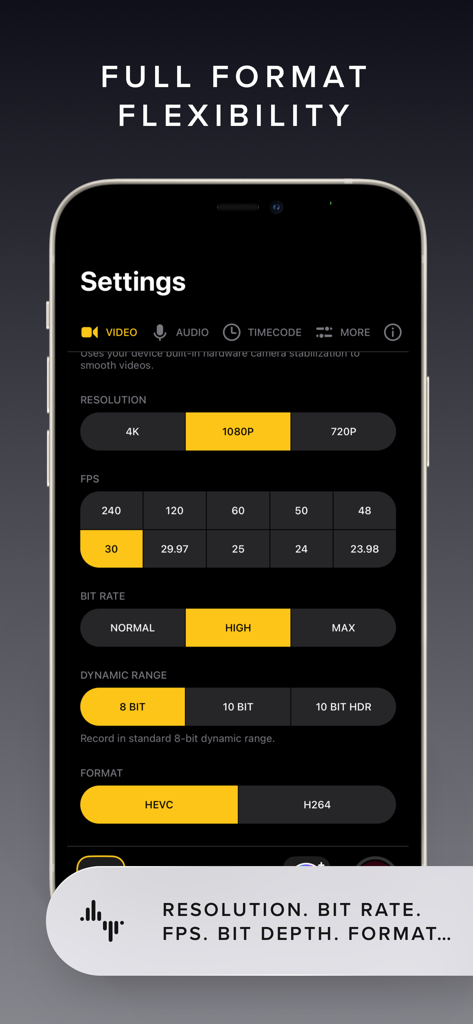
Interface of REC Pro Video Camera app showing manual settings for resolution, frame rate, bit rate, and dynamic range.
Interface of REC Pro Video Camera app showing manual settings for resolution, frame rate, bit rate, and dynamic range.

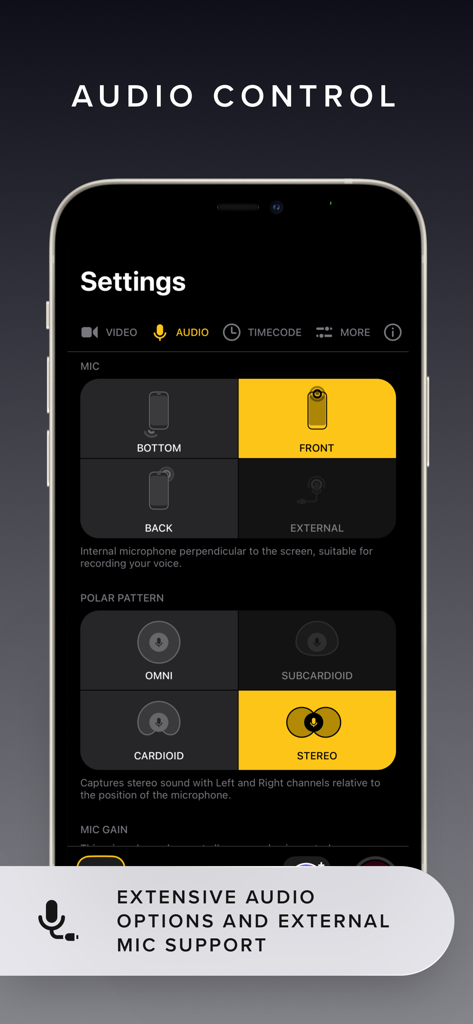
Interface of the REC Pro Video Camera app showing professional audio controls for microphone selection and polar patterns
Interface of the REC Pro Video Camera app showing professional audio controls for microphone selection and polar patterns

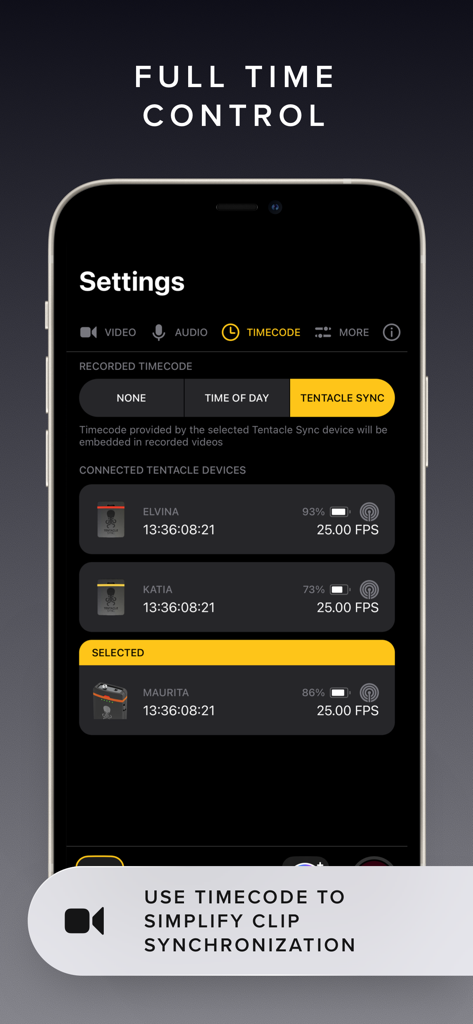
Interface showing timecode and Tentacle Sync settings in the REC Pro Video Camera app
Interface showing timecode and Tentacle Sync settings in the REC Pro Video Camera app

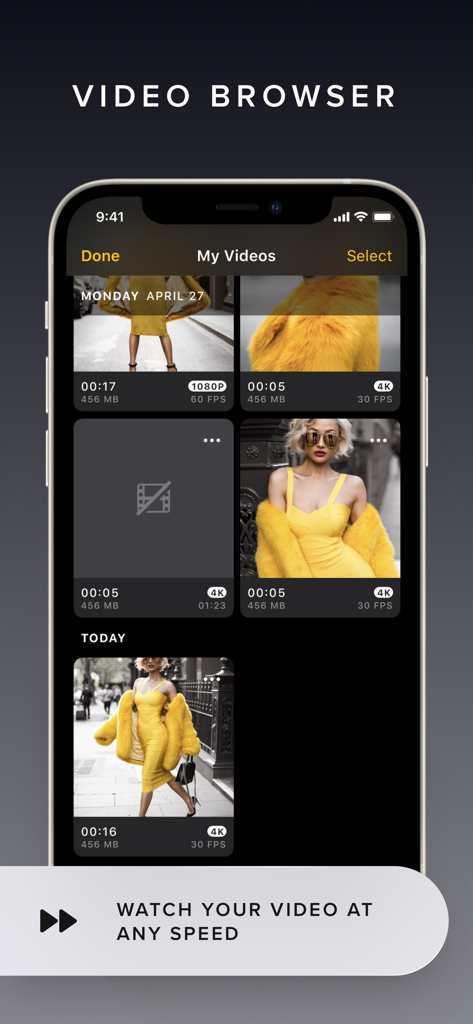
The video browser interface of the REC app showing a library of recorded videos with resolution and frame rate details

The video browser interface of the REC app showing a library of recorded videos with resolution and frame rate details

Professional Tools for Elite Storytellers

The tools that make this app stand out, trusted by 0 users.

🎥

Total Manual Command

Adjust ISO, shutter speed, and focus with intuitive floating controls designed to stay out of your way while you capture the perfect shot.

🎨

Cinematic Color & Fidelity

Unlock the power of Apple Log, ProRes RAW, and 10-bit HDR to ensure your footage is ready for professional color grading and high-end editing.

⏱️

Seamless Multi-Cam Sync

Effortlessly align footage from multiple devices with built-in Timecode and Tentacle Sync support for professional one-frame accuracy.

About the app

Everything you need to know about REC - Pro Video Camera.

Description

Elevate your video capturing with REC! Tailored for creators, it provides extensive video and audio options for professional-quality production effortlessly. Choose from a range of camera settings, stabilization options, resolutions, frame rates, and more to capture the perfect video every time. And with intuitive controls and an easy-to-read heads-up display, you can adjust focus, exposure, and more with just a tap. Plus, with REC's timecode feature, you can easily synchronize footage from multiple devices for seamless, multi-angle videos. Choose from "Time of Day" timecode or use Bluetooth sync with Tentacle Sync devices for precise, one-frame resolution synchronization. And with seamless management options, including preview, watch, and send directly to your photo library or favorite editing app, you can create and share professional-quality videos with ease. Here's a quick summary of REC's plethora of video options: - Camera: Front, Telephoto, Wide, Ultra-Wide (As available on your device.) - Camera Stabilization (As available by device and camera selection.) - Resolution: Open Gate, 4K, 1080p, 720p (As available by device.) - FPS: 240, 120, 60, 50, 48, 30, 29.97, 25, 24, 23.98 (As available by device and camera selection.) - Bit Rate: Normal, High, Max - Dynamic Range: 8 Bit, 10 Bit, 10 Bit HDR (As available by device and other selections.) - Format: HEVC, H.264, ProRes 422 HQ, ProRes RAW HQ (As available by device and other selections.) - Lock Exposure and White Balance when recording begins. - Apple Log and Apple Log 2 support when recording in ProRes. - External storage support for iPhone 15 to 17 Pro using USB-C, Audio Here's a quick summary of REC's extensive audio options: - Microphone: Front, Back, Bottom, External (As available on your device.) - Microphone Gain control - Microphone Polar Pattern control: Choose omni, subcardioid, cardioid or stereo pickup depending on what best fits your usage. (As available by device and microphone.) - Sample Rate: 24Khz, 44.1Khz, 48Khz - Format: AAC, PCM Lot of options! But REC gives you simplicity along with flexibility, you'll never be able to select a combination that doesn't work with your device. Captivating Controls REC's floating buttons put pro level controls at your fingertips, and keeps them out of the way while you're focusing on what's important, shooting your video! A single tap brings up any of the control menus where you can adjust the white balance, shutter speed, ISO, EV, and focus manually. Or, use our intuitive touch controls to specify precisely where in your frame focus on and expose to. Quickly swap between the Wide, Ultra-Wide, Telephoto, or Front cameras and different formats with a flick of your finger, and your selection is always available at a glance. Optionally overlay a grid, and zoom in or out to help you frame the perfect shot every time. Terrific Timecodes REC provides two Timecode methods. The first one is "Time of Day", which simply records your device's clock information alongside the video. In order for it to work, just make sure all your devices are set to the same time. For really accurate and extremely simple synchronization, REC also provides Bluetooth sync using Tentacle Sync devices. Using Tentacle Timecode, REC is able to synchronize your iPhone footage with high accuracy. You can find more about the Tentacle Sync solutions at https://tentaclesync.com. Marvelous Management REC saves all of your videos seamlessly to the built-in manager that lets you quickly and easily preview your creations. Watch your shots at different speeds, and preview them without sound if you're trying to find the right shot to share in a sensitive environment. Sending a video to your photo library or favorite editor is just a tap away. Or if you'd prefer, send videos directly to the Photo Library and enjoy its seamless integration with any app that supports video. Terms of use: https://www.apple.com/legal/internet-services/itunes/dev/stdeula/

Latest Version

8.0.1

Size

22.7 MB

First Released

Jul 16, 2020

Elevate Your Mobile Filmmaking to Pro Standards

Unlock manual controls, ProRes RAW, and professional audio sync. Start capturing cinema-quality video with REC today.

Download on App Store

App information, icons, screenshots, and descriptions displayed on this page are sourced from the Apple App Store and are the property of their respective developers. Download estimates and rankings are based on MWM's proprietary models and may not reflect actual figures. This page is provided for informational and analytical purposes only.

Believe this page infringes your intellectual property? File a dispute