
このページはアプリまたはその開発者の公式ページではなく、情報提供および論評を目的として作成された独立した編集出版物です。明示的に別段の記載がない限り、アプリおよびその開発者は、MWM、Apple、Google Play、アプリのパブリッシャー、またはアプリの開発者と提携、承認、後援、認可、またはその他の公式的な関係はなく、このページのいかなる内容も、アプリがMWMのサービスを使用して開発されたことを意味するものではありません。すべての商標、ロゴ、スクリーンショット、その他のコンテンツはそれぞれの所有者の財産です。

Riverside Podcast Video Studio
プロレベルのコンテンツ作成をポケットサイズに収めるこのアプリは、妥協のないスタジオ品質を手のひらに載せてくれる。場所やスキルレベルに関係なく、誰もがプロフェッショナルな映像と音声を手にする力を与える。
ダウンロード
1M+ユーザー評価
評価数
24.1K開発元
カテゴリ
Photo & Video対応言語
1最新バージョン
4.11.1サイズ
320.0 MBリリース日
2021年4月4日コンテンツクリエイターとプロフェッショナルのための革新的なツール
Riverside Podcast Video Studio: 主要機能分析
高品質な個別録音
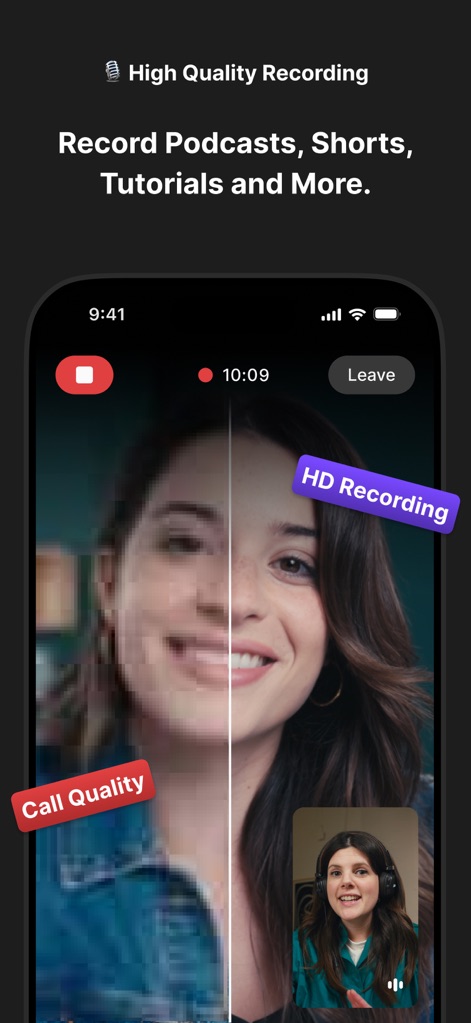
各参加者の高解像度ビデオと高品質オーディオを個別に録音し、最大4K解像度とWAV形式で保存できるため、編集の柔軟性が高く、プロフェッショナルな仕上がりを実現します。
ソーシャルメディア向けクリップ作成
録画から直接短いクリップを簡単に作成できるため、ポッドキャストクリップ、YouTubeショート、Instagramリールなどのソーシャルメディアコンテンツを効率的に制作・共有し、エンゲージメントを高めます。
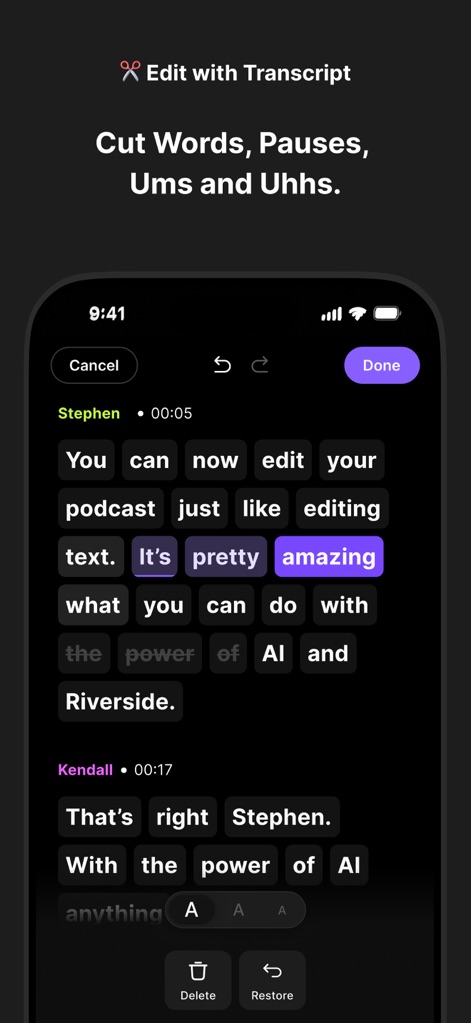
テキストベース編集
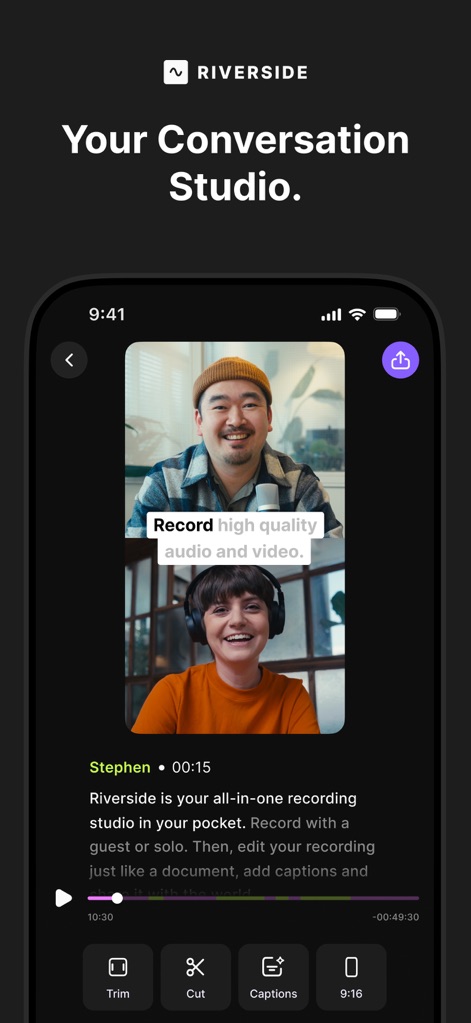
文字起こしされたテキストを編集するだけで、ビデオやオーディオのカット、トリミング、フィラーワードや一時停止の除去が直感的に行えるため、編集プロセスが大幅に簡素化されます。
AIによる高精度文字起こし
99%の精度で100以上の言語に対応したAI文字起こし機能により、録音内容のテキスト化を迅速に行い、コンテンツのアクセシビリティ向上や編集作業の効率化に貢献します。
AI自動キャプションと字幕
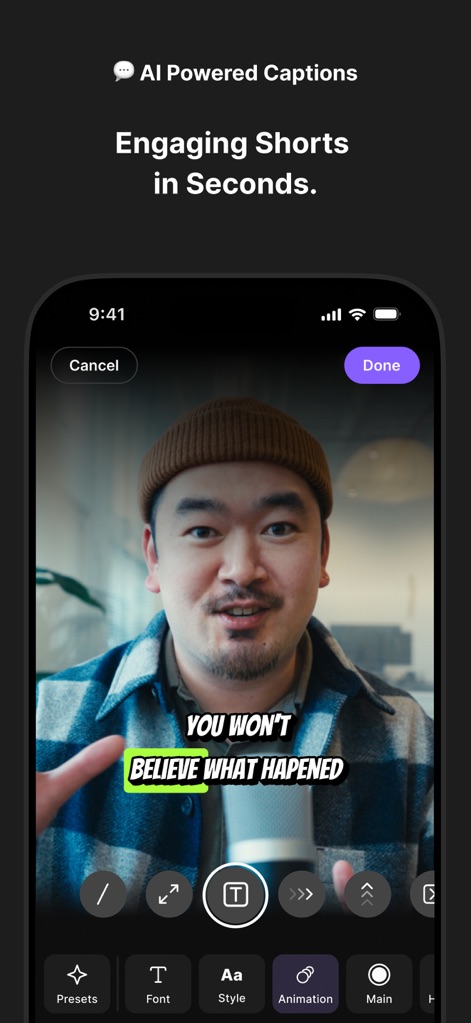
AIが数秒で動画にキャプションや字幕を自動生成し、ブランドに合わせてカスタマイズできるため、コンテンツのアクセシビリティを向上させるとともに、視聴者のエンゲージメントを高めます。
高度なオーディオ処理
最先端のツールを使用して音質を向上させ、不要なバックグラウンドノイズを除去できるため、クリアでプロフェッショナルなオーディオトラックを実現します。
自動クラウド統合
すべての録音が自動的にクラウドにアップロードされるため、貴重なコンテンツを紛失するリスクがなく、いつでもどこからでもアクセスできる高い利便性と安心を提供します。
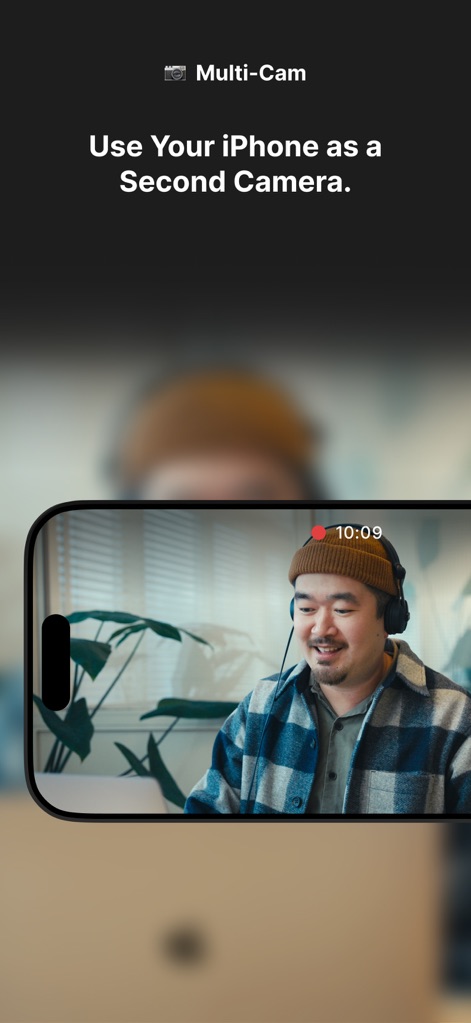
マルチカメラ録画
iPhoneを第二のカメラとして活用し、複数のアングルから同時に録画できるため、よりダイナミックで魅力的なビデオコンテンツを制作する選択肢が広がります。
よくある質問
について知っておくべきこと Riverside Podcast Video Studio
What is Riverside Podcast Video Studio?
Riverside is a powerful podcast and video maker that allows users to record and edit video and audio easily. It includes AI features like captions, transcription, and a teleprompter, enabling high-quality content creation from anywhere.
Does Riverside Podcast Video Studio record in high quality?
Yes, Riverside records PRO quality audio and video. It captures individual HD tracks for up to 10 participants, saving files in WAV and up to 4K resolution formats, ensuring crisp details regardless of internet connection.
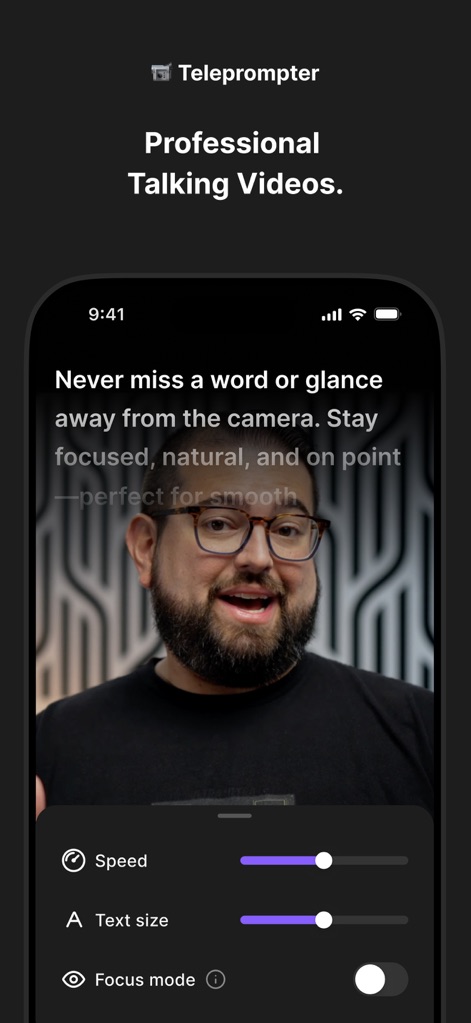
Does Riverside Podcast Video Studio include a teleprompter?
Yes, Riverside includes a teleprompter feature. Users can upload scripts, select font size, and adjust speed to stay focused and on point for professional talking videos.
How accurate is Riverside's AI transcription and what languages does it support?
Riverside's AI transcription is 99% accurate and works with over 100 languages. It transcribes speech-to-text in seconds, providing precise transcripts of recordings.
Can I edit videos by editing text in Riverside Podcast Video Studio?
Yes, Riverside offers text-based editing. Users edit video or audio by simply editing the transcript on their phone, allowing easy cutting, trimming, and removal of filler words or pauses.
How do I create short clips for social media using Riverside?
Riverside allows users to create short clips easily by recording shorts or selecting parts of their video. This is ideal for podcast clips, YouTube shorts, or Instagram reels, enabling quick export and sharing.
Does Riverside Podcast Video Studio provide automatic captions?
Yes, Riverside provides auto captions and subtitles using AI. Users can add and customize them in seconds to fit their brand, making videos accessible and enhancing engagement.
Does Riverside Podcast Video Studio support multi-cam recording?
Yes, Riverside supports multi-cam recording. Users can utilize their iPhone as a second camera to record from multiple angles, enhancing production value for various content types.
How many participants can record simultaneously in Riverside Podcast Video Studio?
Riverside Podcast Video Studio allows recording with up to 10 participants at a time. It captures individual HD audio and video tracks for each participant, ensuring high-quality output.
Is Riverside Podcast Video Studio free to download?
Yes, Riverside Podcast Video Studio is free to download. Users can experience its content creation features by downloading the app from the store.
Where can I find the Privacy Policy for Riverside Podcast Video Studio?
The Privacy Policy for Riverside Podcast Video Studio is available at the URL: https://riverside.fm/privacy-policy. This link is provided within the app description.
以下のスクリーンショットと説明は、アプリの公式ストアリスティングから直接取得されたものであり、アプリ開発者の所有物です。
アプリストア
スクリーンショット
説明
Download
類似アプリ
似た機能とユーザー体験を持つアプリ

Teleprompter
Teleprompter Apps Ltd

BIGVU Teleprompter Captions AI
BIGVU INC

Teleprompter for Video
Norton Five Ltd

Teleprompter.com
Teleprompter LLC

Vmake: AI Talking Video Editor
Starii Tech Pty Ltd

说得AI提词器相机-全能的脚本创作提词拍摄快速剪辑口播神器
Hangzhou Gaishi Technology Co., Ltd.

Teleprompter-Record Script
晨铭 李

Verba: Captions & Video Editor
Verba Creative Inc.

Teleprompter: Video Recording
志威 王
このページはアプリまたはその開発者の公式ページではなく、情報提供および論評を目的として作成された独立した編集出版物です。明示的に別段の記載がない限り、アプリおよびその開発者は、MWM、Apple、Google Play、アプリのパブリッシャー、またはアプリの開発者と提携、承認、後援、認可、またはその他の公式的な関係はなく、このページのいかなる内容も、アプリがMWMのサービスを使用して開発されたことを意味するものではありません。すべての商標、ロゴ、スクリーンショット、その他のコンテンツはそれぞれの所有者の財産です。